OneBookPlusFinance
Accounting software for small businesses & sole traders
Complete accounting, built into your business platform.
Replaces Xero, MYOB, QuickBooks
Demo account. OneBookPlus Plumbing is a business we seeded to run like a working crew; the screens are the product, the figures are sample data.
The tour
Finance, screen by screen
Full double-entry accounting with 328 reports, BAS audit, GST settlement, PAYG installments, super-guarantee tracking, TPAR, fixed-asset depreciation across four methods, CGT cost-base, multi-currency with FX revaluation, inventory, tracking categories, receipt and bill scanning, ABA payment runs, a 12-week cash flow forecast and trial-balance sign-off, connected to your invoicing, jobs, and CRM. No syncing, no double-entry, no month-end pain.
Screens captured from the OneBookPlus app on OneBookPlus Plumbing, a demo business we seeded; the screens are the product, the figures are sample data.
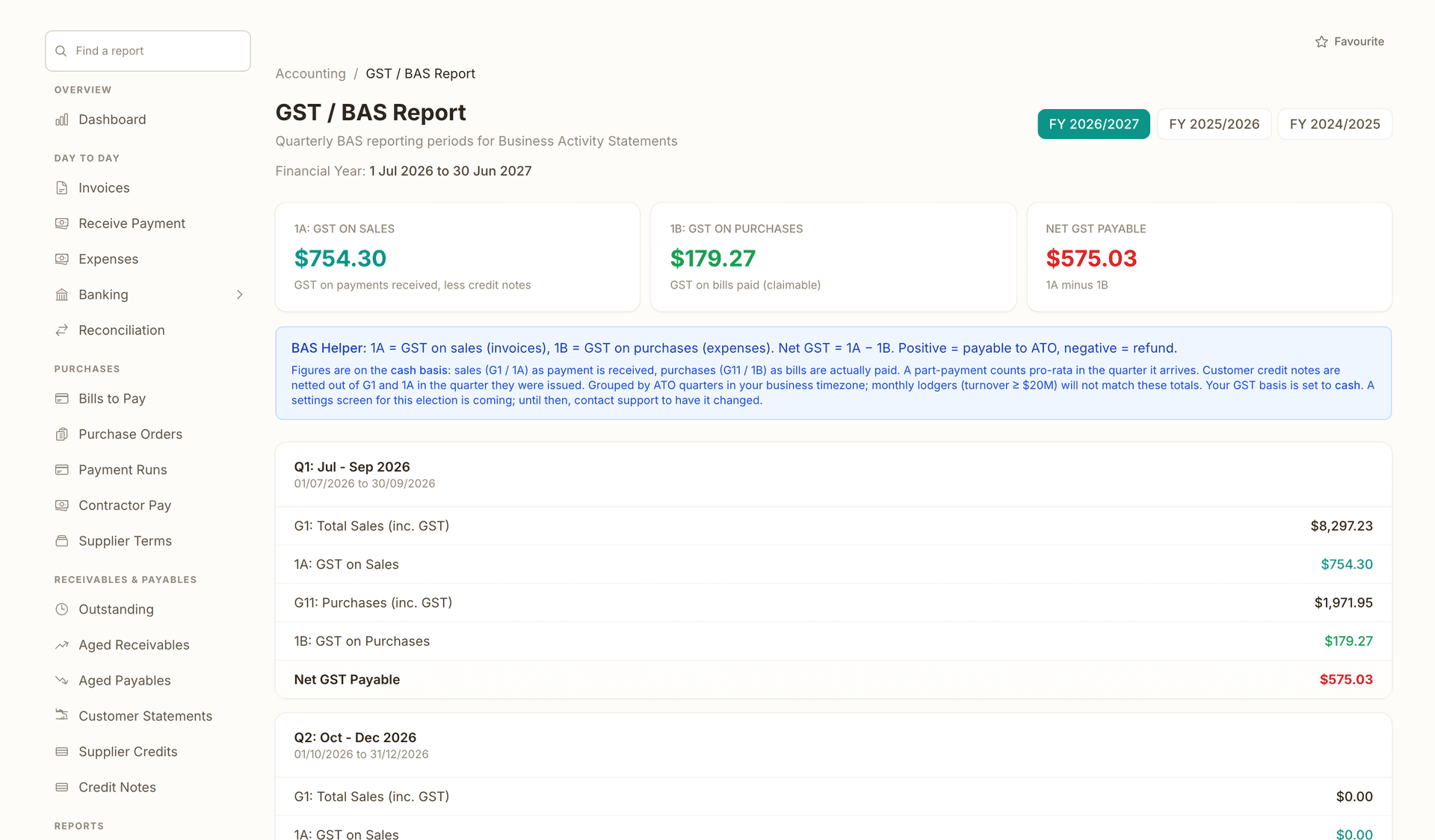
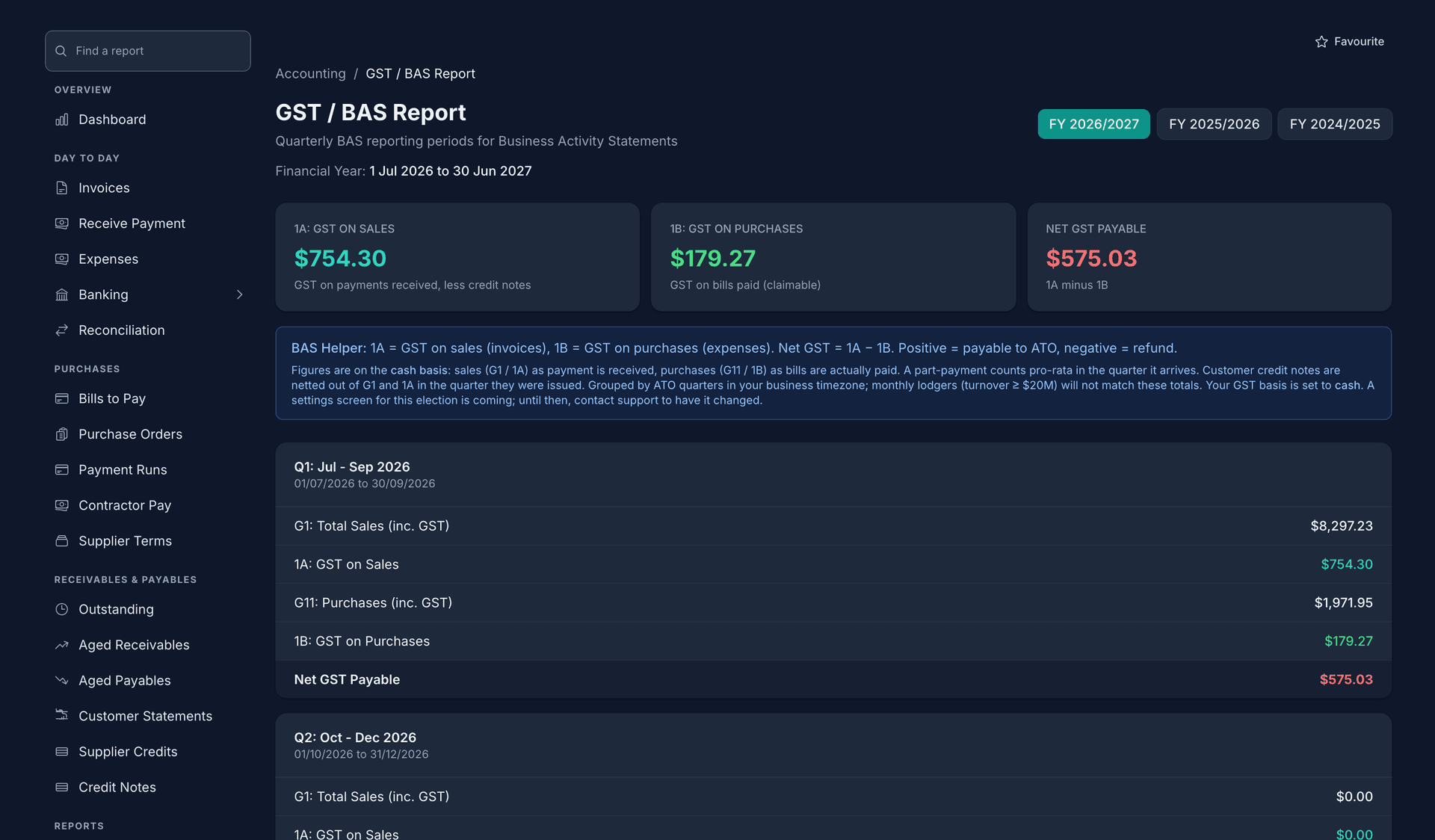
The quarter's GST, from the invoices and bills you already entered.
G1, 1A, 1B and G11 come straight from the ledger, on cash or accrual, and the GST audit flags the anomalies before you copy a figure across.
- FY 2026/2027 selected, with FY 2025/2026 and FY 2024/2025 a chip away
- 1B GST on purchases of $179.27, beside 1A GST on sales of $754.30 for the year
- Net GST payable of $575.03, 1A minus 1B
- Q1 Jul to Sep 2026: G1 total sales of $9,397.23 inc GST
You or your agent lodge it through the ATO portal; the figures here are what you copy across.
- G11 purchases of $1,971.95 inc GST, with 1B GST on purchases of $179.27 on the line under it
- Net GST Payable for the quarter, $575.03, in red because it is owed to the ATO
The BAS Helper above the quarters says the figures are on the cash basis, with customer credit notes netted out of G1 and 1A.
- FY 2026/2027 selected, with FY 2025/2026 and FY 2024/2025 a chip away
- 1B GST on purchases of $179.27, beside 1A GST on sales of $754.30 for the year
- Net GST payable of $575.03, 1A minus 1B
- Q1 Jul to Sep 2026: G1 total sales of $9,397.23 inc GST
- G11 purchases of $1,971.95 inc GST, with 1B GST on purchases of $179.27 on the line under it
- Net GST Payable for the quarter, $575.03, in red because it is owed to the ATO
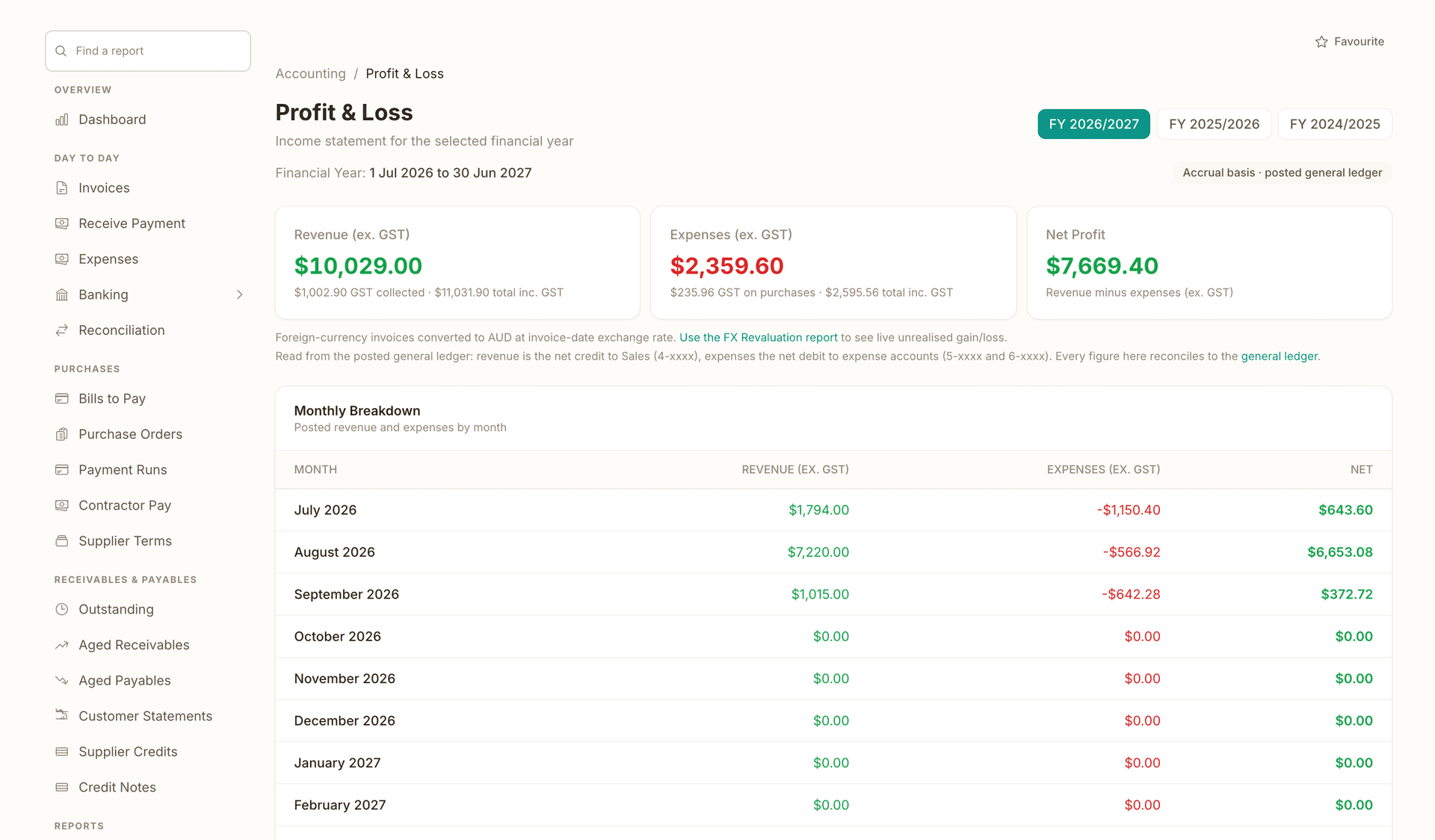
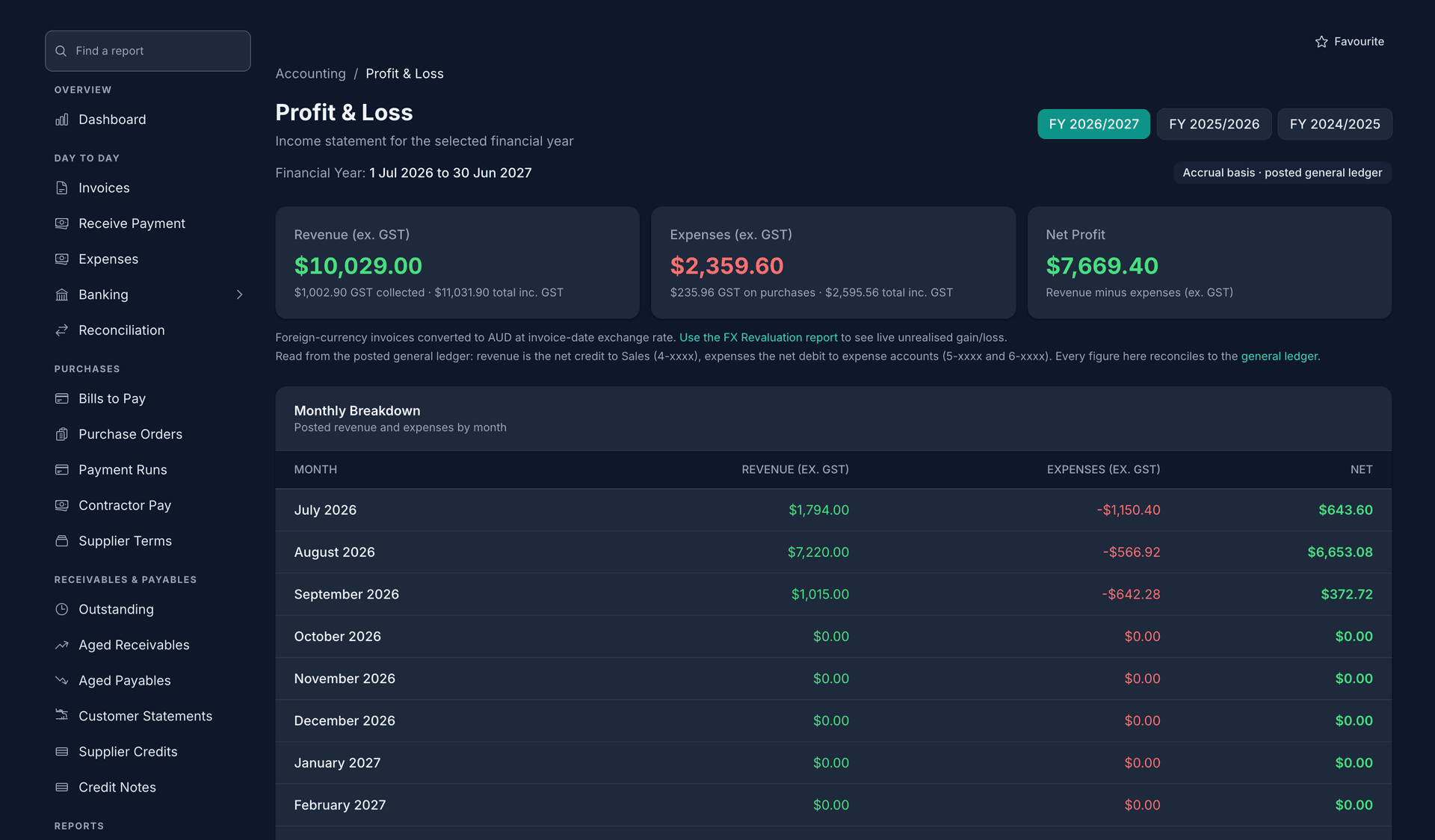
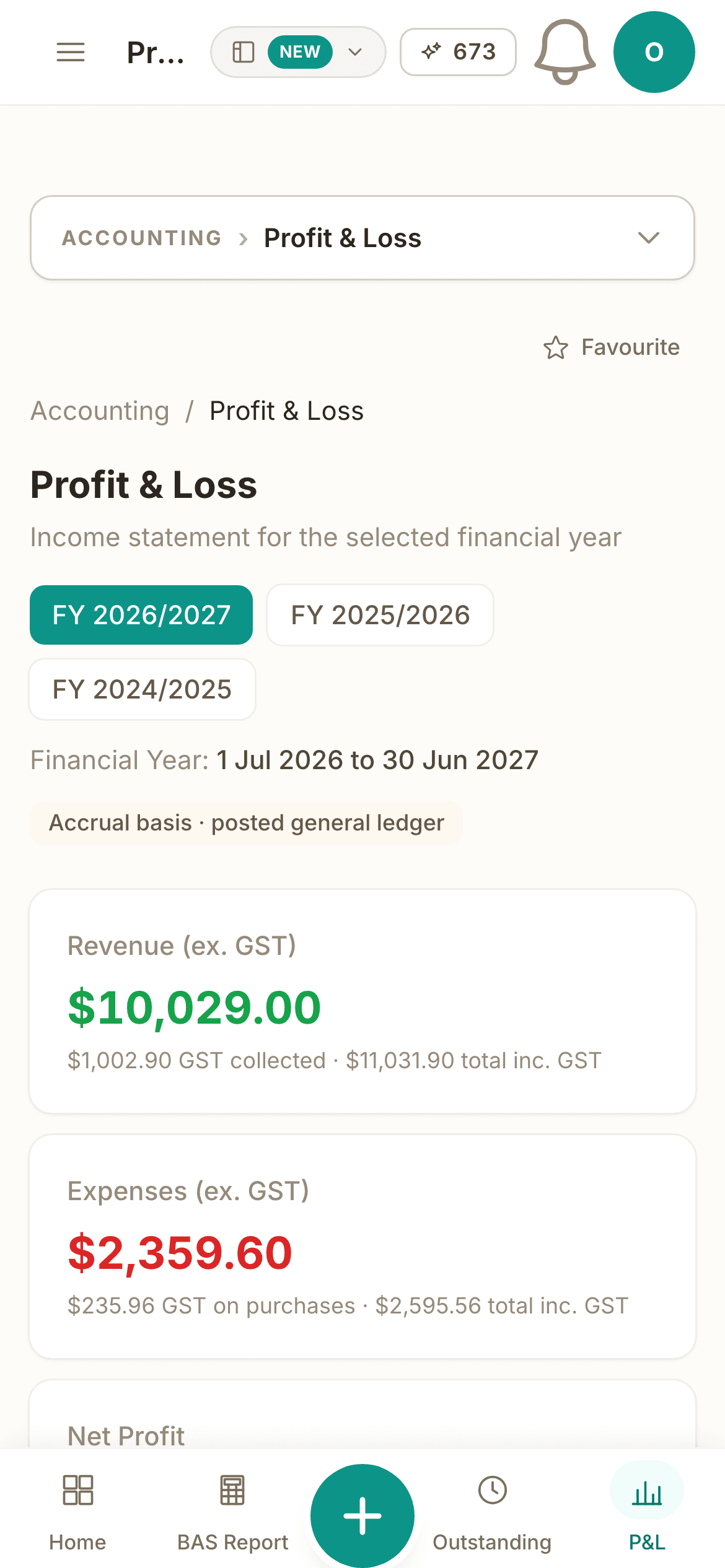
Revenue, expenses and profit, month by month.
Profit and Loss month by month with the full-year total, on cash or accrual, read from the posted general ledger so every figure reconciles to it.
- FY 2026/2027 selected, one chip per year
- Accrual basis, posted general ledger: the basis every figure is read on
- Expenses of $2,359.60 ex GST, with $235.96 GST on purchases and $2,595.56 inc GST under it
- Net profit of $7,669.40, revenue minus expenses
- REVENUE, EXPENSES and NET, three columns down the monthly breakdown
- $7,220.00 revenue against $566.92 expenses on one month's line, netting $6,653.08
The months still to come read $0.00 until something posts to them.
- FY 2026/2027 selected, one chip per year
- Accrual basis, posted general ledger: the basis every figure is read on
- Expenses of $2,359.60 ex GST, with $235.96 GST on purchases and $2,595.56 inc GST under it
- Net profit of $7,669.40, revenue minus expenses
- REVENUE, EXPENSES and NET, three columns down the monthly breakdown
- $7,220.00 revenue against $566.92 expenses on one month's line, netting $6,653.08
Retainers bill themselves, and the recurring revenue is counted.
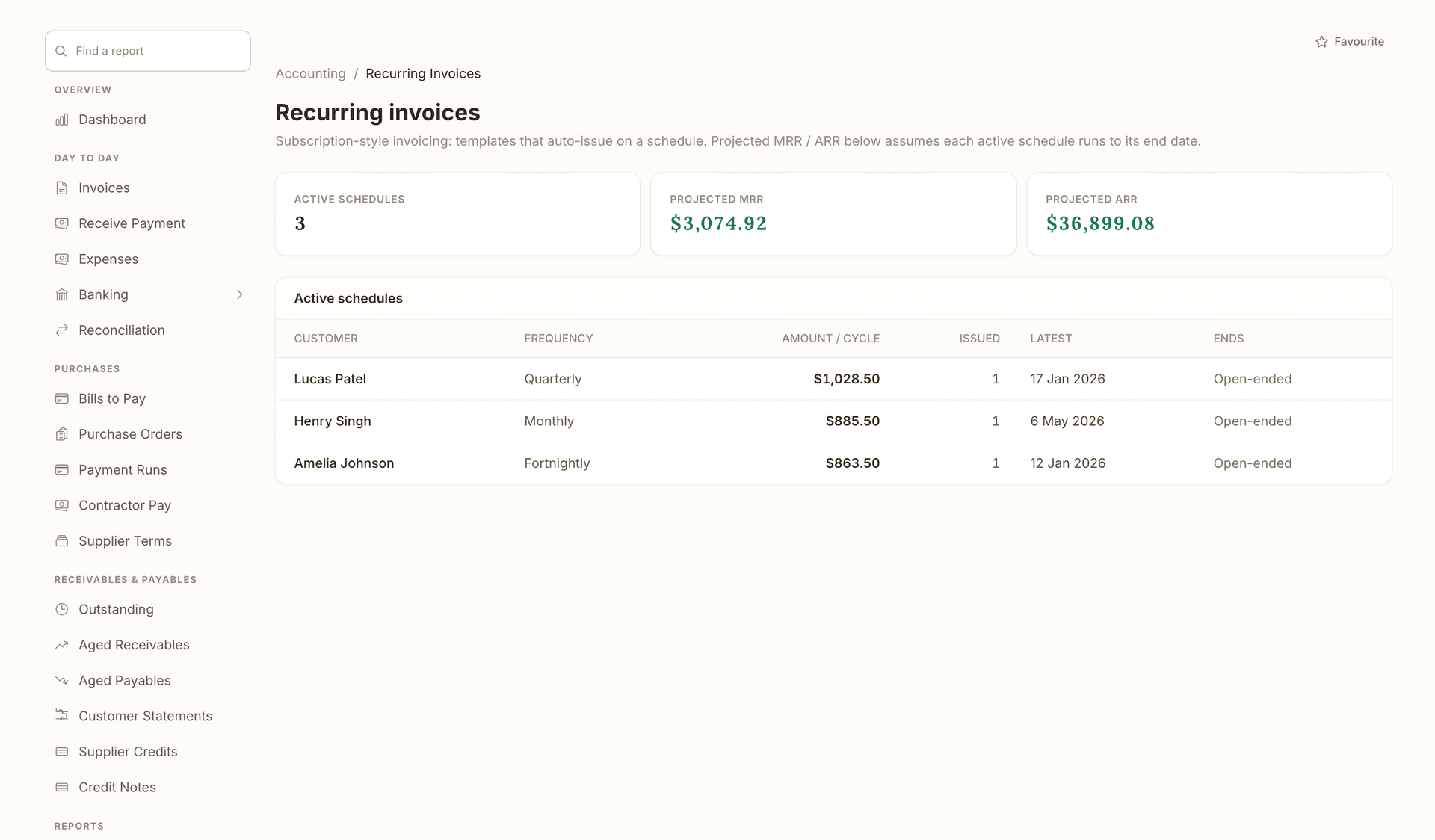
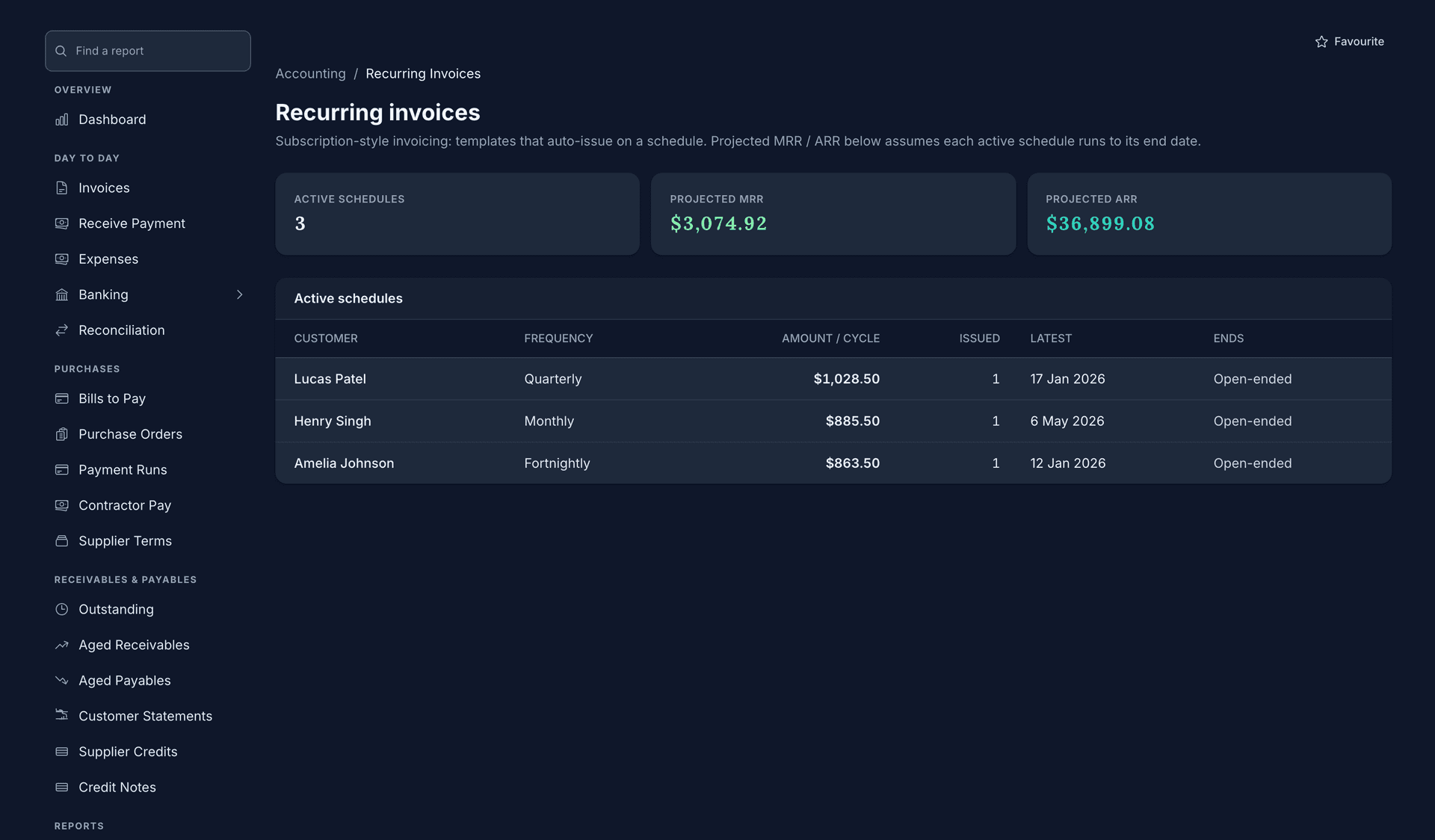
A recurring invoice raises and sends on its schedule with the same lines each time, and the page adds the active schedules into projected MRR and ARR, so subscription-style income is a figure and not a guess.
- Projected MRR of $3,074.92 from the schedules that are active
The first tile counts them: 3 active schedules.
- Projected ARR of $36,899.08, the same schedules over a year
- Quarterly, monthly and fortnightly, one line per customer
- $885.50 per cycle on the monthly schedule, beside $1,028.50 on the quarterly one
- 1 issued so far, with the latest issue dated 17 Jan 2026
- Open-ended on every line: the schedule runs until you end it
- Projected MRR of $3,074.92 from the schedules that are active
- Projected ARR of $36,899.08, the same schedules over a year
- Quarterly, monthly and fortnightly, one line per customer
- $885.50 per cycle on the monthly schedule, beside $1,028.50 on the quarterly one
- 1 issued so far, with the latest issue dated 17 Jan 2026
- Open-ended on every line: the schedule runs until you end it
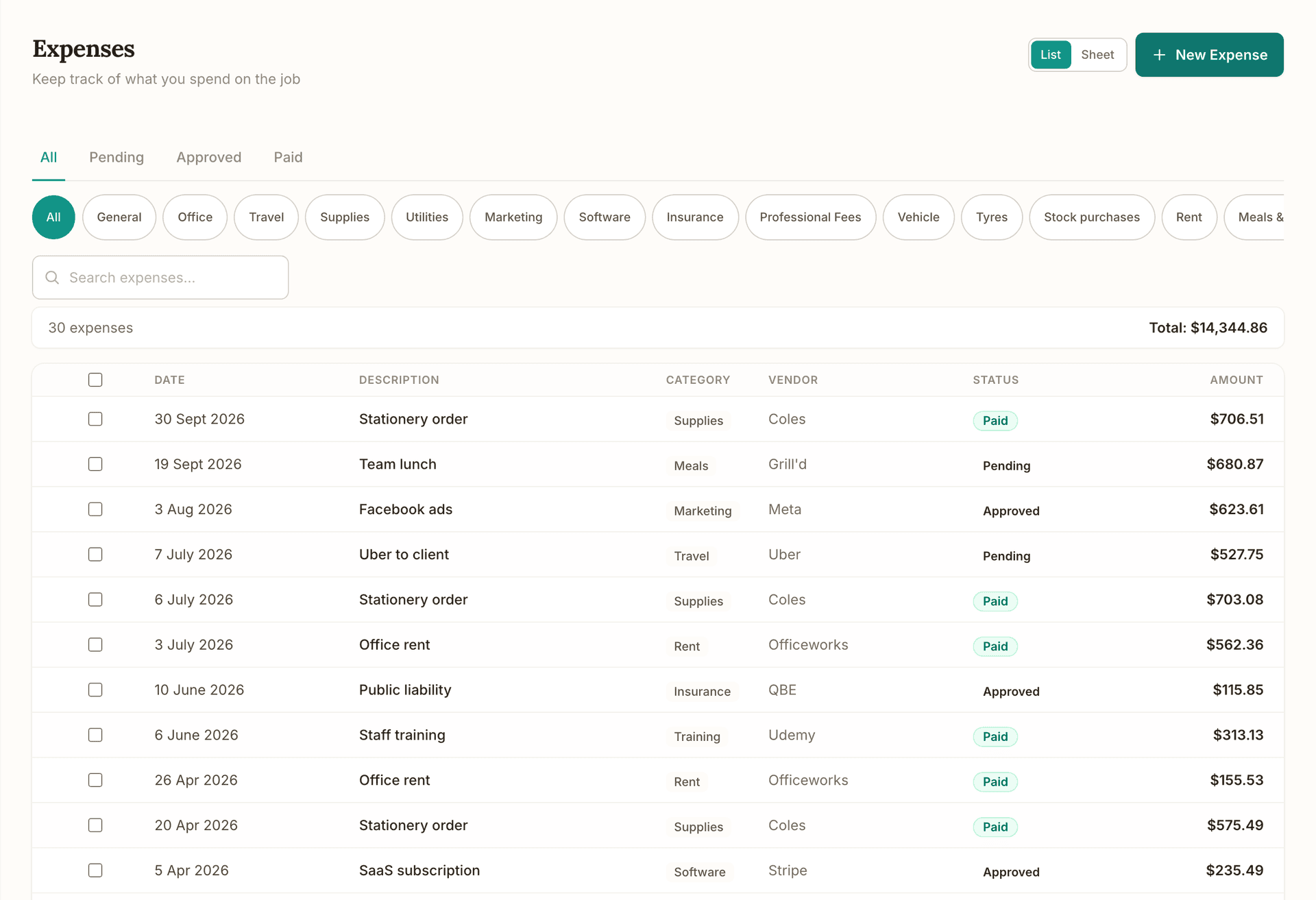
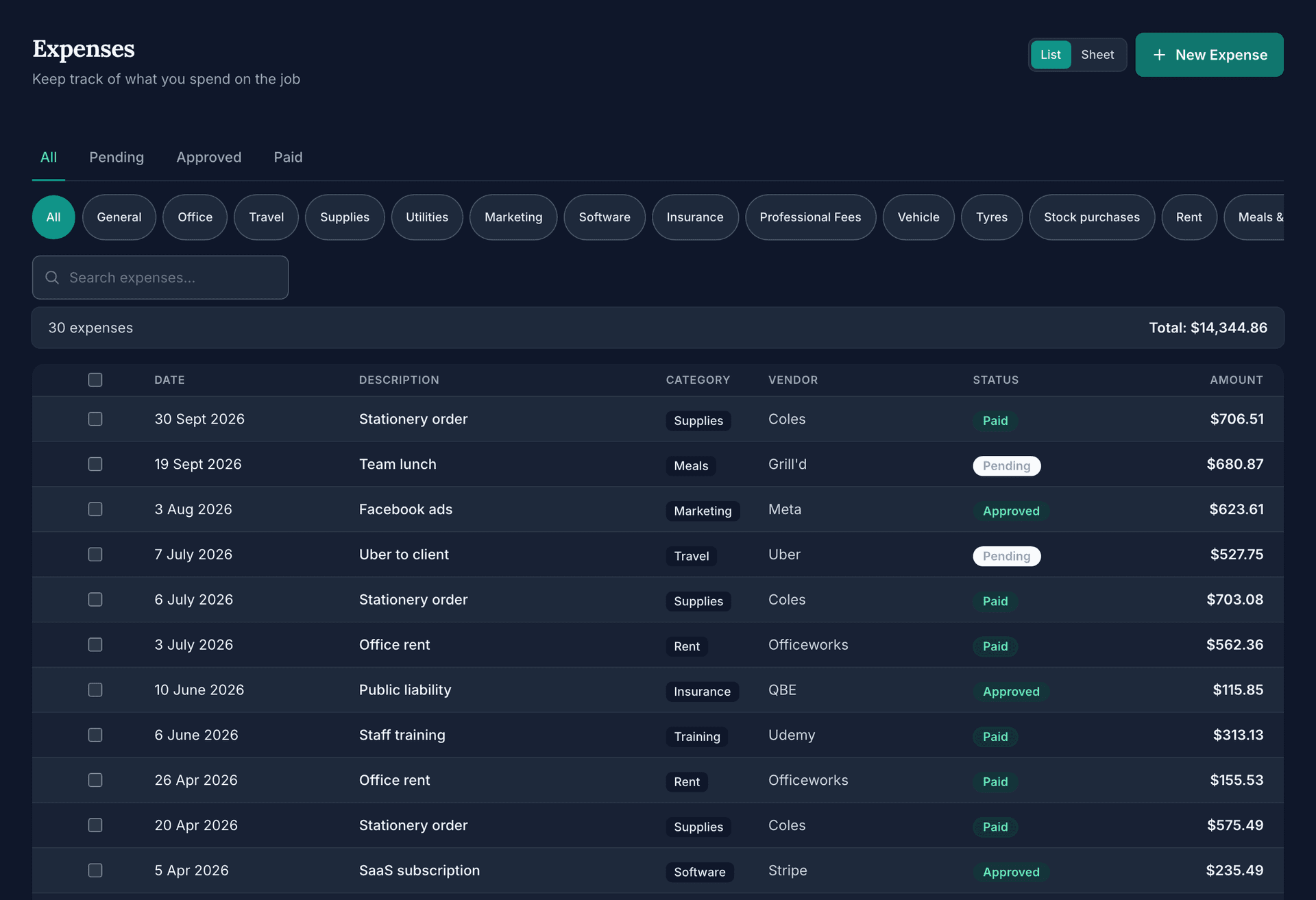
Every expense in one list, with its status.
Pending, approved and paid are one tab apart, every row carries the vendor and the category, and a photographed receipt or a supplier's PDF is read for you before it posts to the ledger.
- Description, category, vendor, status and amount beside the date on every row
- The category on each line: Supplies, Meals, Marketing, Travel, Rent, Insurance and the rest
- Paid in a green chip, Pending and Approved in plain text
- The vendor on each line: Officeworks, Coles, Uber, QBE, Udemy and Stripe among them
- Total: $14,344.86 across all 30 expenses
- List or Sheet view, with New Expense one press away
- Description, category, vendor, status and amount beside the date on every row
- The category on each line: Supplies, Meals, Marketing, Travel, Rent, Insurance and the rest
- Paid in a green chip, Pending and Approved in plain text
- The vendor on each line: Officeworks, Coles, Uber, QBE, Udemy and Stripe among them
- Total: $14,344.86 across all 30 expenses
- List or Sheet view, with New Expense one press away
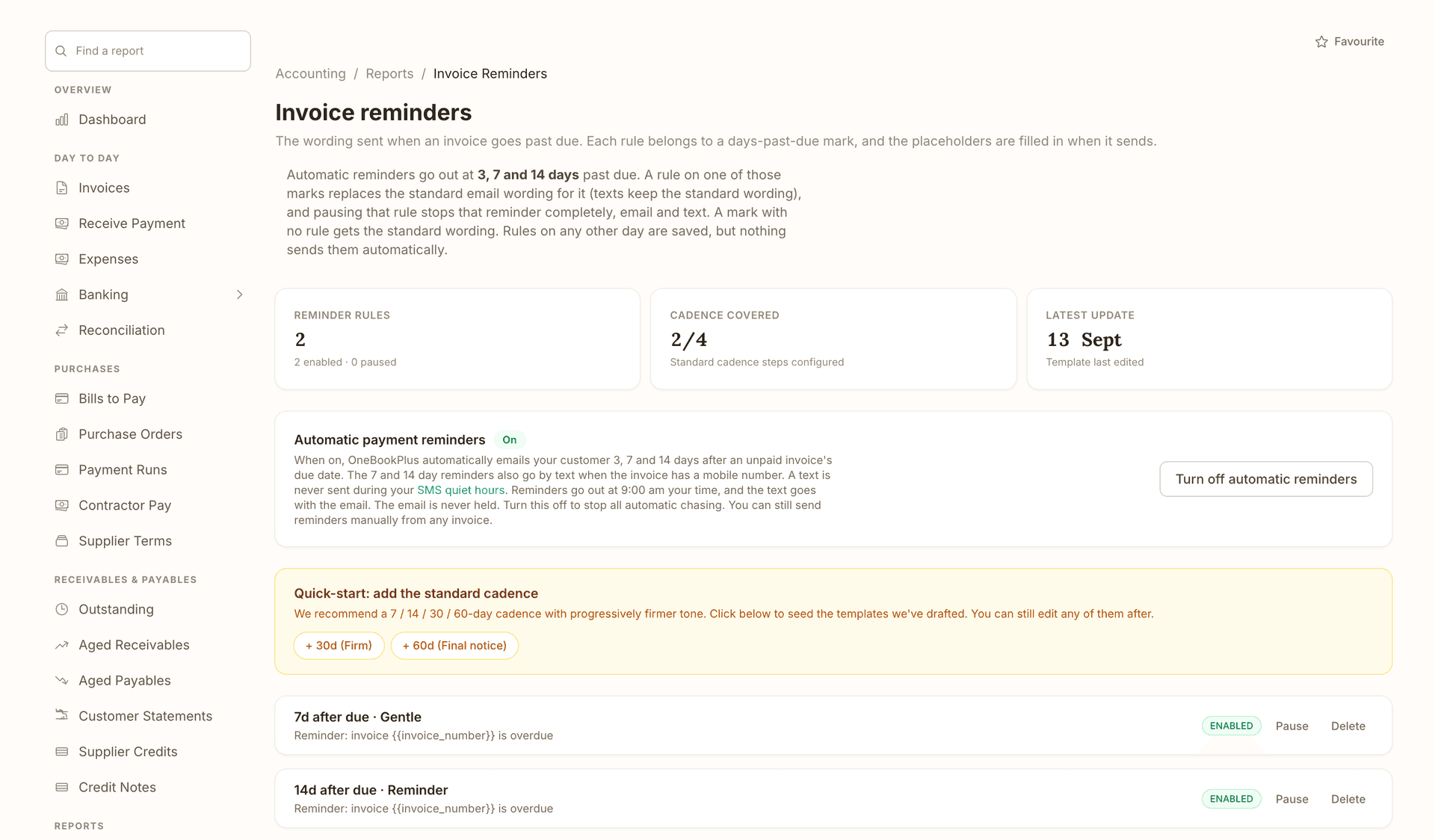
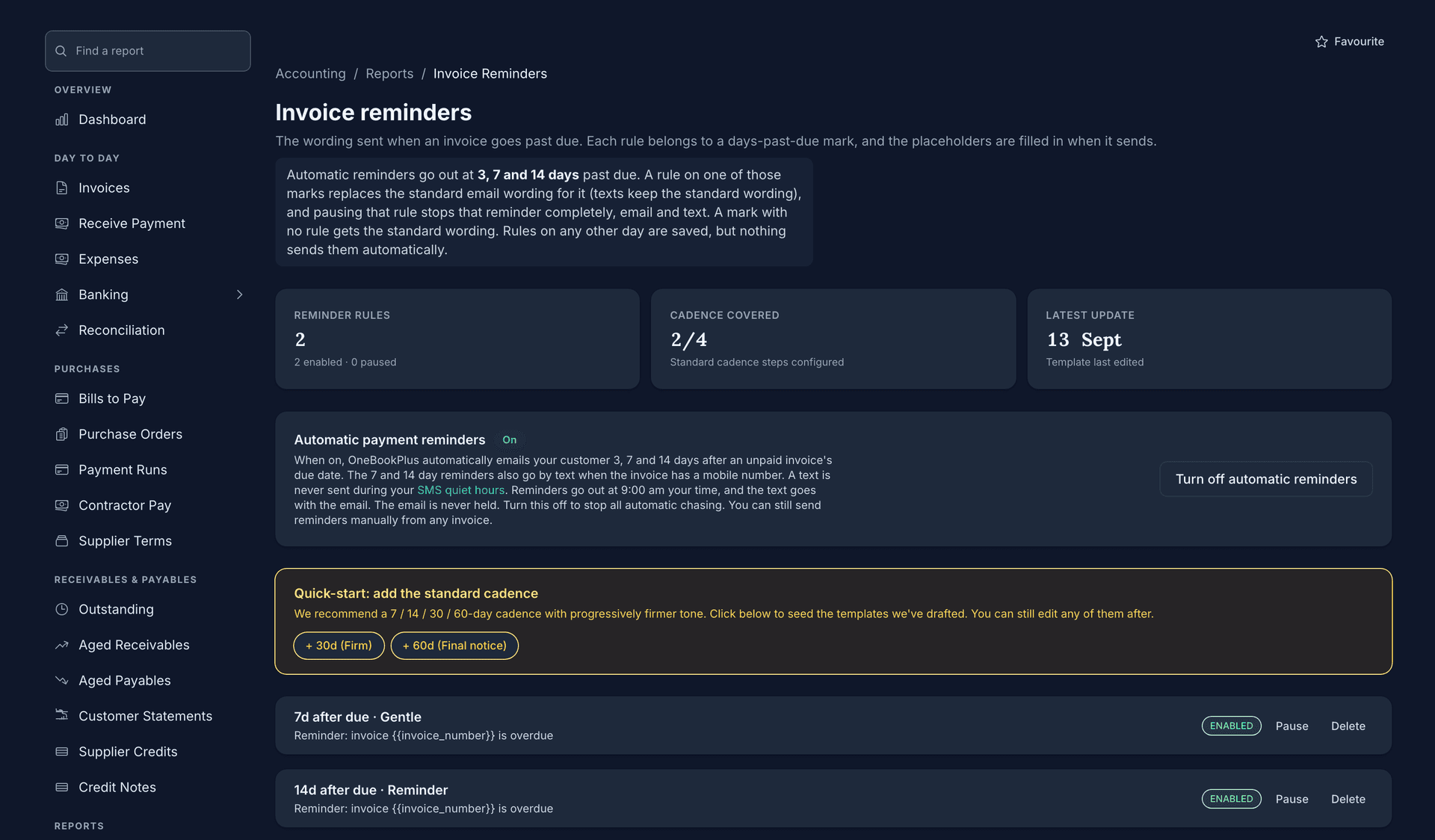
Overdue invoices are chased before they age.
Automatic reminders go out at 3, 7 and 14 days past due, by text as well on the 7 and 14 day marks when the invoice has a mobile number, with your own wording on any mark. The email is never held, so the chasing is done before you open the aged receivables report.
- 2 reminder rules, 2 enabled and 0 paused, counted at the top
Outstanding, Aged Receivables, Aged Payables and Customer Statements sit together in the nav down the left.
- Cadence covered 2/4: two of the four standard steps set up so far
- Latest update 13 Sept, the day a template was last edited
- Turn off automatic reminders, one button, when you would rather chase by hand
Turn it off and nothing chases on its own; you can still send a reminder from any invoice.
- The 7 day mark, Gentle: your own wording, Enabled, with Pause and Delete beside it
- The 14 day mark, Reminder: a second rule, also enabled, so the chasing does not stop at one email
- 2 reminder rules, 2 enabled and 0 paused, counted at the top
- Cadence covered 2/4: two of the four standard steps set up so far
- Latest update 13 Sept, the day a template was last edited
- Turn off automatic reminders, one button, when you would rather chase by hand
- The 7 day mark, Gentle: your own wording, Enabled, with Pause and Delete beside it
- The 14 day mark, Reminder: a second rule, also enabled, so the chasing does not stop at one email
Bank statements come in by file and reconcile against what you recorded.
Import CSV, OFX or QFX from your bank, match each line to an invoice payment or an expense, and the unmatched lines are the ones left to explain.
From Starter
- CSV, OFX or QFX import: a file, not a live bank feed
- Each line matched to a payment or an expense
- Matched and unmatched counted on the screen
Pay runs with PAYG withholding, super and leave worked out.
Rosters and pay runs live in the Rostering & Payroll add-on at $29/mo. The engine works out PAYG withholding, super and leave on every run, and the ABA file pays the crew from one upload to your bank.
No Single Touch Payroll lodgement. Payroll calculates PAYG withholding, super and leave, and you report each pay run through STP-enabled software or your accountant.
- PAYG withholding, super guarantee and leave on each pay run
- An ABA bank file for the run, uploaded once to your bank
- Super due dates on the ATO calendar
Everything included in Finance
328 reports, registers, and tools, grouped the way an accountant actually thinks about the close cycle.
Financial statements & ledger
Real-time statements, real double-entry ledger
P&L, Balance Sheet, Cash Flow, Trial Balance, all generated live from the same GL your invoicing writes to. Every line drills to the source transaction.
Profit & Loss (cash + accrual)
Toggle between cash and accrual on the fly. Month-by-month columns and full-year totals with depreciation auto-included.
P&L Comparative (TY vs LY)
Side-by-side this FY vs prior FY with variance dollar + percent per category. Spot growth and overrun at a glance.
Balance Sheet + Comparative
Real-time balance sheet with year-on-year comparison showing movement per line. Receivables reflect what was outstanding then, not now.
Cash Flow Statement
Operating, investing, and financing activities for any period. Generated automatically from your transactions.
Trial Balance + Comparative
Every account's net debit/credit at any point in time: the diagnostic test for GL integrity. Side-by-side TY vs LY.
General Ledger drill-down
Account-level transaction listing with running balances. Drill from any P&L or balance-sheet line straight to source.
Journal entries + audit log
Full double-entry journal with multi-line entries, reversal support, and an append-only audit log of every mutation.
Tax & compliance
BAS-ready, ATO-aligned, anomaly-aware
Every G-code, every PAYG/super line, every TPAR report is calculated live from the GL. The GST Audit Report flags the misclassifications before lodgement so you don't lodge bad numbers.
BAS / GST report with G-code breakdown
Quarterly BAS-ready summary covering G1, 1A, 1B, G10, G11, W1 and W2 from your live invoice + expense data.
GST Audit Report
Pre-lodgement anomaly detection: invoices marked Standard with $0 tax, off-band GST rates on expenses, and tax/non-tax conflicts.
GST Settlement workflow
Record your BAS payment to (or refund from) the ATO with a single click. Posts the journal that clears GST liabilities for the quarter.
FX Revaluation
Unrealised gain/loss on unpaid foreign-currency invoices, calculated against live spot rates and a per-period reversal entry.
Fixed Assets + CGT cost-base
Four ATO depreciation methods (prime cost, diminishing value, SBE pool, immediate write-off), business-use %, and CGT cost-base tracking with 50% discount eligibility on disposal.
Custom tax codes
Beyond Standard / GST-free / Export / Input-taxed: add WET, LCT, capped input credits with your own rate and reporting label.
Receivables, payables, cash
Who owes you. Who you owe. How much is in the tin.
Aged AR + AP with drill-down to invoice level, customer + supplier statements with one-click email send, and batch bill payment with ABA export.
Aged AR + AP with drilldown
Standard buckets (Current / 1-30 / 31-60 / 61-90 / 90+) plus per-customer drilldown showing who's behind on what.
Customer + supplier statements
Per-party ledger with running balance. One-click email send to chase overdue amounts. Mirror flow for suppliers.
Bills + batch payment + ABA export
Dedicated bills-to-pay queue with aged buckets. Select multiple bills, pay all at once with a shared reference and ABA file.
Payment reconciliation
Record payments and part-payments against invoices and bills, so the aged reports only show what is genuinely still outstanding.
Bank statement import
Bring in the CSV / OFX / QFX file your bank exports, then review each line and code it to an account.
Petty cash (multiple floats)
Track named cash tins (office, register, site truck) with disbursements, top-ups, and a running balance.
Planning & analysis
See trouble coming before it lands
Budget variance, 12-week cash flow forecast, working capital, project margin, customer concentration, the analytics that turn bookkeeping into financial control.
12-week cash flow forecast
Forward look at expected receipts (open invoices + recurring), expected payments (bills due), and weekly closing balance. Negative weeks flagged red.
Budget vs Actual
Set annual targets per category and compare against live numbers, scaled to monthly / quarterly / full year.
Sales by Customer + LTV
Ranked revenue per customer plus all-time lifetime value, average days-to-pay, and top-10 concentration risk band.
Expenses by Supplier
Suppliers ranked by spend with GST claimable and top expense category per supplier.
Job Costing + margin %
Per-job profitability: labour + materials cost vs billed revenue with margin colour-coded red / amber / green.
Project Budget vs Actual
Estimate vs actual hours, materials, and total per job. Surfaces overruns before they kill the year.
Quote Analytics
Acceptance rate, median time-to-accept, won/lost value: sales-pipeline view of your quotes feeding the forecast.
Setup & data control
Set up in a day, locked down forever
Chart of accounts, opening balances, tax codes, tracking categories, period locks. The boring-but-load-bearing bits that keep year-end reviews painless.
Custom Chart of Accounts + CSV import
Pre-seeded with 33 standard Australian accounts; add, rename, archive, and bulk-import your existing CoA via CSV.
Opening Balances Wizard
Bring closing balances over from Xero / MYOB. Validates debit-credit balance before posting the canonical OPENING-BAL journal.
Tracking categories (Xero-style)
Tag invoices and expenses by Department, Location, or Project for slice-by-tag P&L reporting.
Period locks
Lock prior quarters or financial years after lodgement so nobody on the team can accidentally post into closed periods.
Receipt inbox + OCR
Drag-drop receipts (photo, PDF) into a staging inbox. Review suggested expense fields and accept to create the expense row.
CSV journal import
Bulk-load historical journals from Xero / MYOB / QuickBooks. Per-entry balance validation before posting.
Workflow & automation
Stop typing the same invoice every month
Journal templates, recurring invoices, expense claims, customer reminders, account watchlists, stock take + reorder, the daily grind, automated.
Recurring invoices + expenses
Subscription-style invoicing and expense templates that auto-generate on schedule. Projected MRR/ARR surfaced.
Multi-currency invoicing
Issue invoices in USD, EUR, GBP, etc. with per-invoice FX rate. Accounting reports normalise to base AUD.
Inventory + stock-take + reorder
Stock items with on-hand qty, low-stock alerts, cycle-count workflow, and auto-posting journals on adjustments.
Year-end Close Wizard
Roll net profit into Retained Earnings, post the closing journal, and lock the period: all in three confirmations.
328 reports in one library
Trial Balance, Cash Receipts / Payments Journal, FX Revaluation, Payroll Summary, GST Audit, Year-End Pack, and more: all in one place with CSV export.
Account watchlist
Pin the GL accounts you check most often. One-screen view of balances, movement, and outstanding items.
The full list, 61 items
Profit & Loss (cash + accrual)
Toggle between cash and accrual basis on the fly. Month-by-month breakdown, full-year totals, and auto-included fixed-asset depreciation.
P&L Comparative
This FY vs prior FY with variance dollar + percentage per expense category. Spot growth and overrun at a glance.
Balance Sheet + Comparative
Real-time balance sheet with year-on-year comparison showing movement per line. Receivables reflect what was outstanding then, not now.
Cash Flow Statement
Operating, investing, and financing activities for any period. Generated automatically from your transactions.
12-week Cash Flow Forecast
Forward look at expected receipts (open invoices + recurring), expected payments (bills due), and weekly closing balance. Negative weeks flagged in red.
Trial Balance + Comparative + sign-off
Every account's net debit/credit at any point in time. Side-by-side TY vs LY. Sign off the year-end TB and the snapshot is frozen: your tax-agent handover artefact.
General Ledger drill-down
Account-level transaction listing with running balances. Drill from any P&L or balance-sheet line to source.
Journal Entries + audit log
Full double-entry journal with multi-line entries, reversal support, and append-only audit log of every mutation.
BAS / GST report (G1, 1A, 1B, G10, G11, W2)
Quarterly BAS-ready summary derived directly from your GL. Toggle cash vs accrual on the fly. Re-runs in seconds when you fix an anomaly.
BAS Lodgements + audit record
Mark a BAS as lodged with the ATO receipt number and net amount; the snapshot is frozen. Revisions create a new snapshot rather than overwriting.
GST Audit Report
Pre-lodgement anomaly detection: flags invoices marked Standard with $0 tax, off-band GST rates on expenses, and tax/non-tax conflicts.
GST Settlement workflow
Record your BAS payment to (or refund from) the ATO. Posts the journal that clears GST liabilities for the quarter in one click.
PAYG Installments
Either the T7 Commissioner's amount or T1×T2 instalment-rate method. Quarterly payments accumulate against the income-tax prepayment asset.
Super Guarantee
Per-employee SG calculation from your pay runs against the current 12% rate (from 1 July 2025). Quarterly due-date tracking flags the 28-day deadline, and you mark a quarter paid once your clearing house has sent it.
TPAR (Taxable Payments Annual Report)
Auto-detect reportable contractor payments across the year and export them as a CSV to work from when you lodge. Built for building, cleaning, courier, IT and security trades.
ATO Calendar (12 months forward)
Every BAS, PAYG, super and TPAR deadline rolled into a forward calendar with traffic-light status. Nothing falls through the cracks.
Deduction Finder
Heuristic scan of expenses for under-claimed deduction patterns: home-office, motor-vehicle log, depreciation eligibility, prepayments.
Receipt Coverage
ATO substantiation check: every expense over the $82.50 threshold (and below if you'd like) flagged if no receipt is attached.
Expense Anomalies
Outlier detection across categories: a $5,000 stationery bill, a duplicate payment, a category that quintupled month-on-month.
Supplier ABN Audit
TAA 1953 s 12-190 check: any supplier without a valid ABN flagged so you withhold 47% (or fix the record) before lodging the next BAS.
FX Revaluation
Unrealised gain/loss on unpaid foreign-currency invoices, calculated against live spot rates. Year-end revaluation journal auto-reverses on 1 July.
Aged AR + AP with customer drilldown
Standard buckets (Current / 1-30 / 31-60 / 61-90 / 90+) plus per-customer drilldown showing who's behind on what.
Customer Statements with public share token
Per-customer ledger with running balance. Email or share a tokenised public URL so the customer can view their own statement without a login.
Supplier Statements
Mirror of customer statements: per-supplier balance, overdue subset, and YTD paid.
Bills + Payment Runs (ABA export)
Dedicated bills-to-pay queue with aged buckets. Select multiple bills, generate an ABA bank file, upload once to your bank: every payment processed in one batch.
Credit Notes (customer and supplier)
Issue or receive a credit note that allocates against the original invoice. GST flows through correctly to the BAS.
Credit Limits and Holds
Per-customer credit limit with on-hold flag. New invoices over the limit prompt a manual override decision.
Bad Debts (write-off + GST adjustment)
Write off uncollectible invoices under GSTR 2000/2 with the GST adjustment journal posted automatically. Fully reversible if the customer eventually pays.
Invoice-to-payment reconciliation
Record a payment against an invoice, by hand or from a Stripe card or BECS payment, and the receivable is relieved in the ledger so aged AR shows what is genuinely outstanding.
Receipt and bill scanning
Photograph a receipt or drag in a supplier's PDF invoice and the AI reads the supplier, date, GST and total. Confirm the figures and it posts to the ledger with the GST credit attached.
Petty Cash (multiple floats)
Track named cash tins (office, register, site truck) with disbursements, top-ups, and a running balance.
Sales by Customer + LTV
Ranked revenue per customer plus all-time lifetime value, average days-to-pay, and top-10 concentration risk band.
Sales by Location
Revenue grouped by tracking-category Location for multi-site businesses, with month-on-month deltas.
Expenses by Supplier
Suppliers ranked by spend with GST claimable and top expense category per supplier.
Category Trend (12-month)
Twelve-month sparkline per expense category. Spot creeping subscription growth before it surprises you at year-end.
Job Costing
Per-job profitability: labour + materials cost vs billed revenue with margin% colour-coded red / amber / green.
Project Budget vs Actual
Estimate vs actual hours, materials, and total per job. Surfaces overruns before they kill the year.
Quote Analytics + Quote-to-Invoice
Acceptance rate, median time-to-accept, won/lost value. One-click quote-to-invoice conversion.
Stripe Payouts Reconciliation
Match Stripe payouts against the underlying charges, refunds and fees so the payout total ties back to the cent.
Budget vs Actual + Variance Drill-Down
Set annual targets per category and compare against live numbers, scaled monthly / quarterly / full year. Drill into the variance to find the underlying transactions.
Sales Forecast
Linear-regression forward sales projection based on the trailing twelve months. Reset assumptions to model promotion or expansion scenarios.
Working Capital
Current and quick ratios, DSO / DPO / DIO, and the cash conversion cycle: the four-number dashboard that tells you whether the business is healthy.
Break-Even Analysis
Fixed costs ÷ contribution margin = break-even revenue. Adjust price, variable cost, or fixed-cost assumptions and the break-even point recalculates live.
Cost-Plus Pricing Calculator
Build a quote price from materials + labour + overhead + target margin. Saves the calculation against the quote so you can review the maths months later.
Recurring Revenue Insights
MRR, ARR, net new MRR, churn dollars and churn rate: surfaced from your recurring invoices for subscription-style businesses.
Recurring Invoices + Recurring Expenses
Subscription-style invoicing and expense templates that auto-generate on schedule. Projected MRR/ARR surfaced.
Franchise / Multi-tenant Consolidation
Aggregate cash-basis P&L across multiple tenants (franchise locations, group entities) in a single consolidated view: revenue ex GST, GST collected, expenses and net profit per business and as a group total.
Fixed Assets register (4 methods + disposal)
Prime cost, diminishing value, SBE pool, immediate write-off: pick per asset. Disposal posts a balanced journal and flags 50% CGT discount eligibility for assets held >12 months.
Inventory tracking
Stock items with on-hand qty, low-stock alerts, stock-take / cycle-count workflow, and auto-posting journal entries on adjustments.
Chart of Accounts (with CSV import)
Pre-seeded with 33 standard Australian accounts. Replace wholesale with a CSV export from Xero, MYOB or QuickBooks.
Opening Balances Wizard
Bring closing balances over from Xero / MYOB. Validates debit-credit balance before posting the canonical OPENING-BAL journal.
Tax Codes
Custom GST classifications beyond Standard / GST-free / Export / Input-taxed: for WET, LCT, capped input credits.
Tracking Categories
Tag invoices and expenses by Department, Location, or Project. Drives the P&L by Tracking report and per-category drill-downs.
P&L by Tracking
Slice the profit & loss by any tracking dimension: see margin per Department, per Location, per Project, side by side.
Period Locks
Lock the books after BAS or tax-return lodgement so backdated edits cannot drift the lodged figures. Unlocks are logged with actor + reason.
Receipt Inbox (email-in)
Forward receipts to your tenant's inbox address. They land in a staging queue with OCR-suggested fields ready for one-click expense creation.
Multi-currency invoicing
Issue invoices in USD, EUR, GBP, NZD, SGD, CAD, JPY with per-invoice FX rate. Realised FX gain/loss on settlement; unrealised via revaluation.
328 reports in one library
Trial Balance, Cash Receipts / Payments Journal, FX Revaluation, Payroll Summary, GST Audit, Sales by Customer / Location, Expenses by Supplier, Category Trend, Year-End Pack and more: all in one place with CSV export.
Year-End Pack
One-click PDF/CSV bundle of the trial balance, P&L, balance sheet, fixed-asset register, AR/AP ageing, BAS history and journals: the artefact you email to your tax agent.
Month-End Digest
Auto-generated month-end summary: revenue, COGS, gross margin, top-five expense categories, AR ageing position, cash on hand.
Business Pulse widget
Heuristic insights on the accounting overview: variance against last month, cash runway, top growing expense, customer concentration risk.
No sync, no exports. Every transaction your operations team creates lands in the GL the same moment it's saved. Direct ATO e-lodgement via SBR is in final ATO certification, prepare and validate BAS and returns today; we'll tell you the moment lodgement goes live on your account.
Where this sits in the job
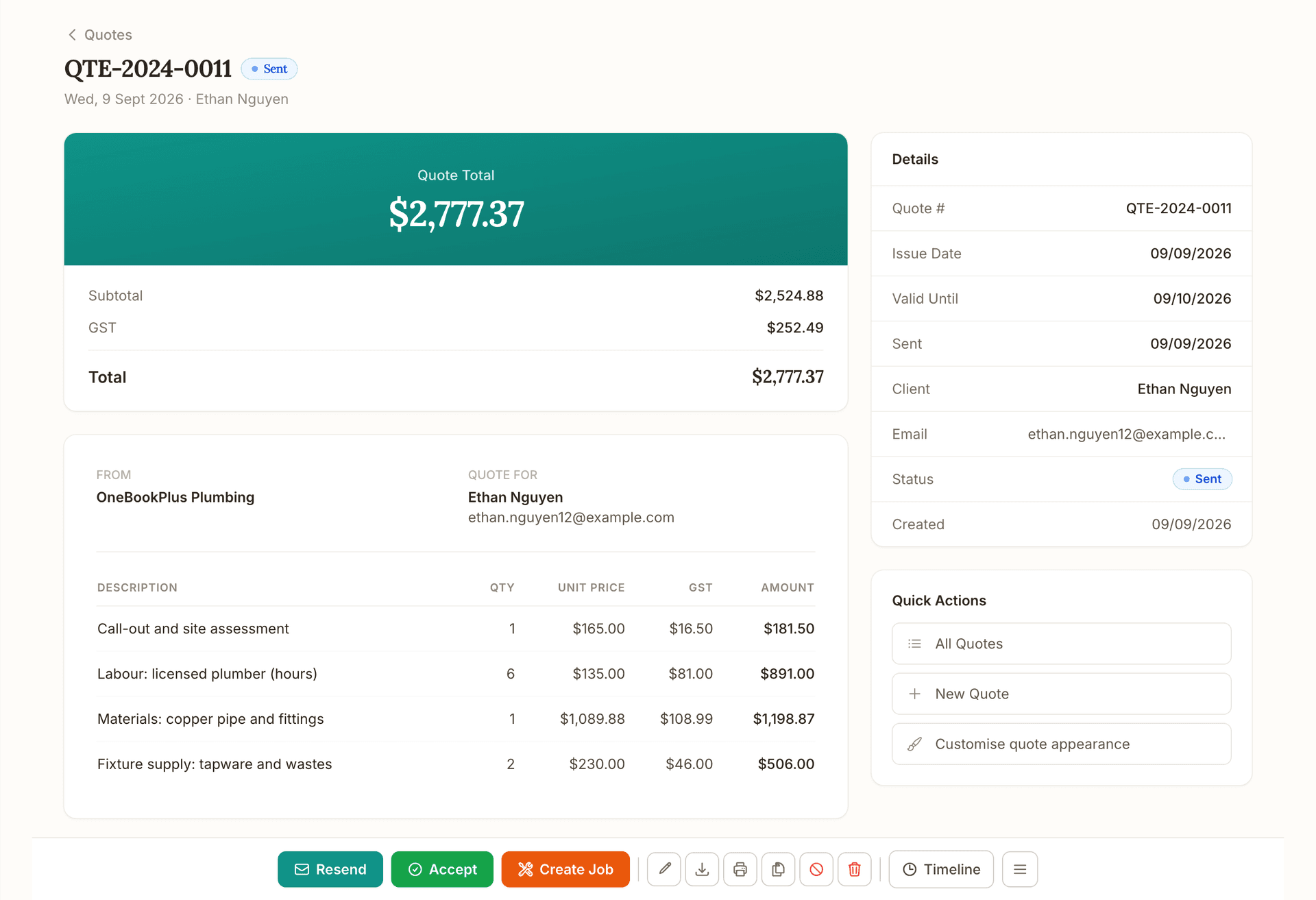
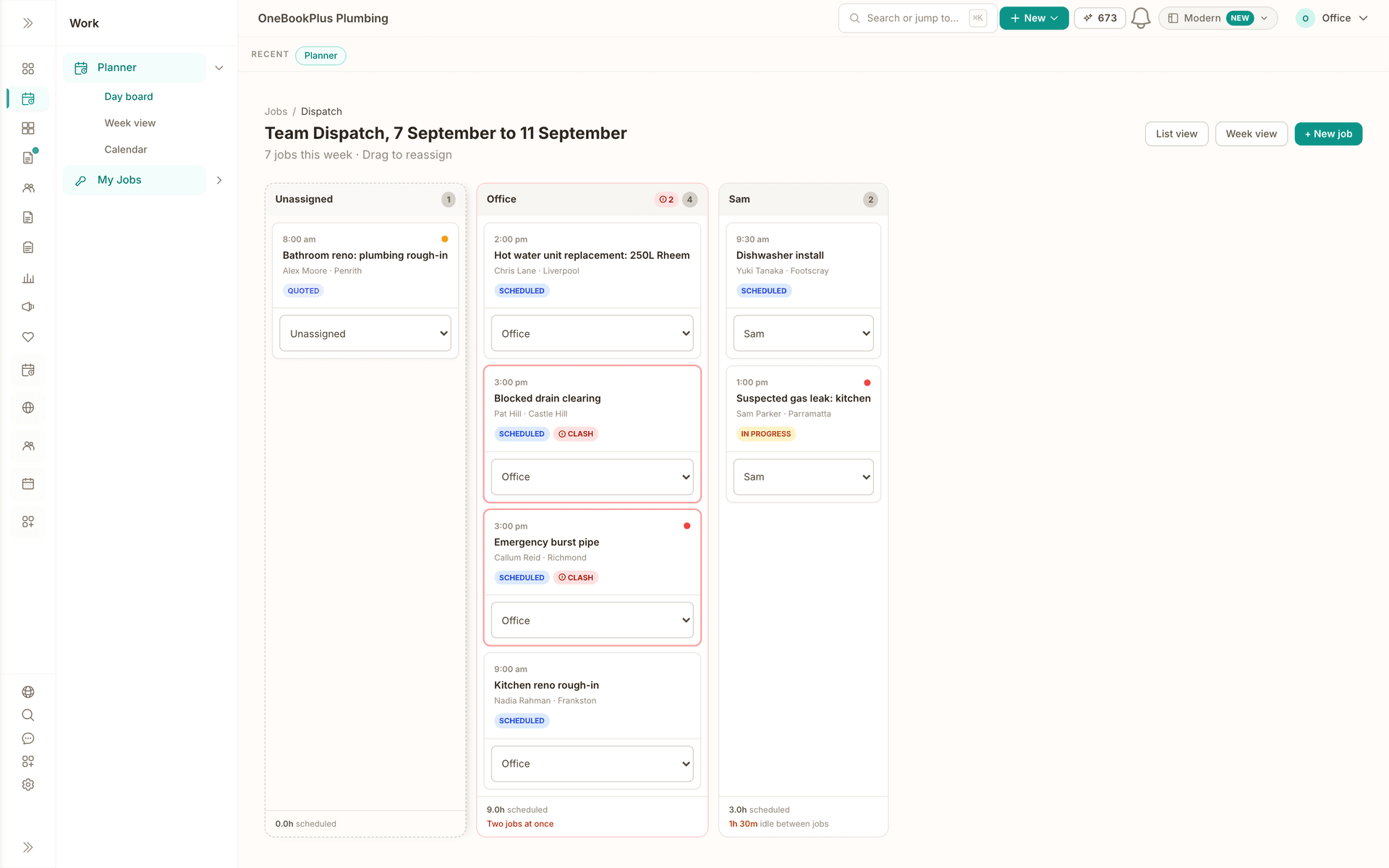
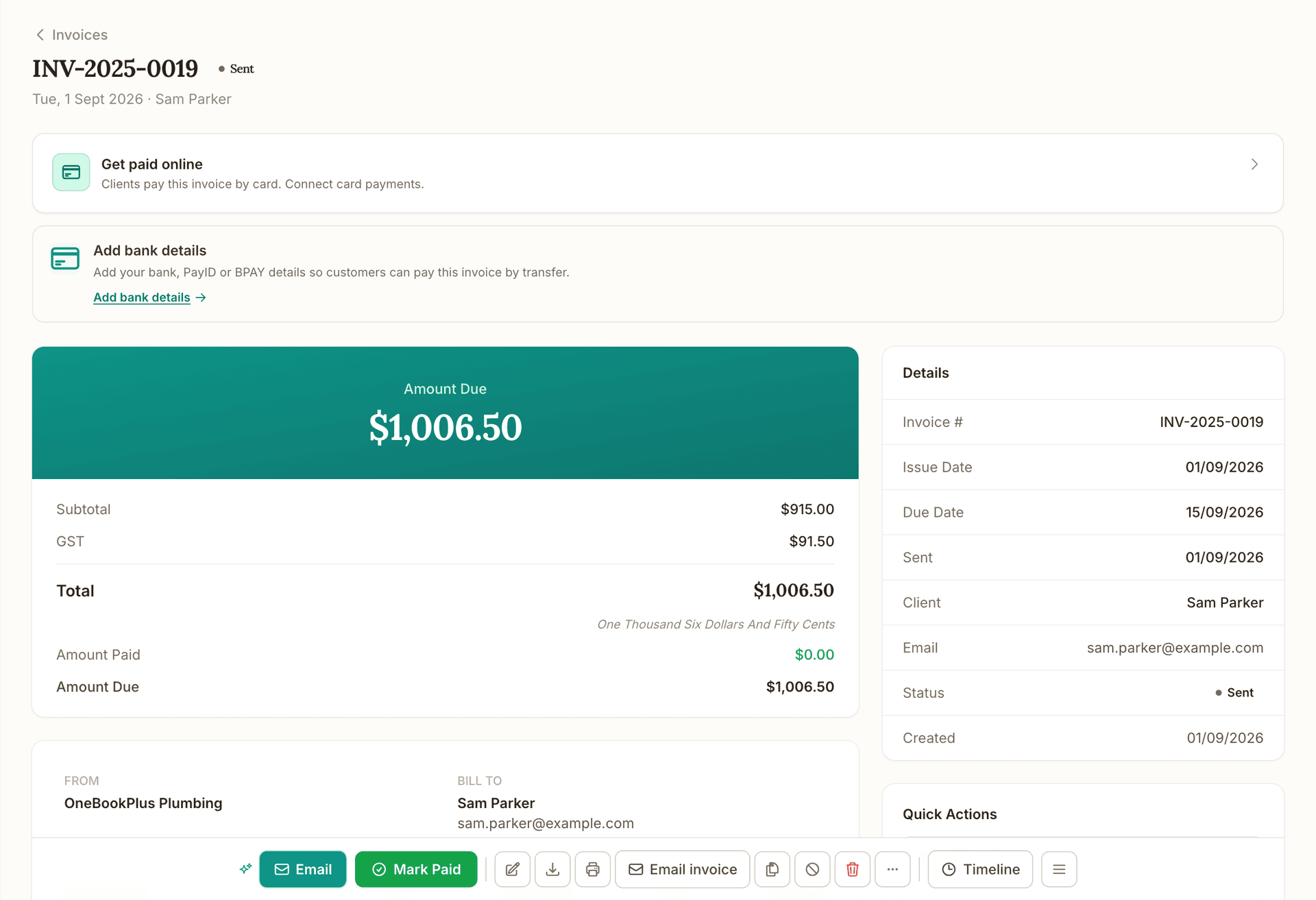
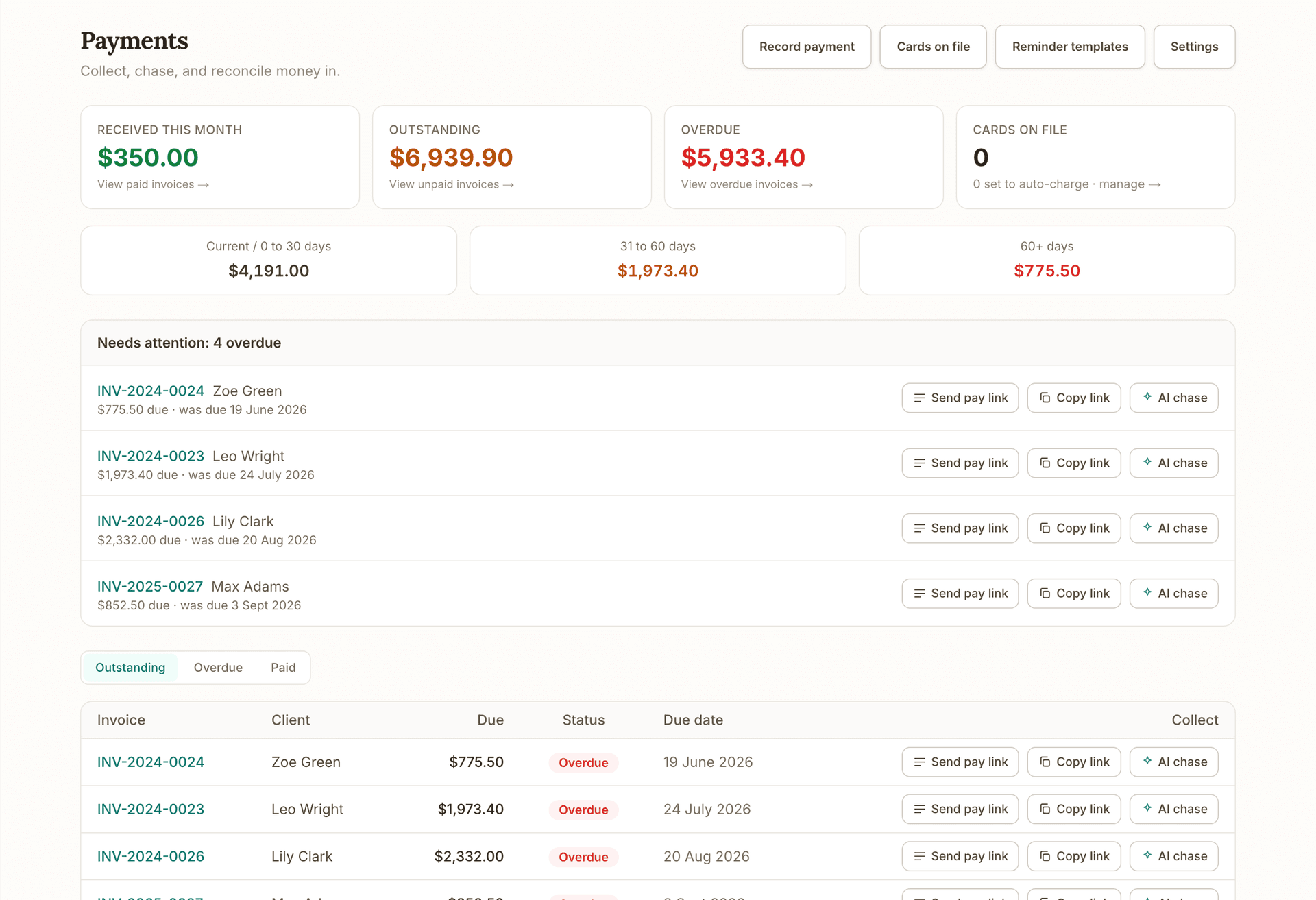
Before this: the invoice your client paid is already posted, GST and all. After this: the same figures on the home screen the moment you sign in.
What's on which plan
Finance on each plan
Free
$0/mo
- Ledger, Balance Sheet and cash flow
- Included
- Profit and Loss, GST and BAS reports
- Included
- Bank statement import by file (CSV, OFX, QFX)
- Not included
- CFO reporting: forecasts, unit economics, board packs
- Not included
Starter
$29/mo
- Ledger, Balance Sheet and cash flow
- Included
- Profit and Loss, GST and BAS reports
- Included
- Bank statement import by file (CSV, OFX, QFX)
- Included
- CFO reporting: forecasts, unit economics, board packs
- Not included
Plus
$49/mo
- Ledger, Balance Sheet and cash flow
- Included
- Profit and Loss, GST and BAS reports
- Included
- Bank statement import by file (CSV, OFX, QFX)
- Included
- CFO reporting: forecasts, unit economics, board packs
- Not included
Growth
$69/mo
- Ledger, Balance Sheet and cash flow
- Included
- Profit and Loss, GST and BAS reports
- Included
- Bank statement import by file (CSV, OFX, QFX)
- Included
- CFO reporting: forecasts, unit economics, board packs
- Included
How we compare
OneBookPlus Finance against the alternatives
See how OneBookPlus Finance compares to Xero, MYOB, and QuickBooks.
| Feature | OneBookPlus | Xero | MYOB | QuickBooks |
|---|---|---|---|---|
| Chart of accounts (custom + CSV import) | Yes | Yes | Yes | Yes |
| General ledger + journal entries with reversal | Yes | Yes | Yes | Yes |
| Balance sheet + cash flow statement | Yes | Yes | Yes | Yes |
| P&L cash / accrual basis toggle | Yes | Yes | Yes | Yes |
| Aged receivables/payables with drilldown | Yes | Yes | Yes | Yes |
| BAS / GST report (G1, 1A, 1B, G10, G11, W2) | Yes | Yes | Yes | Yes |
| BAS lodgement audit record + revisions | Yes | Yes | Yes | No |
| GST Audit Report (pre-lodgement anomaly detection) | Yes | Yes | No | No |
| PAYG Installments (T7 / T1×T2) | Yes | Yes | Yes | No |
| Super Guarantee tracking | Yes | Yes | Yes | No |
| TPAR (Taxable Payments Annual Report) | Yes | Yes | Yes | No |
| ATO 12-month forward compliance calendar | Yes | No | No | No |
| Deduction Finder + Receipt Coverage + Anomalies | Yes | No | No | No |
| Supplier ABN Audit (TAA 1953 s 12-190) | Yes | No | No | No |
| Multi-currency invoicing + FX revaluation | Yes | Yes | Yes | Yes |
| Fixed assets + depreciation (4 methods) + CGT | Yes | Yes | Yes | Yes |
| Inventory tracking + stock-take | Yes | Yes | Yes | Yes |
| Tracking categories + P&L by tracking | Yes | Yes | No | Yes |
| Bank feeds and bank-rule auto-categorisation | No | Yes | Yes | Yes |
| Payment runs with ABA bank-file export | Yes | Yes | Yes | No |
| Credit notes (customer + supplier) | Yes | Yes | Yes | Yes |
| Credit limits and customer holds | Yes | No | Yes | No |
| Bad-debt write-off with GST adjustment journal | Yes | Yes | Yes | Yes |
| Period locks + trial-balance sign-off | Yes | Yes | Yes | No |
| Year-end close + opening balances wizards | Yes | Yes | Yes | Yes |
| CSV journal import (Xero/MYOB migration) | Yes | Yes | Yes | Yes |
| 12-week cash flow forecast (negative-week alerts) | Yes | Yes | No | Yes |
| Working capital ratios, break-even, cost-plus pricing | Yes | No | No | No |
| Recurring revenue insights (MRR / ARR / churn) | Yes | No | No | No |
| Project / job costing + budget vs actual | Yes | Yes | Yes | Yes |
| Franchise / multi-tenant consolidation | Yes | No | No | No |
| Year-End Pack one-click PDF/CSV bundle | Yes | No | No | No |
| Built-in CRM, bookings, and invoicing in one platform | Yes | No | No | No |
| Trade compliance certs (AS/NZS 3000 CoC, AS/NZS 3760, AS/NZS 2293) | Yes | No | No | No |
| Online booking system with payment processing | Yes | No | No | No |
| Email & SMS marketing built in | Yes | No | No | No |
| AI Companion (chat-with-your-books) | Yes | No | No | No |
| Free plan for invoicing and quotes, full ledger from Starter | Yes | No | No | No |
| Price | From $29/mo for the ledger, free for invoicing | $35+/mo | $35+/mo | $25+/mo |
Simple setup
How OneBookPlus Finance works
- 1
Day 1: import your starting position
Drop closing balances from Xero / MYOB / QuickBooks into the Opening Balances wizard. Optionally bulk-import historical journals via CSV.
- 2
Daily: invoices and spending land in the ledger
Your invoicing and bookings already live in OneBookPlus, so every sale posts to the GL as it happens. Spending goes in the same day: photograph the receipt or drag in the supplier's PDF and the AI reads the supplier, date, GST and total for you to confirm.
- 3
Monthly: close out in minutes
Run your P&L, Balance Sheet, and Aged AR. Email customer statements for overdue amounts. Count the petty-cash tin. Pay supplier bills in one batch.
- 4
Quarterly: BAS in 5 minutes
Open the GST/BAS report, run the GST audit to catch anomalies, generate the BAS-ready summary to lodge with the ATO, and post the settlement journal when you pay. Direct ATO e-lodgement via SBR is in final ATO certification, prepare and validate BAS and returns today; we'll tell you the moment lodgement goes live on your account.
- 5
Year-end: hand off to your tax agent
Year-end close wizard rolls net profit into Retained Earnings and locks the period. Export the CGT pack, fixed-asset register, and trial balance. Tax agent does the lodgement.
Example walkthrough
A month with OneBookPlus Finance
A worked example, a Brisbane design agency running its books end-to-end
Week 1: Two retainer invoices auto-issue on the 1st (Recurring Invoices). The studio manager drops the month's supplier PDFs onto the expenses page, rent, software subscriptions, AWS and the coffee account among them. The AI reads the supplier, date, GST and total off each one and she confirms the lot in about ten minutes, correcting two that scanned a date wrong.
Week 2: A US client pays an invoice issued in USD. The FX Revaluation report flags that the spot rate has moved 2% since invoice date, unrealised gain $84 AUD. Two design jobs wrap; the project lead clicks 'Convert to invoice' and the Job Costing report shows margin of 58% (labour billed $4,400, cost $1,840) on one and just 12% on the other, the team huddles on what went wrong.
Week 3: Three customers are overdue. From the Aged Receivables drilldown the studio manager picks the worst offender and clicks Email Statement; chaser sent. One customer pays the same day. The studio's biggest supplier sends six bills at once; she selects them all on the Bills page and runs a batch payment via the bank.
Week 4, month-end: She runs the P&L, Balance Sheet, and Cash Flow in two clicks each. Reviews variance vs budget on Budget vs Actual (over on contractors, under on travel, the AI suggests reallocating budget). Checks the GST audit before lodging BAS, two invoices flagged for $0 GST that should have been marked Standard; she fixes them. After lodgement she records the GST payment via GST Settlement (one click).
Total bookkeeping time this month: 3 hours. The studio's accountant pulls the year-to-date trial balance for review and signs off the BAS in 15 minutes.
In depth
Australian Accounting Software That Lives Inside Your Business
Australian small businesses need accounting software that handles the full ATO compliance flow, GST, BAS, PAYG installments, super guarantee, TPAR, CGT, fixed-asset depreciation, multi-currency, without forcing them to glue four tools together. OneBookPlus Finance is a complete double-entry accounting system: 328 reports, full general ledger with audit log, fixed-asset register with four depreciation methods, inventory with stock-take, tracking categories for dimensional reporting, period locks, trial-balance sign-off, custom tax codes, receipt and supplier-invoice scanning that reads the supplier, date, GST and total for you, customer and supplier statements with public share tokens, payment runs with ABA bank-file export for batch supplier payments, credit notes on both sides, credit limits and holds, bad-debt write-off with the GST adjustment journal posted automatically under GSTR 2000/2, opening-balances and year-end-close wizards, CSV journal import for migration, and a 12-week forward cash-flow forecast with negative-week alerts.
Read the rest
Every accounting feature is connected to your invoicing, jobs, bookings, and CRM from the start. Issue an invoice and it lands in the GL automatically. Convert a quote to a job and the estimated cost-base flows into the project-budget report. Mark a fixed asset disposed and we post the balanced journal entry plus flag CGT 50%-discount eligibility. Reconcile a Stripe payout against the underlying charges and fees in one workbench view. There's no sync, no import-export gymnastics, no monthly month-end pain, your books are real-time because they share the same database as your operations.
For sole traders chasing every deduction, agencies running multiple revenue lines, retailers tracking inventory and COGS, tradies costing every job, multi-site retailers or franchisees needing consolidation, or service businesses managing recurring retainers | OneBookPlus Finance covers the whole picture. The GST Audit Report catches anomalies before BAS lodgement. The Deduction Finder surfaces under-claimed home-office, motor-vehicle and prepayment patterns. The Receipt Coverage scan flags expenses over the ATO's $82.50 substantiation threshold without an attached receipt. The Supplier ABN Audit picks up suppliers in breach of TAA 1953 s 12-190 before you withhold incorrectly. Working-capital ratios, break-even analysis and recurring-revenue insights translate the ledger into decisions you can act on. Everything exports to CSV for your tax agent, or roll the whole year into the one-click Year-End Pack PDF/CSV bundle.
The shift
From spreadsheets and chase-emails to live, audited books
Without OneBookPlus
Manual BAS in Excel, copy GST in, copy GST out, hope nothing's miscoded.
With OneBookPlus
BAS auto-rolls from your GL with G1-G11 broken out + anomaly detection before lodgement.
Without OneBookPlus
Chase overdue customers by sending the same email manually each Friday.
With OneBookPlus
Aged AR drill-down + one-click Email Statement. Send the chaser without leaving the report.
Without OneBookPlus
Type every supplier receipt into a spreadsheet, then hunt for the paper copy at BAS time.
With OneBookPlus
Drag the photo or PDF in. The scan reads supplier, date, GST and total, and you accept the drafted expense.
For sole traders
Accounting software for sole traders, minus the busywork
A sole trader's books are simpler than a company's, but the compliance loop is exactly as unforgiving: register for GST once turnover passes $75,000, lodge a BAS every quarter, pay PAYG instalments toward your own income tax, and substantiate every deduction at return time. OneBookPlus Finance runs that whole loop from one ledger. The Free plan covers invoicing, quotes, contacts and bookings, and it carries the books too: the ledger, Profit and Loss, Balance Sheet, cash flow, aged receivables and payables, GST and BAS are on every plan. Paid plans lift the invoice, contact and login limits and add the advanced and CFO reporting layers on top. At $29/mo that is compliant books without company-sized subscription fees.
Here's what a quarter actually looks like. Say you invoice $28,600 including GST and spend $9,900 on GST-inclusive business costs. Your BAS is $2,600 of GST collected (label 1A) minus $900 of GST credits (label 1B): $1,700 payable. Finance calculates each label live from the ledger, the GST Audit Report flags anything miscoded before you lodge, and the settlement journal clears the liability when you pay the ATO. Want to sanity-check the maths first? Use the free GST calculator or estimate the whole statement with the BAS calculator.
Deductions are where sole traders leave money behind. The Deduction Finder scans your expenses for under-claimed patterns (home office, motor vehicle, depreciation eligibility, prepayments), Receipt Coverage flags every expense over the ATO's $82.50 substantiation threshold with no receipt attached, and the fixed-asset register handles immediate write-off where you're eligible. PAYG instalments accumulate against your income-tax prepayment on whichever method the ATO has you on, the T7 amount or the T1×T2 rate. To see what your profit means after tax, the income tax calculator applies the current resident brackets.
And it grows with you. Hire your first employee and the Rostering & Payroll add-on ($29 per month, with a 14 day trial) covers rosters, timesheets, pay runs, PAYG withholding calculated to the ATO coefficients, penalty rates, leave accrual, payslips and an ABA bank file for paying staff. Superannuation is calculated and recorded against its quarterly due dates, and you pay it through your own clearing house. Single Touch Payroll pay events are not lodged from OneBookPlus yet, so you still report each pay run to the ATO through STP-enabled software. Invite your accountant as a read-only advisor at tax time and hand over the year-end pack. If you later incorporate, you keep the same ledger, history and habits, with no migration project.
- 1
Every quarter
BAS due 28 October, 28 February, 28 April and 28 July. Open the BAS report, run the GST audit, take the figures to myGov, the ATO portal or your agent, then post the settlement journal. Minutes, not a lost weekend.
- 2
All year round
Receipts forwarded to your tenant inbox land as OCR-drafted expenses. Check the supplier, date and GST the scan picked up, then accept.
- 3
At tax time
Export the year-end pack (trial balance, P&L, balance sheet, asset register, BAS history) and hand your tax agent an artefact instead of a shoebox.
- 4
As you grow
GST registration at $75,000 turnover, a first hire on the Rostering & Payroll add-on ($29 per month), eventual incorporation: the same ledger carries you the whole way.
GST calculator
Add or remove 10% GST from any amount, free.
Open the gst calculatorBAS calculator
Estimate the GST and PAYG on your quarterly BAS.
Open the bas calculatorIncome tax calculator
Estimate tax on your sole trader profit at current resident rates.
Open the income tax calculator
FAQ
About OneBookPlus Finance
Step-by-step guides for accounting and reports
What accounting features does it cover?
The full set you'd expect of a primary ledger: chart of accounts, general ledger, manual journal entries with reversal and audit log, balance sheet + comparative, P&L cash/accrual + comparative, cash flow statement + 12-week forecast, trial balance + comparative + sign-off, aged AR + AP with customer drilldown, customer + supplier statements, BAS report, BAS lodgement record, GST audit, GST settlement, PAYG installments (T7 / T1×T2), super guarantee tracking, TPAR, ATO calendar, deduction finder, receipt-coverage scan, expense anomalies, supplier ABN audit, FX revaluation, fixed assets with four depreciation methods, CGT cost base, inventory + stocktake, tax codes, tracking categories, P&L by tracking, period locks, receipt and bill scanning, payment runs with ABA export, credit notes, credit limits, bad-debt write-off, petty cash, recurring invoices + expenses, recurring revenue insights, job costing, project budget, quote analytics, Stripe payouts reconciliation, multi-currency invoicing, working-capital ratios, break-even, cost-plus pricing, sales forecast, franchise consolidation, year-end pack, month-end digest, and 328 reports in all.
What's the migration path from Xero or MYOB?
The Opening Balances wizard imports your closing balances as a single OPENING-BAL journal entry. Chart of Accounts has a CSV import that replaces the seeded chart wholesale. CSV journal import handles bulk historical transactions. Most tenants are operational within a day.
Does it handle multi-currency?
Yes. Invoices can be issued in USD, EUR, GBP, NZD, SGD, CAD, JPY or any custom currency with a per-invoice FX rate. The FX Revaluation report posts a year-end revaluation journal that auto-reverses on 1 July so it doesn't double-count when invoices eventually settle.
Can I track inventory + COGS?
Yes. Inventory items track on-hand quantity, purchase price, sale price, and low-stock thresholds. Stock-take / cycle-count workflow handles variance. Stock adjustments auto-post journals (Dr Inventory / Cr COGS or vice versa).
Does it handle fixed assets and CGT?
Yes. The Fixed Assets register supports four ATO depreciation methods (prime cost, diminishing value, SBE pool, immediate write-off) with business-use %. Disposals auto-post a balanced journal (Dr Bank, Dr Accumulated Depreciation, Cr Equipment, Dr/Cr Gain or Loss) and flag 50%-discount eligibility for assets held >12 months.
How does BAS work?
The BAS report calculates G1, 1A, 1B, G10, G11, W1, W2 and 5A directly from your GL with a cash/accrual toggle. The GST Audit Report flags pre-lodgement anomalies. After lodgement, mark the BAS as lodged (with the ATO receipt number), the snapshot is frozen and revisions create a new snapshot rather than overwriting. GST Settlement records the payment in one click.
What's the difference between PAYG installments and PAYG withholding?
PAYG installments are advance payments toward your own income tax, reported in 5A on the BAS. PAYG withholding is tax you withhold from employees' wages, reported in W2. Both have dedicated pages and post separately to their own liability accounts.
Does it handle TPAR for contractors?
Yes. The TPAR page auto-detects reportable contractor payments throughout the year for business types subject to the Taxable Payments Reporting System (building, cleaning, courier, IT, security, road freight). At year end it exports a CSV of every contractor with their ABN and the gross, GST and withheld totals, which you use to complete your report in ATO Online services for business. It is not the ATO fixed-length lodgement file and OneBookPlus does not lodge the report for you. Building and construction businesses lodge by 28 August.
Can my accountant access the books?
Yes, invite them as a tenant member. They get a read-only advisor role by default, protected by step-up multi-factor authentication for sensitive actions, with full reports, audit log, and journal access. The Journal Audit Log shows every mutation with actor + timestamp so sign-off is provable.
What about payroll?
Payroll is a separate add-on, Rostering & Payroll, at $29 per month with a 14-day trial. It runs rosters, timesheets, pay runs, PAYG withholding calculated to the ATO Schedule 1 coefficients, superannuation, penalty rates, leave accrual, payslips (emailed or downloaded) and an ABA file for paying staff. Single Touch Payroll is not lodged from OneBookPlus yet, so you still report each pay run to the ATO through STP-enabled software. On the accounting side you get a Payroll Summary report, with super-guarantee accrual and PAYG withholding picked up from your pay runs.
Is there a free plan?
Yes, and the books are on it. The Free plan covers invoicing, quotes, contacts and bookings, and it carries the books too: the ledger, Profit and Loss, Balance Sheet, cash flow, aged receivables and payables, GST and BAS are on every plan. Paid plans lift the invoice, contact and login limits and add the advanced and CFO reporting layers on top. What paid plans add is bank statement import on Starter, the advanced reporting layer on Plus and CFO reporting on Growth, plus multi-currency, fixed assets, tracking categories, GST audit, payment runs with ABA, recurring expenses, CSV journal import and franchise consolidation.
What's the difference between OneBookPlus Finance and bookkeeping software?
Bookkeeping software covers the day-to-day recording: capturing receipts, coding expenses and keeping the ledger tidy. OneBookPlus Finance includes all of that plus the accounting layer on top: financial statements, BAS and GST workflows, PAYG instalments, TPAR, fixed-asset depreciation, period locks and a library of 328 reports. If you mainly need transaction-level record keeping, or you're choosing a tool for a bookkeeper, start with the bookkeeping page; if you want the full ledger-to-lodgement stack, Finance is the deeper surface. Compare the two on the bookkeeping software page.
Is a full double-entry system overkill for a sole trader?
You never have to touch the ledger to benefit from it. Day to day you invoice, photograph receipts and record the payments that come in, the same as in any simple app. The double-entry engine works underneath so that when you need a BAS, a P&L for a loan application or a clean handover to a tax agent, the numbers are already right. The Free plan covers invoicing, quotes, contacts and bookings, and it carries the books too: the ledger, Profit and Loss, Balance Sheet, cash flow, aged receivables and payables, GST and BAS are on every plan. Paid plans lift the invoice, contact and login limits and add the advanced and CFO reporting layers on top. Trying the invoicing side costs nothing.
Works with
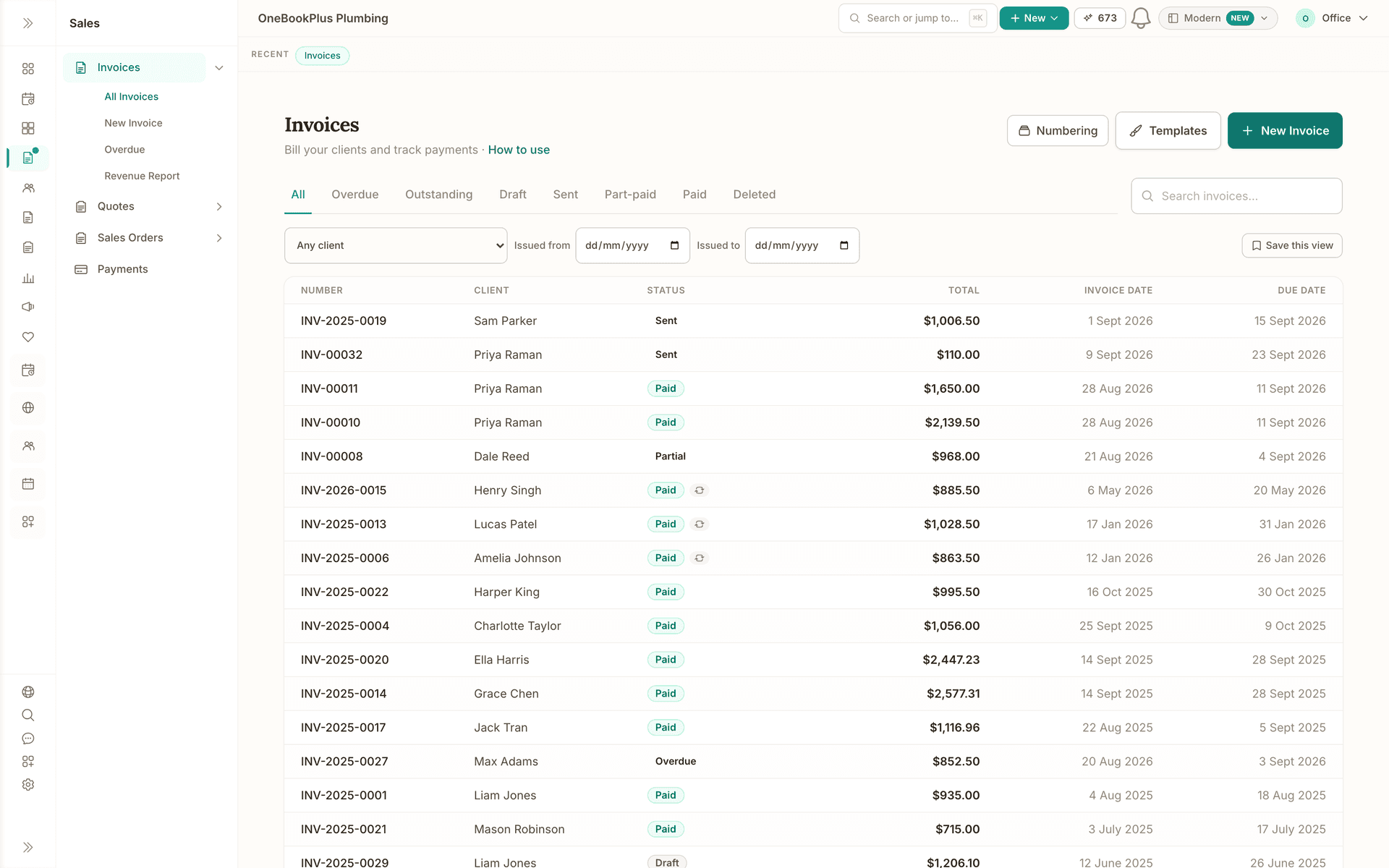
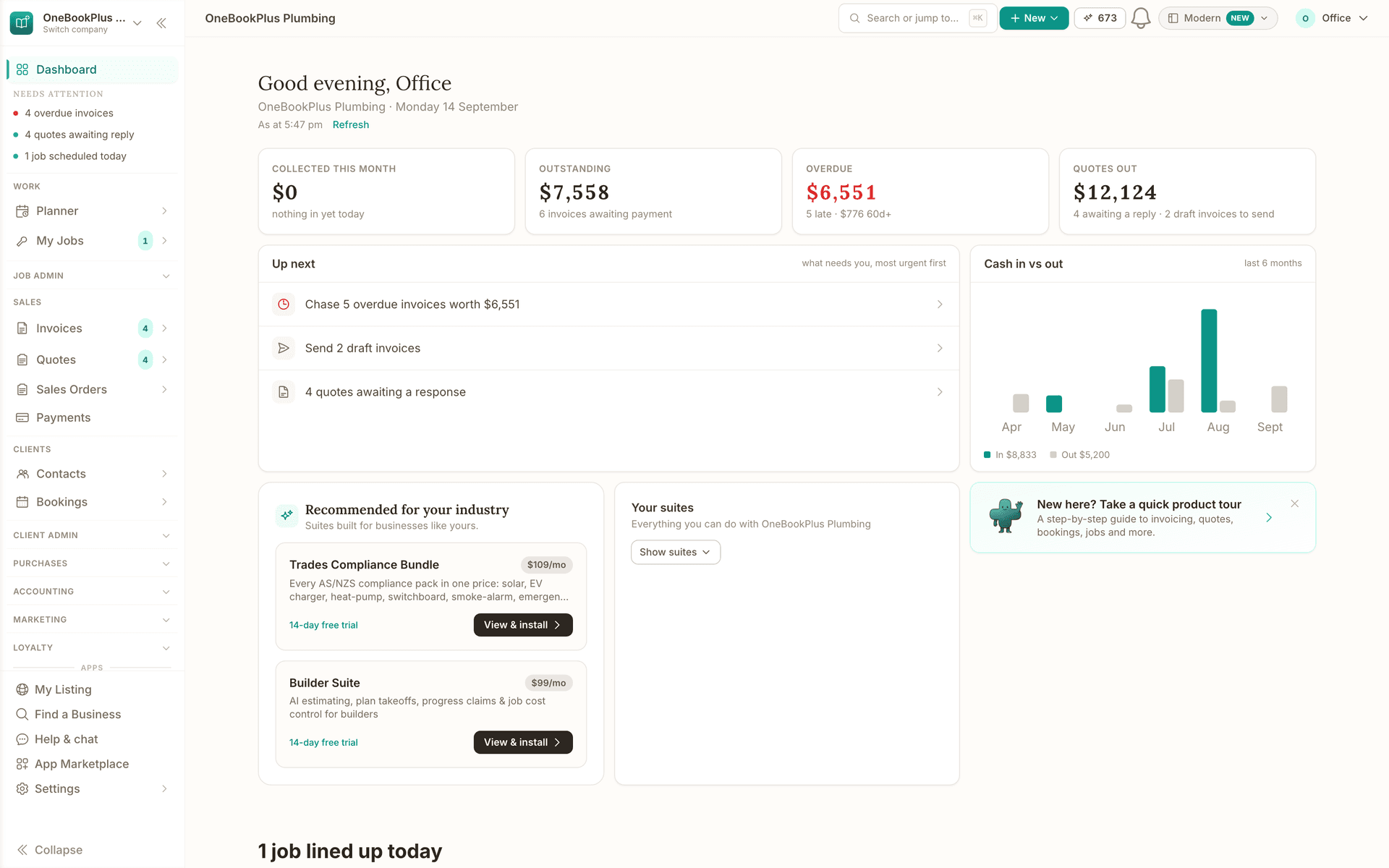
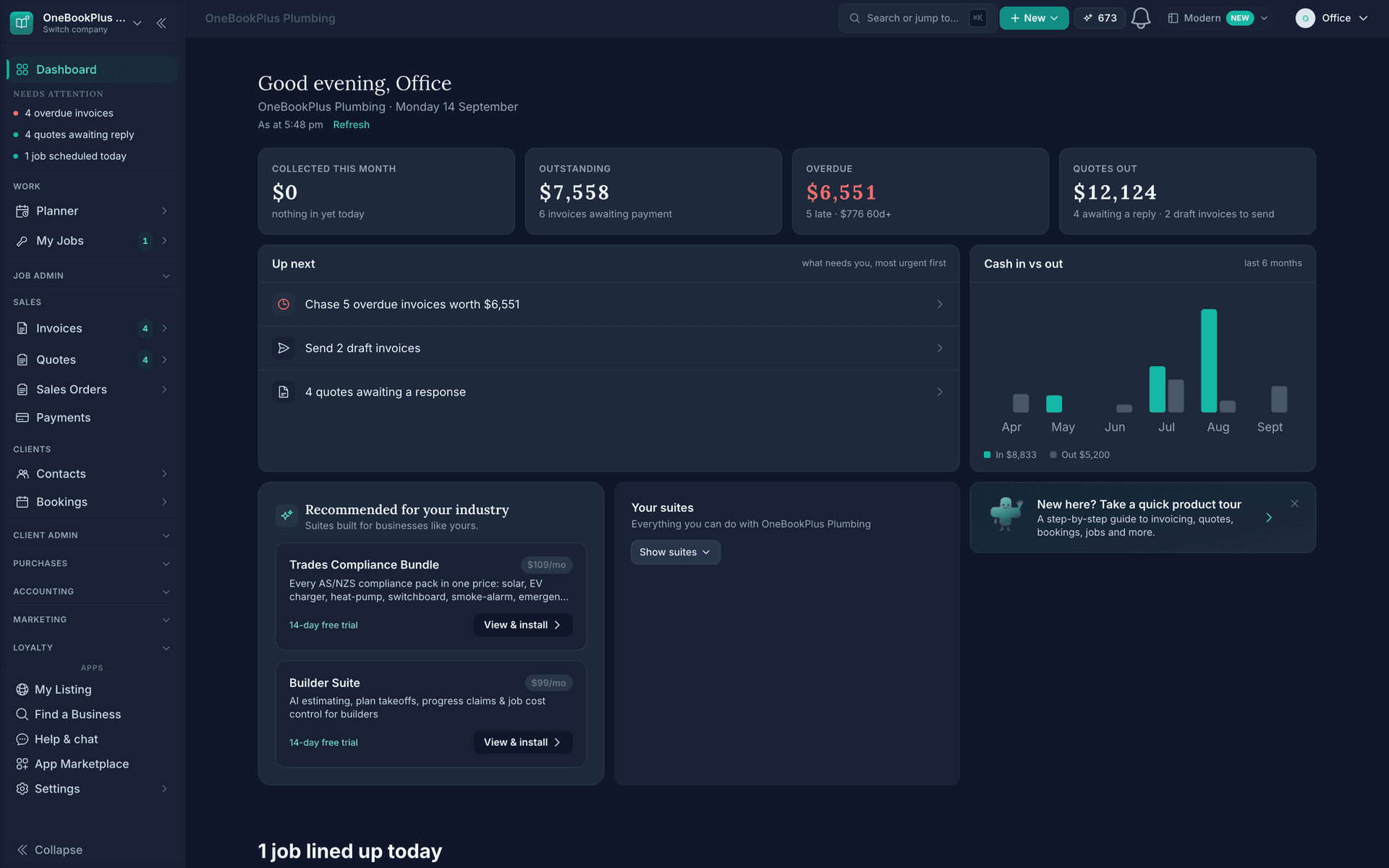
Dashboard
The same figures on the home screen the moment you sign in.
Read about OneBookPlus DashboardAustralian Owned
Built in Melbourne, AU
GST Compliant
ATO-ready from day one
Encrypted & Isolated
TLS in transit, AES-256 at rest, tenant isolation at the database layer, read the security page
Free Plan Available
No credit card needed
About the author

Bishal Shrestha
Founder & CEO, OneBookPlus
Bishal spent a decade running digital projects for Australian small businesses before founding OneBookPlus. He writes and maintains these pages, and publishes what OneBookPlus does not do alongside what it does.
Read the founder bioStart with OneBookPlus Finance
Start free. No credit card required. Upgrade when you're ready.
Reviewed by Bishal Shrestha