OneBookPlus to run your whole business.
Send invoices, take bookings, track customers and keep your accounts in one app made for Australian small businesses, with GST, ABN lookup and BAS figures handled. Add the AI Receptionist and it answers your phone, books the job and texts a confirmation while you're on the tools.
What OneBookPlus does, page by page
Your whole business
The OneBookPlus
Everything your business runs on: invoicing, jobs, CRM, accounting and AI. Same data on web and iPhone.
Click a page, or drag a corner, to turnSent before you've packed up.
It's 4:55 on a Friday. You finish the job, add the parts on your phone, and the GST invoice lands in the client's inbox before you're back in the ute. They tap to pay over the weekend, and Monday is already reconciled.
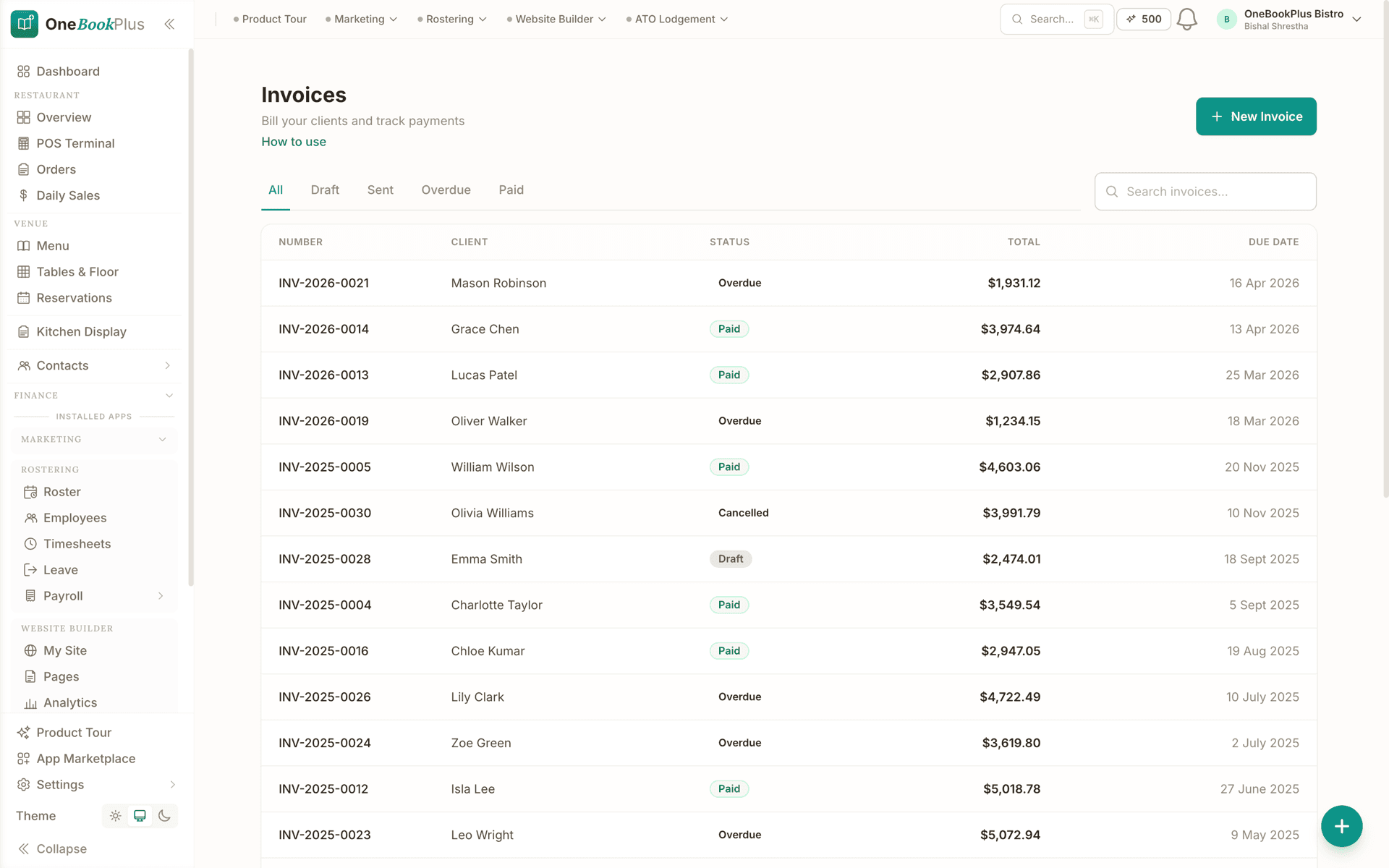
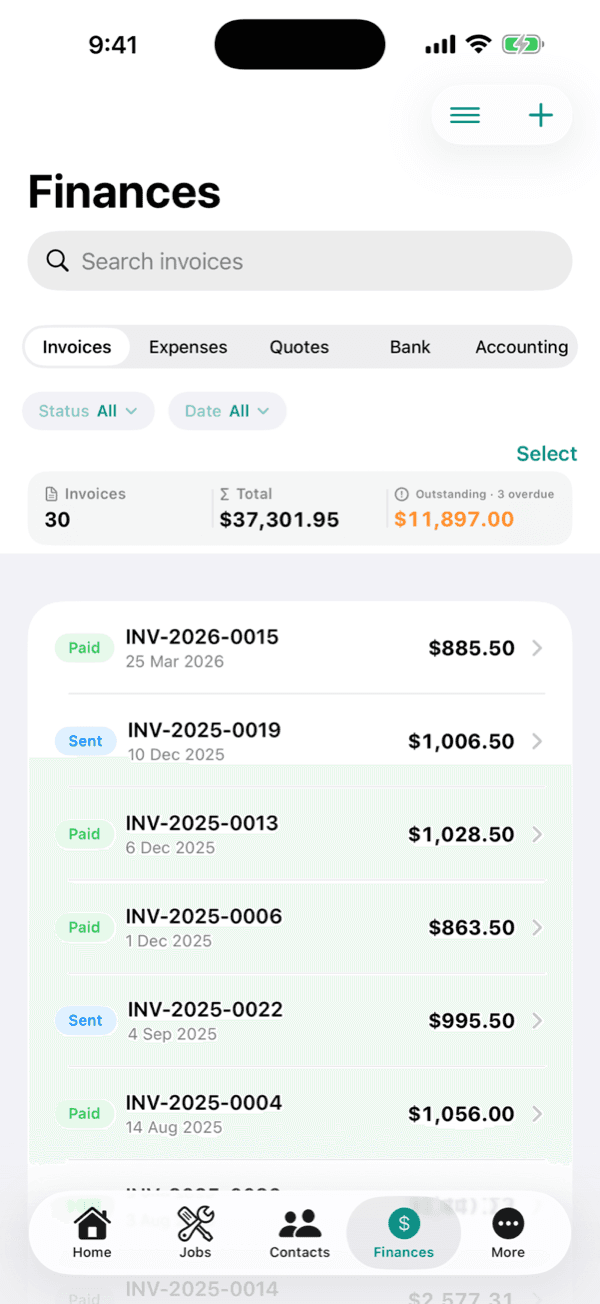
Create and send a GST invoice in under a minute.
Every job, quote to paid.
Quote accepted at 7am, scheduled to the crew by 8, parts and hours logged on site, invoiced the moment it's done. Nothing slips through the cracks, because the whole job lives in one thread.
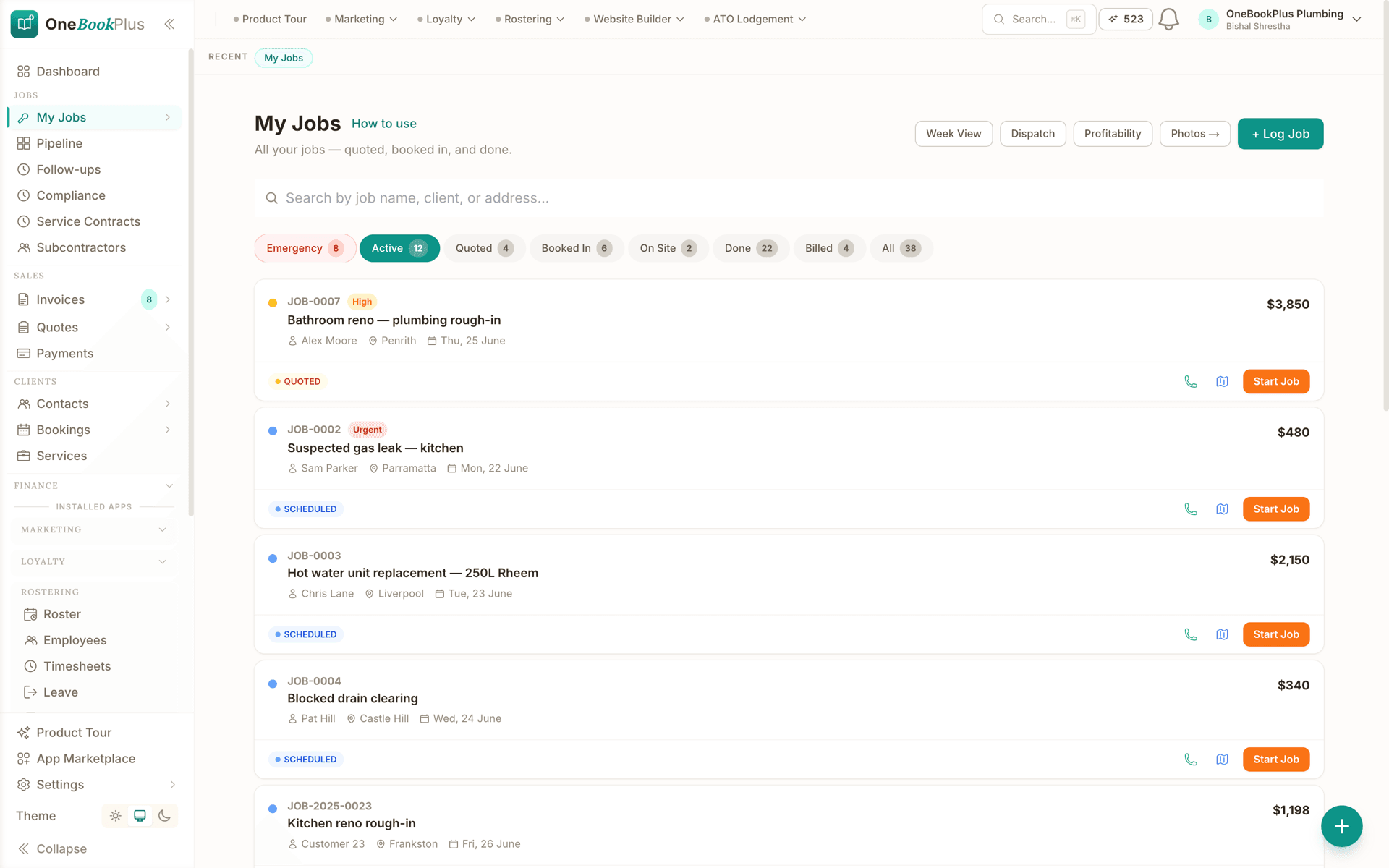
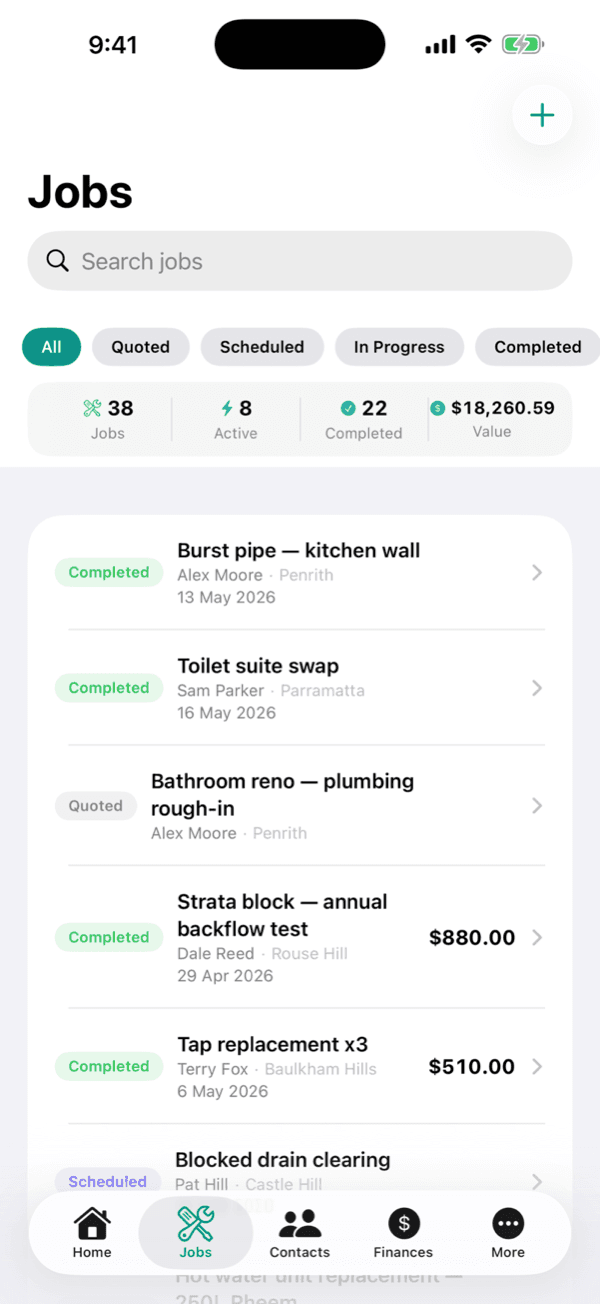
Track each job from first quote to final payment.
Your calendar fills itself.
Clients book themselves in 24/7 from your page, the right service, the right staff member, the right slot. Confirmations and reminders go out automatically, so the no-shows dry up.
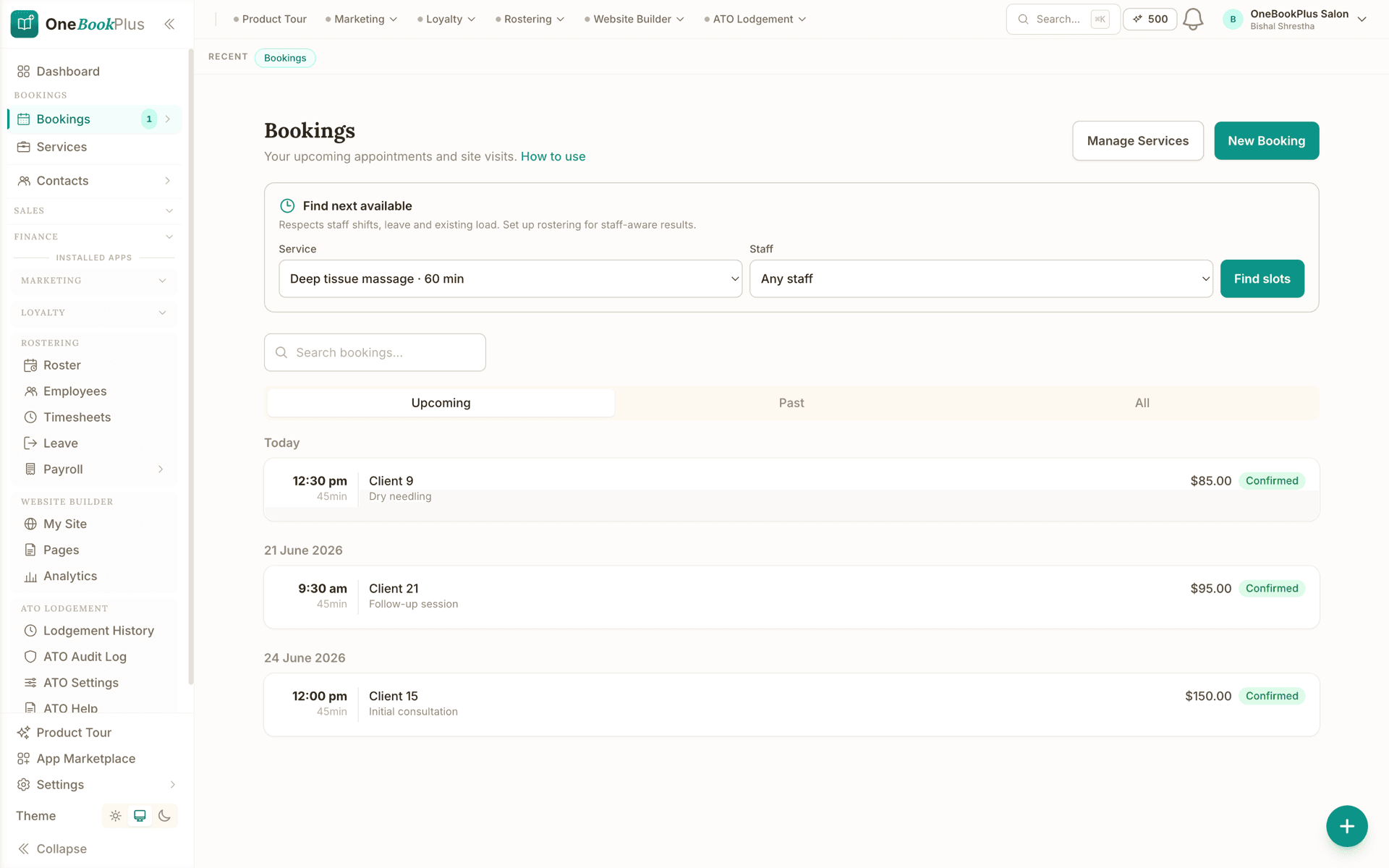
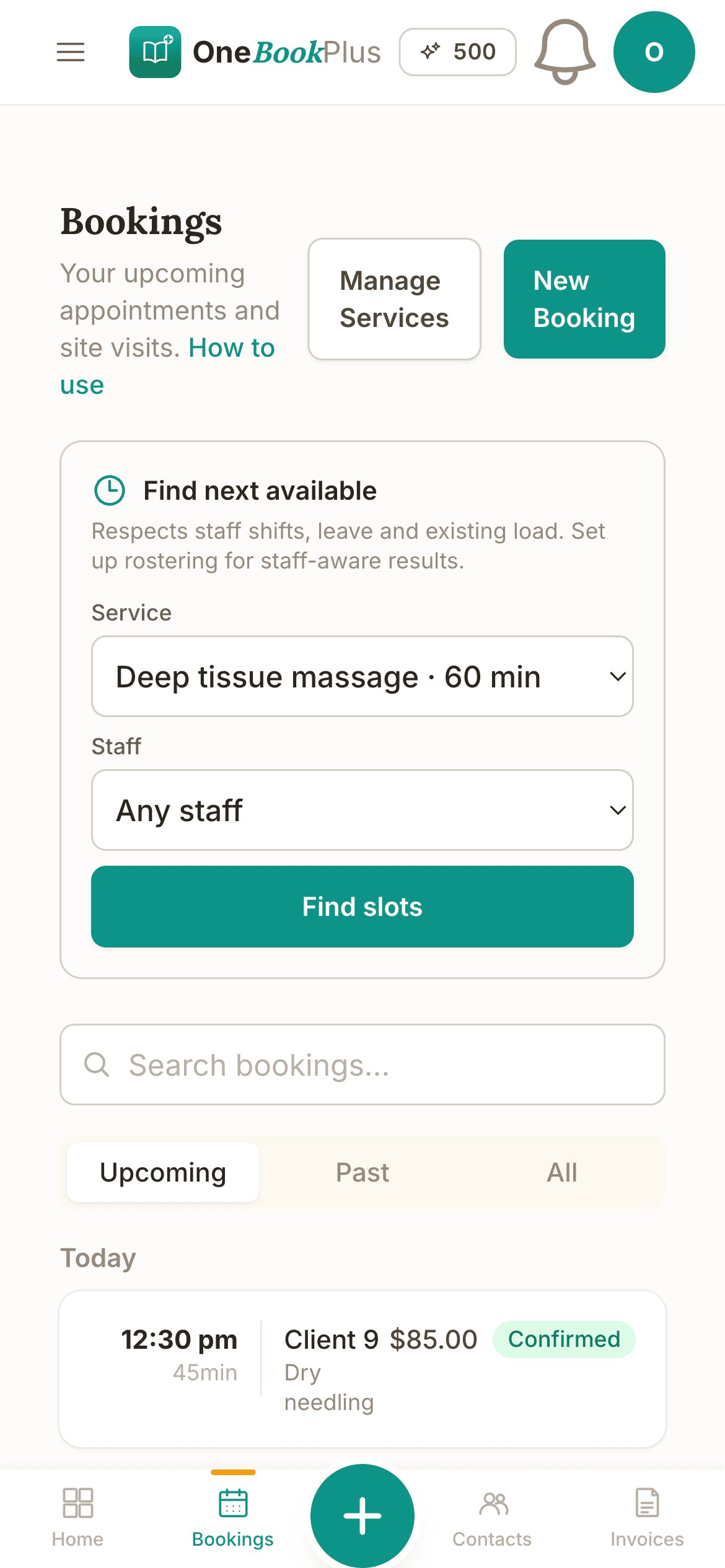
Self-serve online booking, synced to your calendar.
You remember everything: even when you don't.
A regular rings about "the thing we did last spring." One tap on their name brings up every job, invoice, payment and note, so you sound like you never forgot a thing.
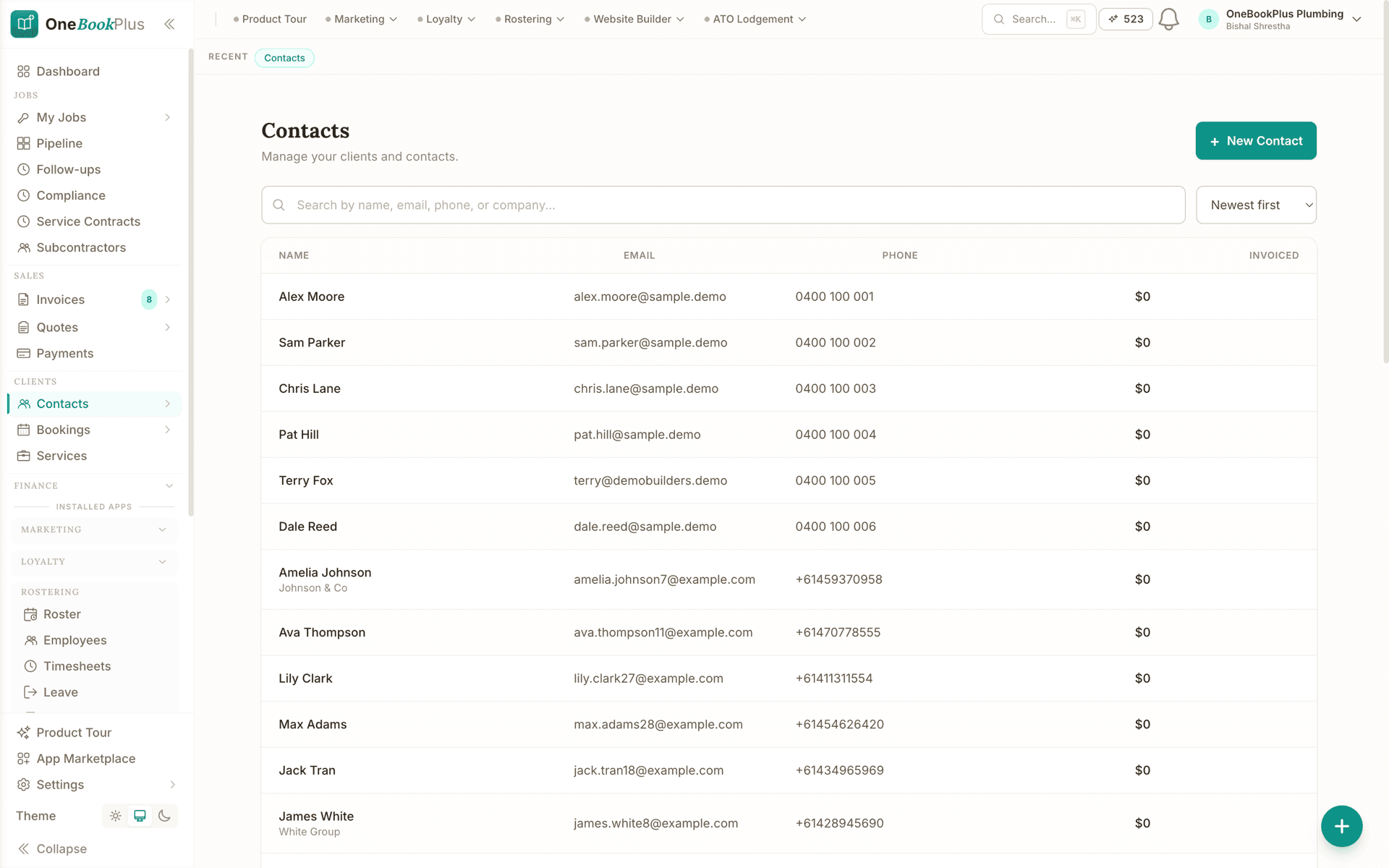
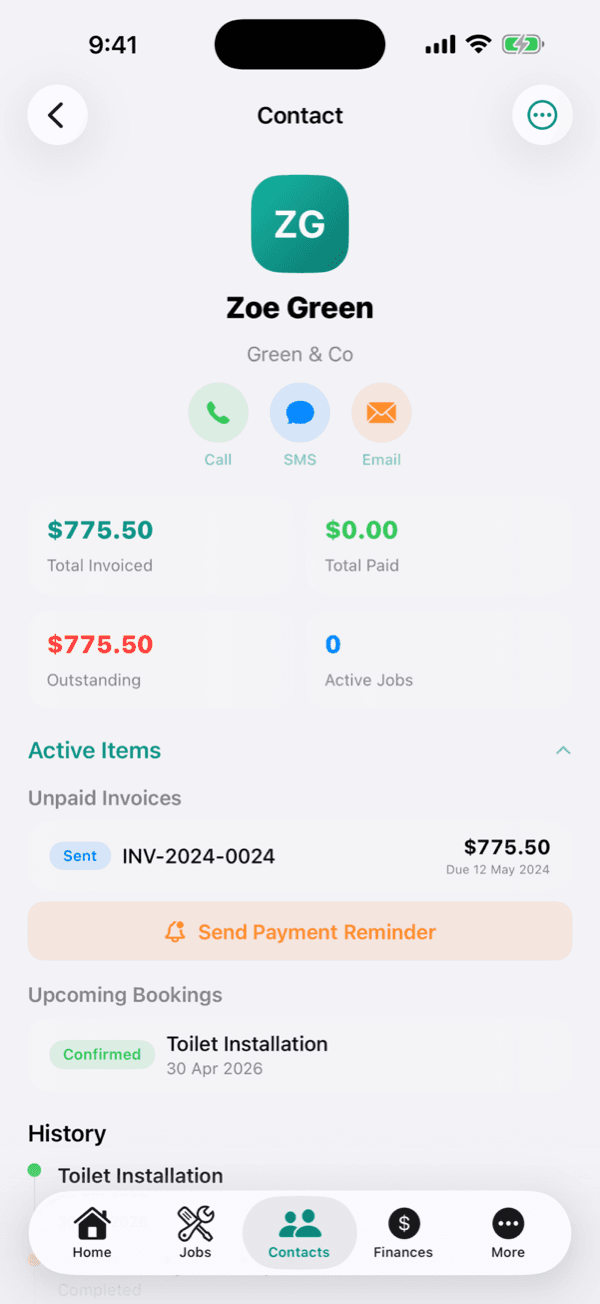
Every client's full history, in one timeline.
BAS quarter stops being a dread.
GST is tallied as you go and you reconcile against an imported bank statement. When BAS is due the numbers are already there, and you can invite your accountant in with a single click.
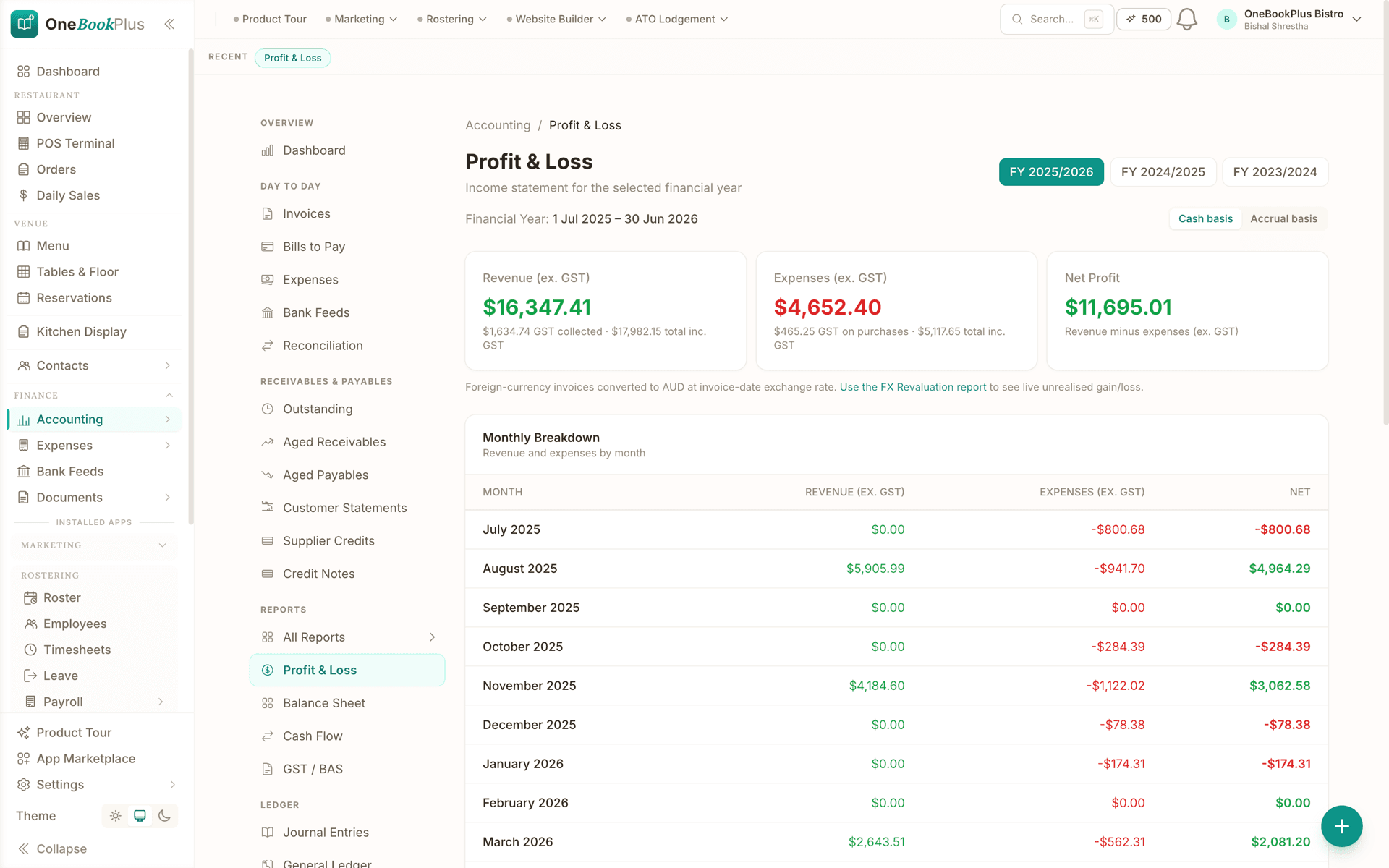
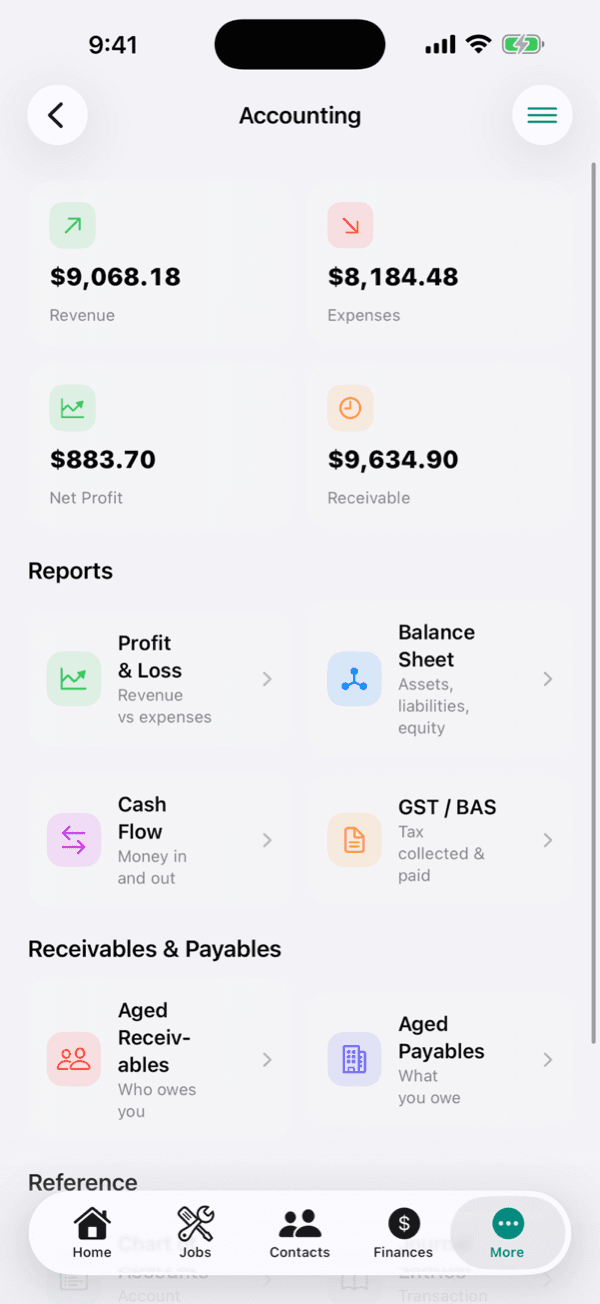
Full double-entry books, P&L, balance sheet and BAS.
It answers while you're under a sink.
A new lead rings at 2pm, you're elbow-deep in a job. The AI picks up, answers their questions, books them in for Thursday, and texts you the summary. You never even knew you nearly missed it.
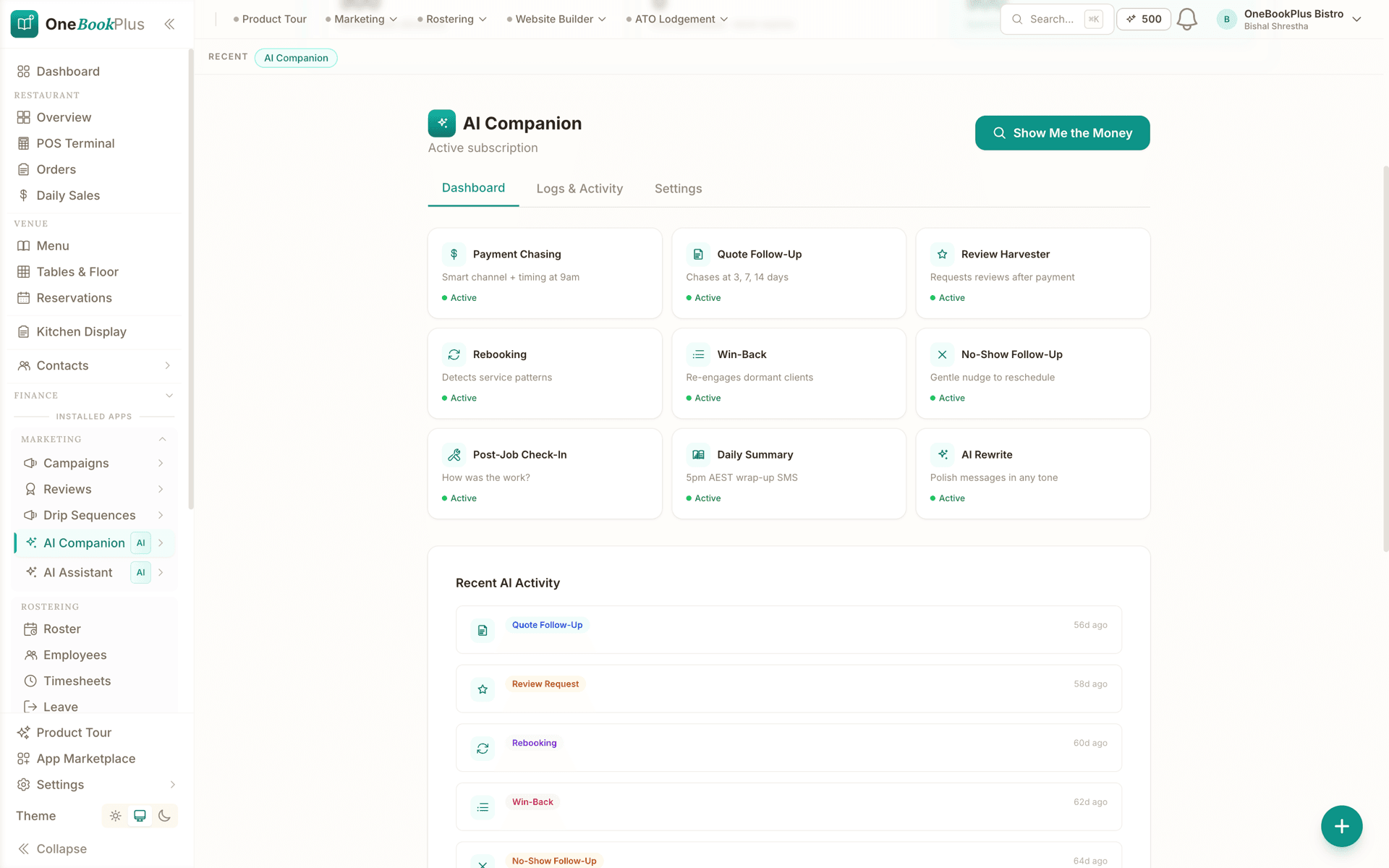
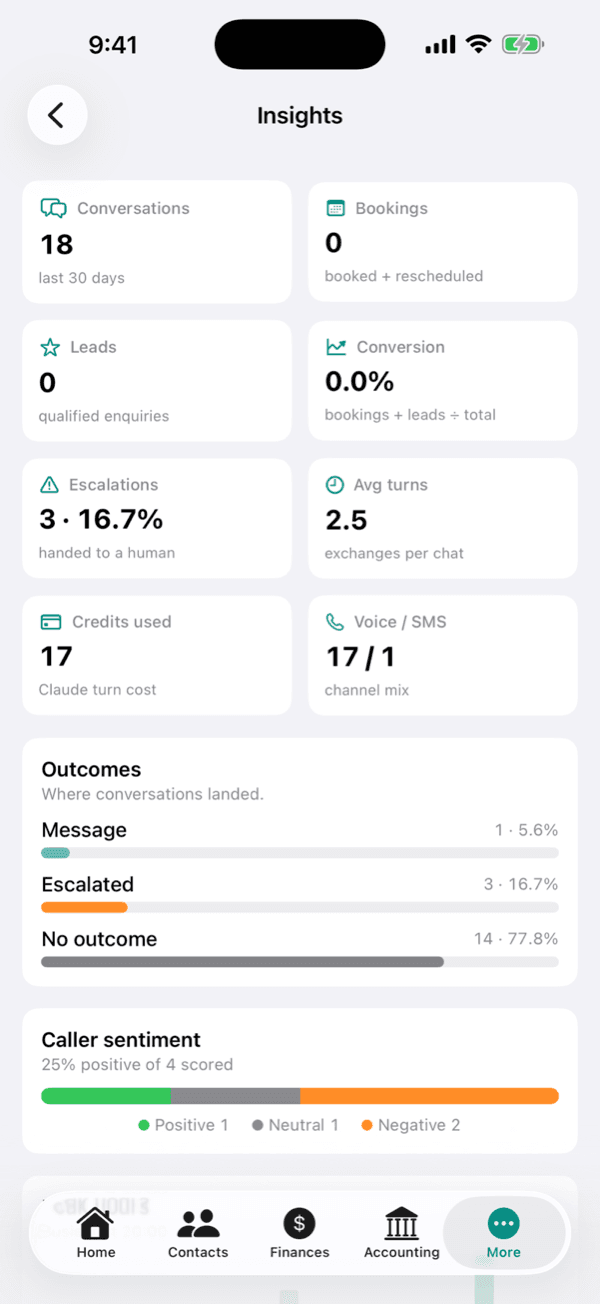
Answers every call 24/7 and books the work in.
Open the app, see the whole business.
Revenue this month, jobs in progress, who owes you what, what's on tomorrow, it's all there the second you open the app, before your first coffee has even cooled.
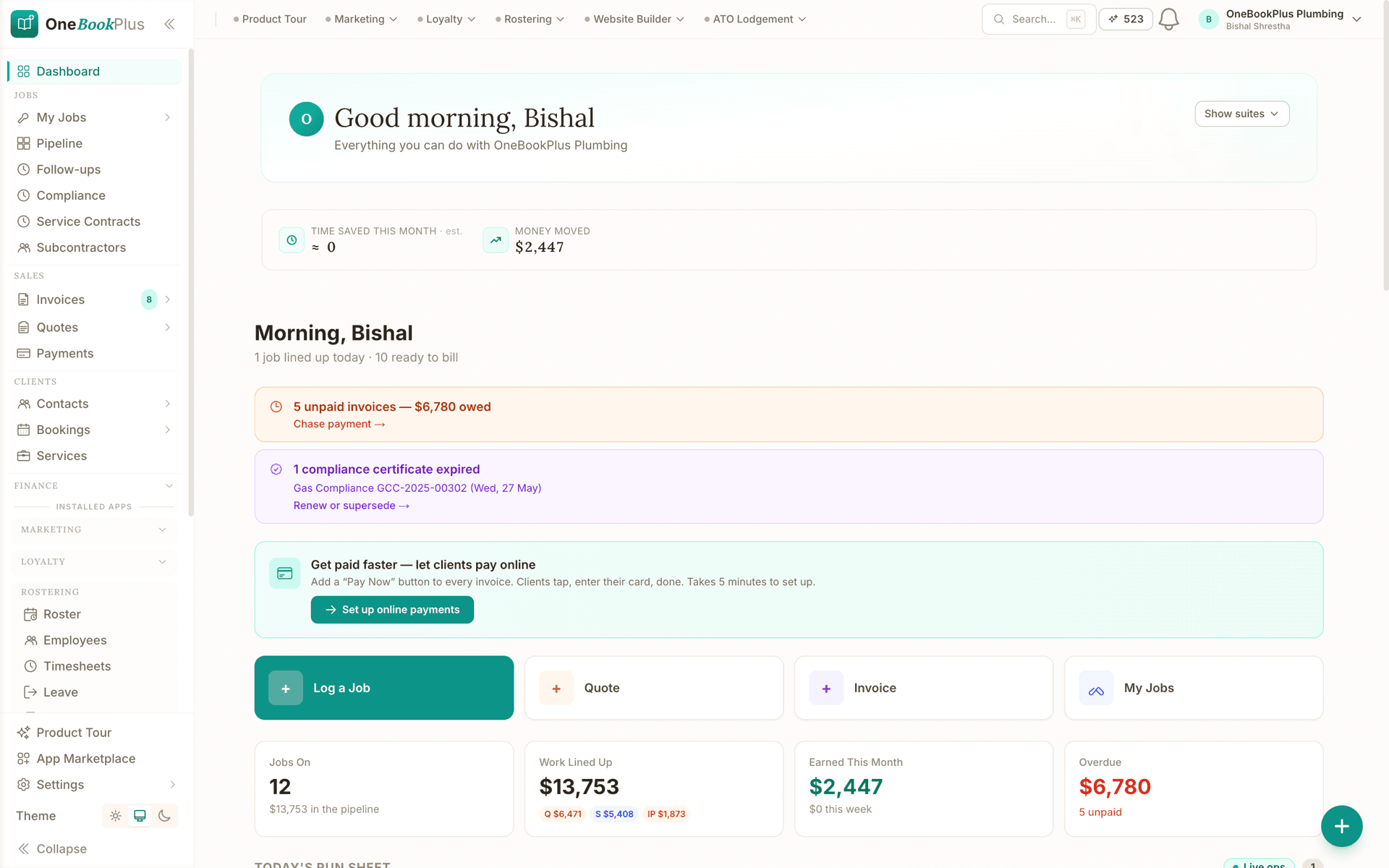
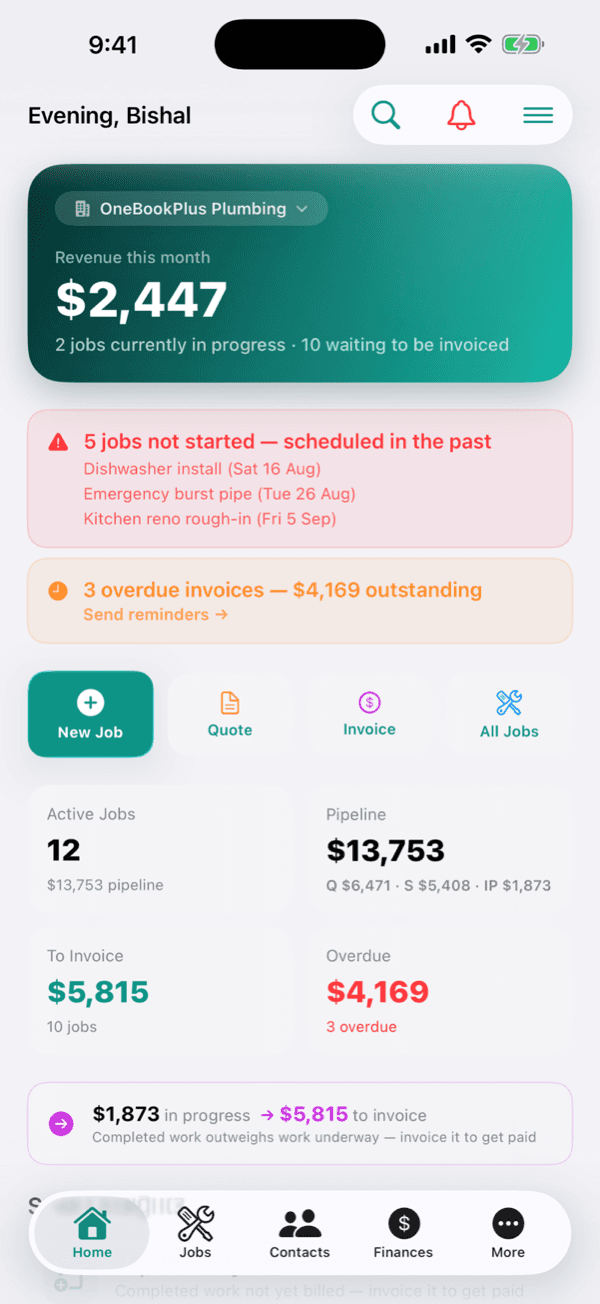
The numbers that matter, the moment you log in.
Fill a quiet week in a few taps.
Email and SMS campaigns to your whole list, Google-review requests that fire automatically after payment, and open + click rates you can actually read, all in one tab.
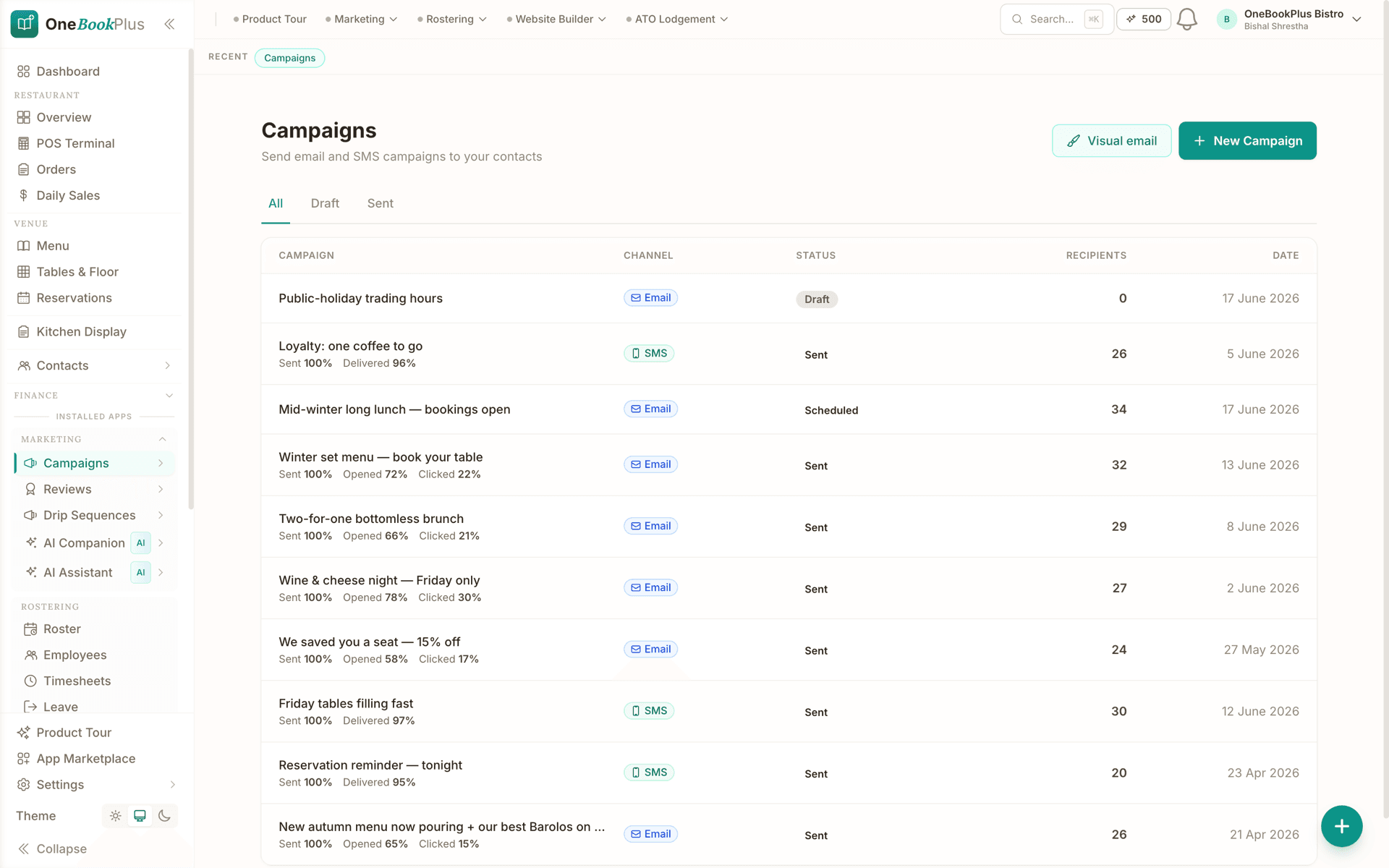
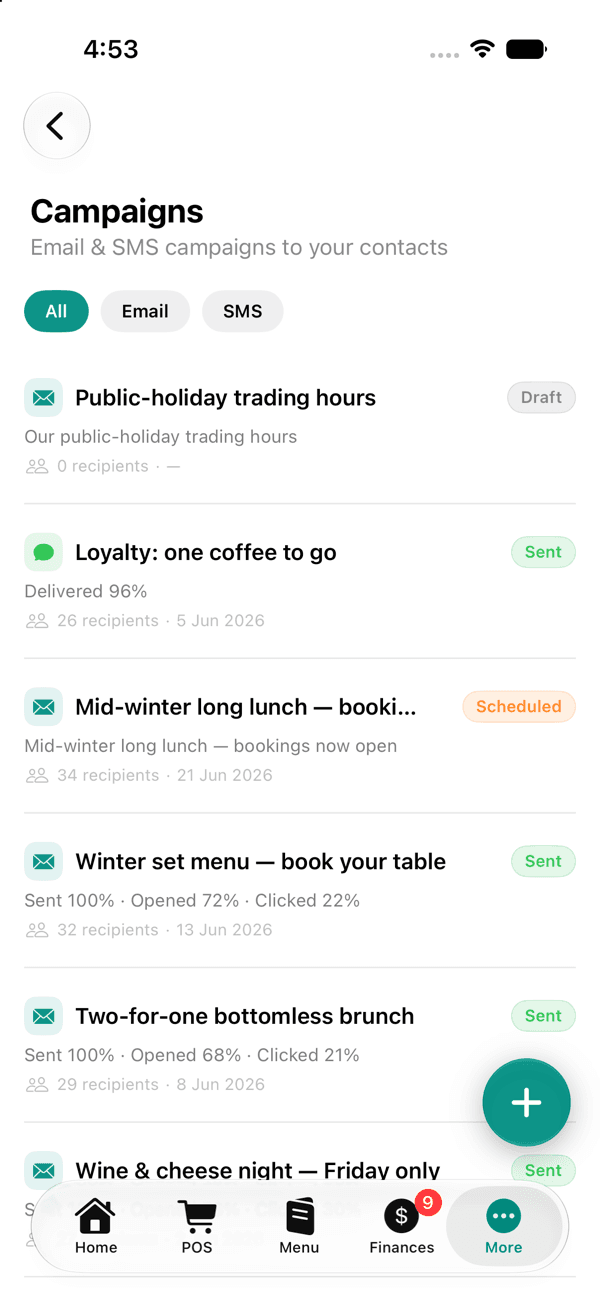
Email & SMS campaigns, with open and click rates.
Ring it up, and the books follow.
A full point of sale, table floor, live orders and a customer-facing checkout. Ring up cash, card or bank transfer and every sale drops straight into your books.
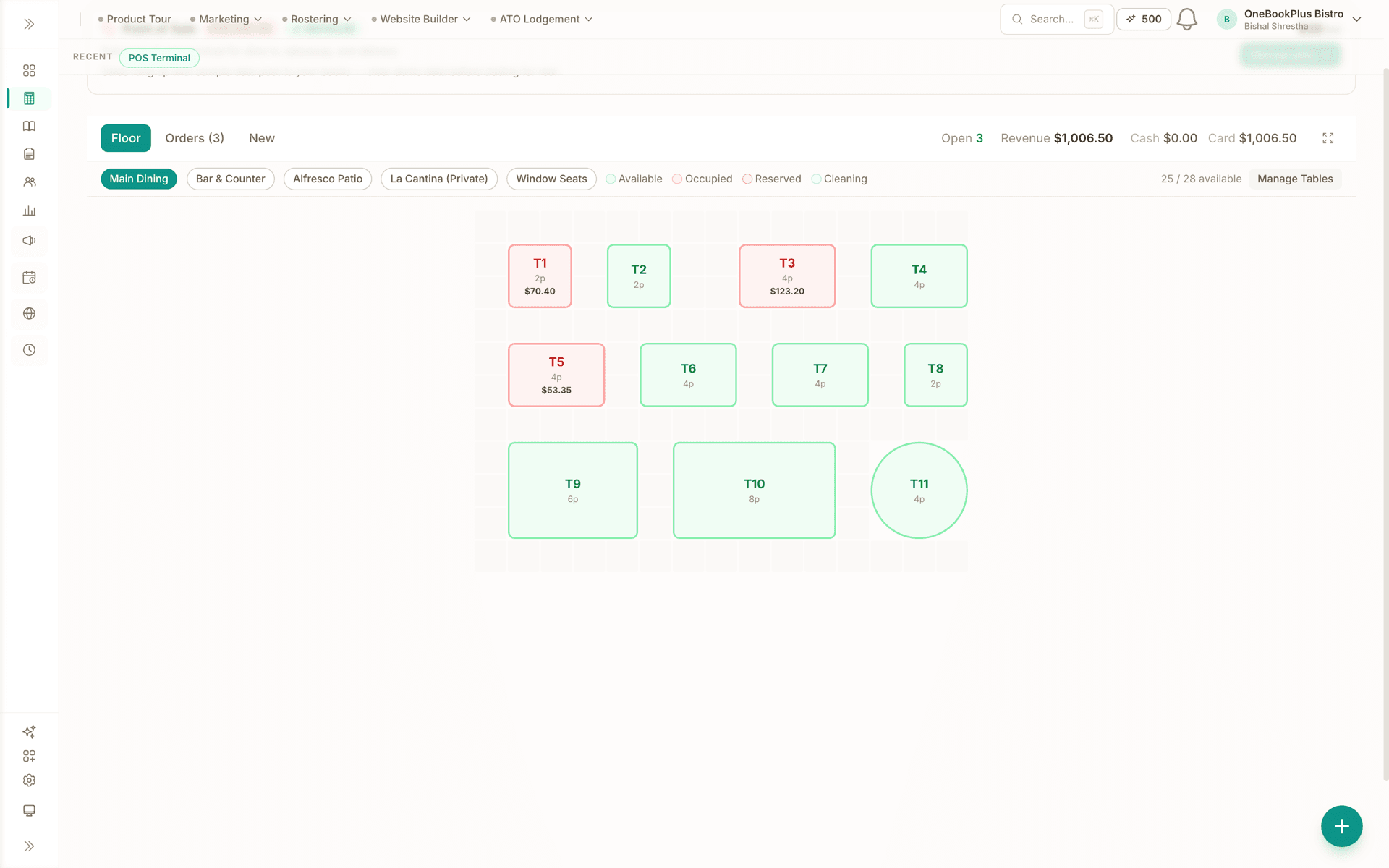
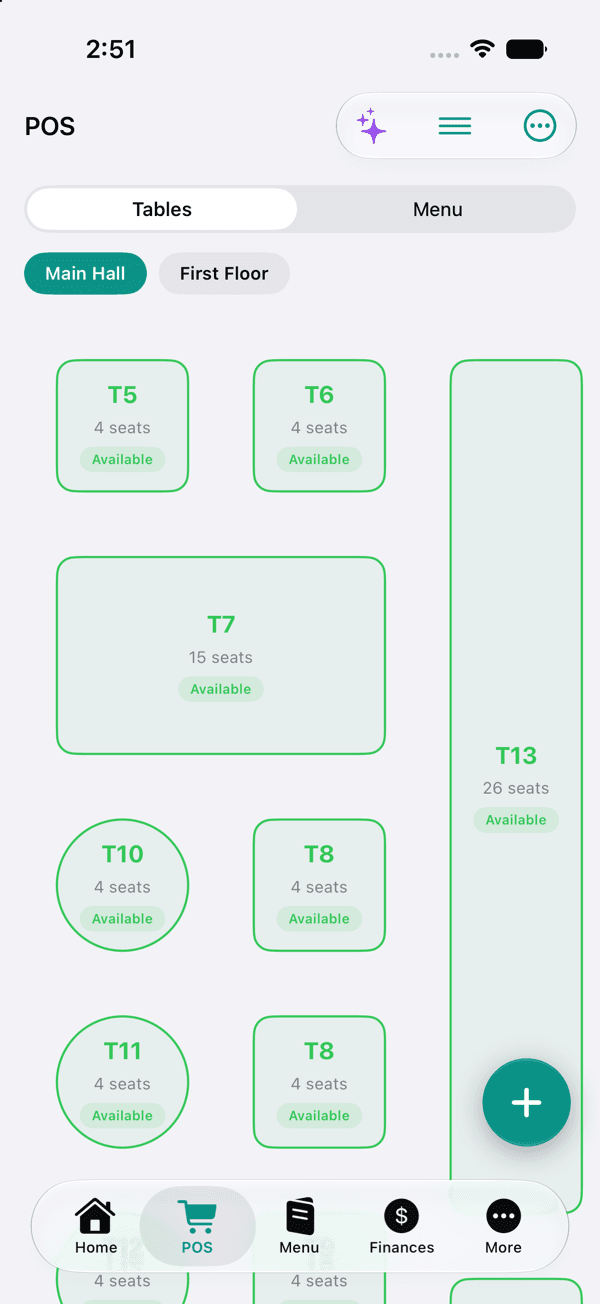
Full POS, floor, live orders and daily takings.
And that's just the start.
There's plenty more inside, payments & POS, marketing, payroll and your own website. Sign up free to explore the rest.
Start freeonebookplus.com.au
Click a page to read on, or drag a corner to turn it by hand.
One job, from the quote to the BAS.
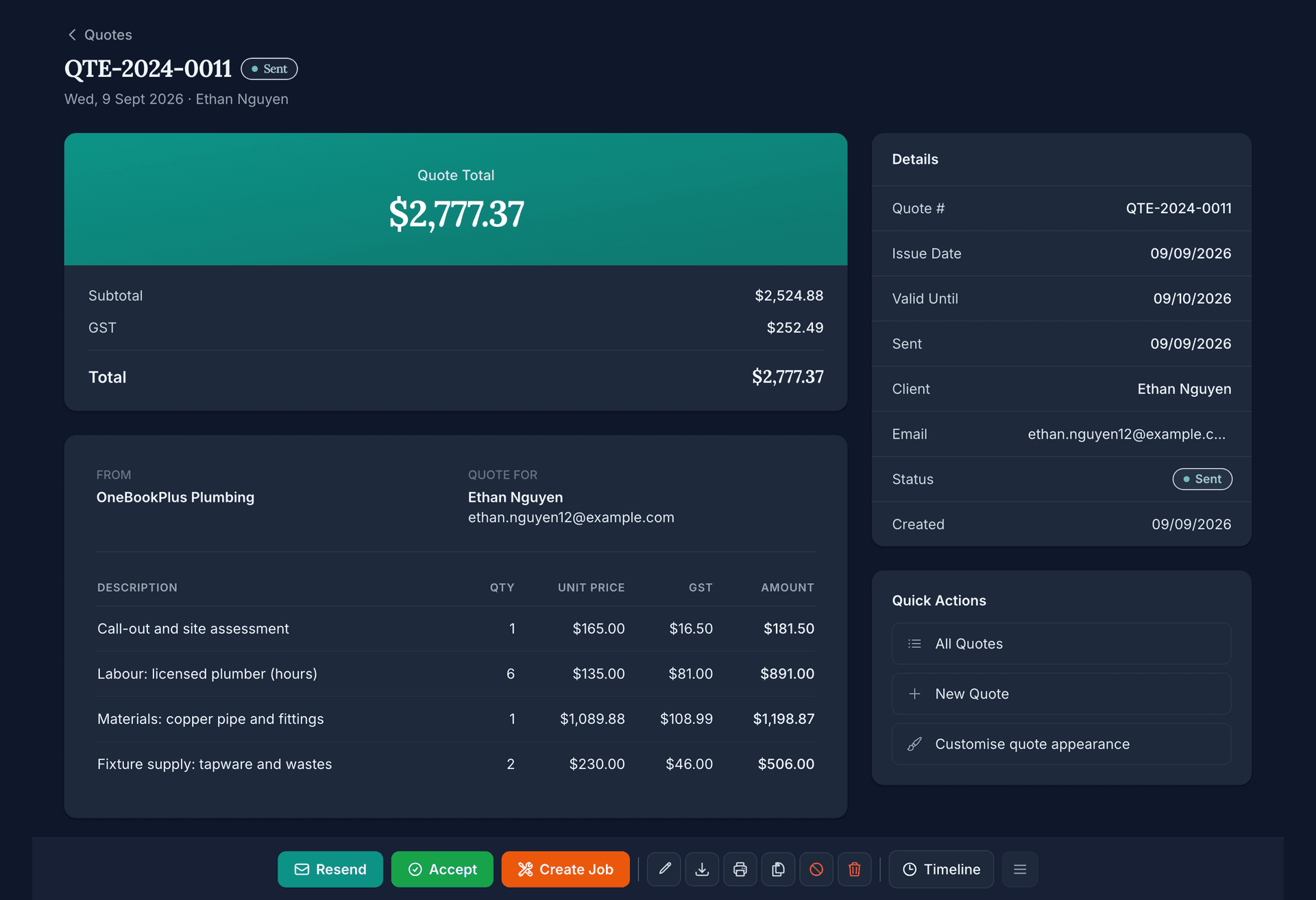
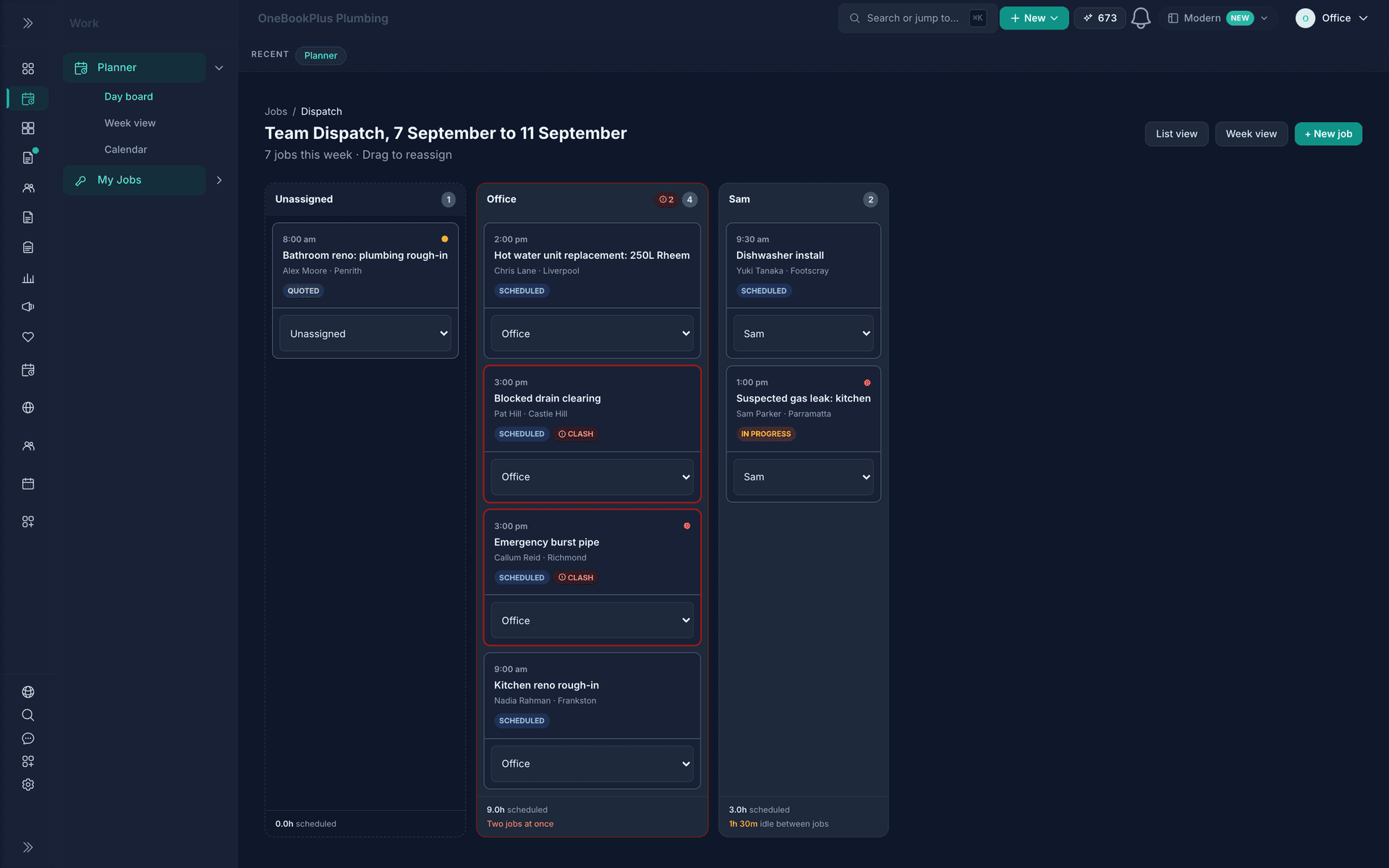
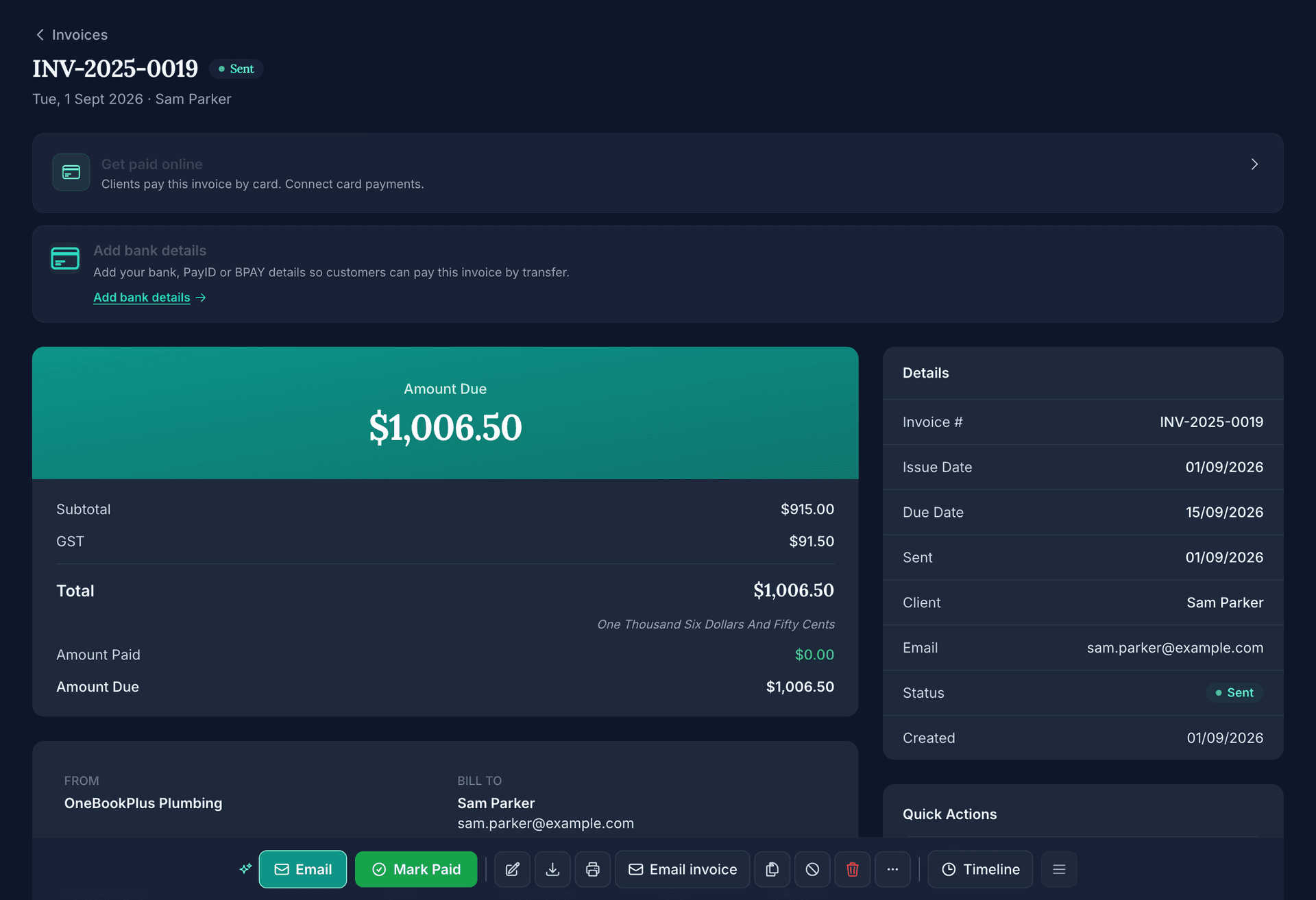
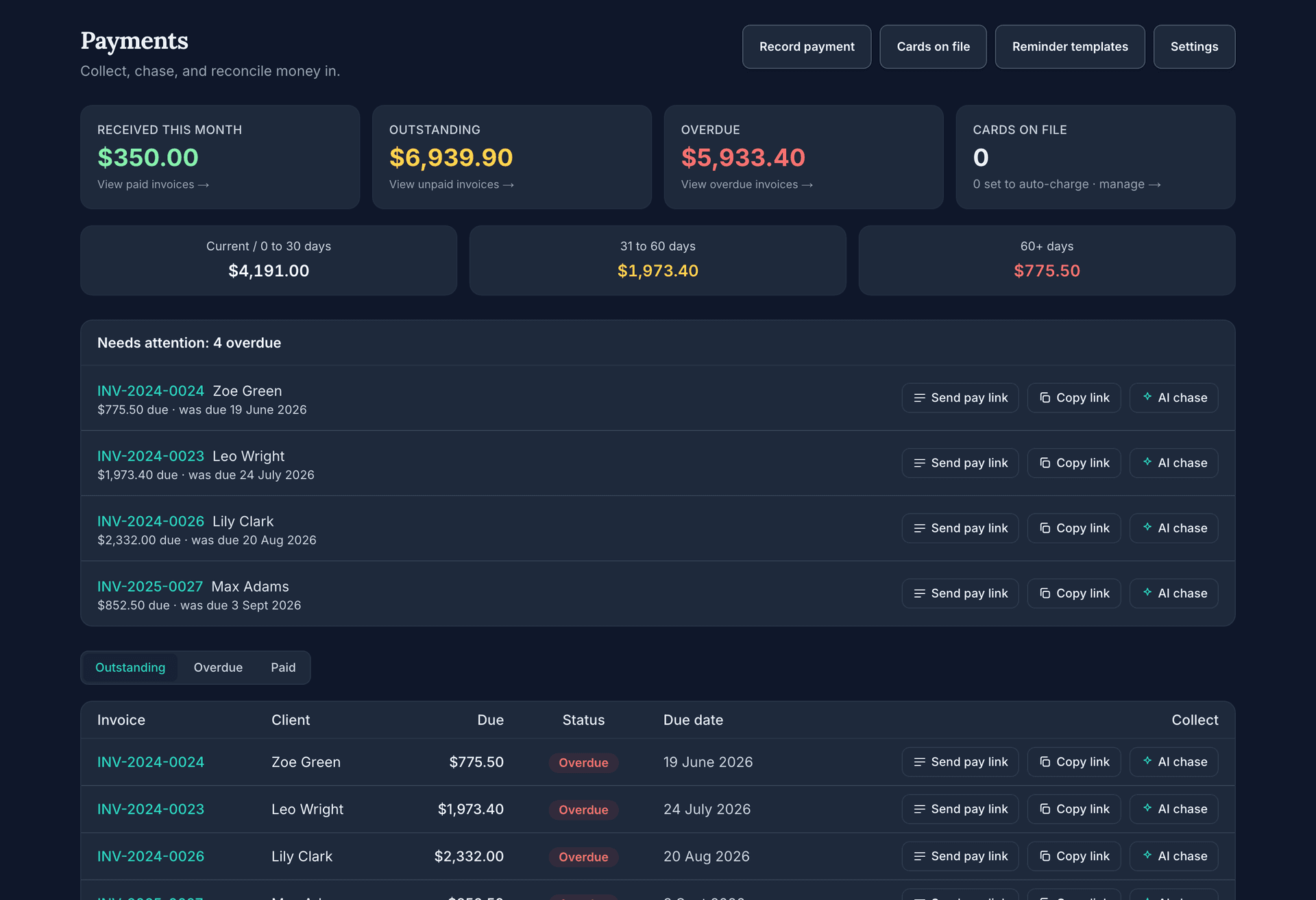
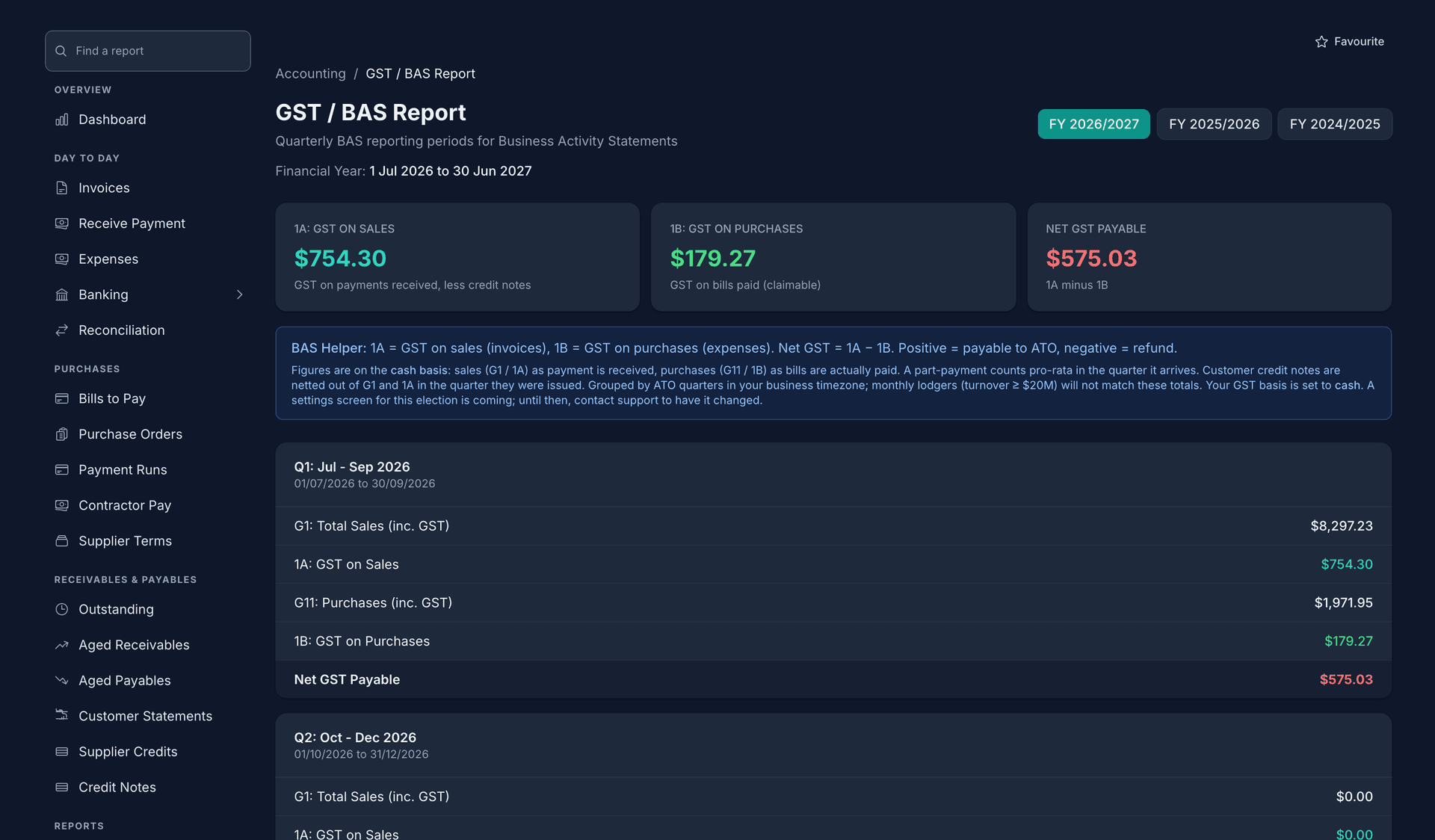
Five real screens from our demo plumbing business, in the order the work happens. Nothing is typed twice: the quote becomes the job, the job becomes the invoice, the payment lands in the books.
Where each screen sits in the job
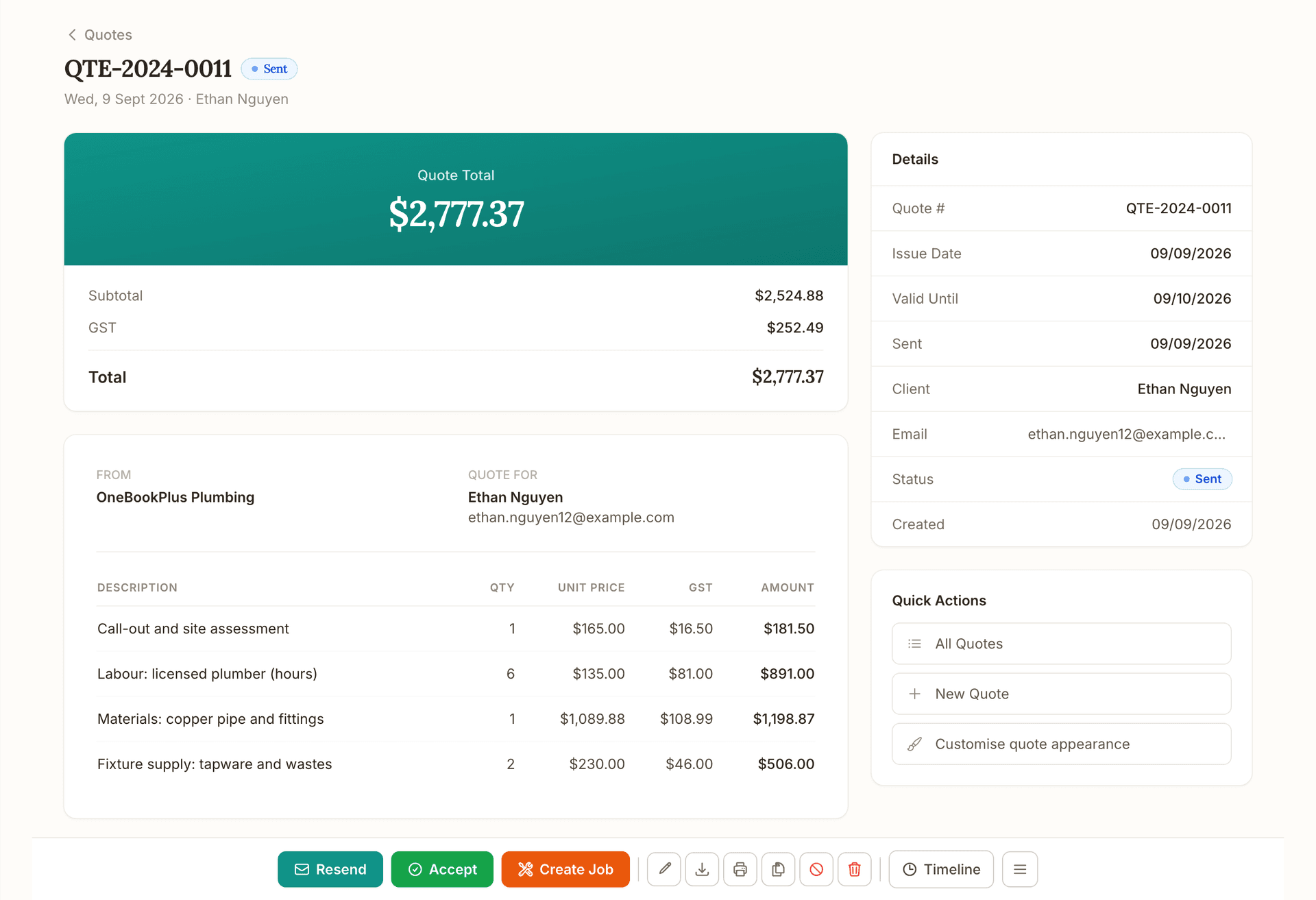
Quote
See quoting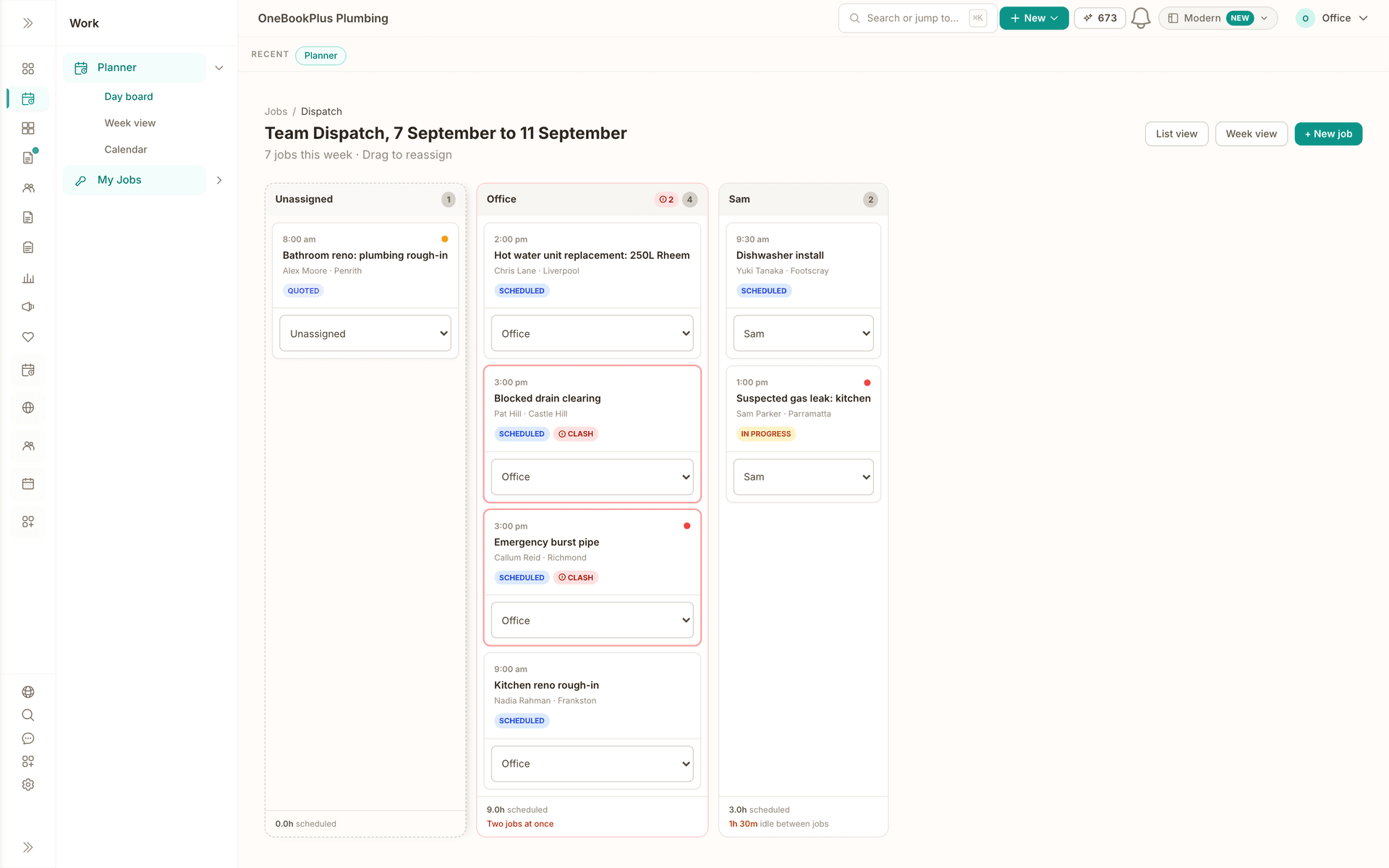
Schedule
See scheduling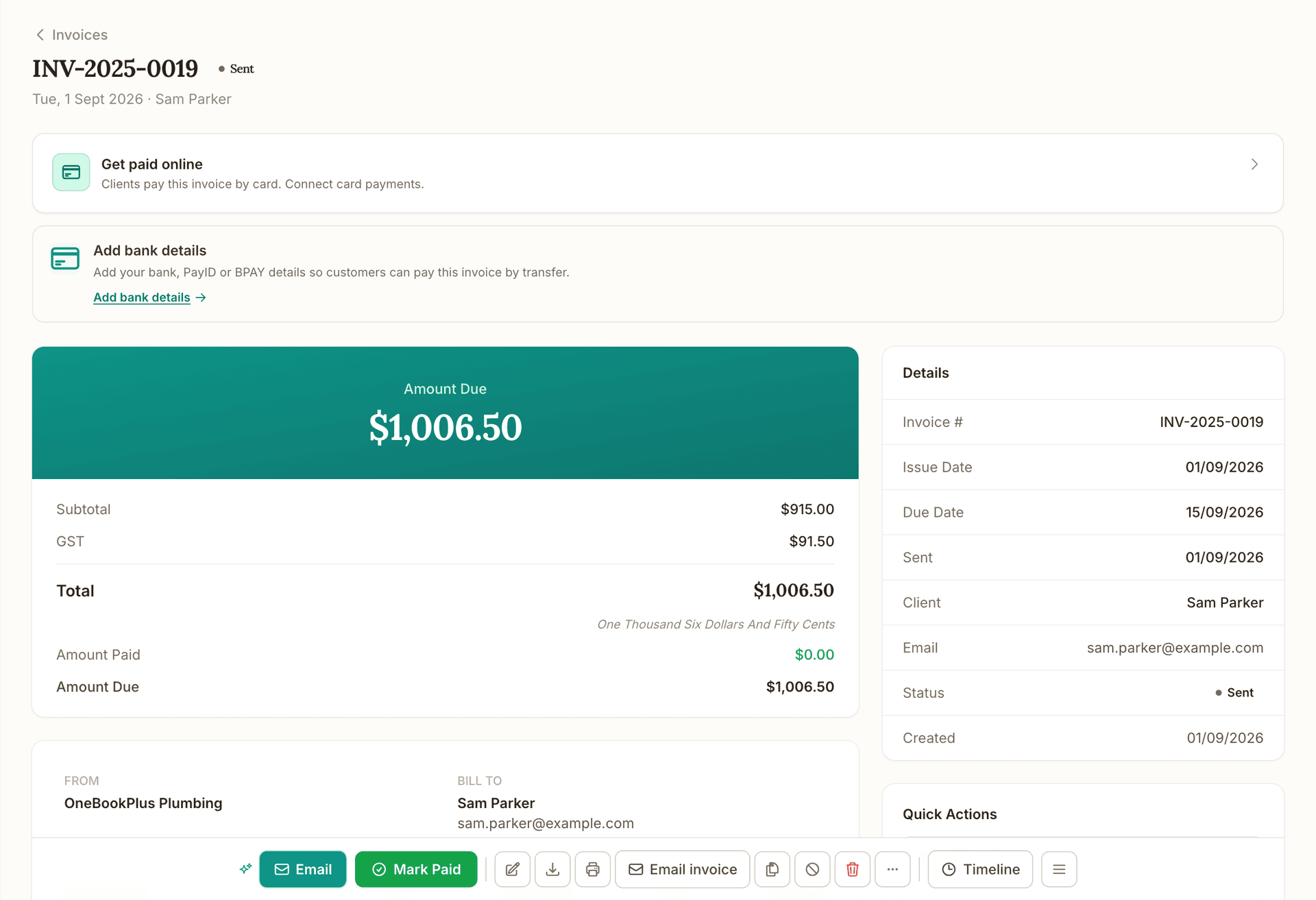
Invoice
See invoicing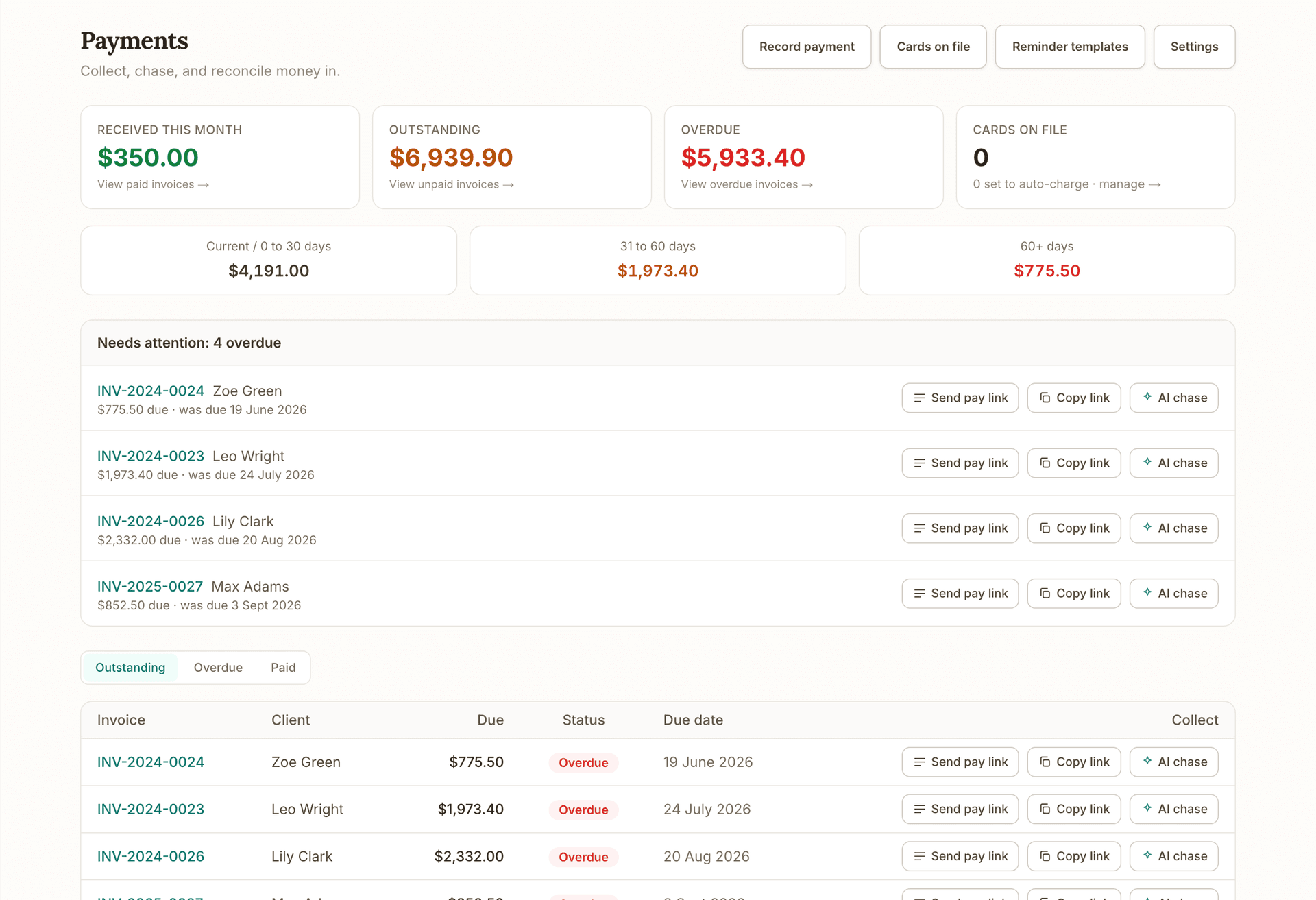
Get paid
See getting paid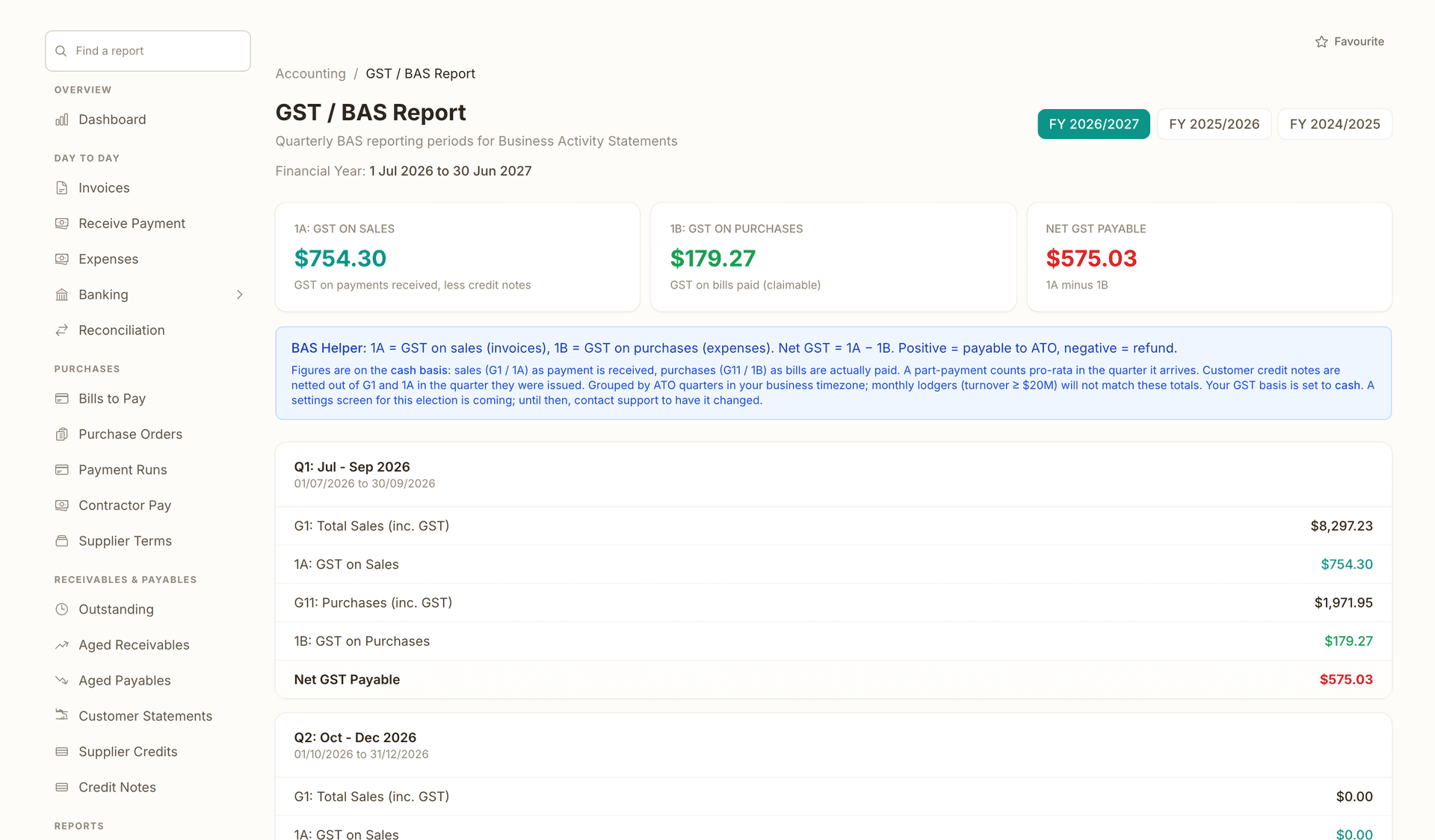
Books and BAS
See the books
See the real product, no signup:
One day, written by itself, an illustrated day of an Australian plumbing business run on OneBookPlus
An illustrated day, not real customer data. Scroll through it from morning to 5pm: the AI receptionist answers and books a missed call, the work runs from the app, the GST invoice is sent on the spot, payment lands and the books balance themselves, a review invite is queued for the next daily run, and the day closes with the ledger already written.
7:00am
While you're in the shower
A call you'd have missed.
Mrs Chen's hot-water system died overnight. She calls the first plumber on Google, you.
AI Receptionist
Answered. Booked. Texted.
The AI answers in two rings, books 9:30 am, and texts her a confirmation, before you've found your keys.
On the job
You just turn up.
Job card on your phone: address, fault notes, history. The quote's pre-filled from your price book.
From the ute
Invoice sent before lunch.
One tap converts the job to a GST invoice with a pay link. No laptop, no evening paperwork.
While you're on the next job
Paid. Booked. Balanced.
Card payment lands, the books update themselves, and $76.36 GST is set aside for BAS.
Reputation on autopilot
The review ask, without the chase.
Paying puts Mrs Chen in the queue. The 2pm run takes it from there, once per client per 90 days, so nobody gets asked twice.
The day closes itself
Your books, already written.
You did one job and quoted another. The book did the rest.
$0
collected
0
call answered by the AI
0
evenings lost
An illustrated day, not real customer data. AI Receptionist is a $79/mo add-on that needs AI Companion ($25/mo, included on Growth), and AI Companion is what sends the review invite as well. The rest of the day is the app itself.
Hear from the first
Australian businesses on board.
We're in early access. Real customers on Google, Trustpilot, G2 and the App Store, real quotes, no marketing fluff.
“Been using the free version for a month for a new business. It has been fantastic. Easy to use and works extremely well. Thinking of upgrading to the next level.”
“Very easy to manage my online business. Was wondering where to start from and found OneBookPlus. It got me started and running in minutes. Much highly recommended!”
“Ease of use on the go makes managing the business so much easier, and the quick quotes and invoicing save me time. I don't need to worry about following up with clients because the AI does that instead of me. I switched from Google Sheets, and now I don't need… ”
“OneBookPlus has made running my business much easier. I can manage invoices, bookings, customers, and finances all in one place instead of switching between multiple apps. The interface is simple, easy to use, and saves me a lot of time. Highly recommended for… ”

Built in Melbourne by Bishal Shrestha
10+ years in tech & digital marketing · OneBookPlus is Australian owned and operated.
Every review on Google, Trustpilot, G2 and the App Store, unedited · read all reviews
Shipping weekly, latest release 16 October 2026 · read the changelog
Seven modules, three add-ons, one login.
A booking on your page becomes a job, the job becomes an invoice, and the invoice posts straight to your books. One all-in-one platform, one login, end to end. Which features inside each module you get depends on your plan: the plan comparison table lists every one of them.
The booking page a customer sees, on your own address.
Bookings & Scheduling
24/7 online booking page. Calendar subscription (Apple/Google/Outlook). Automated reminders. Embeddable widget.
Every invoice, what it is worth, and who has not paid yet.
Invoicing & Quotes
GST invoices in 60 seconds from your phone. One-click quote accept. Auto payment reminders.
The client list, with the work and the money attached to each one.
CRM & Contacts
Full client timeline. Every interaction, invoice, booking, and payment in one view.
Payments as they land, matched to the invoice they settle.
Payments & sales register
Get invoices paid online by card or bank transfer, with a sales register that records cash and card takings at the counter (barcode scanning from Starter). The card itself is taken on your own EFTPOS machine. The full hospitality Point of Sale app is a $39/mo add-on.
Profit and loss, built from the invoices and expenses already in the system.
Accounting & Tax
Chart of accounts, general ledger, balance sheet, P&L, BAS. Import bank statements (CSV, OFX, QFX) and reconcile in taps. Invite your accountant with read or full access.
Review requests going out on their own, after the invoice is paid.
Marketing & Reviews
Campaigns and Google review automation in one tab. The review request after a booking is on every plan; email campaigns are on Starter, SMS campaigns and the Google Reviews reputation engine on Growth, and the Facebook and Google Ads dashboards are paid add-ons.
The Studio, editing a published site section by section.
Website Builder & Studio
Included on every paid plan. The AI drafts the whole site from your own answers, then the Website Studio lets you edit any section in place and change the look. Its Book buttons go straight to your booking page, and your own domain connects from Plus once you are subscribed, not during a trial.
What kind of software are you shopping for?
Most people land here looking for one thing in particular. Each page below is written about that one job, with the Australian tax and compliance detail that goes with it, and it is the same platform underneath either way.
- Estimating Software
- Booking Software
- Job Management Software
- Field Service Management Software
- Construction Project Management Software
- Business Management Software
- Bookkeeping Software
Shopping by trade instead? Business software by industry has a page for plumbers, salons, clinics and dozens more, each one written about that trade’s day. Already paying for something else? OneBookPlus compared with Xero, MYOB and ServiceM8 sets them side by side on price and on what each one covers.
Your website is included on every paid plan. Nothing extra to buy.
Answer a few questions about your business and the AI drafts the whole site from what you said, with your online booking page already part of it. From Starter at $29/mo.
Starter
$29/mo10 pages and a blog, on your OneBookPlus address.
Plus
$49/moYour own domain with SSL, 50 pages and a members area.
Growth
$69/moUnlimited pages, programmatic landing pages and website webhooks.
Every published site carries a small “Made with OneBookPlus” credit. Your own domain connects on a paid Plus or Growth subscription, not during a trial. Compare the plans side by side on the pricing page.

Written from your answers
Every page comes from what you tell it: what you do, who for and where. Your business name is read as a name, not a description, so a word inside it never decides your trade. A business with Book in its name does not get a site about bookkeeping.
Change anything where it sits
Open Website Studio and edit a section in place. Add text, a list or a button inside it, choose how many cards sit across, or change the whole look. A restyle moves the colours and the shapes and leaves your words alone. A build that starts fresh replaces your pages, and saves a restore point in History first.
The look is chosen, not fixed
The AI picks one of eight type pairings, a heading face over a body face, a hue that suits the trade, and how the cards sit: a fine line, a bold outline, a soft lift, or no card at all. Change any of it afterwards.
Bookings built in
Your online booking page is part of the site, so every Book button on it goes straight to your calendar, and the booking lands in the same login as your jobs and invoices.
Four sites, live right now. One of them a customer’s.
A Sydney trades business on its own address, then a plumber, a driving school and our own site, built the same way on our own accounts. Pick a site and a device to see its published pages as they stand today; every picture opens full screen, and each site has a link to visit it.
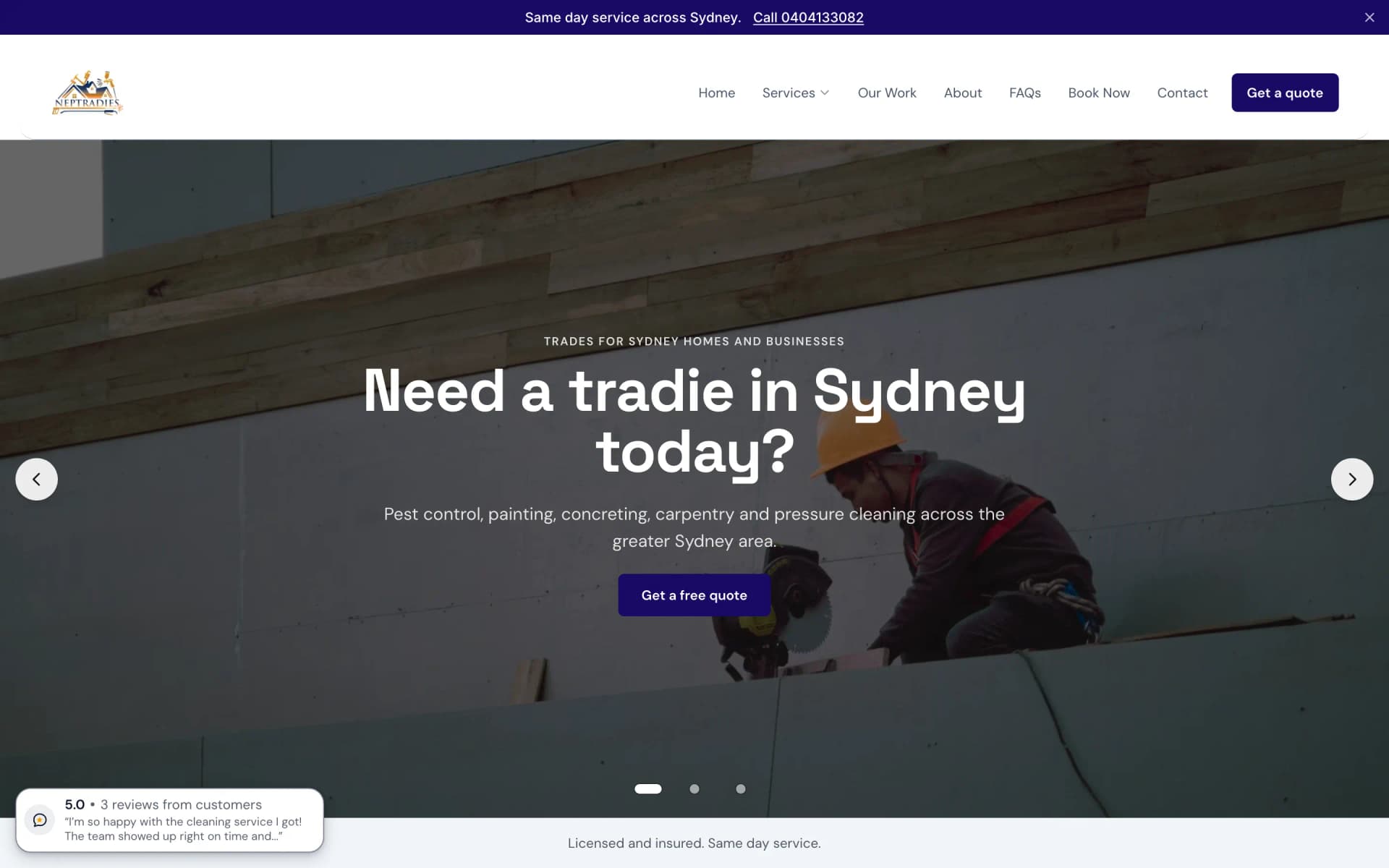
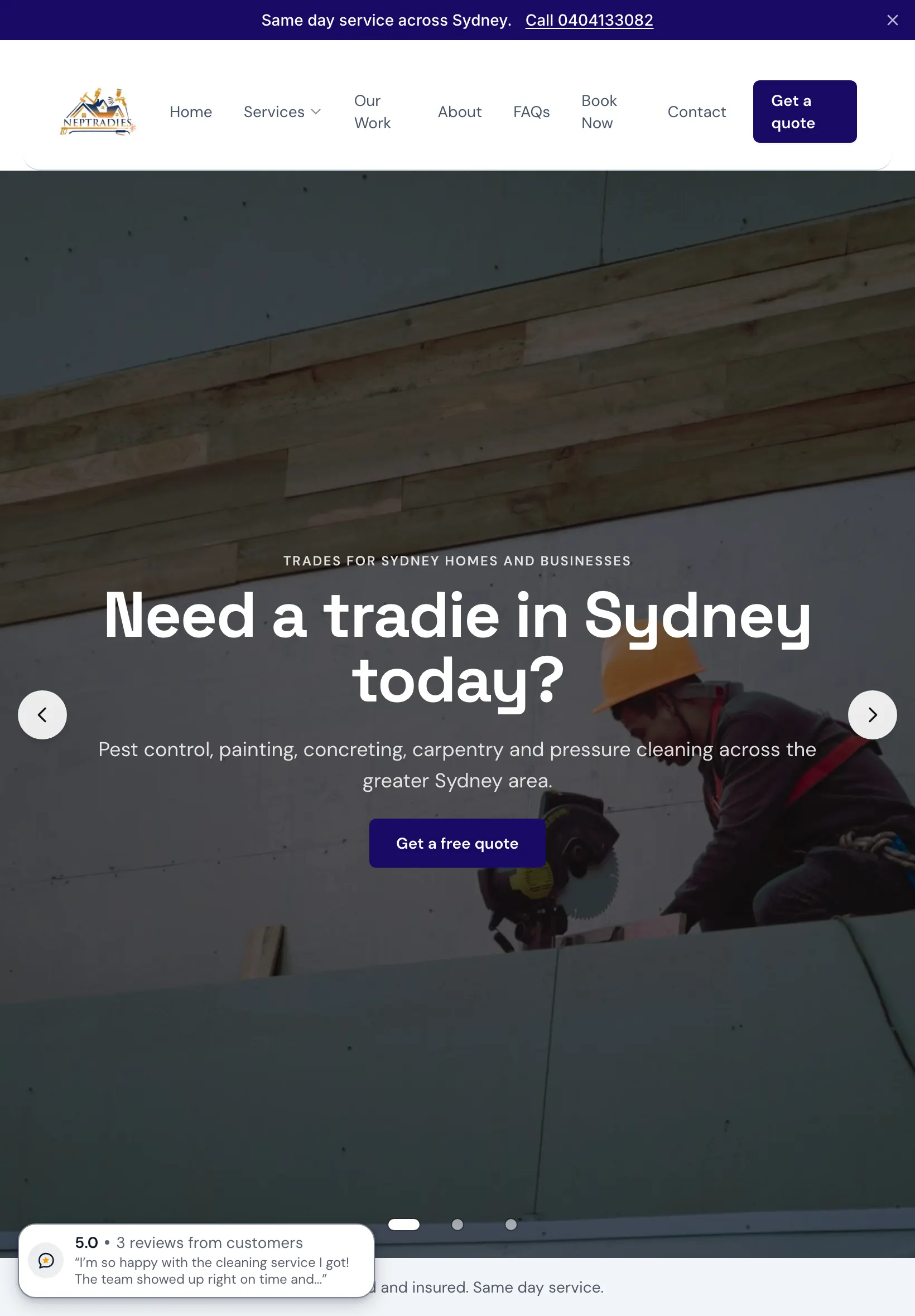
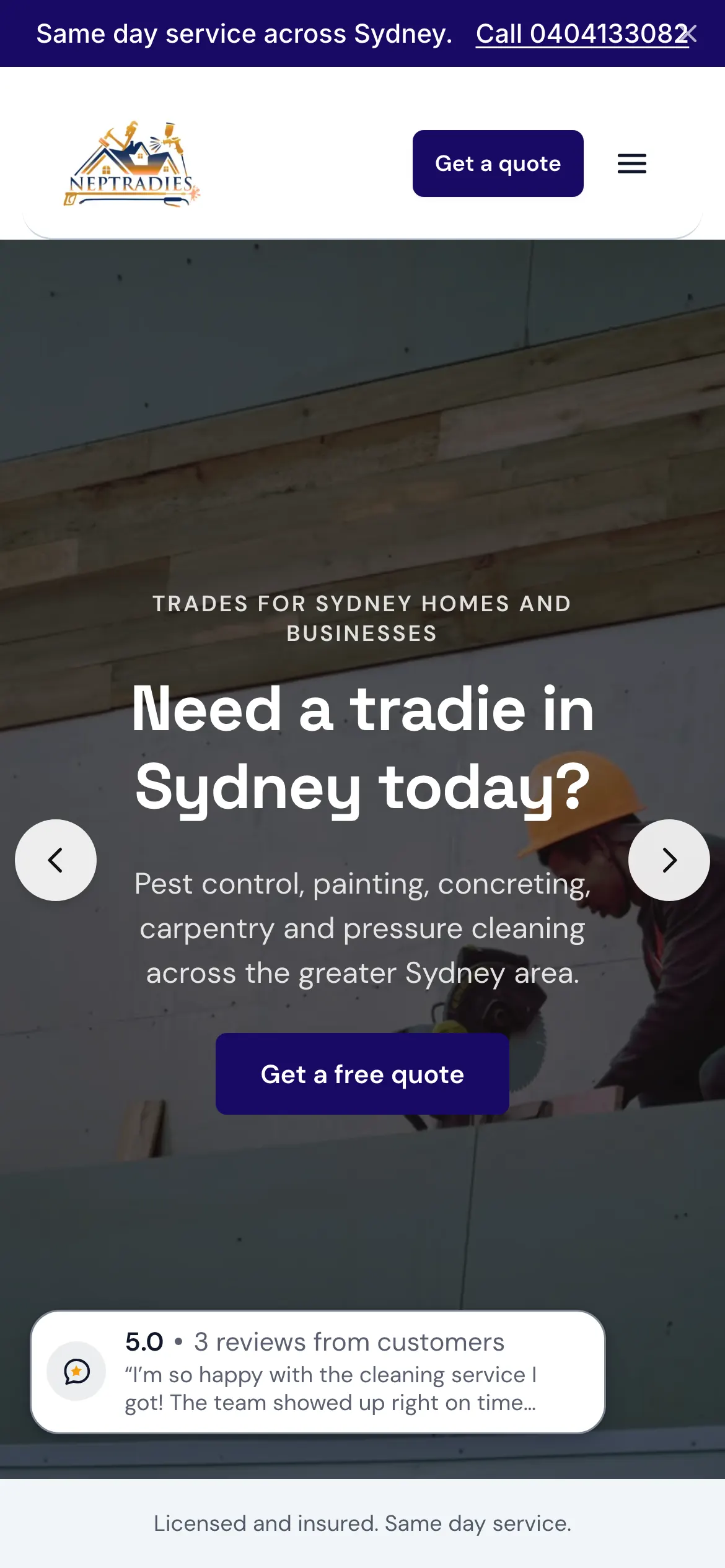
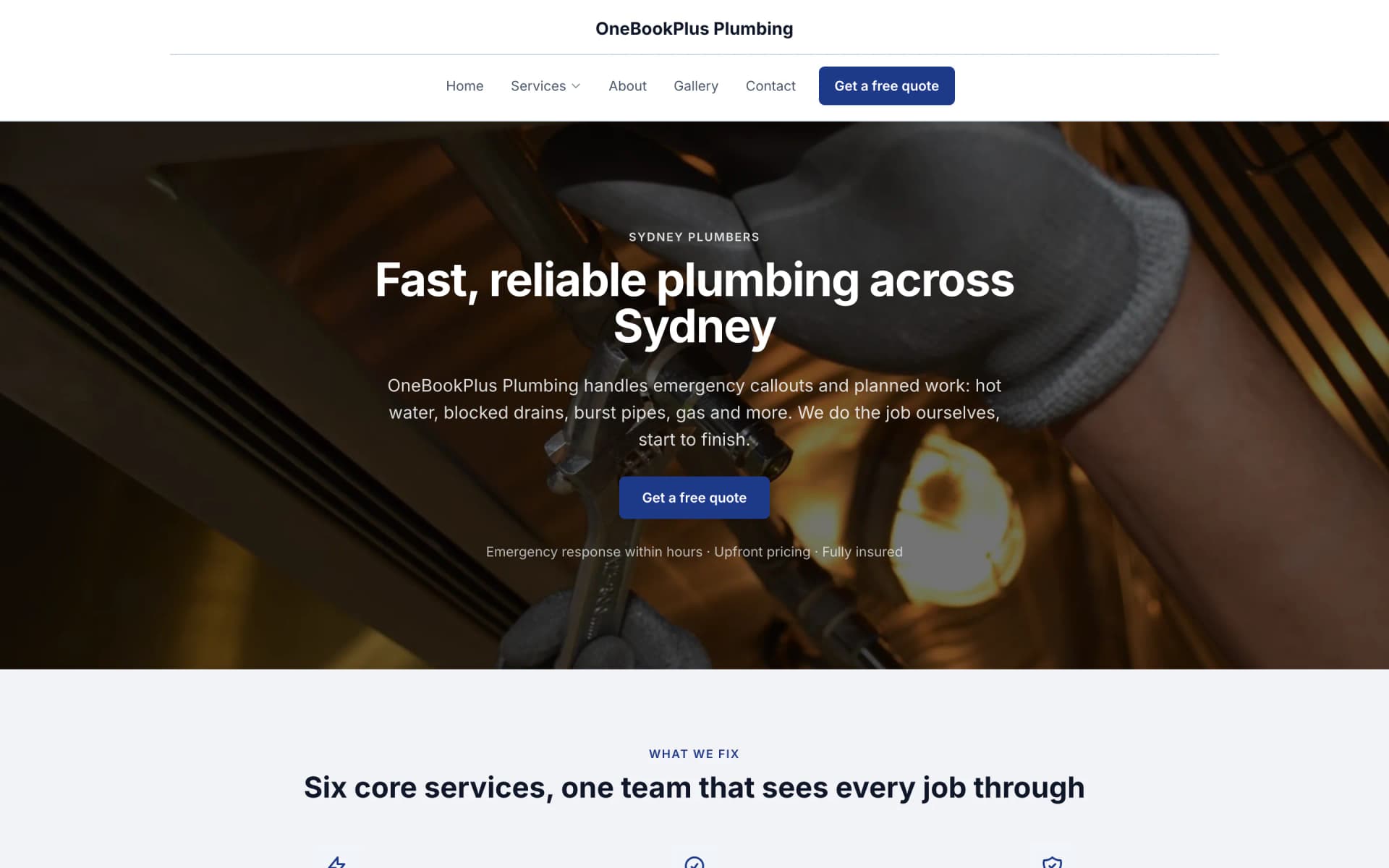
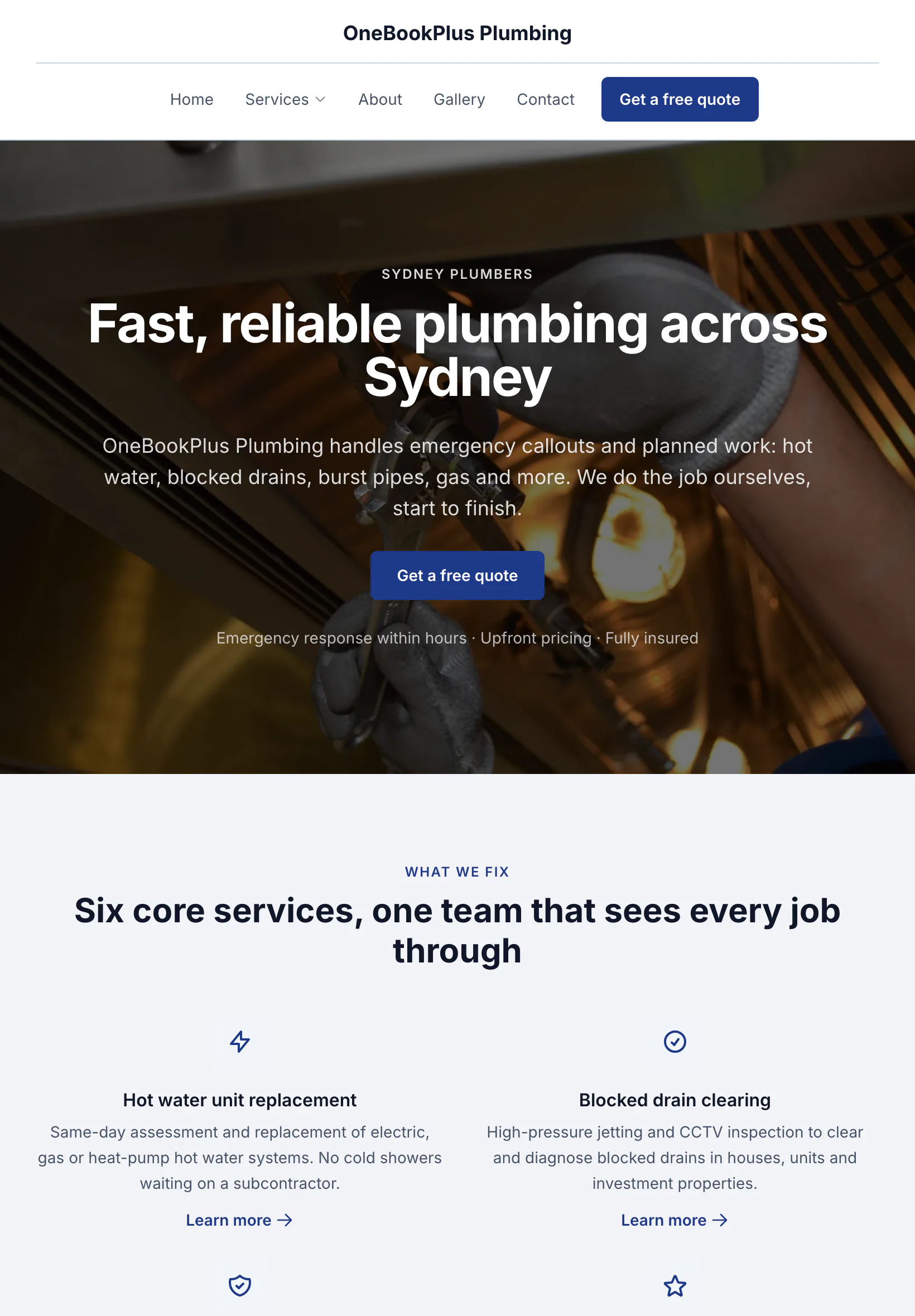
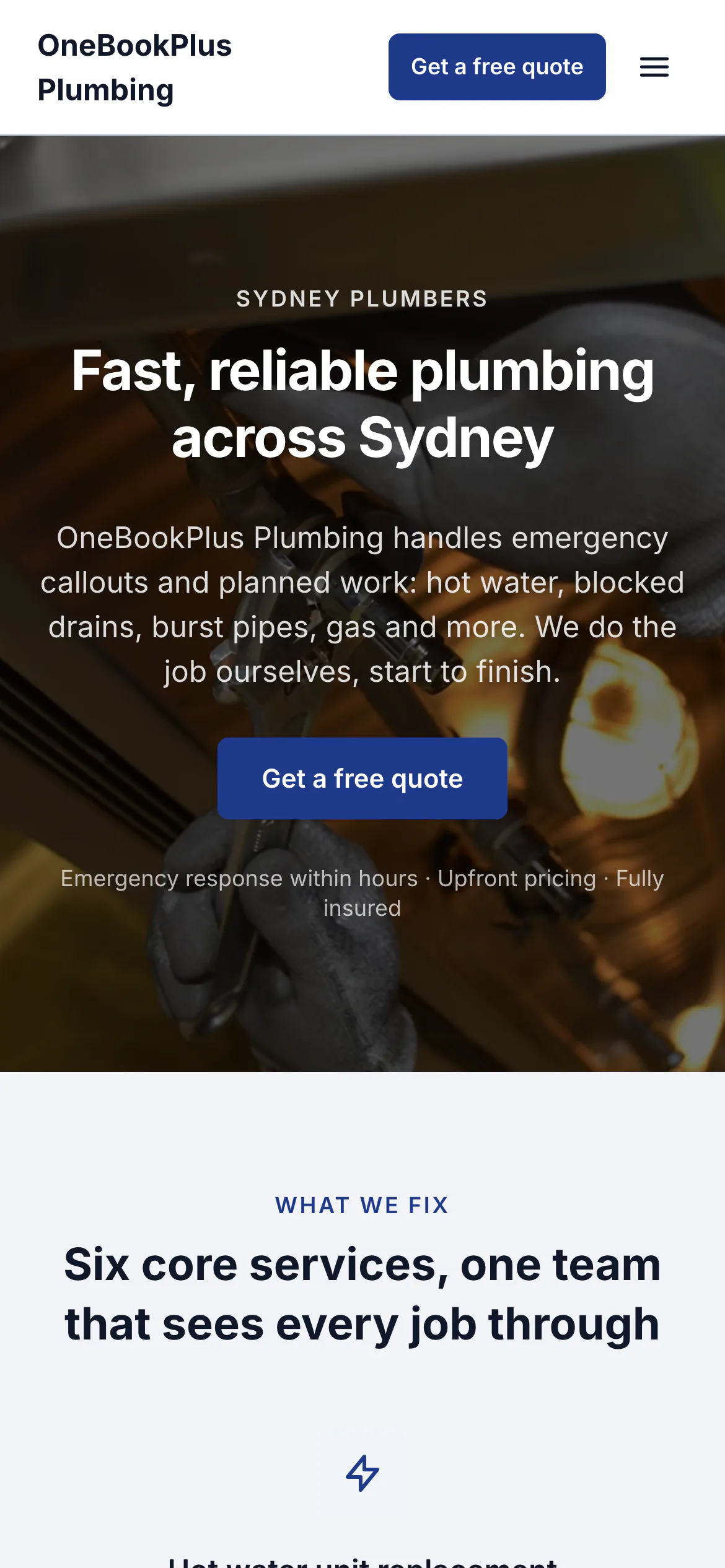
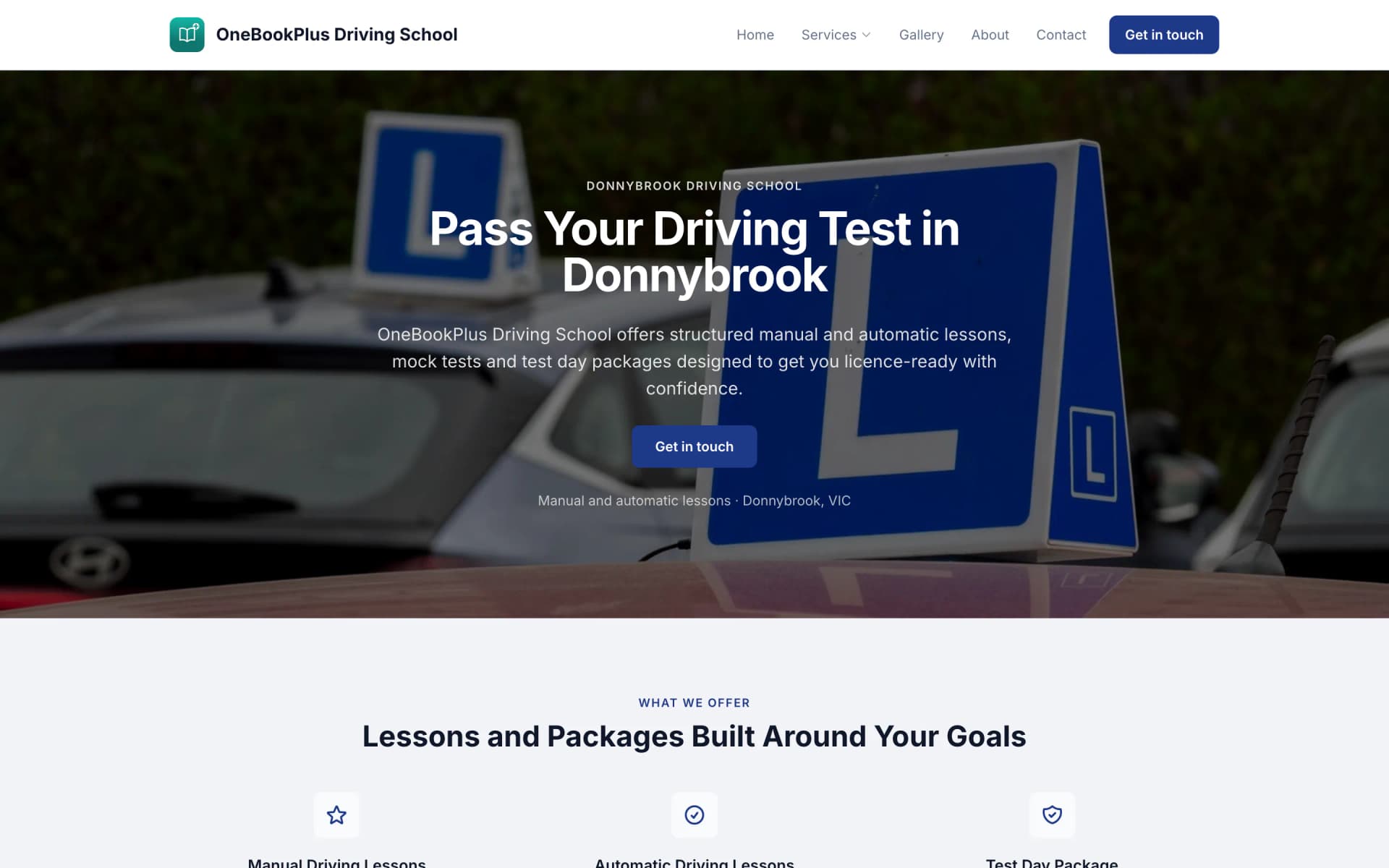
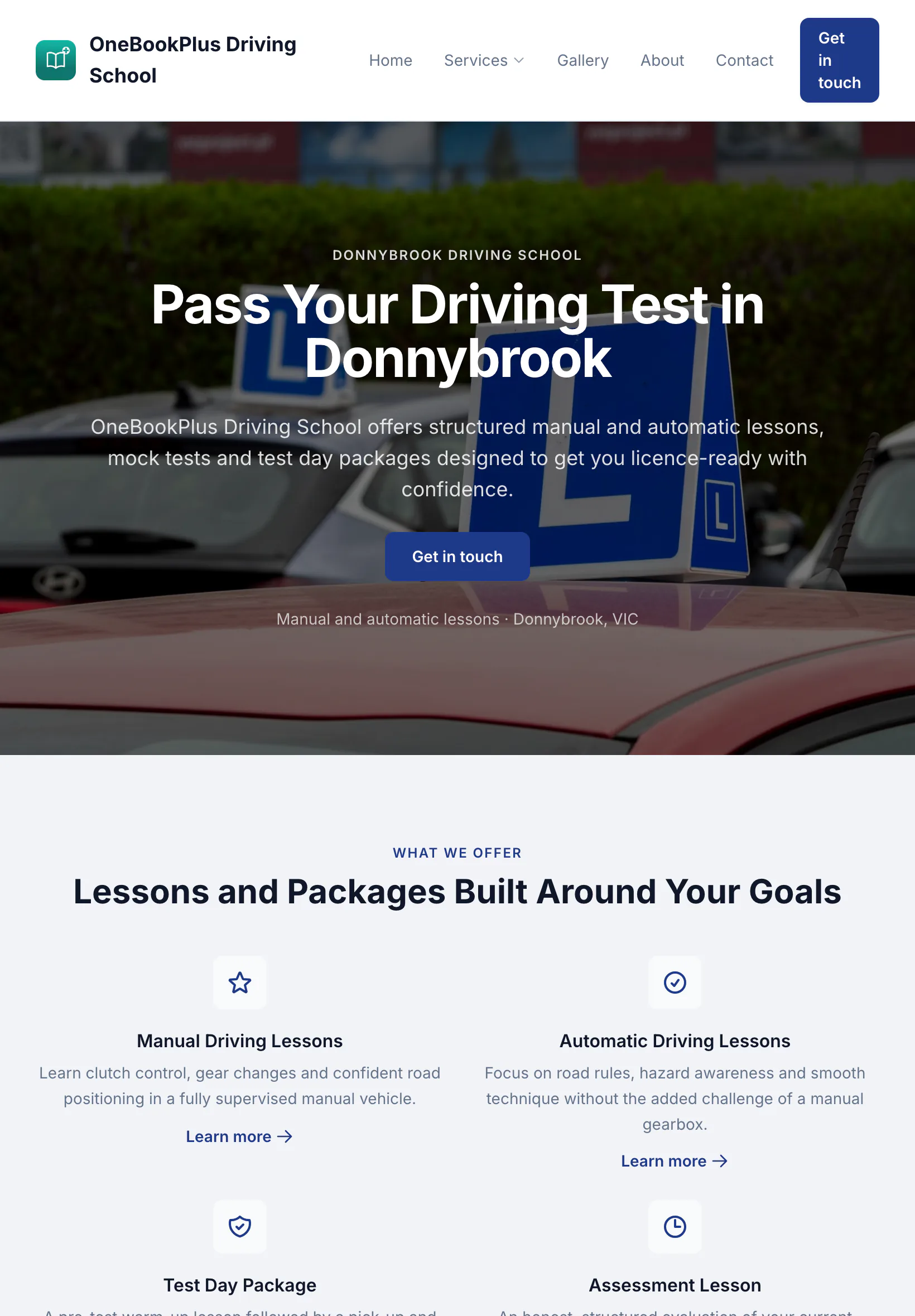
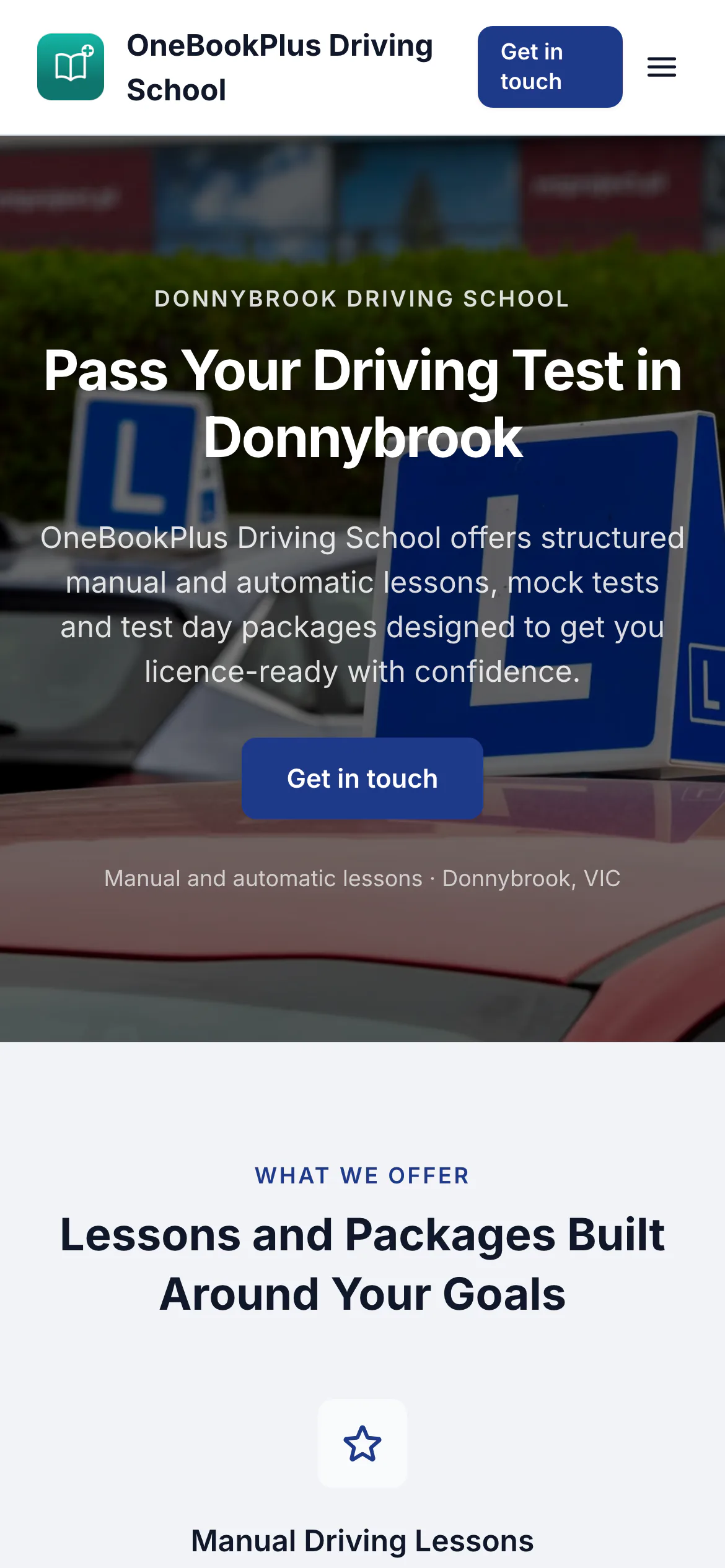
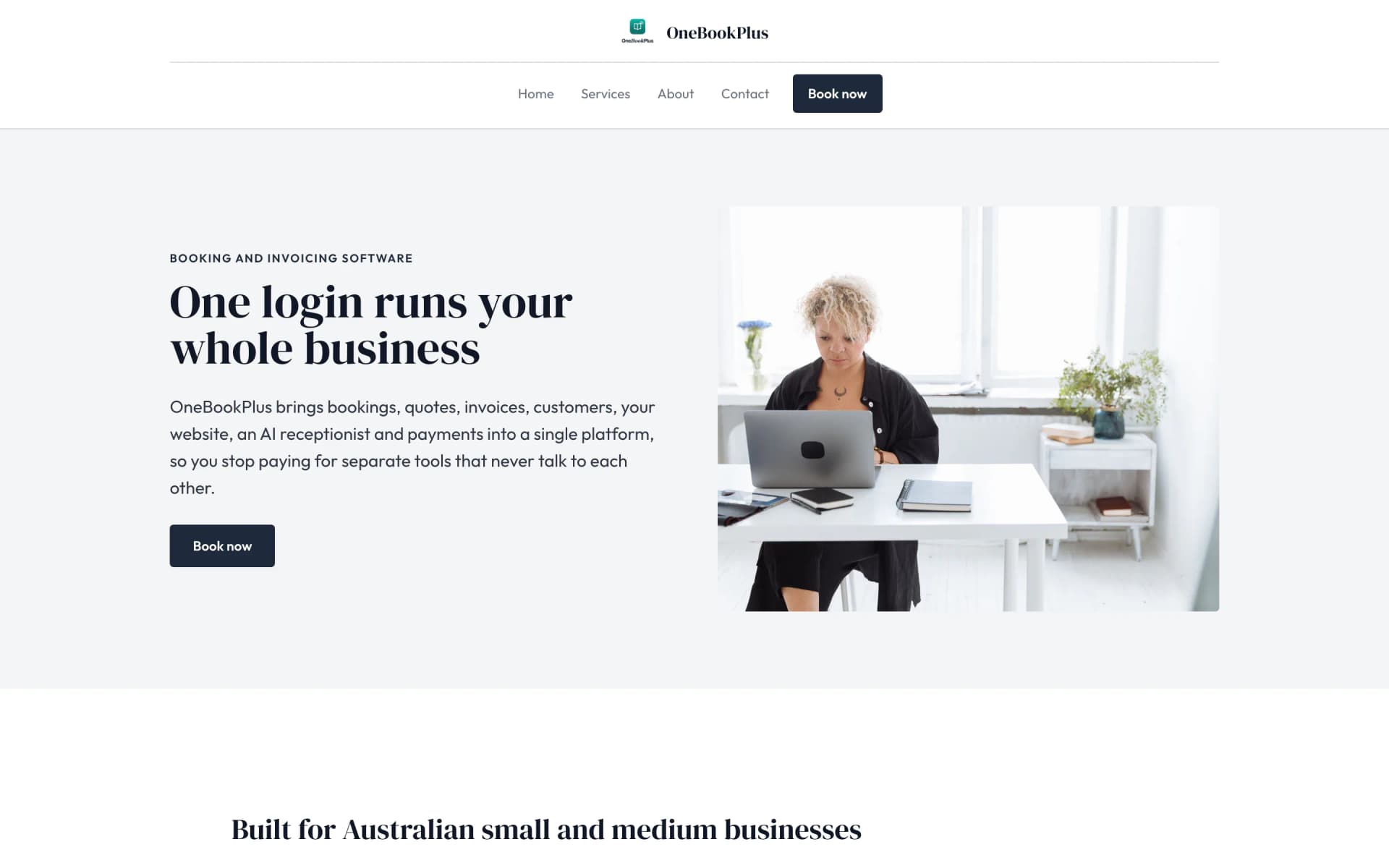
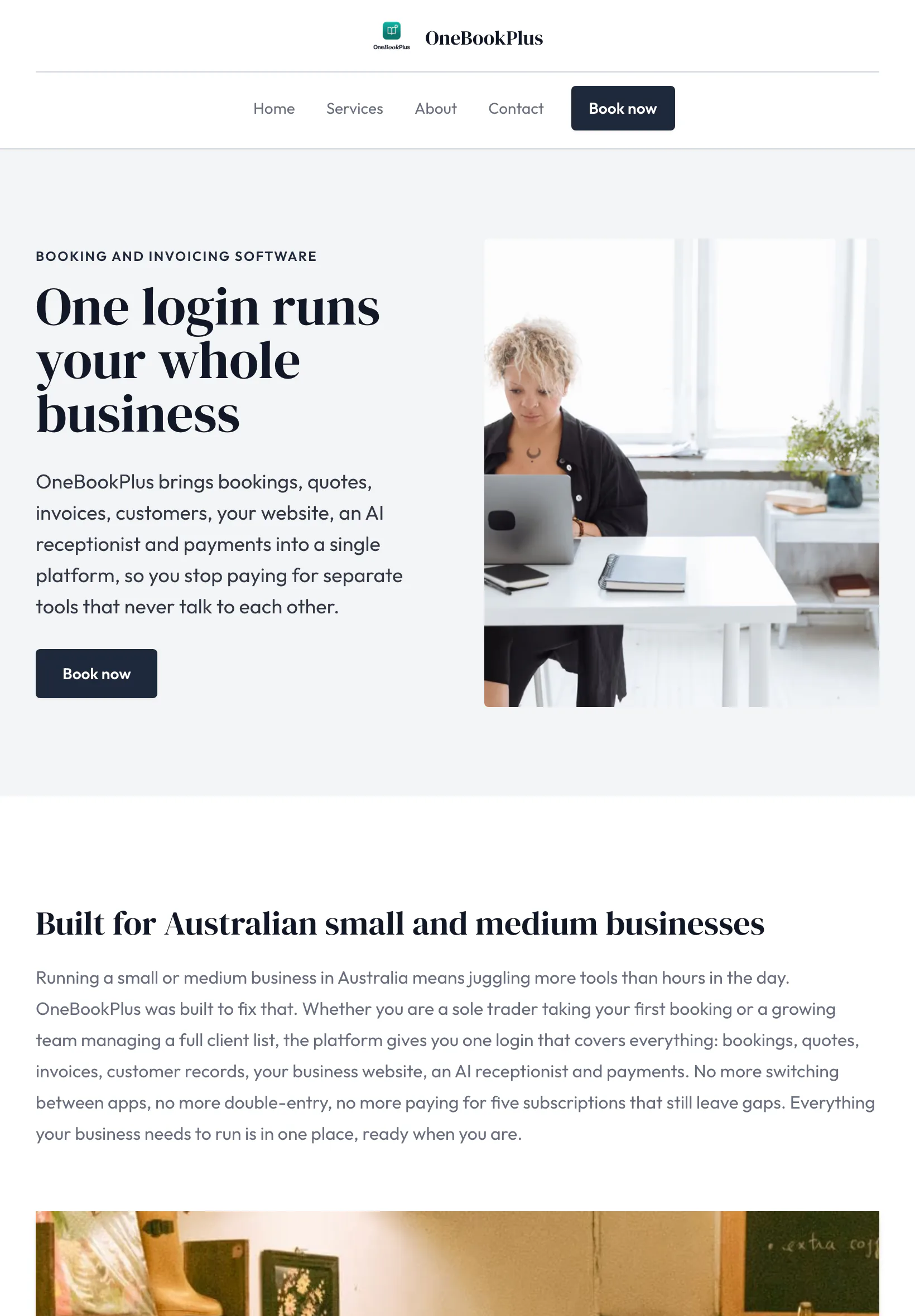
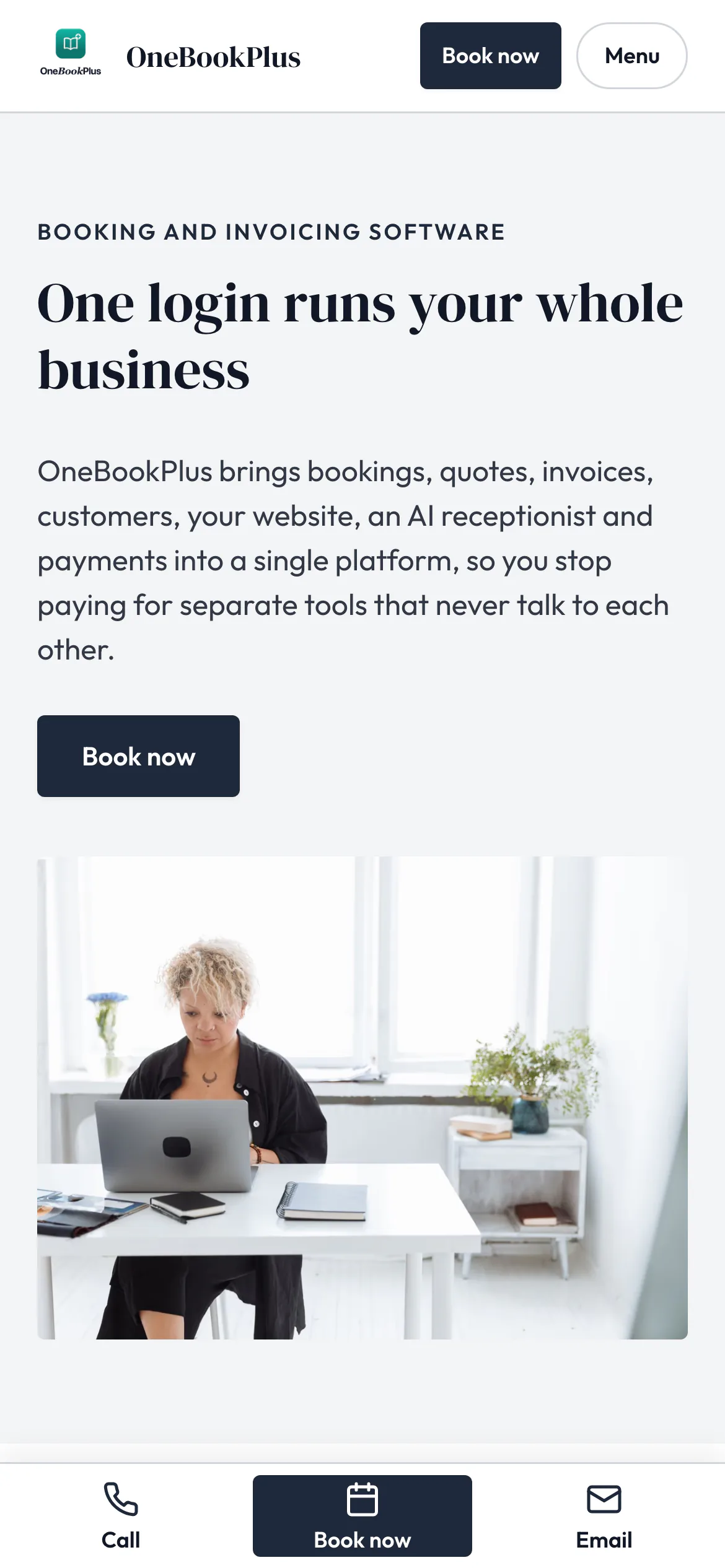
Nep Tradies home page on a desktop. Select the picture to see it full screen.
A Sydney trades business, on its own address
Nep Tradies
A full height hero: one photo of the work edge to edge, the words centred over it, and a rotating set of three, one for each trade. A Licensed and insured strip under it, and the floating review badge showing what customers have said. Twenty-five pages, nineteen of them service pages.
Open the Nep Tradies site(opens in a new tab)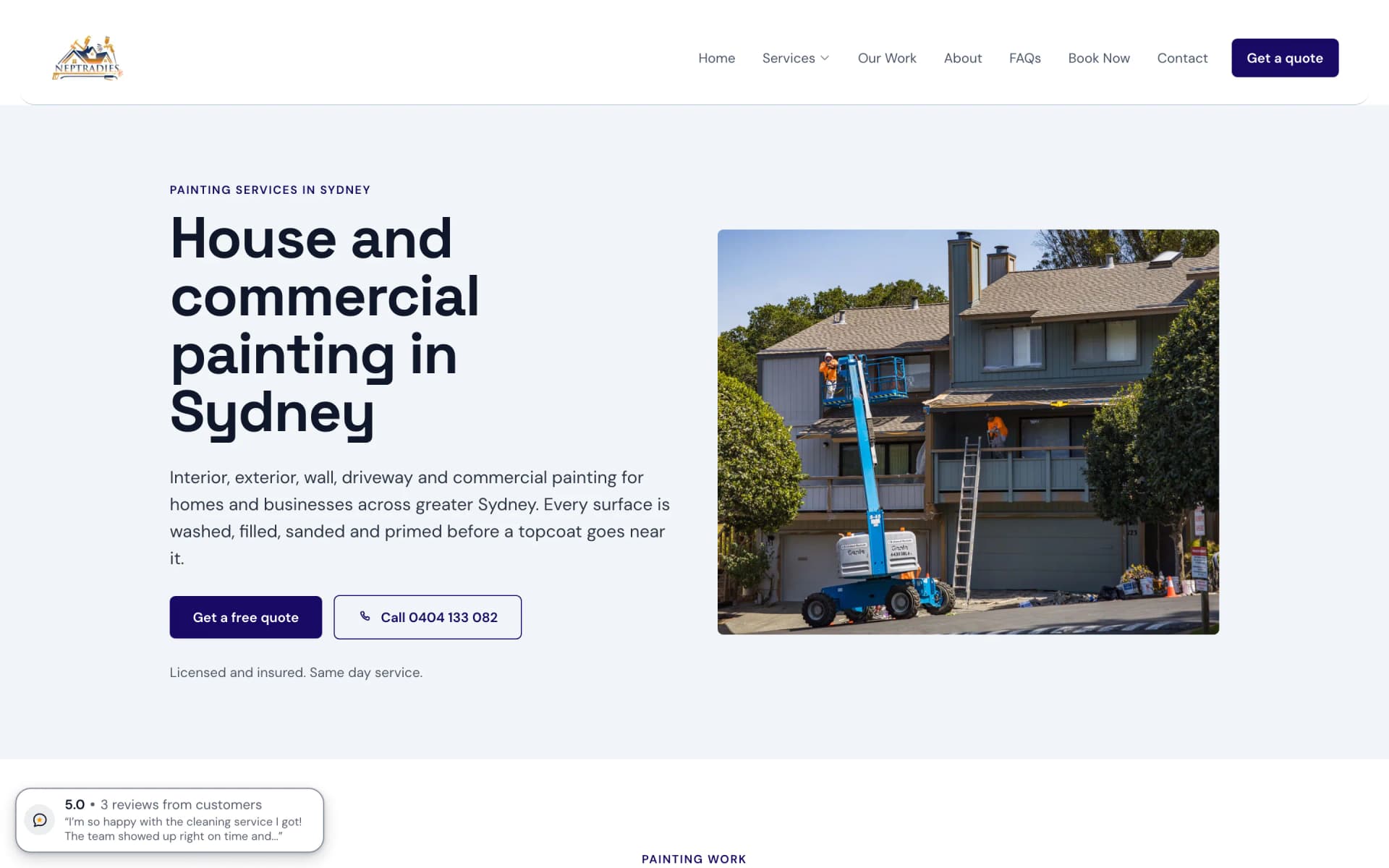
One of its nineteen service pages: the words and the two ways to get in touch on the left with a photo of the work beside them, where the home page runs its picture the full width.
A plumber in Sydney
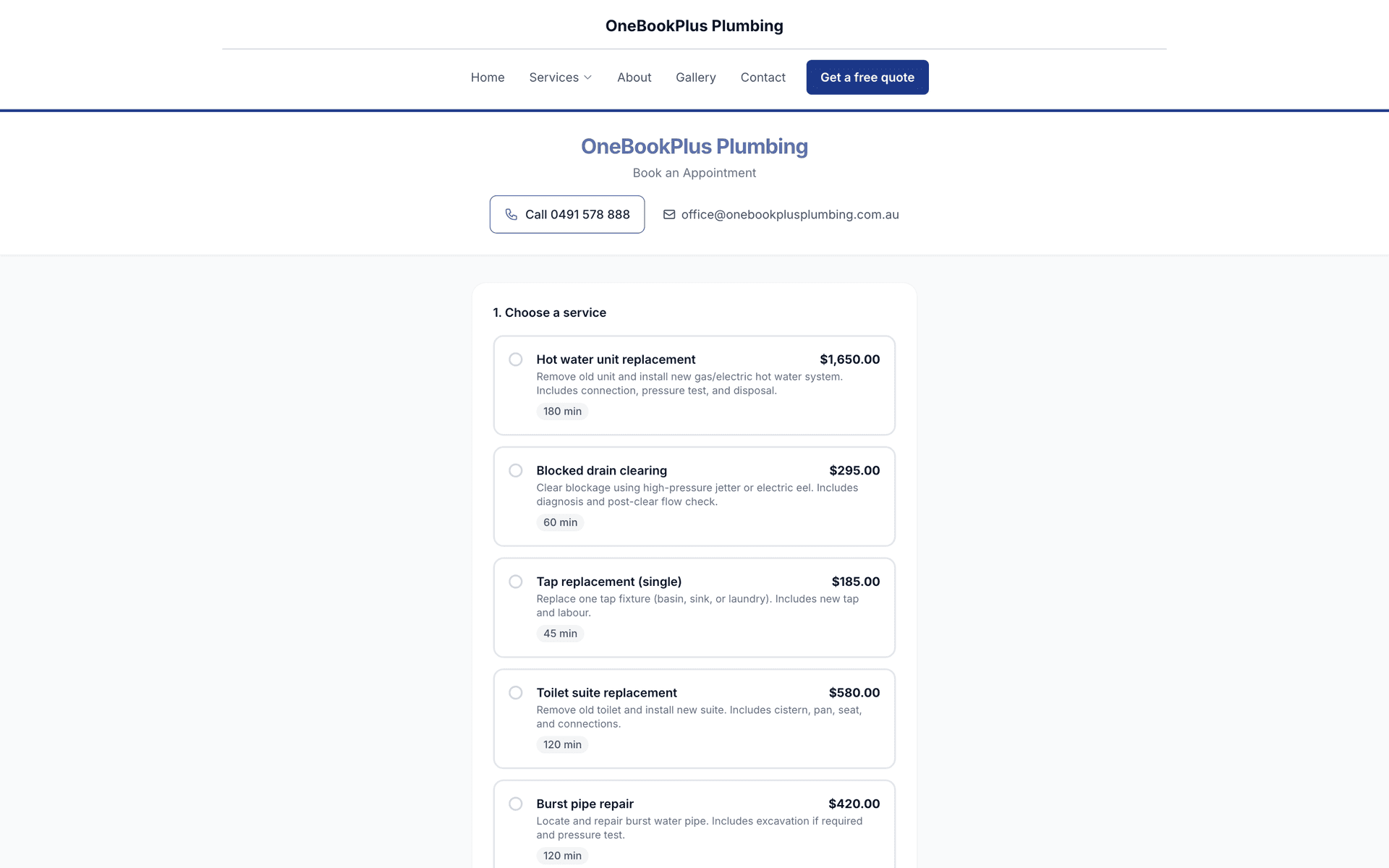
OneBookPlus Plumbing
The name centred over the menu, a full width dark hero photo with a navy quote button, and the six services on cards in a pale band below.
Open the OneBookPlus Plumbing site(opens in a new tab)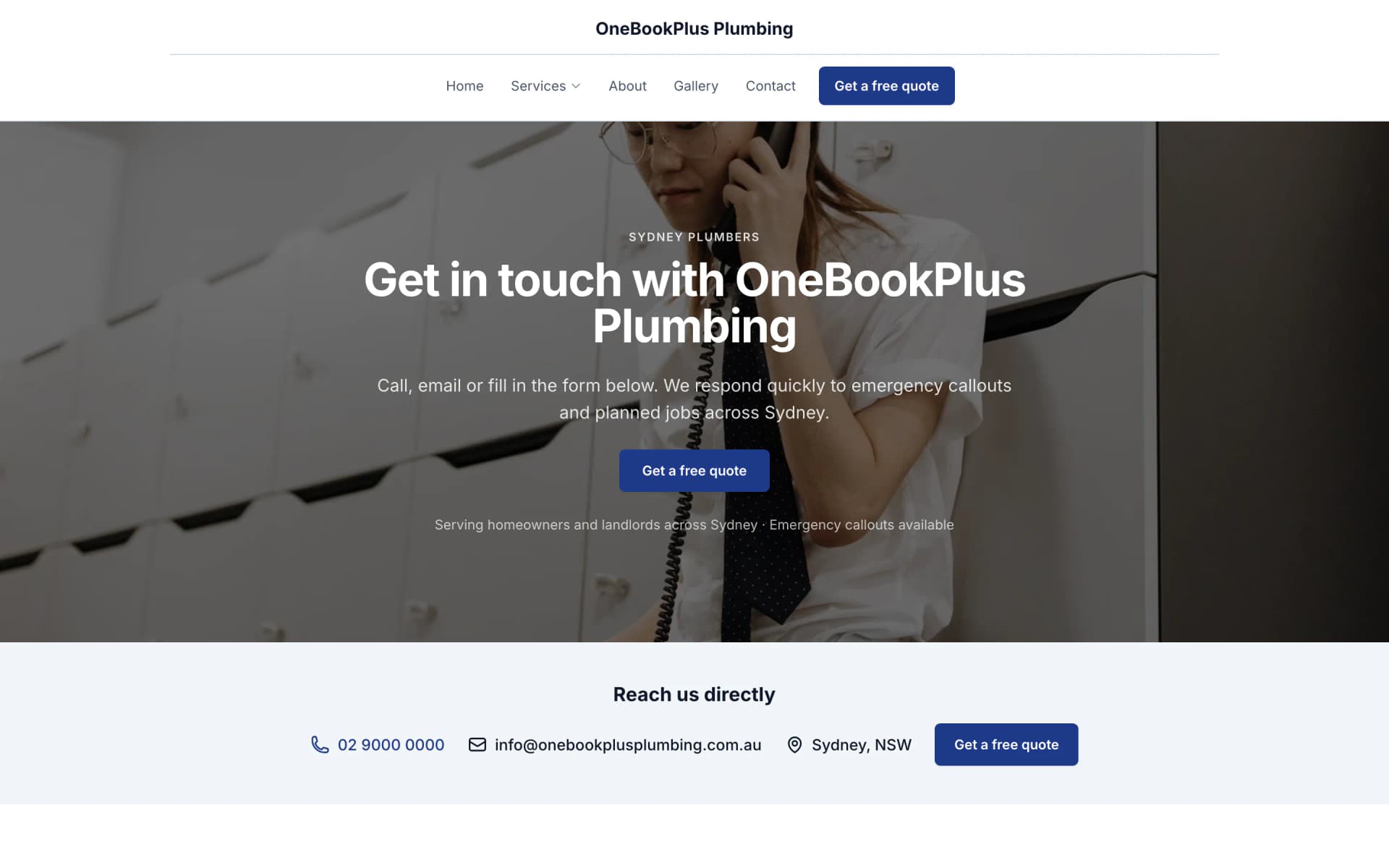
Its contact page, from the site's own menu: a different hero photo above a strip of ways to reach the business, a layout the home page does not have.
A driving school in Donnybrook
OneBookPlus Driving School
A teal logo and name on the left, the menu and a Get in touch button on the right, an L plates hero, and lessons and packages on cards. The same shape as the plumber, in the same navy.
Open the OneBookPlus Driving School site(opens in a new tab)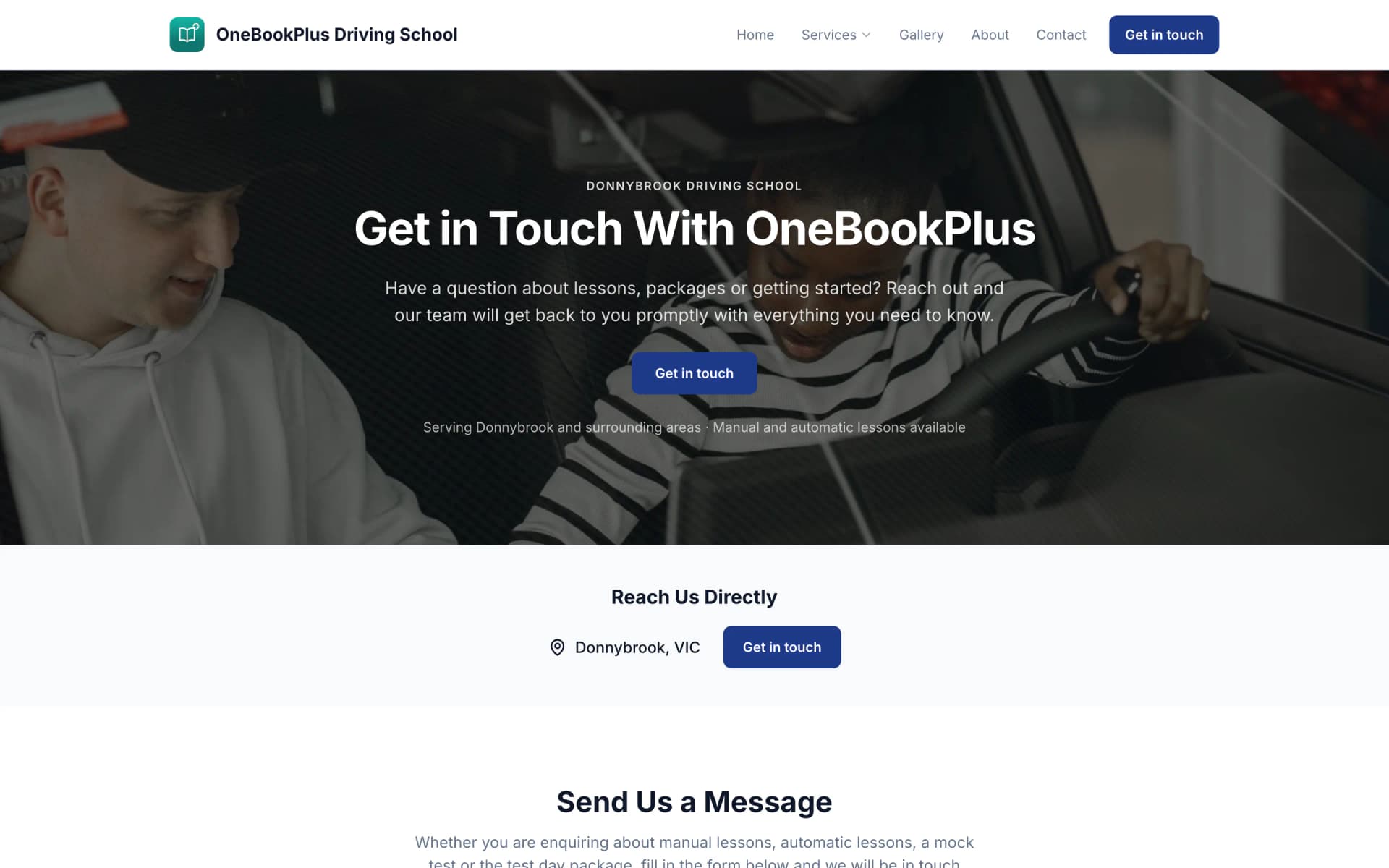
Its contact page: an instructor beside a learner at the wheel, then the town it serves and a button, and the start of a message form.
Our own site, built the same way
OneBookPlus
Serif headings, the text beside a framed photo on a pale grey ground instead of a full width hero, and a dark Book now button in the menu.
Open the OneBookPlus site(opens in a new tab)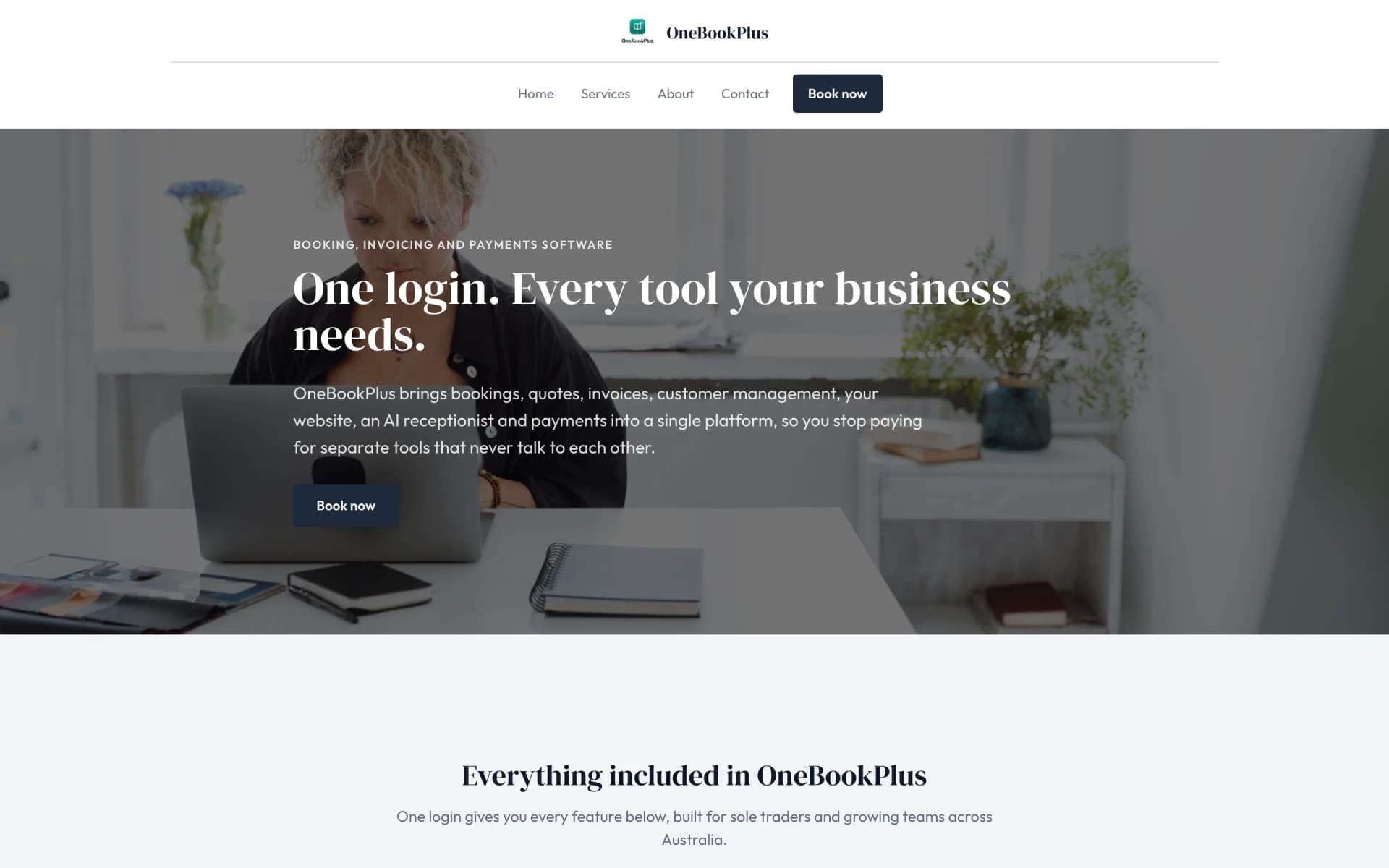
Its services page: a full width photo hero with the heading laid over it, where the home page frames its photo instead.
Included from Starter, $29/mo. Your own domain from Plus.
No credit card needed to start.
The all-in-one core comes included. These keep working after knock-off.
Bookings, invoicing, CRM, accounting and your website are in every paid plan. AI Companion and the AI Receptionist are optional add-ons, the bit that does the work most software leaves to you.
Six jobs the AI Companion
does without being asked.
Admin eats your evenings. AI Companion works in the background, chasing payments, following up quotes, requesting reviews, and re-engaging dormant clients, while you get on with the day's work.
Messages · today
5pm summary
$1,840 paid today · 2 jobs done · 1 new booking. 2 invoices overdue $620, AI chased both.
It chases, rebooks and recaps in the background, you stay on the tools.
Simulated feed, what OneBookPlus logs on a typical day.
Payment chasing
AI picks the right channel and timing for each client. Email first, SMS if ignored, both when urgent. 5-level escalation.
Quote follow-up
Unaccepted quotes get AI-personalised follow-ups at 3, 7, and 14 days. Messages get progressively more direct.
Google review requests
Requests a Google review on the daily 2pm run, for invoices paid in the 24 hours before it and at least two hours earlier. Needs your Google Business profile connected. 90-day cooldown per client.
Predictive rebooking
AI detects each client's service interval and sends a rebooking SMS before they even think to call.
Win-back campaigns
Clients gone quiet for 60+ days? AI sends a personalised re-engagement message with a booking link.
Daily business summary
5pm SMS wrap-up: revenue today, payments received, bookings tomorrow, overdue invoices, and what AI did for you.
Example lines, in the shape the Companion writes them.
$25/mo add-on, included free on Growth. 14-day free trial.
At $25/month, it pays for itself the first time it chases home an overdue invoice you'd otherwise have written off.
Try AI Companion freeOne optional add-on, and a website on every paid plan.
AI Receptionist
Answers every call, 24/7
Every call and text, answered around the clock, booked into your calendar, captured as a lead, or handed to you live.
- Answers calls + texts 24/7 in 10+ languages
- Books the job + texts a confirmation
- Rings your phone so you can take over live
$79/mo inc GST + AI Companion · AU number set up on request added to your plan
One call, after hours
Website Builder
A website that builds itself
Tell the AI about your business and it drafts your whole site, then fine-tune every block in Website Studio.
- AI drafts your whole site from your own answers
- Edit any section in place in Website Studio
- Book buttons go straight to your booking page
Included on every paid plan, your own domain from Plus once you subscribe
Now a native app for
iPhone and iPad.
Quote from the ute, invoice before you leave the driveway, see who's paid from the couch. The full OneBookPlus account, native on iPhone, two-pane on iPad.
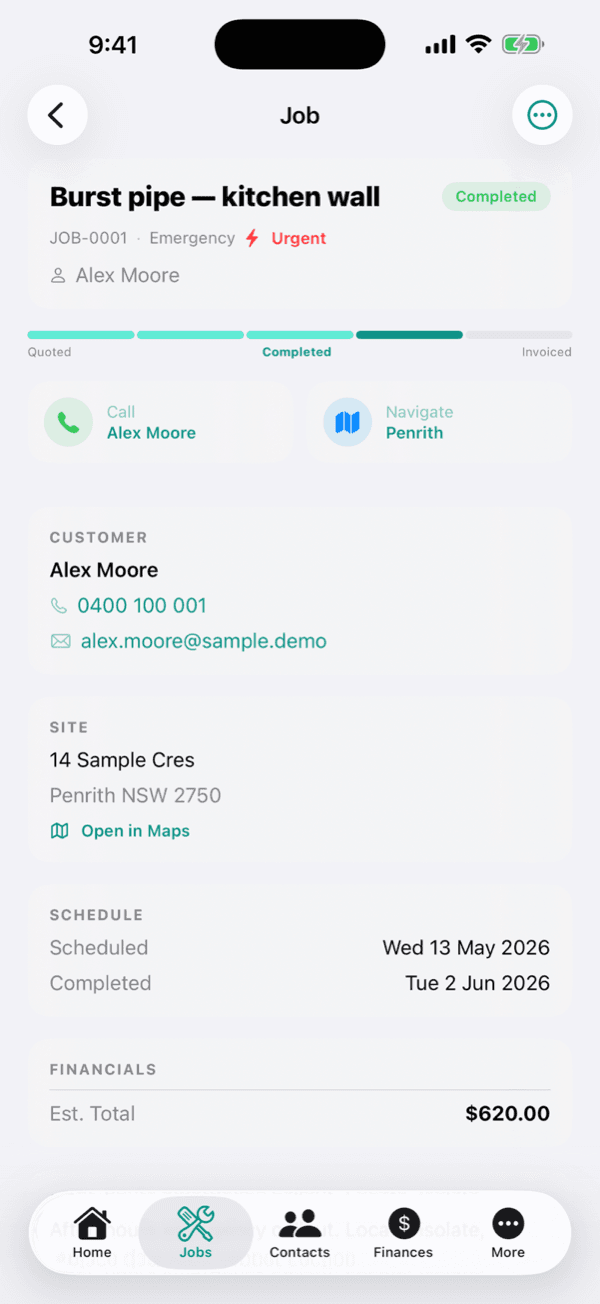
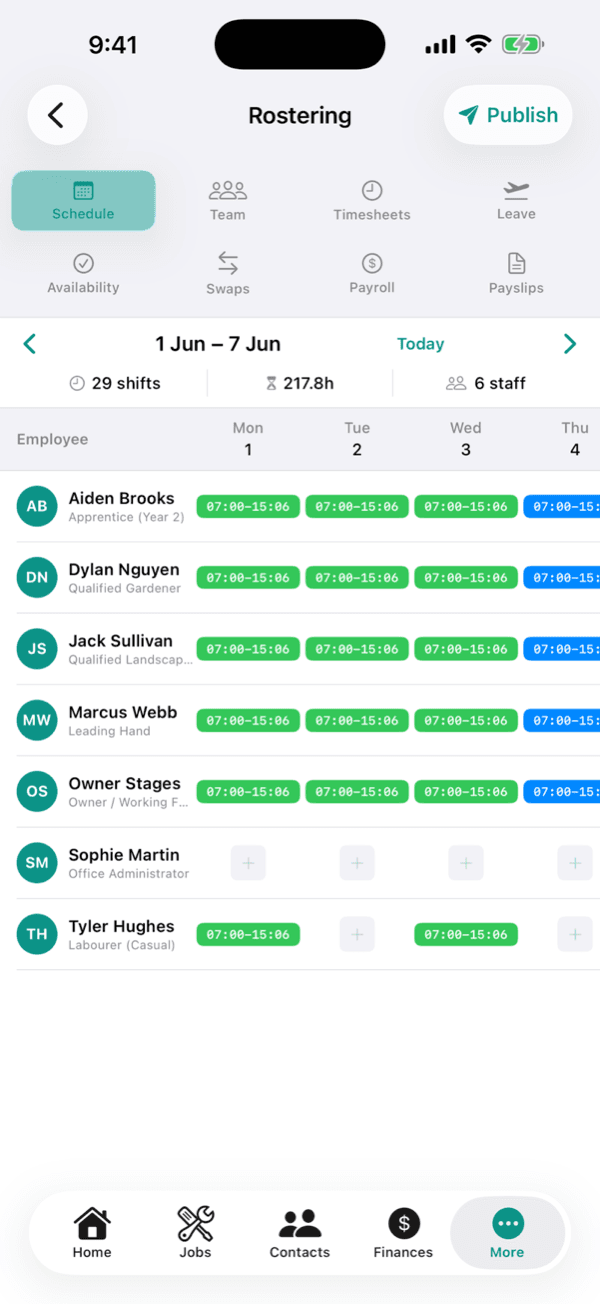
Get the app
The app comes free with every plan.
Live on the App Store for iPhone and iPad, or use the full web app on Android.
On Android? Use the full web app at my.onebookplus.com.au, which you can add to your home screen. It needs a connection.
Try it, 30 seconds, no signup
Write your first line.
The book does the maths.
Drag the amount, GST and the total work themselves out. Send it and watch it land in your books. AUD, GST and ABN handled from day one.
- 10% GST calculated automatically
- Payment link included on every invoice
- Lands in your books the moment it's paid
Live demo, nothing's actually sent.
Like that? Create a real one freeStop paying for
six different tools.
Switch on what you actually pay for
Your current stack
Your current stack: about 73 Australian dollars per month, plus US$30 per month billed in US dollars, plus Mailchimp, which publishes no ongoing price.
Plus Mailchimp, which publishes no ongoing price, so it is not in the totals above.
Each vendor’s cheapest published plan, read off their own pricing page and verified 2 August 2026. Deputy and Calendly are charged per person, the rest are flat plans. HubSpot and Calendly bill in US dollars, so they are shown separately rather than converted. Most businesses pay for several at once. See the full OneBookPlus price comparison.
OneBookPlus replaces the stack above with one app, on your phone, your iPad and the web. And unlike a booking tool bolted onto Xero, it keeps the books itself: GST, BAS figures and a real double-entry ledger, built in.
The Free plan covers the core: unlimited jobs and one-off bookings, invoicing and CRM. Every paid plan adds a website, and optional add-ons such as AI Companion and AI Receptionist cover the rest.
One subscription
instead of six.
The table shows what Xero, MYOB, QuickBooks, HubSpot and Calendly each leave out, line by line.
None of the five runs a point of sale or sends Google review requests. Beyond that, each one leaves its own gaps:
vs
Xero
Accounting only · from $37+/mo
OneBookPlus
$0+Free core + add-ons
What you also get with OneBookPlus:
- Built-in CRM (pipelines, lead source)
- Online booking page
- Email & SMS marketing
vs
HubSpot
CRM only · from US$20+/mo
OneBookPlus
$0+Free core + add-ons
What you also get with OneBookPlus:
- GST invoicing
- Full accounting (GL, balance sheet)
- BAS / ATO tax reports
vs
Calendly
Booking only · from US$10+/mo
OneBookPlus
$0+Free core + add-ons
What you also get with OneBookPlus:
- GST invoicing
- Built-in CRM (pipelines, lead source)
- Full accounting (GL, balance sheet)
vs
MYOB
Accounting + payroll · from $11+/mo
OneBookPlus
$0+Free core + add-ons
What you also get with OneBookPlus:
- Built-in CRM (pipelines, lead source)
- Online booking page
- Email & SMS marketing
vs
QuickBooks
Accounting + basic invoicing · from $33+/mo
OneBookPlus
$0+Free core + add-ons
What you also get with OneBookPlus:
- Built-in CRM (pipelines, lead source)
- Online booking page
- Staff rostering
| Feature | OneBookPlus | Xero | MYOB | QuickBooks | HubSpot | Calendly |
|---|---|---|---|---|---|---|
| GST invoicing | Yes | Yes | Yes | Yes | No | No |
| GST quotes that convert to tax invoices | Yes | Yes | Yes | Yes | No | No |
| Built-in CRM (pipelines, lead source) | Yes | No | No | No | Yes | No |
| Online booking page | Yes | No | No | No | No | Yes |
| Calendar subscription (Apple/Google/Outlook) | Yes | No | No | No | No | Yes |
| Email & SMS marketing | Yes | No | No | No | Yes | No |
| Full accounting (chart of accounts, GL, balance sheet) | Yes | Yes | Yes | Yes | No | No |
| BAS / ATO tax reports | Yes | Yes | Yes | Yes | No | No |
| Direct bank feed coverage | No | Yes | Yes | Yes | No | No |
| Accountant & bookkeeper network | No | Yes | Yes | Yes | No | No |
| Point of Sale | Yes | No | No | No | No | No |
| Staff rostering | Yes | No | No | No | No | No |
| Payroll with STP lodgement. Rostering and pay runs ship as a paid add-on; STP lodgement to the ATO is not switched on yet. | No | Yes | Yes | Yes | No | No |
| Review requests | Yes | No | No | No | No | No |
| Documents hub | Yes | Yes | Yes | No | No | No |
| Facebook & Google Ads | Yes | No | No | No | Yes | No |
| Native iOS app | Yes | Yes | Yes | Yes | Yes | Yes |
| Android app | No | Yes | Yes | Yes | Yes | Yes |
| Free plan available | Yes | No | No | No | Yes | Yes |
| Price | From $0/mo | $37+/mo | $11+/mo | $33+/mo | US$20+/mo | US$10+/mo |
| Free core + add-ons | Accounting | Accounting + payroll | Accounting | CRM only | Booking only |
Competitor prices verified 2 August 2026, each read from the vendor’s own pricing page. HubSpot and Calendly publish in US dollars and are shown that way rather than converted. The feature rows were last reviewed in June 2026, and the linked comparison pages carry the detail behind each one.
Pricing you can
check line by line.
A free plan, paid plans from $29 to $69 a month. Then add only the apps your trade needs, 44 of the 114 are free.
Starter
For growing small to medium businesses
- Unlimited invoices & quotes
- Website on your OneBookPlus address, 10 pages, blog
- 1,000 contacts
- 3 booking pages
- Unlimited repeating booking series
Plus
For growing businesses outpacing the basics
Our pick: unlimited contacts and booking pages for $49
- Your own domain, 50 pages, members area
- Unlimited contacts & booking pages
- Price options & prices by day of the week on your services
- Passcode-protected booking pages & paid memberships
- Advanced reporting & analytics
Growth
AI does the work, for businesses ready to scale
- AI Companion included, a $25/mo value
- Unlimited pages, programmatic SEO pages, AI rebuilds
- Smart payment chasing & quote follow-up
- Google Reviews (Reputation Engine)
- SMS marketing
Free
For sole traders running jobs and bookings
- Unlimited jobs and one-off bookings
- 10 invoices/month
- 5 quotes/month
- Full accounting, bank reconciliation, P&L, GST & BAS reports
- 250 contacts
Then add only what your trade needs
114 apps in the marketplace, 44 of them free. Install one, it bills with your plan. Uninstall it and it stops.
- Operations22 apps, 10 free, from $9
- Automotive18 apps, 6 free, from $9
- Real Estate17 apps, 9 free, from $15
- Hotels & Short-Stay9 apps, 3 free, from $15
- Trades9 apps, from $15
- Marketing8 apps, 3 free, from $12
- Finance & Compliance7 apps, 1 free, from $15
- Aged Care6 apps, 2 free, from $9
- Fitness & Studios5 apps, 1 free, from $5
- Schools & Instructors4 apps, from $29
- SEO & Optimisation3 apps, 3 free
No credit card · Free forever · Cancel anytime
Switching to OneBookPlus
Switching is easier than staying.
Bring your books across in an afternoon, your contacts, invoices and accounts come with you.
Import from
- Xero
- MYOB
- QuickBooks
- ServiceM8
- Spreadsheets
Your old stack
- Chart of accounts
- Contacts
- Invoice history
OneBookPlus
- Chart of accounts
- Contacts
- Invoice history
- 1
Export your data to CSV
Chart of accounts, contacts and invoice history, straight from your current tool.
- 2
Upload through Settings → Import
Drop the files in and map the columns. We handle the rest.
- 3
Review & you're live
Check it over and start invoicing. A clean CSV imports in minutes, and if it doesn't, the free 15-minute call fixes it with you.
Prefer a hand? We'll do it with you.
Book a free 15-minute migration call, no charge, no obligation.
Rather just ask a question first? Contact our Melbourne team.
One app, set up six different ways.
A plumber needs job cards and quotes on the phone. A salon needs the chair booked. A cafe needs the till talking to the BAS. Pick your trade and the setup follows.
From the blog
Latest guides for Australian small businesses
Practical, Australia-specific guides on invoicing, software costs, CRM and tax, from the people building OneBookPlus.

Best Invoicing Software for Tradies Australia (2026 Guide)
A tradies-only comparison for 2026: OneBookPlus, ServiceM8, Tradify and Fergus, with current AU pricing and GST invoicing from the ute.
10 min readRead article
Best CRM for Small Business Australia (2026): 7 Options Compared
Seven CRM options for Australian small businesses compared honestly: what you need, what is overkill, and when an all-in-one beats a standalone CRM.
10 min readRead article
The True Cost of Running Software for an Australian Small Business in 2026
A data-led analysis of what Australian small businesses actually pay for software in 2026, based on verified pricing from Xero, MYOB, ServiceM8, Stripe, Cliniko, Shopify and 30+ other platforms, cross-checked with ABS, ASBFEO, RBA and Xero Small Business Insights data.
25 min readRead article
Tax Invoice Requirements Australia: ATO Rules, Checklist & Free Template (2026)
What the ATO requires on a valid Australian tax invoice: the seven-element checklist, the $82.50 and $1,000 thresholds, sole trader rules and RCTIs.
11 min readRead article


Built for Australian business.
GST calculations, ABN validation, ATO-ready tax reports, and AUD formatting, all built in from day one. And your data stays encrypted, isolated per business, and hosted in Australia.
Trust and security
Encrypted in transit and at rest
TLS on every connection, AES-256 encryption at rest
Read our security practicesIsolated per business
Each business's data is isolated at the database layer, no other account can read it
Read our security practicesHosted in Australia
Data stored in Australia, compliant with the Privacy Act 1988 and the APPs
Read our trust commitmentsYour data is not for sale
We never sell your data, your business is your business
Read our trust commitmentsRecently shipped
A dated, public record of what's landed in the product, no backfilled entries.
- 16 October 2026New featureChange many products at once, from the list or from a spreadsheet
- 13 October 2026New featureKeep customers' phone numbers and emails from staff limited to their own jobs
- 13 October 2026ImprovementSalon Suite: your services in one place, and book again reminders that send
- 11 October 2026New featureHow-to videos, filmed in the app
- 7 October 2026New featureA paid lesson that is cancelled becomes a lesson credit
Frequently asked questions
The questions that decide it, including the ones we would rather you asked now, answered straight.
What is OneBookPlus?
OneBookPlus is an all-in-one business management app built for Australian small to medium businesses. It combines invoicing, CRM, online bookings, accounting, marketing, and reputation management into a single platform, replacing tools like Xero, HubSpot, Calendly, and Mailchimp.
Is OneBookPlus free?
Yes. OneBookPlus has a free plan that includes unlimited jobs and one-off bookings, 10 invoices per month, 250 contacts, a booking page, and GST compliance. No credit card required. Paid plans are $29, $49 or $69 per month, and every paid plan starts with a 14-day free trial.
Does OneBookPlus lodge my BAS and STP to the ATO?
Not yet, and we won't pretend otherwise. OneBookPlus works out your BAS figures automatically (G1, GST on sales and purchases, and your net GST) from your invoices, expenses and till sales, so you or your BAS agent can lodge in minutes through myGov or the ATO portal. Direct ATO e-lodgement via SBR is in final ATO certification, prepare and validate BAS and returns today; we'll tell you the moment lodgement goes live on your account. Payroll is similar: the Rostering & Payroll add-on calculates PAYG withholding, super and leave, and you report each pay run to the ATO through STP-enabled software or your accountant, because Single Touch Payroll pay events are not lodged from OneBookPlus.
Can I keep my accountant, or does it sync with Xero?
Keep your accountant. You can invite them or your bookkeeper straight into OneBookPlus with read-only or full access to a dedicated workspace: financial statements, the general ledger, GST and BAS worksheets, journals and year-end, scoped to what an advisor should see. Your data exports as Xero and MYOB-ready CSV, so nothing is locked in. A live two-way Xero sync is something we want to build, and it is not on a date yet.
How is OneBookPlus different from Xero or QuickBooks?
Xero and QuickBooks are accounting-only tools that require add-ons for CRM, bookings, and marketing. OneBookPlus includes full double-entry books, chart of accounts, general ledger, balance sheet, cash flow and BAS, plus invoicing, CRM, bookings, scheduling, reviews, and marketing in one platform, one subscription instead of several.
Switching from Xero or MYOB, how does data migration work?
Import your chart of accounts, contacts, and invoice history via CSV. Most data exports cleanly from Xero, MYOB, and QuickBooks, open it in your spreadsheet app, save as CSV, then upload through Settings, then Import. A clean CSV imports in minutes, and if it doesn't, the free 15-minute migration call fixes it with you.
What is support like on a small platform?
OneBookPlus is founder-led: one person builds it, runs it, and answers support, in Australian hours. You reach him in-app and by email, and questions are usually answered the same business day. Because the person reading your message is the person who writes the code, a fix or a change you ask for can land in days rather than joining a queue, which is what our early customers keep mentioning in their reviews.
Does OneBookPlus have a mobile app?
Yes. The OneBookPlus iOS app is live on the App Store, universal for iPhone and iPad, a real native Apple app with 80+ screens to create invoices, manage bookings, track expenses, switch between businesses, and view all dashboard types. The full product also runs in any web browser. A native Android app isn't out yet, join the waitlist, and the mobile-responsive web app works on any Android device today.
More questions, data migration detail, industry fit, security, CRM and accounting depth? Read the full OneBookPlus FAQ
Get OneBookPlus free.
Send your first invoice today.
Sign up, add your business details, send your first invoice. Add AI when you're ready.
Free forever plan · Cancel anytime · Australian-hosted data