A plumber in Sydney
OneBookPlus Plumbing
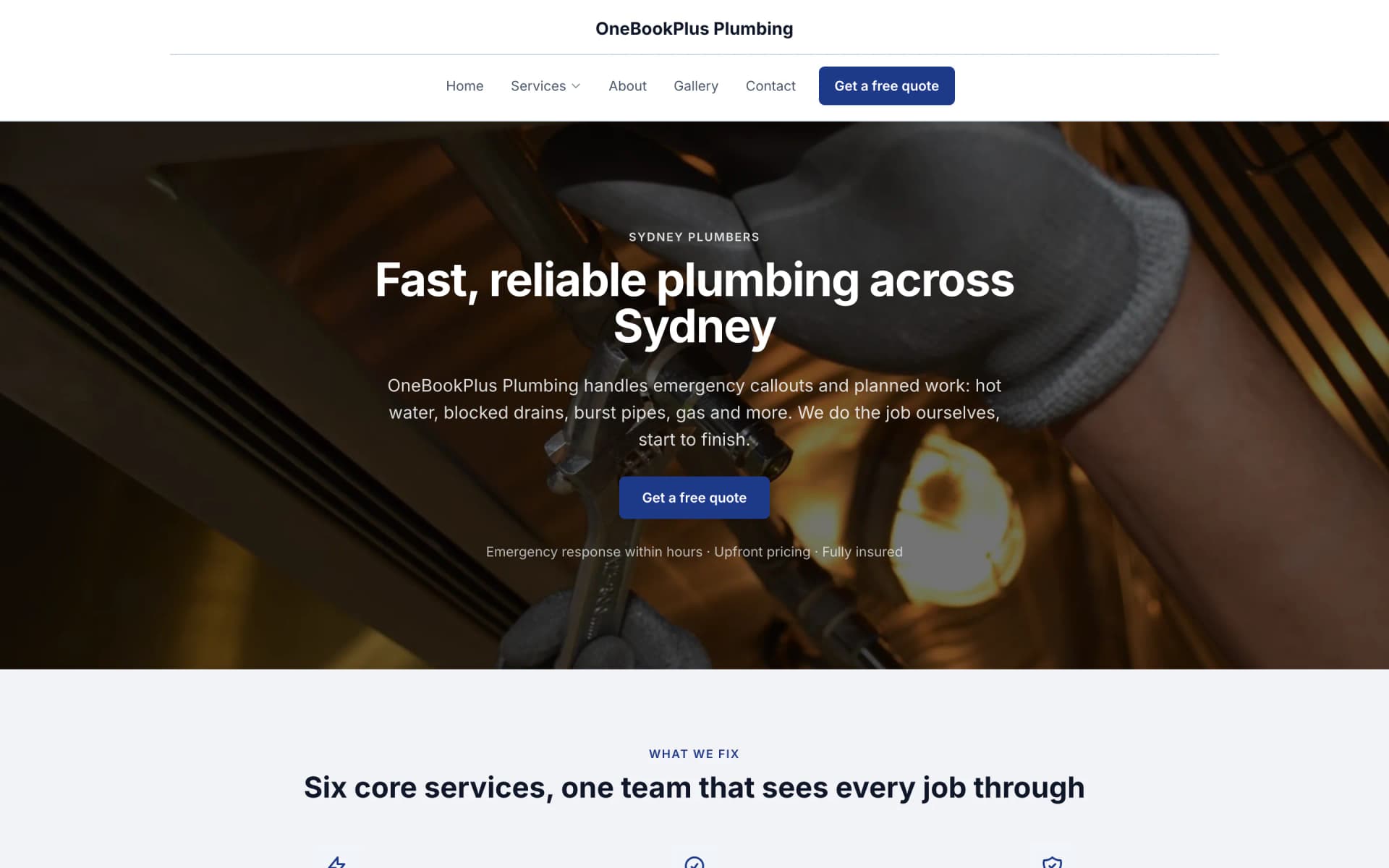
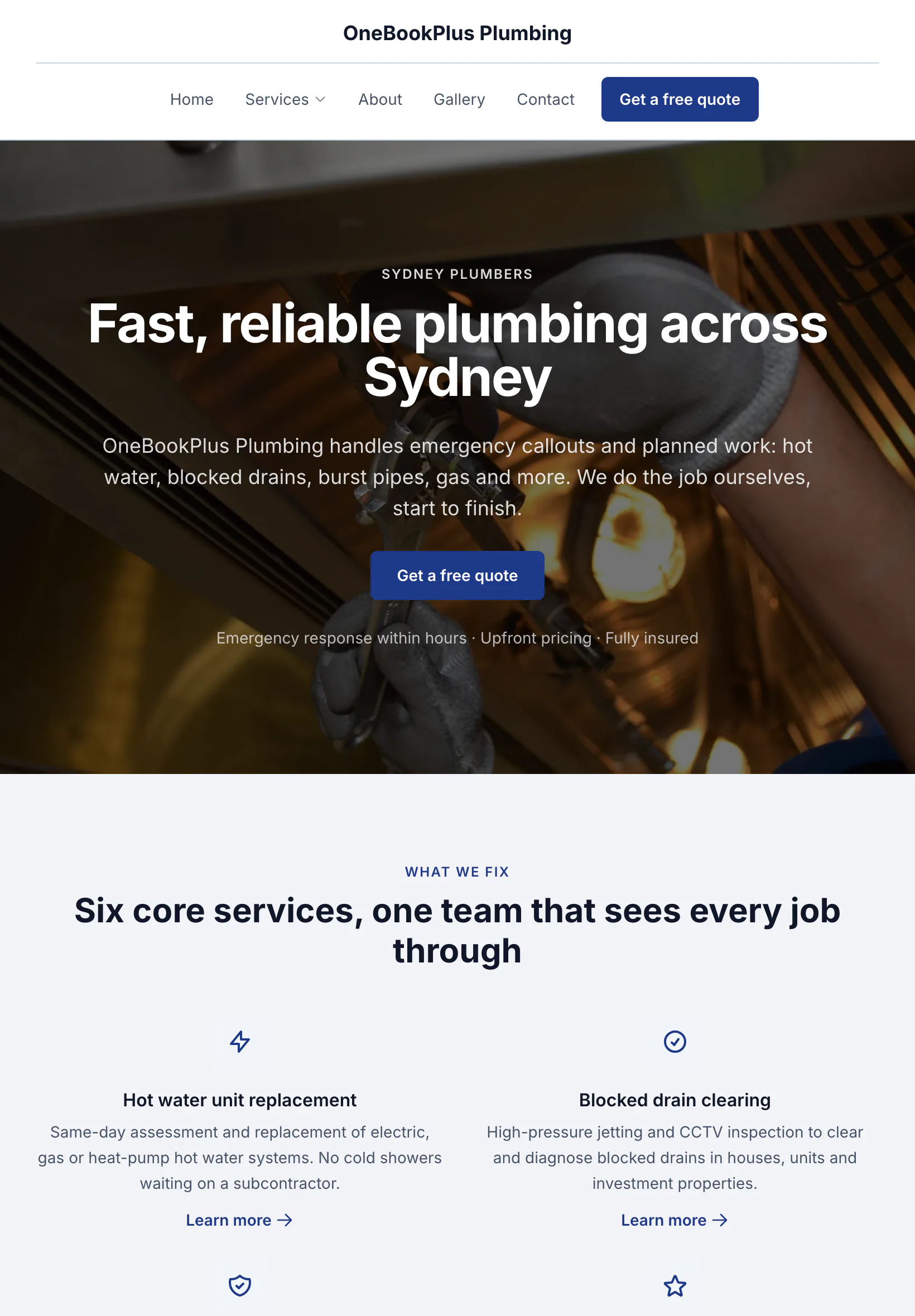
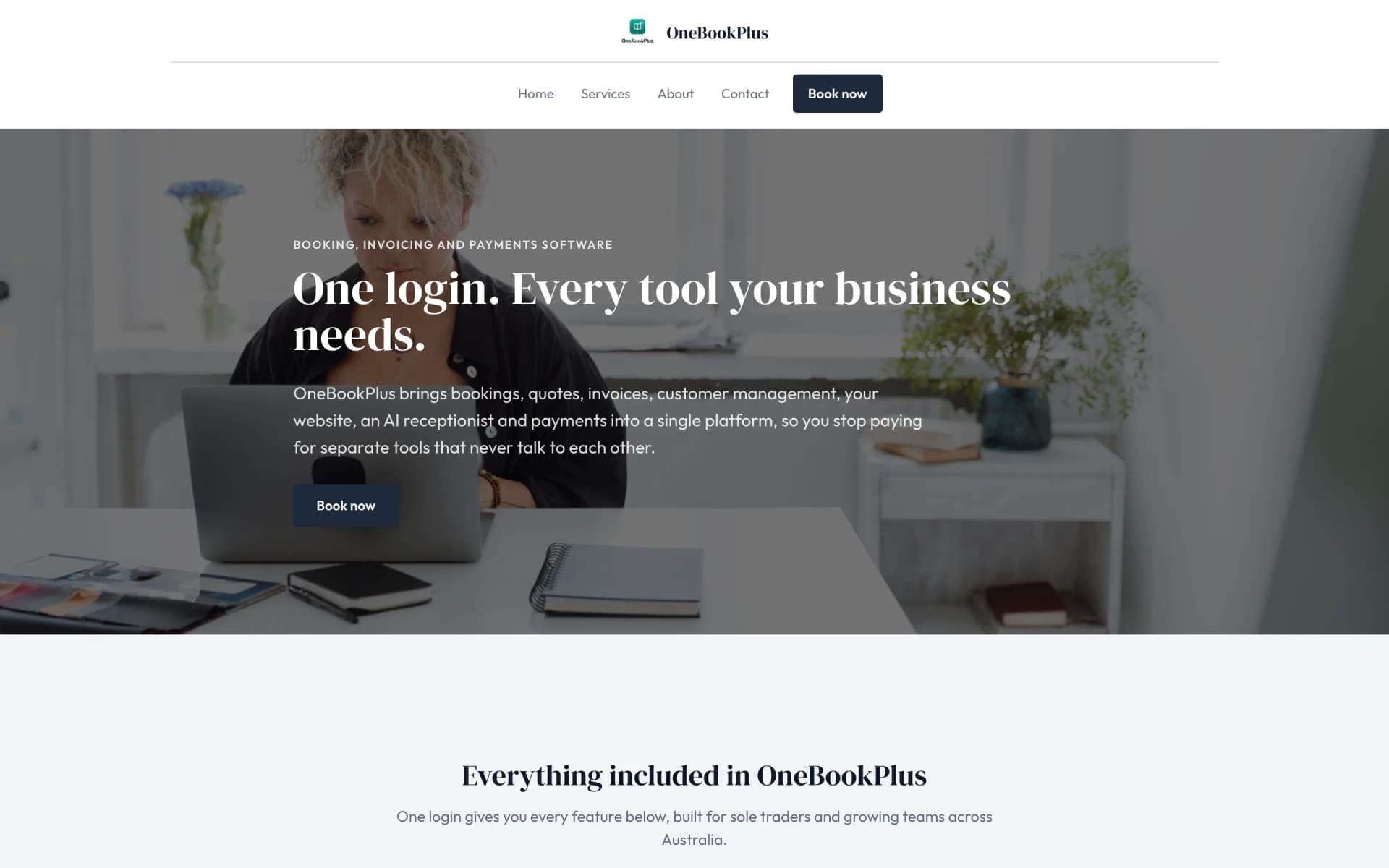
The home page: the name centred over the menu, a dark hero photo, a navy quote button and a grid of services.
Open the OneBookPlus Plumbing site(opens in a new tab)Built for Australian Educators
Bill the whole term before the first lesson, not after the last one.
Build a 10-week term in one drag, log lesson notes in three taps against AMEB grades, and let parent invoices run on autopilot, siblings grouped onto one invoice, exam results on the record. All-in-one for $0 to $69/mo, replaces Acuity + Xero + a parent group chat.
Free plan. No card required. · GST & ABN built-in · Term billing · lesson notes · AMEB exam records · Sign up in 60 seconds
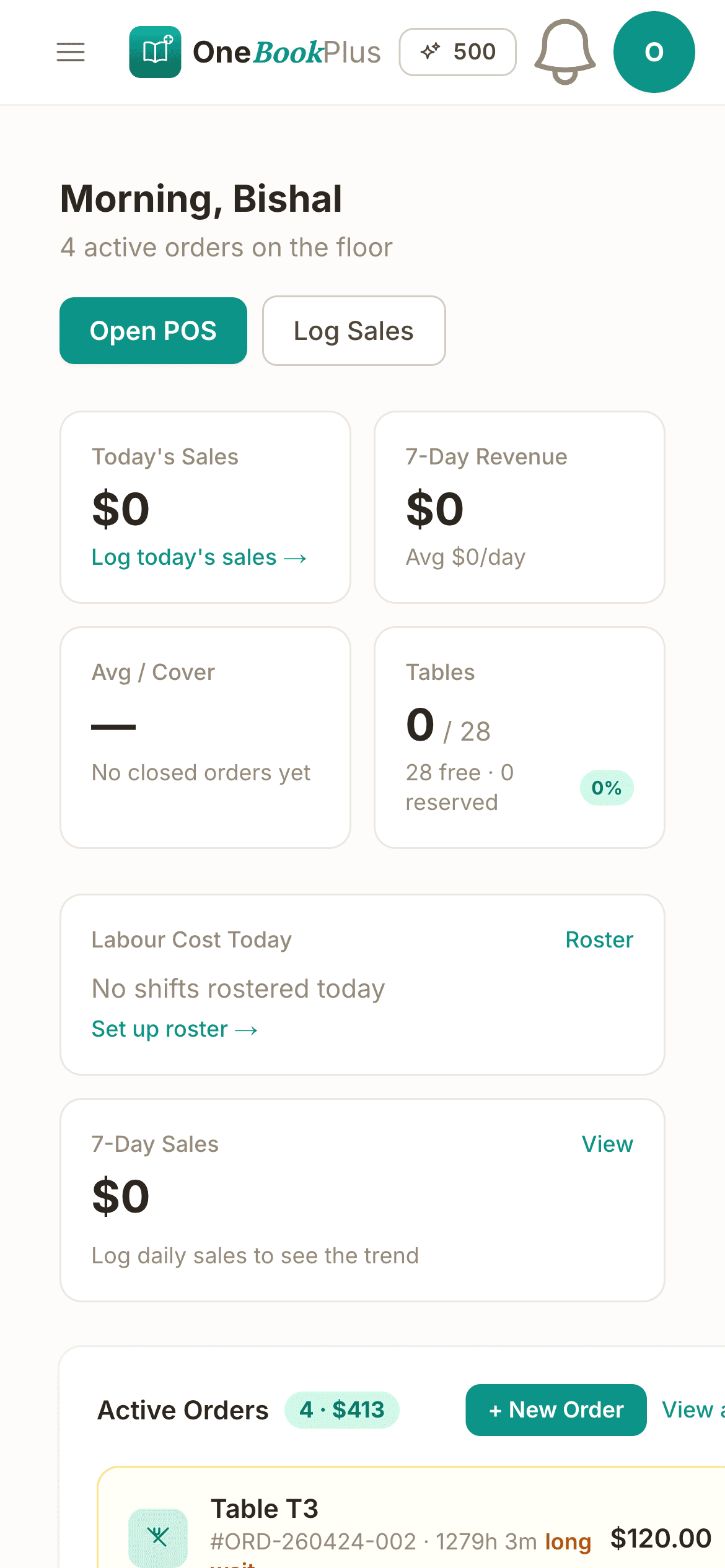
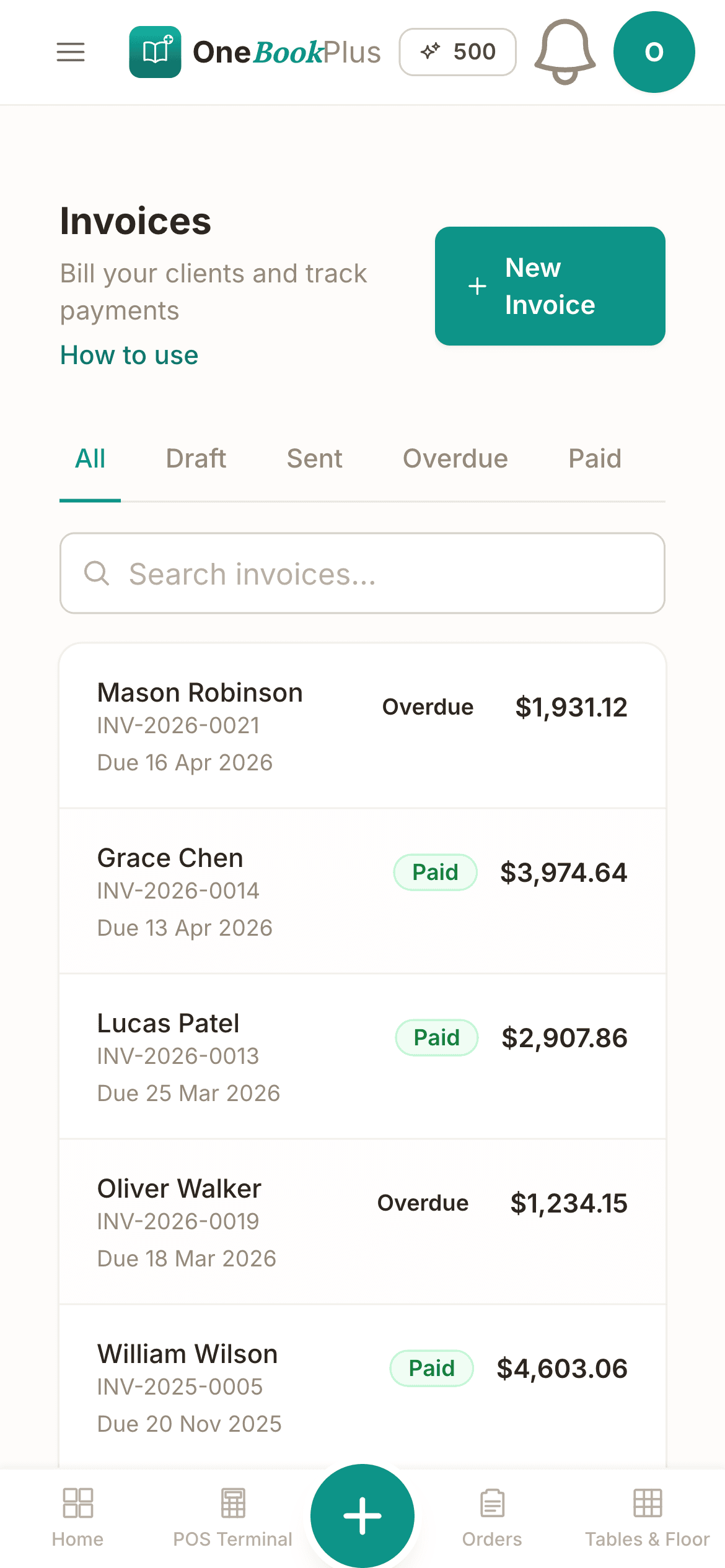
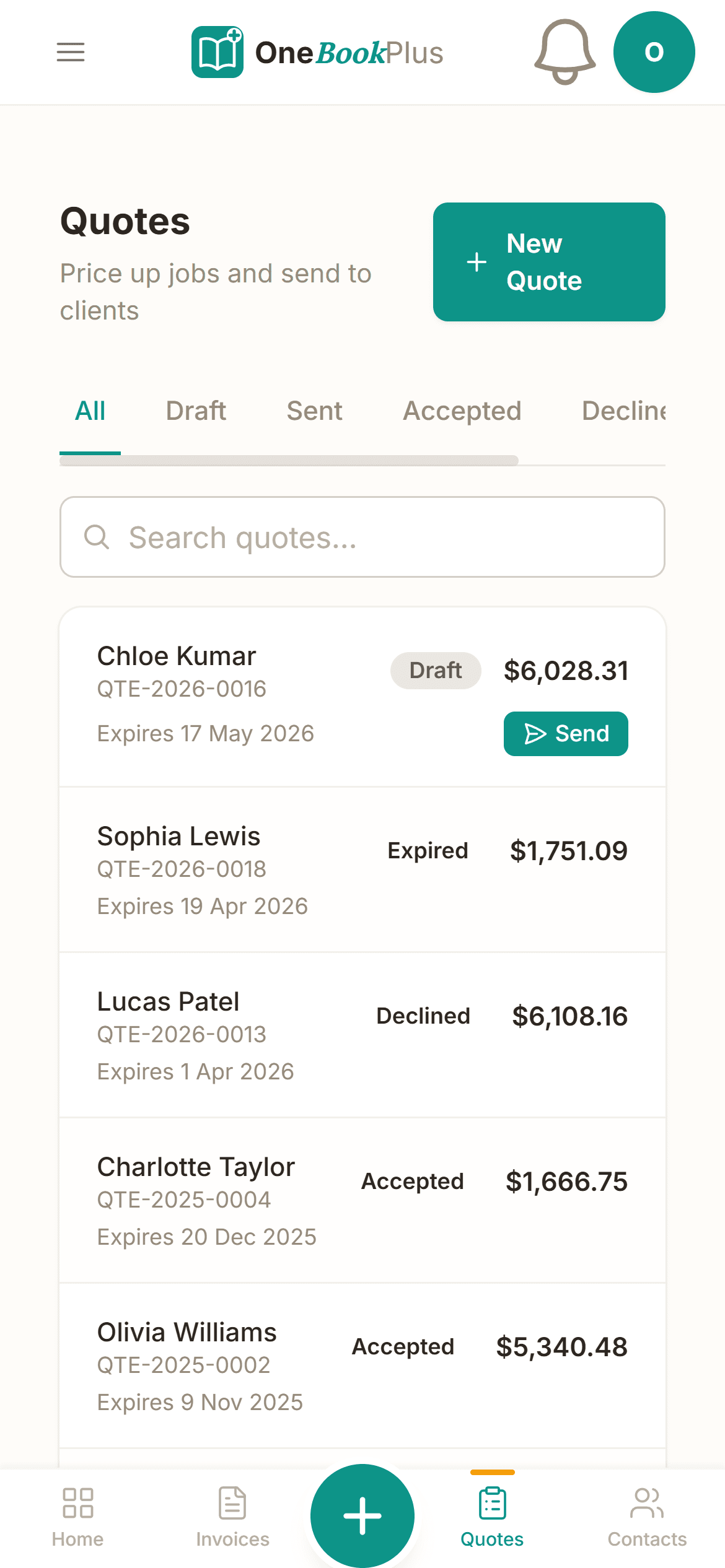
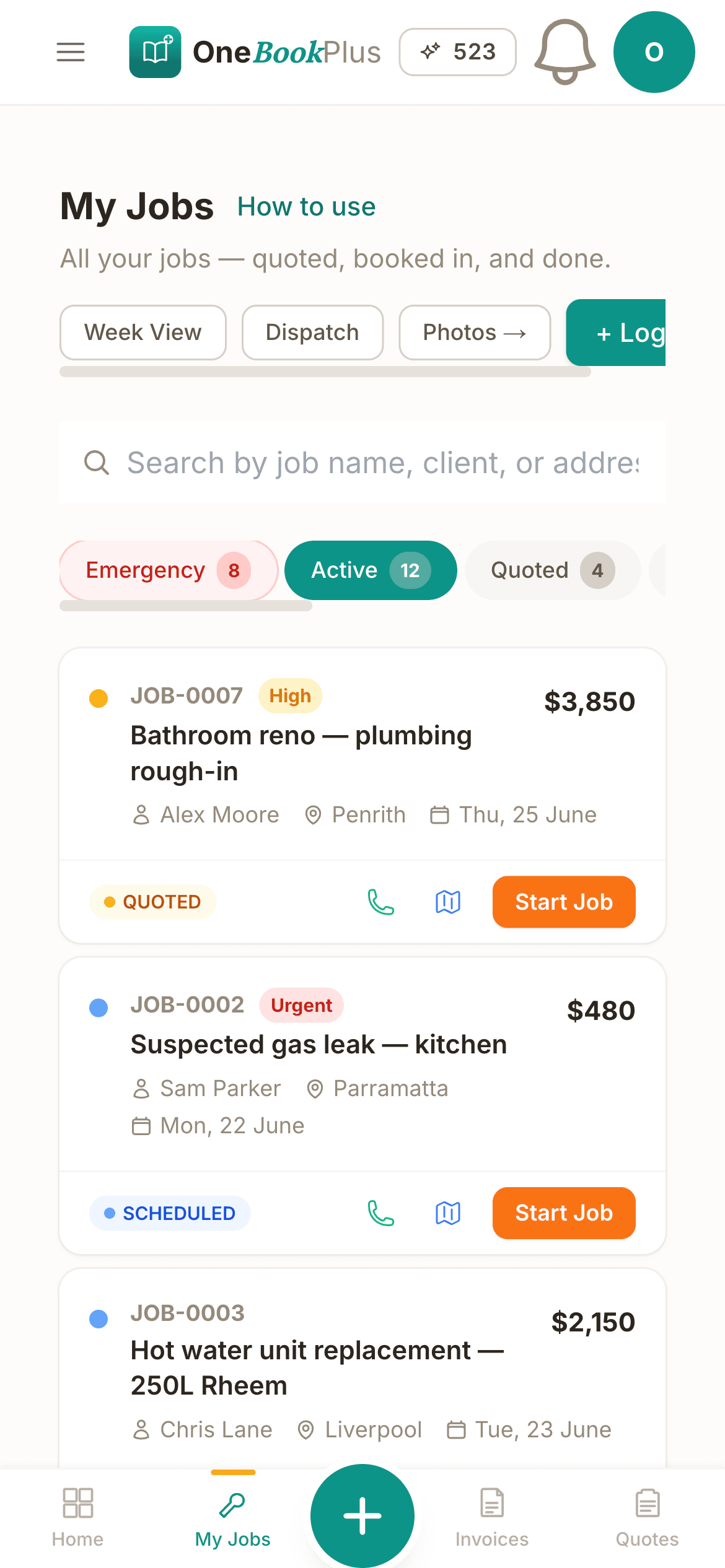
Cut $32+/mo from your software stack by replacing Acuity + Xero + Mailchimp with OneBookPlus.
See your savingsBrowse by Specialty
Free Tools & Resources
8-step founder guide, ABN, GST, WWCC, lesson pricing, insurance, software stack, finding first 10 students.
ComplianceWWCC requirements per state, application process, renewal cycle, exemptions for teachers and parents.
ReferenceHourly rates for AU tutors and music teachers across primary, secondary, and tertiary, by subject and city.
Operator GuideCancellation policy, missed-lesson rules, payment terms, parent-tutor expectations, drafted for AU consumer law.
InteractiveInteractive, hourly rate × lessons × terms, sibling/group discounts, prepay incentives, GST treatment.
Key takeaways
5Everything You Need
No more juggling Acuity for bookings, a notebook for lesson notes, Xero for invoices, and a parent group chat for cancellations. OneBookPlus rolls the lot into one app designed for Australian tutors and music teachers.
Build a 10-week Term 2 in one go. Lessons drop into the calendar at the right time each week, a public holiday is skipped with one tap, and the whole term invoices in a single click on day one.
Three taps after each lesson and you've logged what the student covered, what to practise, and an AMEB grade marker. Parents see the same summary in their portal, no more chasing up by email.
Term billing, monthly retainers, or weekly pay-as-you-go, set the cadence once and OneBookPlus issues the invoice, chases late payers, and reconciles when the money lands. You stop being the family bookkeeper.
Every student gets a shared link under your name and logo. Parents open it to read the lesson notes you've marked visible to them, plus any student details you choose to share. No login to manage, and no retyping the week's summary into an email.
Once you cross the $75,000 GST threshold, every invoice picks up 10% GST and your ABN automatically. The quarterly BAS summary exports as one PDF, your accountant gets it in two clicks, you stay on the tools.
Record AMEB, ANZCA and Trinity exam entries and results against each student, so the grade history sits next to the lesson notes when a parent asks how their child is tracking, and the whole record exports as a CSV for the end-of-term meeting.
Free plan available · No credit card · Cancel anytime
Website included
Every paid plan includes a full website, hosted by us, with nothing extra to buy and no separate builder: your site, its booking page and the tools behind them sit on one plan. The Free plan keeps the booking page and does not have the website.
The AI drafts every page from your own answers about your tutoring work, not from your business name, and it does not invent claims. Every page is laid out for a phone as well as a desk. In the Website Studio you edit any section in place, add text, lists and buttons inside it, choose how many cards sit across, and change the look, which keeps your words, your photos and the spacing you set. The booking page is built in and the site's Book buttons go to it. Your first AI build is included with the plan. A later rebuild runs on AI Companion credits, and one that starts fresh replaces your pages, saving a restore point in History first.
A parent finds you on Google at 9pm, sees your Year 11 maths rate and AMEB piano fees, and books a Saturday trial, the enquiry lands in your dashboard with the student's year level and preferred day ready to confirm.
HSC maths tutoring $90/hr. Beginner piano $45 per 30 min. A customer sees the price before they book.
The AI writes your services and the area you cover from your answers, so when someone searches 'maths tutor in [suburb]' there is a page that says what you do and where.
No card needed to start.
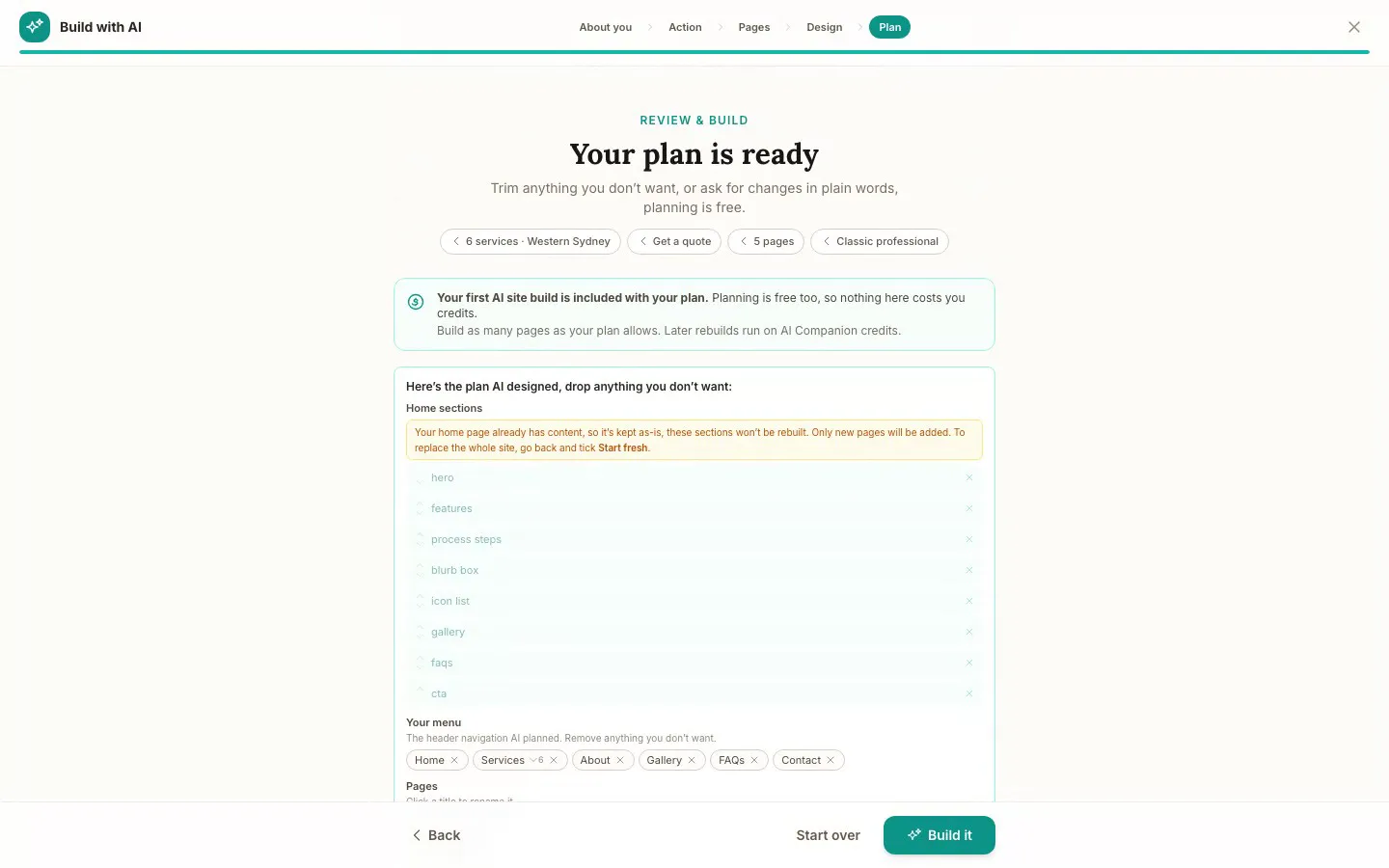
The Website Studio's Build with AI at its Plan step, on our plumbing demo: the pages, sections and menu the AI proposed from the answers already on the account, before anything is built. Click it to see it full size, or watch the recording of the build on the homepage.
Free
$0
A branded booking page on your OneBookPlus address. No website on this plan.
Starter
$29/mo
A website on your OneBookPlus address, hosted with SSL: 10 pages and a blog. The first AI draft is included.
Plus
$49/mo
Your own domain with SSL, 50 pages and a members area.
Growth
$69/mo
Unlimited pages, and a landing page per suburb from one template.
Your own domain connects on an active paid Plus or Growth subscription, not during the 14 day trial; a trial site lives on your OneBookPlus address. Every published site carries a small “Made with OneBookPlus” credit.
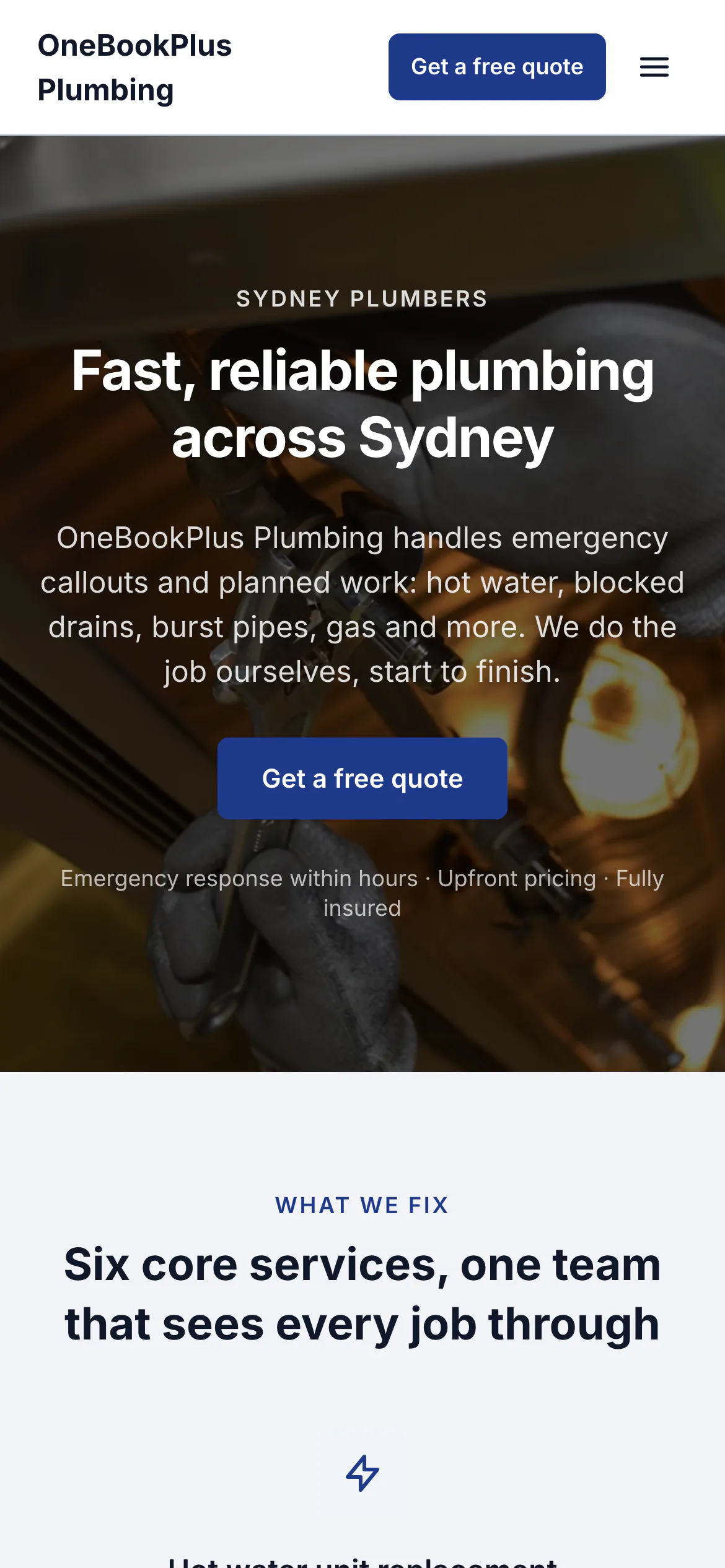
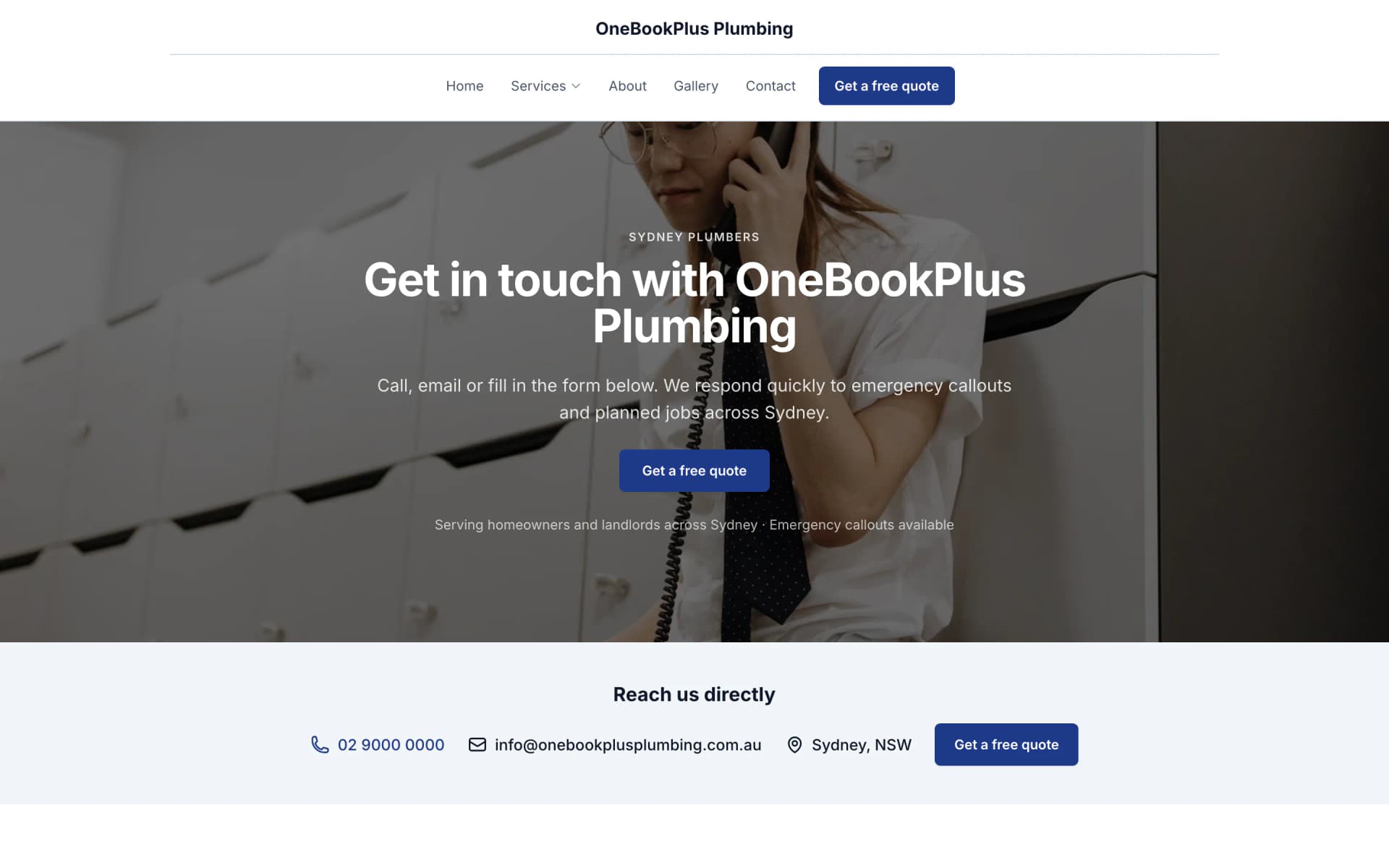
All three sites were drafted by the AI from the owner's answers, our own site included. It picks one of eight heading and body type pairings and how the cards sit (a fine line, a bold outline, a soft lift or no card), so a plumber's site, a driving school's and ours do not come out alike. Switch the view to see each one on a desktop, a tablet and a phone, click any screenshot to see it full size, or open the live site in a new tab. The plumber and the driving school are our demo businesses, not customers.
A plumber in Sydney
The home page: the name centred over the menu, a dark hero photo, a navy quote button and a grid of services.
Open the OneBookPlus Plumbing site(opens in a new tab)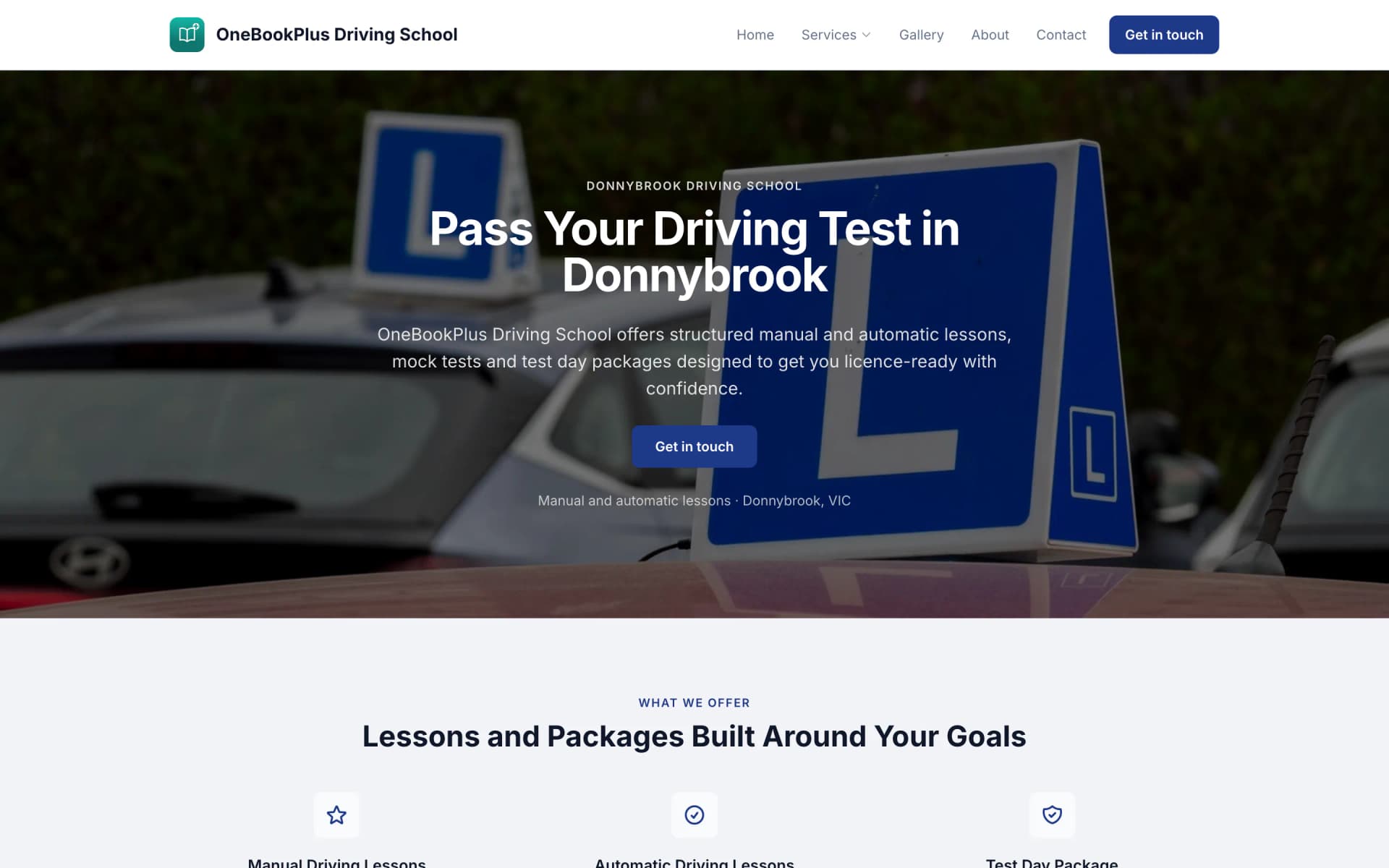
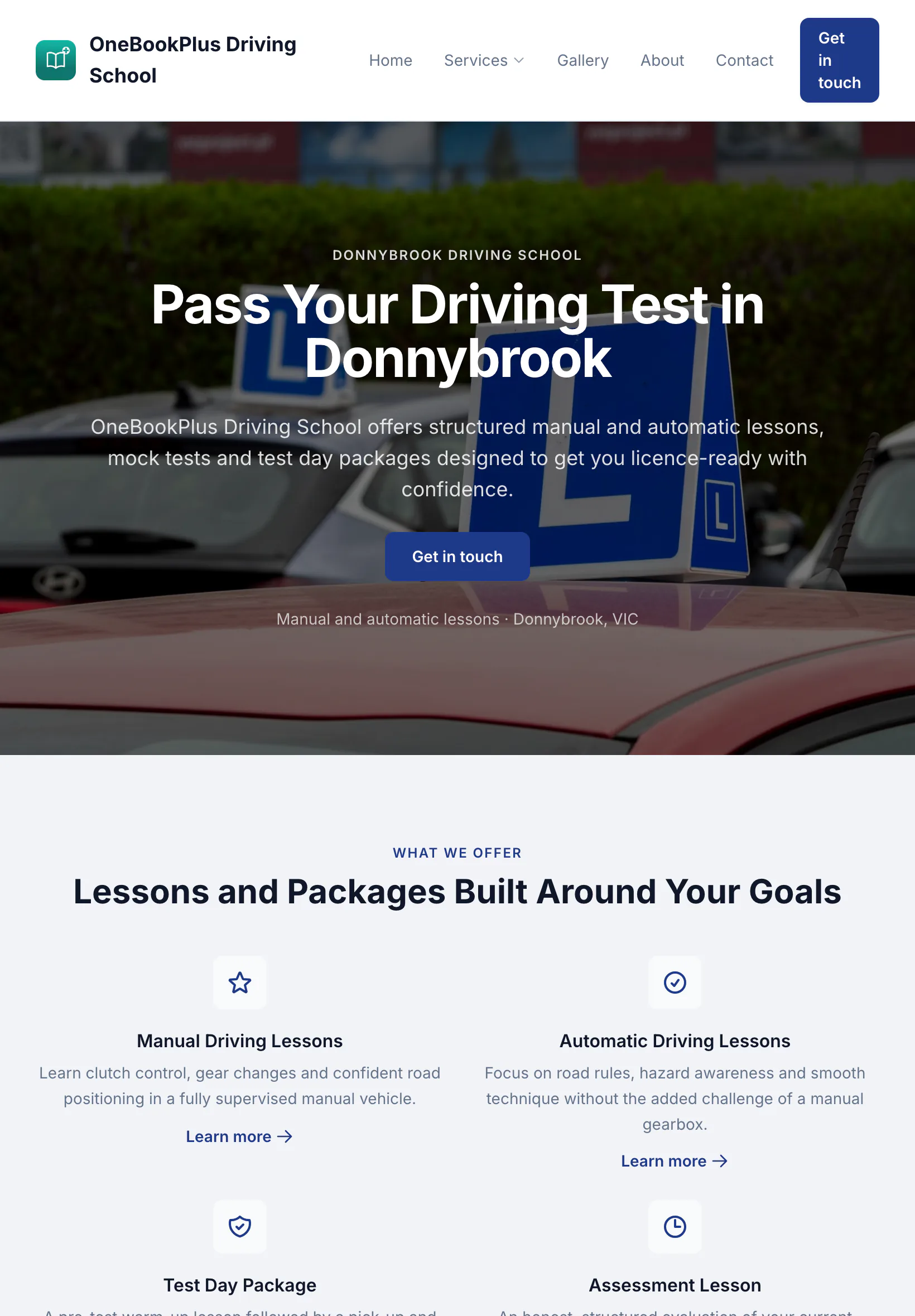
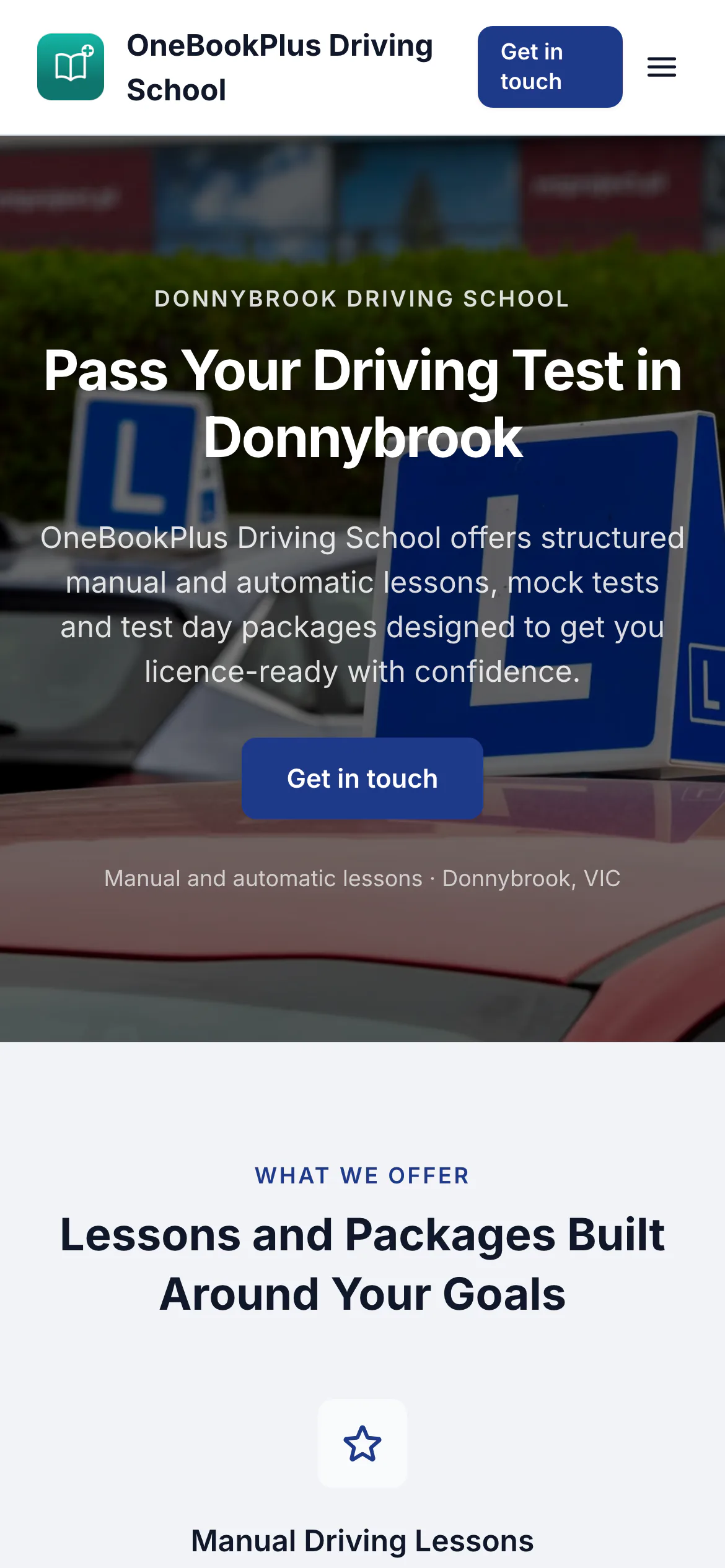
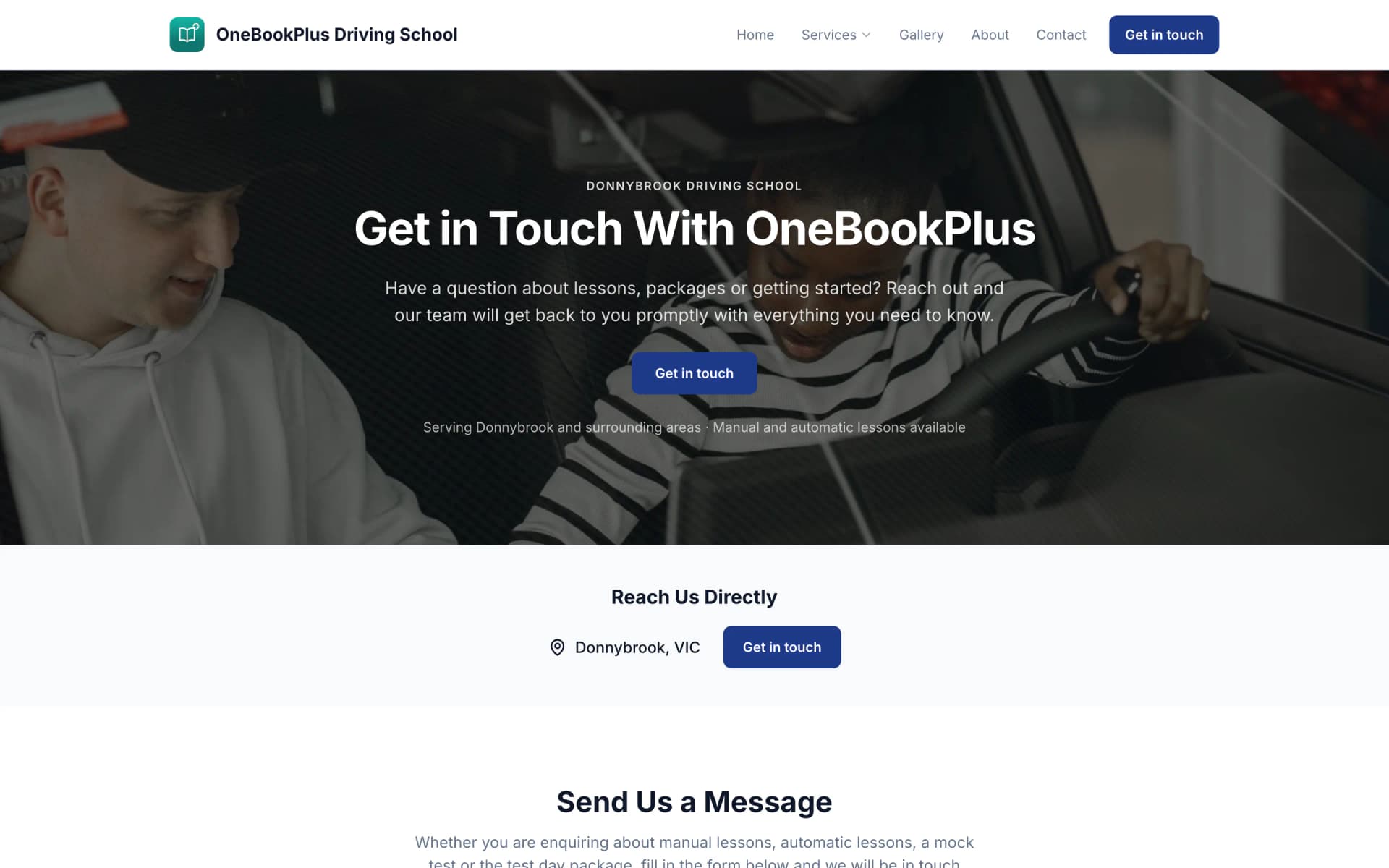
A driving school in Donnybrook
The home page: a teal logo and name on the left, an L plates hero and lessons and packages as cards.
Open the OneBookPlus Driving School site(opens in a new tab)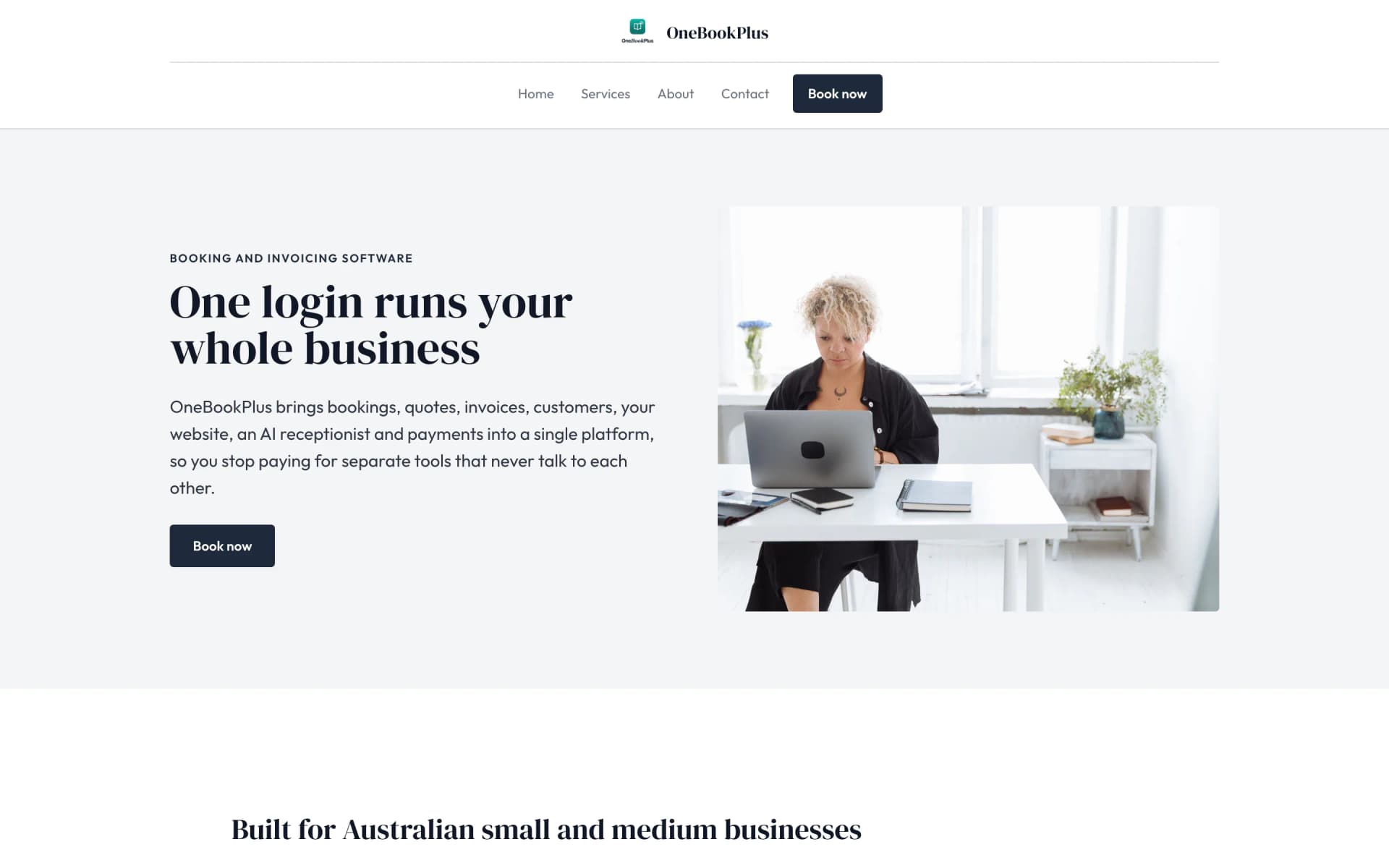
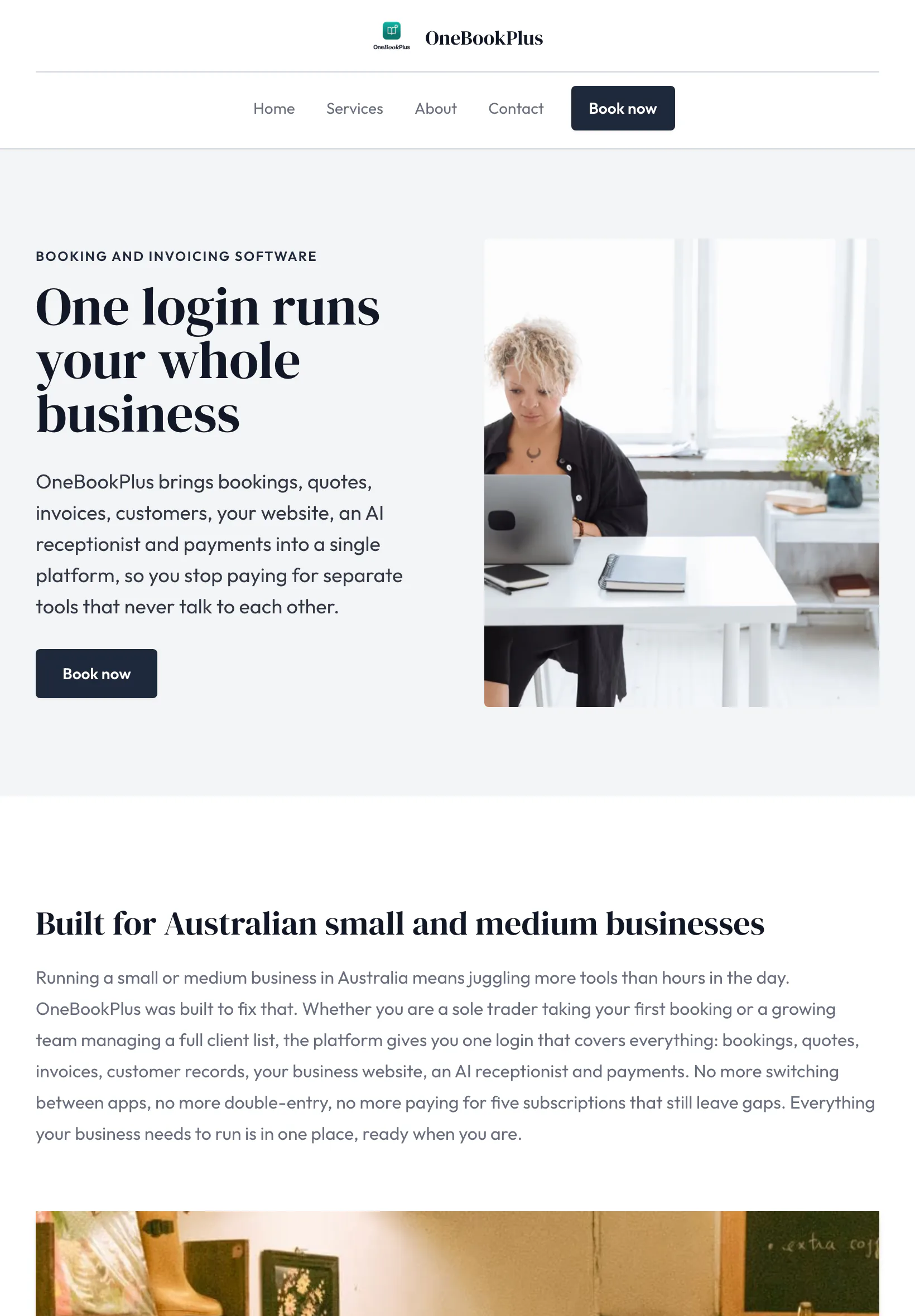
Our own site, built the same way
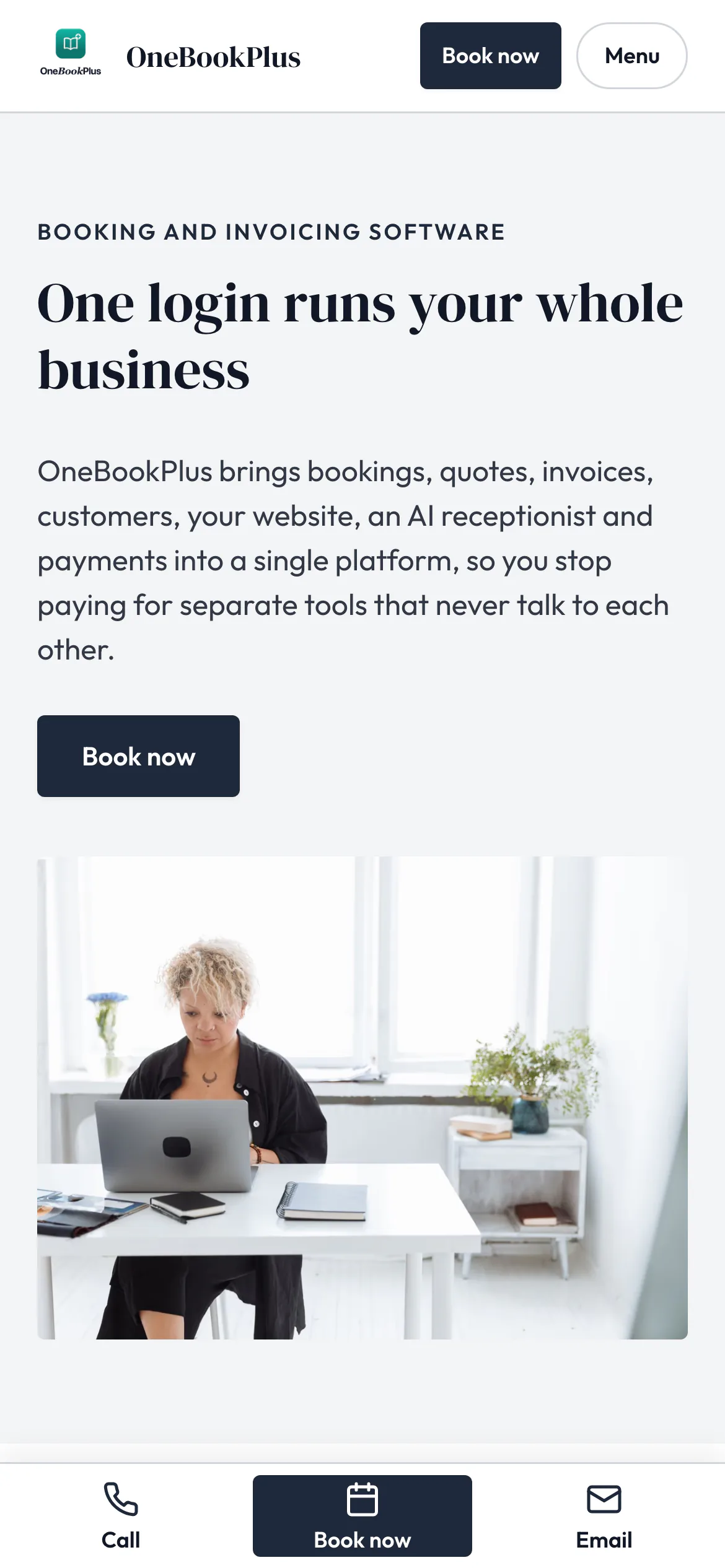
The home page: a serif heading beside a framed photo on pale grey, and no full width hero at all.
Open the OneBookPlus site(opens in a new tab)See it in action
Not mockups, the real product screens for a teaching week, from the term grid to the parent invoice run.
The whole of Term 2 laid out as a recurring weekly grid, piano at 3:30, HSC maths at 5, the public holiday skipped with one tap. Move a student to a new slot and the rest of the term stays where it was.
After each lesson, pre-set chips capture scales, repertoire (e.g. Burgmüller Op 100), the AMEB grade marker and a practice goal. Parents see the same summary in their portal within minutes, no follow-up email.
Post 10 weeks of lessons as one invoice to every family on day one of term, with your ABN and 10% GST once you're registered. Overdue accounts surface on the dashboard so you chase in week one, not week six.
Simple Workflow
From the first enquiry to the end-of-term report card, four simple steps that fit around how Australian tutors and music teachers actually run a studio.
Add subjects or instruments, your hourly/term rate, and the cancellation policy text parents see on their booking link. Most tutors are running in under ten minutes.
Drag students onto your weekly grid for the whole term. Skip the public holiday with one tap and the rest of the term stays put.
After each lesson, three taps captures what you covered, what to practise, and any progress against AMEB grades or curriculum outcomes.
Send the term invoice in one tap or let monthly retainers run on autopilot. Parents pay online, you watch the dashboard tick green.
Most tutors send their first term invoice within ten minutes of signup
Who it's for
From a Saturday-morning piano teacher to a multi-tutor HSC centre. OneBookPlus fits how you teach.
Primary to HSC/VCE/ATAR maths, English and science. Needs term billing, parent invoicing with pay links, and progress notes against curriculum outcomes: not a physio's SOAP notes.
Piano, guitar or voice from a home studio. Needs per-instrument 30-min scheduling, AMEB grade tracking, and term-fee invoicing that survives no-shows.
Running 3 to 10 tutors across English/maths in one centre. Needs multi-tutor rostering, a shared calendar, and batch invoicing to every family.
In-home and Zoom lessons across suburbs. Needs travel-cost logging, recurring lesson templates, and a booking page that surfaces availability without phone tag.
Named tools, at each vendor’s own cheapest published plan, and ours underneath. Vendor pricing changes, so check each one before you decide.
Or use OneBookPlus
$29/mo
Everything in the list above, on one bill.
Start freeNo credit card · Free forever · Cancel anytime
Example walkthrough
An illustrative walkthrough of a typical tutoring day
Early morning. You open the dashboard: eight lessons today across the home studio and an online block, two reschedule requests sent from the link on a booking confirmation, and a flag that one family has not paid this term's invoice. You confirm one reschedule with a tap; the other falls inside the 24-hour window in your cancellation policy, the text parents read on that same link, so you decline it and reply. One tap sends the overdue reminder.
Mid-morning. A new enquiry came through your booking page overnight. The page already captured year level, subject and preferred day, so you offer three slots and a trial lesson drops into your calendar.
Afternoon. Your first student walks in. After the hour you tap three chips on the lesson-notes sheet: topic covered, homework set, focus for next time, and mark the booking complete. Their parent sees the note on the student's shared link within minutes. You cycle through the rest of the block the same way.
Through the day the term-billing engine posts this term's invoices to two new families at your own hourly rate. Studio expenses, a textbook set, a portion of home-office internet, an examiner-day registration, land against the right deduction buckets.
End of day: eight lessons taught, the day's invoicing sent, and several payments already settled via the Pay Now link. Two parents cleared the overdue invoices your morning reminder triggered. Come BAS time, the GST summary exports in one click.
How we compare
How we compare to the tools Australian tutors and music teachers typically stitch together.
| Feature | OneBookPlus | Acuity | Cliniko | Setmore |
|---|---|---|---|---|
| Term-based recurring scheduling | Yes | No | No | No |
| Lesson notes & AMEB/curriculum progress | Yes | No | Yes | No |
| Parent-visible lesson notes link | Yes | No | Yes | No |
| GST invoicing + BAS export | Yes | No | Yes | No |
| Exam & grade records (AMEB, ANZCA, Trinity) | Yes | No | No | No |
| Online booking page for trials | Yes | Yes | Yes | Yes |
| Free plan available | Yes | No | No | Yes |
| Price | From $0/mo | Subscription | US$45+/mo | Free tier |
Termly
Batch invoicing at the start of each term
$0
Free plan: 10 invoices and 5 quotes a month, 250 contacts
Auto
Payment reminders chase overdue fees
100%
GST & BAS compliant for Australian tutoring businesses
An illustrated day, not real customer data. Scroll through it from morning to 5pm: the AI receptionist answers and books a missed call, the work runs from the app, the GST invoice is sent on the spot, payment lands and the books balance themselves, a review invite is queued for the next daily run, and the day closes with the ledger already written.
9:00am
While you're teaching on Zoom
Mrs Sharma's daughter needs Advanced Maths help before her exams. She calls the first tutor on Google, you.
AI Receptionist
The AI answers in two rings, books a Saturday trial lesson and texts a confirmation, year level and goals captured.
First afternoon lesson
Ethan's card on your screen: topic, last week's homework, progress notes. The parent portal updates itself.
Between students
The Sharma family's Term 2 invoice goes out with a pay link, GST handled, no spreadsheet tonight.
While you teach the next lesson
Card payment lands, the books update themselves, and $73.64 GST is set aside for BAS.
Reputation on autopilot
Today's lesson notes hit the portal, then the AI asks Ethan's mum for a review, timed to the delay you set. No chasing, no awkward ask.
The day closes itself
Six lessons taught, a trial booked, a term invoiced. The book did the rest.
$0
collected
0
admin tasks done by AI
0
evenings lost
An illustrated day, not real customer data. AI Receptionist is a $79/mo add-on that needs AI Companion ($25/mo, included on Growth), and AI Companion is what sends the review invite as well. The rest of the day is the app itself.
Tutor & music-teacher pricing
Start free on 10 invoices and 5 quotes a month, upgrade when the studio fills. No contracts, no setup fees, no per-student tax. Cancel any time.
Free
$0/forever
Run a real term on it before you pay, no credit card.
Starter
$29/mo
Replaces Acuity + Xero + your reminder and website tools.
No card · Drops to Free if you don't upgrade
Plus
$49/mo
Outgrowing the basics, advanced reporting.
Our pick: unlimited contacts and booking pages for $49
Growth
$69/mo
For centres rostering 3+ tutors and chasing new enrolments.
Prices in AUD inc. GST. Online card payments carry Stripe processing fees (1.7% + 30¢ AU cards) plus a 2.5% OneBookPlus platform fee. See the full plan comparison
Already on another tool?
Switching is designed to fit in a single evening, between terms is ideal. Export your student and parent list as CSV from your current tool, import it into OneBookPlus, and you're ready to bill Term 1 before the first lesson.
Switch from
Extend Your Toolkit
Term scheduling, lesson notes, prepaid packs, exam records, recurring invoices and more, install in a click.
Built-in AI
You're teaching, the phone rings out and the enrolment enquiry quietly moves on.
OneBookPlus
AI Receptionist · incoming call
“Do you have room for beginner lessons?”
If you don't answer, the AI books it, Trial lesson · Sat 10:00am, and texts a confirmation.
Built in Melbourne, AU
ATO-ready from day one
TLS in transit, AES-256 at rest, tenant isolation at the database layer, read the security page
No credit card needed
Common questions about tutoring software, music-teacher software, and running an education business in Australia.
Yes, and arguably better matched to how tutors actually work. Cliniko is built for allied health (physios, psychologists) with SOAP notes and Medicare; Acuity and Setmore are generic booking calendars without lesson notes, term billing, or parent portals. OneBookPlus is built specifically for Australian educators: term-based scheduling, lesson progress notes against AMEB grades or curriculum outcomes, GST-ready invoicing with your ABN, and a lesson-notes link each family can open without a login. The free plan meters invoices, quotes and contacts rather than students: 10 invoices and 5 quotes a month against up to 250 contacts. Starter from $29/month lifts those caps and handles a typical 20 to 40 student studio.
You need an ABN from day one, it's free, takes 15 minutes at abr.gov.au, and lets you invoice without 47% withholding tax. GST registration is only required once you turn over $75,000 in a 12-month period (about 25 to 30 students at standard rates). A Working with Children Check is mandatory in every state and territory before you teach minors, applications cost $0 to $130 depending on state and can take 1 to 6 weeks. OneBookPlus itself doesn't store the operator's WWCC; verification lives between you and the relevant state authority (e.g. NSW Office of the Children's Guardian, VIC Service Victoria), so diarise the renewal date yourself.
Yes, the parent (or guardian) is the billable contact on every student record. Each student links to one paying adult, so the term invoice, the pay link and the receipt all go to that parent, and siblings with the same payer land on a single invoice. Lesson notes you mark visible to parents appear on the student's shared link; anything you leave unmarked stays private to you.
Term billing, yes: post the term's lessons as one invoice per family on day one, with siblings grouped onto a single invoice for the payer, or sell a prepaid term pack that draws down a credit each lesson. Make-ups and missed-class credit stay in your hands. Your cancellation policy is text you write once and parents read on their booking link; a missed lesson is marked as a no-show from the booking itself; and a make-up you owe can be tagged on the student's notes so it isn't forgotten. OneBookPlus doesn't enforce the policy, forfeit lessons or issue credits for you.
Below $75k turnover, you don't register for GST and invoices show no GST line. Once you hit the threshold (the GST threshold screen in Accounting flags your rolling 12-month turnover as it gets close), you register through the ATO and flip GST on in OneBookPlus. From that day, every invoice adds 10% GST, displays your ABN, and meets ATO requirements. The BAS quarterly summary breaks down GST collected, GST paid on expenses (think instrument purchases, software subscriptions, room hire), and the net amount you owe or are owed, exportable as a single PDF for your accountant or for lodging yourself.
About the author

Founder & CEO, OneBookPlus
Bishal spent a decade running digital projects for Australian small businesses before founding OneBookPlus. He writes and maintains these pages, and publishes what OneBookPlus does not do alongside what it does.
Read the founder bioHow this page was researched
The compliance and licensing statements above are taken from the bodies this page links to, including the AMEB, Service NSW and the Victorian Working with Children Check, so you can read the rule rather than take our word for it. Plan prices come from the OneBookPlus price registry, so the page and the checkout cannot disagree. Everything said about OneBookPlus describes what the product does today, and the page says so where it does not do something.
If you tutor maths after school, teach piano on Saturday mornings, or run a small multi-tutor English/HSC studio, you already know the admin shape of the job. There's an Acuity or Calendly link for bookings, a spreadsheet of student progress, a Word document of lesson plans, a notebook for what you covered today, Xero or a free invoice template for the bills, and a WhatsApp group with parents handling reschedules and make-ups. None of those tools were built for tutors specifically, Acuity is a generic calendar, Cliniko is for physios, Xero is accounting, and the spreadsheet is the spreadsheet. OneBookPlus replaces all of it with a single app built for Australian educators, on your phone, designed around the rhythm of school terms.
The platform covers the full education lifecycle. A new parent fills in your booking page and selects a subject or instrument and a free slot. The booking lands with the year level (or AMEB grade) your intake questions asked for, you link the student to the parent as their billable contact, and your cancellation policy text sits on the link in their booking confirmation. From there, lessons recur each week through the term, a public holiday skipped with one tap, and you get a single screen, the "week view", that shows every student, every lesson, every status. Three taps after each lesson logs what was covered, what to practise, and any AMEB or curriculum progression. Term billing goes out as one invoice per family on day one of the term, parents pay online, and the dashboard shows you who's still outstanding so you can chase before week three becomes week six.
Picture a typical Tuesday for Bridget, a Melbourne piano teacher with 28 students across a home studio and one school. At 7am she opens the OneBookPlus dashboard over a coffee , six lessons scheduled today, two reschedule requests sent from the link on a booking confirmation, and a flag that one family hasn't paid Term 2's invoice (due 9 days ago). She confirms one reschedule with a tap and declines the other because it's inside the 24-hour window in her cancellation policy, the text every parent can read on that same link. She sends a one-tap reminder for the overdue invoice. Five minutes total.
At 3:30pm her first afternoon student arrives. After the 30-minute lesson Bridget marks the booking complete from her phone and taps three pre-set chips on the lesson-notes screen: "Scales: G major hands together", "Piece: Burgmüller Op 100 No 5, bars 1 to 16, hands separate", and "Practice goal: 15 min/day, focus on left-hand fingering". The parent sees it on the student's shared link within minutes; no follow-up email needed. Bridget cycles through five more students the same way. At 6pm she's done teaching, the day's notes are saved, every lesson is marked complete, and the one student who didn't turn up is marked as a no-show on the booking, with a make-up tag on their notes so it isn't forgotten. She closes the app and starts dinner.
At 8pm she checks the dashboard one last time. Two parents have paid the overdue invoices triggered by today's reminders. A new family has booked a trial through her public booking page, the system asks them three questions (year level, current grade, preferred day) before offering slots. Bridget approves and the trial is in her calendar for Saturday morning. Total admin for the day: roughly twelve minutes, none of it after the kids went to bed.
When a parent pays an invoice online, the payment lands against that invoice on its own, so the term's billing and the ledger stay in step and there is no separate list to tick off. Studio expenses (sheet music from the music shop, instrument tuning, professional development at a music teachers conference, a portion of your home-office electricity and internet, software subscriptions) sit against the right deduction buckets, and you can photograph a receipt or drag in a PDF and have the supplier, date, GST and total read off it rather than typing them, so when you sit down with your accountant in July your numbers are already sorted.
GST handling is automatic once you cross the $75,000 turnover threshold. Below that, OneBookPlus issues clean ABN invoices with no GST line, perfectly compliant for a sub-threshold sole trader. When you tick over (the GST threshold screen flags your rolling 12-month turnover as it gets close, so there's no surprise), you register through the ATO and flip a single switch in settings. From that moment, every new invoice picks up 10% GST and your BAS quarterly summary breaks out GST collected, GST paid, and the net amount, exportable as one PDF for your accountant or for lodging through MyGov yourself.
Sign up in under a minute, no credit card required. Add your ABN, upload your studio logo, set your hourly or term rate, and paste in your cancellation policy text. Your WWCC stays between you and your state authority; OneBookPlus doesn't store it, so keep the renewal date in your own diary. Import your existing student list from a spreadsheet or add them as families book in. Most tutors send their first term invoice within ten minutes of signing up. The free plan meters invoices, quotes and contacts rather than students: 10 invoices and 5 quotes a month against up to 250 contacts, with lesson notes and the parent-visible notes link, which is plenty to try the platform on a real term before committing to a paid plan. A tutor billing each lesson separately will reach the invoice cap faster than one billing a term up front. When you're ready for term billing, multi-tutor scheduling or more invoices, Starter ($29/month) handles a typical 20 to 40 student studio and Growth ($69/month) opens unlimited students and team accounts for centre-based studios. Still a fraction of what you'd pay for a Cliniko + Acuity + Xero stack, and built for educators, not physios.
Authoritative sources
Australian tutors and music teachers run as sole traders or small businesses under ATO income-tax and GST rules, hold a state Working with Children Check before teaching minors, and many prepare students for AMEB examinations. We cite the primary bodies for the claims on this page so you can verify directly.
Join other Australian tutors and music teachers running their whole studio from one app. Free to start, upgrade when you're ready.
Get started freeReviewed by Bishal Shrestha
From the blog
Practical guides and explainers from the OneBookPlus blog, grouped by topic.
Choosing cleaning business software in Australia for 2026: recurring schedules, on-site invoicing, rostering, payments and GST in one place.
Every deduction an Australian sole trader can claim, from home office and vehicle costs to super and depreciation, with worked examples for 2025-26.
Invoicing advice for Australian freelancers: setting payment terms, putting your ABN on the invoice, and chasing what is overdue without the awkwardness.
Sole trader, partnership, company or trust: what each structure means for your tax, your liability and your GST, and when it is worth switching.
Features
Comparisons
Tools & Apps