Business management software
for Australian small business
Bookings, invoicing, quotes, CRM, accounting, jobs and marketing in one all-in-one app with a single shared database, built for Australian small businesses. Replace the stack of six separate tools that don't talk to each other with one login.
Free plan available, no card needed.
What is business management software?
Business management software is a single system that runs the whole operating loop of a small business: winning work (quotes and bookings), doing the work (jobs, scheduling and staff), getting paid (invoices and payments) and keeping score (accounting, reporting and BAS). Instead of a separate app for each step, every step reads and writes the same customer, the same job and the same dollar figures.
You'll see the same idea sold under several names: a business management system, all-in-one business software, or an ERP scaled down for small business. Whatever the label, the test is the same. If accepting a quote creates the job, finishing the job creates the invoice, and the paid invoice lands in your P&L without an export, it's business management software. If any of those handoffs needs a CSV, a Zapier workflow or re-typing, it's a collection of point solutions wearing one logo.
OneBookPlus is built as the former: eight modules on one database, detailed on the OneBookPlus features hub. The rest of this page explains what that changes day to day, what it costs against a typical multi-tool stack, and the Australian specifics (GST, BAS and award-based staff costs) that imported software tends to get wrong.
Every tool your business runs on
Eight modules, one shared database. Open any module to see exactly what it does and how it replaces the tool you're paying for.
See how the modules connect on the full OneBookPlus features hub, read the dedicated accounting and finance module page, or see how the two most-used modules work together on the booking software overview.
Four modules, straight from the app
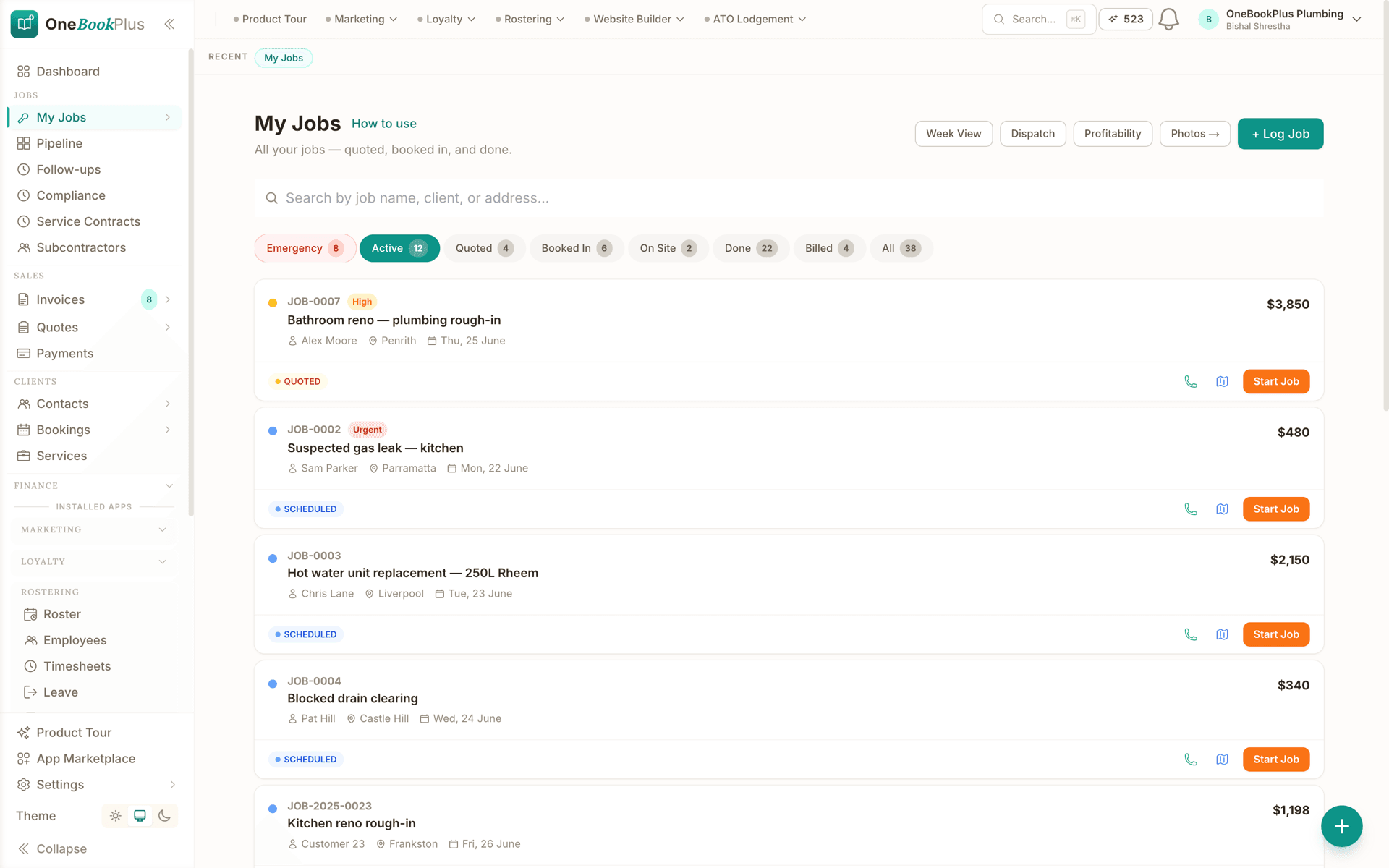
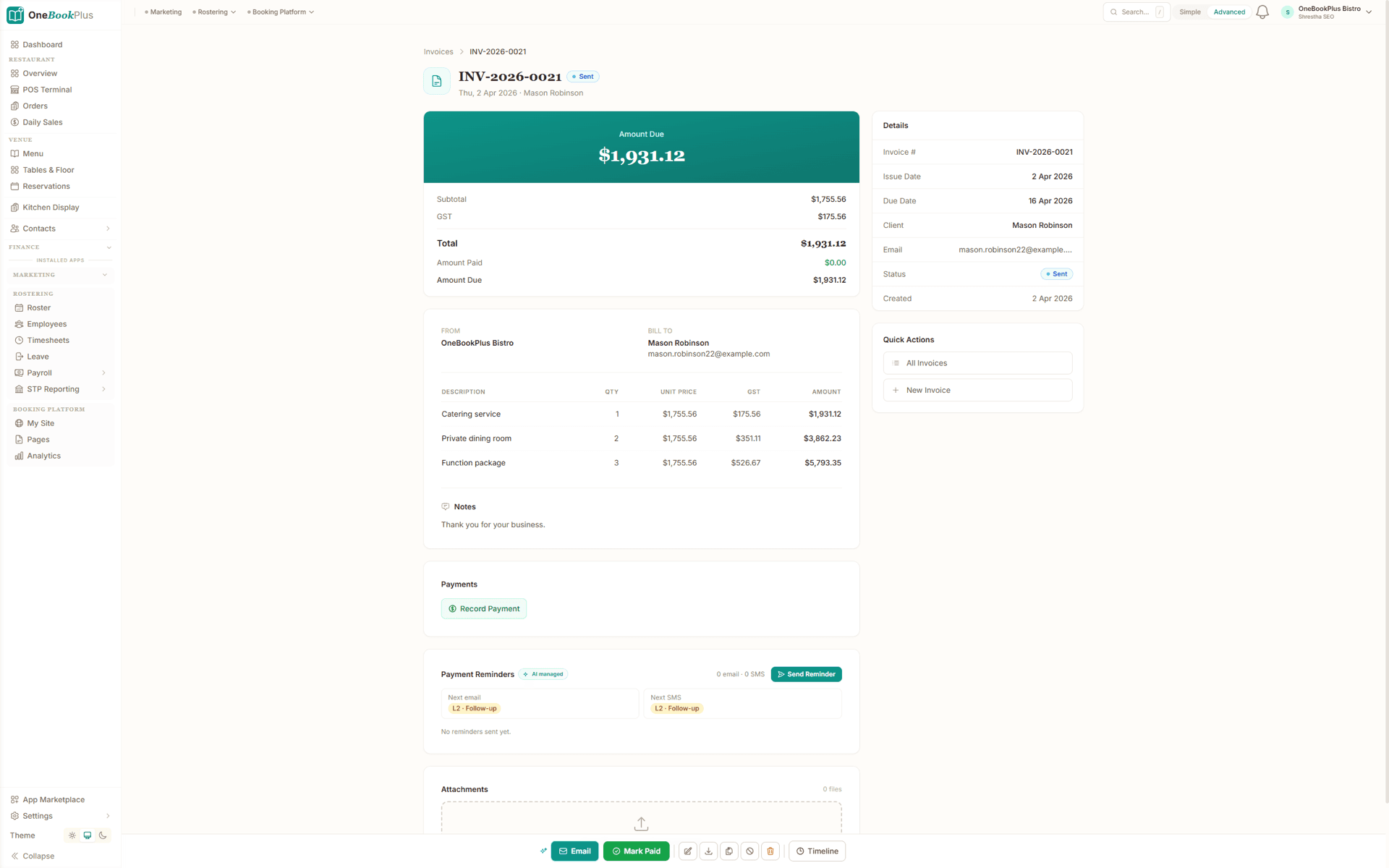
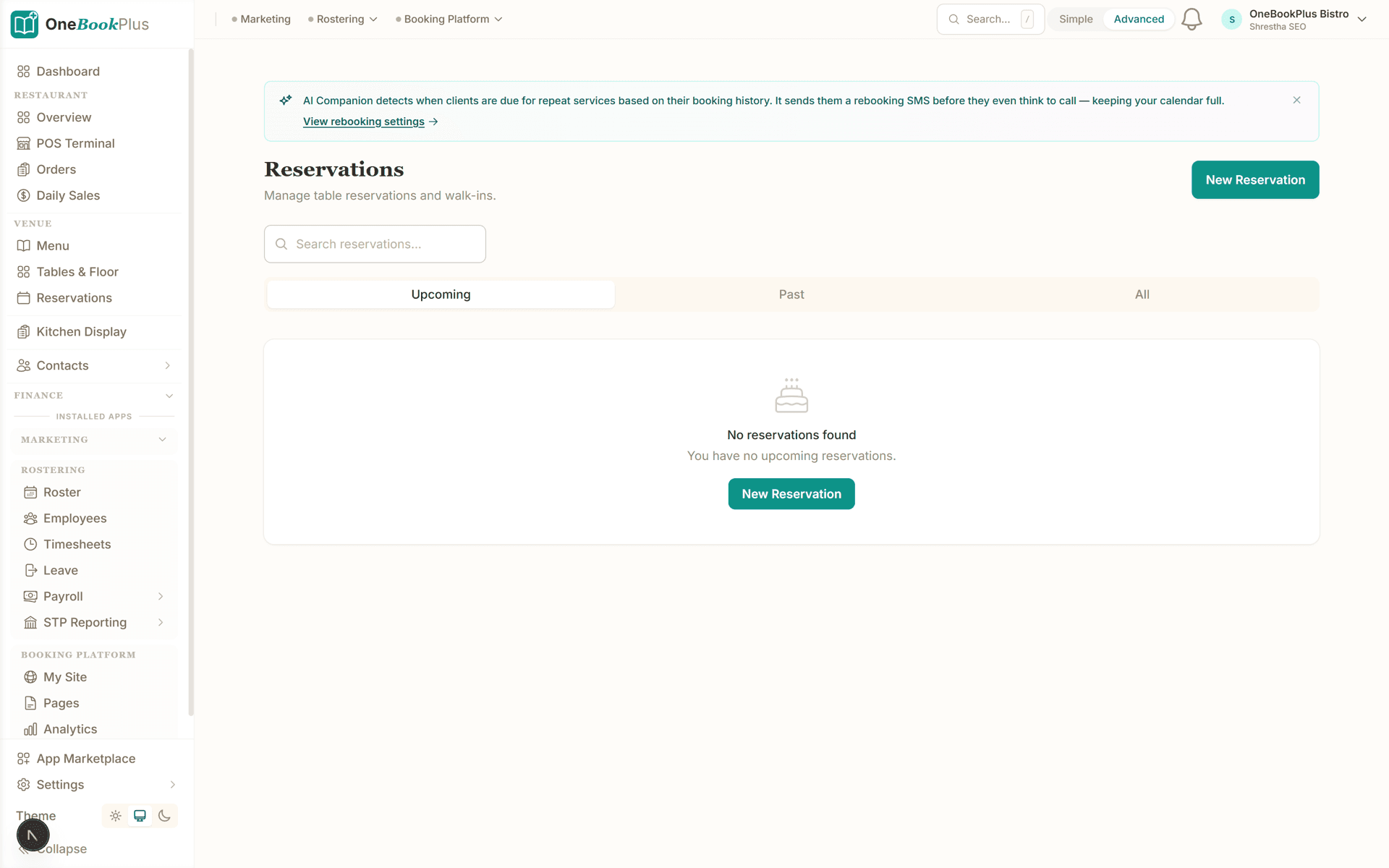
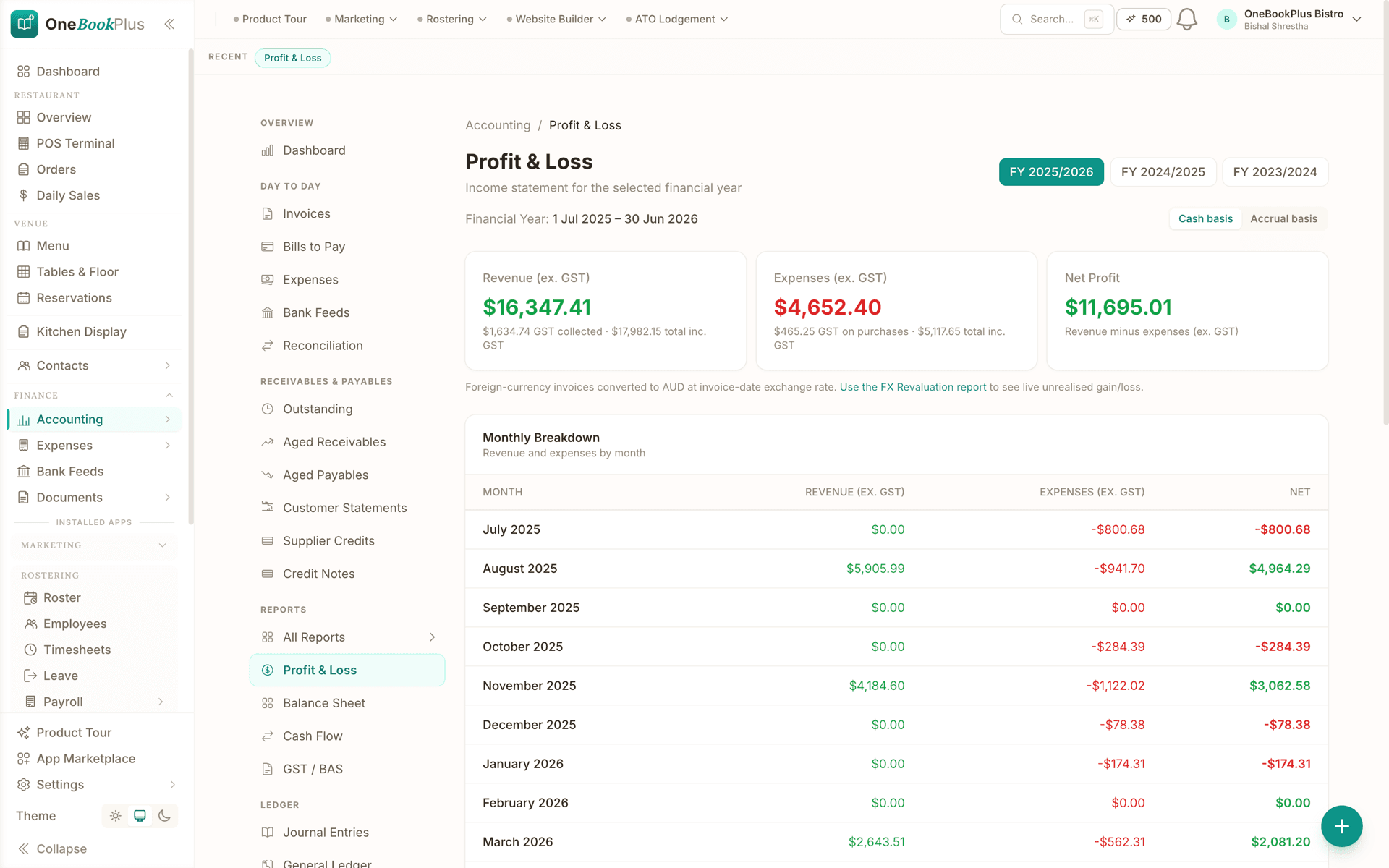
Screenshots captured from OneBookPlus itself, the job board, an invoice, the bookings calendar, and the Profit & Loss report, all reading from the same database.
Jobs on a drag-and-drop pipeline
Every job from quote to paid on one board. Drag a card between lanes and the status updates, the same record the invoice and the customer's history read from.
A GST tax invoice with a Pay Now link
Line items, 10% GST, your ABN, and a Stripe payment link on a branded document. When it's paid, the customer record and the accounting update in the same moment.
The bookings calendar
Day and week views of every booking. Each one already belongs to a CRM contact, so converting a completed booking to an invoice needs no re-typing.
Profit & Loss from every module
The P&L report with a cash/accrual toggle and comparative columns, fed by the same invoices, bookings, and expenses shown above, not a CSV import.
How we compare
One app vs six separate tools
The usual small-business setup stitches together an accounting tool, a booking tool, a CRM and a marketing tool, none of which share a customer list. Here's what changes when they're one app.
| Feature | OneBookPlus | 6-tool stack | Spreadsheets |
|---|---|---|---|
| Single shared customer database | Yes | No | No |
| Booking auto-creates a customer | Yes | No | No |
| Quote converts to invoice in one click | Yes | Yes | No |
| Native 10% GST & ABN tax invoices | Yes | Yes | No |
| Marketing to your paying customers | Yes | No | Yes |
| One login & one bill | Yes | No | No |
| No Zapier / CSV sync between tools | Yes | No | No |
| Price | From $29/mo | $72.75/mo + US$30/mo + Mailchimp | Free + hours |
Each stack figure is that vendor’s own cheapest published plan. Vendor prices verified 2 August 2026. HubSpot and Calendly publish in US dollars and are shown that way rather than converted, and Mailchimp publishes no ongoing rate, so it is named rather than counted as free.
What a six-tool stack costs each month
Named tools, at each vendor’s own cheapest published plan, and ours underneath. Vendor pricing changes, so check each one before you decide.
Or use OneBookPlus
$29/mo
Everything in the list above, on one bill.
Start freeNo credit card · Free forever · Cancel anytime
Who it's for
Who all-in-one business software fits
All-in-one business software fits any Australian SMB that's tired of paying for, and reconciling, six tools that don't talk to each other.
Tradies & home services
Quote on site, book the job, invoice on completion and take the GST out of the picture, one app from the ute, no office stack.
Salons, clinics & wellness
Online bookings with deposits, customer history and rebooking reminders, plus the payments and BAS side handled in the same place.
Freelancers & consultants
One place for your client list, proposals, invoices and follow-up, instead of a spreadsheet, a calendar tool and a separate accounting login.
Cafes, restaurants & venues
Table and menu management, POS sales and supplier invoices that all feed the same accounting and reporting, not three disconnected systems.
All-in-one isn't a bundle, it's one database
Plenty of vendors call themselves "all-in-one" while really bundling separate products behind one bill, each still with its own customer list, synced over an API that occasionally falls out of step. The problem with the typical Australian small-business stack was never the subscription total; it was the data flow. A booking made in one tool doesn't create a customer in your accounting tool, a paid invoice doesn't update the contact in your CRM, and your marketing tool can't tell a paying customer from a churned lead.
OneBookPlus modules share the same database. The customer who books is the same record the CRM holds, the same payer whose tax invoice the accounting module reconciles, and the same contact the marketing module emails. A "customers who haven't booked in 60 days" segment is one query, not a CSV export-import cycle. An invoice on a completed booking is automatic, not a copy-paste between systems.
That's why the eight modules above ship on every plan, Free, Starter, Plus and Growth. Plan tiers limit volume (invoices per month, team members, storage) rather than gating which of those modules you can use. Specialist apps in the App Marketplace, such as Rostering & Payroll at $29/mo, the full Point of Sale at $39/mo and the AI Receptionist at $79/mo, are billed on top of whichever plan you are on. See OneBookPlus pricing for the per-tier limits, or explore the full features hub to see how each module works.
When a business management system beats point solutions
Point solutions exist for a reason: they go deep on one problem. A dedicated booking tool has more calendar settings than any all-in-one will ever ship, and a dedicated accounting package has more report variants. When a business is brand new and has exactly one problem, a point solution is often the right first purchase.
The economics flip somewhere around the third tool. Each new subscription brings its own copy of your customer list, its own login, its own invoice history and its own idea of what a "job" is. From that point, part of your working week goes to reconciling the copies: exporting bookings to match against payments, re-typing an accepted quote into the invoicing tool, rebuilding the same customer segment in the marketing tool. None of that work wins a customer or bills an hour. A business management system removes the reconciliation category entirely, because there is only one copy of every record to begin with.
The honest caveat: if you need enterprise depth in a single function, say a payroll bureau managing hundreds of employees across multiple enterprise agreements, a specialist tool still wins that function. For the operating loop of a typical Australian small business (quote, book, do the job, invoice, reconcile, report), the system approach wins on both hours and dollars. You can see how OneBookPlus stacks up against the tools it replaces in the software comparison library, including the OneBookPlus vs MeMate comparison and the OneBookPlus vs ServiceM8 comparison.
Five signs you've outgrown point solutions
- You pay for three or more subscriptions that each hold a copy of your customer list
- Someone re-types accepted quotes, completed bookings or job details into the invoicing tool
- Your marketing tool can't tell a paying customer from a lead who never booked
- BAS time means exporting CSVs from multiple systems and hoping the totals agree
- A price rise in any one tool can't be answered by switching, because the integrations would break
The Australian specifics: GST, BAS and award-based staff costs
Most business software sold in Australia was written for the US market, so GST arrives as a generic "sales tax" field you configure yourself. OneBookPlus treats it as a first-class rule: every invoice applies 10% GST natively, shows your ABN, carries the words "Tax Invoice" and itemises the GST amount, which is what the ATO requires once you're registered (compulsory from $75,000 turnover). If you're checking the maths on a quote or a margin, the free GST calculator works the inclusive and exclusive figures both ways.
BAS is where a shared database pays for itself each quarter. Because invoices, expenses and POS sales already sit in one ledger, the accounting and finance module produces BAS-ready summaries of GST on sales and GST on purchases without a single export. You or your BAS agent take those figures to myGov or the ATO portal. Direct ATO e-lodgement via SBR is in final ATO certification, prepare and validate BAS and returns today; we'll tell you the moment lodgement goes live on your account. The ATO Tax Lodgement app is where that will land. To estimate a quarter before it lands, the free BAS calculator gives a quick position from your sales and purchase totals.
Staff costs are the third uniquely Australian layer. Penalty rates, overtime, 25% casual loading and superannuation at the legislated 12% rate all flow from the award system, and generic international software simply doesn't model them. The Rostering & Payroll add-on builds rosters, captures timesheets and processes pay runs with PAYG withholding, super, penalty-rate and overtime calculations built for Australian compliance. For one-off checks, the free casual loading calculator and employer cost calculator show what a hire really costs before you commit. Even the marketing module is localised: unsubscribe handling follows the Spam Act 2003 rather than US CAN-SPAM defaults.
Replacing a tool stack one module at a time
Nobody swaps a whole stack in a weekend, and nothing about all-in-one software requires you to. The sequence that works starts with the money side: import your contacts, set your invoice numbering, and issue tax invoices from OneBookPlus the same day, while the old tools keep doing everything else. Invoicing has the fastest payoff, because every paid invoice immediately starts building the customer histories and GST totals that the later modules will read.
Bookings usually come second. Point your booking link at the new page and each booking lands on the same customer records your invoices have been building, rather than starting a second list. Marketing goes last, and deliberately so: a campaign is only as good as the list behind it, and by the time invoicing and bookings have run for a few weeks, that list has assembled itself. The one boundary worth respecting is the BAS quarter. Switch the books at the start of a quarter, so each quarter's GST position lives in one system instead of being stitched across two at lodgement time.
Before you start, put a number on the stack you are leaving: the free bookkeeping cost calculator tallies what your current tools and bookkeeping hours cost in a year. The shape of the switch also depends on the business. See how the one-app setup runs for tradies quoting and invoicing from the ute, freelancers and consultants billing for their time, or cafes running POS sales and supplier invoices.
Australian Owned
Built in Melbourne, AU
GST Compliant
ATO-ready from day one
Encrypted & Isolated
TLS in transit, AES-256 at rest, tenant isolation at the database layer, read the security page
Free Plan Available
No credit card needed
Run the whole business
from one app
Start on the free plan and replace your stack one module at a time. No card needed.
Last reviewed and updated: by Bishal Shrestha
Business management software questions, answered
What is all-in-one business software?
All-in-one business software combines the tools a small business normally buys separately, bookings, invoicing, quotes, a customer database (CRM), accounting, job tracking and marketing, into a single app with one login and one shared database. OneBookPlus is built this way: a booking creates a customer, the customer can be invoiced on the spot, and the payment flows into your accounting without copy-pasting between systems.
Why use one app instead of six separate tools?
Separate tools each keep their own customer list, so the data drifts: a booking made in Calendly doesn't appear in Xero, a paid invoice doesn't update the contact in HubSpot, and your marketing tool can't tell a paying customer from a churned lead. You end up paying for CSV exports, Zapier workflows or duplicate data entry to glue them together. One app removes the glue, every module reads and writes the same records.
Is OneBookPlus all-in-one business software made for Australia?
Yes. It's built in Melbourne for the Australian market: native 10% GST, ABN-validated tax invoices, AUD-only Stripe payments, BAS-ready summaries, AEST timezone defaults and Australian English throughout. It isn't a US product with an AU veneer bolted on later.
Do I have to use every module?
No. Use only what you need today. If you just want invoicing, the booking and marketing modules stay out of your way. When you later turn on bookings or marketing, the customer data already in your CRM flows straight through, there's no migration or re-import.
How much does all-in-one business software cost?
OneBookPlus starts free, with paid tiers from $29/month. The eight core modules (bookings, invoicing, quotes, CRM, accounting, jobs, marketing, and restaurant tables and menus) are on every plan including Free, and plan tiers limit volume (invoices, bookings, team members, storage) rather than locking those modules behind upsells. Specialist apps in the App Marketplace are priced on top: Rostering & Payroll at $29/mo, the full Point of Sale at $39/mo and the AI Receptionist at $79/mo are add-ons, not tier features. Priced at each vendor's own cheapest published plan, the six-tool stack most businesses run instead comes to $72.75/mo + US$30/mo + Mailchimp. Figures in US dollars are shown as the vendor publishes them rather than converted, and a vendor named there without a figure publishes no ongoing rate at all. Consolidating usually costs less, and it removes the integration overhead. Vendor prices verified 2 August 2026. See the pricing page for current per-tier limits.
What do you get on the free plan?
The eight core modules (bookings, invoicing, quotes, CRM, accounting, jobs, marketing, and restaurant tables and menus) are available on every plan, including Free, so the Free plan is a smaller version of the whole system rather than a locked-down corner of it: 10 invoices and 5 quotes a month, 250 contacts, one booking page and one team member. Paid tiers are Starter at $29 a month, Plus at $49 and Growth at $69, in AUD including GST, and each carries a 14-day trial with no credit card. An account that does not convert drops back to the Free plan instead of being cut off. Marketplace apps such as Rostering & Payroll and the full Point of Sale are billed separately on any tier.
Can I move my existing data and tools across?
Yes. You can import contacts and invoices, keep issuing tax invoices the same day, and connect Stripe for payments. Because every module shares one database, you replace tools one at a time without breaking the others, start with invoicing, add bookings, then switch off your old marketing tool when you're ready.
What's the difference between business management software and accounting software?
Accounting software (Xero, MYOB, QuickBooks) records money after the work happens: it keeps the ledger, reconciles the bank and prepares your BAS. Business management software runs the work itself as well (quoting, booking, scheduling jobs, tracking customers, sending marketing), with the accounting fed automatically from those operations. With OneBookPlus you get both layers in one system, so a paid invoice, a completed booking and a POS sale all land in the same P&L without an integration.
How does OneBookPlus compare to MeMate?
MeMate is an Australian business management platform focused on the quote-to-job-to-invoice workflow. OneBookPlus covers that workflow and adds modules MeMate doesn't centre on (online bookings with deposits, POS for venues, and email/SMS marketing), plus a free plan to start on. Which one fits depends on how your business wins work, so we keep a feature-by-feature and pricing comparison with cited sources up to date.
Is business management software overkill if I only need job management?
If dispatching field jobs is genuinely your only problem, a dedicated job management tool such as ServiceM8 can serve you well. The catch is that job-only tools still leave invoicing reconciliation, customer marketing and BAS preparation to other subscriptions, which recreates the multi-tool stack you were trying to avoid. OneBookPlus includes the job pipeline alongside quotes, invoicing and accounting, so the job card and the tax invoice are the same record.
About the author

Bishal Shrestha
Founder & CEO, OneBookPlus
Bishal spent a decade running digital projects for Australian small businesses before founding OneBookPlus. OneBookPlus is built and supported from Melbourne as one product, bookings, invoicing, quotes, CRM, accounting, jobs and marketing share a single database, so an Australian SMB can replace a stack of separate tools without copy-pasting data between them.
Read the founder bio