A plumber in Sydney
OneBookPlus Plumbing
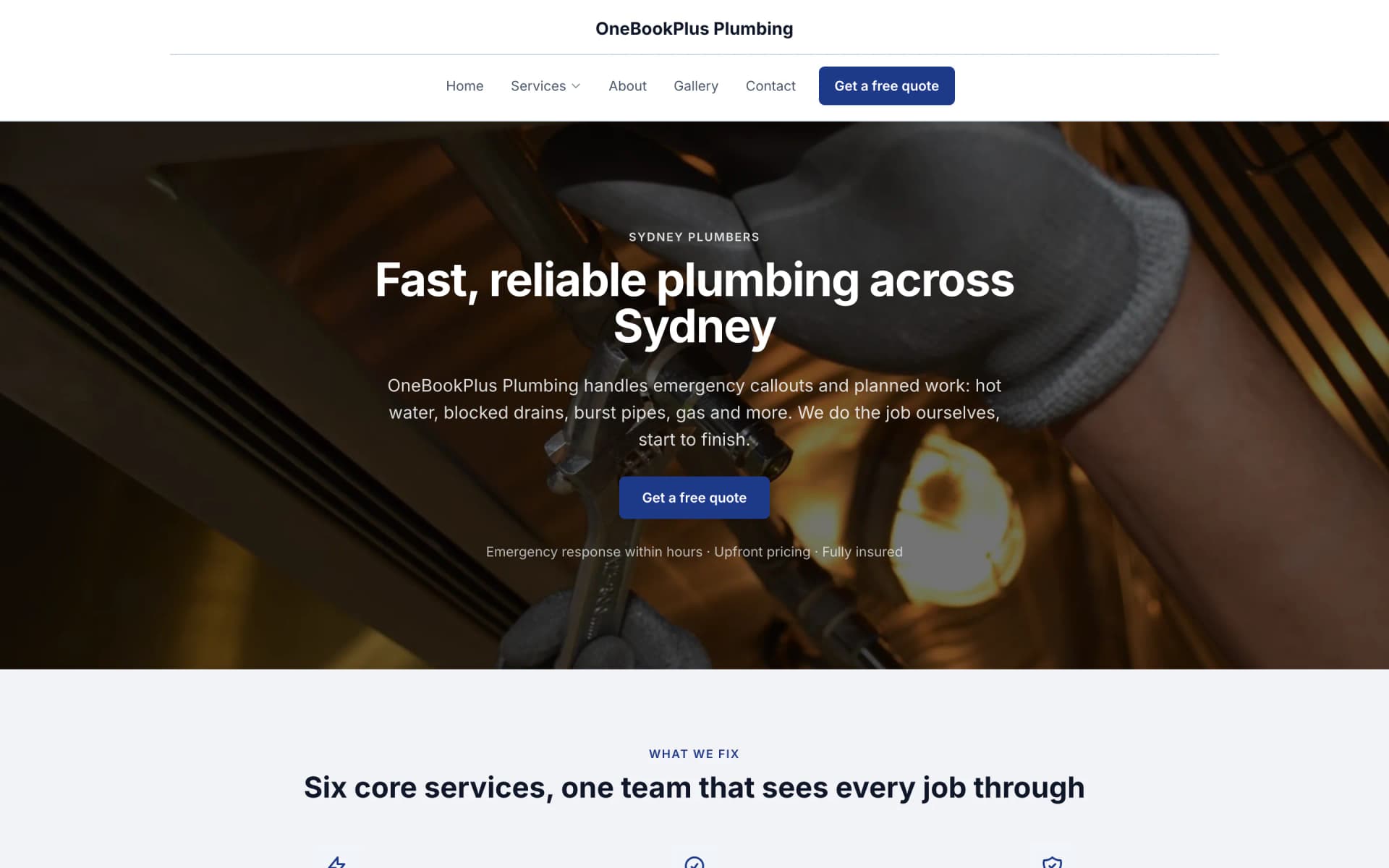
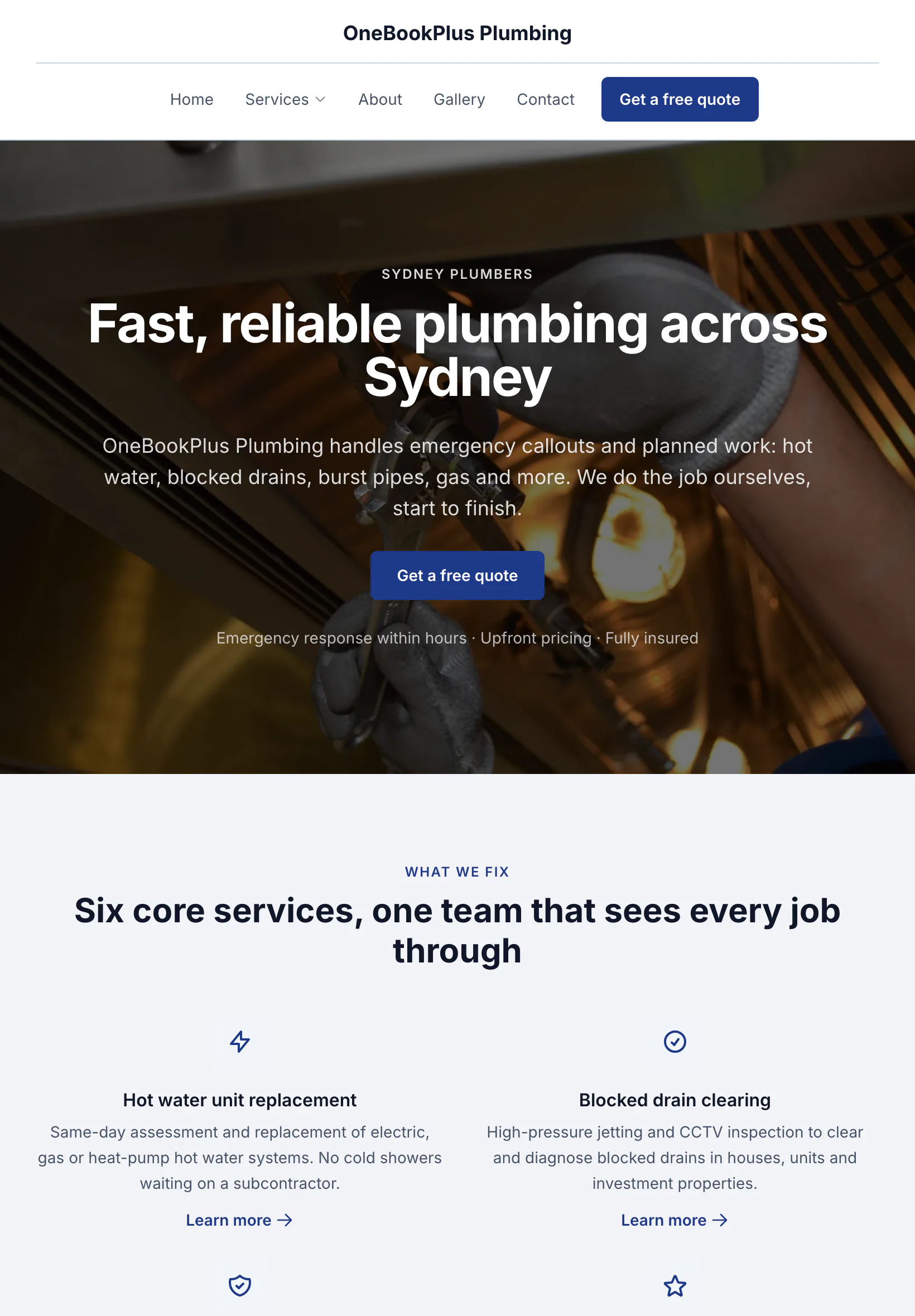
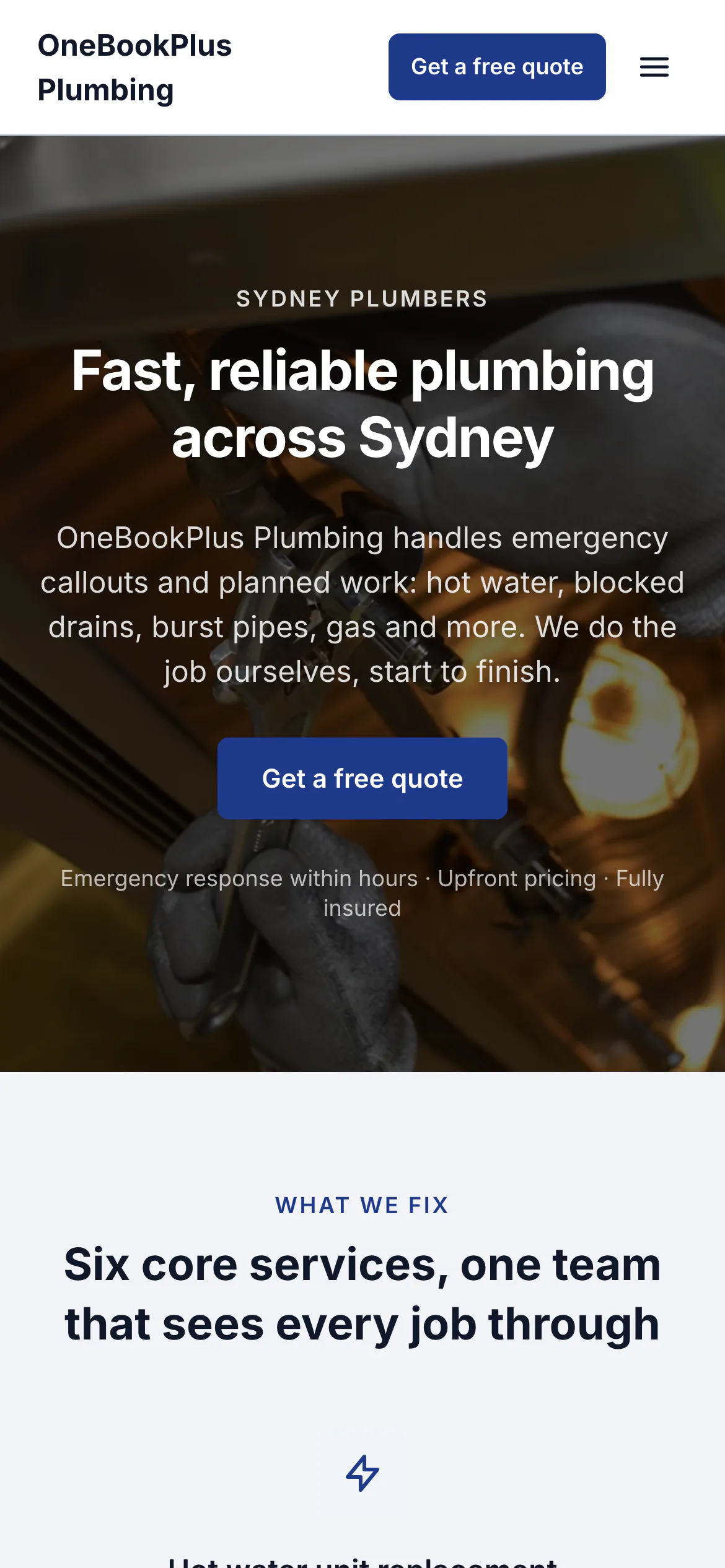
The home page: the name centred over the menu, a dark hero photo, a navy quote button and a grid of services.
Open the OneBookPlus Plumbing site(opens in a new tab)Invoice the gap fee, take the payment, and keep every family record straight, without the spreadsheet.
Enrolment CRM, recurring parent-fee invoicing and statements, online payments, bookings and parent comms, built for childcare centres, family day care educators and OOSH services. All-in-one for $0 to $69/mo. Pairs with your CCS-approved system. OneBookPlus does not submit CCS.
Free plan, no card needed. Enrolment records, gap-fee invoicing and reminders included.
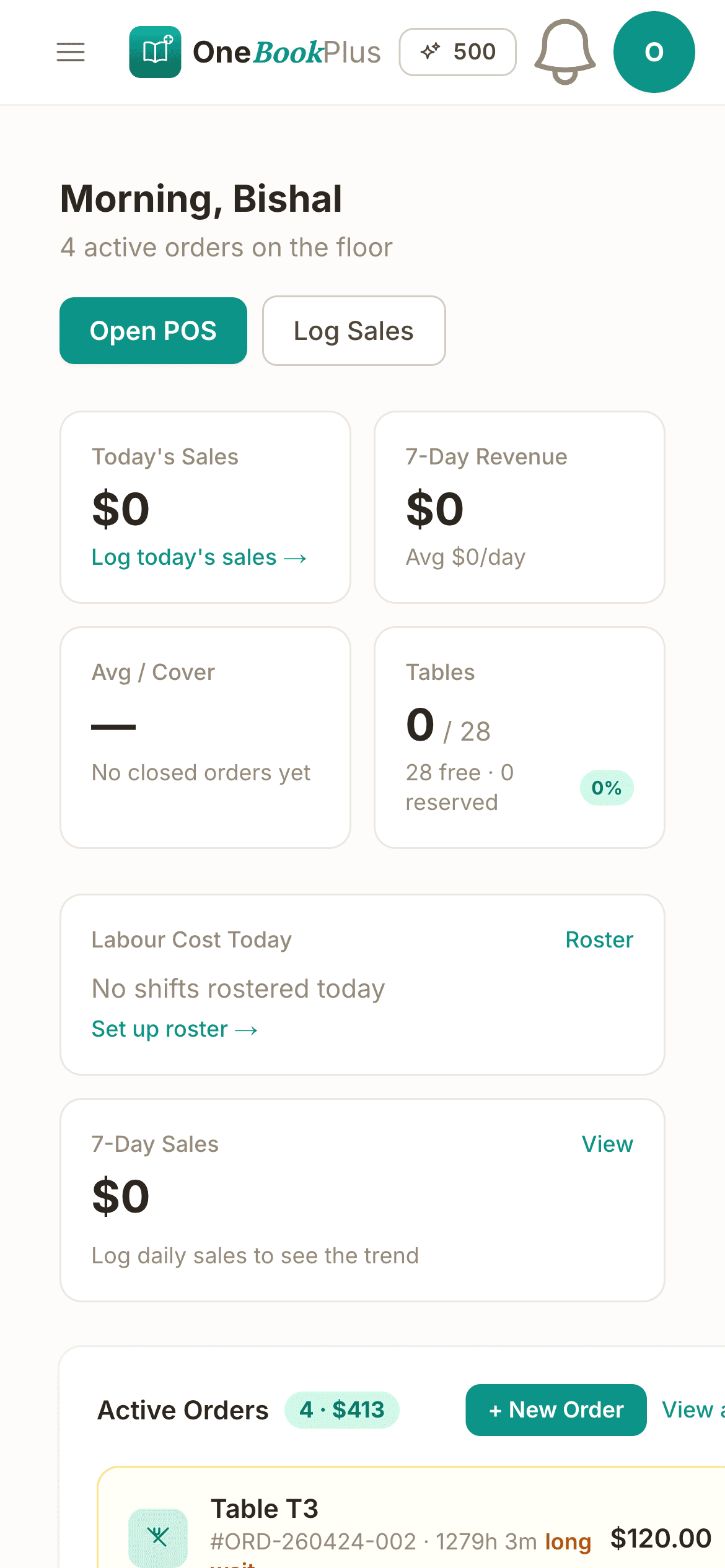
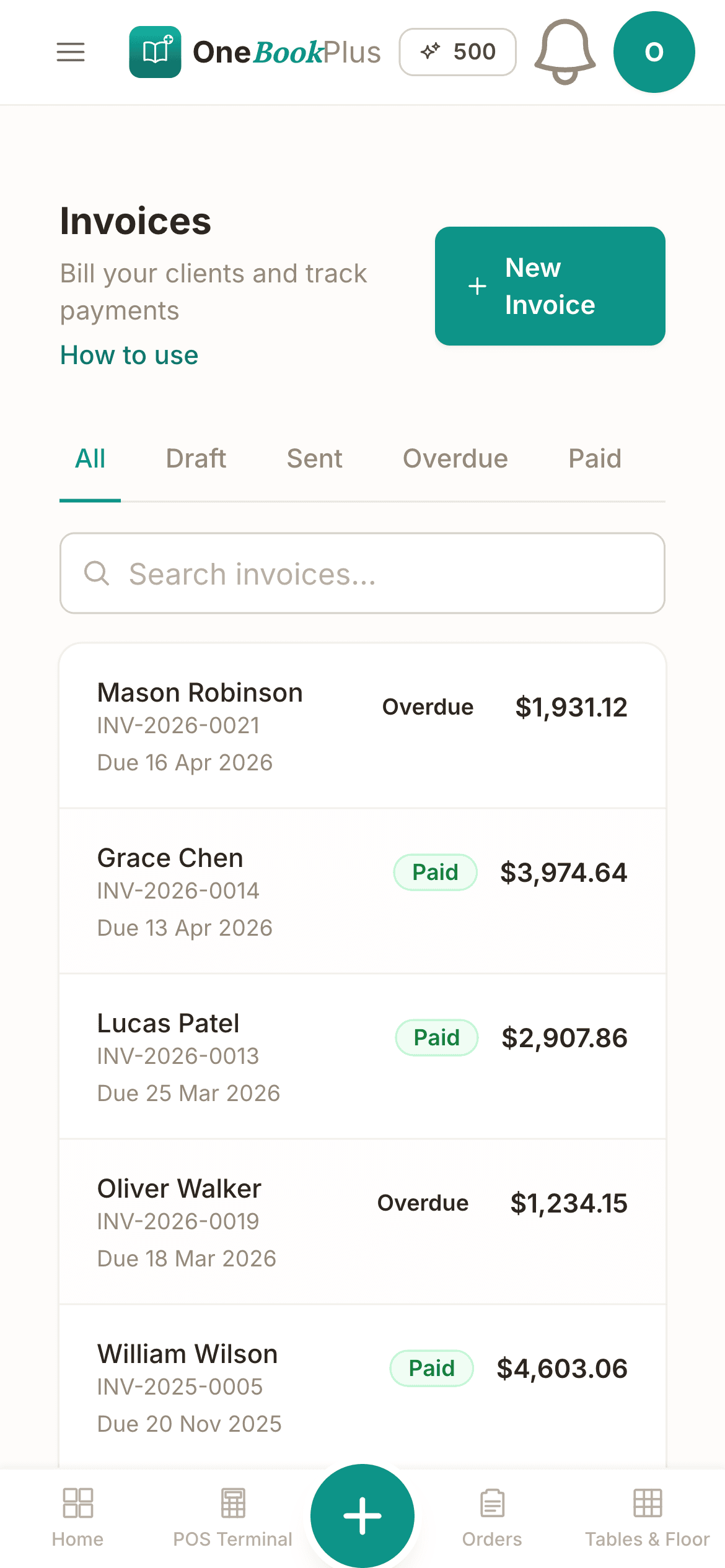
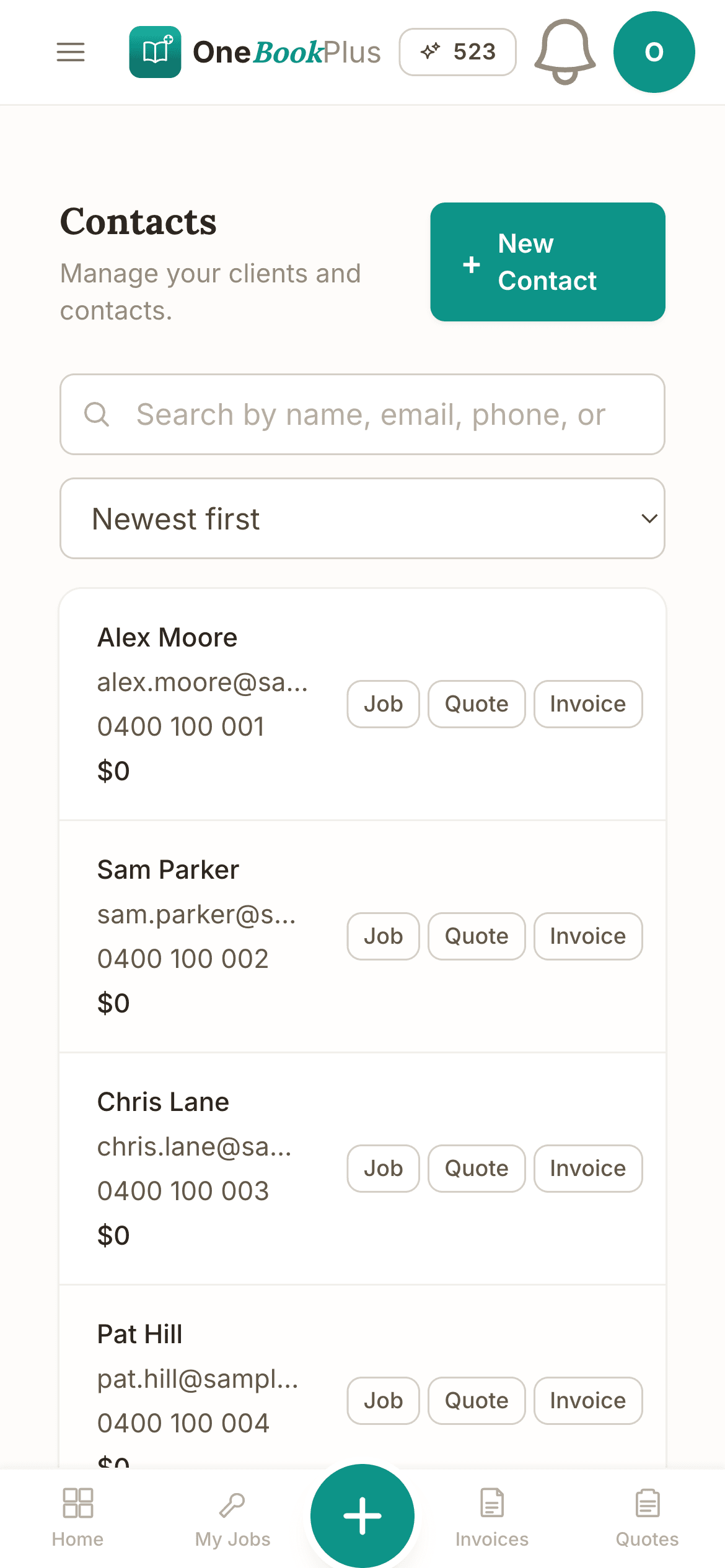
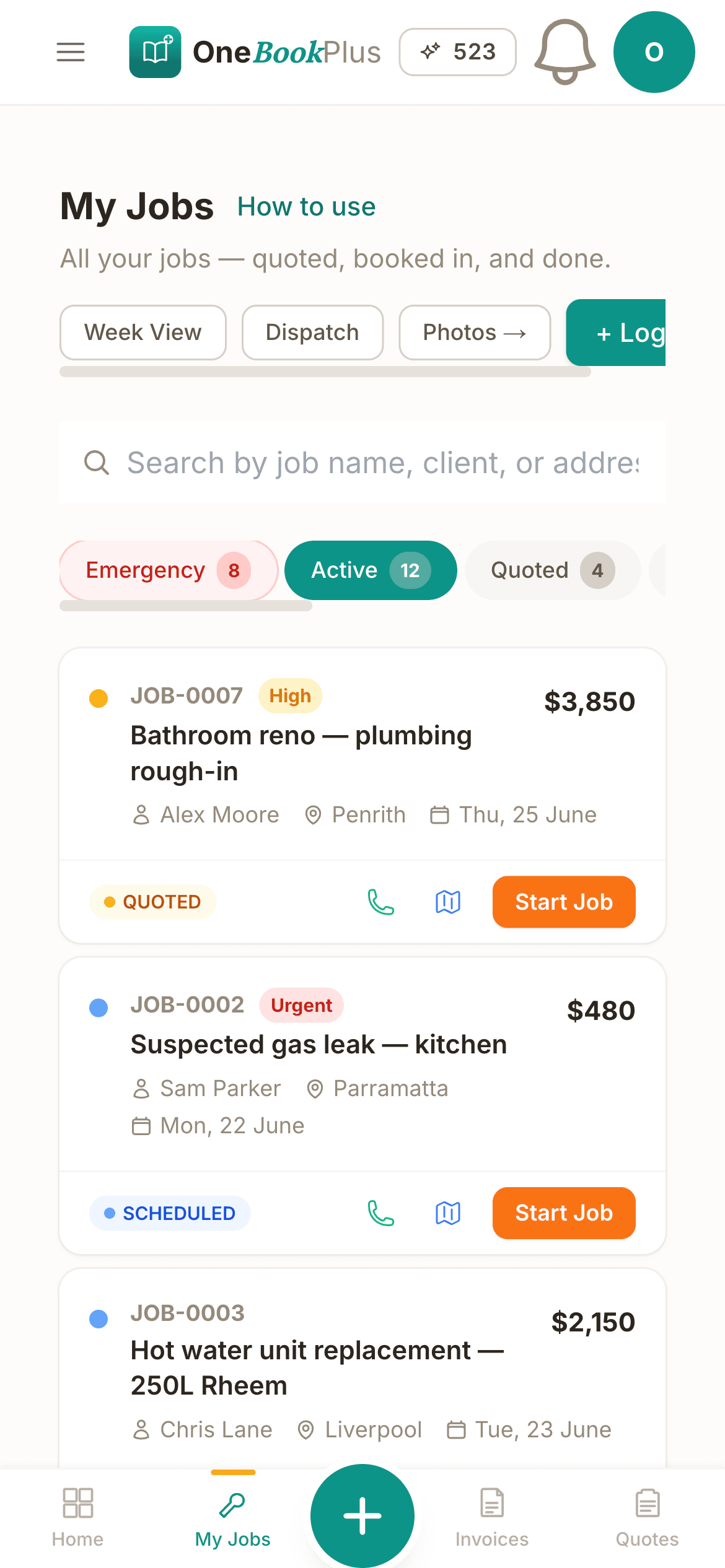
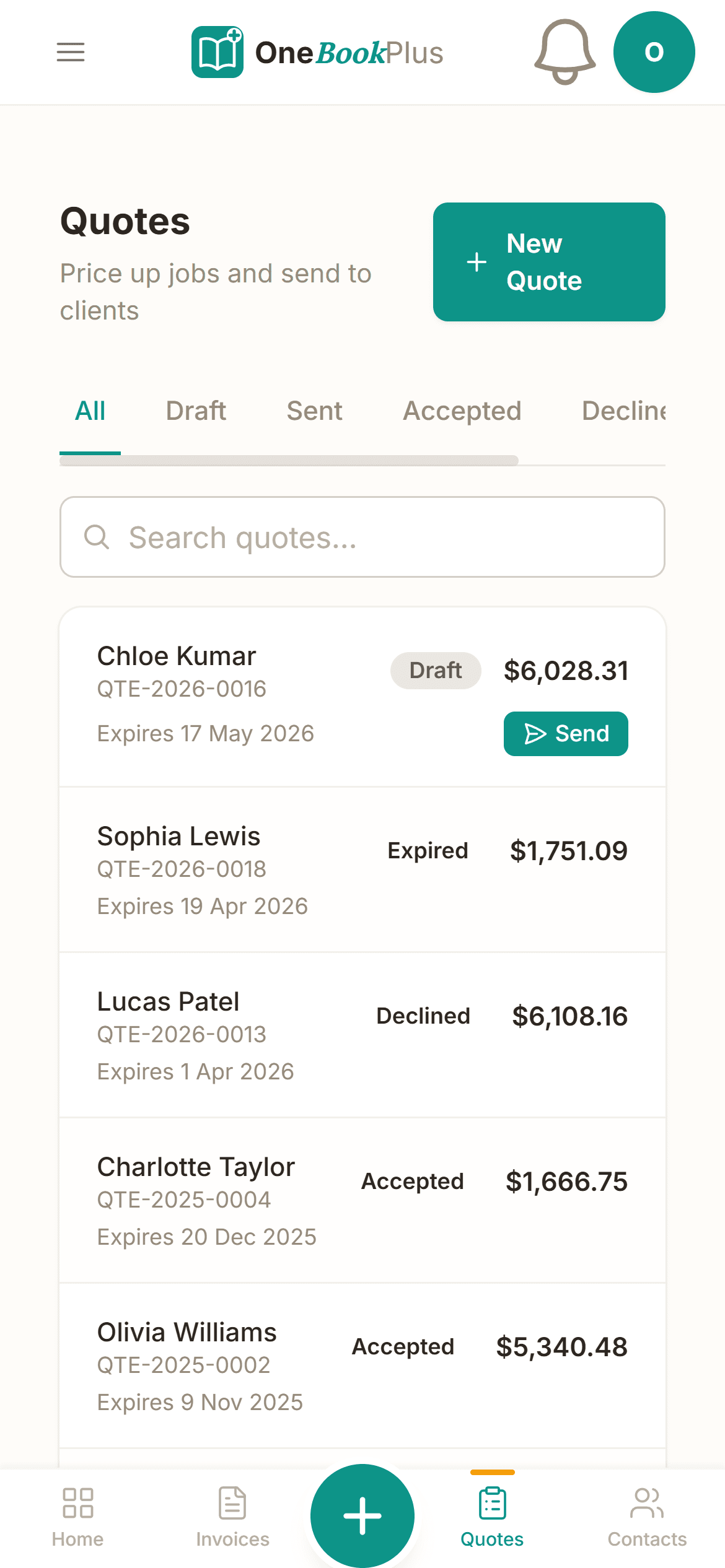
Run billing, payments and parent comms from one app instead of a spreadsheet, Xero, a payment tool and a separate SMS service.
See pricingKey takeaways
6From enrolment to the gap-fee invoice, payments, bookings and parent messages, OneBookPlus handles the everyday admin so your team can focus on the children.
Hold every child and family in one record, enrolment forms, parent and emergency contacts, authorised pick-ups, allergies and medical notes, immunisation dates and booked days. The full history is one tap away when a parent calls.
Raise recurring fee invoices and clear family statements showing the gap fee parents owe. Bill per-session, per-week or per-fortnight, apply discounts for siblings or extra days, and keep every family's balance straight.
Parents pay fees by card from the invoice link, and gentle automated reminders chase overdue accounts so you're not having the awkward money conversation at pick-up. Less arrears, far less admin time on the phone.
Let families request a place, book casual or vacation-care days, and add extra sessions online. A branded booking page captures new enquiries 24/7 and feeds your waitlist instead of leaving voicemails unanswered.
Send fee reminders, closure notices, term dates, excursion permission requests and waitlist updates by SMS and email, to one family or your whole list. Keep parents informed without printing another note for the bag.
Fee income is categorised as it's billed and your reports stay up to date, so you can see occupancy revenue, outstanding family balances and a BAS-ready GST summary without a spreadsheet at quarter-end.
Free plan available, no card needed.
Website included
Every paid plan includes a full website, hosted by us, with nothing extra to buy and no separate builder: your site, its booking page and the tools behind them sit on one plan. The Free plan keeps the booking page and does not have the website.
The AI drafts every page from your own answers about your childcare work, not from your business name, and it does not invent claims. Every page is laid out for a phone as well as a desk. In the Website Studio you edit any section in place, add text, lists and buttons inside it, choose how many cards sit across, and change the look, which keeps your words, your photos and the spacing you set. The booking page is built in and the site's Book buttons go to it. Your first AI build is included with the plan. A later rebuild runs on AI Companion credits, and one that starts fresh replaces your pages, saving a restore point in History first.
A parent submits an enquiry or requests a casual vacation-care day at 9pm, long after the office is closed. It lands in your dashboard with the child's details and the days requested, ready to add to your waitlist tomorrow.
Long day care $135/day. Before & after school $32/session. Vacation care $75/day. A customer sees the price before they book.
The AI writes your services and the area you cover from your answers, so when someone searches 'childcare in [suburb]' there is a page that says what you do and where.
No card needed to start.
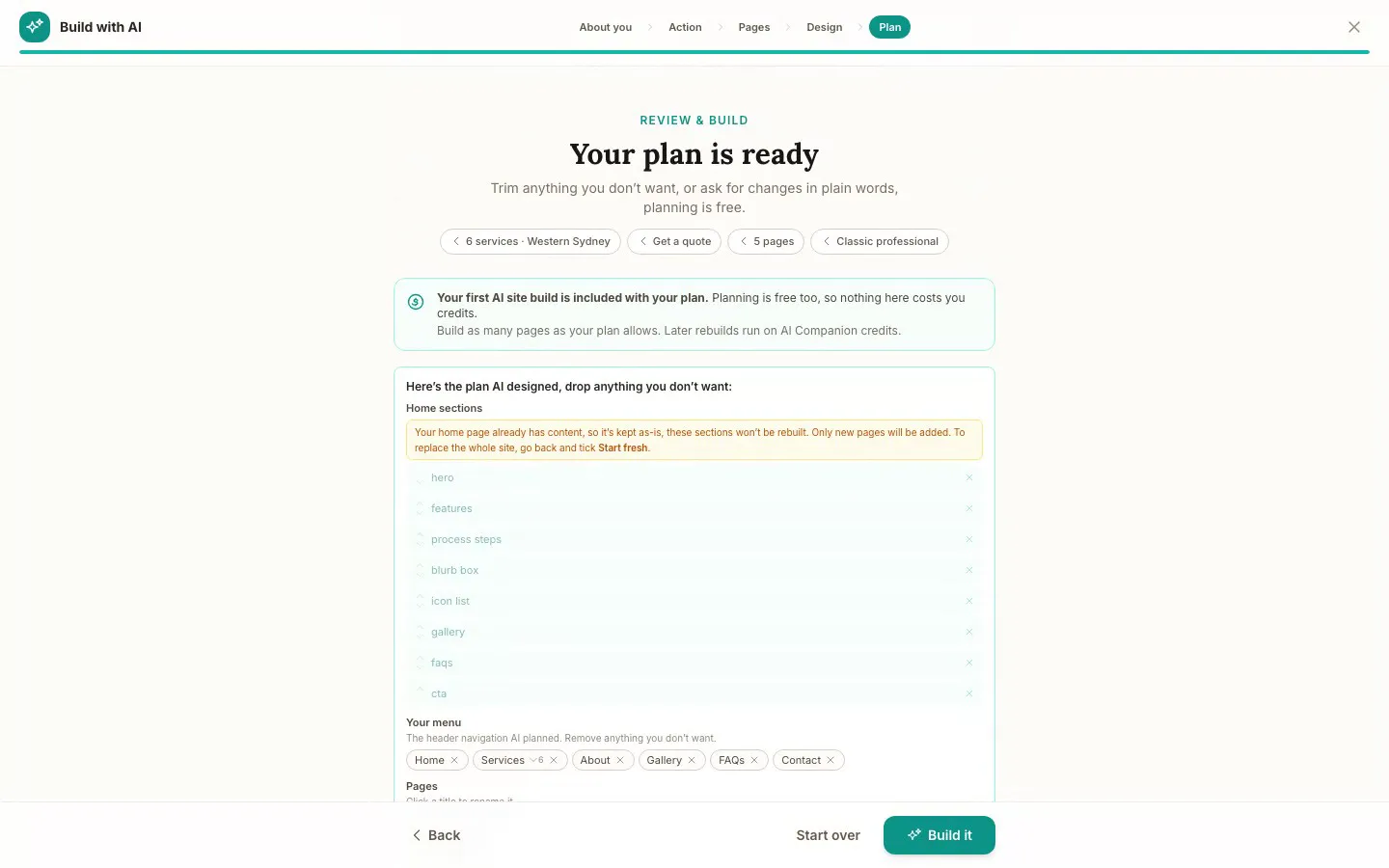
The Website Studio's Build with AI at its Plan step, on our plumbing demo: the pages, sections and menu the AI proposed from the answers already on the account, before anything is built. Click it to see it full size, or watch the recording of the build on the homepage.
Free
$0
A branded booking page on your OneBookPlus address. No website on this plan.
Starter
$29/mo
A website on your OneBookPlus address, hosted with SSL: 10 pages and a blog. The first AI draft is included.
Plus
$49/mo
Your own domain with SSL, 50 pages and a members area.
Growth
$69/mo
Unlimited pages, and a landing page per suburb from one template.
Your own domain connects on an active paid Plus or Growth subscription, not during the 14 day trial; a trial site lives on your OneBookPlus address. Every published site carries a small “Made with OneBookPlus” credit.
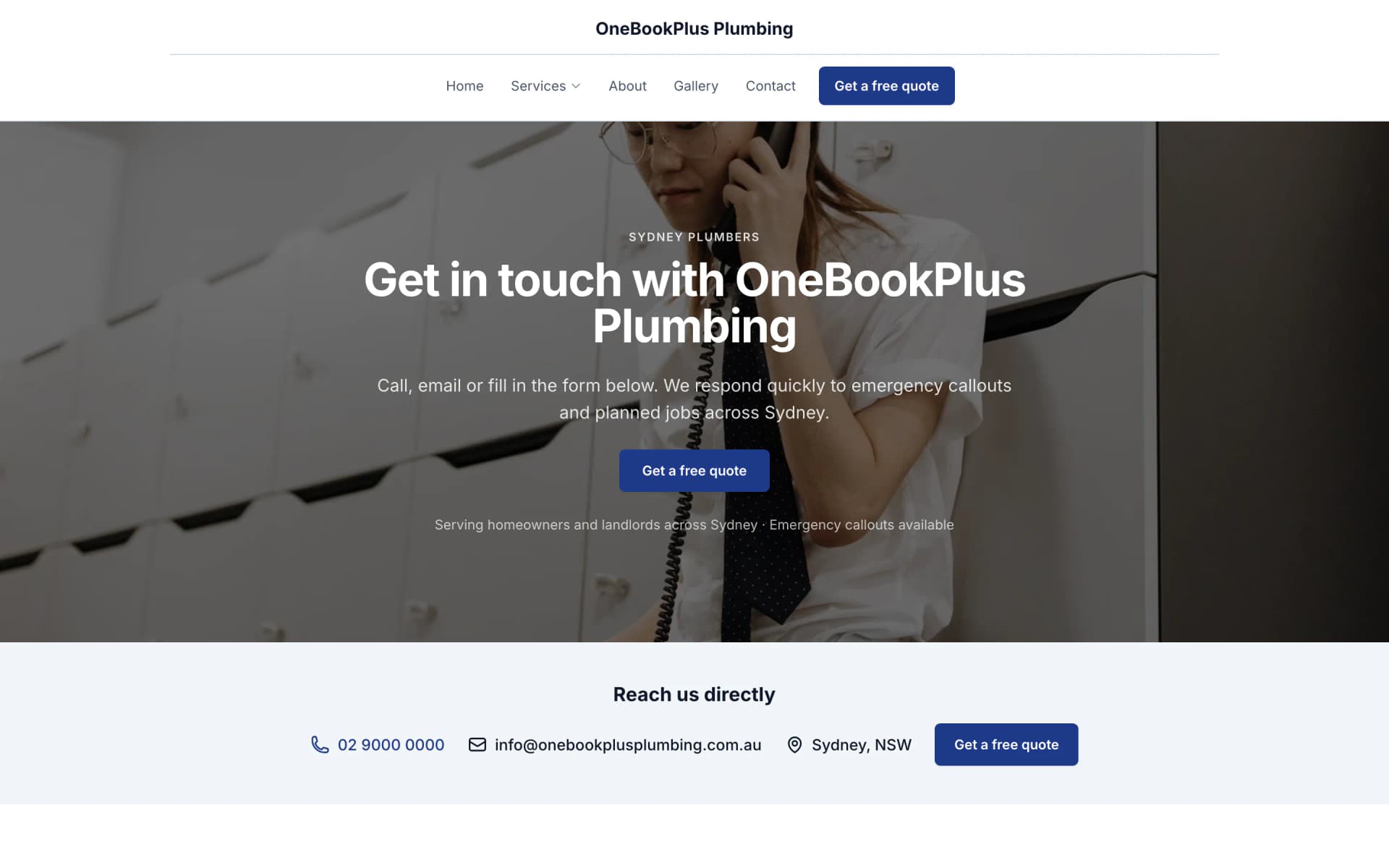
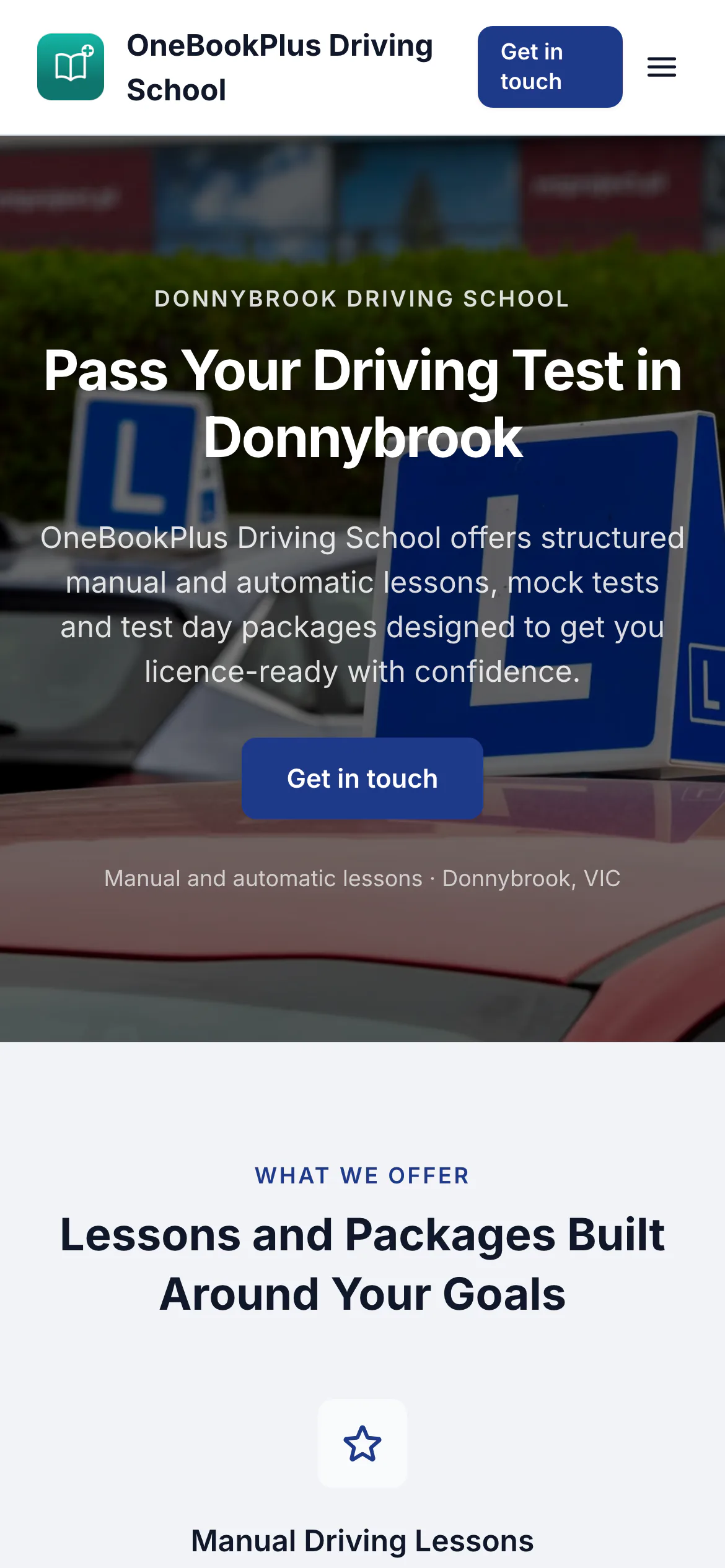
All three sites were drafted by the AI from the owner's answers, our own site included. It picks one of eight heading and body type pairings and how the cards sit (a fine line, a bold outline, a soft lift or no card), so a plumber's site, a driving school's and ours do not come out alike. Switch the view to see each one on a desktop, a tablet and a phone, click any screenshot to see it full size, or open the live site in a new tab. The plumber and the driving school are our demo businesses, not customers.
A plumber in Sydney
The home page: the name centred over the menu, a dark hero photo, a navy quote button and a grid of services.
Open the OneBookPlus Plumbing site(opens in a new tab)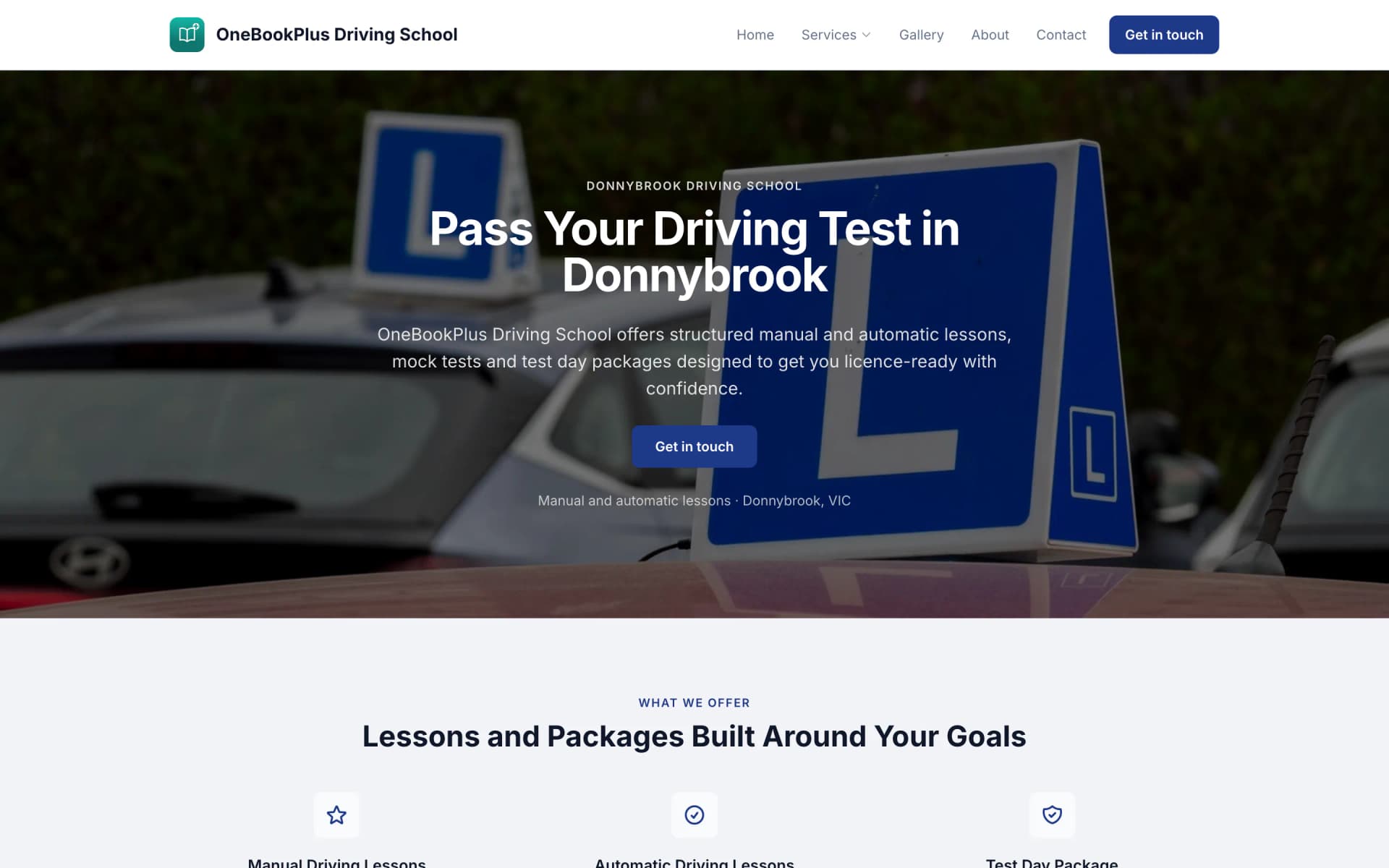
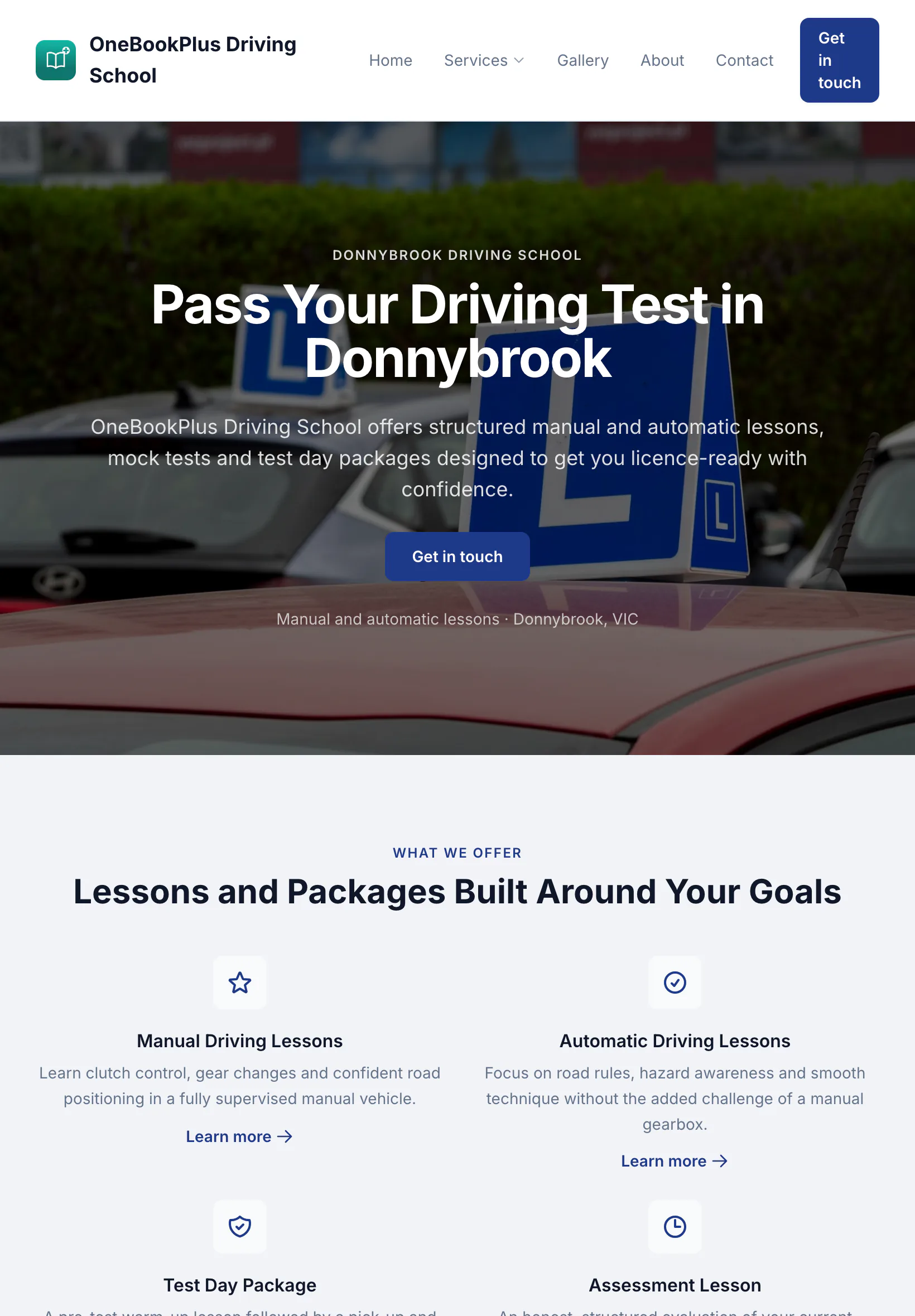
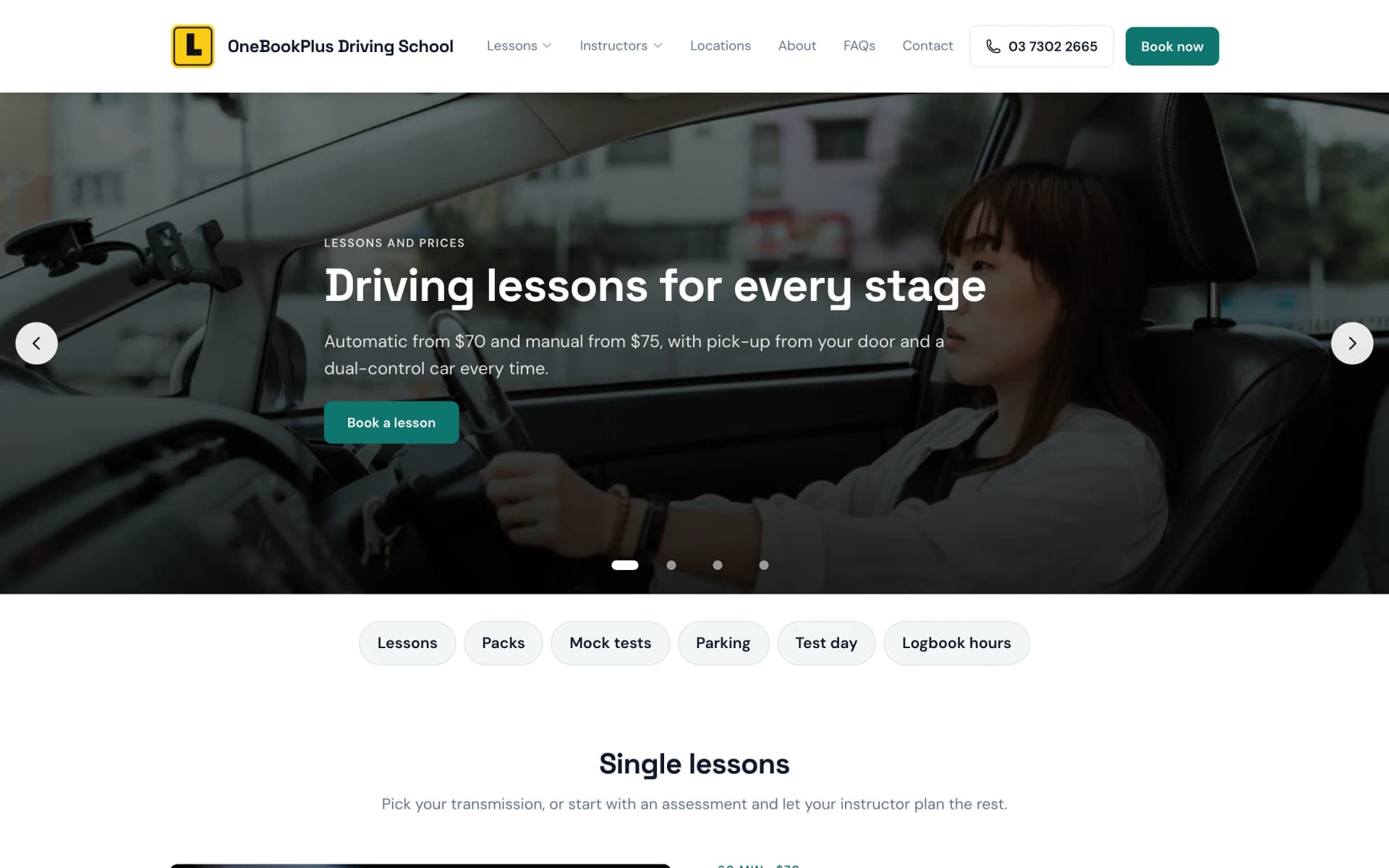
A driving school in Melbourne's west
The home page: an L plate logo, a video banner of a hand on the wheel and a yellow band of numbers.
Open the OneBookPlus Driving School site(opens in a new tab)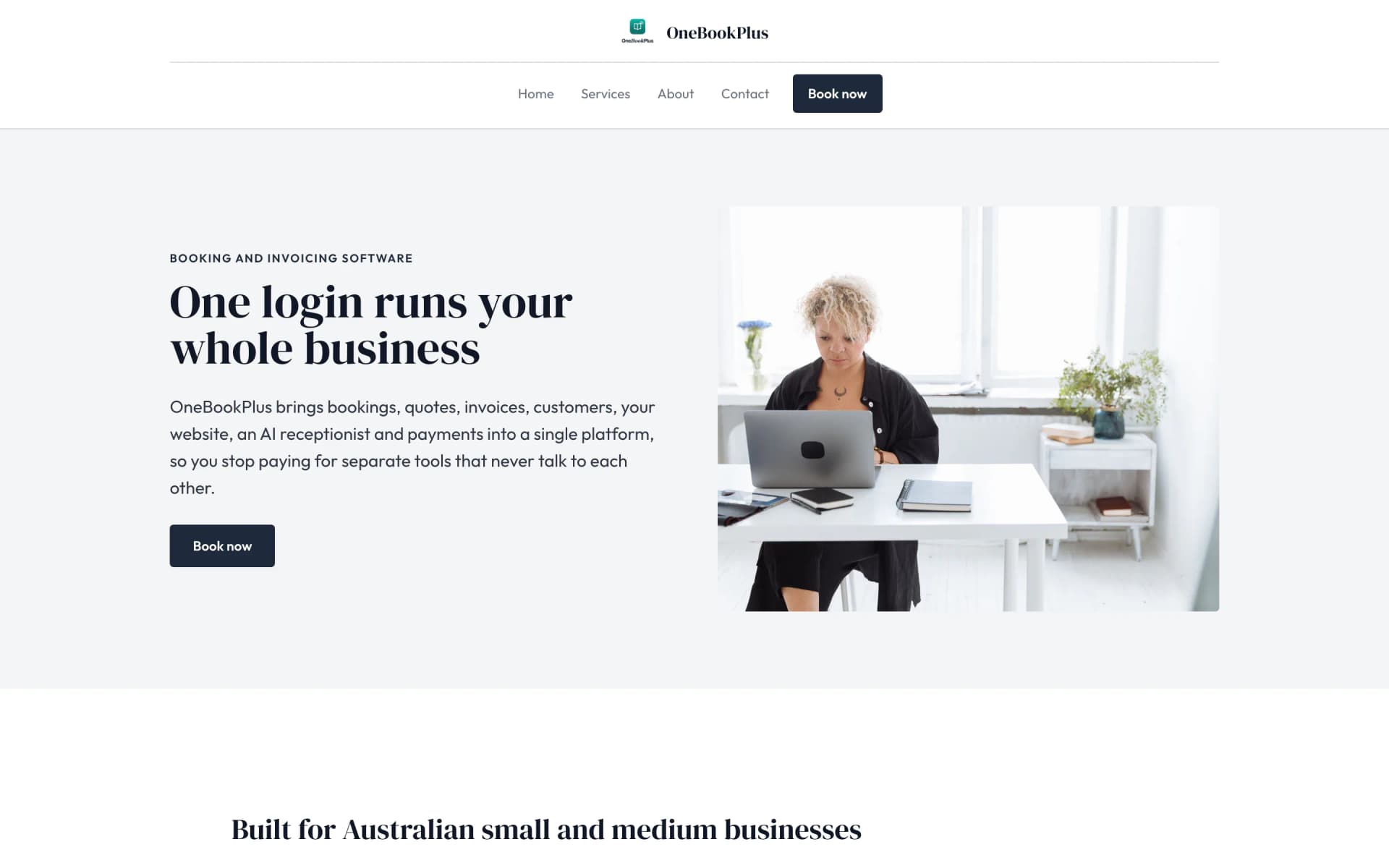
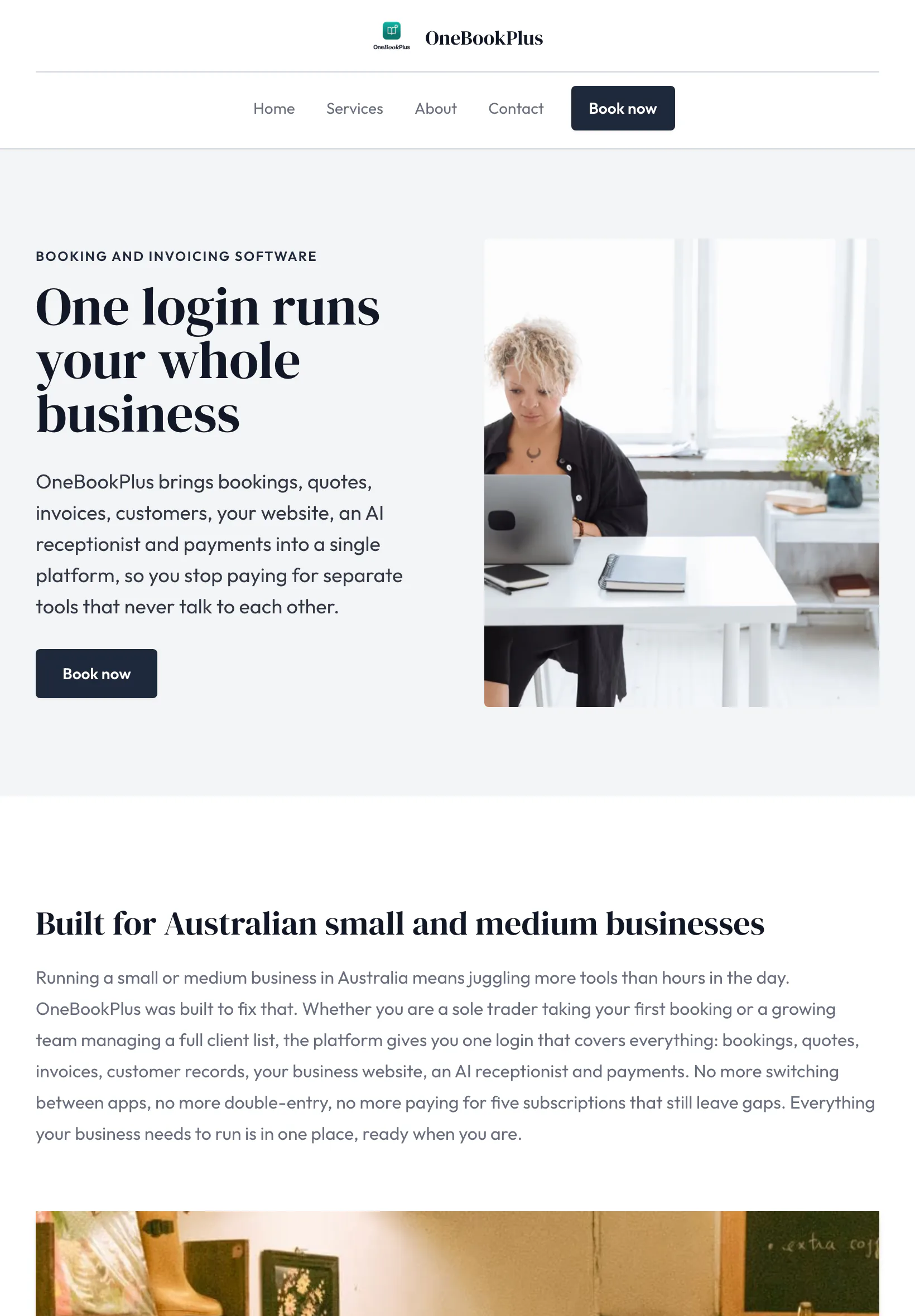
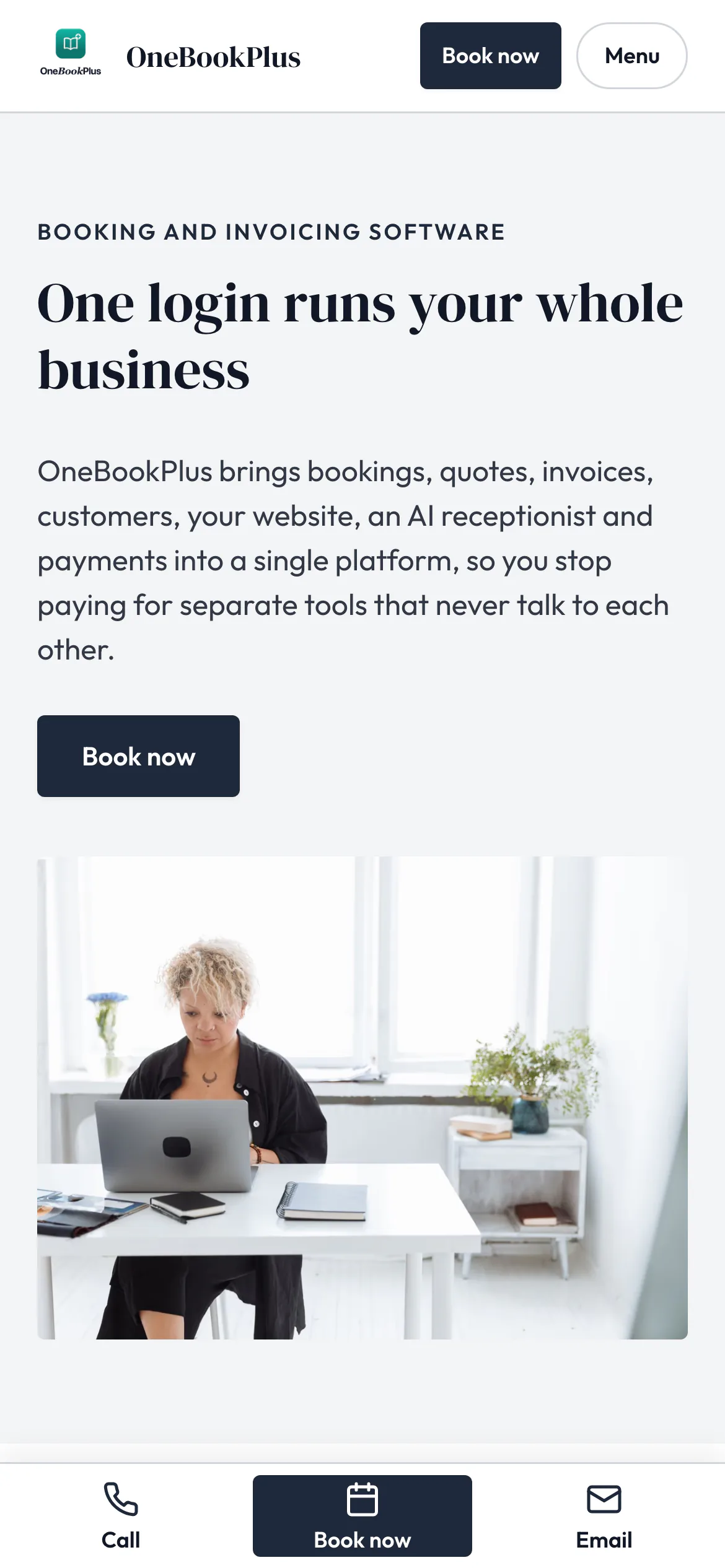
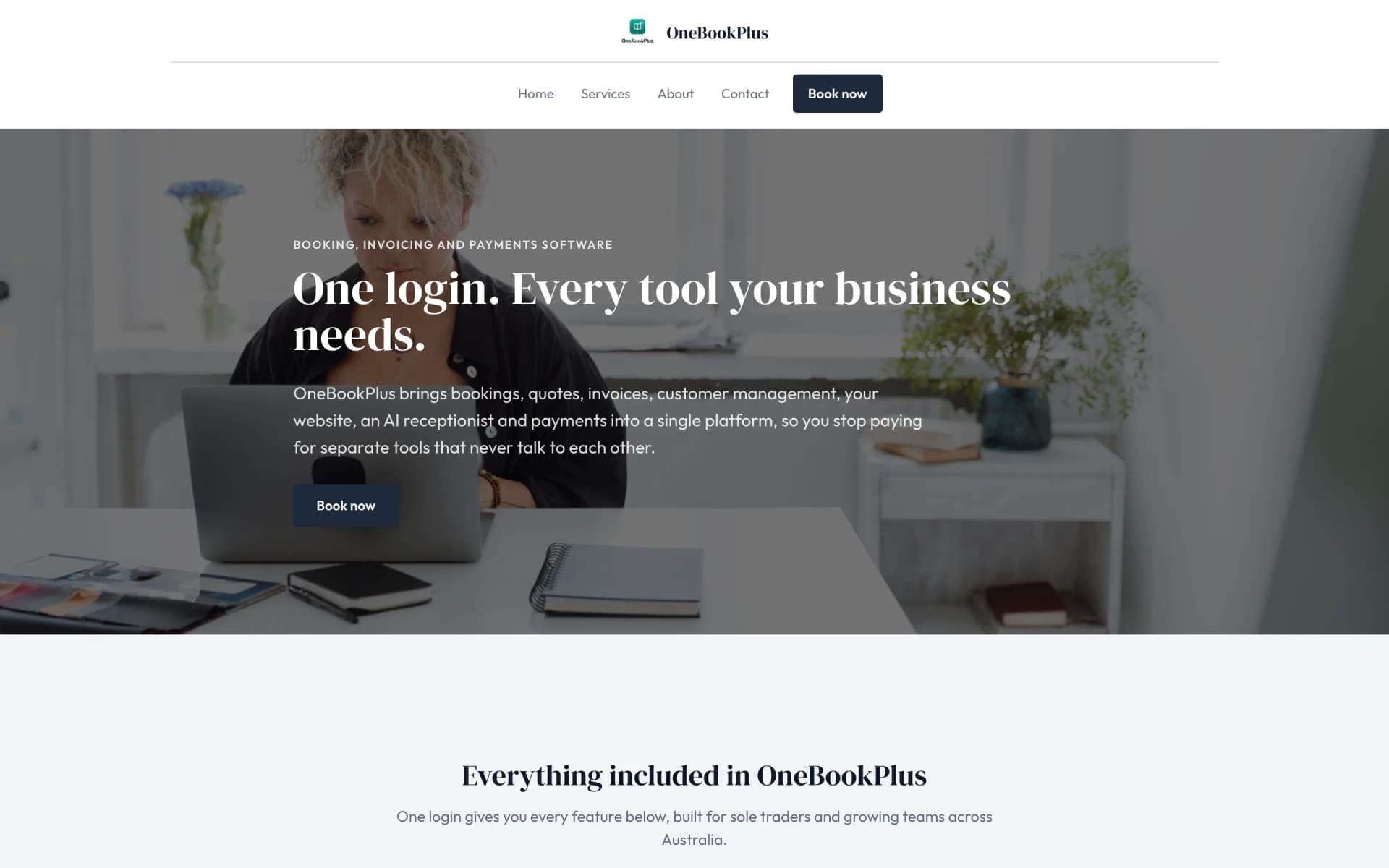
Our own site, built the same way
The home page: a serif heading beside a framed photo on pale grey, and no full width hero at all.
Open the OneBookPlus site(opens in a new tab)See it in action
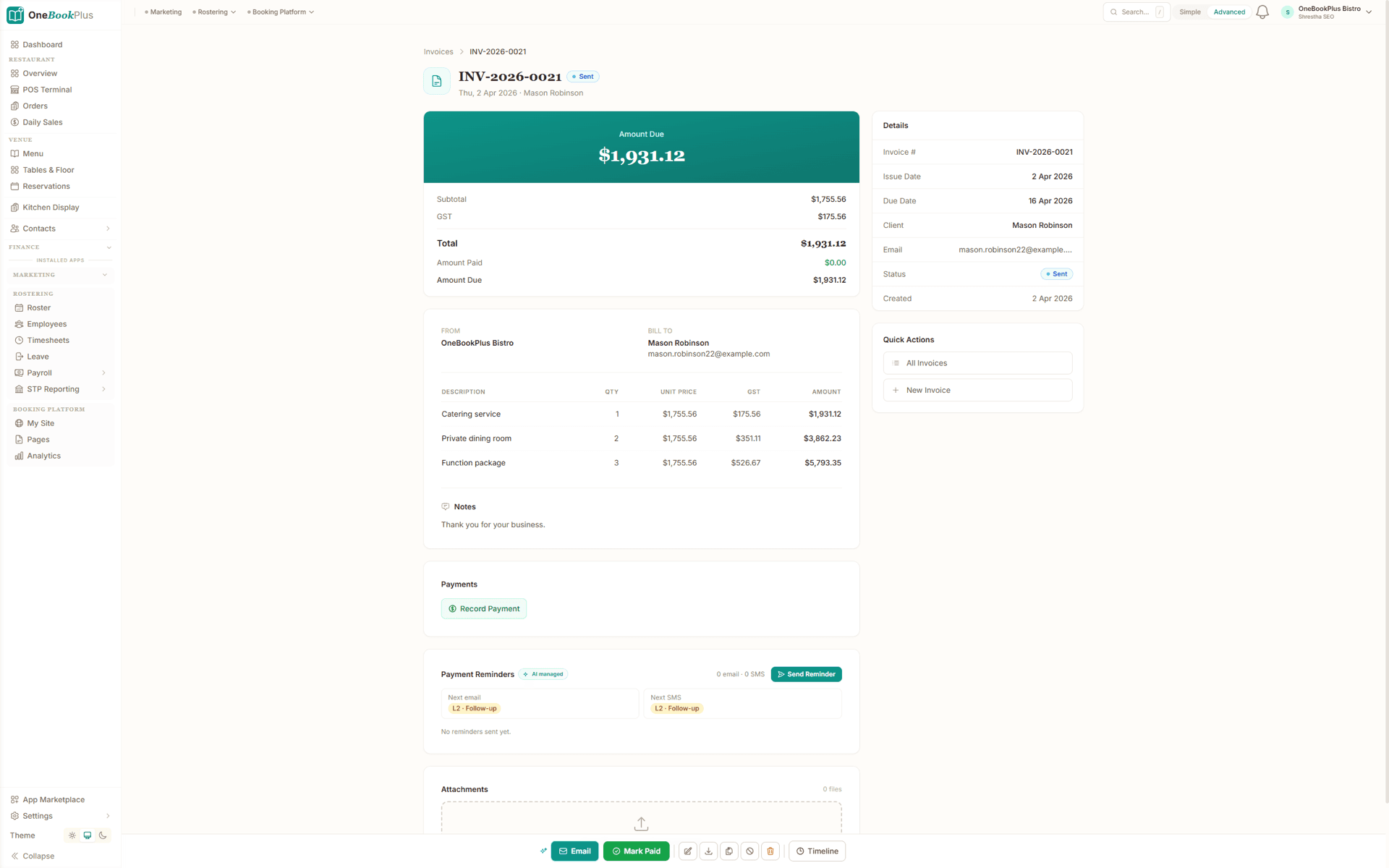
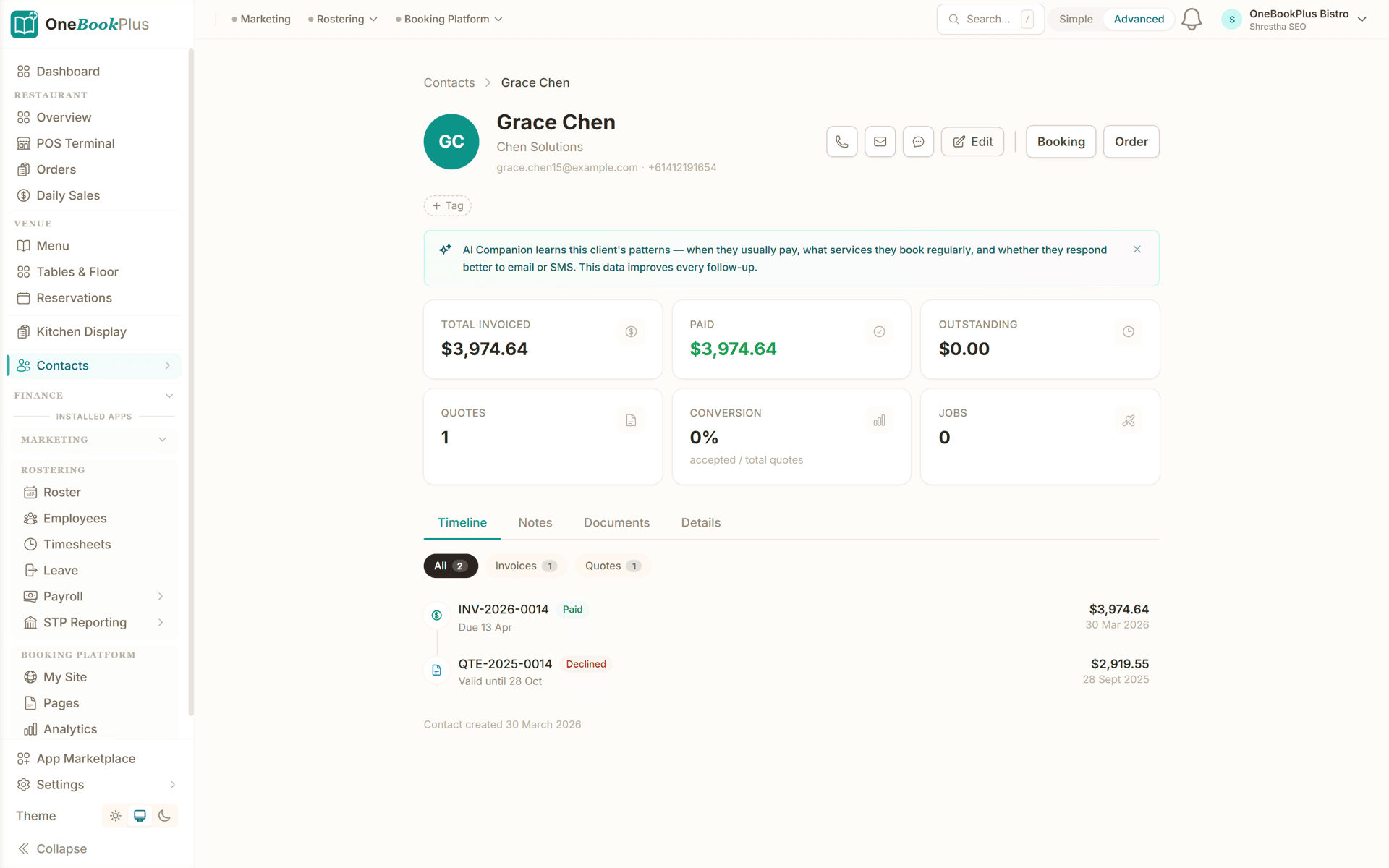
These are real product screens: the per-cycle fee invoice and the family record. Tap any screen to zoom in.
Fees invoiced per cycle rather than typed each fortnight, with the amount due on top, subtotal, GST, total and amount paid underneath, and the next email and next SMS reminder already queued against it.
The family record: contact details, total invoiced, paid and outstanding, and every invoice and quote on one timeline, with tabs for notes and documents, so the answer to a parent's question is not in somebody's head.
The same four steps whether you hold five family day care places or four rooms.
Add your rooms or care types, long day care, family day care places, before and after school, and vacation care, with daily or sessional fees. Build your branded booking and enquiry page.
Capture each child's enrolment, parent and emergency contacts, authorised collectors, allergies, medical and immunisation details, and the days they're booked, all in one family record.
Raise recurring fee invoices for the gap parents owe, send statements, and let families pay online. Automated reminders chase late accounts so you don't have to.
Send closure notices, term dates and reminders by SMS and email, work your waitlist for casual and vacation-care days, and watch occupancy and income on one dashboard.
Send a real gap-fee invoice the day you sign up
Who it's for
A family day care educator, a multi-room long day care centre and an OOSH program bill on completely different rhythms. Here is what each one uses.
Caring for a small group from home. Needs simple enrolment records, gap-fee invoicing, online payments and parent messaging, all from a phone.
Running rooms across age groups with permanent and casual places. Needs family CRM, recurring fee billing, statements, waitlists and daily reconciliation.
Before-school, after-school and holiday programs with fluctuating attendance. Needs casual bookings, per-session invoicing and parent comms about pupil-free days.
Term-based enrolments and program fees. Needs enrolment forms, term invoicing, payment reminders and a clear view of every family's balance.
Named tools, at each vendor’s own cheapest published plan, and ours underneath. Vendor pricing changes, so check each one before you decide.
Or use OneBookPlus
$29/mo
Everything in the list above, on one bill.
Start freeNo credit card · Free forever · Cancel anytime
Example walkthrough
An illustrative walkthrough of a typical family day care billing cycle
You open the dashboard before the first child arrives. Today's booked children are listed, and a casual day a parent requested overnight through your booking page is sitting there with the child's details and the day they need, so it goes onto the schedule in two taps rather than becoming a voicemail you return at nap time.
Mid-morning a new family enquires about a permanent place. You open a family record and capture the parent and emergency contacts, the authorised collectors, the child's allergies and immunisation dates, and the days they want. It sits on the waitlist with everything already on file for the moment a place opens up.
At the end of the fortnight you raise the gap-fee invoices for the sessions each family used, with a statement that itemises booked days, any extra sessions and any sibling discount. Parents pay online from the invoice link, and the ones who do not get an automatic reminder rather than an awkward conversation at pick-up.
When you close for a training day, one message goes to every family by SMS and email at once. CCS reporting still runs through your approved system, because OneBookPlus handles the enrolments, billing, payments and parent comms and not the subsidy. Come BAS time, the GST summary is already up to date.
How we compare
See how we compare on the billing and family-management side. Sector platforms still own CCS submission.
| Feature | OneBookPlus | Kinder M8 | Xplor | QikKids |
|---|---|---|---|---|
| Enrolment & family CRM | Yes | Yes | Yes | Yes |
| Parent fee invoicing & statements | Yes | Yes | Yes | Yes |
| Online card payments | Yes | Yes | Yes | Yes |
| Automated payment reminders | Yes | Yes | Yes | Yes |
| Bookings & waitlists | Yes | Yes | Yes | Yes |
| SMS & email parent comms | Yes | Yes | Yes | Yes |
| GST-free / taxable invoicing | Yes | Yes | Yes | Yes |
| Accounting & P&L | Yes | No | No | No |
| BAS-ready tax reports | Yes | No | No | No |
| CCS submission to Services Australia | No | Yes | Yes | Yes |
| Free plan available | Yes | No | No | No |
| Price | From $0/mo | Custom | Custom | Custom |
Start free, upgrade when your family list justifies it. No contracts, no setup fees, no per-seat tax. Cancel any time.
Free
$0/forever
Invoice your first family today, no credit card.
Starter
$29/mo
Replaces your spreadsheet + Xero + a payment tool + your SMS service.
No card, drops to Free if you don't upgrade
Plus
$49/mo
Outgrowing the basics, advanced reporting.
Our pick: unlimited contacts and booking pages for $49
Growth
$69/mo
For busy centres chasing occupancy, waitlists and arrears.
Prices in AUD. Child care by an approved or registered service is generally GST-free; some incidental goods/extras may be taxable. OneBookPlus does not submit CCS. Online card payments carry Stripe processing fees (1.65% + 30¢ AU cards) plus a 2.5% OneBookPlus platform fee. Read the full plan comparison
Export your family list and contacts as CSV from your spreadsheet or current tool, import them into OneBookPlus with the bulk importer, set up your fees and recurring invoices, and you're billing families from the next cycle. Keep running your CCS-approved system for subsidy submission alongside it.
Move billing from
Built-in AI
You're teaching, the phone rings out and the enrolment enquiry quietly moves on.
OneBookPlus
AI Receptionist · incoming call
“Do you have room for beginner lessons?”
If you don't answer, the AI books it, Trial lesson · Sat 10:00am, and texts a confirmation.
Extend Your Toolkit
Add online bookings, payments, parent comms and more to streamline your service.
Built in Melbourne, AU
ATO-ready from day one
TLS in transit, AES-256 at rest, tenant isolation at the database layer, read the security page
No credit card needed
Common questions about childcare invoicing and billing software.
Childcare invoicing software handles the business side of running a service, enrolling families, billing parent fees, taking payments and keeping family records straight. OneBookPlus brings enrolment CRM, recurring fee invoicing and statements, online card payments, bookings and waitlists, and SMS/email parent communications into one Australian app, with BAS-ready accounting on top. It runs free, with unlimited one-off bookings, for a small list of families and scales as you grow, so a single family day care educator and a multi-room centre can use the same platform.
No. OneBookPlus is business and billing software, not a CCS-approved Child Care Software (CCS System) provider, so it does not submit session reports or claim Child Care Subsidy through the CCS System on your behalf. CCS is administered by Services Australia, and subsidy submission must go through a provider's approved CCS solution or the Provider Entry Point. What OneBookPlus does is the part those tools often leave clunky: invoicing the gap fee a family owes, sending clear family statements, taking online payments, chasing arrears, and keeping your enrolment records and accounting in order. Many services run a CCS-approved system for subsidy reporting alongside OneBookPlus for everyday billing and family management, confirm your CCS obligations with Services Australia.
Yes. Family day care educators run a small business, enrolling families, billing fees, taking payments, keeping records and communicating with parents, and that's exactly what OneBookPlus is built for. Hold each child's enrolment, contacts, allergies and booked days in one record, invoice the gap fee, take card payments, and message families about closures or schedule changes, all from your phone. CCS reporting still happens through your approved family day care service or CCS System; OneBookPlus handles your billing and family administration.
Yes. Outside School Hours Care (before-school, after-school and vacation care) lives on permanent and casual bookings, fluctuating attendance and end-of-week or end-of-term invoicing, all of which OneBookPlus supports. Take casual and vacation-care bookings through your branded page, invoice families for the sessions used, send payment reminders, and message parents about pupil-free days and program details in one place.
Child care provided by an approved or registered care service is generally GST-free under the GST law, while some incidental goods and extra services can be taxable. OneBookPlus lets you set GST-free and taxable lines per invoice so your records and BAS reflect the correct treatment without manual sorting. This is general information, not tax advice, confirm how GST applies to your specific service with your accountant or the ATO.
Kinder M8, Xplor and QikKids are established childcare platforms with deep CCS reporting, sign-in and educational-program features built specifically for the sector. They're the right tool when CCS submission, attendance and compliance reporting need to sit inside your software. OneBookPlus is the simpler, more affordable option for the billing and family-management side: enrolment CRM, parent fee invoicing and statements, online payments, bookings, waitlists, parent comms and BAS-ready accounting, from $0/month. If you handle CCS in a dedicated, CCS-approved system, OneBookPlus is a genuine everyday-admin alternative for the rest; if you need CCS submission built in, keep a sector-specific platform for that part.
That depends on your fee policy and your written enrolment terms, not on the software. Most services charge for a booked day whether or not the child attends, and many charge for gazetted public holidays that fall on a booked day, but you have to have said so in your enrolment agreement for it to hold. Whatever you charge, OneBookPlus invoices the gap fee against the booked days on the family record, so an absence is a decision you make once and it flows through the statement. Where CCS is involved, the subsidy treatment of absences is set by Services Australia and reported through your CCS-approved system, not through OneBookPlus. Check the current absence rules with Services Australia and have your fee policy reviewed before you rely on it.
You can if your enrolment agreement provides for it and the amount is a genuine reflection of your costs rather than a penalty, and Australian Consumer Law limits how far a standard-form contract can go with terms like this. In practice most services get further with automatic reminders than with fees: a polite SMS at the right moment clears far more balances than a charge does, and it does not sour the relationship with a family you will see every morning. OneBookPlus sends the reminders and shows you the arrears list so a small balance gets a nudge before it becomes a large one. This is general information, not legal advice, so have your fee terms checked before you add a late-payment charge.
As their own lines. A sibling discount, a casual day added mid-week, a vacation-care session and the regular booked days each sit as a separate line on the family's invoice and statement, so a parent can see how the total was reached without ringing you to ask. That matters more than it sounds: fee queries are one of the most common reasons a childcare account goes unpaid, and an itemised statement answers most of them before they are asked. Discounts you apply here are your own pricing decisions and are separate from any subsidy the family receives, which is calculated and reported through the CCS system.
About the author

Founder & CEO, OneBookPlus
Bishal spent a decade running digital projects for Australian small businesses before founding OneBookPlus. He writes and maintains these pages, and publishes what OneBookPlus does not do alongside what it does.
Read the founder bioHow this page was researched
The compliance and licensing statements above are taken from the bodies this page links to, including ACECQA, the National Office for Child Safety and the Department of Education, so you can read the rule rather than take our word for it. Plan prices come from the OneBookPlus price registry, so the page and the checkout cannot disagree. Everything said about OneBookPlus describes what the product does today, and the page says so where it does not do something.
A childcare service runs on a rhythm: families enquire and enrol, children attend their booked days, you invoice the fees parents owe, parents pay, and you keep everyone informed along the way. OneBookPlus supports every stage of that everyday-admin rhythm, from the first online enquiry through to the reminder that clears an overdue family balance, sitting neatly alongside whatever CCS-approved system you use for subsidy reporting.
Families find your service through Google, your website or word of mouth and submit an enquiry through your branded booking page, available around the clock, so a 9pm enquiry doesn't become a missed voicemail. New families complete a digital enrolment capturing parent and emergency contacts, authorised collectors, the child's allergies and medical notes, immunisation dates, and the days they want. When you have a place, you move them off the waitlist and into a booked schedule. Every detail lives in one family record, so when a parent calls about pick-up arrangements or an allergy, you have the answer in front of you rather than digging through a folder.
Child Care Subsidy is administered by Services Australia and is submitted through a CCS-approved Child Care Software (CCS System) provider or the Provider Entry Point, that part stays in your sector platform. What parents actually pay you is the gap fee: the portion of the fee left after any subsidy. OneBookPlus is built for exactly that gap. Raise recurring fee invoices on the cycle you bill, per-session, weekly or fortnightly, apply sibling or extra-day discounts, and send each family a clear statement of what they owe. Child care provided by an approved or registered service is generally GST-free, while some incidental goods or extras can be taxable; OneBookPlus tracks GST-free and taxable lines per invoice so your records and BAS stay correct without manual sorting.
Parents pay their gap fee by card directly from the invoice link, and payments reconcile against the family's balance automatically. When an account falls overdue, gentle automated reminders go out by SMS and email, so chasing arrears stops being a stack of awkward conversations at pick-up. The arrears view shows which families are behind and by how much, so a small balance gets followed up before it becomes a large one, protecting the cash flow your service relies on. If you want to see what a run of late-paying families does to your position over a quarter, the cash flow forecast calculator lets you model it on your own numbers.
Childcare is a wages business before it is anything else, and a fee set once and left alone quietly stops covering the roster. When you review your daily or sessional fee, the honest starting point is your own cost per placed child: educator wages including on-costs, rent and utilities, food and consumables, insurance and the software you run, divided across the places you can realistically fill rather than the places you have on paper. Occupancy is what moves that number most, which is why a waitlist you keep working is worth more than a small fee rise. Give families notice in writing before a fee change and put it in the enrolment agreement, because a fee increase landing without warning is one of the quickest ways to lose a booked day. The employer cost calculator gives you the true hourly cost of an educator once super and leave are counted, and the break-even calculator shows how many placed days it takes to cover a fixed cost base. Fees and subsidy are separate things: what you charge is your decision, what a family receives in subsidy is calculated by Services Australia.
Keeping parents informed is half the job. From one screen you can send closure notices, term dates, pupil-free-day reminders, excursion permission requests and fee notices by SMS and email, to a single family or your whole list, without printing another note for the bag. Families can request casual or vacation-care days online and add extra sessions, which feeds straight back into your schedule and billing. For OOSH and vacation-care programs especially, this turns the constant churn of casual bookings into a tidy, billable flow rather than a pile of texts.
The record that matters most on a bad day is not the invoice, it is the enrolment. Who is authorised to collect this child, who is the emergency contact when the parent is not answering, what is the allergy and what is the plan for it, which immunisation dates are on file, and which days is the child booked. Under the National Quality Framework those details are part of running an approved service, and the practical failure is almost never that a service did not collect them. It is that they were collected on paper at enrolment, changed by text message eight months later, and now exist in two versions. Holding them on one family record means the version at the front desk is the version the educator sees on their phone, and a change is made once. Keep the record current as families change: a new partner on the authorised collector list, a lapsed contact number, a new medical note. If you also run before and after school care, the education and training page and the tutoring business page cover the same records for term-based programs. This is administration guidance, not compliance advice: confirm your record-keeping obligations with your state or territory regulator.
Growing a service comes down to filling your places and keeping the families you have. Your dashboard ties it together, bookings, enrolments, occupancy, outstanding balances and BAS-ready financials in one place, so you always know where the service stands. Your booking page doubles as a lightweight website showcasing your care types, fees and how to enquire, and waitlist and enquiry campaigns help you fill openings as they come up. Throughout, OneBookPlus keeps your enrolment records, billing, payments and parent communications in order, while your CCS-approved system handles subsidy submission, confirm your CCS and National Quality Framework obligations with Services Australia and your state/territory regulator.
Enrol families, invoice the gap fee, take payments online and keep parents informed, with your accounting and BAS summary kept current as you go. Free to start, and it pairs with your CCS-approved system.
Reviewed by Bishal Shrestha
Authoritative sources
Childcare in Australia sits across early-childhood regulators, the Child Care Subsidy system and state working-with-children rules. We cite the primary sources for every claim on this page so you can verify directly.
From the blog
Practical guides and explainers from the OneBookPlus blog, grouped by topic.
Choosing cleaning business software in Australia for 2026: recurring schedules, on-site invoicing, rostering, payments and GST in one place.
Every deduction an Australian sole trader can claim, from home office and vehicle costs to super and depreciation, with worked examples for 2025-26.
Invoicing advice for Australian freelancers: setting payment terms, putting your ABN on the invoice, and chasing what is overdue without the awkwardness.
Sole trader, partnership, company or trust: what each structure means for your tax, your liability and your GST, and when it is worth switching.
Features
Comparisons
Tools & Apps