Invoicing
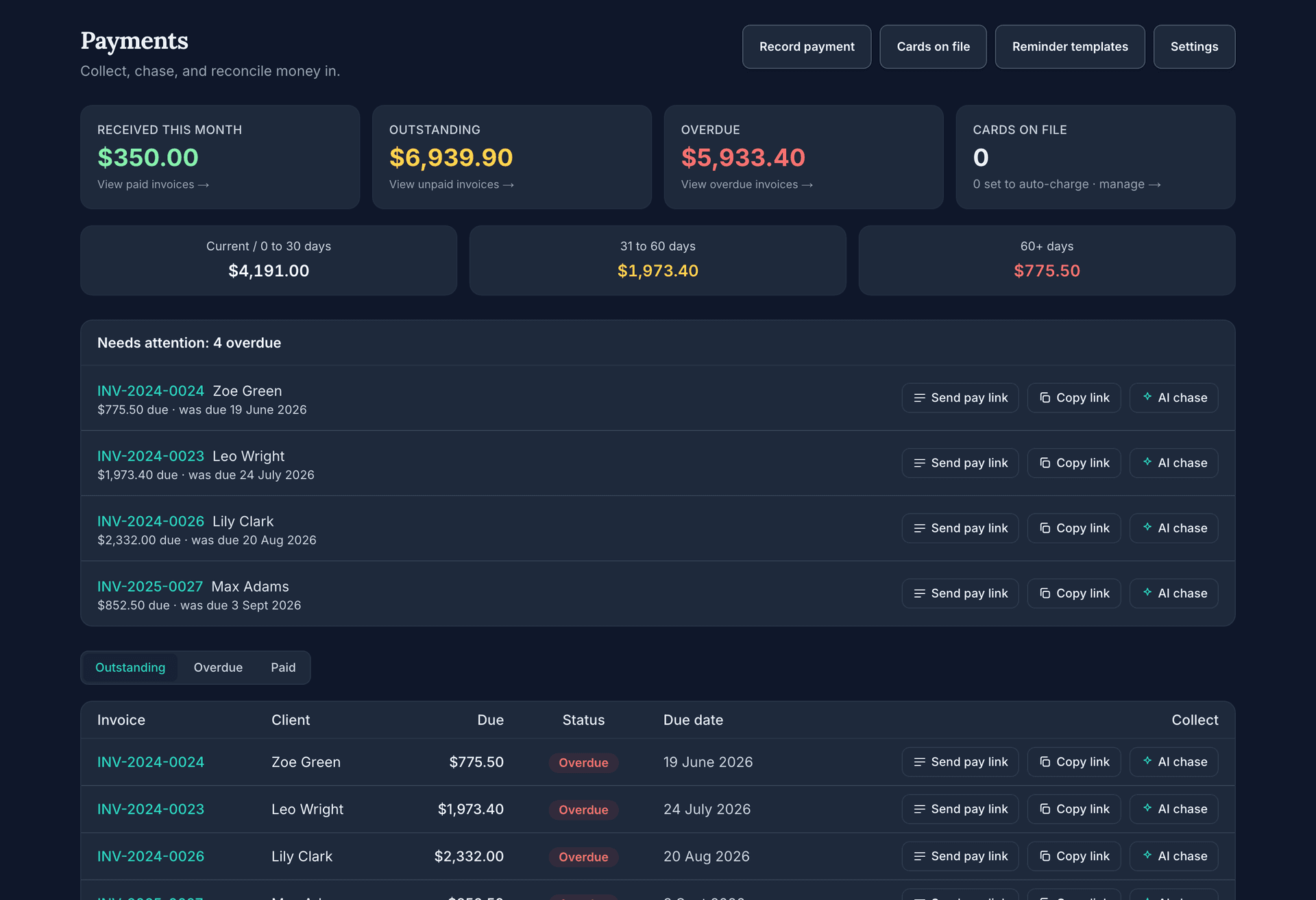
GST invoices with automated reminders and card payments built in.
Read about OneBookPlus InvoicingOneBookPlusQuotes
Quotes clients accept online, converted to invoices in one click.
Replaces Manual quoting, spreadsheets, ServiceM8
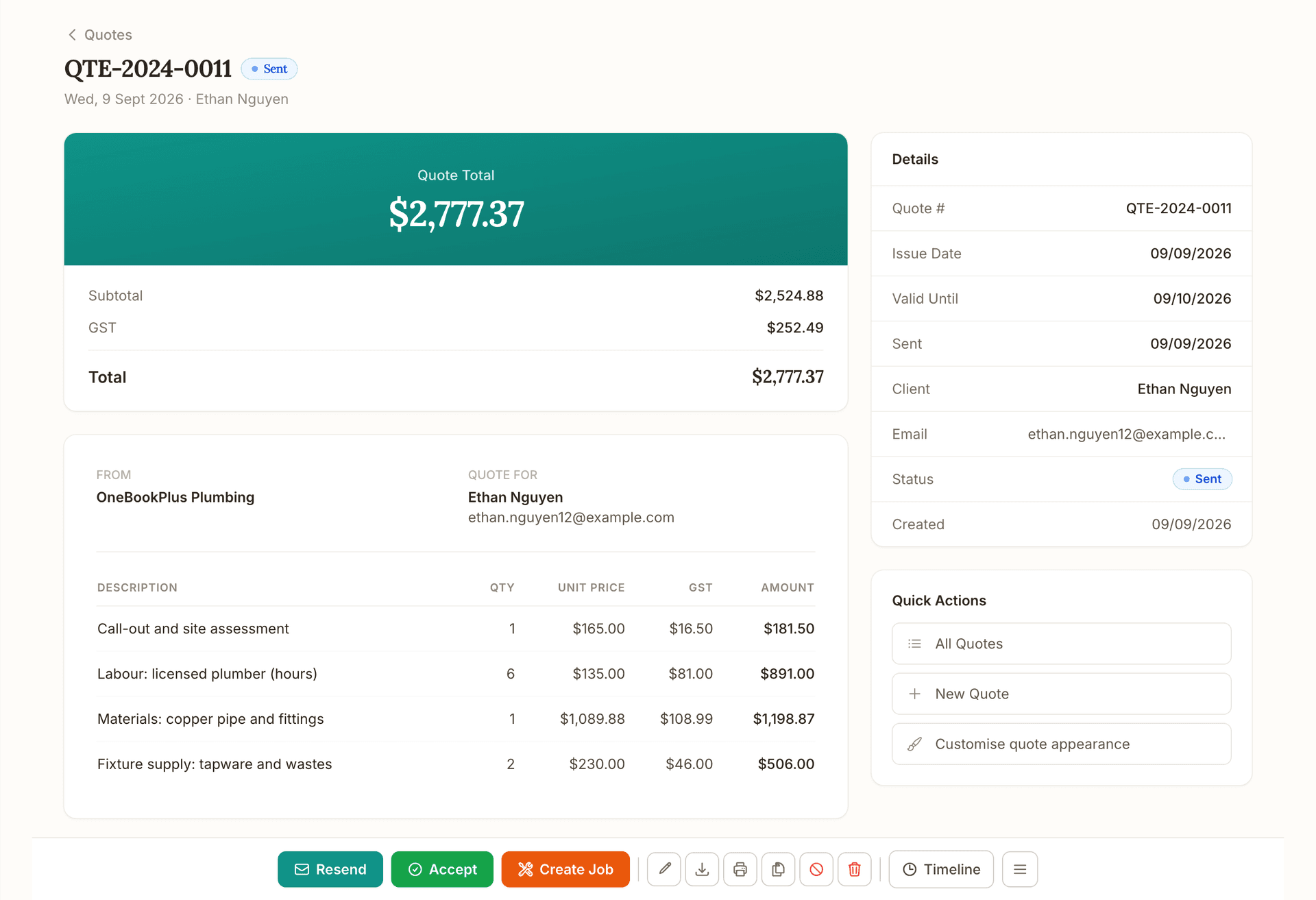
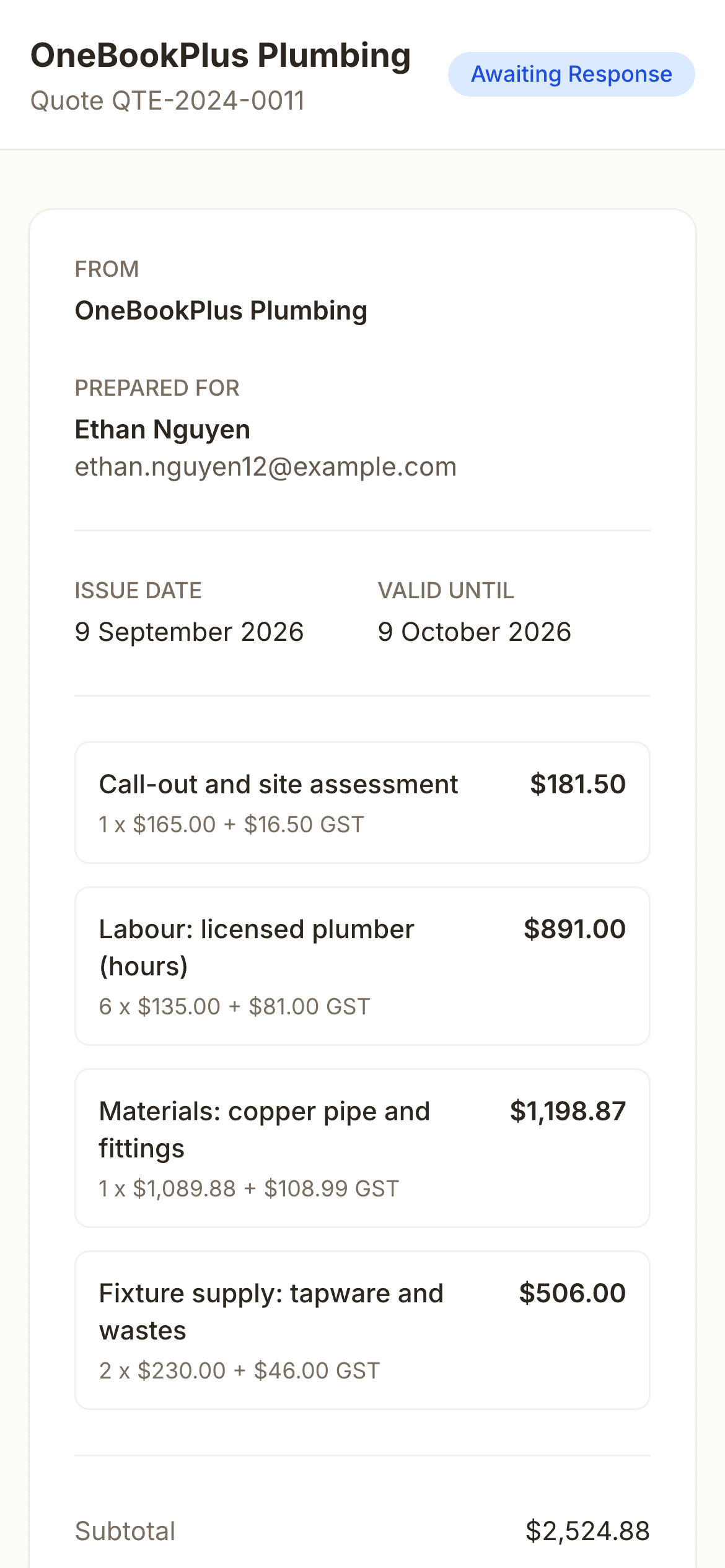
Demo account. OneBookPlus Plumbing is a business we seeded to run like a working crew; the screens are the product, the figures are sample data.
The tour
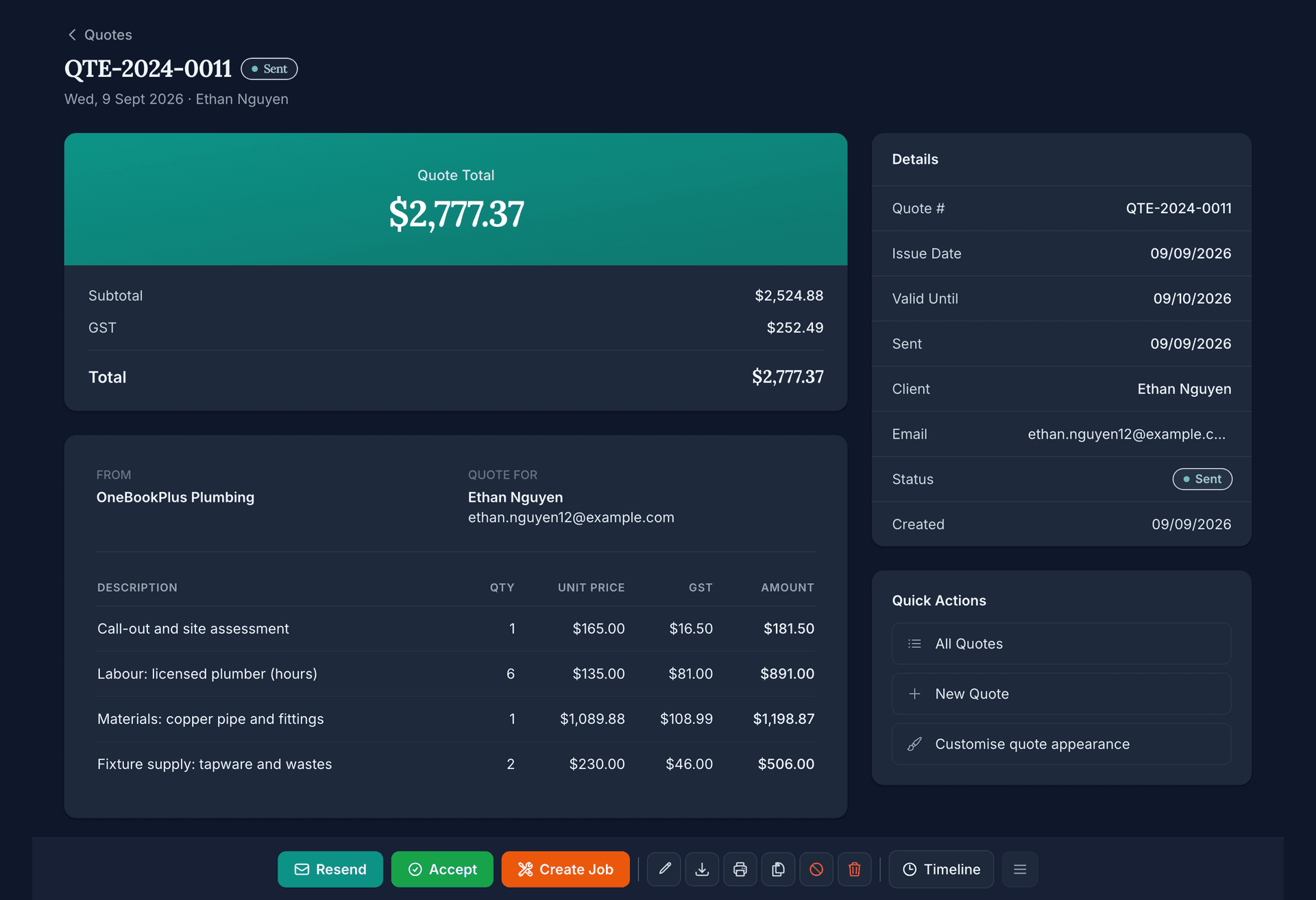
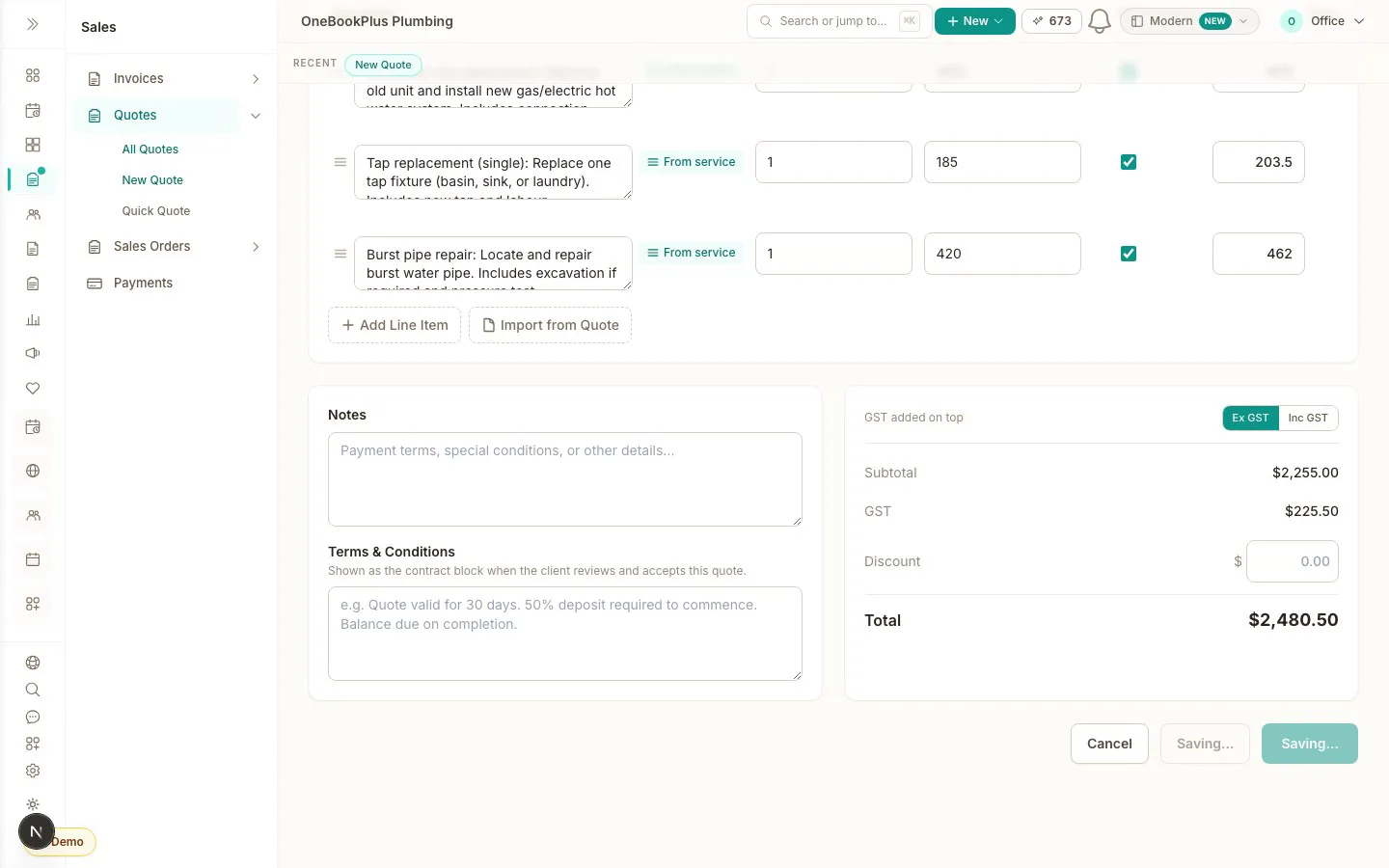
Pick the client, add the lines from your services and prices, and the quote works out GST per line with Subtotal, GST and Total shown to the client.
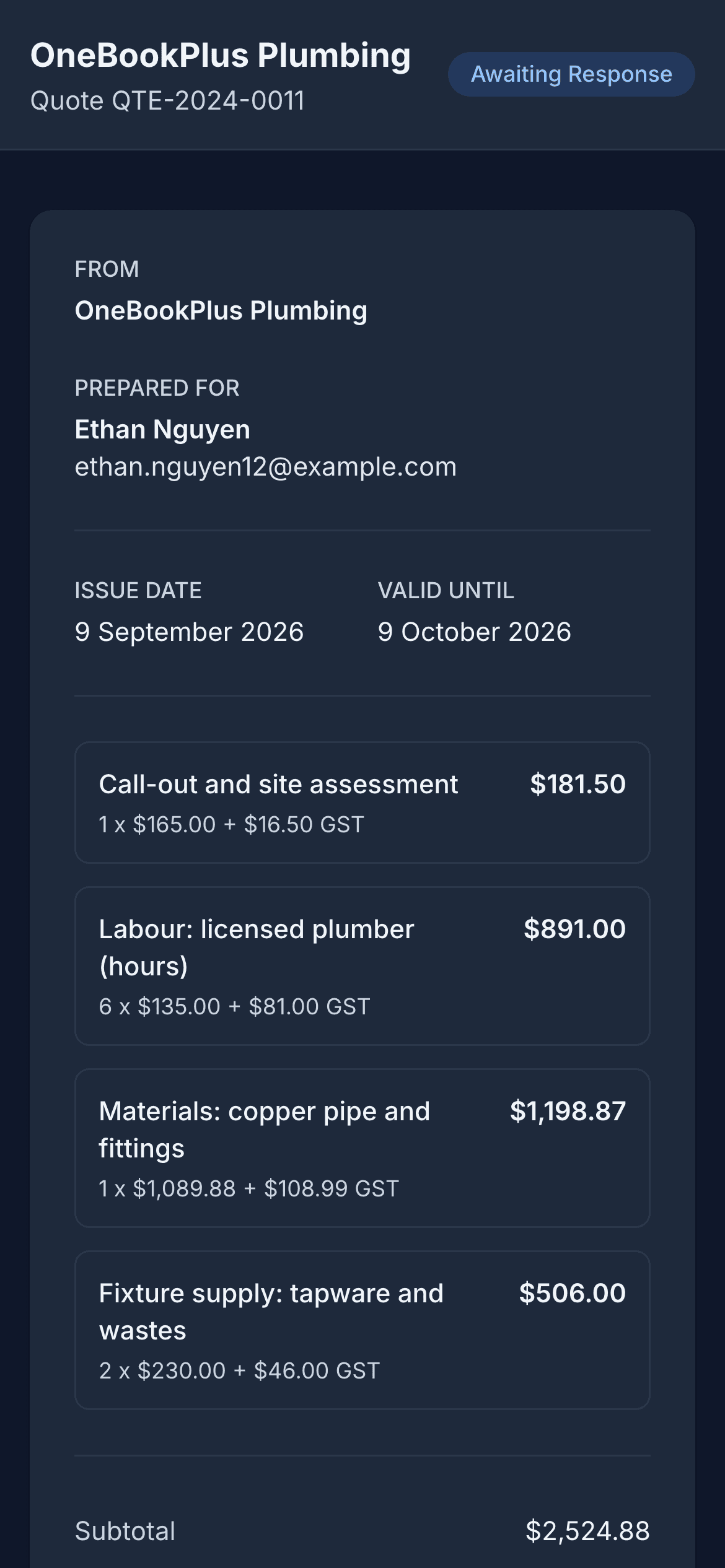
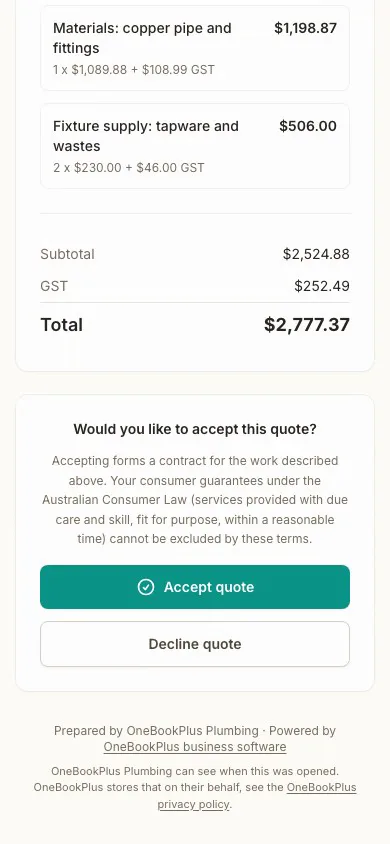
The quote goes as a link. The client sees the lines and the total, and accepts or declines from the same page, so a no comes back to you too.
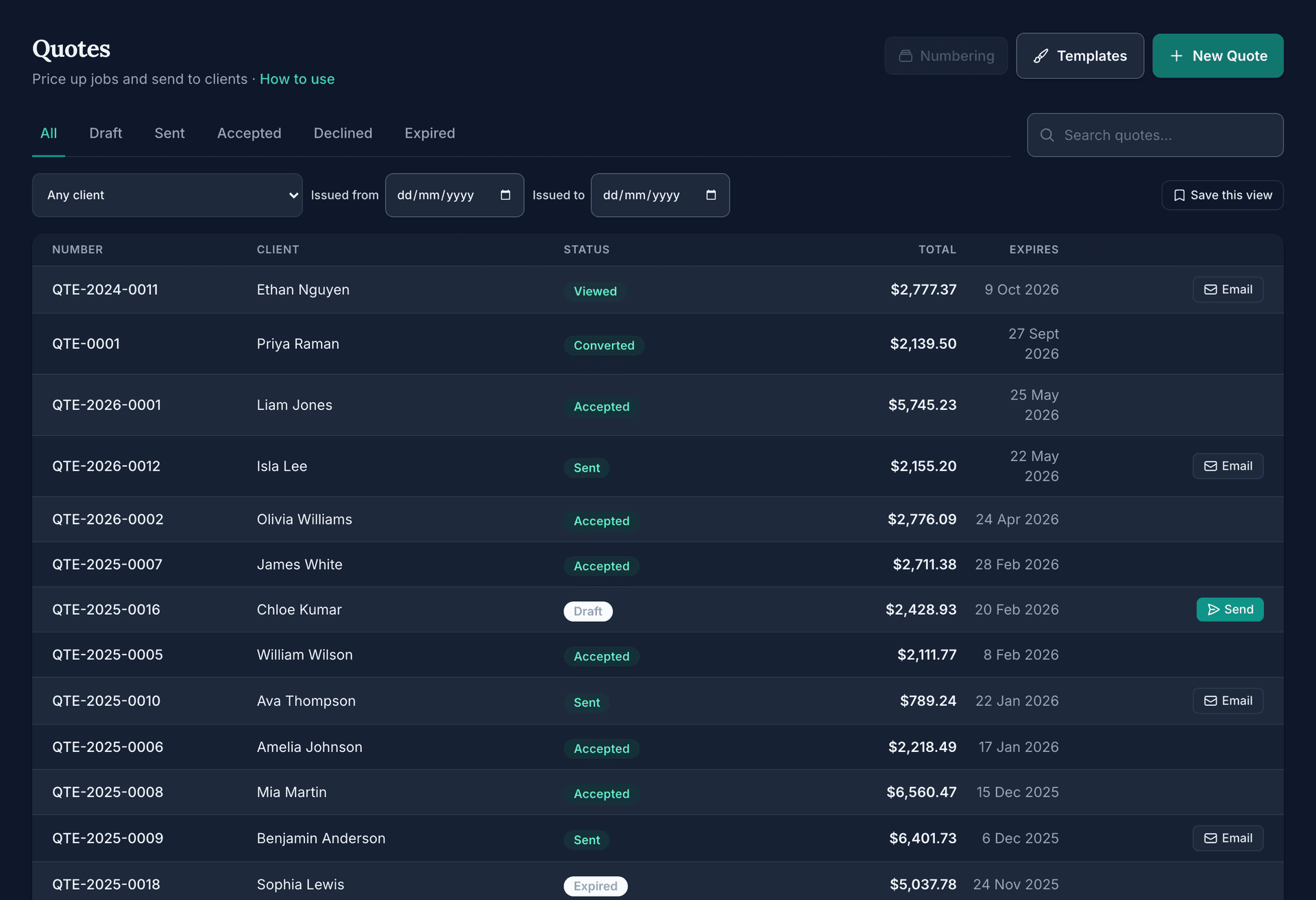
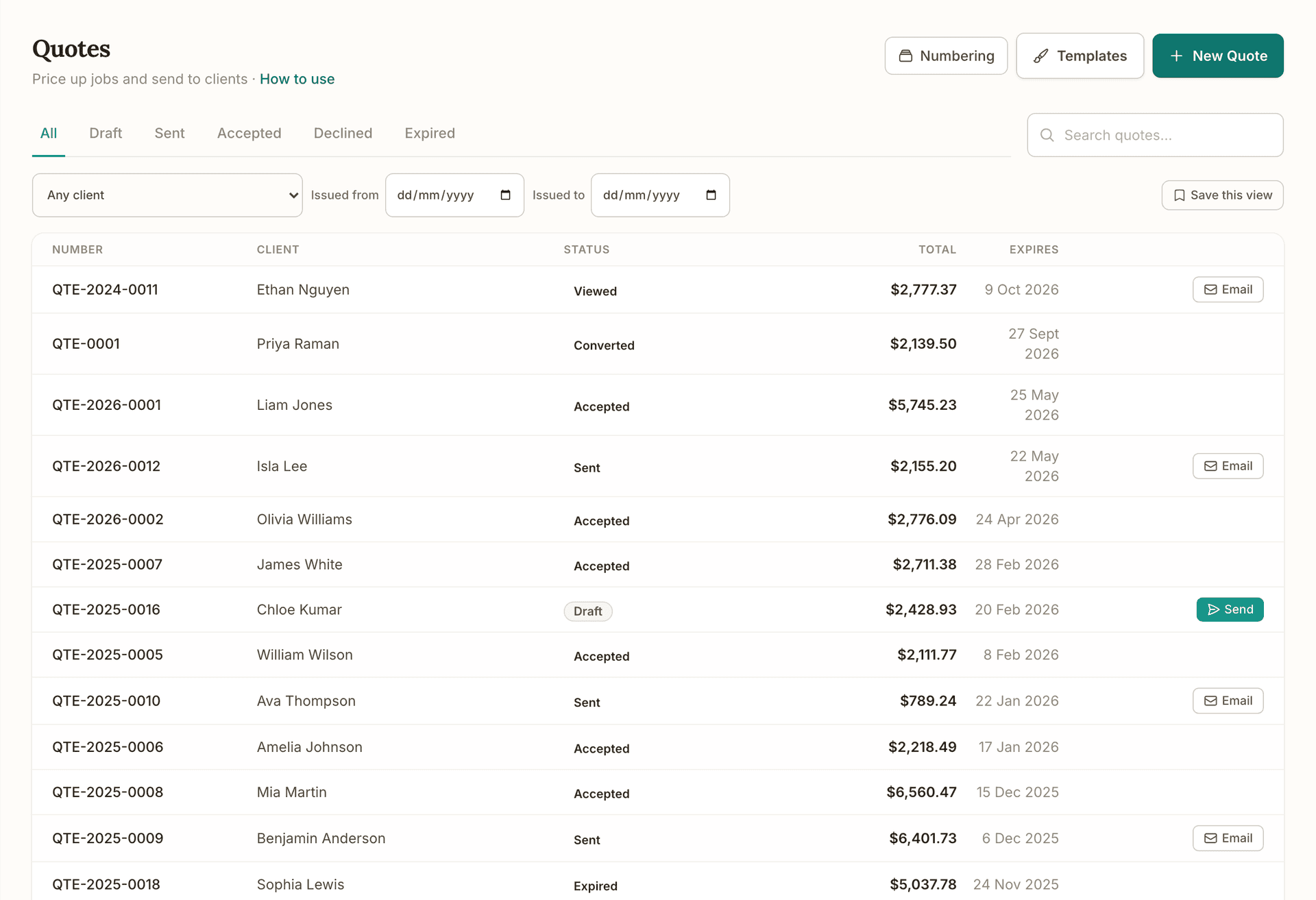
The list carries Draft, Sent, Viewed, Accepted, Converted and Expired, so you can see which quotes went quiet and chase them before they lapse.
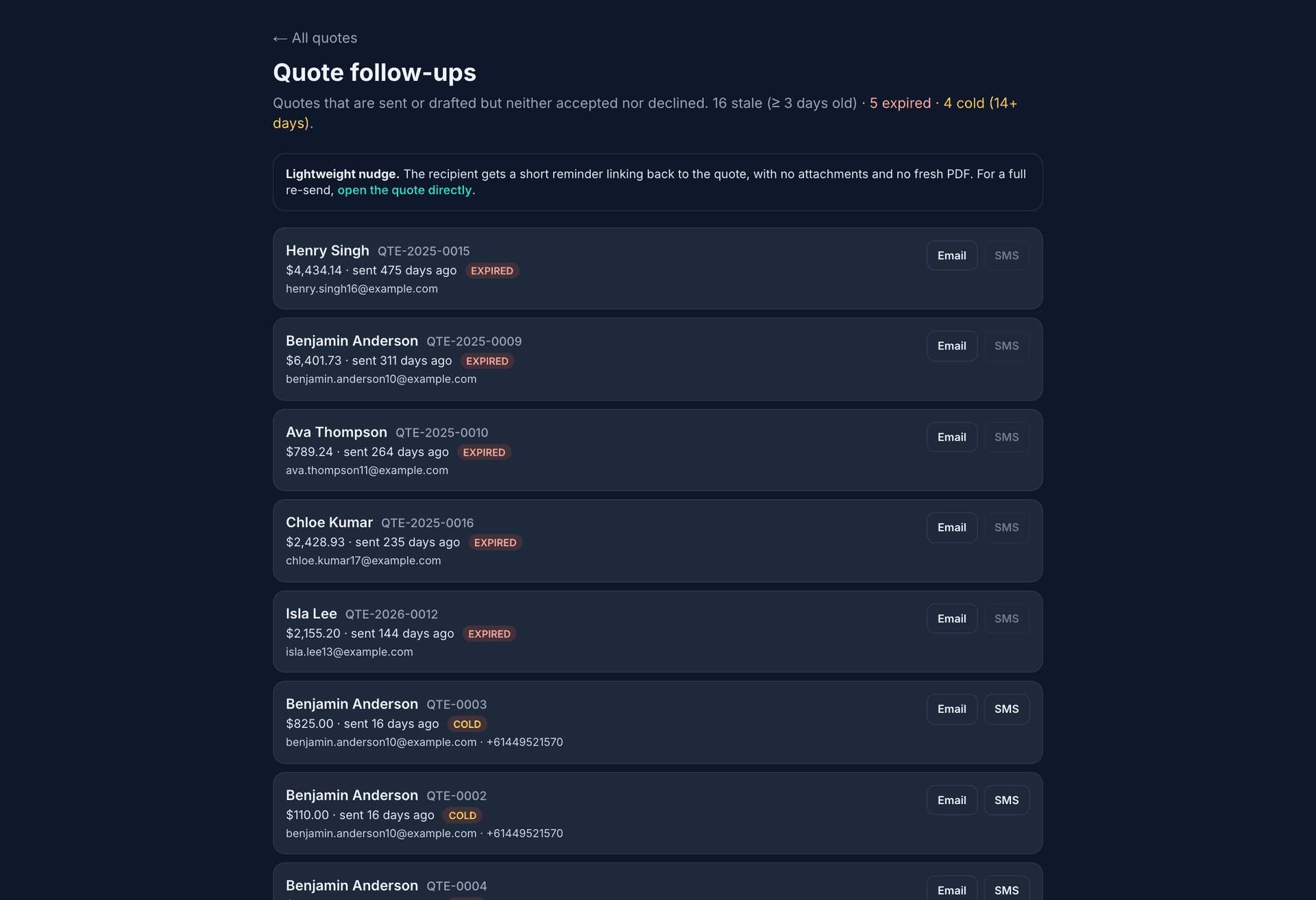
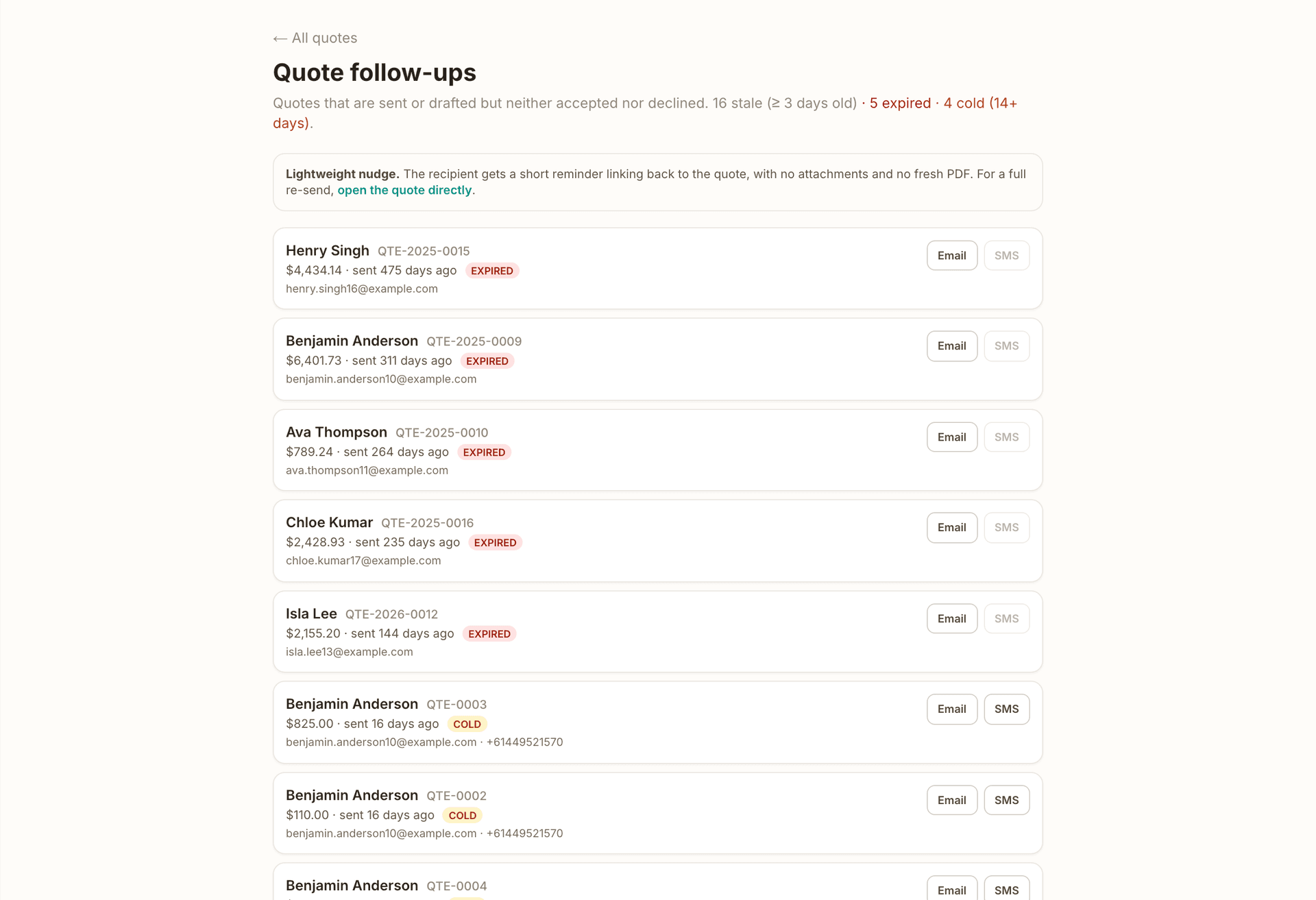
Every quote sent or drafted but neither accepted nor declined, oldest first, with how long it has waited. A light reminder goes by email or text, linking back to the quote, with no fresh PDF.
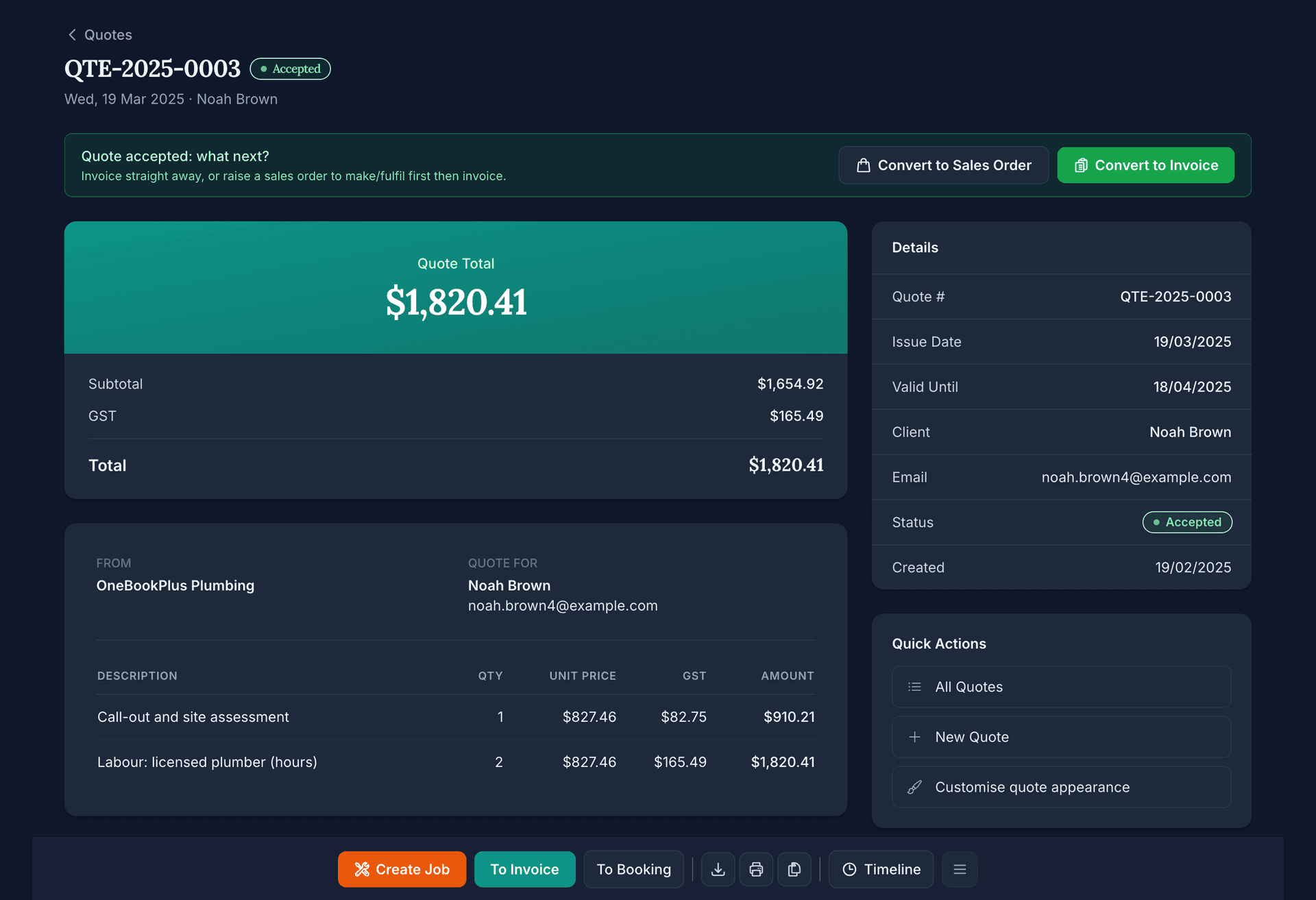
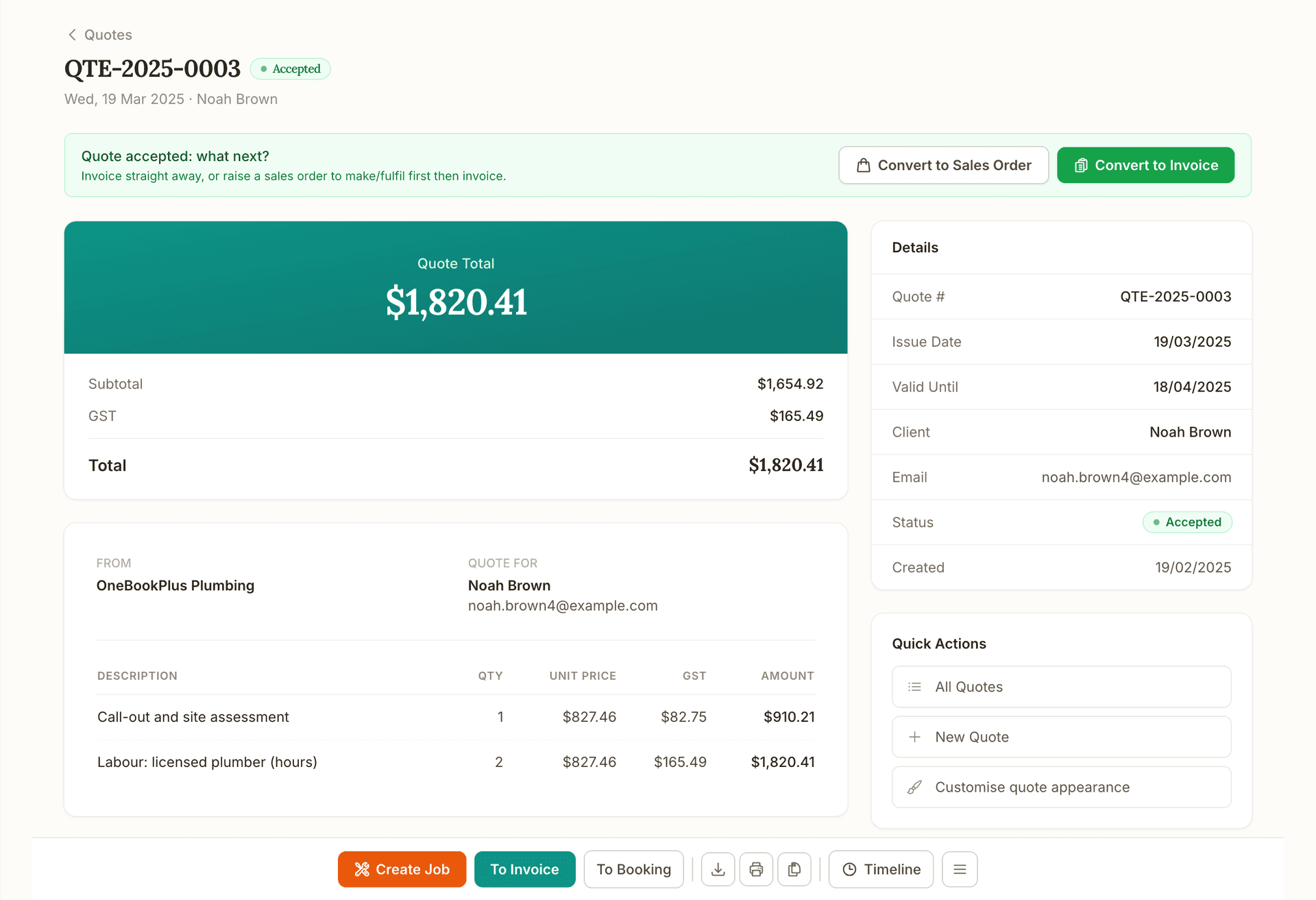
The moment the client accepts, the quote asks what next: invoice it straight away, or raise a sales order to make and fulfil first. Nothing is retyped either way.
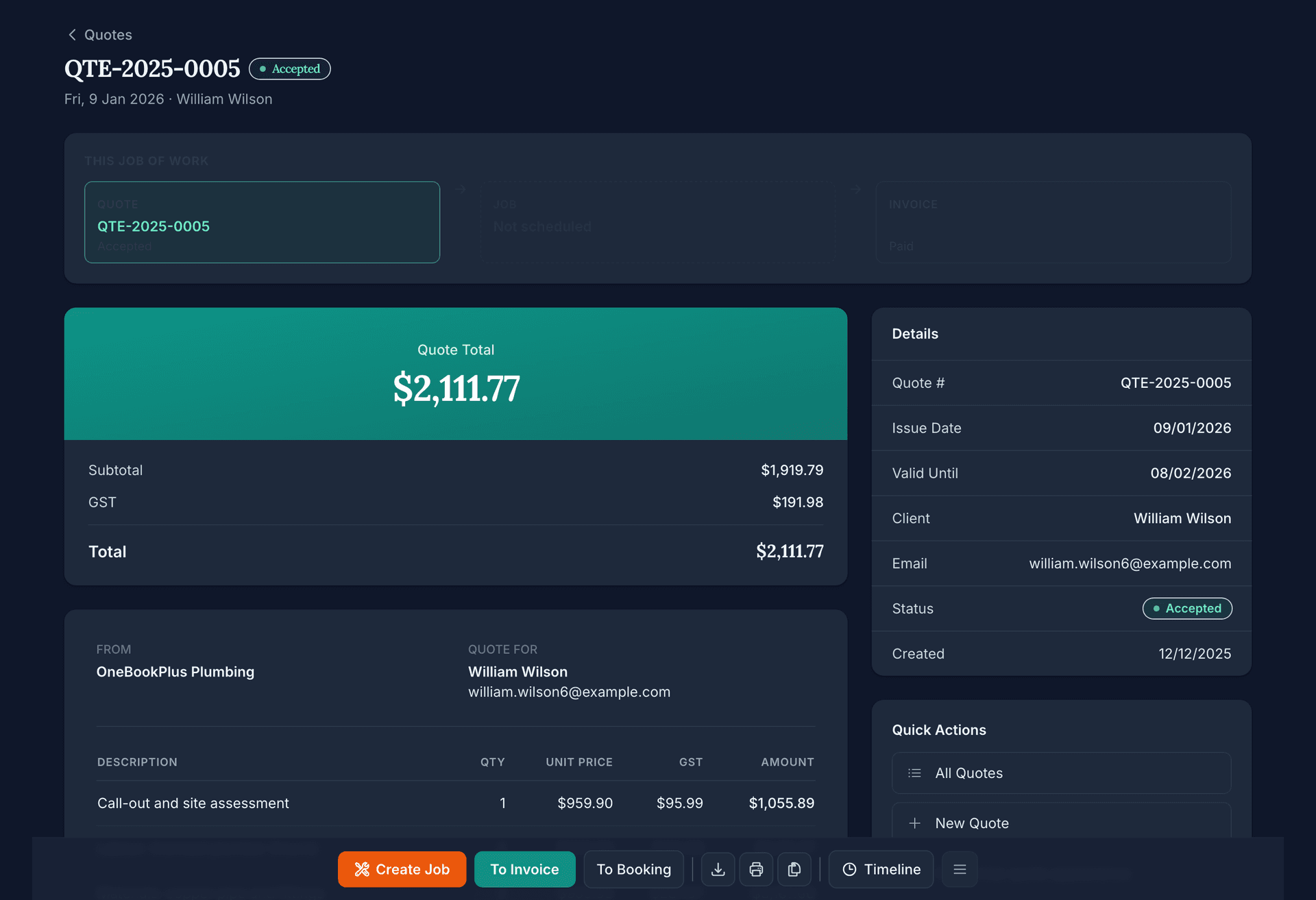
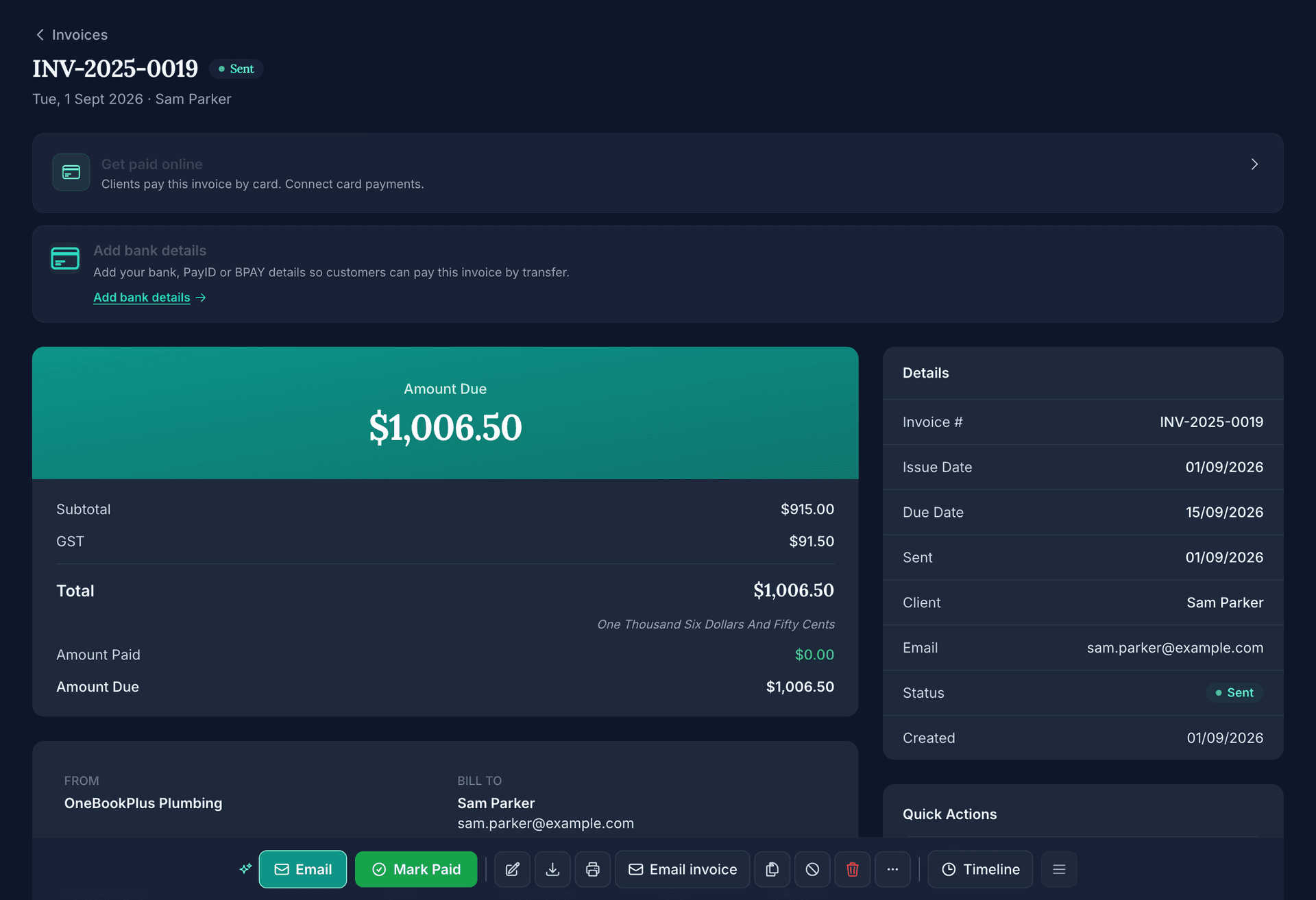
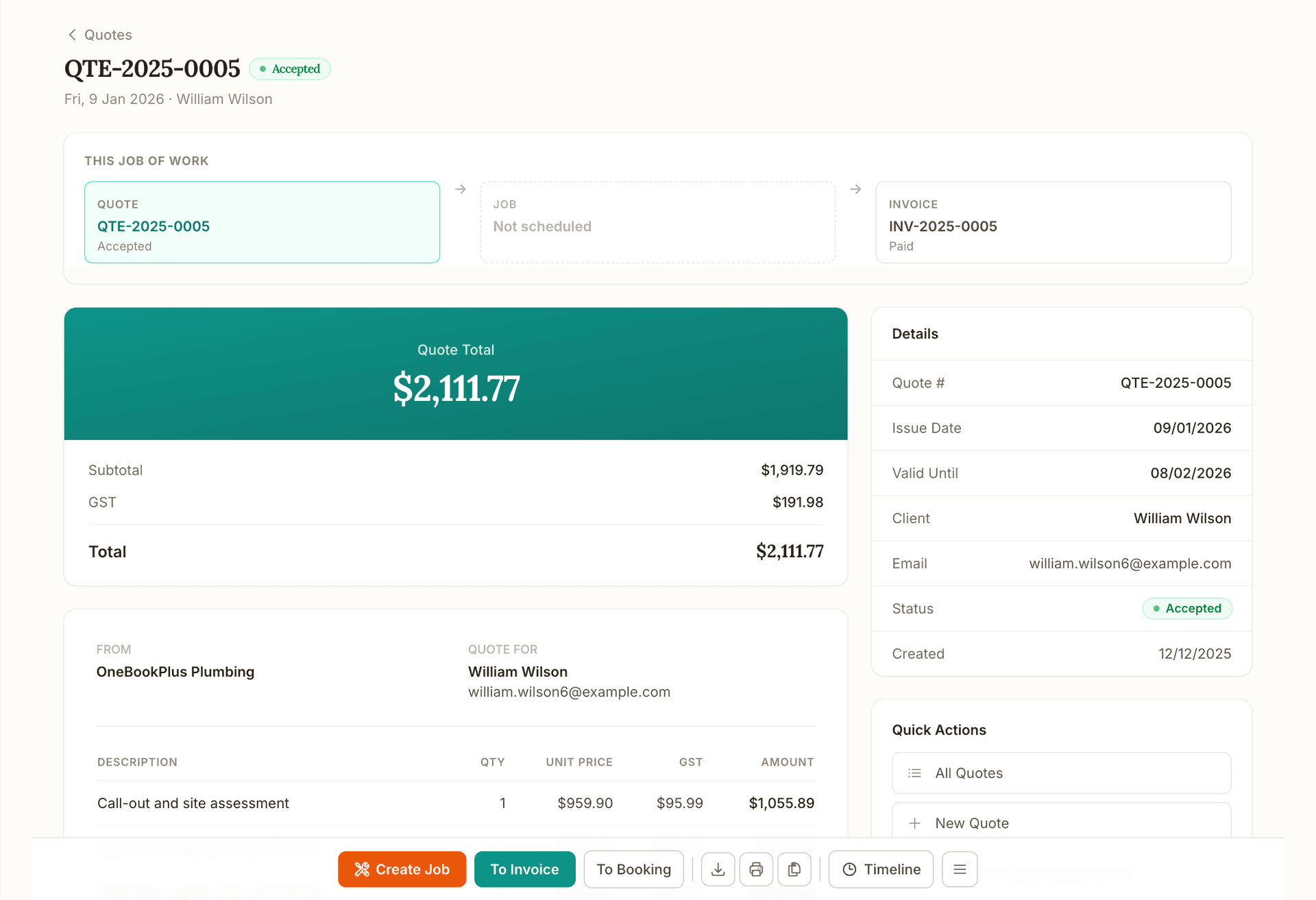
The accepted quote becomes the invoice in one press with its lines carried across, and the record keeps the link: quote, job and invoice side by side at the top of the page.
Branded quote PDFs
Itemised quotes with your logo, ABN, terms and trade licence number, rendered from eight professional templates with your accent colour and fonts. The emailed, downloaded and printed PDFs come from one engine, so clients always see the same document.
One-click online acceptance
Clients open a secure link and accept or decline from any device, with no login, printing or scanning. The decision is timestamped, recorded on the quote, and protected against double-clicks, so every quote has exactly one answer.
Know when quotes are opened
The status flips to Viewed the moment your client opens the quote, with a view count and last-viewed time on the record. Chase the client who read it twice and went silent, not the one still deciding.
Instant win alerts
The moment a client accepts, your team gets an in-app notification, plus an SMS if enabled, with the client name, quote number and value. You hear about the yes while there is still time to lock in the schedule.
One-click invoice conversion
Convert an accepted quote to an invoice instantly. Line items, quantities, discounts and GST carry across exactly, the invoice number is reserved automatically, and a built-in guard means the same quote can never convert twice.
Jobs created on acceptance
For trades businesses, acceptance automatically drafts a job linked to the quote, with customer details and the priced scope carried across as line items. Construction estimates go further, spinning up contract jobs with a schedule of values.
Booking and sales order conversion
Turn an accepted quote into a calendar booking with service details and pricing carried across, or into a sales order for product businesses that build or fulfil before invoicing. One record flows through the whole pipeline.
Follow-up dashboard
Every quote unanswered for three days or more, or past its validity date, appears in one list with one-tap email and SMS nudges. Following up your whole pipeline takes minutes, and no quote dies because nobody chased it.
Expiry, duplication and custom numbering
Set validity dates and past-date quotes flip to Expired automatically, so stale pricing can never be accepted. Duplicate similar quotes instead of rebuilding them, and configure your own numbering format, reserved atomically to prevent duplicates.
Watch it happen
Pick the client, tap the lines you already price, and the GST and total settle as they land. This is the real form on our demo business, recorded once, not a mock-up.
A 10 second recording of the real product on our demo business; the figures are sample data.
Watch it happen
The same quote, opened from the link the client was sent. They read the lines and the total, press Accept quote, and the quote is marked accepted on your side before they have put the phone down. Recorded on the demo business's own public quote page.
A 9 second recording of the real product on our demo business; the figures are sample data.
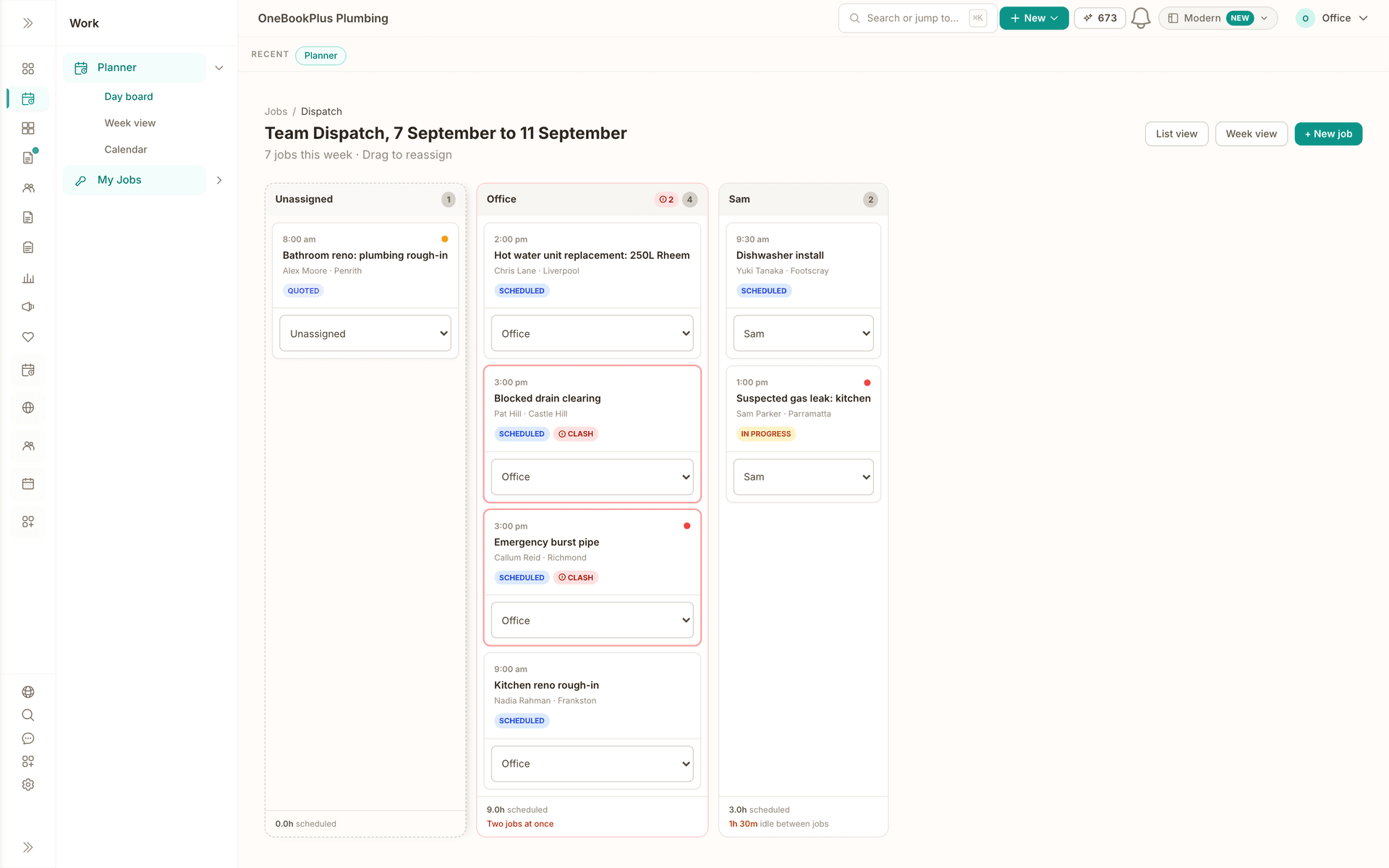
Schedule
Schedule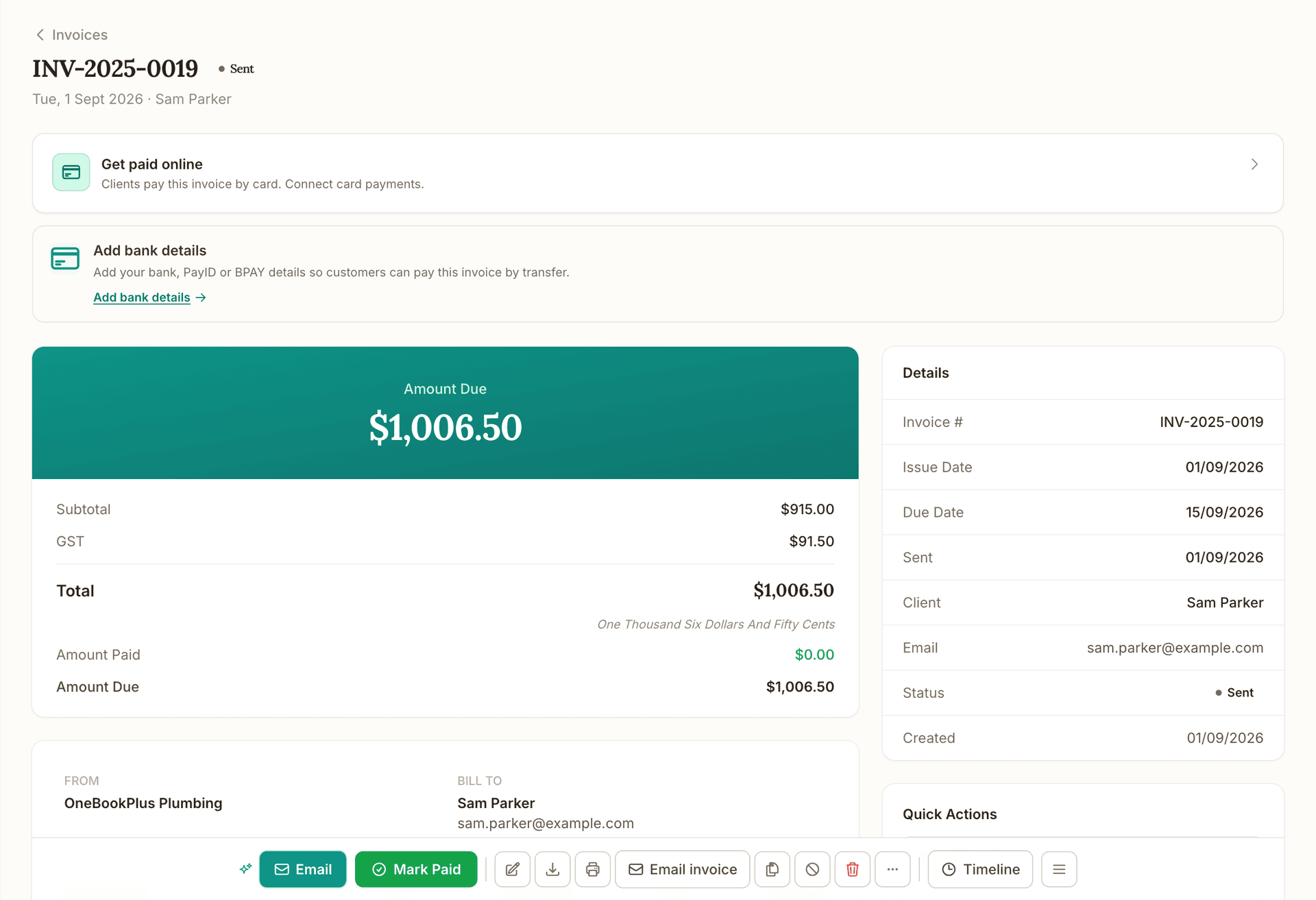
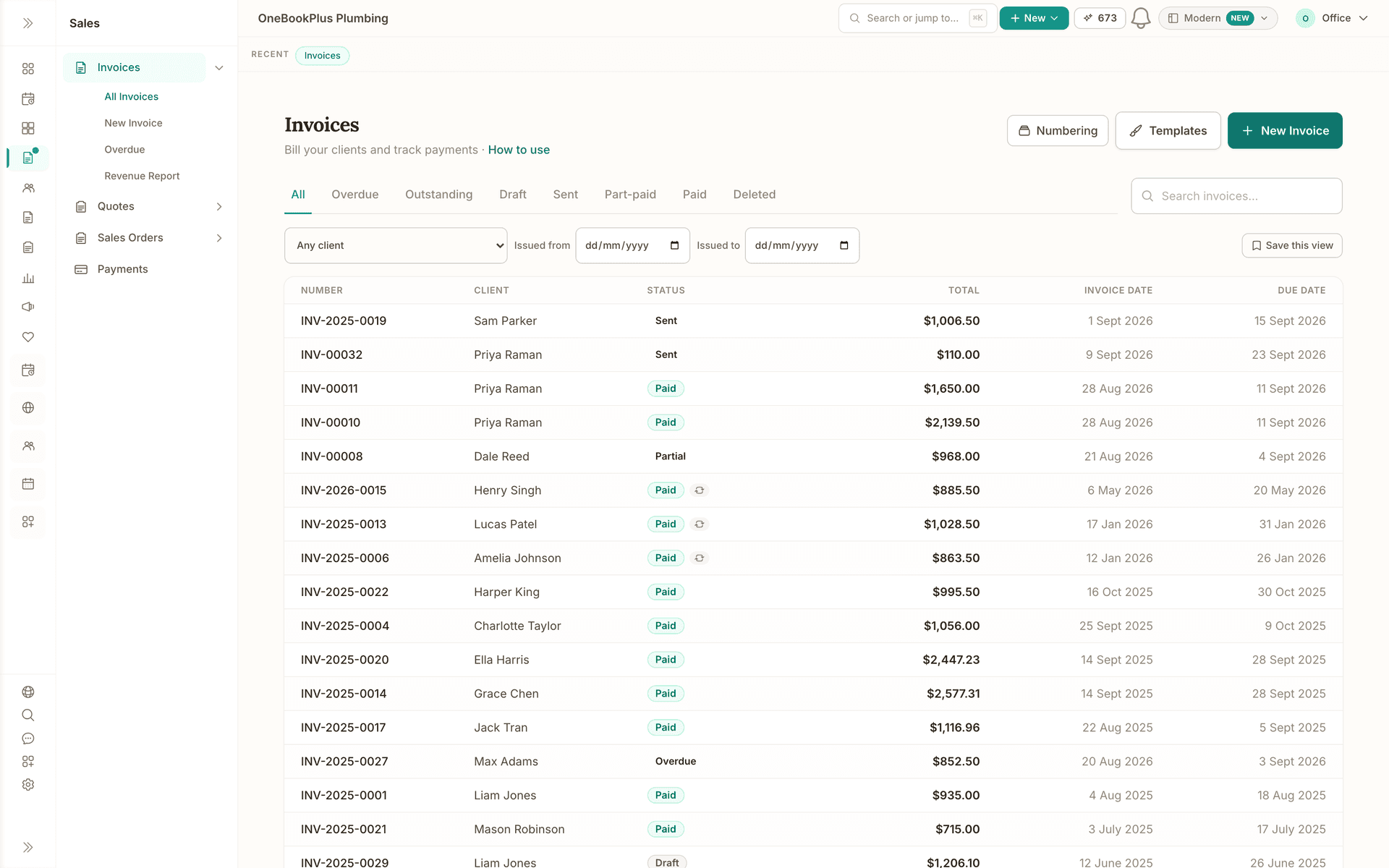
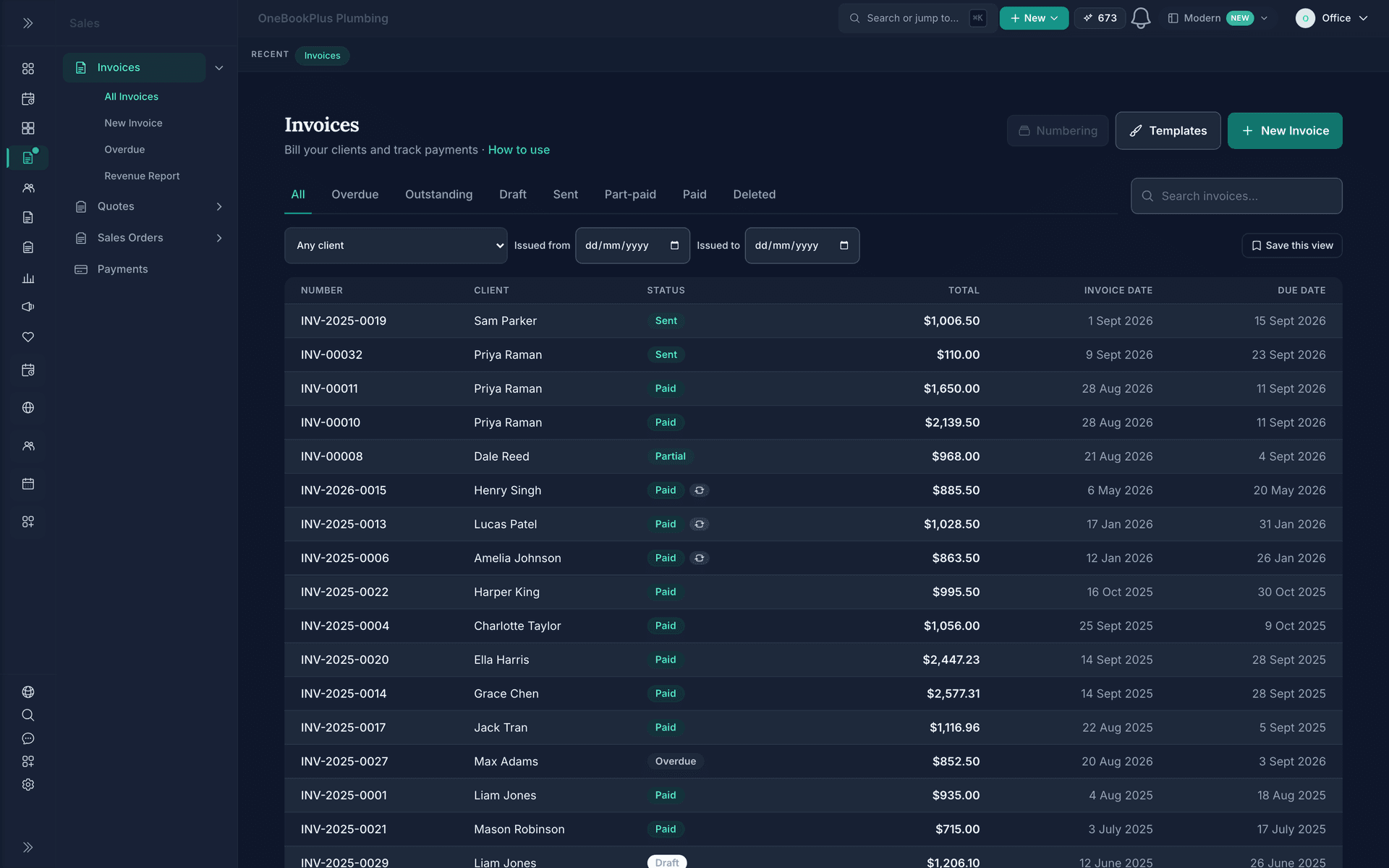
Invoice
Invoice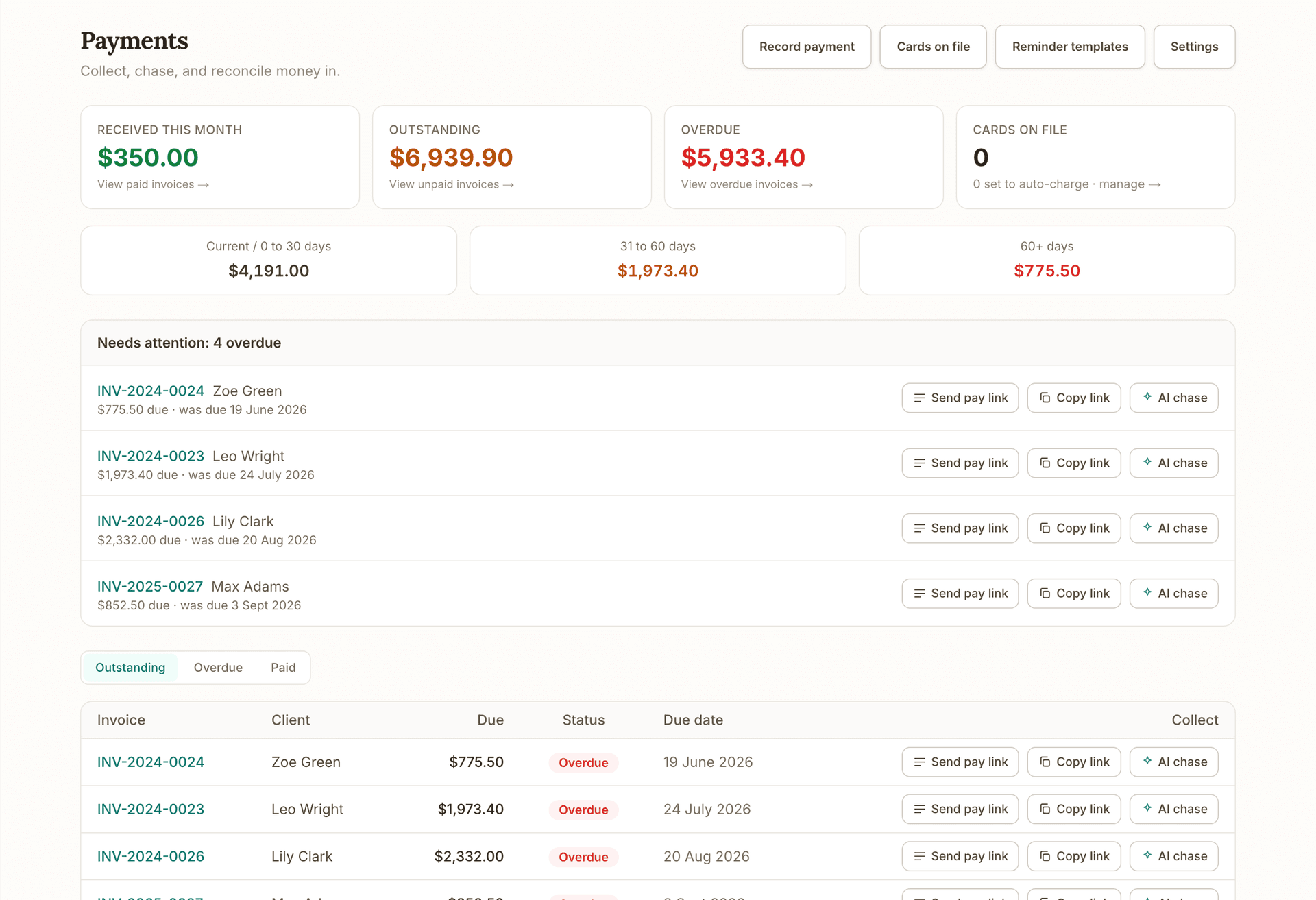
Get paid
Get paid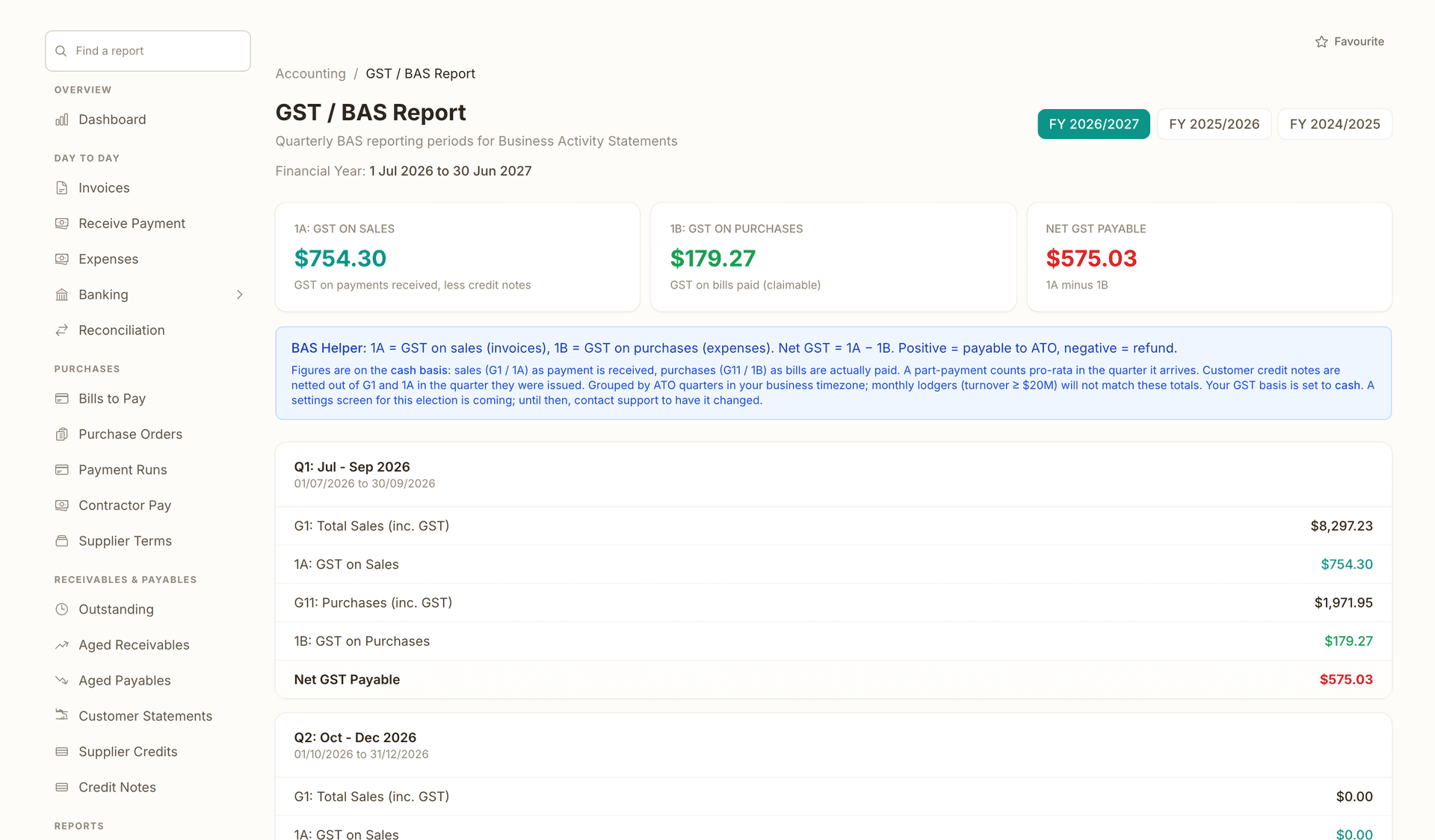
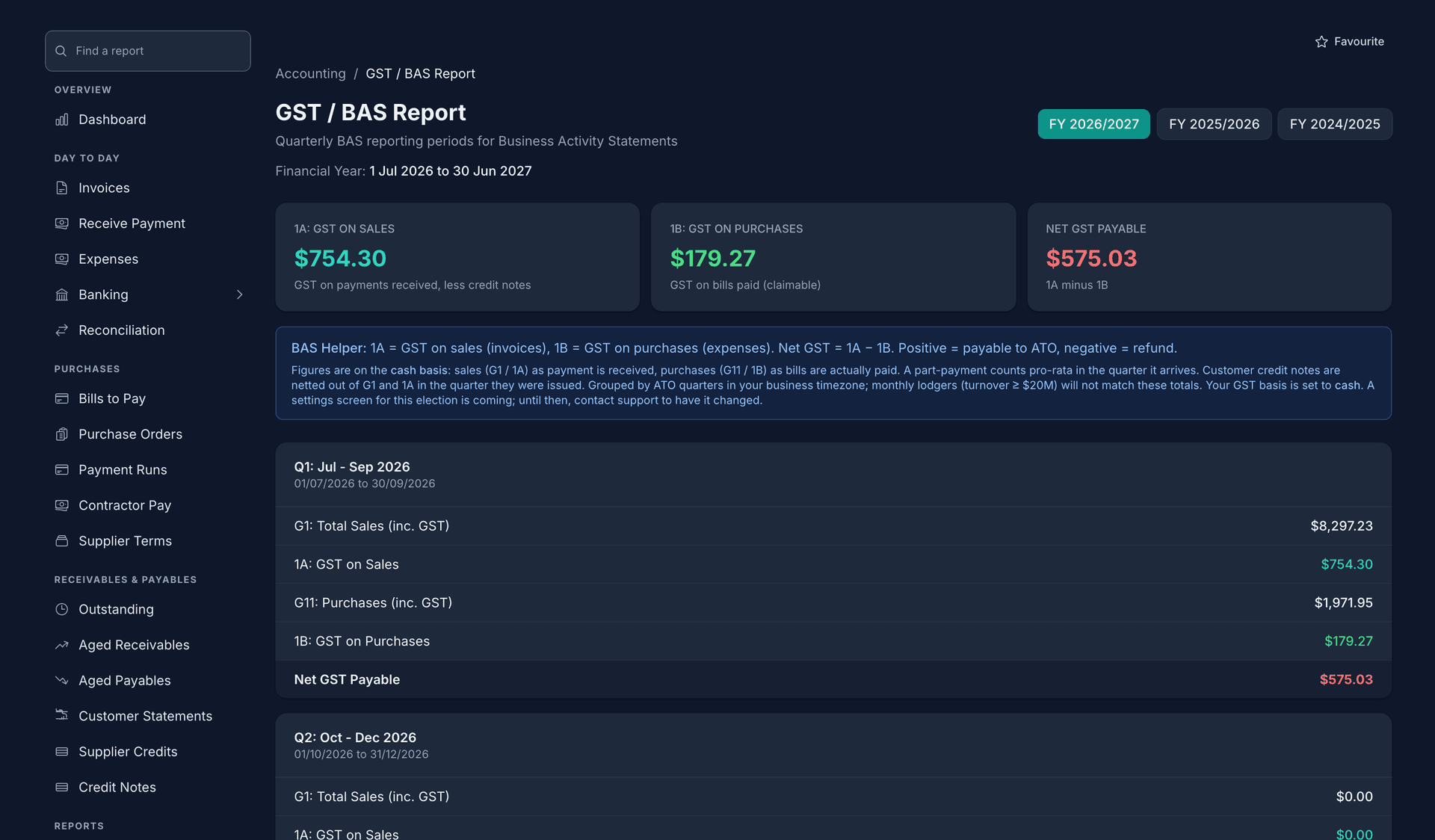
Books and BAS
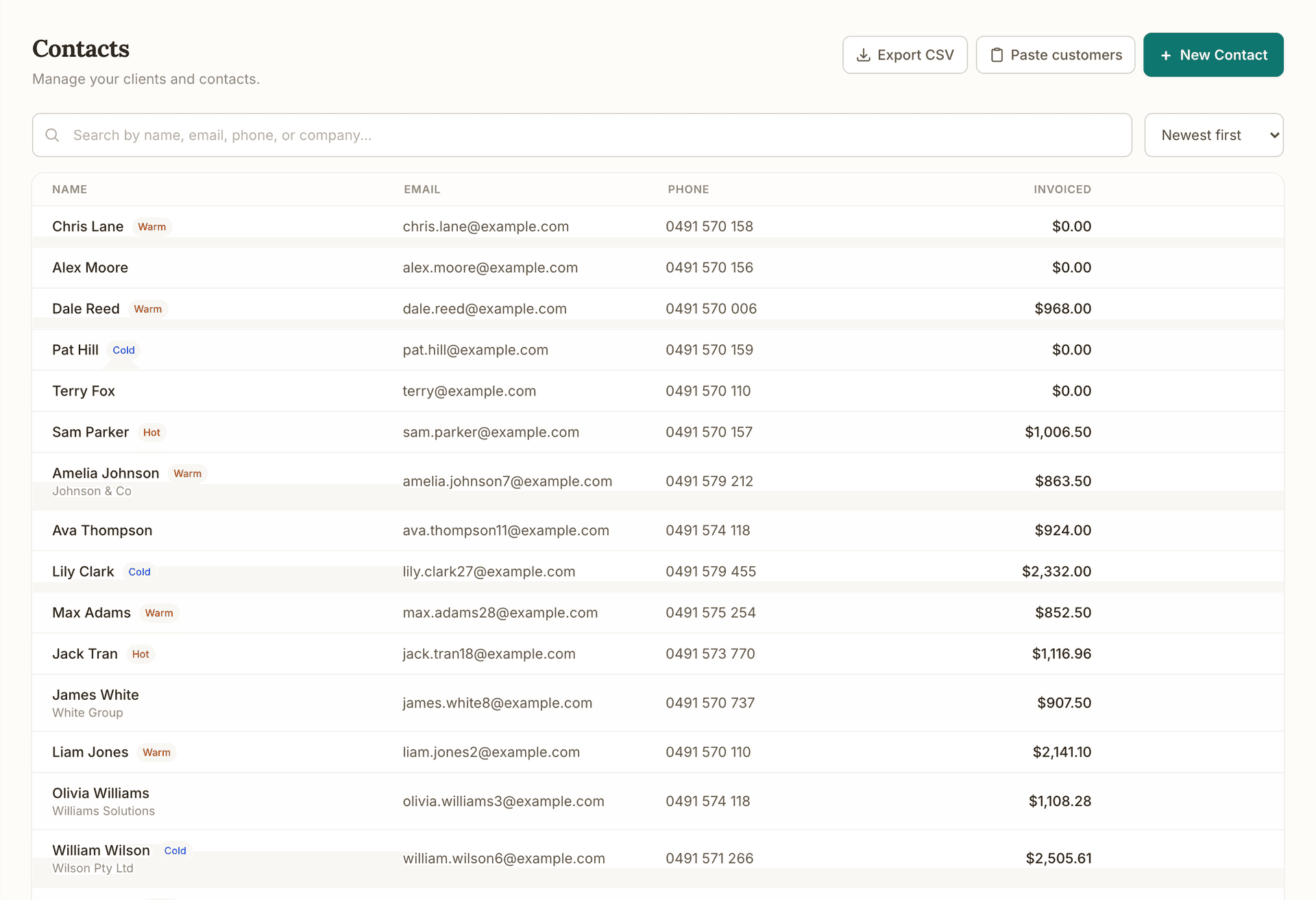
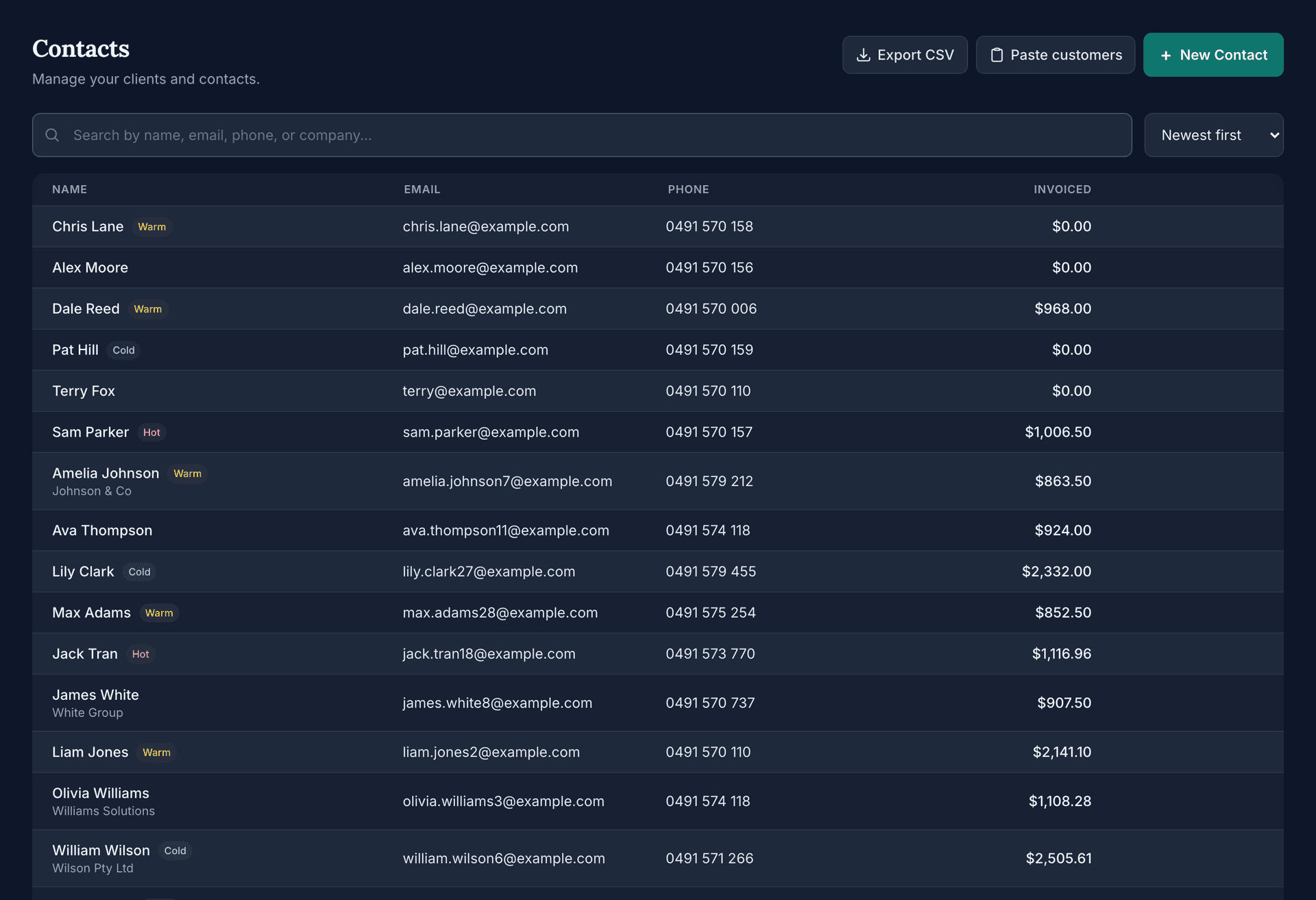
Books and BASBefore this: the client's record, with every past quote on it. After this: the accepted quote becomes the invoice, and the job keeps a link to it.
What's on which plan
Free
$0/mo
Starter
$29/mo
Plus
$49/mo
Growth
$69/mo
How we compare
The rows are capability checks; the linked comparison page carries every citation.
| Feature | OneBookPlus | ServiceM8 | MeMate | Xero |
|---|---|---|---|---|
| Itemised quotes with GST | Yes | Yes | Yes | Yes |
| One-click online acceptance | Yes | Yes | Yes | Yes |
| Convert accepted quote to invoice | Yes | Yes | Yes | Yes |
| Quote to job to invoice pipeline | Yes | Yes | Yes | No |
| Convert quote to booking or sales order | Yes | No | No | No |
| Stale-quote follow-up list with email + SMS nudges | Yes | No | No | No |
| Full double-entry accounting and BAS included | Yes | No | No | Yes |
| Online booking widget included | Yes | Yes | No | No |
| Built-in email marketing | Yes | No | No | No |
| Free plan available | Yes | Yes | No | No |
| Price | From $0/mo | Free-$349/mo (job caps) | From $99.85/mo | From $35/mo |
Getting started
Pick the client, add line items from your services and products catalogue or type them freehand, then set quantities, prices and discounts. GST calculates automatically and the quote number is reserved in your own format.
Email the quote straight from OneBookPlus. Your client receives a branded PDF plus a secure link to a live acceptance page that works on any device, with no login and nothing to install.
See the status change to Viewed when your client opens it. The moment they accept, you get an instant in-app and SMS alert, and trades businesses get a draft job created automatically from the quote.
Turn the accepted quote into an invoice, booking or sales order in one click. Every detail carries across, the invoice matches the accepted price exactly, and the pay-online link goes out with it.
Example walkthrough
A worked example: a Perth electrician quoting a switchboard upgrade from site
Tom gets called out to look at an ageing switchboard. While he is still in the driveway, he opens the quick-quote form on his phone: labour from his services catalogue (6 hours at $95), the switchboard and safety switches from his products list. GST calculates as he goes. Total: $1,760 inc GST. He hits send and drives to his next job.
The homeowner opens the quote over lunch; Tom's dashboard flips it to Viewed. Twenty minutes later they click Accept, and Tom's phone pings with an SMS: quote accepted, $1,760. Because Tom's business is set up as a trade, a draft job linked to the quote is already sitting in his job list with the priced scope carried across. He schedules it for Tuesday and gets on with his day.
Tuesday afternoon the switchboard is done. From the job record Tom issues the AS/NZS 3000 Certificate of Compliance, readings entered once, licence number printed at the top, then converts the accepted quote to an invoice in one click. The total matches what the homeowner agreed to on the acceptance page, so there is nothing to argue about. The invoice goes out with a pay-online link before he has packed up the van, and the whole trail, quoted, viewed, accepted, certified, invoiced, sits on one record.
In depth
Quoting software is the difference between a price scribbled in a text message and a professional, itemised document your client can accept on the spot. OneBookPlus Quotes lets any Australian small business build a branded quote with line items, quantities, unit prices and GST calculated automatically, then send it by email with a live accept button. Every quote carries your logo, ABN and terms, plus your trade licence number where your industry expects it. And because quoting lives inside the same platform as your invoicing, jobs, bookings and contacts, an accepted quote flows straight into the rest of your business instead of dying in a sent-items folder.
Most quoting problems are not pricing problems, they are tracking problems. A quote built in Word or Excel leaves your outbox and disappears: you cannot see whether the client opened it, you do not hear when they decide, and following up means scrolling your sent mail trying to remember who has gone quiet. Multiply that by a busy month and jobs slip through purely because nobody chased them. Dedicated quoting software closes that loop. In OneBookPlus every quote has a status, Draft, Sent, Viewed, Accepted, Declined or Expired, updated automatically as your client interacts with it, so your pipeline is a list you can act on rather than a memory exercise.
Simple matters as much as powerful. Quoting software only saves time if the person quoting actually uses it at 4:30 pm on a Friday, so OneBookPlus keeps the create screen to the essentials: pick the client (or add one inline), add items, check the total, send. The quick-quote form strips it back even further for phone use on site. There is no mandatory workflow designer, no fields you do not need, and nothing to configure before your first quote goes out; the depth (templates, numbering formats, follow-up tooling) is there when you want it and invisible when you do not.
Building the quote itself takes minutes. Pull line items straight from your services and products catalogue so descriptions and prices stay consistent across every quote, or type one-off items freehand. Set quantities, unit prices and discounts; GST is calculated line by line and totalled automatically, with tax-inclusive or exclusive pricing to match how you sell. Add notes and terms, set a validity date so old pricing can never be accepted by mistake, and the quote number is reserved automatically in your own format, whether that is QU-0001 or a custom prefix you have configured. For repeat work, duplicate an existing quote and adjust it rather than starting again.
Australian defaults are built in, not bolted on. GST is handled at the line level with taxable and non-taxable items treated correctly, your ABN and business details print where clients expect them, and when the quote later becomes a tax invoice it inherits the same GST treatment, so nothing needs recalculating. If your business is set up in one of the other supported countries, quotes and their PDFs render in your local currency and tax system automatically. If you have ever fixed a GST rounding error in a spreadsheet at 10 pm, this is the part you will notice first.
Online quoting software changes what your client receives. Instead of a static attachment, your client gets a professional email with the quote PDF plus a secure link to a live web page showing the full itemised quote, your branding, and two buttons: Accept and Decline. It works on any device with no login, no app to install and no account to create. The moment they open it, the quote's status flips to Viewed in your dashboard, with a view count and a last-viewed timestamp, so you know the difference between a client who is ignoring you and one who has read the quote three times and just needs a nudge.
Acceptance is one click and properly recorded. When your client clicks Accept, the decision is stored against the quote with a timestamp, the status updates instantly, and accidental double-clicks are guarded against so a quote can only ever be decided once. You are notified in the app immediately, and by SMS if you have it enabled, so you hear about the win while you are still in a position to lock in the schedule. Declines are captured the same way, which is its own kind of useful: a fast no lets you stop chasing and move on to the next job.
For trades businesses, acceptance does more than update a status. The moment a quote is accepted, OneBookPlus drafts a job linked to that quote, with the customer's details and the priced scope carried across as line items, so the work is ready to schedule before you have even seen the notification. Construction businesses go further still: an accepted quote that traces back to an estimate spins up a contract job with the contract value and a schedule of values seeded from the estimate's sections. Either way, the gap where accepted work used to sit in limbo waiting for someone to re-key it simply does not exist.
The quote-to-invoice workflow is where most tools fall down and where OneBookPlus is strongest. When the work is done, or when you bill up front, converting an accepted quote to an invoice is one click. Every line item, quantity, unit price, discount and GST amount carries across exactly, so the invoice always matches the price the client agreed to, which is precisely the argument-prevention a written quote exists to give you. The invoice number is reserved atomically so parallel conversions can never produce duplicates, the quote is marked Converted and linked to its invoice, and the whole trail (quoted, viewed, accepted, invoiced) stays on the record for good.
If you have been searching for invoice and quote software as a pair, that is the point: they are one workflow, not two products. OneBookPlus is quoting and invoicing software in a single system, so there is no export, no copy-paste and no re-keying between winning the work and billing it. The same catalogue prices both documents, the same templates render both PDFs, and the same contact record shows every quote and invoice you have ever sent that client. Payments close the loop: invoices carry a pay-online link, and payment status flows back to the same dashboard your quotes live in.
Quotes that go quiet get their own workspace. The follow-up dashboard lists every quote that has been sitting unanswered for three days or more, or has passed its validity date, with one-tap email and SMS nudges per row, so chasing takes seconds rather than an afternoon. Validity dates are enforced automatically: past-date quotes are flipped to Expired so your pipeline reflects reality and you never honour stale pricing by accident. Combined with viewed tracking, follow-up stops being guesswork; you chase the client who opened the quote twice and went silent, not the one who accepted yesterday.
Presentation is handled once, in settings, not per quote. Choose from eight PDF templates, set your accent colour, fonts and header layout, upload your logo, and every quote and invoice you send renders in the same style. The PDF your client downloads, the one attached to the email and the one you print are generated by a single engine, so what you approved is always what they received. For licensed trades, your licence number prints on the document alongside your ABN, the details clients and builders increasingly expect to see before they accept.
How does it compare? ServiceM8 bundles quoting into job-tier plans that run from a free tier capped at 30 jobs a month up to $349 per month, and you will still need Xero or MYOB alongside it for accounting (pricing verified against servicem8.com/au/pricing, July 2026). MeMate starts at A$99.85 per month with no free plan (memate.com.au/pricing, verified July 2026). Xero includes quotes, but its entry plan caps invoices at 20 per month and there is no job, booking or CRM layer for the quote to flow into (xero.com/au/pricing-plans). OneBookPlus starts at $0 and keeps quoting connected to jobs, bookings, invoicing and full accounting with BAS in one subscription.
The free plan includes five quotes a month with every feature described here: online acceptance, viewed tracking, instant alerts, and one-click conversion to invoices, jobs and bookings. Paid plans from $29 per month remove the cap entirely. Quoting works wherever you do: build and send from the office on the web dashboard, or from the driveway on your phone with the quick-quote form and the native iOS app. If you win work by being the first professional quote in the client's inbox, and most service businesses do, the fastest way to test that is to send your next real quote with OneBookPlus. It costs nothing to find out.
Quoting is the first step in the OneBookPlus job chain: you can turn an accepted quote straight into a tax invoice, or manage the whole quote-to-job-to-invoice workflow with job management software.
FAQ
Step-by-step guides for quotes
Quoting software builds, sends and tracks priced proposals so you can win work without the admin. Instead of a Word document you email and forget, each quote is itemised with GST, branded with your logo and ABN, sent with an online accept button, and tracked through Draft, Sent, Viewed, Accepted, Declined and Expired. When a client accepts, the same system converts the quote to an invoice, job or booking with nothing retyped.
Yes. Every quote email includes a secure link to a live web page where your client can review the itemised quote and click Accept or Decline from any device, with no login or app required. The decision is timestamped and recorded against the quote, the status updates instantly, and a quote can only be decided once, so a double-click or forwarded link can never create a conflicting answer.
No. Acceptance is captured electronically with a timestamp and stored on the quote record, alongside a view history showing when the client opened it. For most trade and service work, that dated acceptance of an itemised price is exactly the paper trail you want. Your full terms and conditions print on every quote, so clients accept those at the same time as the price.
One click from the quote. Every line item, quantity, unit price, discount and GST amount carries across exactly, so the invoice always matches the price your client agreed to. The invoice number is reserved automatically in your numbering format, the quote is marked as converted and linked to its invoice, and a guard prevents the same quote ever converting twice. From there, send it with a pay-online link and track payment.
Yes. Quoting and invoicing share one catalogue, one branding setup, one numbering system and one contact record, so there is nothing to sync and nothing to re-key. You quote the job, the client accepts online, the accepted quote becomes the invoice, and payment tracking closes the loop. The same platform includes jobs, bookings, CRM and full accounting with BAS reporting, so the quote-to-cash trail lives in one place.
You get an in-app notification straight away, and an SMS if you have SMS alerts enabled, showing who accepted, the quote number and the value. For trades businesses, a draft job is created automatically and linked to the quote, with customer details and priced line items carried across, ready to schedule. Construction businesses using estimates get a contract job with a schedule of values seeded from the estimate sections.
Yes. The quick-quote form is designed for the driveway: pick the client, add items from your services and products catalogue, and send before you leave. GST calculates as you go, and the client receives the same professional email and acceptance page as a desktop-built quote. There is also a native iOS app, and the web dashboard is fully responsive, so an acceptance still pings your phone between jobs.
OneBookPlus includes a follow-up dashboard listing every quote unanswered for three or more days, or past its validity date, with one-tap email and SMS nudges on each row. Viewed tracking tells you whether the client has even opened the quote, so you chase the right people with the right message. Quotes past their validity date flip to Expired automatically, keeping the pipeline honest and stopping stale pricing being accepted.
OneBookPlus includes five quotes a month free, with unlimited quoting from $29 per month, prices inc. GST. For comparison, ServiceM8 runs from a free tier capped at 30 jobs a month to $349 per month on job-tier plans, without built-in accounting (servicem8.com/au/pricing, verified July 2026). MeMate starts at A$99.85 per month with no free plan (memate.com.au/pricing, verified July 2026). Xero includes quotes from $35 per month but caps entry-plan invoices at 20 a month (xero.com/au/pricing-plans).
Yes. Choose from eight PDF templates and set your accent colour, fonts, header layout and logo once; every quote and invoice renders in that style, and the emailed, downloaded and printed PDFs come from the same engine, so they are always identical. Numbering is configurable per business, from a simple QU-0001 sequence to your own prefix and format, with numbers reserved atomically so duplicates cannot occur even when staff quote simultaneously.
GST invoices with automated reminders and card payments built in.
Read about OneBookPlus InvoicingDrag-and-drop scheduling, team dispatch and 24/7 online bookings that flow straight through to invoice.
Read about OneBookPlus BookingEvery client's invoices, quotes, jobs and bookings in one timeline. Free on every plan.
Read about OneBookPlus CRMBuilt in Melbourne, AU
ATO-ready from day one
TLS in transit, AES-256 at rest, tenant isolation at the database layer, read the security page
No credit card needed
About the author

Founder & CEO, OneBookPlus
Bishal spent a decade running digital projects for Australian small businesses before founding OneBookPlus. He writes and maintains these pages, and publishes what OneBookPlus does not do alongside what it does.
Read the founder bioThe free plan includes 10 GST-compliant invoices and 5 quotes per month, 250 contacts, a booking page and basic CRM, no trial clock, no credit card.
Reviewed by Bishal Shrestha