Invoicing
GST invoices with automated reminders and card payments built in.
Read about OneBookPlus InvoicingOneBookPlusCRM
Every client's invoices, quotes, jobs and bookings in one timeline. Free on every plan.
Replaces HubSpot, Zoho, MeMate
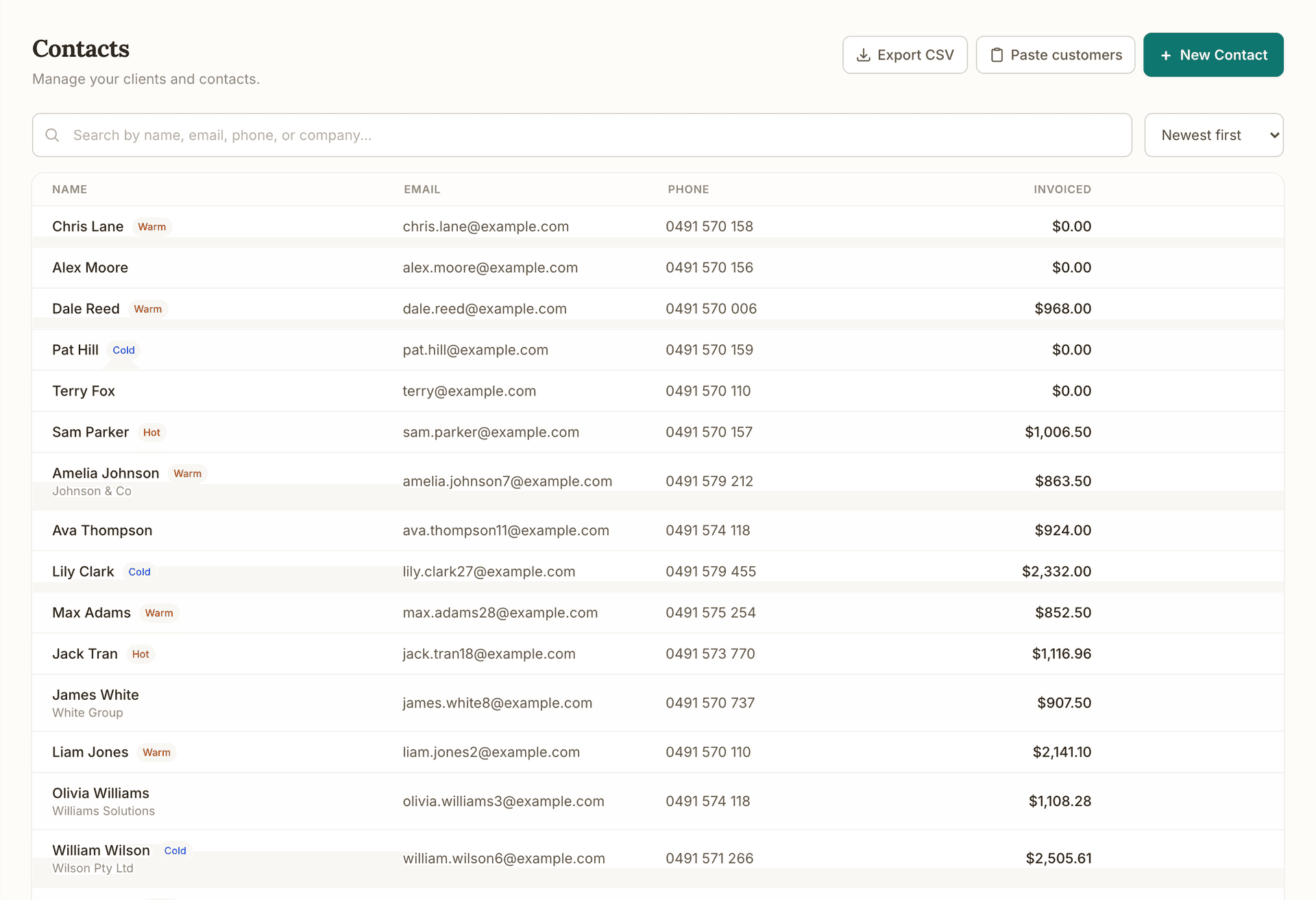
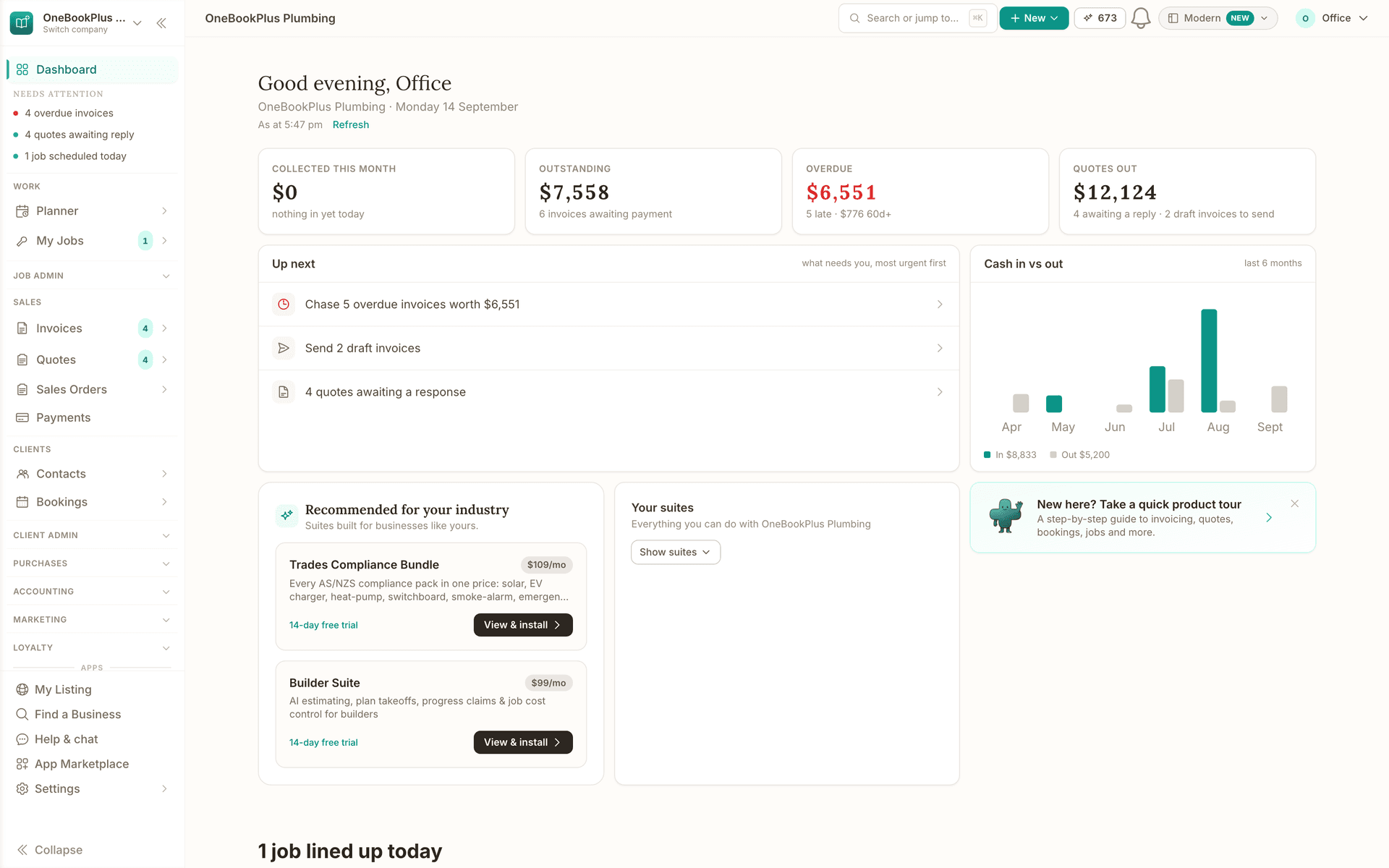
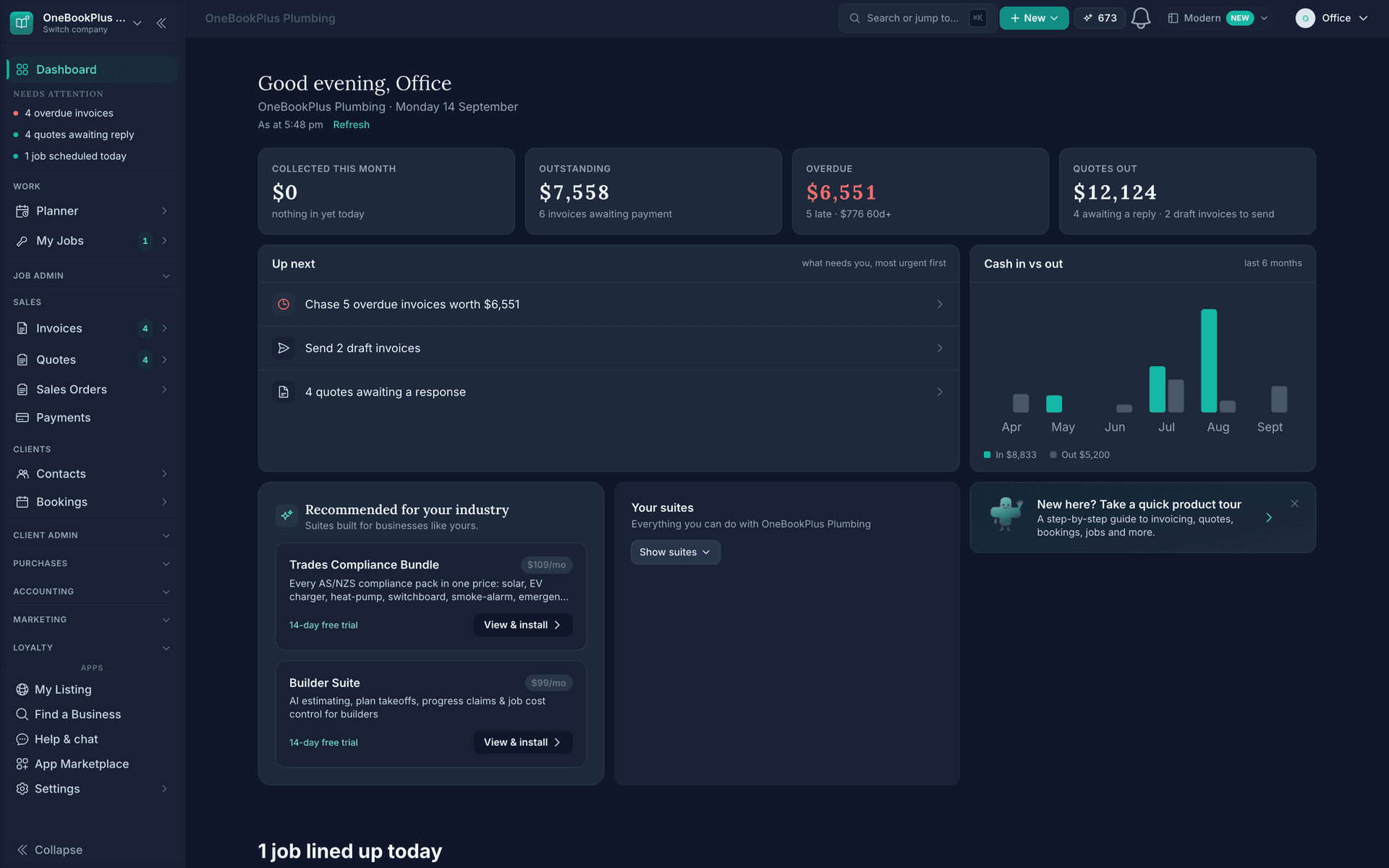
Demo account. OneBookPlus Plumbing is a business we seeded to run like a working crew; the screens are the product, the figures are sample data.
The tour
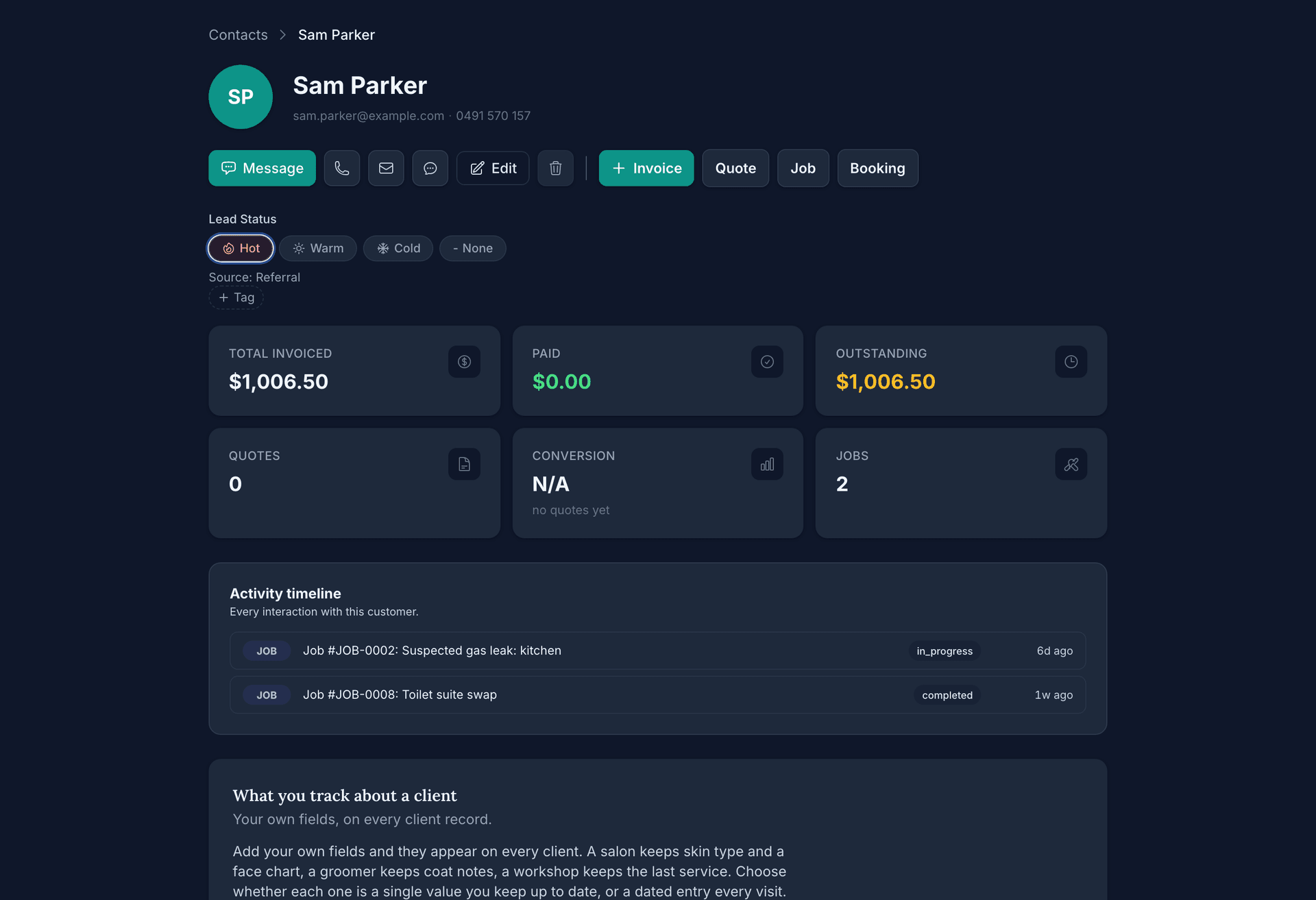
Open a contact and every invoice, quote, job, booking and sale sits in one timeline, each with its current status, with the money above it.
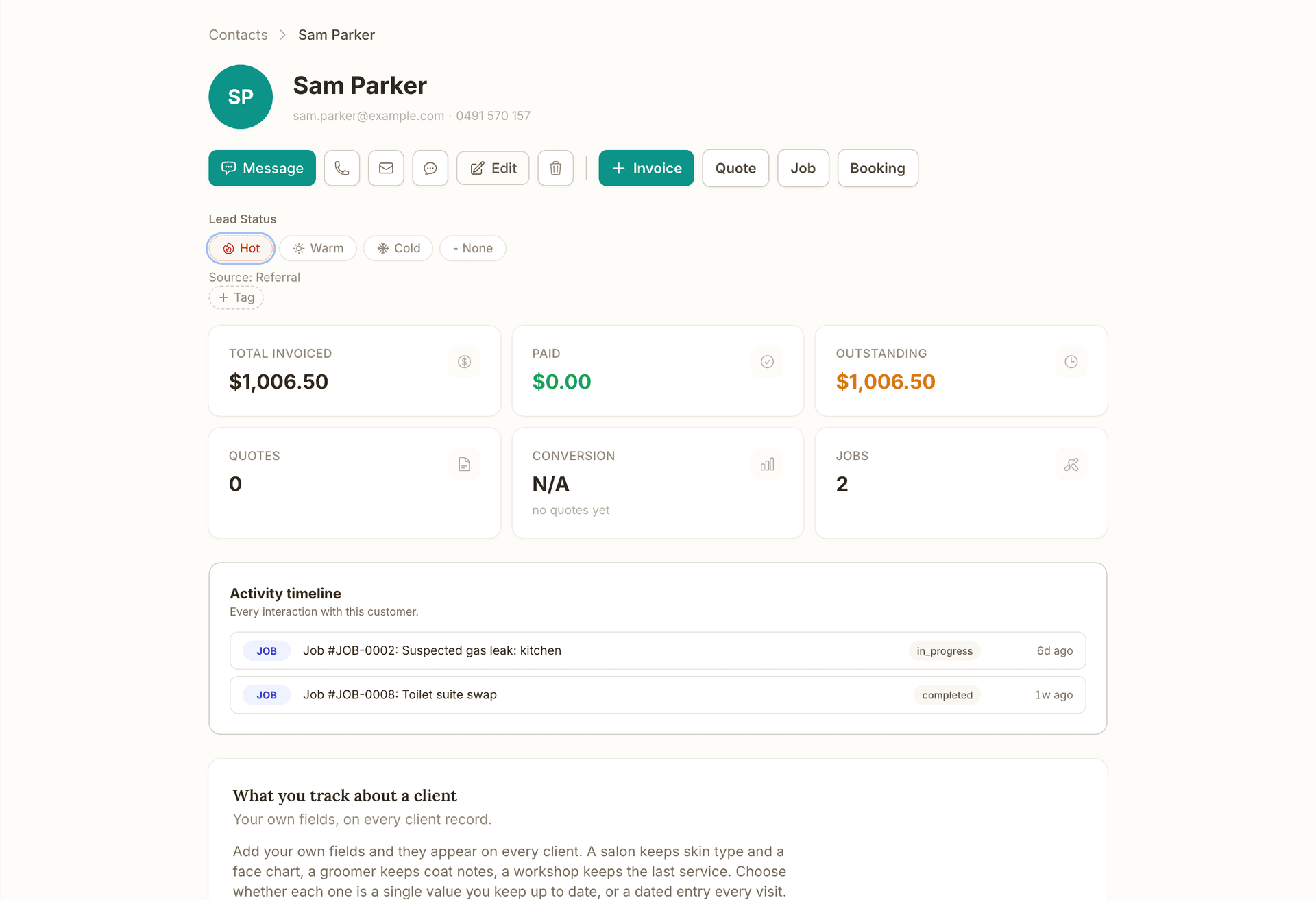
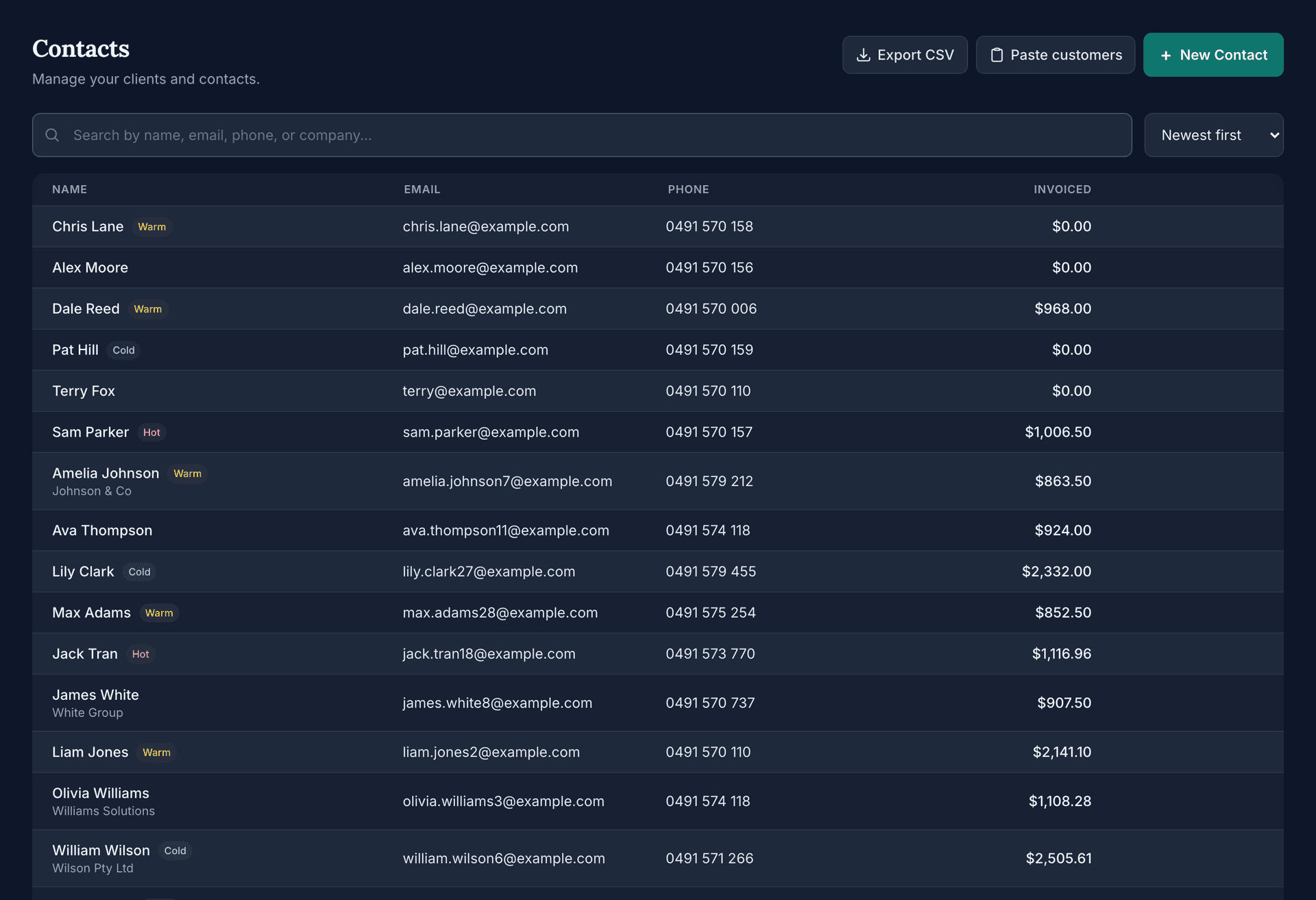
Invoice a new client or take a booking through your booking page and the record is made for you, with the company name and the hot, warm or cold tag on the row. Nobody types a contact twice, and a list from elsewhere is pasted in once with the Paste customers button.
Mark the lead status on any contact and record its source, so the follow-up list is the enquiries most likely to convert and you learn which channel brings the work.
Invoice, quote, job or booking from the contact with the details already filled, and call, text or email from the same screen.
Client timeline
Every invoice, quote, job, booking and point-of-sale purchase for a client in one chronological view, each with its current status. Open a contact and the whole relationship is on screen in seconds.
Contacts that create themselves
Invoice a new client or take a booking through your online booking page and the contact record is created automatically. Your CRM stays current without anyone doing data entry.
Lead status and source
Mark any contact hot, warm or cold and record where they came from. Chase the enquiries most likely to convert, and learn which channels actually bring you work.
Financial snapshot per client
See total invoiced, amount paid, outstanding balance and quote conversion rate on every contact. Know whether a client still owes you before you take on their next job.
One-tap actions
Raise an invoice, quote, job or booking straight from the contact, with their details prefilled. Call, text or email them from the same screen, on desktop or mobile.
Tags, search and filters
Find any client instantly by name, email, phone or company. Tag clients into segments, filter the list by tag, and sort by newest, name or total invoiced.
Notes and client details
Keep private notes, secondary phone and email, addresses, and visit history including no-shows and late cancellations. Everything your team needs to know before they knock on the door.
CSV import, export and duplicate check
Bring your list across from HubSpot, Zoho, Xero or a spreadsheet by mapping CSV columns. Run the duplicate checker to tidy up, and export your contacts again any time.
Companies and individuals
Track sole traders, households and business accounts side by side. Store a company name on any contact so you can invoice the business while dealing with the person.
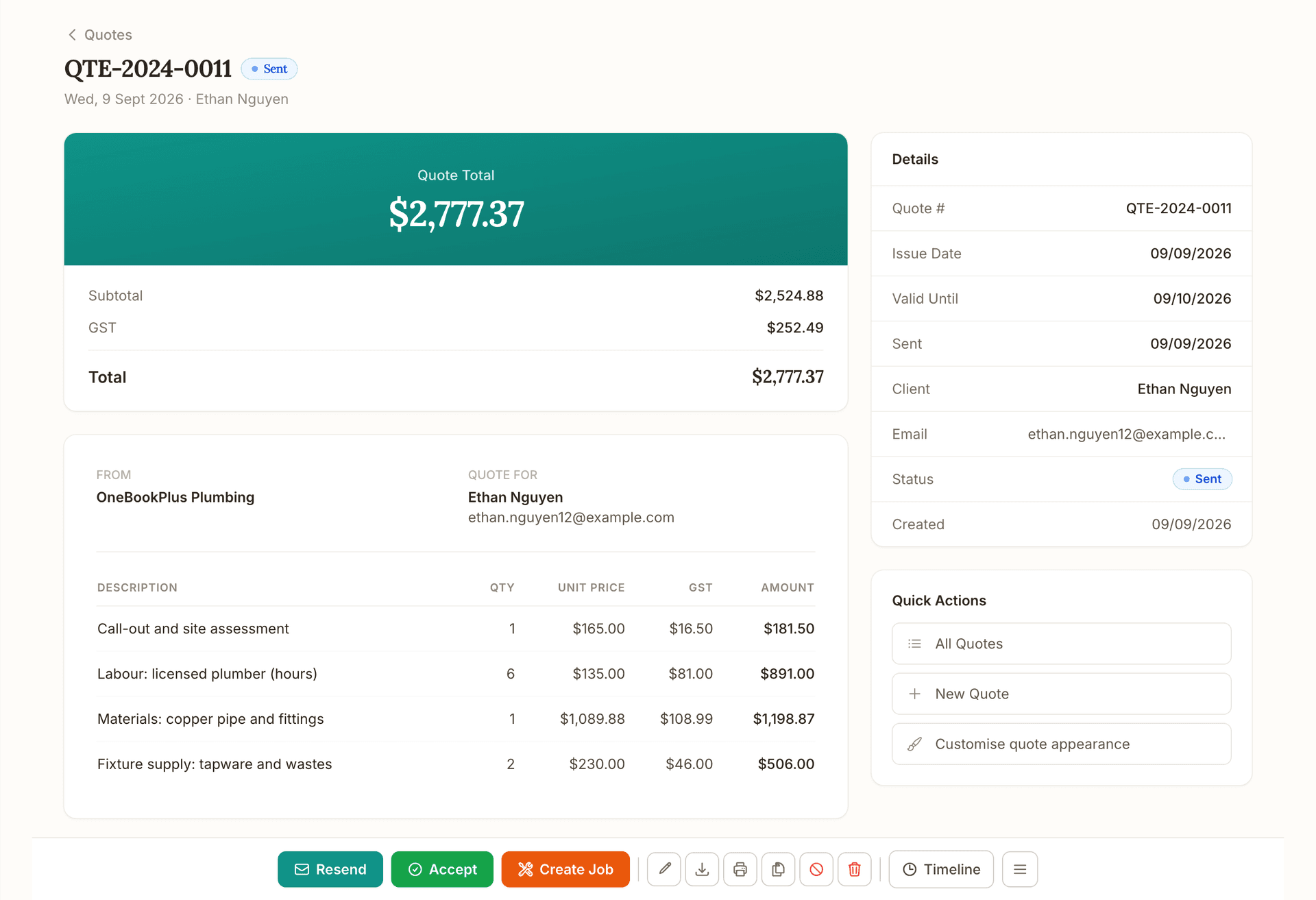
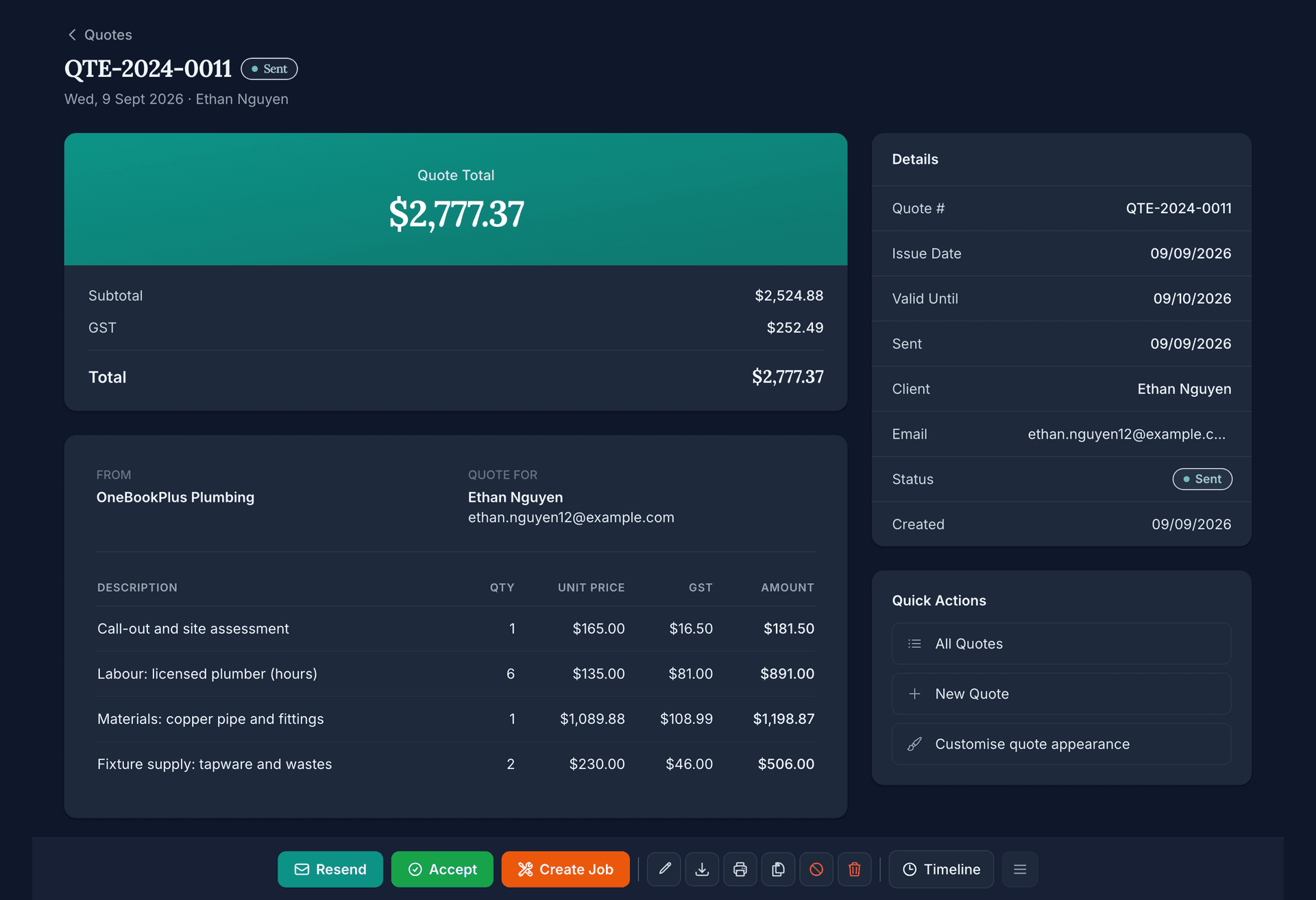
Quote
Quote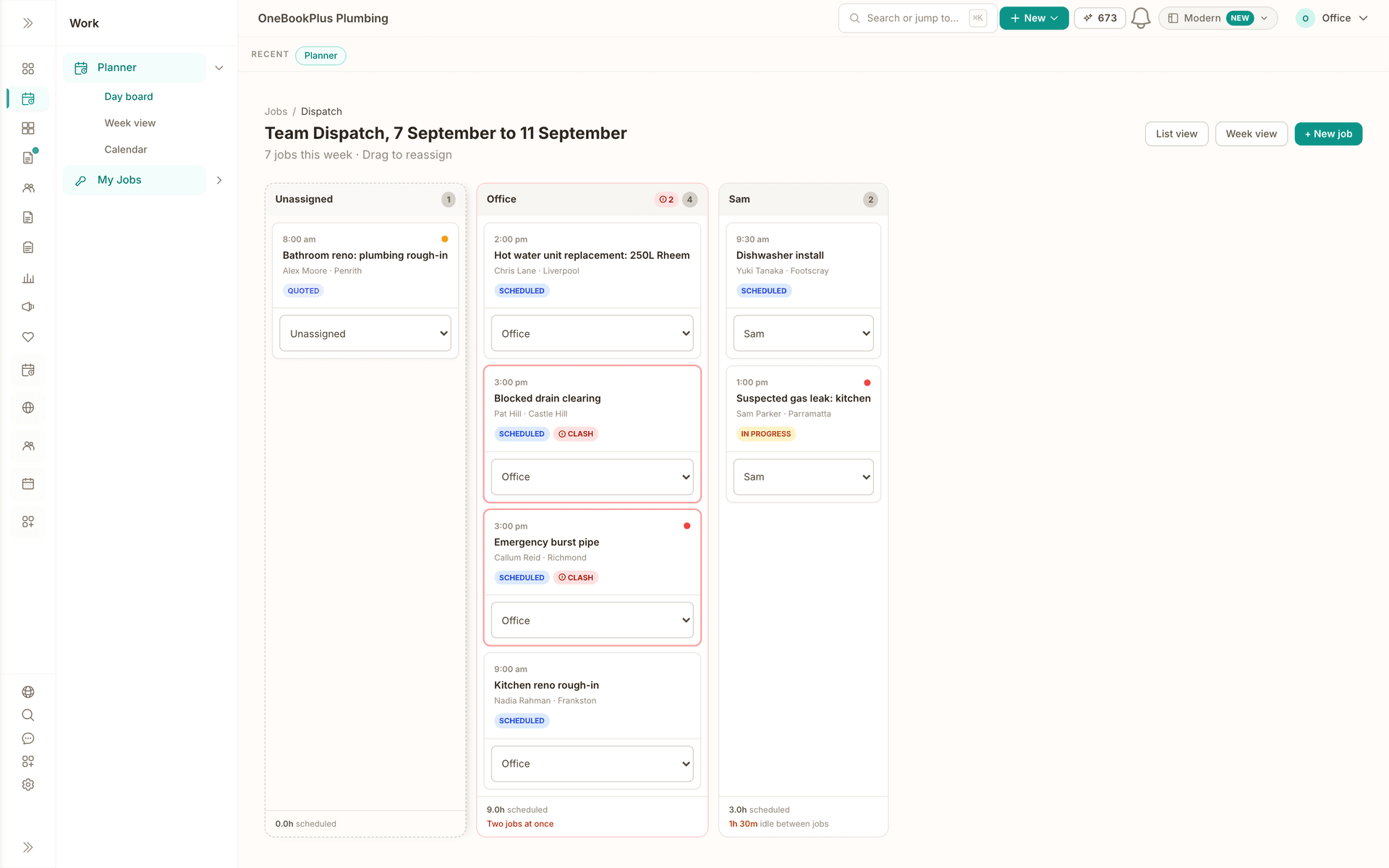
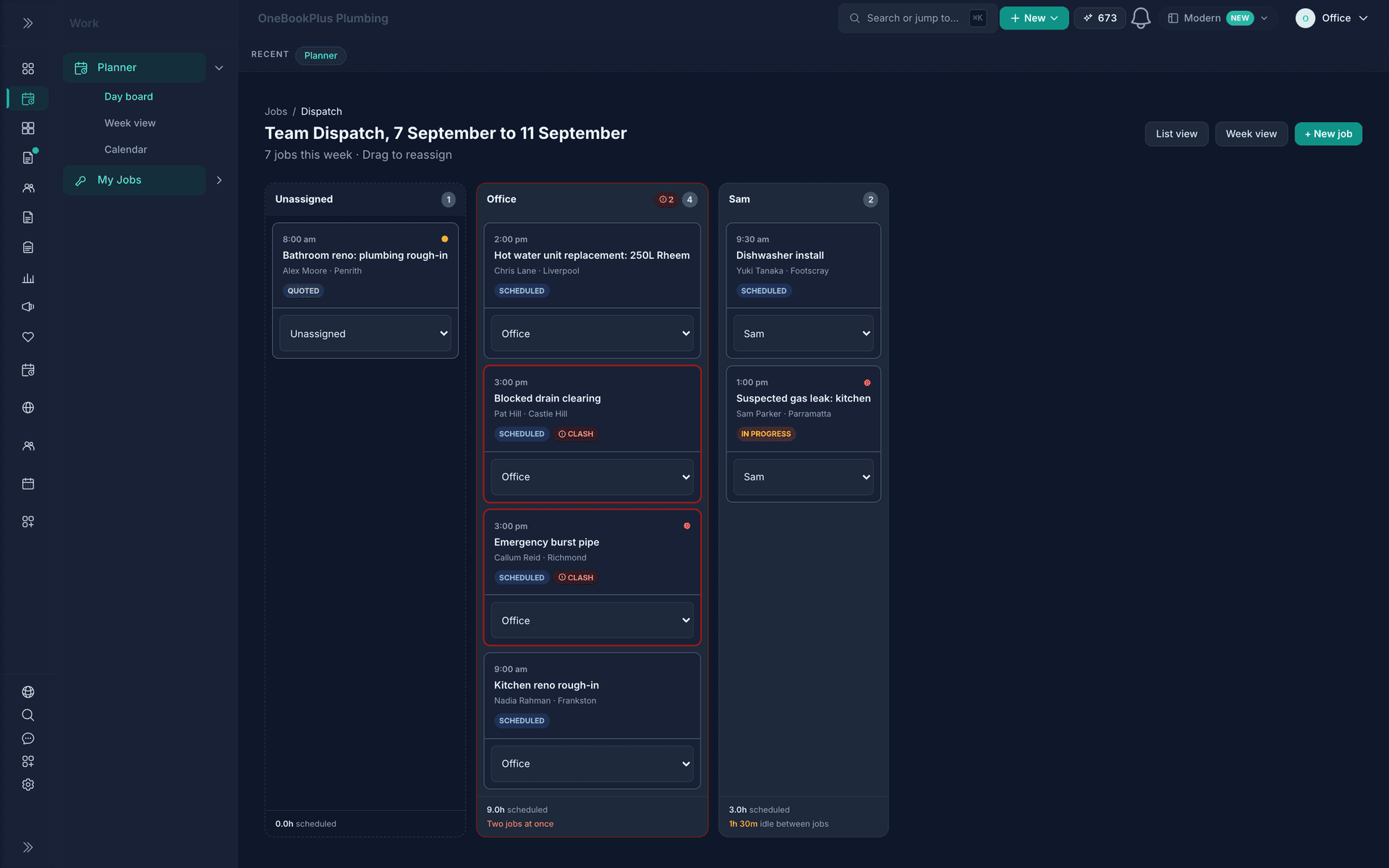
Schedule
Schedule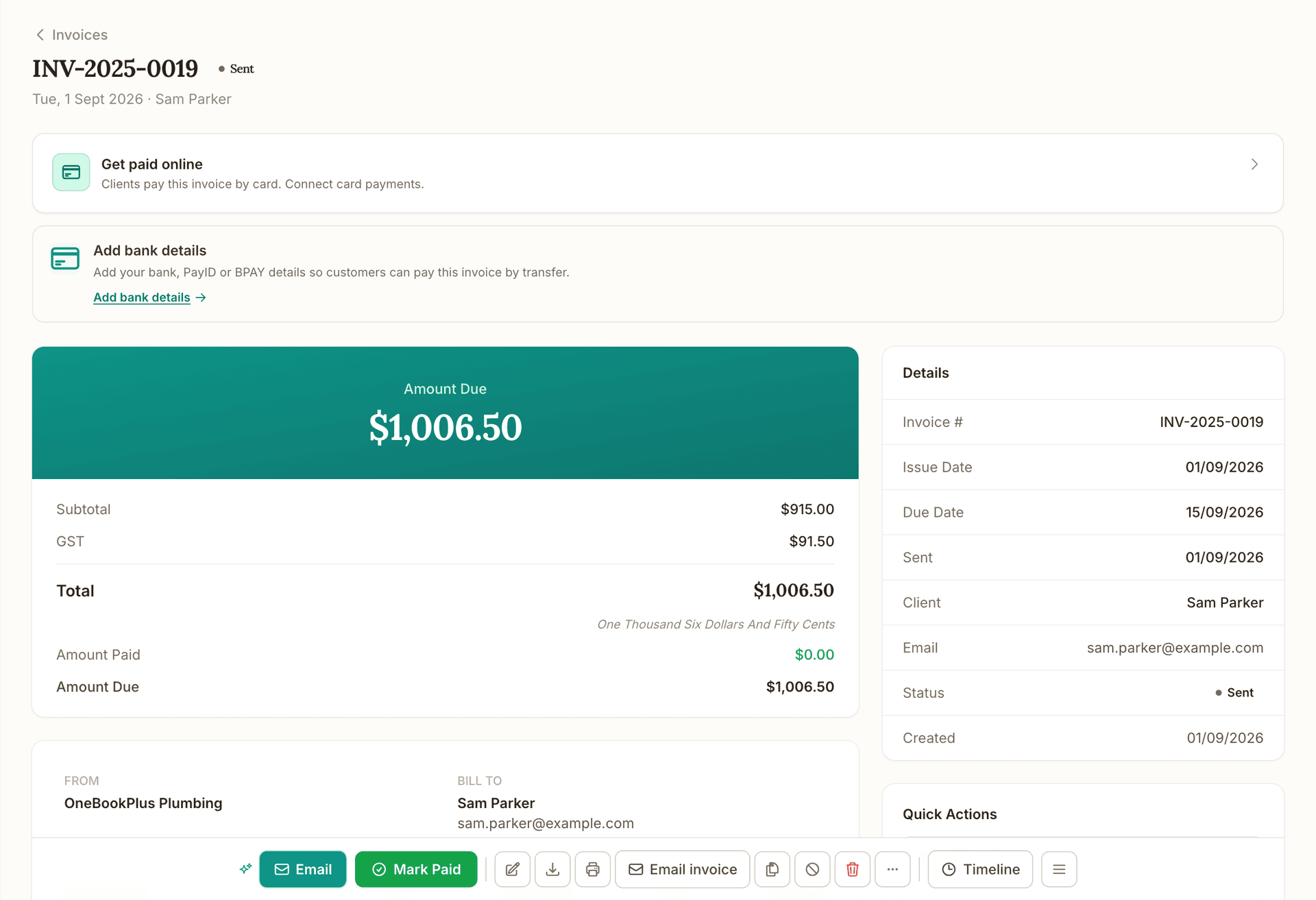
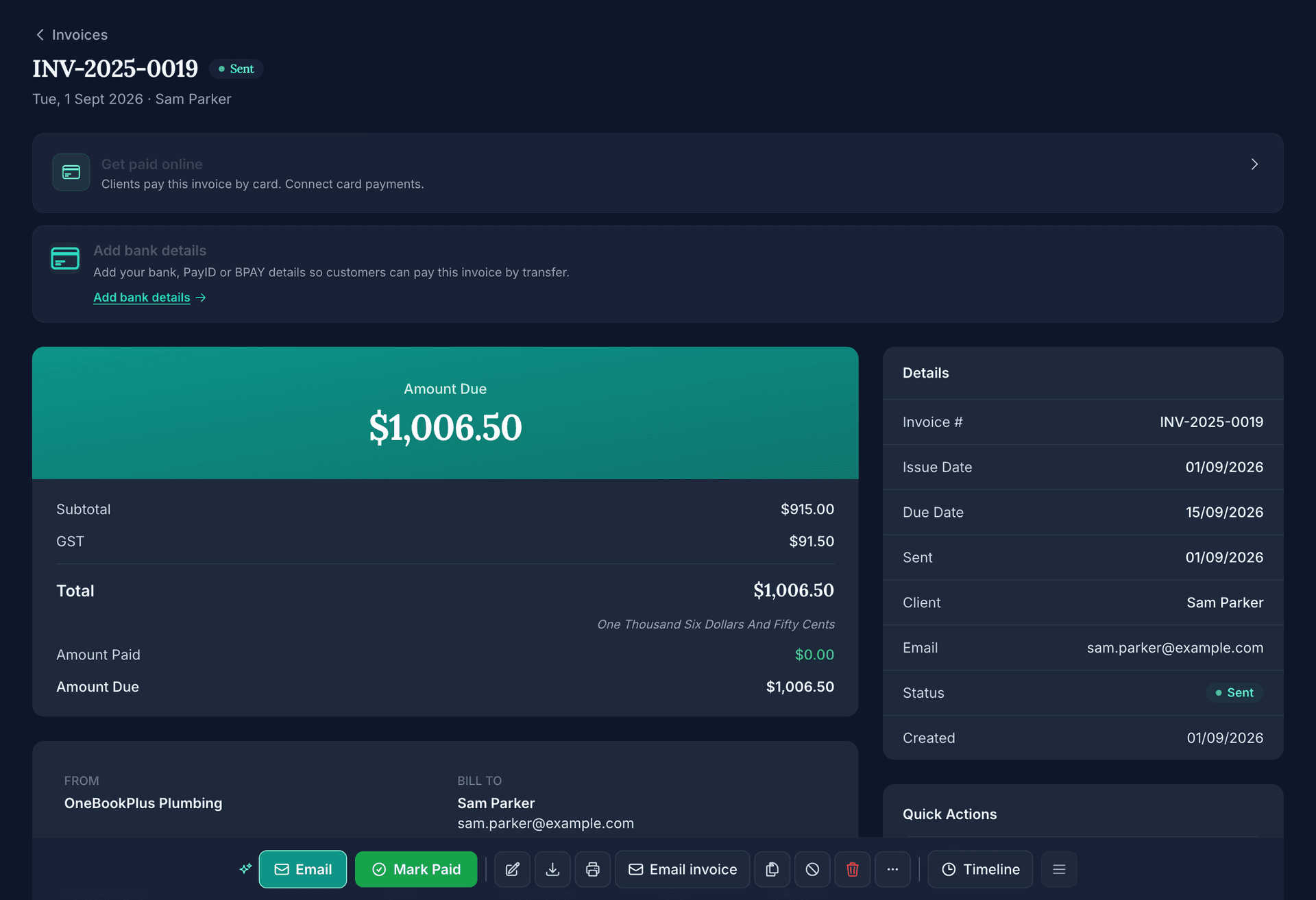
Invoice
Invoice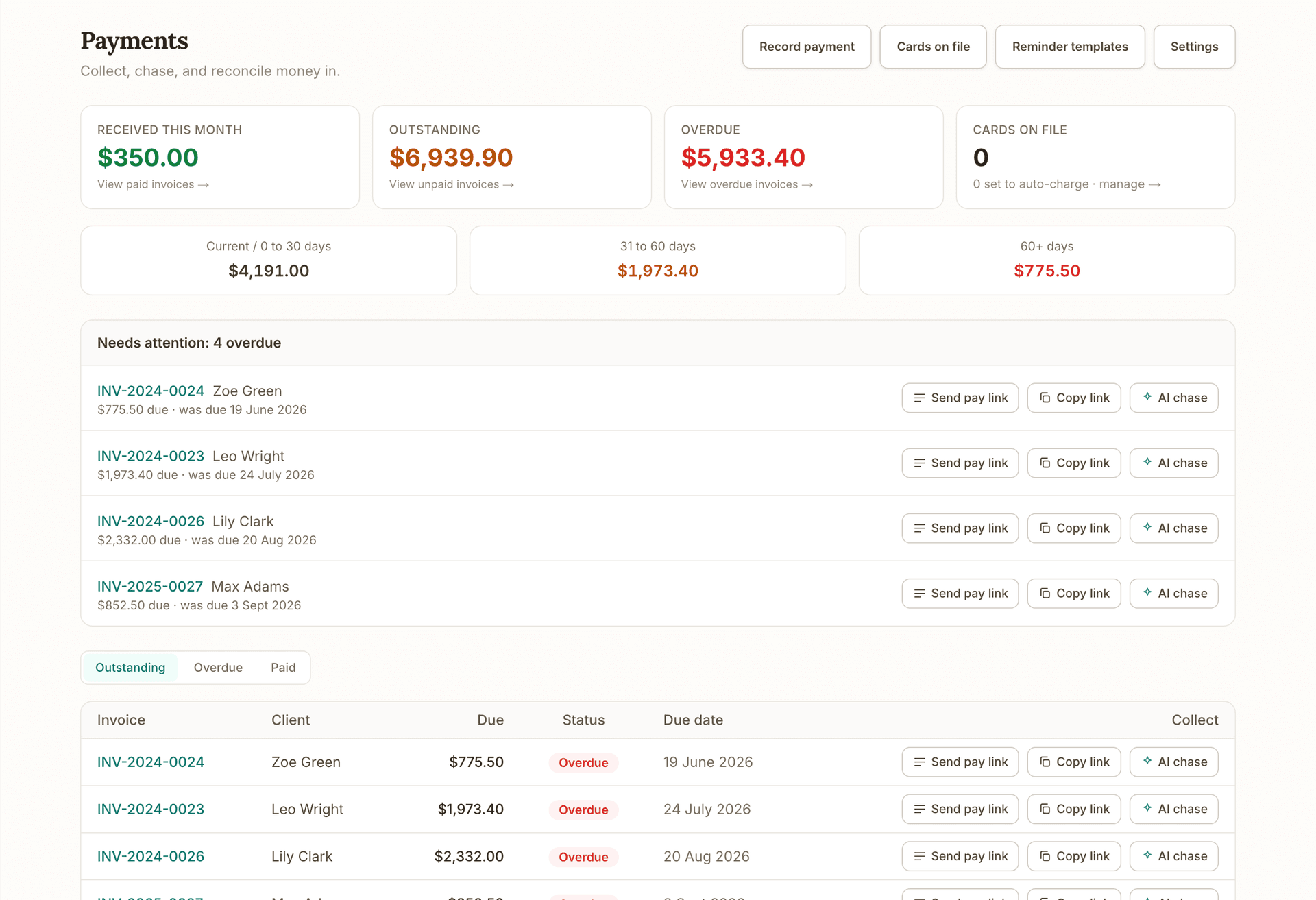
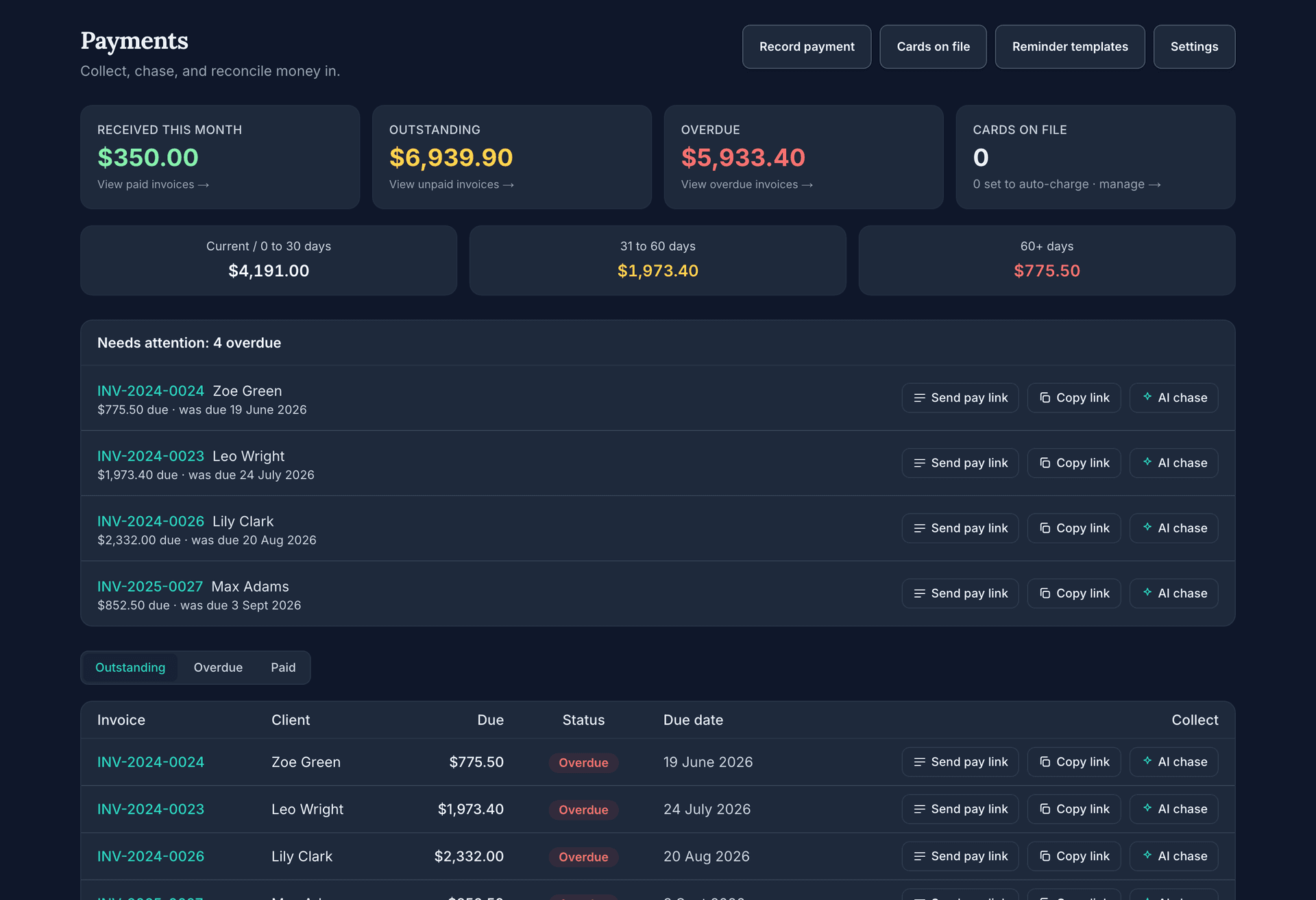
Get paid
Get paid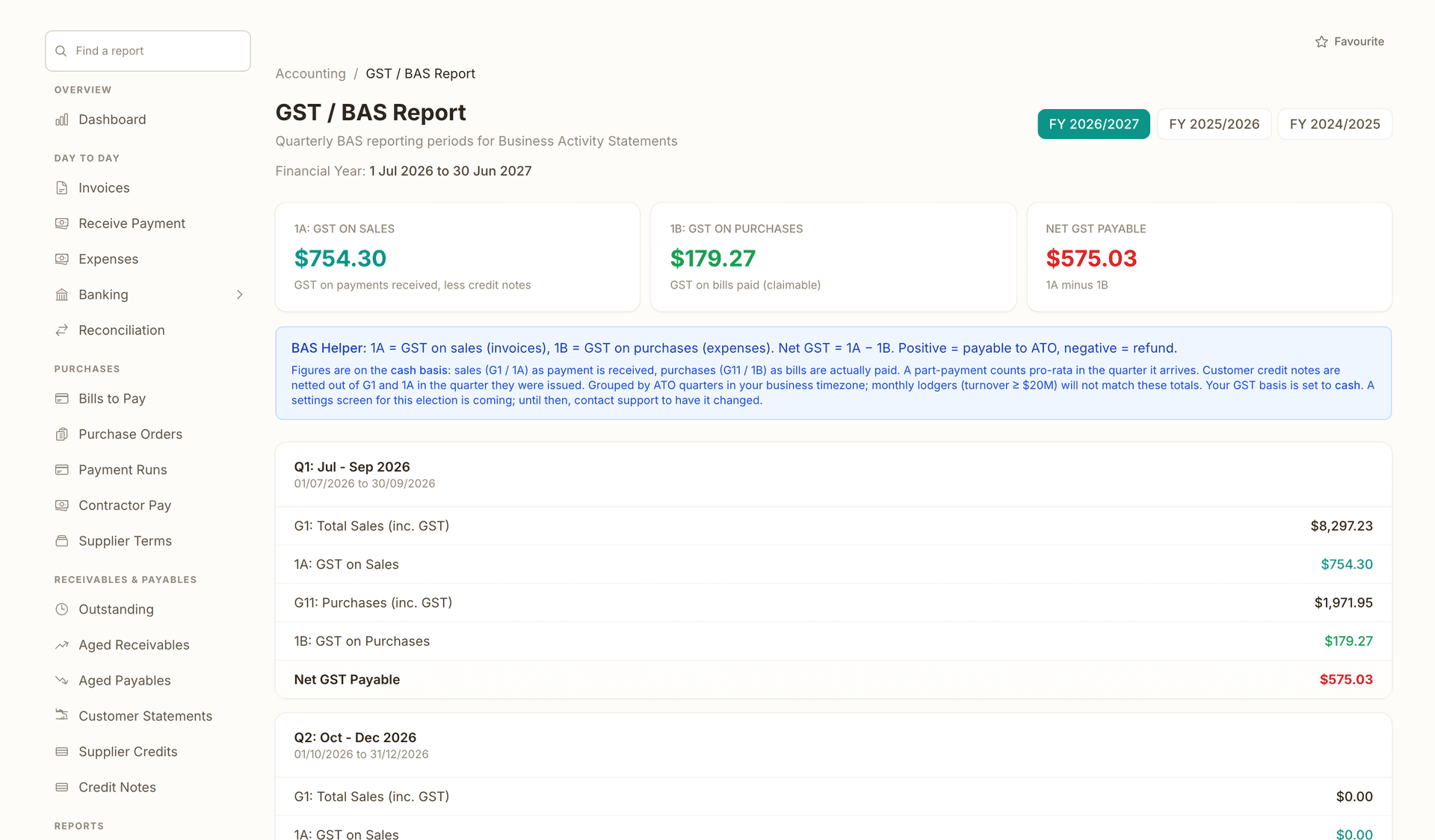
Books and BAS
Books and BASRuns alongside every stage.
What's on which plan
Free
$0/mo
Starter
$29/mo
Plus
$49/mo
Growth
$69/mo
How we compare
The rows are capability checks; the linked comparison page carries every citation.
| Feature | OneBookPlus | HubSpot | Zoho | MeMate |
|---|---|---|---|---|
| Contact and company records | Yes | Yes | Yes | Yes |
| Activity timeline per client | Yes | Yes | Yes | Yes |
| Contacts auto-created from invoices and bookings | Yes | No | No | No |
| GST invoicing and BAS reports built in | Yes | No | No | No |
| Online booking page included | Yes | Yes | No | No |
| Quotes clients can accept online | Yes | No | No | Yes |
| Email campaigns to client segments | Yes | Yes | Yes | No |
| Flat monthly price in Australian dollars | Yes | No | No | Yes |
| Free plan available | Yes | Yes | Yes | No |
| Australian data hosting | Yes | No | Yes | No |
| AI follow-ups and review requests | Yes | Yes | Yes | No |
| Price | From $0/mo (AUD) | Free / US$20+ per seat/mo | Free / US$14+ per user/mo | From A$99.85/mo |
Getting started
Upload a CSV from your old CRM or spreadsheet, or just start invoicing. Either way your contact list builds itself from real work, not from data entry sessions.
Each invoice, quote, job and booking you create is linked to the right contact automatically and appears on their timeline the moment it exists.
Before a call or a job, open the contact: history, balances, notes, lead status and every past interaction in one screen that loads on your phone.
Raise the next quote, book the next job, send the invoice or fire off a text from the contact record itself. The follow-through happens where the information is.
Example walkthrough
A worked example: a Newcastle electrician running 300 clients from his phone
Monday, 7:40am. Marcus parks outside a repeat client's house and opens her contact on his phone. The timeline shows the switchboard upgrade he quoted in April, the two jobs since, and a note: side gate sticks, dog is friendly. The financial snapshot shows nothing outstanding. He knocks knowing exactly where he left off.
After the job he taps New Invoice from her contact; her details prefill and the invoice is sent before he leaves the kerb. Tuesday, a new enquiry books through his booking page overnight; the contact created itself with name, phone and job notes attached. He marks the lead hot and calls straight from the contact record.
Thursday, a builder asks him to price three townhouses. He checks the builder's snapshot first: $2,300 outstanding from June. He raises the quote anyway, but requests a deposit, because the CRM told him to.
Friday afternoon he tags twelve clients he has not seen since last spring as winback and sends that tag a safety-check email campaign. Two book before Monday. Total time spent doing CRM this week: none. It happened while he quoted, booked and invoiced.
In depth
Search for CRM software and you will mostly find tools built for sales teams: deal stages, lead scoring, forecast dashboards, per-seat pricing. If you run a trade business, a salon, a clinic or a small firm, almost none of that maps to how you actually work. You do not close deals through a seven-stage funnel. You quote a job, do the work, invoice it and hope the client comes back. What you need to remember is who owes you money, what you did for them last time, and when to follow up.
That is really client management software, and the distinction matters. A CRM in the enterprise sense manages a sales process. A client management system manages relationships around real work: the quote you sent in March, the two jobs you completed over winter, the invoice still outstanding, the note about the gate code. Australian small businesses searching for a client management system usually want exactly this, one searchable record per client with the full history attached, not another sales tool to feed.
OneBookPlus CRM is built as client management first. Open any contact and you see a single timeline of every invoice, quote, job and booking, in order, with the status of each. A financial snapshot shows what you have invoiced that client in total, what they have paid, what is outstanding, and how often your quotes to them convert. When you do want light sales tracking, every contact carries a hot, warm or cold lead status and a lead source, so you know which enquiries to chase first and where they came from.
The difference shows up in the data. Standalone CRM software goes stale because updating it is a separate chore from doing the work. OneBookPlus cannot go stale: the CRM and the invoicing are the same system. Create an invoice for a new client and the contact record is created automatically. Take a booking through your online booking page and the client, their details and the appointment all land in the CRM without anyone typing them in twice.
For tradies, the test of a CRM is the driveway test: can you pull up everything about this client while standing at their front door? OneBookPlus passes it. The contact record shows every previous job at the address, what was quoted and what was paid, and your private notes from last time. Tap once to call or text the client, tap again to raise a quote with their details prefilled. There is no separate app to keep in sync and no office computer to phone back to.
It also covers the parts of trade work that generic CRM software ignores. Before you start a new job, the outstanding balance on the contact tells you whether the client still owes you for the last one. Accepted quotes convert to jobs and invoices without retyping, and the pipeline board shows every job moving from quote to scheduled to invoiced to paid. When a client has gone quiet, tag them as dormant and send that tag a re-engagement email campaign.
None of this requires an office manager. The pipeline board is drag and drop, lead statuses are one tap, and everything works on a phone in the ute between jobs. That is what a CRM for tradies should mean: not more admin done in the evening, but less, because the record keeping happens as a side effect of quoting and invoicing.
Free CRM offers in Australia deserve a sceptical read, because free usually means a 14-day trial or a stripped-down funnel into an expensive plan. HubSpot's free CRM is genuinely free, but it exists to move you toward Starter at US$20 per seat per month and Professional at US$800 per month, billed in US dollars (source: hubspot.com/pricing). MeMate, the closest Australian alternative, publishes no free tier at all, with plans starting at A$99.85 per month (source: memate.com.au).
The OneBookPlus Free plan is a permanent plan, not a trial. It includes the entire CRM: 250 contacts, the full client timeline, tags, notes, lead status tracking, CSV import and export, and the financial snapshot on every contact. Alongside it you get 10 invoices and 5 quotes a month, a hosted booking page, GST calculation and ABN validation. No credit card is required to sign up, and nothing about the CRM is held back to force an upgrade.
When your client list outgrows 250 contacts, Starter is $29 a month for 1,000 contacts, unlimited invoices and quotes, and email campaigns to your tagged client segments. Plus at $49 removes contact limits entirely, and Growth at $69 adds the AI Companion, which drafts follow-ups, chases overdue payments and requests Google reviews from your best clients. Every plan is one flat monthly price in Australian dollars, and the plan price does not move with headcount. What the plan sets is logins: 1 on Free, 3 on Starter, 5 on Plus and 10 on Growth, with extra logins on Growth at $9/mo each. People you keep on the books but who never sign in cost nothing on any plan.
Switching is deliberately boring. Export a CSV from HubSpot, Zoho, MeMate or a spreadsheet, import it into OneBookPlus, map the columns, and run the built-in duplicate check to tidy the list. From then on the CRM maintains itself. And because you can export your contacts to CSV at any time, you are never locked in: the fastest way to trust a CRM is knowing you can leave it.
FAQ
Step-by-step guides for contacts
Yes. The OneBookPlus Free plan is permanent, not a trial, and includes the full CRM: 250 contacts, the client timeline, tags, notes, lead status tracking, and CSV import and export. You also get 10 invoices and 5 quotes a month plus a hosted booking page, with GST and ABN handling built in. No credit card is required, and the CRM features are not stripped back to force an upgrade.
The best CRM for tradies is one that works from a phone in the driveway and is attached to quoting and invoicing, so it updates itself. OneBookPlus was built to that test: pull up a client's job history and outstanding balance on site, raise a quote with their details prefilled, and call or text them in one tap. There is no separate sales tool to keep in sync after hours.
CRM software in the traditional sense manages a sales process: deal stages, forecasts, lead scoring. Client management software manages relationships around actual work: what you quoted, what you did, what is owed, and what to remember next visit. Most Australian small businesses searching for a CRM actually need the latter. OneBookPlus is client management first, with light sales tracking (hot, warm and cold lead statuses plus lead source) layered on top.
No. When you invoice a new client, the contact is created automatically, and clients who book through your online booking page create their own records, details and appointment included. For your existing list, import a CSV from any system that can export one, map the columns, and run the built-in duplicate check. After that, the list maintains itself as you work.
The Free plan includes 250 contacts, which covers most sole traders comfortably. Starter ($29/month) lifts that to 1,000, and Plus ($49/month) and Growth ($69/month) have no contact limit. Deleting a contact is a soft delete rather than a hard wipe, so their invoices and history are not destroyed when you tidy your list.
It has the pipeline a service business actually uses: a drag-and-drop board that tracks work from quote to job to invoice to paid, plus hot, warm and cold lead statuses on every contact. It does not have configurable multi-stage deal pipelines with forecasting, and we are upfront about that. If you run a dedicated sales team closing large deals, HubSpot fits better; if you quote and invoice work, this fits better.
HubSpot's free CRM is real but built to move you onto paid seats: Starter is US$20 per seat per month and Professional is US$800 per month (hubspot.com/pricing). Zoho is capable but splits the job across many products, priced per user in US dollars. OneBookPlus bundles CRM with GST invoicing, quoting, bookings and reporting for a flat $0 to $69 AUD a month, with logins banded by plan rather than billed per seat. Our detailed HubSpot comparison and Zoho comparison pages carry the full cited feature tables.
Yes. Every contact has a message button for one-off branded emails or SMS, and every plan includes an SMS allowance (25 per month on Free, more on paid plans). From Starter up you can also send email campaigns to tagged segments of your list, for example a re-engagement offer to clients you have tagged as dormant. On Growth, the AI Companion drafts follow-ups and review requests for you.
Yes. The Free plan is single user; Starter includes 3 team members, Plus 5 and Growth 10. Everyone works from the same live contact records, so a note added on site is visible in the office immediately, and you assign each team member a role that controls their level of access.
Yes. Export contacts from your current system (HubSpot, Zoho, MeMate, Xero or a spreadsheet) as a CSV, import it into OneBookPlus, map your columns and run the built-in duplicate checker to tidy the result. From day one, new invoices and bookings attach to the right contacts automatically. And because you can export your full list to CSV at any time, trying OneBookPlus never locks you in.
GST invoices with automated reminders and card payments built in.
Read about OneBookPlus InvoicingDrag-and-drop scheduling, team dispatch and 24/7 online bookings that flow straight through to invoice.
Read about OneBookPlus BookingLive revenue, overdue invoices and today's bookings, with 328 reports one click deeper.
Read about OneBookPlus DashboardBuilt in Melbourne, AU
ATO-ready from day one
TLS in transit, AES-256 at rest, tenant isolation at the database layer, read the security page
No credit card needed
About the author

Founder & CEO, OneBookPlus
Bishal spent a decade running digital projects for Australian small businesses before founding OneBookPlus. He writes and maintains these pages, and publishes what OneBookPlus does not do alongside what it does.
Read the founder bioThe free plan includes 10 GST-compliant invoices and 5 quotes per month, 250 contacts, a booking page and basic CRM, no trial clock, no credit card.
Reviewed by Bishal Shrestha