Skip to content
Pricing
Try a live demo, it's freeBook a DemoSign InStart free

The OneBookPlussuite

One job, from the quote to the BAS.

Invoicing, quotes, bookings, CRM, accounting, payments, marketing and reporting share one database. The job you quote on Monday is on the board by Tuesday, invoiced the moment the crew marks it done, and already counted in this quarter's GST. Nothing is typed twice.

The free plan includes unlimited jobs and one-off bookings, 10 GST-compliant invoices and 5 quotes per month, 250 contacts, a booking page and the books with BAS reports, no trial clock, no credit card.

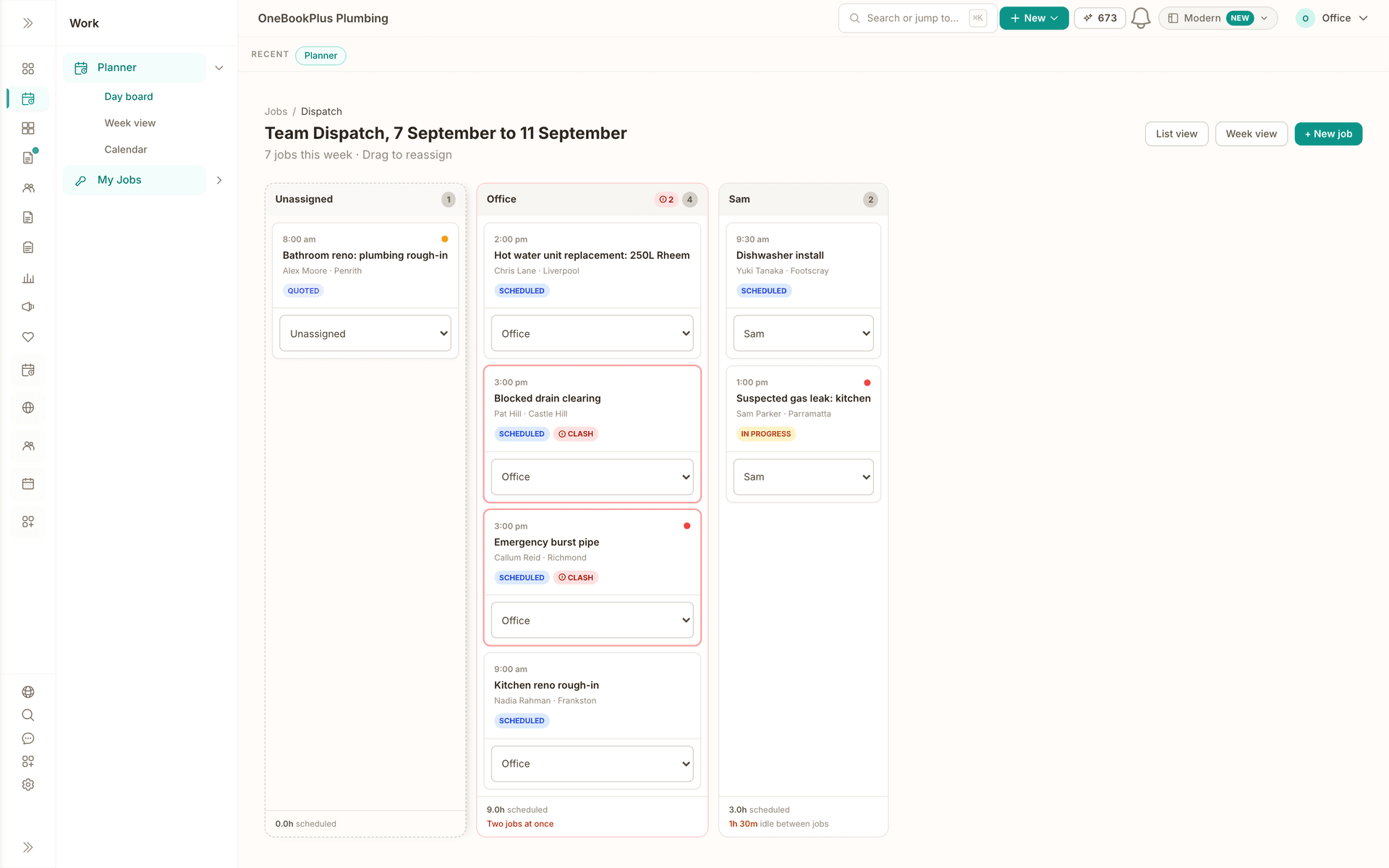
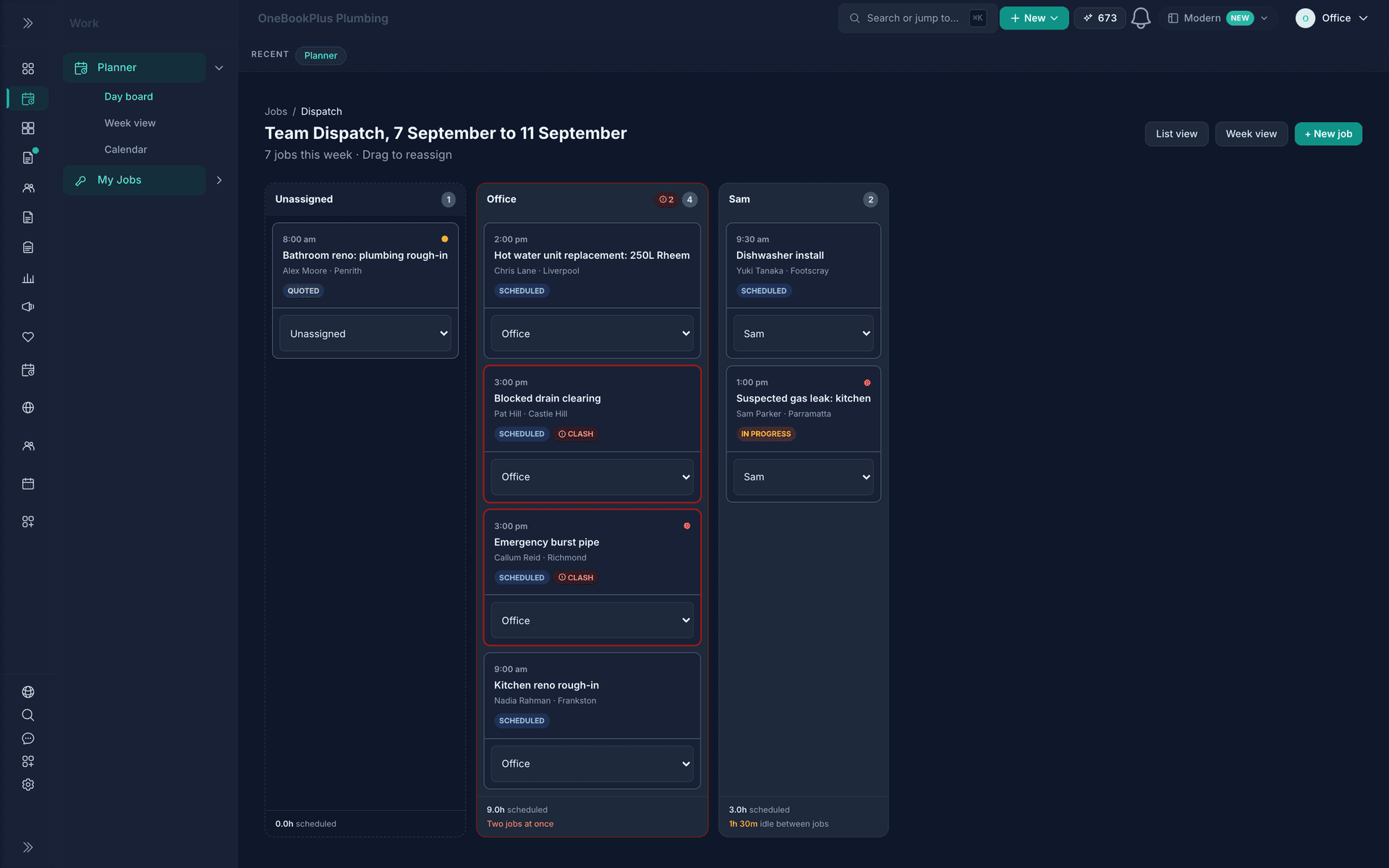
The dispatch board for OneBookPlus Plumbing, 7 to 11 September: an Unassigned lane, the Office lane with four jobs and the flag Two jobs at once on a 3:00 pm clash, and Sam's lane with two jobs and a 1h 30m gap between them.
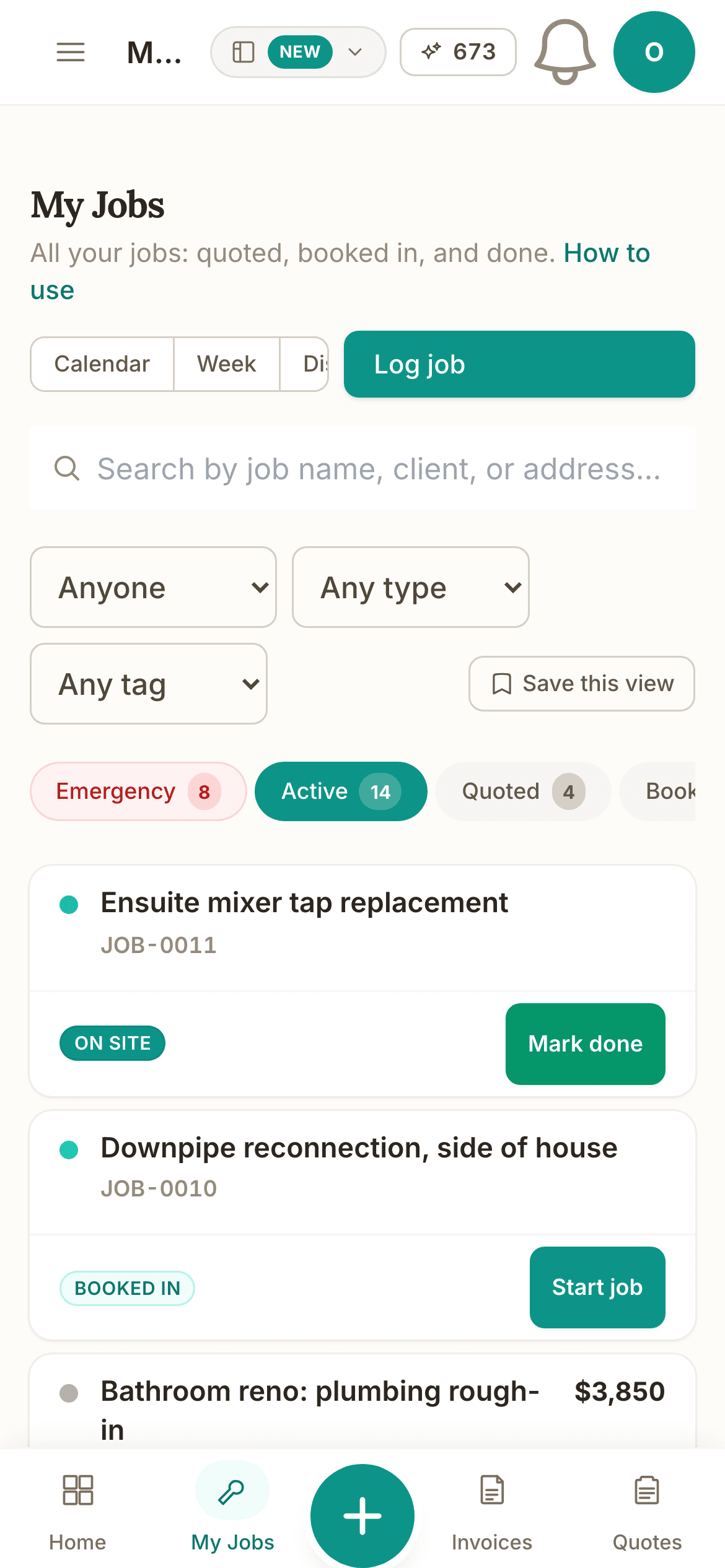
The jobs list on a phone: search, the Anyone and Any type filters, status chips with counts (Emergency 8, Active 14, Quoted 4), and the first jobs with their Mark done and Start job buttons.

Demo account. OneBookPlus Plumbing is a business we seeded to run like a working crew; the screens are the product, the figures are sample data.

Follow one job through the book.

Every screen below is the product, captured from our demo plumbing business. Nothing is drawn.

Stage 1 of 5

Quote it on site, and the client accepts on their phone.

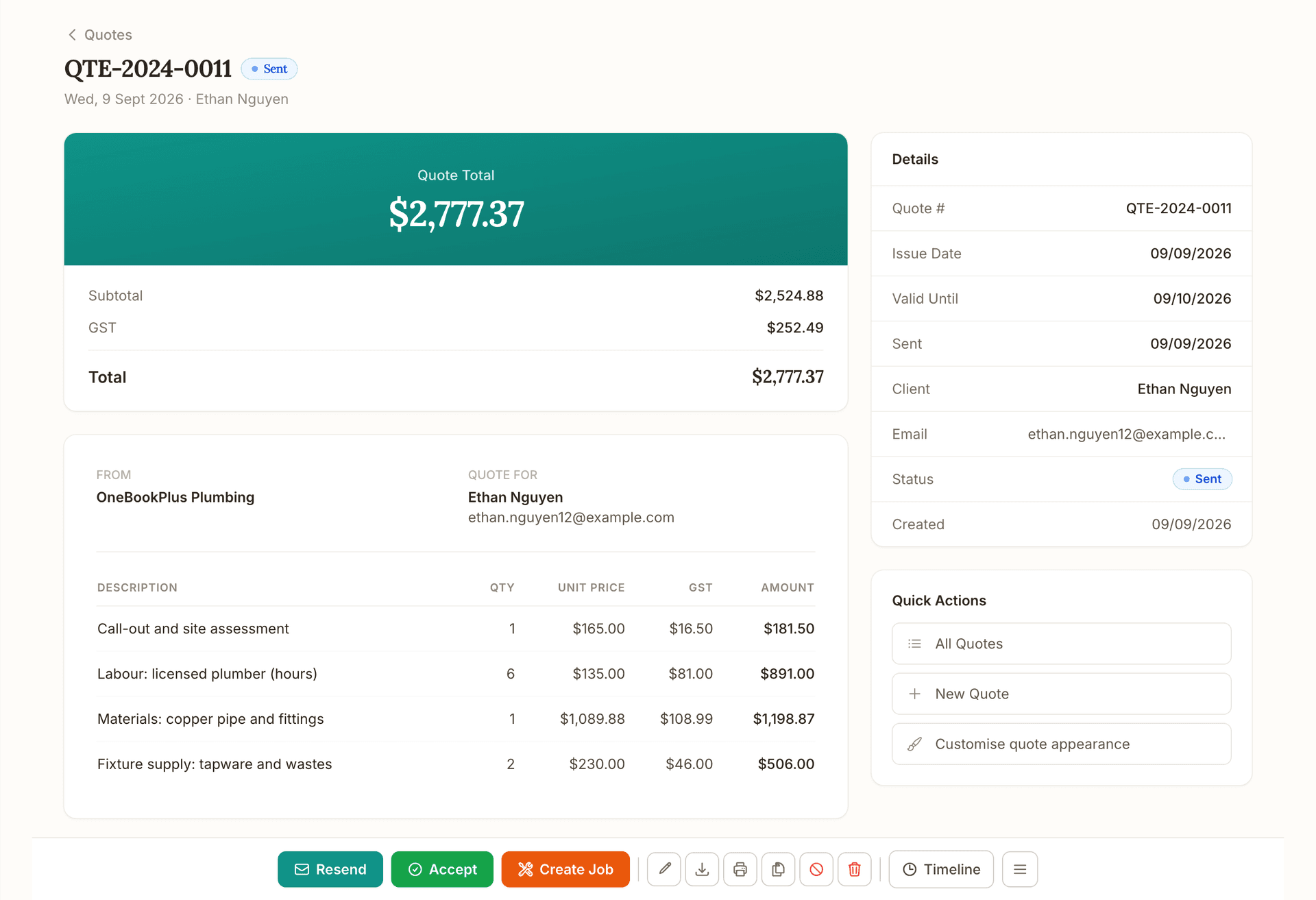
Pick the client, add the lines, and GST is worked out per line with your ABN on the document. Send it and the client gets a link, reads the quote and presses Accept quote. The accepted quote becomes the invoice with nothing retyped.

Read about OneBookPlus Quotes
A sent quote, QTE-2024-0011 for Ethan Nguyen: the total with GST, four plumbing lines with quantity, unit price, GST and amount, the details panel, and the Resend, Accept and Create Job actions.

Stage 2 of 5

Put it on the board, in the column of whoever has the room.

The dispatch board shows each person's week in a column with the unassigned lane beside it. Drag the job across and it is theirs. If two jobs overlap, the lane says Two jobs at once before anyone drives anywhere, and every lane shows the idle time between jobs so the gaps get filled instead of found on Friday.

Read about job scheduling in OneBookPlus
The dispatch board for OneBookPlus Plumbing, 7 to 11 September: an Unassigned lane, the Office lane with four jobs and the flag Two jobs at once on a 3:00 pm clash, and Sam's lane with two jobs and a 1h 30m gap between them.

Stage 3 of 5

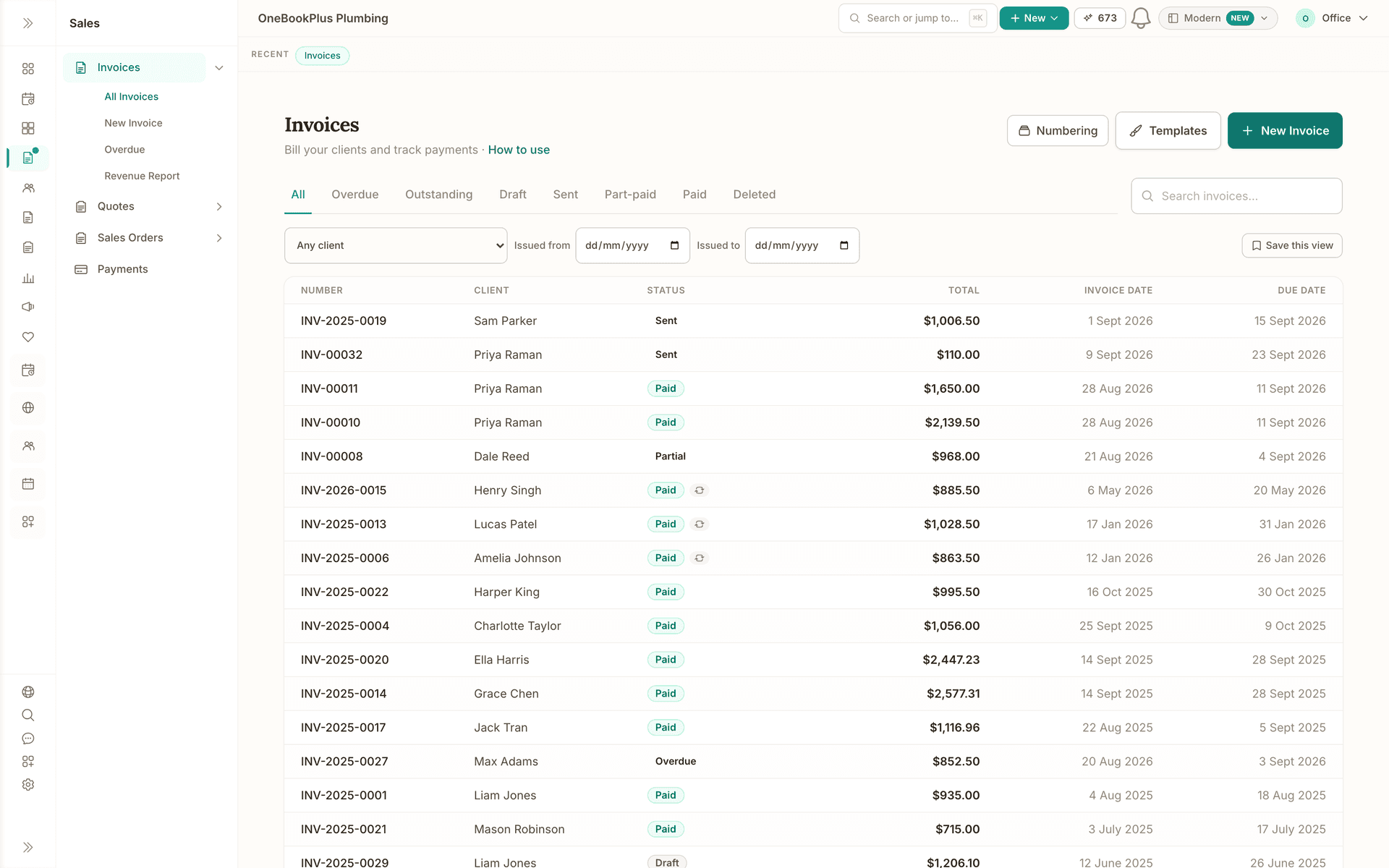
When the crew marks it done, the invoice is one press away.

The done job carries its lines onto the invoice. Send it with the ABN, the GST and a link to pay. The reminders are already scheduled: an email at 3, 7 and 14 days past due, and a text at 7 and 14 when the invoice has a mobile number. A text that would land inside your SMS quiet hours waits for the next run outside them; the email is never held, and the reminders page shows when each run goes on your own clock.

Read about OneBookPlus Invoicing
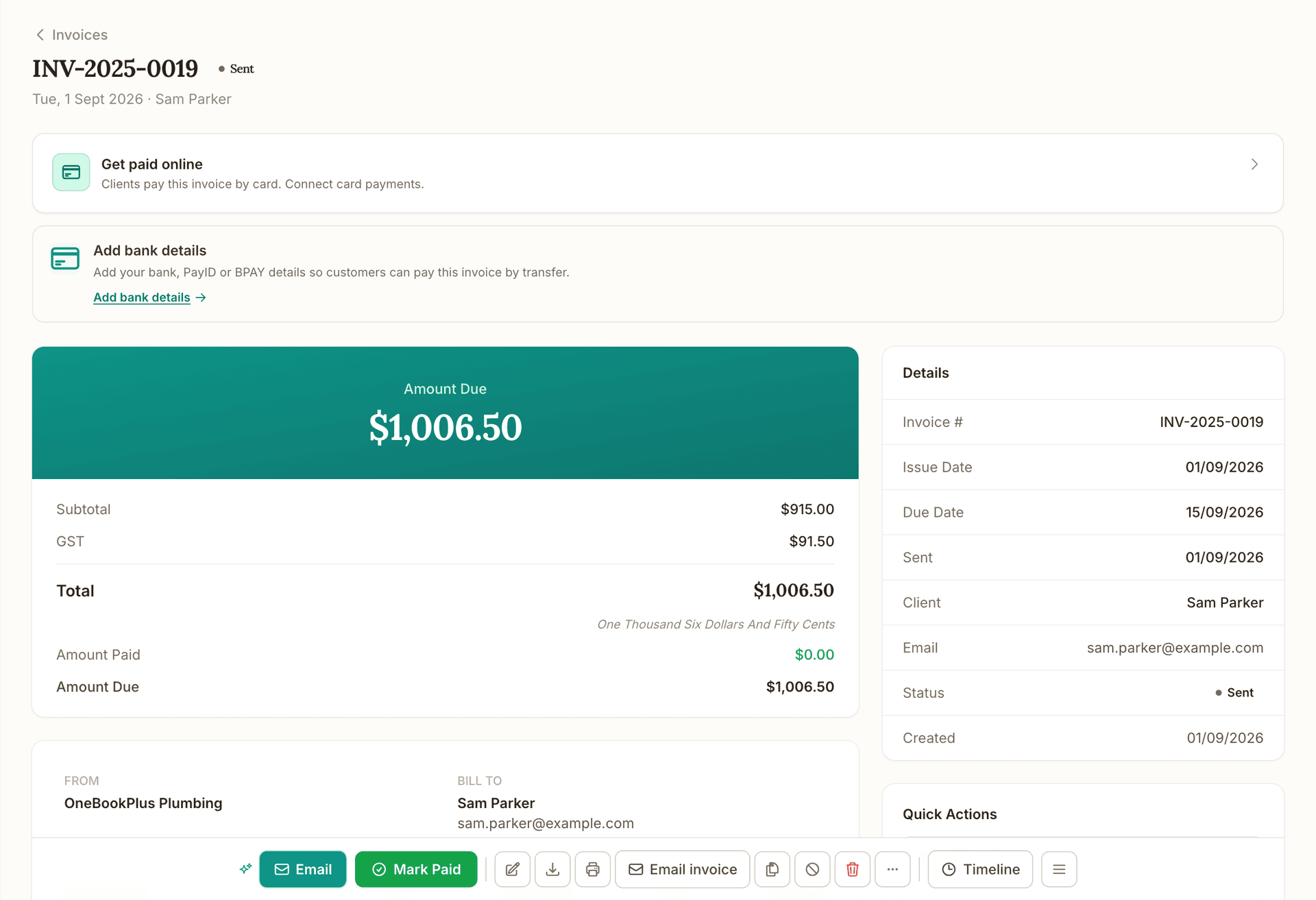
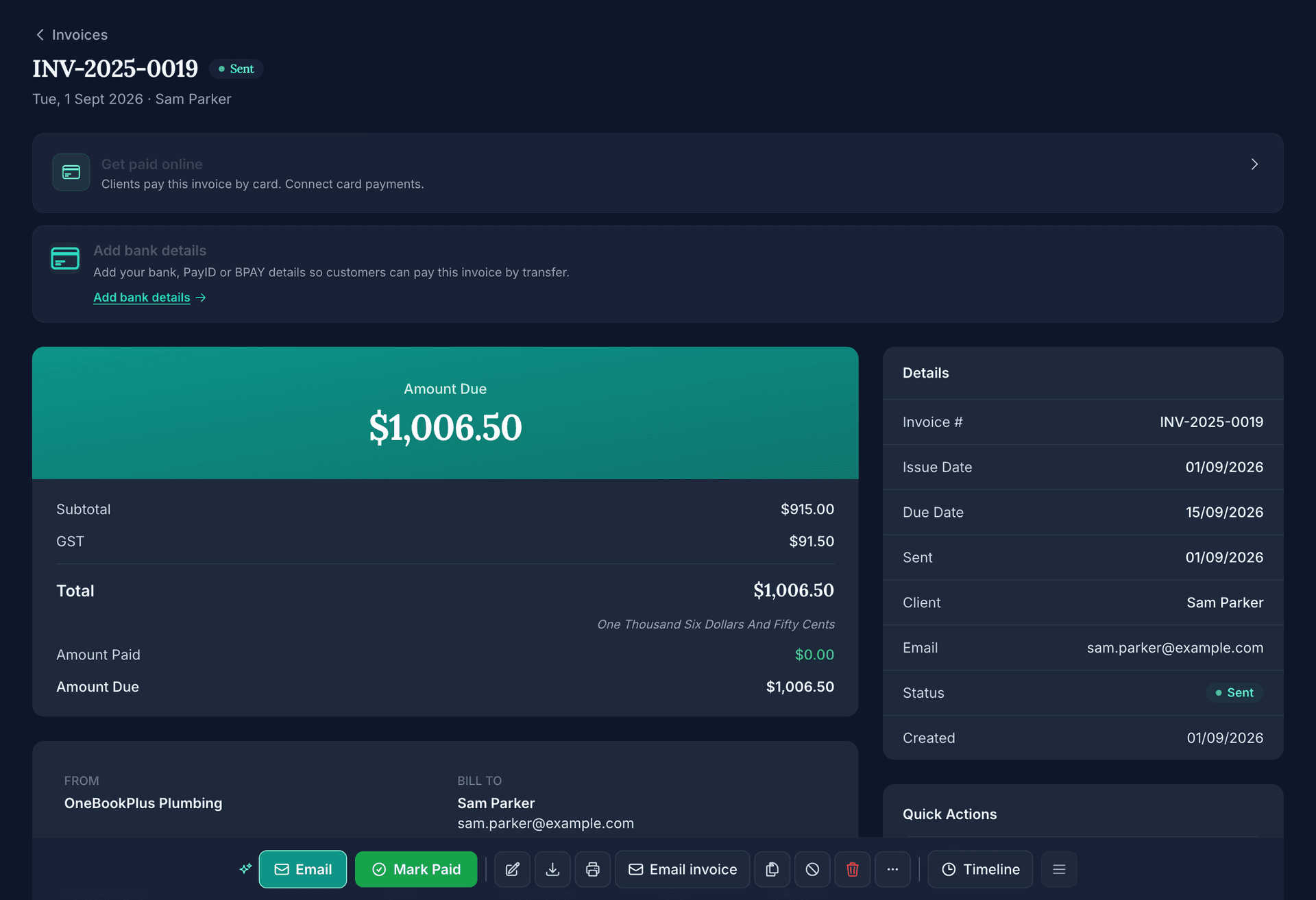
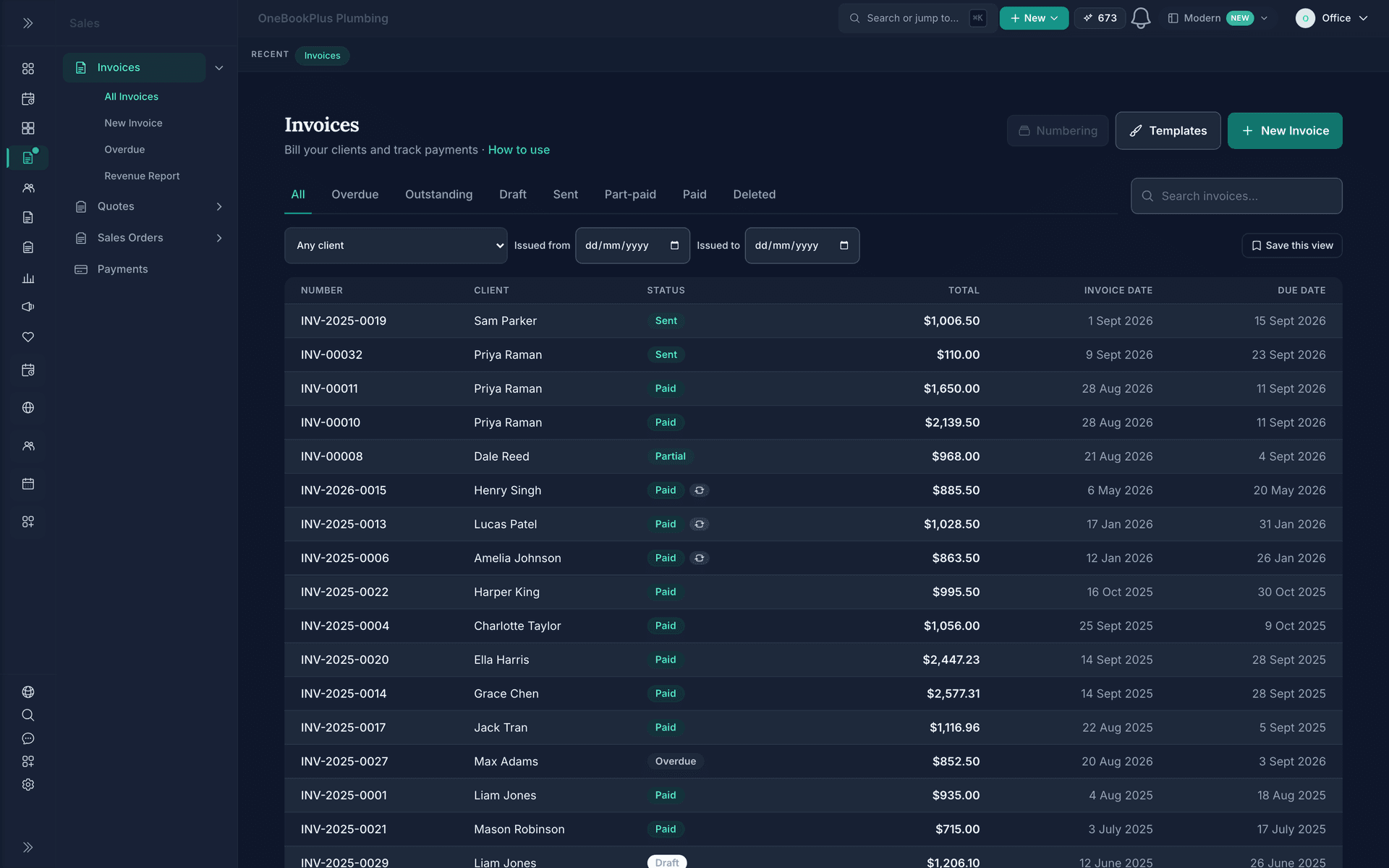
A sent invoice raised from a finished job, INV-2025-0019 for Sam Parker: the Get paid online and Add bank details prompts, the amount due of $1,006.50 with subtotal, GST, total and amount paid, the details panel, and the Email, Mark Paid and Email invoice actions.

Stage 5 of 5

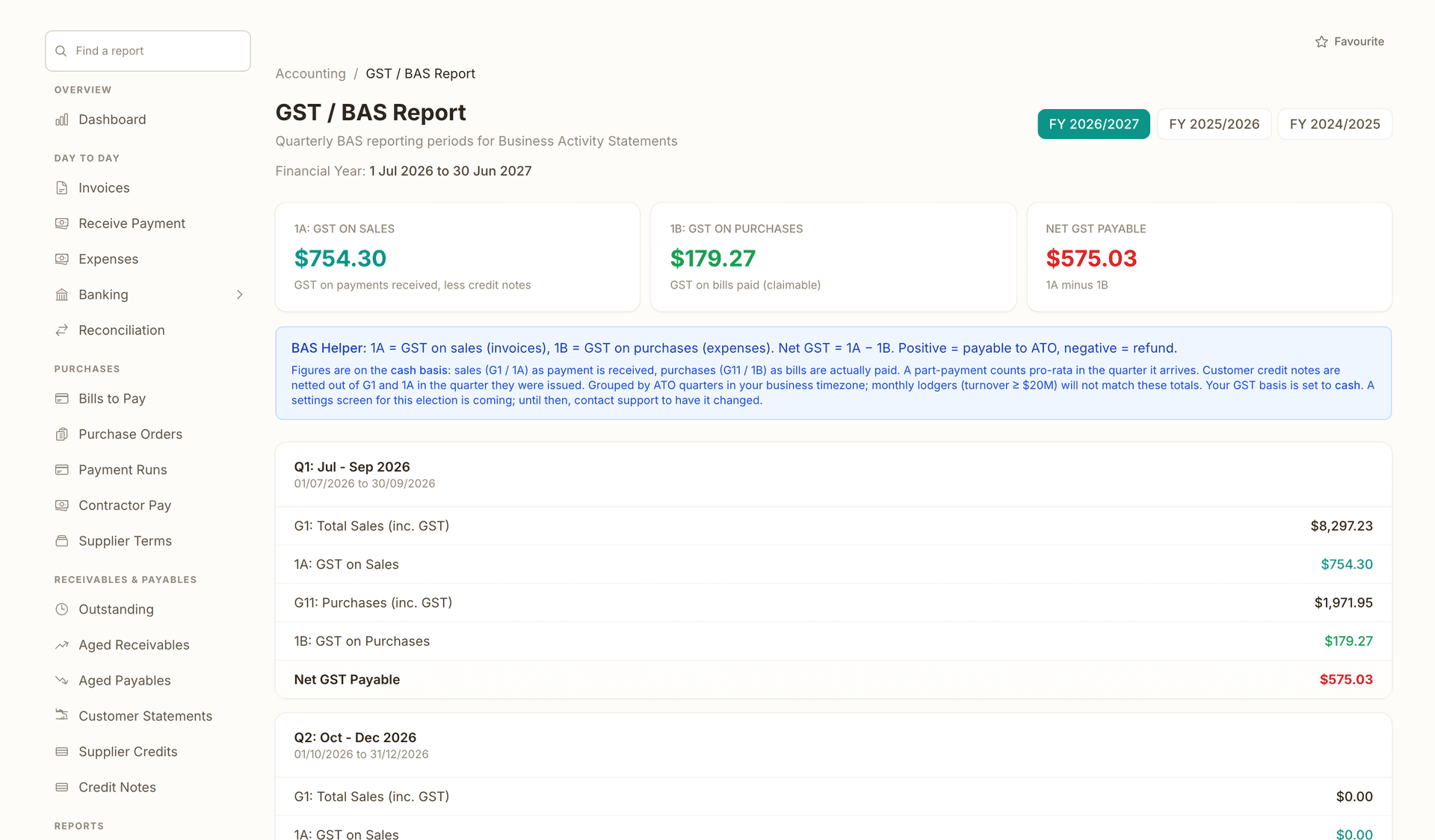
It is already in the books, and the GST is worked out.

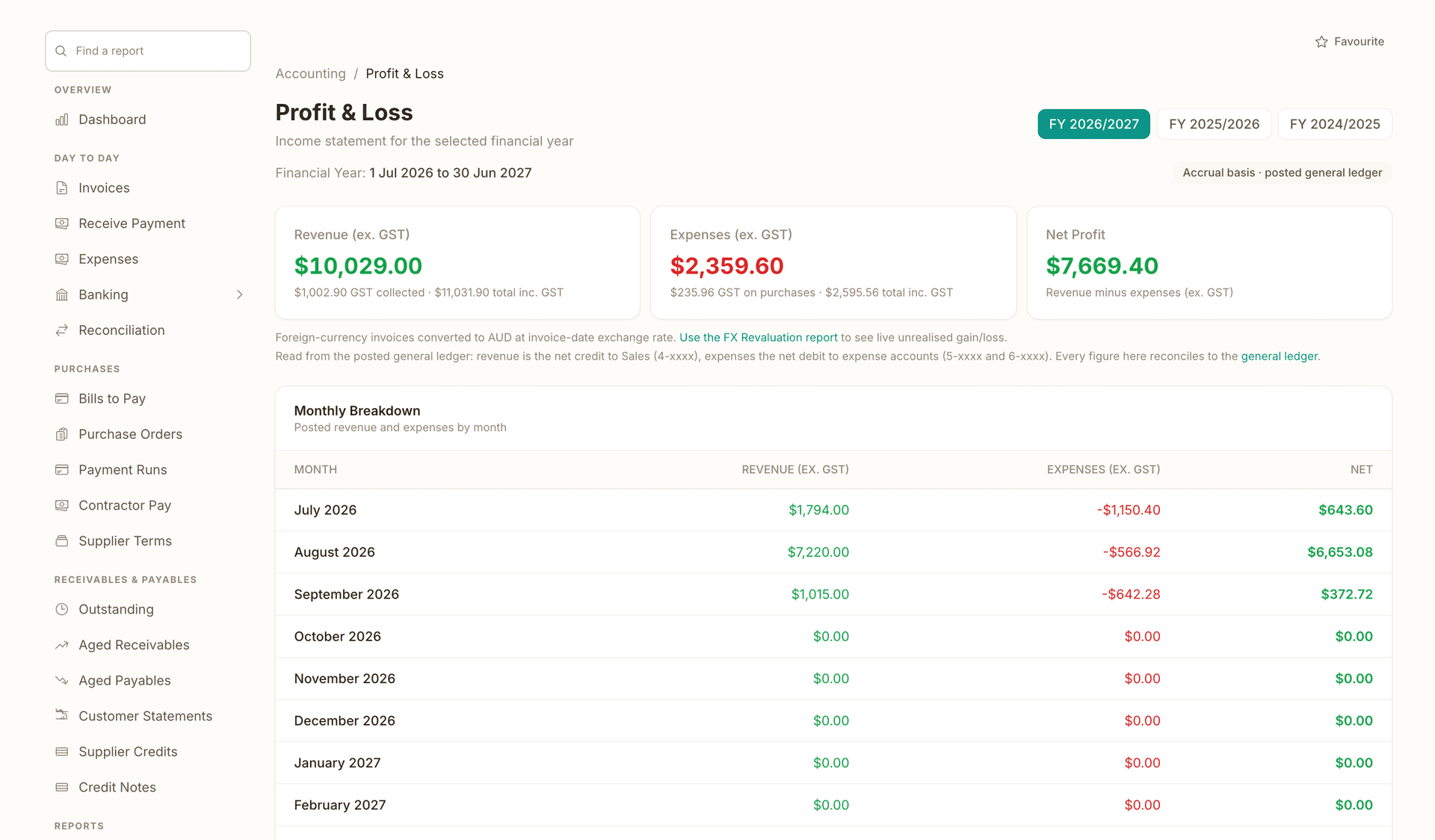
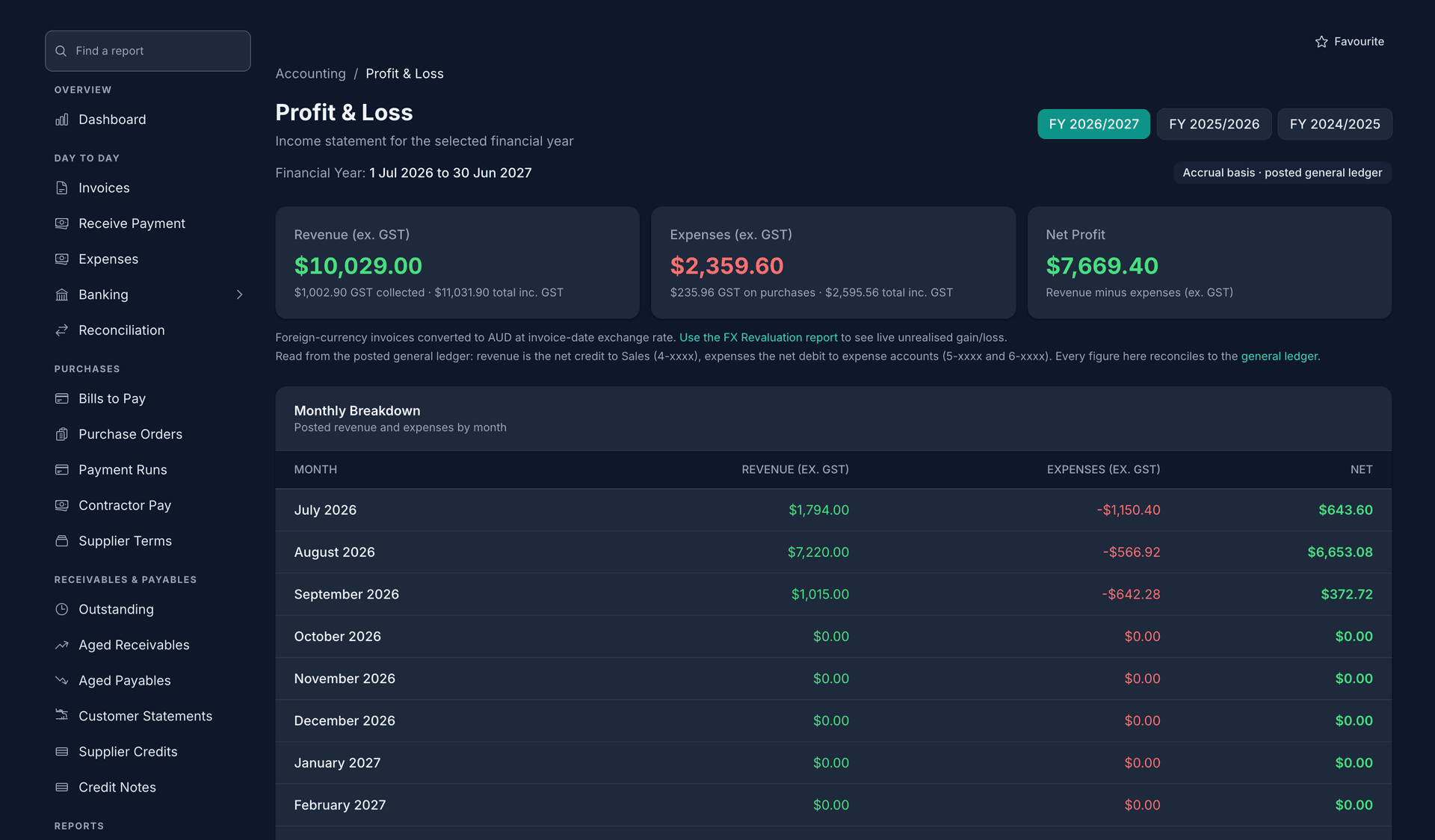
Every invoice and every bill posts to a real ledger as it happens. The GST worksheet shows G1, 1A and 1B for the quarter, the Profit and Loss shows the year, and none of it was re-keyed.

Direct ATO e-lodgement via SBR is in final ATO certification, prepare and validate BAS and returns today; we'll tell you the moment lodgement goes live on your account.

Read about OneBookPlus Finance
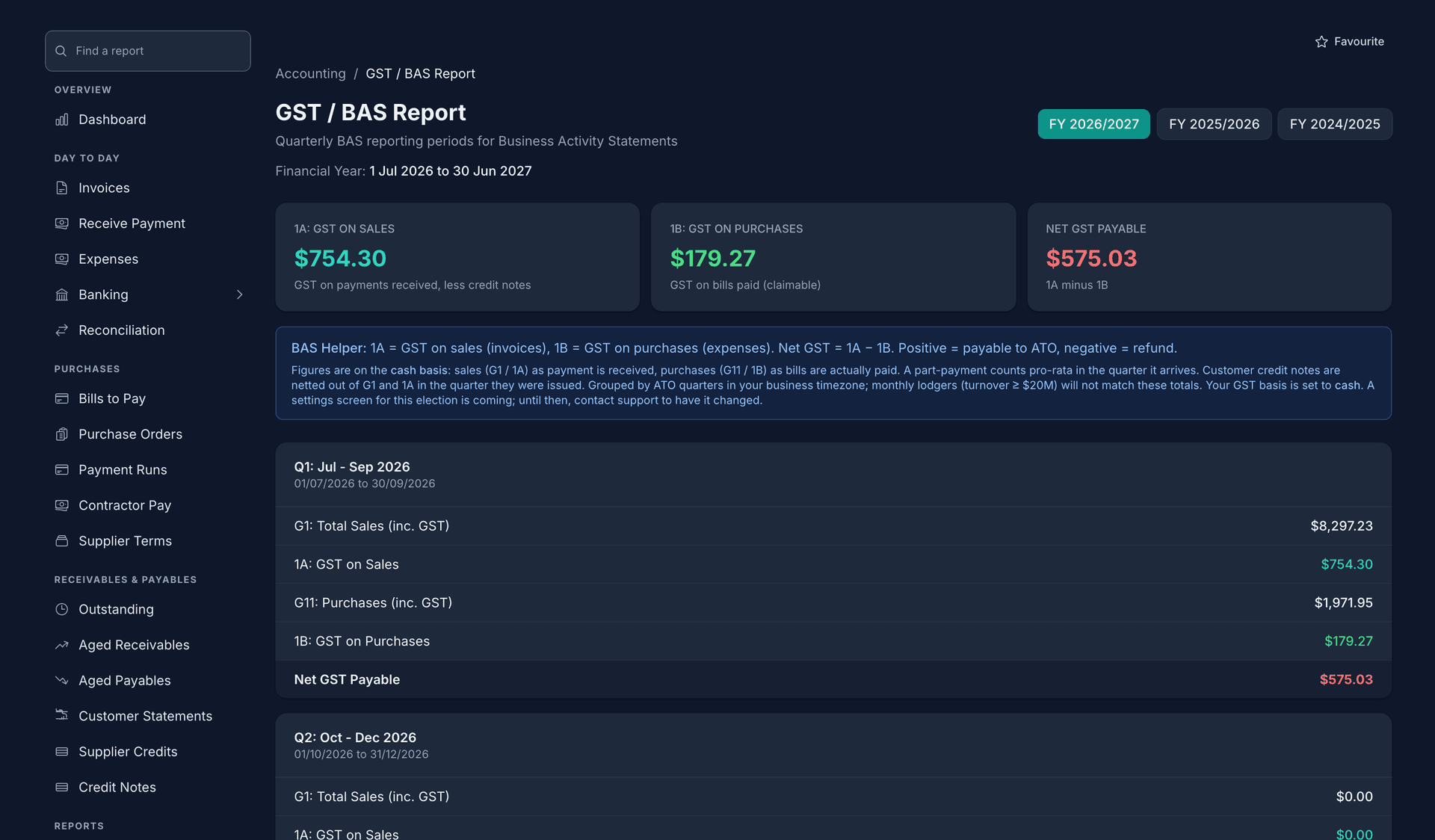
The GST and BAS report for FY 2026/2027: 1A GST on sales, 1B GST on purchases and net GST payable, then the quarter's G1, 1A, G11 and 1B lines filled from the invoices and bills already entered.

Most job management tools stop at stage four and hand the rest to Xero or MYOB. That handover is the subscription you stop paying for.

Compare OneBookPlus with the tools you pay for now

Every feature, by the stage it serves.

The core suite is on every plan, including Free. Specialised modules turn on for the trades that need them, and the two AI products are priced on their own. Tap any one for its own tour.

Quote it

Schedule it

Invoice it

Books and BAS

Around the job

More tools

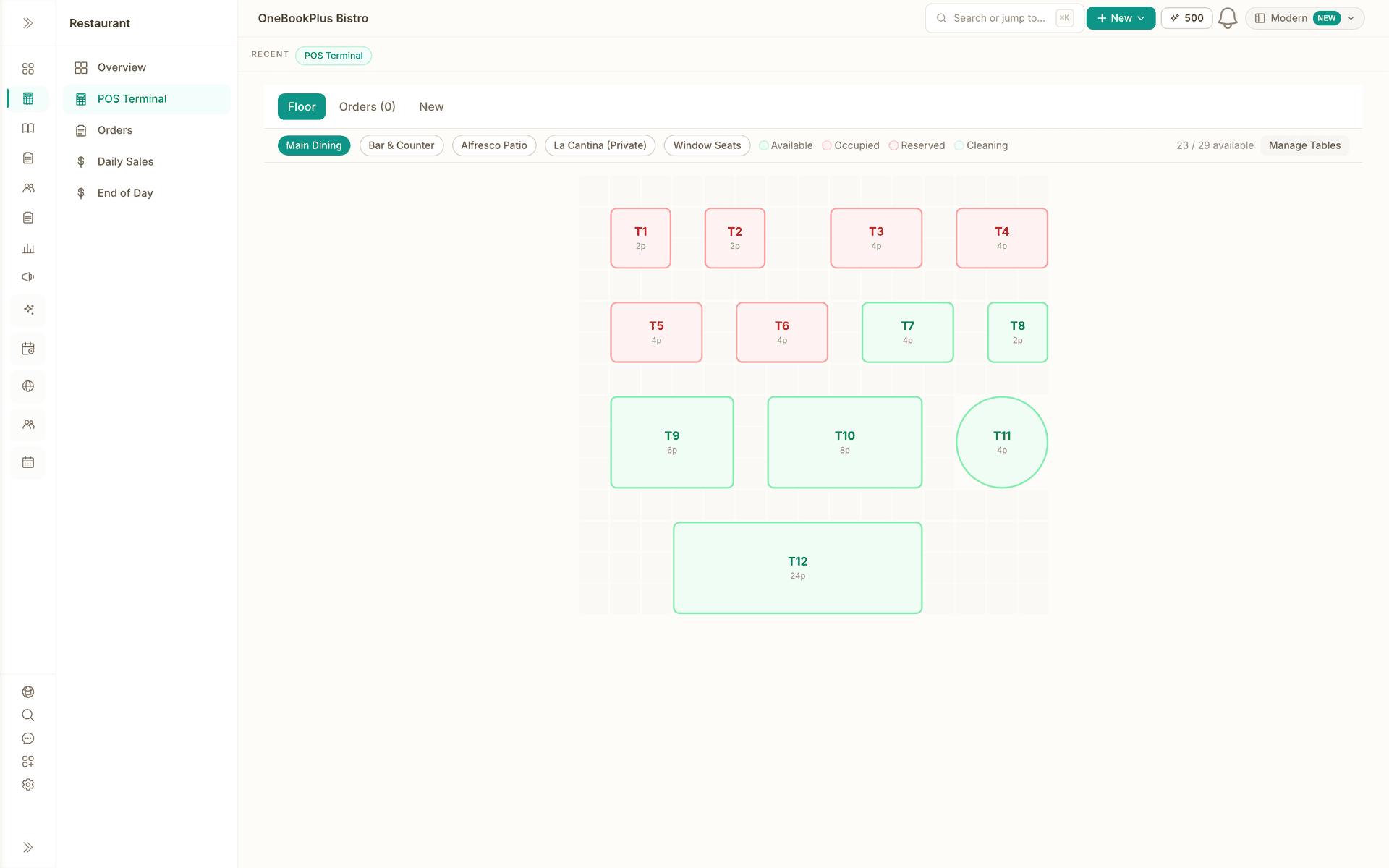
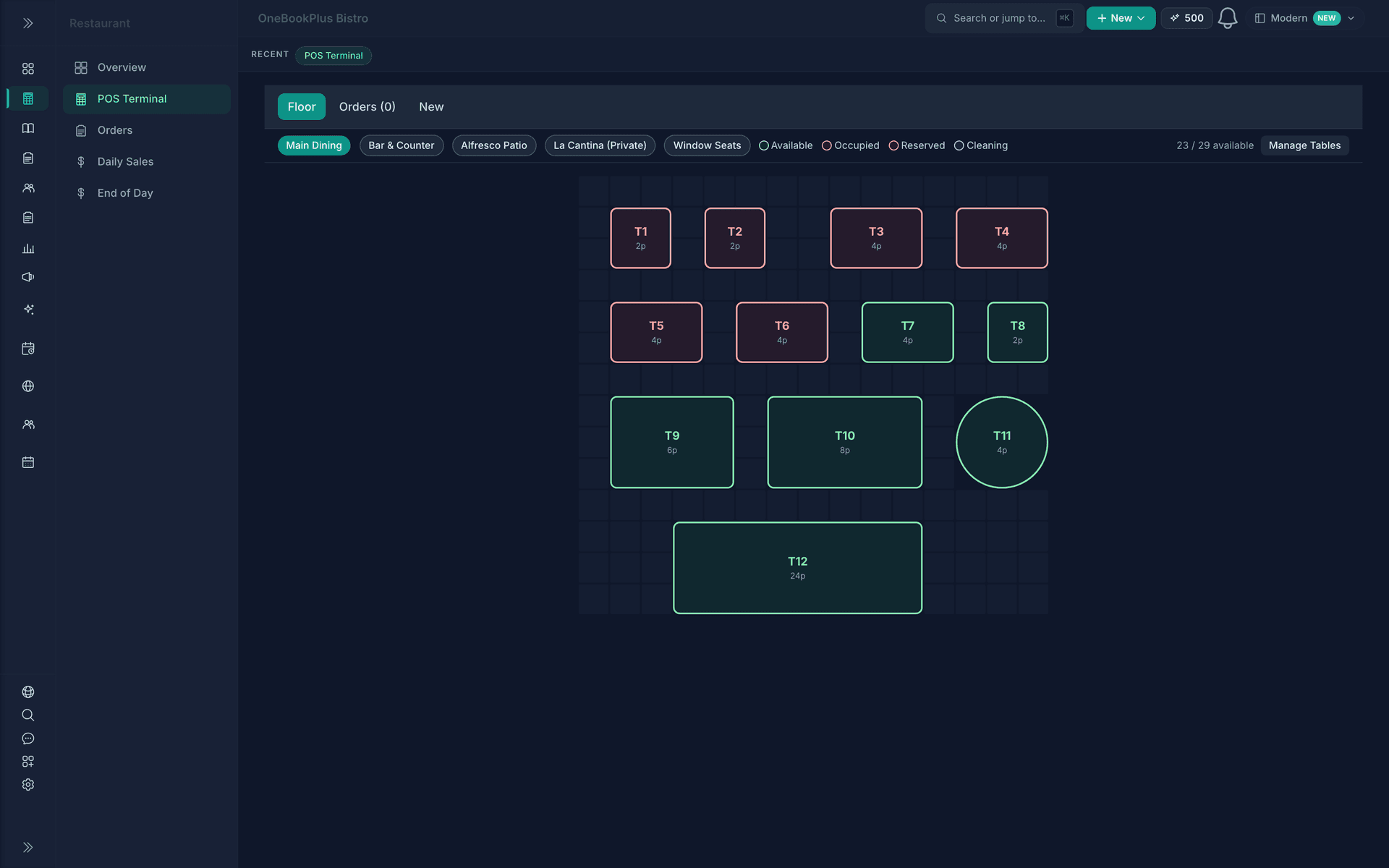
  • The OneBookPlus Bistro point of sale with the app shell around it: the Restaurant section panel with Overview, POS Terminal, Orders, Daily Sales and End of Day, the Floor, Orders and New tabs, the Main Dining room tab beside Bar and Counter, Alfresco Patio, La Cantina and Window Seats, the Available, Occupied, Reserved and Cleaning legend, 23 of 29 tables available, and the floor grid with tables T1 to T12, six of them occupied in red.

    Restaurant

    The till, the floor, the menu and the kitchen screen in one place. Cards are taken on your own EFTPOS machine; the till records the tender.

    See the Restaurant page
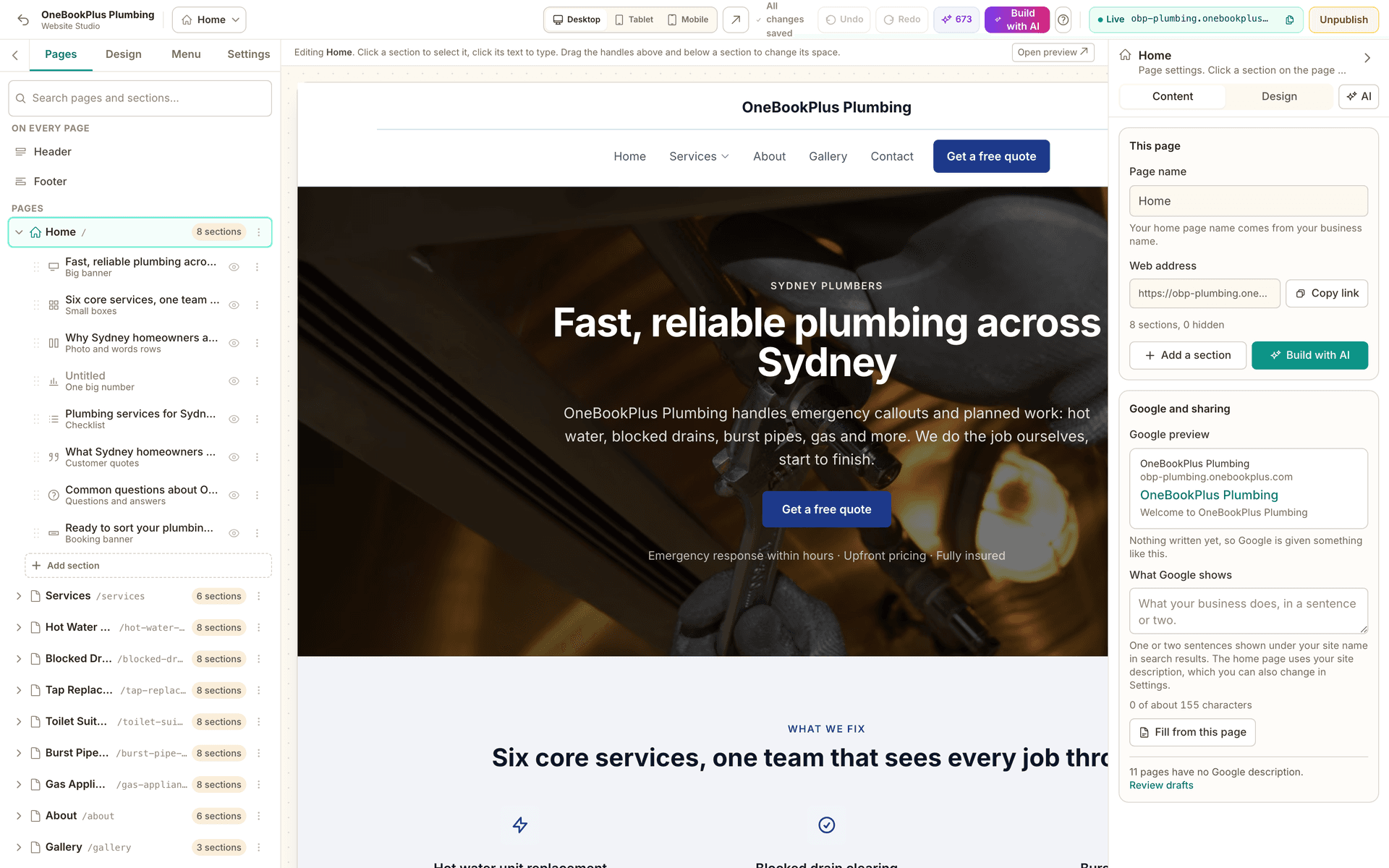
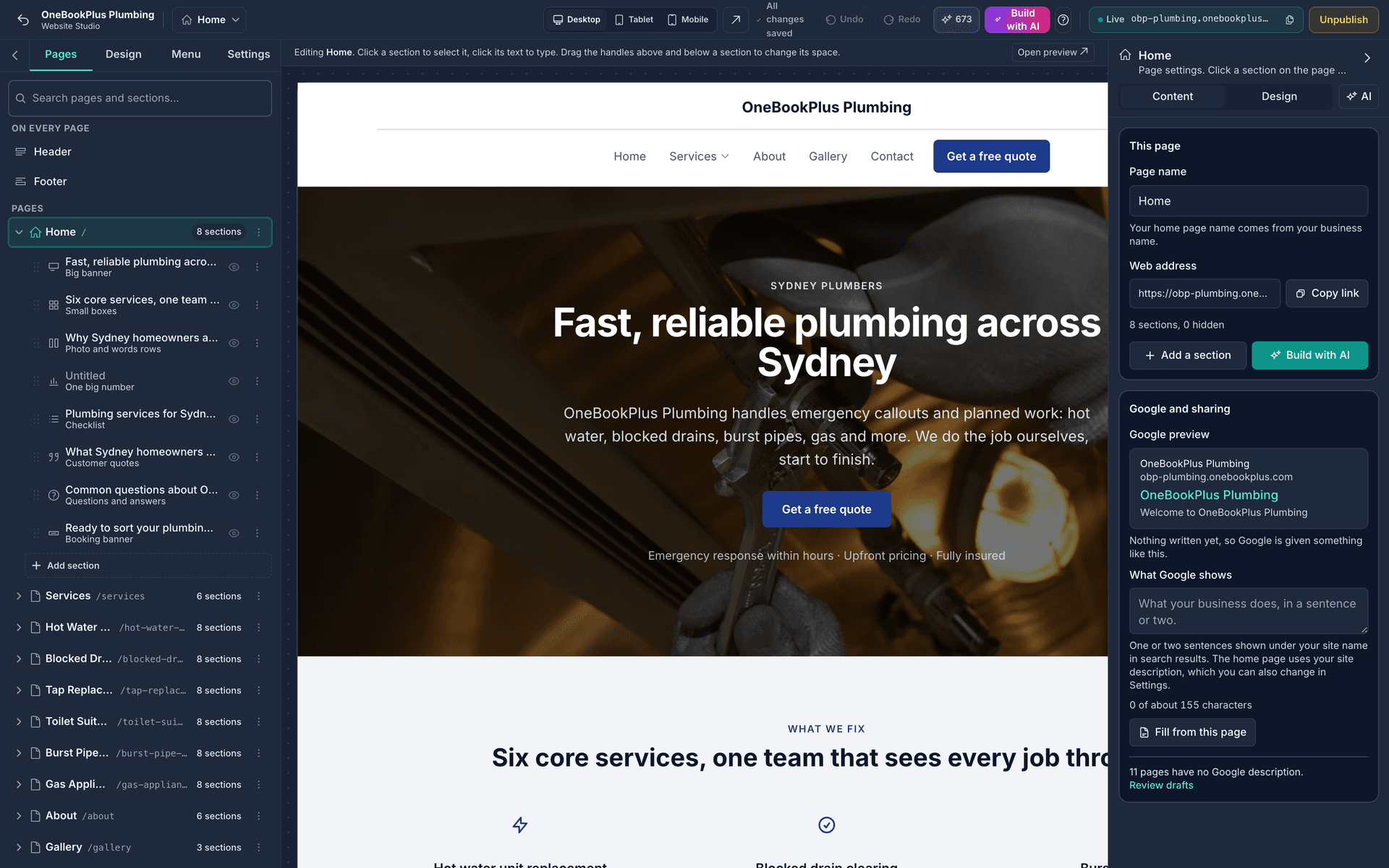
  • The Website Studio with the OneBookPlus Plumbing site open: the Home page switcher, Desktop, Tablet and Mobile views, Undo and Redo, Build with AI, the live address and Unpublish across the top, the Pages rail listing the home page's 8 sections and the other pages on the left, the home page hero on the canvas, and the page settings with the Google preview on the right.

    Website Builder

    A site drafted from your services and contact details, edited in the same app.

    See the Website Builder page
  • Digital Takeoff

    Upload a plan and measure lengths, areas and counts on it.

    See the Digital Takeoff page
  • Construction Estimating

    An estimate built from your own cost catalogue and recipes, with the markup on the screen.

    See the Construction Estimating page
  • PDF Forms

    Send the PDF you already use and have it filled at both ends.

    See the PDF Forms page
  • Progress Claims

    Claim by stage against a schedule of values, with retention held.

    See the Progress Claims page
  • AI Companion

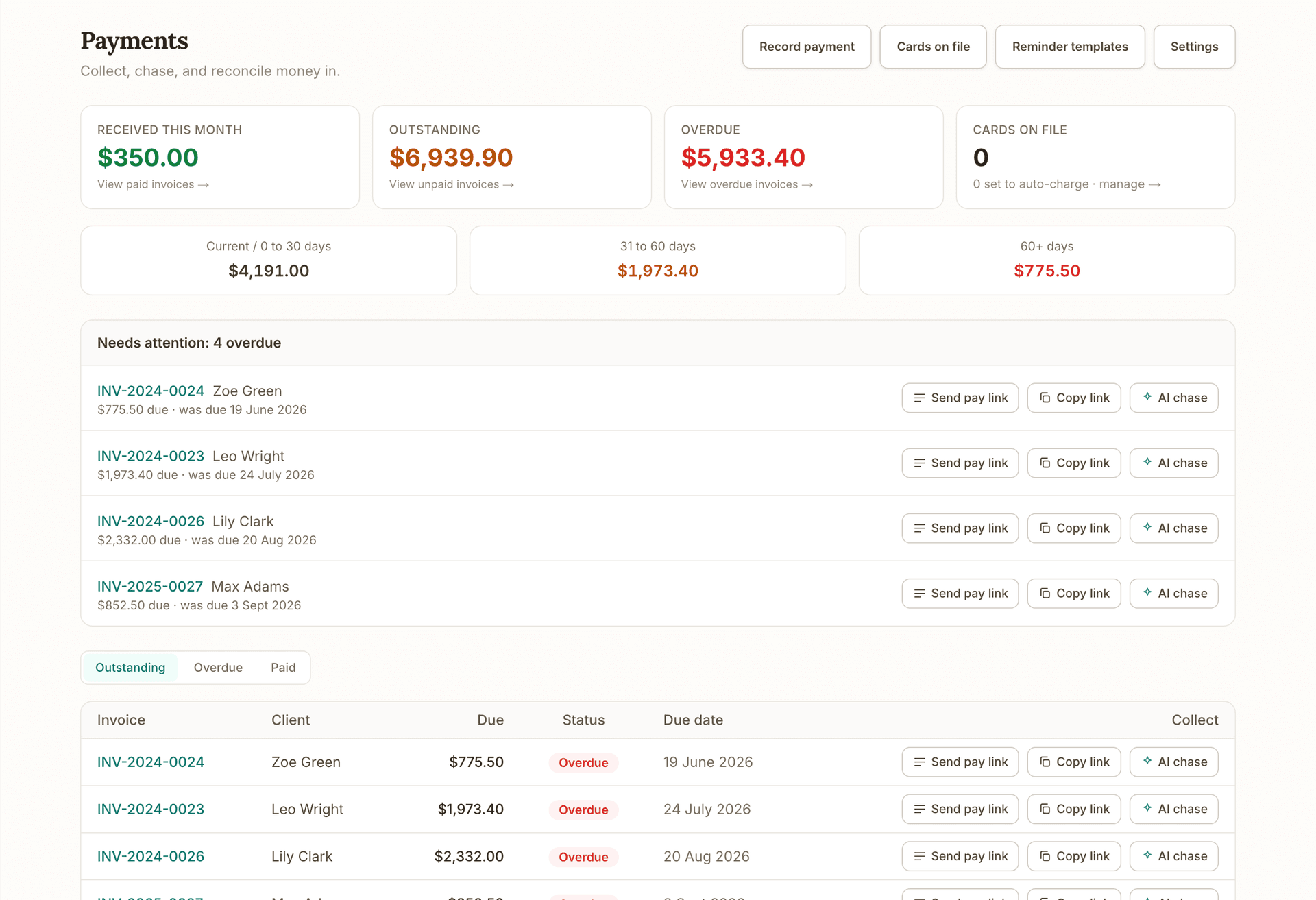
    Chases unpaid invoices and follows up quotes that went quiet, and asks before it sends.

    $25/mo, 14-day free trial, included on Growth

    See the AI Companion page
  • AI Receptionist

    Answers the phone when you are on the tools, and books into your calendar.

    $79/mo, 14-day free trial

    See the AI Receptionist page

Browse the add-on apps in the marketplace

Your trade's dashboard, not everyone's.

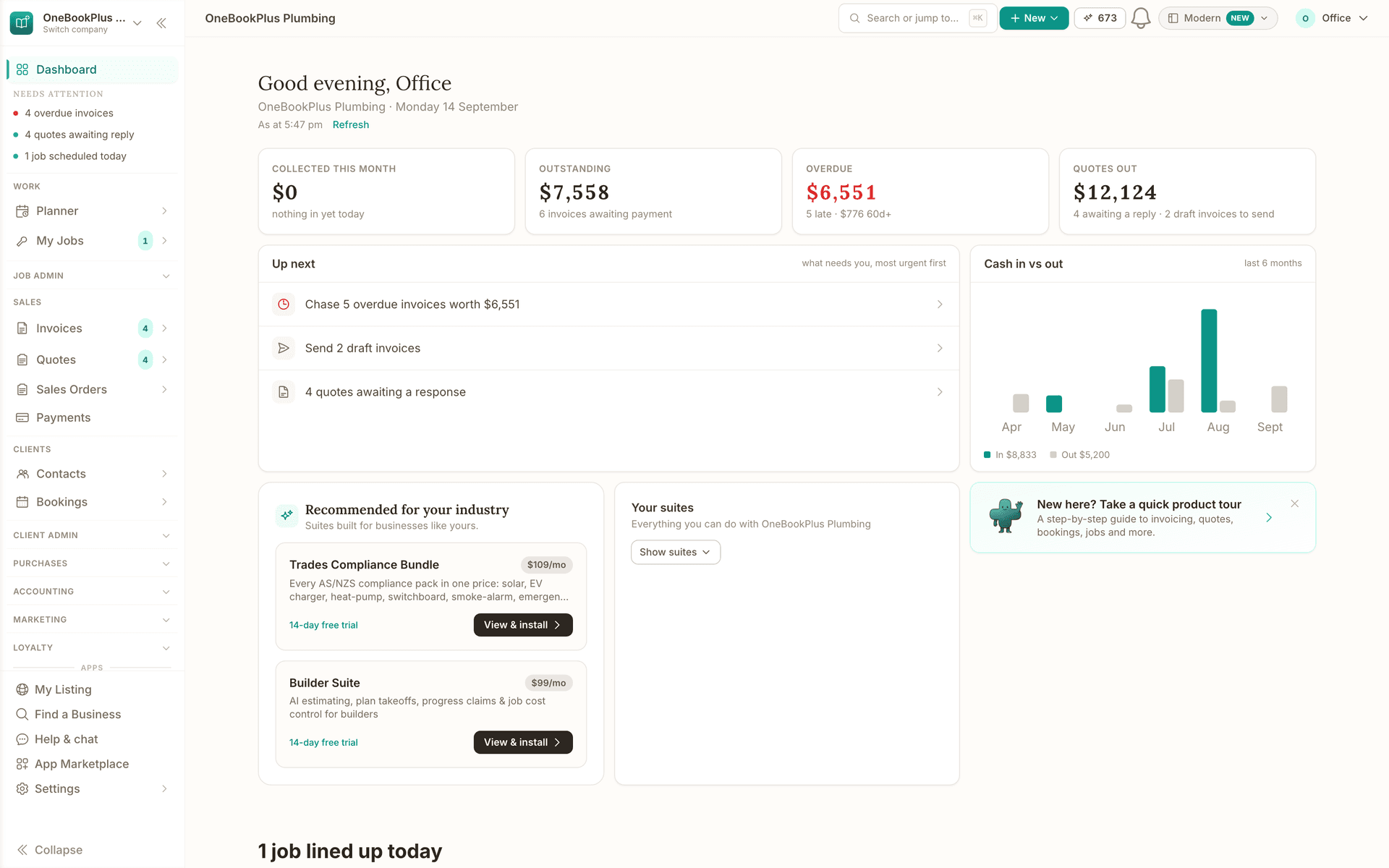
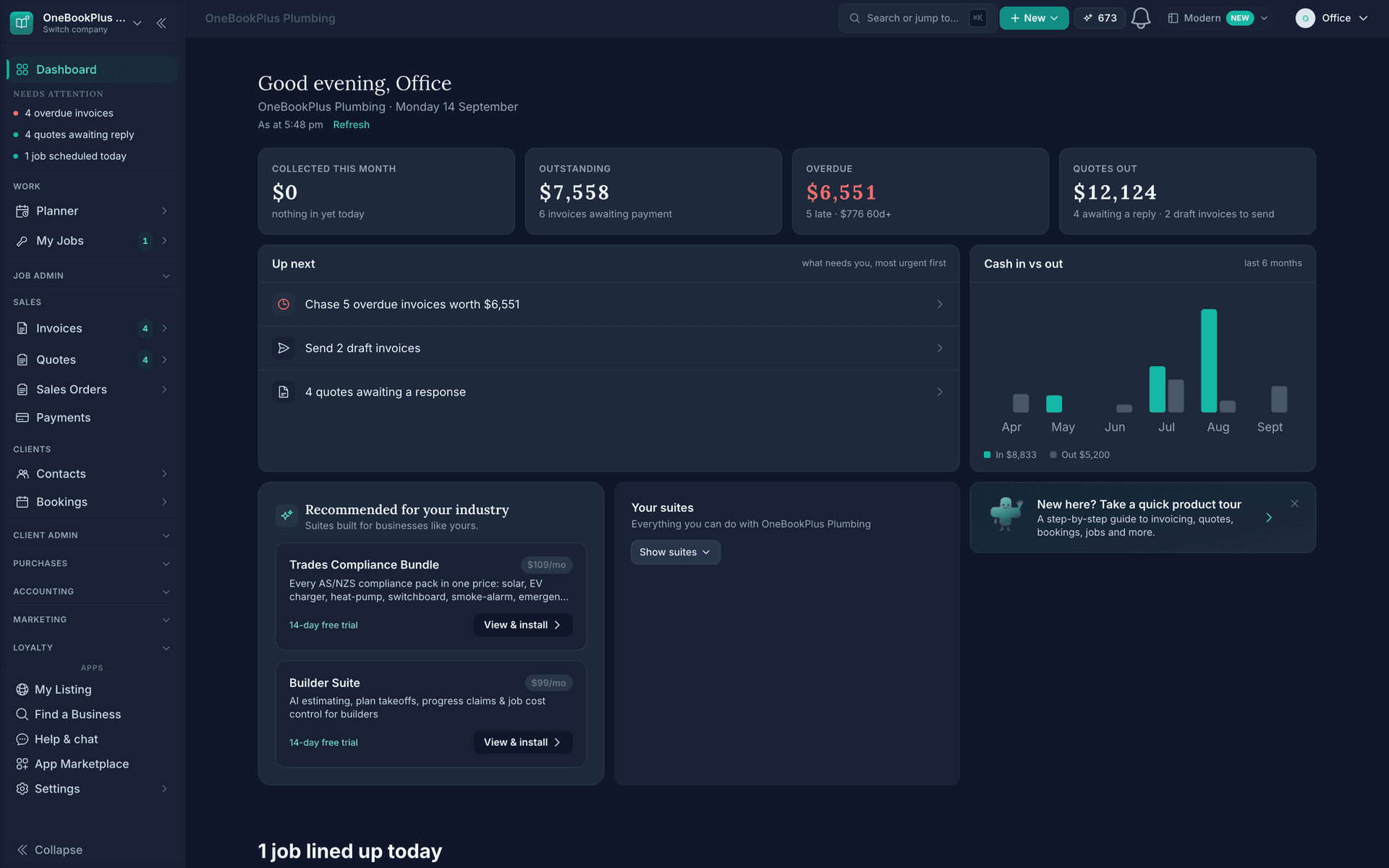
A plumber opens to the money and to the work that needs them next. A cafe opens to the floor, the menu and tonight's bookings. Pick your industry to see its version.

  • What is outstanding and what is overdue, on the tiles
  • Up next: the overdue invoices to chase and the draft invoices to send
  • Cash in against out for the last six months
  • Recommended for the trade: the compliance bundle, one press to install
The home screen for OneBookPlus Plumbing on a Sunday evening: collected this month, outstanding, overdue and quotes out across the top, an Up next list (chase five overdue invoices, send two draft invoices, four quotes awaiting a response), a six-month cash in versus out chart, and the suites recommended for a trades business.
  1. What is outstanding and what is overdue, on the tiles
  2. Up next: the overdue invoices to chase and the draft invoices to send
  3. Cash in against out for the last six months
  4. Recommended for the trade: the compliance bundle, one press to install

All-in-one platform

Replace the separate subscriptions you pay for now

Stop paying for Xero, Calendly, HubSpot, and Mailchimp separately. OneBookPlus replaces them all, configured for your industry.

Want the line-by-line breakdown? See every OneBookPlus vs the tools you pay for comparison, or jump straight to the OneBookPlus vs Xero comparison.

Replace your stack, start free

No credit card · Free forever · Cancel anytime

Built for Australia

Australian tax compliance built in

  • 10%

    GST Calculation

    Automatic 10% GST on every invoice and quote. GST-inclusive and exclusive pricing supported.

  • ABN

    ABN Validation

    Real-time ABN lookup via the Australian Business Register. Validate your clients and suppliers instantly.

  • ATO

    BAS Summaries

    ATO-ready BAS summaries with GST collected, GST paid, and net GST payable: calculated automatically.

  • $

    AUD Formatting

    Australian dollar formatting, date formats, and tax rules built in from day one: not retrofitted.

Try the maths before you sign up: free GST calculator, BAS calculator, and ABN lookup tool, the same calculations OneBookPlus runs automatically on every invoice.

Why one platform

Why every OneBookPlus module ships together

The typical Australian small business runs four separate SaaS subscriptions to do what OneBookPlus does in one: an accounting tool (Xero ~$35/month), a booking tool (Calendly or Cliniko ~$15 to $59/month), a CRM (HubSpot Starter ~$50/month or Zoho ~$45/month), and an email marketing tool (Mailchimp ~$13 to $75/month depending on contact count). Combined that's $113 to $229/month before integration costs.

The hidden cost of that stack isn't the subscription total, it's the data flow problem. Each tool keeps a separate customer database. A booking made in Calendly doesn't create a customer in Xero; a paid invoice in Xero doesn't update the contact's status in HubSpot; an email sent in Mailchimp doesn't know whether the recipient is a paying customer or a churned lead. Manual sync via CSV exports, paid Zapier workflows, or duplicate data entry fills the gap, every one of which is a place where the data drifts.

OneBookPlus modules share the same database. A booking confirmed in the booking module is the same customer record the CRM uses, the same contact the marketing module emails, the same payer whose paid invoice the accounting module reconciles. The "How OneBookPlus apps fit" block on every app marketplace page explains the technical architecture: native modules in one database, not federated APIs across vendors.

The visible consequences for Australian small businesses are concrete. A "customers who haven't booked in 60 days" segment is one query, not a CSV export-import cycle. An invoice on a completed booking is automatic, not a copy-paste between tools. BAS-ready summaries draw from every revenue source the platform touches (invoicing, bookings, POS, recurring billing) without your bookkeeper rebuilding the picture each quarter.

That is why the modules share one database rather than one price. Invoicing, quotes, contacts and bookings are on the Free plan. A double-entry ledger with Profit and Loss, Balance Sheet, cash flow and BAS-ready GST summaries, on every plan including Free. Bank statements come in by CSV, OFX, QFX or QBO file, there are no live bank feeds, and the report library is narrower than Xero's. Email campaigns and online payments start there too, and Plus ($49/mo) and Growth ($69/mo) lift the limits and add the AI. What you do not pay is a separate subscription per module, and optional marketplace apps like AI Companion are added on top of any plan. See pricing for the per-tier limits, or compare against the stack you currently run.

Modules currently in the platform: Invoicing with native 10% GST and ABN-validated tax invoices, Booking with automatic email reminders, CRM with deduplicated contacts and lead status tracking, Quotes with one-click conversion to invoice, Finance with BAS-ready quarterly reports, Marketing with Spam Act 2003 unsubscribe handling, Restaurant with table and menu management (and a live Kitchen Display app), and Dashboard for cross-module reporting.
Australian Owned

Built in Melbourne, AU

GST Compliant

ATO-ready from day one

Encrypted & Isolated

TLS in transit, AES-256 at rest, tenant isolation at the database layer, read the security page

Free Plan Available

No credit card needed

Try the whole suite on the free plan.

The free plan includes unlimited jobs and one-off bookings, 10 GST-compliant invoices and 5 quotes per month, 250 contacts, a booking page and the books with BAS reports, no trial clock, no credit card.

Reviewed by Bishal Shrestha

FAQ

About OneBookPlus features

What's included with OneBookPlus?

Invoicing, quotes, contacts and a booking page are on the Free plan. A double-entry ledger with Profit and Loss, Balance Sheet, cash flow and BAS-ready GST summaries, on every plan including Free. Bank statements come in by CSV, OFX, QFX or QBO file, there are no live bank feeds, and the report library is narrower than Xero's. Email campaigns and online payments start at Starter too, and so does your website: every paid plan includes one, with your own domain from Plus. What you never pay twice for is a second subscription per module: the pricing page lists the tier limits, and optional marketplace apps like AI Companion sit on top of any plan, including Free.

Do I need to install separate apps for invoicing, bookings, and CRM?

No. The point of OneBookPlus is that one login covers all of them. A booking automatically creates a customer record in the CRM, can issue an invoice on the spot, and updates your accounting, without you copy-pasting between tools.

Is OneBookPlus suitable for Australian businesses specifically?

Yes. It's built in Melbourne for the Australian market: 10% GST handling, ABN-compliant tax invoices, Stripe payments in AUD with multi-currency invoicing on the accounting side, ATO-friendly record-keeping, AEST timezone defaults, and Australian English throughout.

Can I use just one feature, or do I have to use all of them?

Use whatever you need. If you only need invoicing, ignore the booking and CRM modules, they don't get in the way. If you later add bookings or marketing, the customer data already in your CRM flows through automatically.

How does OneBookPlus compare to using Xero plus a separate booking tool plus Mailchimp?

Stack-of-tools setups typically cost $113 to $229/month (itemised in the 'Why one platform' section on this page) and require manual sync (or paid integrations) between systems. OneBookPlus replaces that stack with one app at a fraction of the cost, see the /vs comparison pages for specific tool-by-tool breakdowns.

Are new features added regularly?

Yes, the roadmap is published on the changelog page. Improvements to the core modules (invoicing, bookings, CRM, quotes, accounting, marketing) ship into the existing plan tiers at no extra cost. Bigger standalone products, like AI Companion ($25/mo), are optional marketplace apps priced separately, and you only pay for the ones you install. The Website Builder went the other way: it is included on every paid plan.

About the author

Bishal Shrestha, Founder of OneBookPlus

Bishal Shrestha

Founder & CEO, OneBookPlus

Bishal spent a decade running digital projects for Australian small businesses before founding OneBookPlus. OneBookPlus is built and supported from Melbourne for Australian small and medium businesses. The features pages document the modules included on every plan, what they do, who they're for, and how they connect to the rest of the platform.

A decade running digital projectsPersonal site: bishal.com.auMelbourne, Australia
Read the founder bio