OneBookPlus vs HubSpot
CRM & marketing for small to medium business
HubSpot is an enterprise CRM that's too complex and too expensive for most small businesses. OneBookPlus gives you simple CRM bundled with invoicing, bookings, accounting, and marketing, all for a fraction of HubSpot's price.
Key takeaways
5- HubSpot's Free tier is genuinely free for unlimited users and basic CRM. Above it the ladder is USD-billed and per-seat, and the Marketing Hub Professional and Marketing Hub Enterprise tiers each carry a one-off onboarding fee on top of the subscription. The published rates are in the comparison table below, straight from HubSpot's own pricing page.
- OneBookPlus is right-sized for Australian SMEs (1 to 25 staff): customer record + invoicing + bookings + accounting + marketing in one platform from $0/month (Free), $29/month (Starter), $49/month (Plus), or $69/month (Growth), billed in AUD, no per-seat scaling below each plan's login cap (1 / 3 / 5 / 10 by tier), no onboarding fee.
Show 3 moreShow less
- Both manage contacts, deals, sales pipeline, marketing automation, and form-based lead capture. OneBookPlus also issues the GST-compliant tax invoice on close-won and tracks the payment in accounting, HubSpot stops at the CRM event.
- HubSpot wins on: 25+ years of CRM feature depth, mature integrations (1500+), inbound marketing playbook ecosystem, and best-in-class Sales Hub for outbound-heavy teams (5+ SDRs).
- OneBookPlus wins on: total cost for AU SMEs (replaces HubSpot + Xero + Calendly + Mailchimp), AUD billing with no FX risk, and unified customer-to-cash flow without paid HubSpot-to-accounting integrations.
A CRM per seat, or a CRM inside the business it serves
OneBookPlus
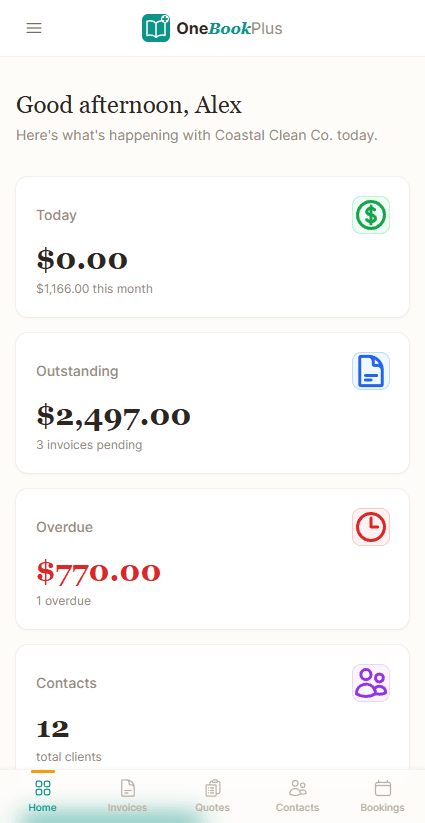
From $0/mo. CRM + everything else
- Simple CRM & contact management
- Email marketing & campaigns
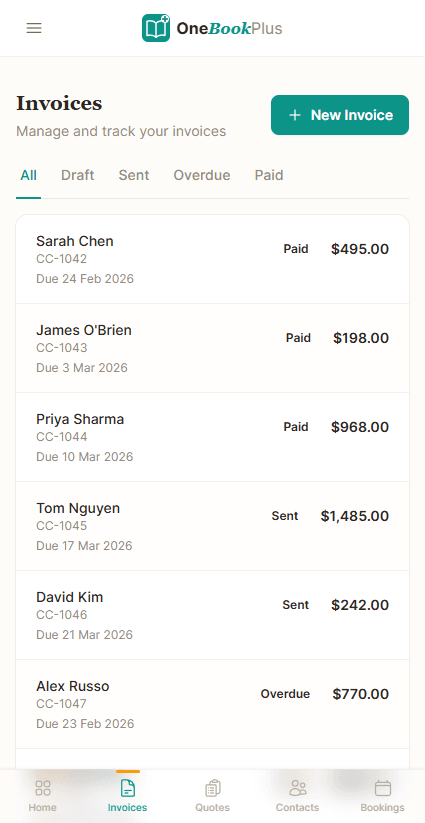
- GST-compliant invoicing
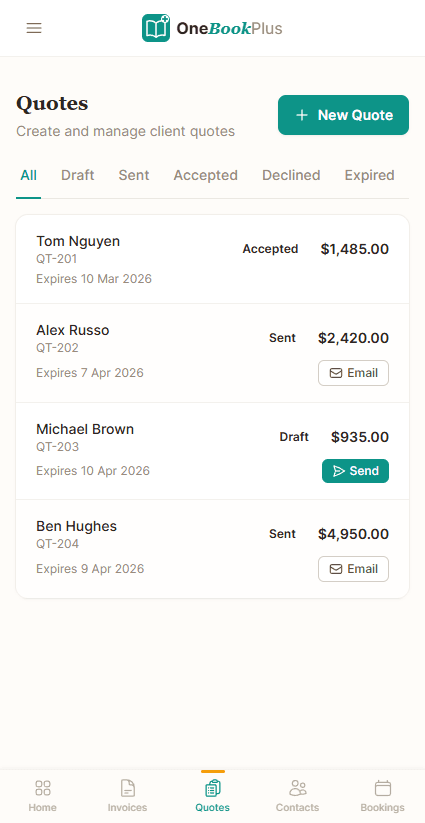
- Quoting with one-click accept
- Online booking page
- Accounting & P&L reports
- BAS / ATO tax summaries
- Google review requests
- Setup in under 5 minutes
HubSpot
Free CRM, then USD per-seat plans
- Enterprise CRM (complex setup)
- Email marketing (paid tiers)
- Invoicing
- Quoting
- Meeting scheduling
- Accounting & P&L
- Australian tax compliance
- Review management
- Requires weeks of setup & training
OneBookPlus vs HubSpot: detailed comparison
HubSpot is a powerful enterprise platform. Most small to medium businesses use a narrow slice of it and still pay for accounting software separately. Here is what each side covers.
| Feature | OneBookPlus | HubSpot |
|---|---|---|
| CRM & contact management | Yes | Yes |
| Email marketing & campaigns | Yes | Yes |
| GST-compliant invoicing | Yes | No |
| Quoting with one-click accept | Yes | No |
| Online booking page | Yes | Yes |
| Accounting & P&L reports | Yes | No |
| BAS / ATO tax summaries | Yes | No |
| ABN validation & lookup | Yes | No |
| Google review requests | Yes | No |
| Payment reminders | Yes | No |
| Simple setup (under 5 min) | Yes | No |
| Job management & pipeline | Yes | No |
| Basic sales register (full POS $39/mo add-on) | Yes | No |
| Native iOS app | Yes | Yes |
| Native Android app | No | Yes |
| Free plan with core features | Yes | Yes |
| Enterprise marketing automation & lead scoring | No | Yes |
| 1,500+ app integration marketplace | No | Yes |
| Price (AUD) | From $0/mo | Free CRM / then per seat |
| CRM + invoicing + accounting | CRM & marketing; per-seat (USD) |
The 16 dimensions Australian SMEs check first
HubSpot is a deeper CRM and marketing engine on the rows that matter to a marketing team. OneBookPlus carries the customer from CRM event to the GST tax invoice and into the books. Cited against HubSpot’s public product pages.
| Category | Feature | OneBookPlus | HubSpot |
|---|---|---|---|
| CRM core | Contact records, deals, sales pipeline | Contacts + pipeline | Best-in-class CRM (source: hubspot.com/products/crm) |
| Marketing | Email campaigns & automation/workflows | Campaigns + AI Companion | Deep marketing automation (paid) (source: hubspot.com/products/marketing) |
| Lead capture | Forms, landing pages, lead scoring | Forms + lead capture | Yes (source: hubspot.com/products/marketing) |
| Bookings | Meeting / appointment scheduler | Customer-facing booking widget | Meetings scheduler (source: hubspot.com/products/sales/schedule-meeting) |
| Invoicing | GST tax invoice with ABN on close-won | Yes | Quotes/invoices US-first; no GST/ABN (source: hubspot.com/commerce) |
| Payments | Take payment in-country | Stripe + Stripe Tax (AU) | HubSpot Payments US-only (source: hubspot.com/commerce) |
| Accounting | P&L and balance sheet | Yes | No (source: hubspot.com/products/crm) |
| GST / BAS | BAS-ready reports (G1, 1A, 1B) | Yes | No (source: hubspot.com/products/crm) |
| STP / Payroll | STP Phase 2 lodgement & SuperStream | Payroll add-on; no STP lodgement yet | No (source: hubspot.com/products/crm) |
| AI features | AI assistant across the workflow | AI Companion (chase, winback, EOD) | Breeze AI (content, agents) (source: hubspot.com/products/crm) |
| Reviews | Automated Google review requests | Yes | No (source: hubspot.com/products/crm) |
| Integrations | Third-party app ecosystem | Stripe, ABN lookup, Xero/MYOB-ready export today; a live two-way sync is not built and is not on a date | 1,500+ App Marketplace (source: ecosystem.hubspot.com) |
| Mobile | Native mobile app | Native iOS app; web app on Android | iOS + Android (source: hubspot.com/products/crm) |
| Billing currency | Billed in AUD (no FX risk) | AUD | USD per-seat (source: hubspot.com/pricing) |
| Pricing model | Per-seat scaling vs flat plan | Flat plan, logins included (1 / 3 / 5 / 10 by tier) | USD per seat; Professional US$800+/mo (source: hubspot.com/pricing) |
| Onboarding fee | One-off onboarding/implementation fee | None | One-off US$3,000 (Professional) / US$7,000 (Enterprise) (source: hubspot.com/pricing) |
| Starting price (AUD, inc. GST) | From $0/mo | Free CRM / then per seat | |
| AUD · Flat plan · logins 1 / 3 / 5 / 10 by tier | USD per-seat · Professional US$800+/mo · Xero needed for accounting |
Where HubSpot wins
Marketing depth for a business with a marketer
HubSpot has been building CRM and inbound-marketing software since 2006, and for a company with a dedicated marketing team it is genuinely best-in-class. The Marketing Hub’s workflow builder, lead-scoring, multi-touch attribution reporting, and A/B-tested landing pages go far deeper than OneBookPlus aims to. Sales Hub gives an outbound team of 5+ SDRs sequences, call recording, and conversation intelligence that a bundled platform won’t match. The HubSpot App Marketplace lists 1,500+ integrations, and the inbound-marketing playbook ecosystem (HubSpot Academy, certified agency partners) is the most mature in the category. If marketing-led demand generation is the engine of your business and you have the team to run it, HubSpot is the deeper tool, and the switch isn’t urgent.
Where OneBookPlus wins
The deal closes into a tax invoice, billed in AUD
The deal closes into a GST tax invoice, not just a “won” stage. HubSpot marks a deal closed-won and stops, so you still raise the invoice in Xero, reconcile the payment, and report the GST somewhere else. HubSpot’s Commerce / Payments product is US-only, with no GST breakdown or ABN. OneBookPlus issues the ATO-compliant tax invoice on close-won, takes the Stripe payment with Stripe Tax, and posts it straight into the books, one customer record from enquiry to receipt.
Billed in AUD, with logins included by tier (1 / 3 / 5 / 10 by tier) rather than a per-seat tax. HubSpot’s CRM pricing is USD and per-seat, so every person you add re-prices the subscription, and the Professional step adds a four-figure one-off onboarding fee before anyone logs in. OneBookPlus is a flat AUD plan from $0 to $69/month with no FX risk and no onboarding fee. It bands logins rather than charging per seat: one on Free, three on Starter, five on Plus and ten on Growth, so adding people below the cap does not re-price the subscription. Over ten, talk to us.
Accounting, BAS and Australian tax are built in, not bolted on. HubSpot has no P&L, no bank feeds, no GST tracking and no BAS, so an Australian business on HubSpot still runs Xero or MYOB underneath for compliance. OneBookPlus ships full accounting, receipt and bill scanning and quarterly BAS reports (G1, 1A, 1B), plus an AI Companion that chases unpaid invoices, runs winback, and writes your end-of-day summary, workflows HubSpot’s CRM does not cover. Rostering and payroll are a separate add-on at $29/month, covering pay runs, PAYG withholding, super and payslips. Single Touch Payroll lodgement to the ATO is not available yet, so you still report each pay run through STP-enabled software.
Why small to medium businesses choose OneBookPlus over HubSpot
CRM that connects to your invoicing
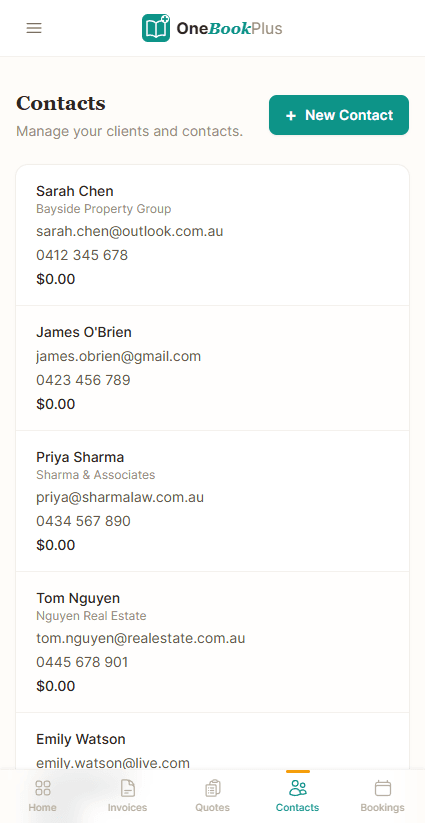
HubSpot CRM lives in its own silo. OneBookPlus CRM connects directly to your invoices, quotes, bookings, and payments, so every client interaction is tracked automatically. Send an invoice? It appears in their CRM timeline. Accept a booking? Contact created automatically.
No enterprise complexity
HubSpot has hundreds of features designed for large companies with dedicated marketing teams. OneBookPlus gives small to medium businesses exactly what they need, simple CRM, invoicing, bookings, and marketing, without the learning curve, onboarding process, or complexity tax.
One AUD bill instead of four
HubSpot is billed in USD and per seat, and even on its entry tier an Australian business still pays separately for accounting software and a booking tool. OneBookPlus includes CRM, invoicing, bookings, accounting, and marketing for $0 to $69 AUD/month total, with no FX exposure and no per-seat step below each plan's login cap (1 / 3 / 5 / 10 by tier).
Built for Australian businesses
HubSpot doesn't handle GST invoicing, ABN validation, or BAS reporting. Australian businesses using HubSpot still need Xero or MYOB for accounting. OneBookPlus includes Australian-compliant CRM, invoicing, and accounting in one platform, no additional tools needed.
OneBookPlus vs HubSpot: your questions answered
Is OneBookPlus a real alternative to HubSpot's CRM for a small team?
They are built for different sizes of company. HubSpot is a deep CRM and marketing platform aimed at businesses with a dedicated marketing team, and on that ground it is genuinely stronger: workflow automation, lead scoring, multi-touch attribution and a large partner ecosystem. Most 1-50 person businesses use a narrow slice of that, contacts, deals, a few campaigns and the meetings scheduler, while paying per seat in USD. OneBookPlus bundles a simpler CRM with GST invoicing, quoting, bookings, accounting and email marketing in one AUD plan, so the deal you close becomes a tax invoice in the same app rather than a handoff to Xero. If marketing-led demand generation is the engine of your business and you have people to run it, HubSpot is the deeper tool. If you want the customer record and the money record in one place, OneBookPlus is the better fit.
How much does HubSpot cost compared to OneBookPlus?
HubSpot's free CRM is genuinely free, but it's limited and designed to upsell you. Per HubSpot's published pricing (https://www.hubspot.com/pricing/crm, checked 2 August 2026), Starter lists at US$20 per seat per month, though HubSpot is currently promoting it below that; Professional is US$800 per month and Enterprise US$3,600 per month, with a one-off onboarding fee of US$3,000 on Professional and US$7,000 on Enterprise. On top of the CRM you still need separate accounting software like Xero and a booking tool. OneBookPlus includes CRM, invoicing, bookings, accounting, and marketing for $0 to $69 AUD per month, billed in AUD with no per-seat step below each plan's login cap (1 / 3 / 5 / 10 by tier) and no onboarding fee.
Can OneBookPlus replace HubSpot for my business?
For most small to medium businesses, yes. OneBookPlus CRM covers contact management, activity timelines, tags, lead tracking and client history, which is the part of HubSpot most small teams live in. Invoicing, bookings, accounting and email marketing come with it. If you rely on custom objects, programmatic workflows, or multi-team sales pipelines with attribution reporting, HubSpot stays ahead and you should keep it. For sole traders, freelancers and small teams, OneBookPlus covers the ground you use.
How do HubSpot's costs add up for a small or medium business?
HubSpot's pricing ladder is built for mid-market and enterprise buyers, and the shape of it matters more than any single figure. The free tier is real but limited. Above it, Starter is charged per seat, so the bill rises every time you add a person; the Professional step is a large jump to a flat monthly price plus a one-off onboarding fee, for a CRM that still does not include invoicing, accounting or Australian tax compliance. The published rates are in the pricing answer above and in the comparison table on this page. On top of that an Australian business still pays for accounting software and usually a booking tool. OneBookPlus is $0 (Free), $29 (Starter), $49 (Plus) or $69 (Growth) per month in AUD with no per-seat step below each plan's login cap (1 / 3 / 5 / 10 by tier) and no onboarding fee, and CRM, invoicing, bookings, accounting and marketing are in the one plan.
How does OneBookPlus compare with HubSpot on Australian GST, ABN and BAS?
This is the sharpest split between the two. HubSpot is CRM and marketing software: there is no GST breakdown, no ABN field on a tax invoice, no P&L and no BAS, so an Australian business on HubSpot runs Xero or MYOB underneath. OneBookPlus was built for Australian tax from the start: 10% GST on every invoice and quote, ABN validation against the Australian Business Register, receipt and bill scanning that reads the supplier, date, GST and total off a photo or PDF, and ATO-ready BAS figures (G1, 1A, 1B). Rostering and payroll are a separate add-on at $29/month, covering rosters, timesheets, pay runs, PAYG withholding, super and payslips, and OneBookPlus does not lodge Single Touch Payroll to the ATO yet, so you still report each pay run through STP-enabled software. What HubSpot keeps is depth on the marketing side, and its App Marketplace lists far more integrations than we do. The honest framing is that HubSpot is the better marketing engine and OneBookPlus is the better Australian book of record.
Will I lose marketing power by leaving HubSpot?
If you run a dedicated marketing team building multi-touch attribution, complex programmatic workflows, and A/B-tested landing pages, HubSpot's Marketing Hub is genuinely deeper and you should weigh that honestly. But most small to medium businesses use a fraction of it, forms, lists, a few email campaigns, and the Meetings scheduler. OneBookPlus covers exactly that: email campaigns, lead-capture forms, an online booking page, and an AI Companion that automates payment chasing, review requests, winback, and end-of-day summaries. You trade enterprise marketing depth for a workflow that carries the customer all the way to a paid, GST-compliant invoice, without per-seat USD pricing.
Does OneBookPlus handle invoicing, GST and BAS that HubSpot can't?
Yes, this is the core gap. HubSpot is CRM and marketing software with no accounting: its Payments/Commerce product is US-only, with no GST breakdown, no ABN, no P&L, and no BAS. An Australian business on HubSpot still runs Xero or MYOB underneath. OneBookPlus issues GST-compliant tax invoices with your ABN on close-won, takes the Stripe payment, records it against the invoice it settles, and generates ATO-ready BAS summaries (G1, 1A, 1B), so the marketing record and the financial record are one customer record. Rostering and payroll are a separate add-on at $29/month, with pay runs, PAYG withholding, super and payslips, and Single Touch Payroll lodgement to the ATO is not available yet.
Can I run HubSpot and OneBookPlus side by side?
Yes, and it is a sensible way to test the switch. Keep HubSpot for the marketing work you have already built, forms, campaigns, workflows, and start running new enquiries, quotes and invoices through OneBookPlus. Contacts move across by CSV, so nothing is trapped while you compare. The one thing to decide up front is where the customer record lives, because keeping both fully populated means keying a contact twice. Most people who run both keep HubSpot as the marketing database and OneBookPlus as the operating and financial record, then consolidate once a full BAS quarter has run through OneBookPlus.
What happens to my data if I leave OneBookPlus later?
You can export it. Contacts, invoices, quotes, payments and accounting reports all export to CSV or PDF from the dashboard, and invoices carry the ABN and GST breakdown you need for your records. Australian businesses have record-keeping obligations that outlive any software subscription, so keep your own exports at least as long as the ATO requires. There is no exit fee and no lock-in period on any plan. This is general information, not tax advice, and your accountant is the right person to confirm what you need to retain.
How OneBookPlus runs the customer lifecycle HubSpot leaves half-finished
On HubSpot, a lead arrives through a form or the Meetings scheduler, lands on a contact record, and moves through deal stages until it's marked closed-won. That part HubSpot does beautifully. But the moment money changes hands, HubSpot hands you off: you switch to Xero to raise the invoice, wait for the payment, reconcile it against the bank, and report the GST at BAS time in a third place. The customer record in HubSpot never learns whether the invoice was paid.
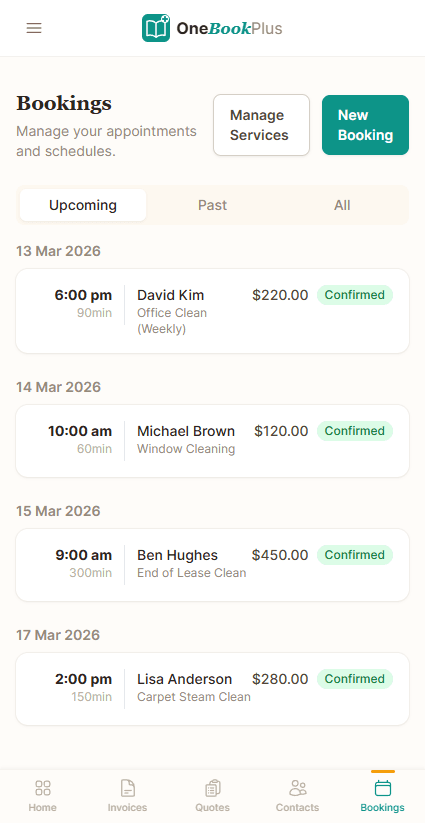
OneBookPlus keeps the whole arc on one record. The same enquiry lands in your CRM, whether it came from your booking page, a web form, or a phone call, and you send a quote with one tap. The client gets a professional PDF with your ABN and GST breakdown and a one-click accept button. The instant they accept, OneBookPlus raises the GST-compliant tax invoice, takes the Stripe payment (with Stripe Tax handling surcharging), and the contact's timeline shows quoted, accepted, invoiced, and paid, with no export to a second system.
Every dollar then flows into built-in accounting: profit and loss updates in real time, payments are recorded against the invoices they settle, expenses go in by scanning the receipt or supplier bill, and at BAS time OneBookPlus generates an ATO-ready summary of GST collected, GST paid, and your net position. There is no HubSpot ↔ Xero integration to pay for, no reconciliation between two systems, and no marketing tool that doesn't know what the finance tool knows.
After the sale, the AI Companion does the follow-up a marketing team would otherwise script in HubSpot workflows: it chases unpaid invoices, sends a Google review request once the job is paid, runs winback to dormant contacts, and writes an end-of-day summary. You get the lead-to-cash automation without building it in a workflow editor or paying a per-seat Professional licence to unlock it.
HubSpot vs OneBookPlus: the real cost of enterprise CRM for a small business
HubSpot is a powerhouse built for enterprise sales teams with dedicated marketing departments and six-figure software budgets. Its CRM is genuinely impressive, but the features that make it powerful for a 500-person company are the same features that make it overwhelming and expensive for a 5-person one. When a small business signs up for HubSpot, they're paying for pipeline automation, custom objects, and attribution reporting they'll never configure.
The real cost goes beyond HubSpot's price tag. Because HubSpot is CRM-only at its core, Australian small businesses still need separate tools for invoicing, bookings, and accounting compliance. OneBookPlus eliminates that entire tool stack by bundling CRM with invoicing, bookings, quoting, accounting, and Australian tax compliance in a single app for $0 to $69 AUD/month.
Feature deep dive
- All-in-one pricing advantage: the step from HubSpot’s free CRM to its Professional tier is a large one, and it buys CRM and marketing only (the published ladder is on HubSpot’s pricing page). Alongside it an Australian business is still paying for Xero, a booking tool and quoting software. OneBookPlus includes CRM, invoicing, accounting, bookings, quoting, and email marketing for $0 to $69 AUD/month, so the comparison is one subscription against four.
- Invoicing & accounting built in: HubSpot doesn't do invoicing, accounting, or financial reporting. OneBookPlus generates GST-compliant invoices, tracks payments, sends automatic reminders, produces P&L reports, and calculates BAS summaries, all connected to your CRM so every financial interaction appears on the client timeline.
- Australian BAS compliance: BAS summaries are generated natively with GST categorisation, ABN validation, and ATO-ready reporting. HubSpot has zero Australian tax features, so you need a completely separate accounting stack.
Who should switch
- You're a sole trader or small team (1 to 20 people) using HubSpot Free or Starter and paying separately for Xero, a booking tool, and a quoting tool. OneBookPlus replaces all of them.
- You signed up for HubSpot but only use contacts, deals, and email, while the advanced marketing automation, workflows, and reporting sit untouched. You're paying for complexity you don't need.
- You're an Australian business frustrated that HubSpot doesn't handle GST invoicing, BAS reporting, or ABN lookup, forcing you to maintain a separate accounting system.
- When HubSpot might still be better: If you have a dedicated marketing team running complex multi-touch attribution, programmatic workflows across multiple sales teams, or need deep integrations with enterprise tools like Salesforce and Marketo, HubSpot's enterprise features justify the cost.
Getting started
Export your HubSpot contacts as a CSV file from the Contacts section. Sign up for OneBookPlus and use the bulk import tool to bring your contacts across in minutes. Your CRM history starts fresh, but all contact details, tags, and notes transfer cleanly. If you're using Xero alongside HubSpot, OneBookPlus can also import your invoice history, so you can cancel both tools and run everything from one book.
How to switch from HubSpot to OneBookPlus
Export your HubSpot contacts, companies and deals
In HubSpot, open the Contacts (and Companies / Deals) index, select all, and export to CSV. Import the file into OneBookPlus: names, emails, phone numbers, company associations and lifecycle stage map across to your CRM contacts. Your HubSpot account stays live during the overlap so nothing is lost.
Rebuild only the pipeline and forms you actually use
Most teams use a fraction of their HubSpot setup. Recreate your live deal stages, your booking page, and the one or two lead-capture forms that matter, then set your ABN, GST preferences and payment terms so every quote and invoice you send is ATO-compliant from day one. This usually takes under half an hour, not the weeks a HubSpot onboarding takes.
Run new deals in OneBookPlus, then drop HubSpot + Xero
Start all new enquiries, quotes and invoices in OneBookPlus while keeping HubSpot read-only for reference. Because invoicing and accounting are now in the same app, you can cancel both the HubSpot seat licences and the separate Xero subscription once a full month has run through OneBookPlus, one bill, in AUD, instead of three.
From the blog
Related reading: switching from hubspot
Practical guides and explainers from the OneBookPlus blog, grouped by topic.
Industries
One customer record,
from enquiry to paid invoice
CRM, quotes, GST invoicing, bookings and accounting in one AUD subscription, with no per-seat pricing.
Free plan available, no card needed.
About this comparison
How we compared OneBookPlus to HubSpot
Feature claims about OneBookPlus reflect what is shipping today on onebookplus.com.au. HubSpot pricing and feature claims were read off HubSpot’s public Australian product pages on . Vendor pricing changes frequently, so check the HubSpot website for your specific situation before making a decision.
Disclosure: OneBookPlus publishes this comparison and stands to benefit if you switch. We aim to compare like-for-like on capability and Australian tax compliance, if you spot something out of date, email hello@onebookplus.com.au and we’ll review it.
About the author

Bishal Shrestha
Founder & CEO, OneBookPlus
Bishal spent a decade running digital projects for Australian small businesses before founding OneBookPlus. He writes and maintains these pages, and publishes what OneBookPlus does not do alongside what it does.
Read the founder bioHow this page was researched
Every HubSpot price and capability claim on this page was read off HubSpot's own published Australian pages on the date printed above, and recorded with that date in the register we keep for every vendor on these pages. Claims about OneBookPlus describe what ships today, and the page names what we do not do.
Last reviewed and updated: by Bishal Shrestha