A plumber in Sydney
OneBookPlus Plumbing
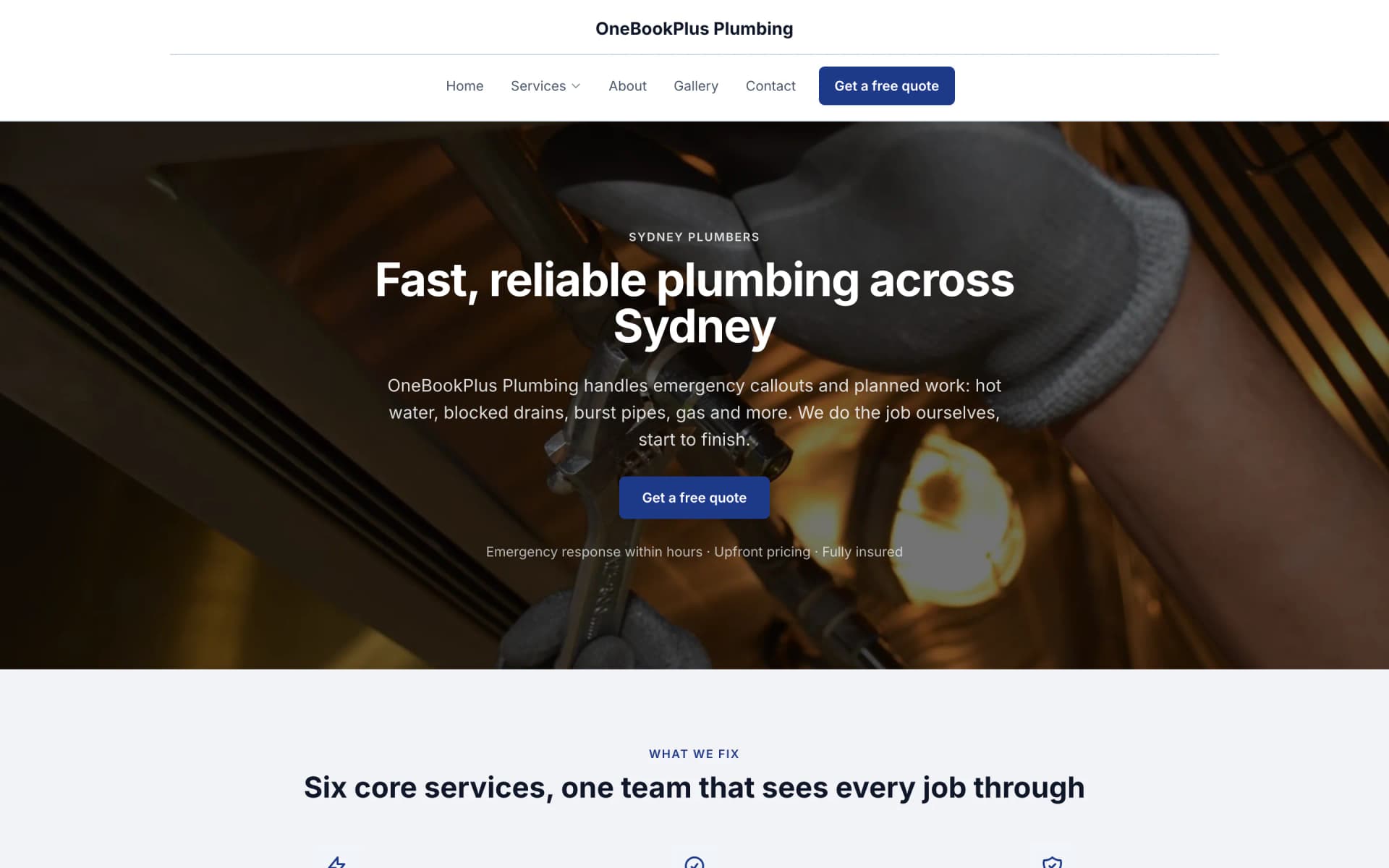
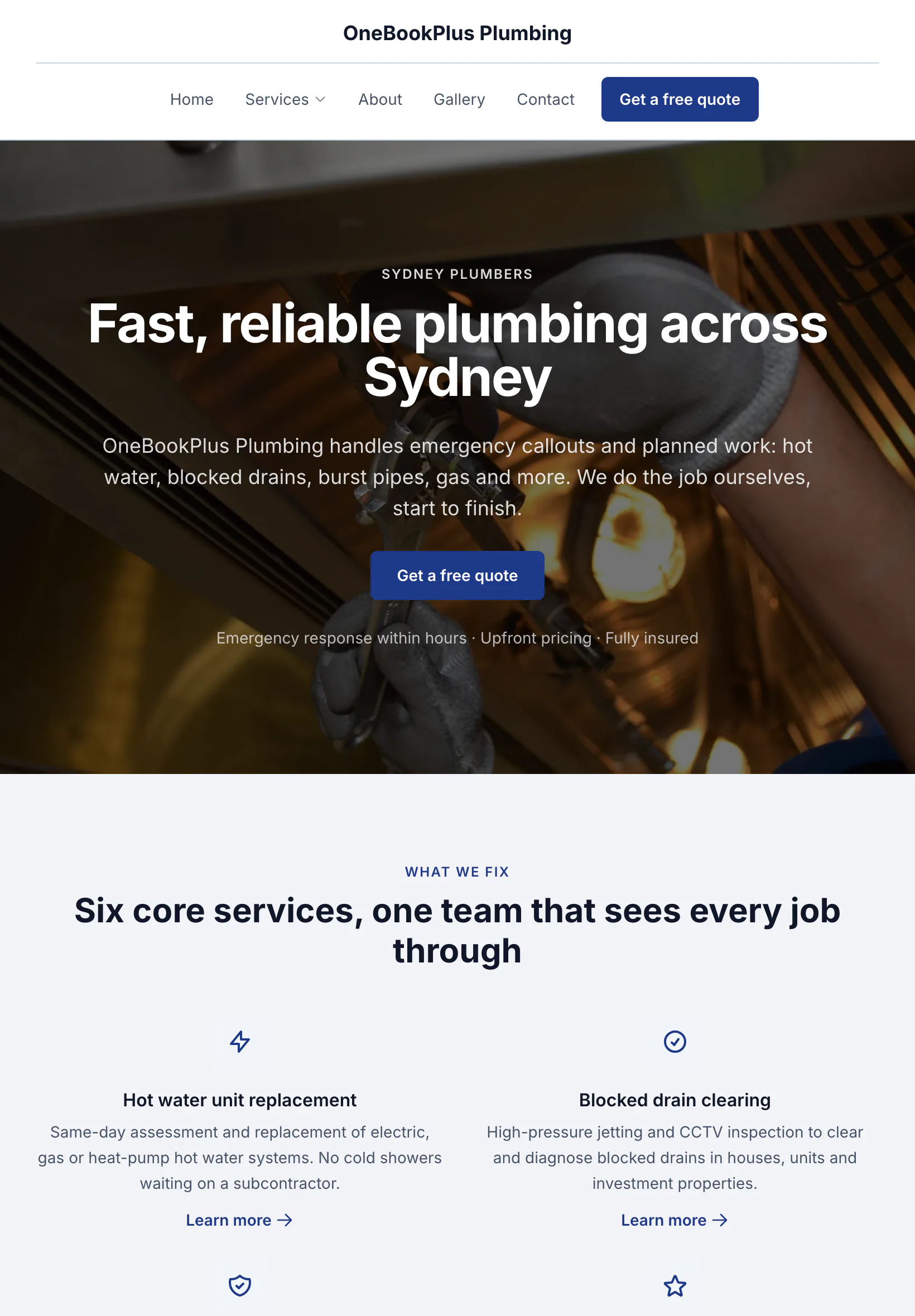
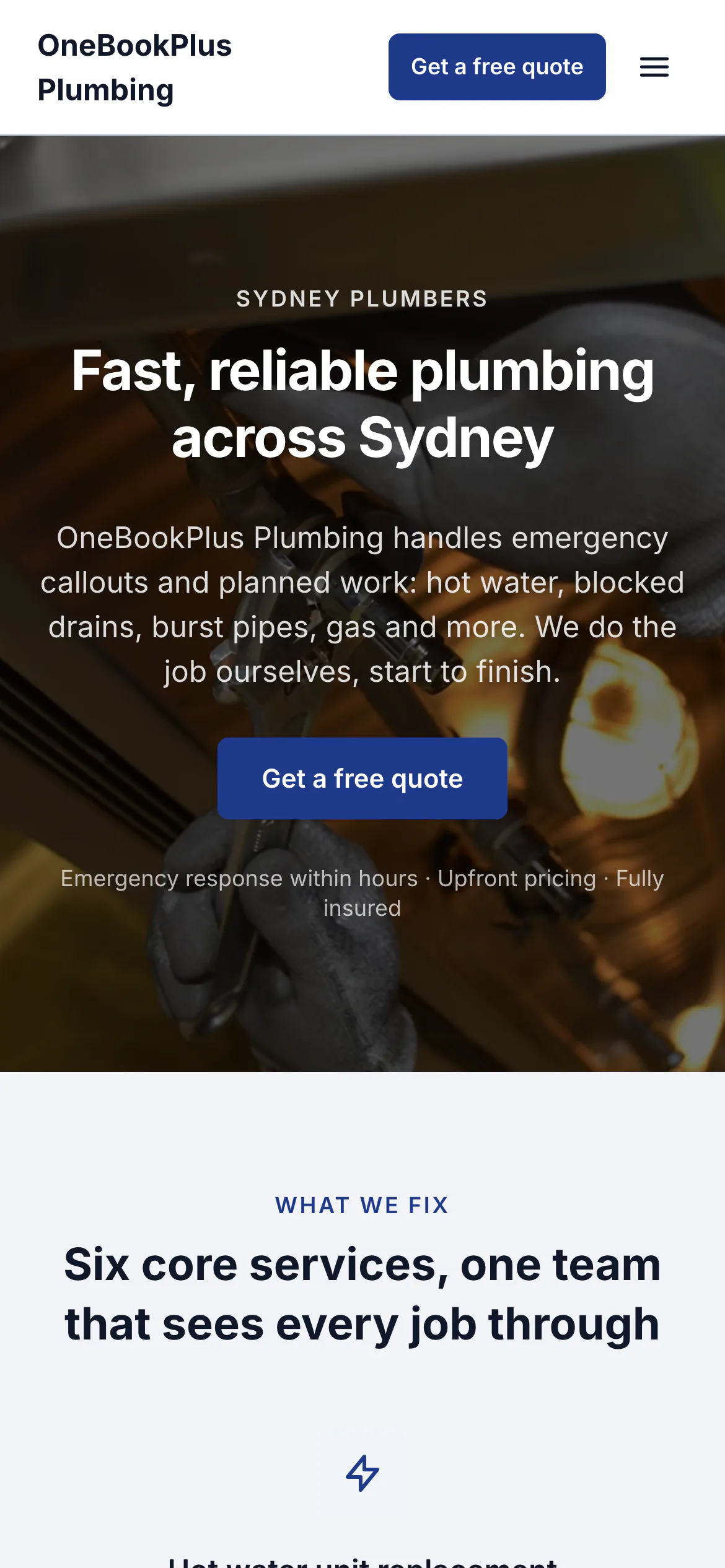
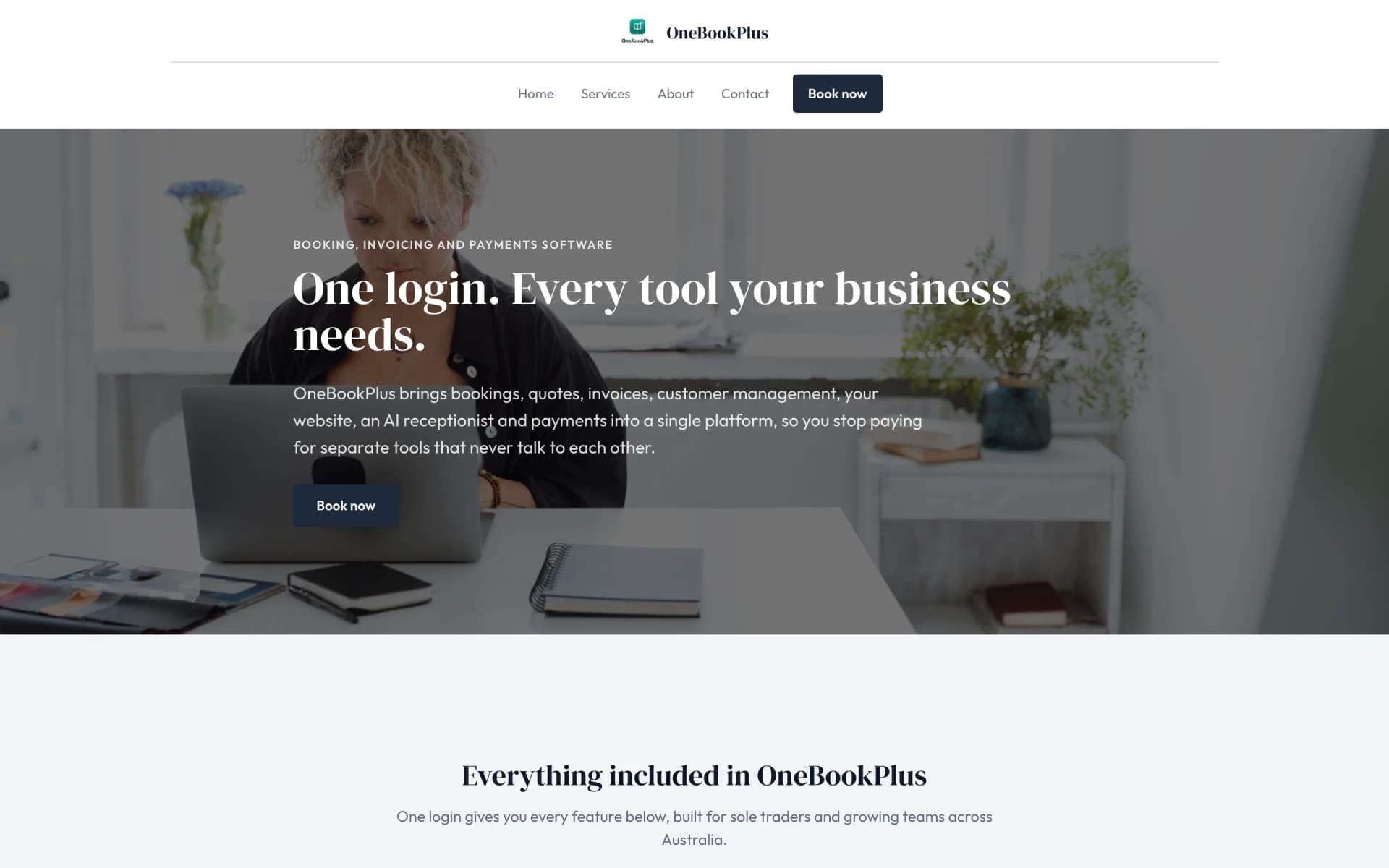
The home page: the name centred over the menu, a dark hero photo, a navy quote button and a grid of services.
Open the OneBookPlus Plumbing site(opens in a new tab)For Restaurants, Cafes & Bars
Know your covers, average spend and labour % before the last table leaves.
Daily sales, table bookings with no-show tracking, menu specials, voids & comps, and BAS-ready GST invoicing, one platform for an Australian restaurant, cafe or bar, no per-terminal lock-in. All-in from $97/mo on Starter with the Point of Sale and Rostering & Payroll apps, replacing Square POS + OpenTable + Xero + Deputy. The plans themselves run $0 to $69/mo.
Free plan. No card required. · GST & ABN on every invoice · No-show & labour-% tracking · Sign up in 90 seconds
Cut $195+/mo from your software stack by replacing Square POS + OpenTable + Xero + Deputy + Mailchimp with OneBookPlus.
See your savingsFree Tools & Resources
8-step founder guide, ABN, GST, food licence, fit-out, liquor, insurance, suppliers, opening week.
InteractiveInteractive estimator, food cost %, labour, overhead, GP target, and final menu price.
ReferenceFSS certificate requirements per state, refresher cycles, and when an Allergen Aware course is mandatory.
Operator GuidePlain-English MA000119, Level 1–6 classifications, Saturday/Sunday penalties, casual loading, junior rates.
ReferencePublic liability, food/product liability, liquor liability, business interruption, glass, coverage and premium ranges.
Key takeaways
5Complete Hospitality Toolkit
From daily sales to supplier invoices, OneBookPlus gives hospitality owners the tools to understand their numbers and grow their business.
Two minutes after lockup you'll know your covers, average spend, labour %, and how the week tracks against last week. One screen, four numbers that actually matter.
Tap to seat, tap to mark a no-show, so by Friday you know exactly what your no-show rate is, and whether it's time to start asking for a deposit on Saturday nights.
Drag your tables onto the floor plan once. After that, the host sees who's seated, who's booked, and who just walked in, without asking the kitchen or three different servers.
Live labour-cost percentage, updated every time the till rings. If you've set a 30% target and the room's quiet at 8pm, the number tells you to send someone home before it gets ugly.
Every void, comp and discount is logged with who hit the button. No more end-of-month surprises trying to work out where $400 in steaks went.
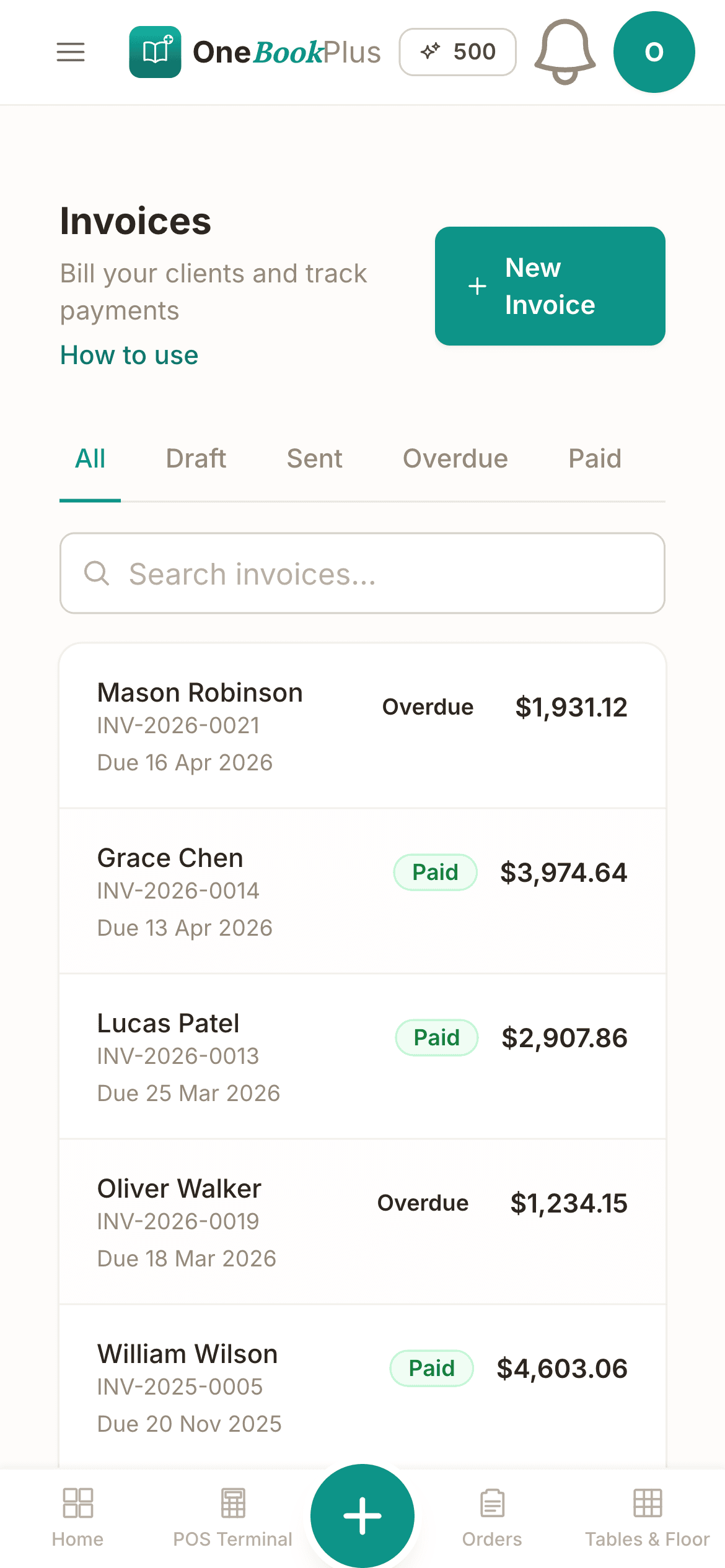
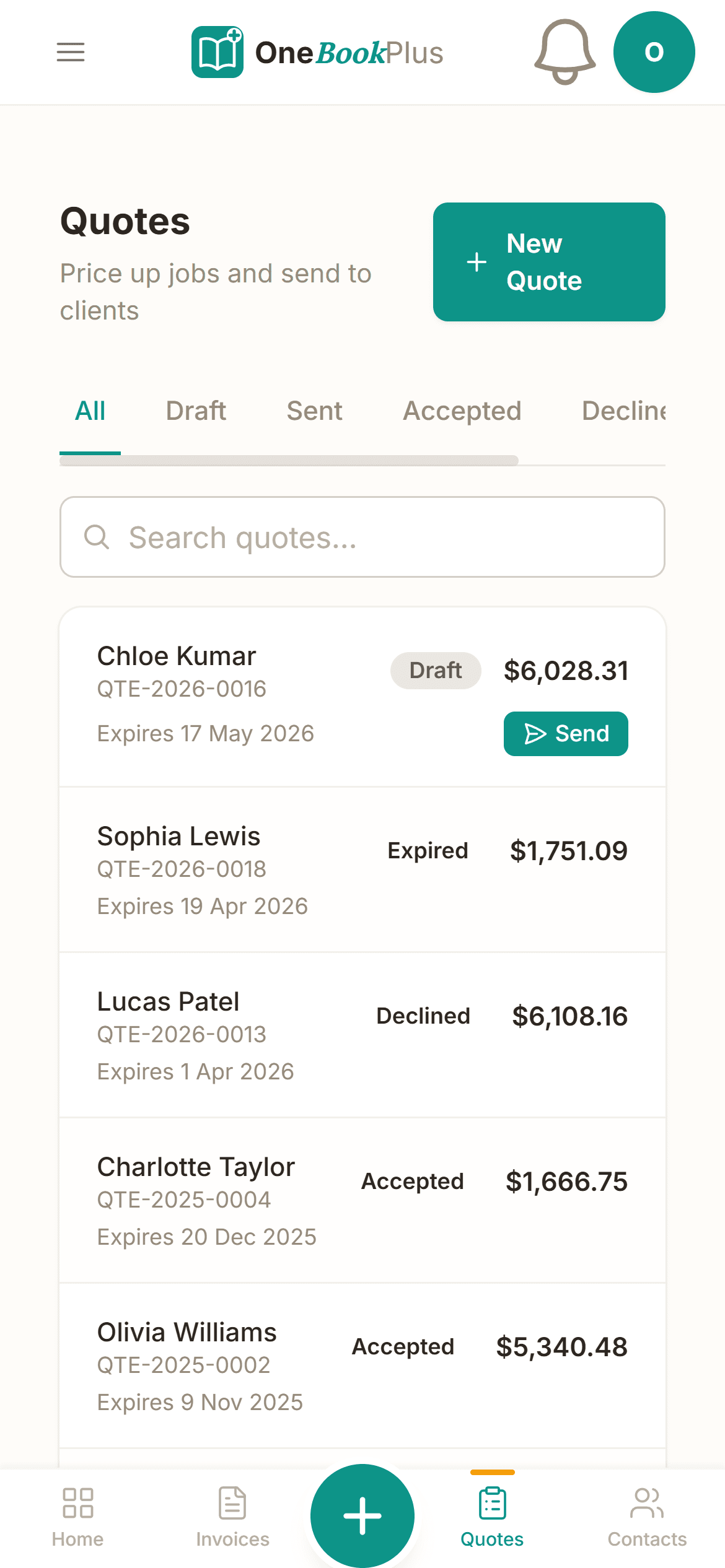
Catering deposit on Tuesday, function balance on Friday, both go out as proper tax invoices with your ABN and 10% GST already on them. GST is worked out per item, so GST-free lines are not taxed and a venue under the threshold charges none at all.
Free plan available · No POS lock-in · Cancel anytime
Website included
Every paid plan includes a full website, hosted by us, with nothing extra to buy and no separate builder: your site, its booking page and the tools behind them sit on one plan. The Free plan keeps the booking page and does not have the website.
The AI drafts every page from your own answers about your venue work, not from your business name, and it does not invent claims. Every page is laid out for a phone as well as a desk. In the Website Studio you edit any section in place, add text, lists and buttons inside it, choose how many cards sit across, and change the look, which keeps your words, your photos and the spacing you set. The booking page is built in and the site's Book buttons go to it. Your first AI build is included with the plan. A later rebuild runs on AI Companion credits, and one that starts fresh replaces your pages, saving a restore point in History first.
Diners book a Saturday table or order pickup at 11pm while the kitchen's closed. The reservation lands on your floor plan with party size and notes, and direct pickup orders skip the 30% Uber Eats commission entirely.
Two-course set menu $59pp. Function deposit from $250. A customer sees the price before they book.
The AI writes your services and the area you cover from your answers, so when someone searches 'restaurant in [suburb]' there is a page that says what you do and where.
No card needed to start.
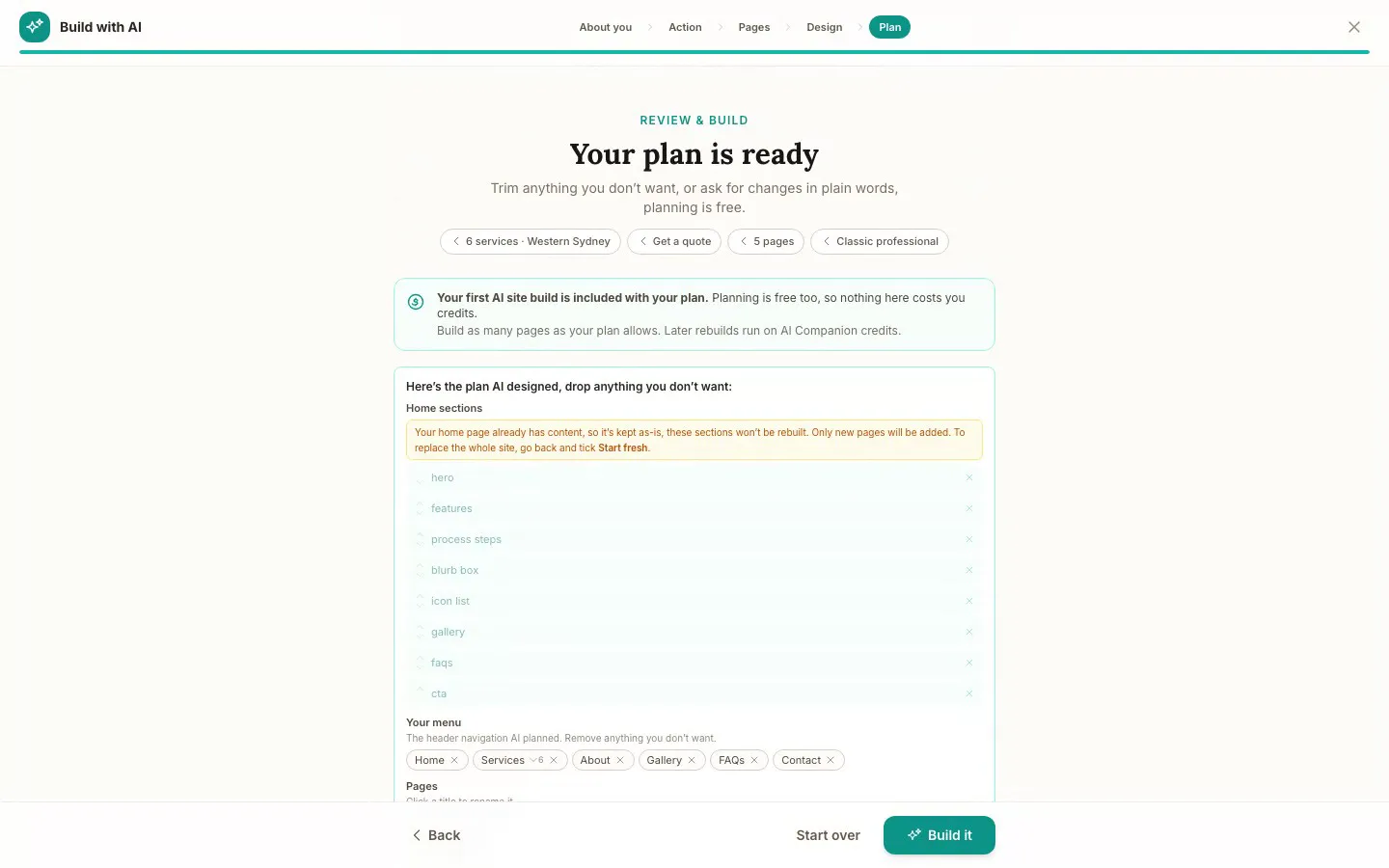
The Website Studio's Build with AI at its Plan step, on our plumbing demo: the pages, sections and menu the AI proposed from the answers already on the account, before anything is built. Click it to see it full size, or watch the recording of the build on the homepage.
Free
$0
A branded booking page on your OneBookPlus address. No website on this plan.
Starter
$29/mo
A website on your OneBookPlus address, hosted with SSL: 10 pages and a blog. The first AI draft is included.
Plus
$49/mo
Your own domain with SSL, 50 pages and a members area.
Growth
$69/mo
Unlimited pages, and a landing page per suburb from one template.
Your own domain connects on an active paid Plus or Growth subscription, not during the 14 day trial; a trial site lives on your OneBookPlus address. Every published site carries a small “Made with OneBookPlus” credit.
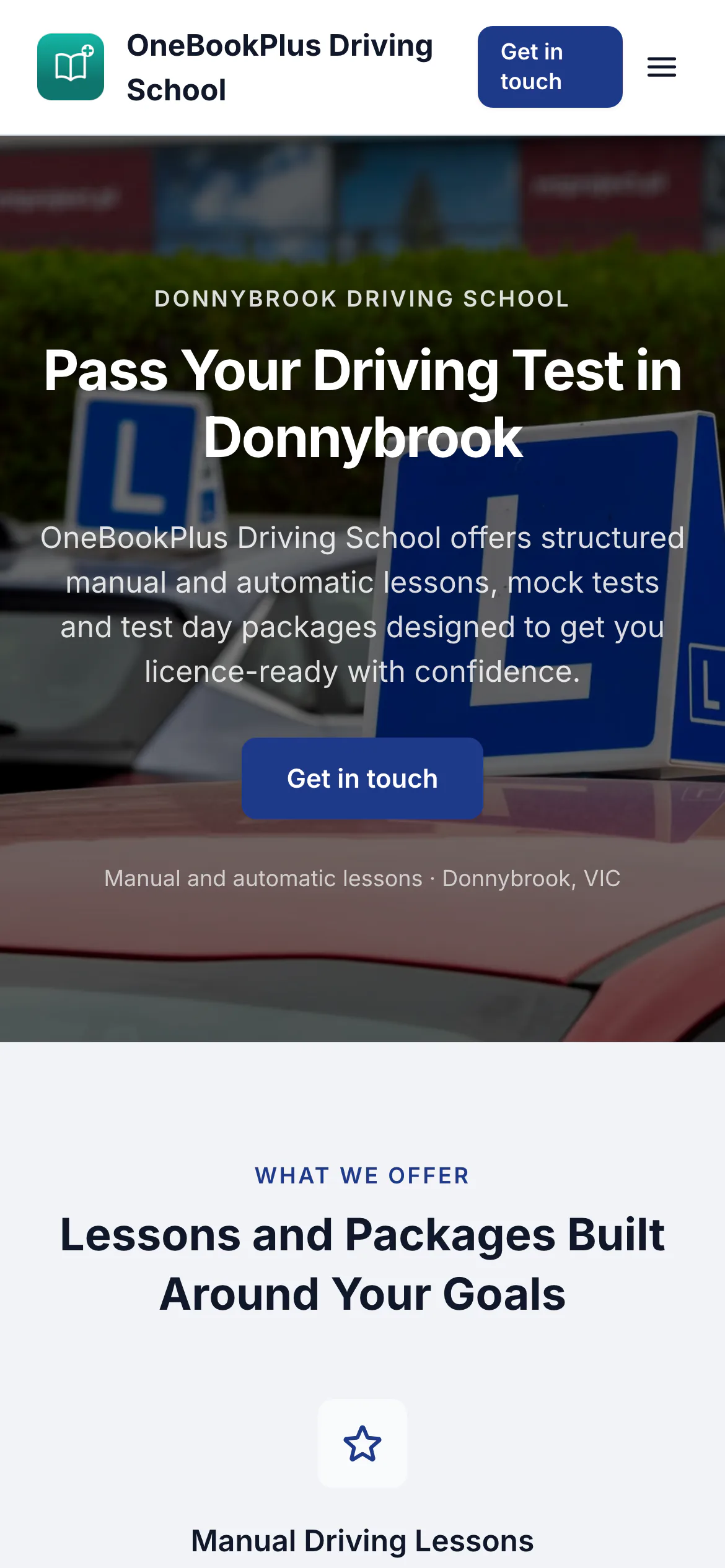
All three sites were drafted by the AI from the owner's answers, our own site included. It picks one of eight heading and body type pairings and how the cards sit (a fine line, a bold outline, a soft lift or no card), so a plumber's site, a driving school's and ours do not come out alike. Switch the view to see each one on a desktop, a tablet and a phone, click any screenshot to see it full size, or open the live site in a new tab. The plumber and the driving school are our demo businesses, not customers.
A plumber in Sydney
The home page: the name centred over the menu, a dark hero photo, a navy quote button and a grid of services.
Open the OneBookPlus Plumbing site(opens in a new tab)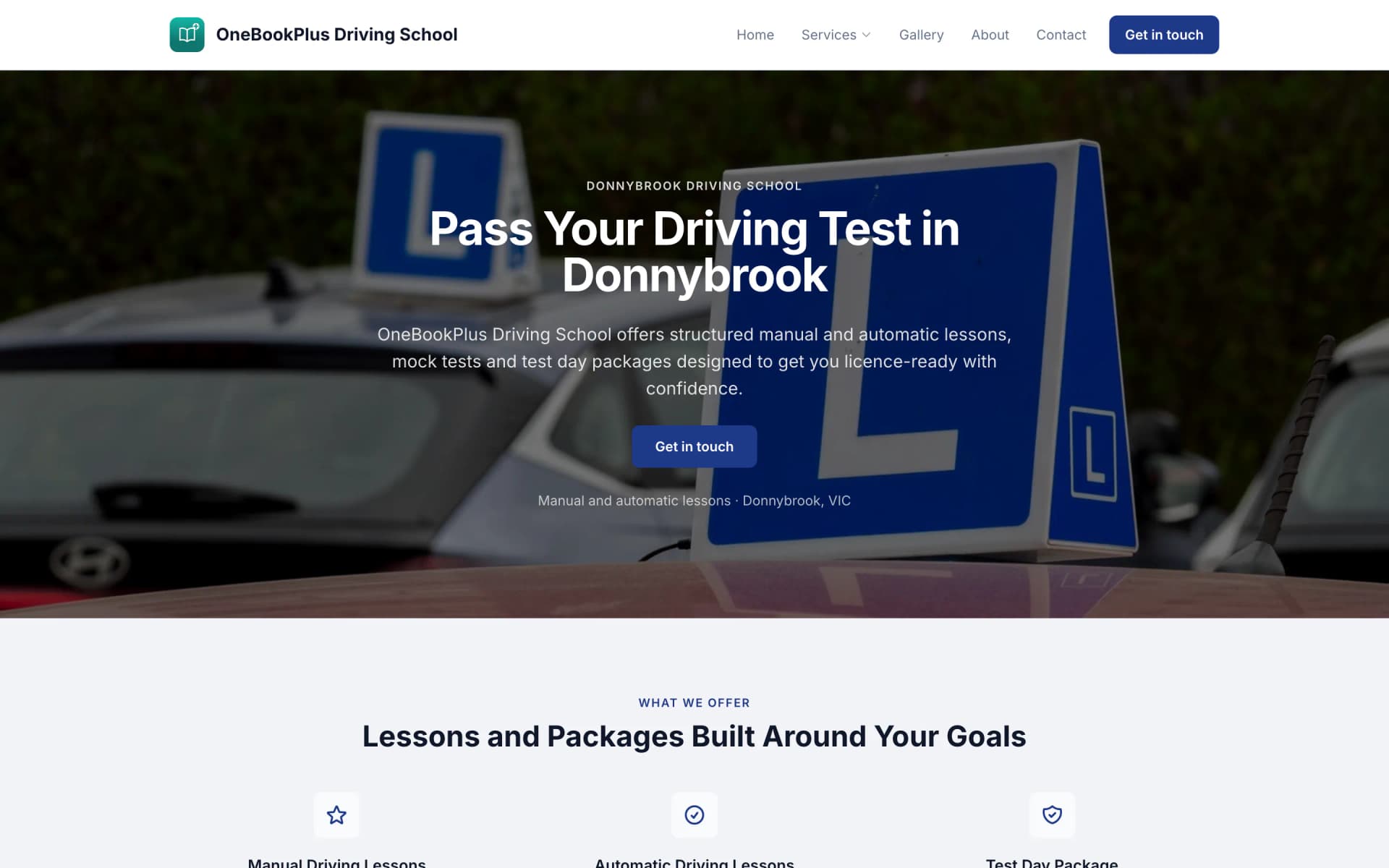
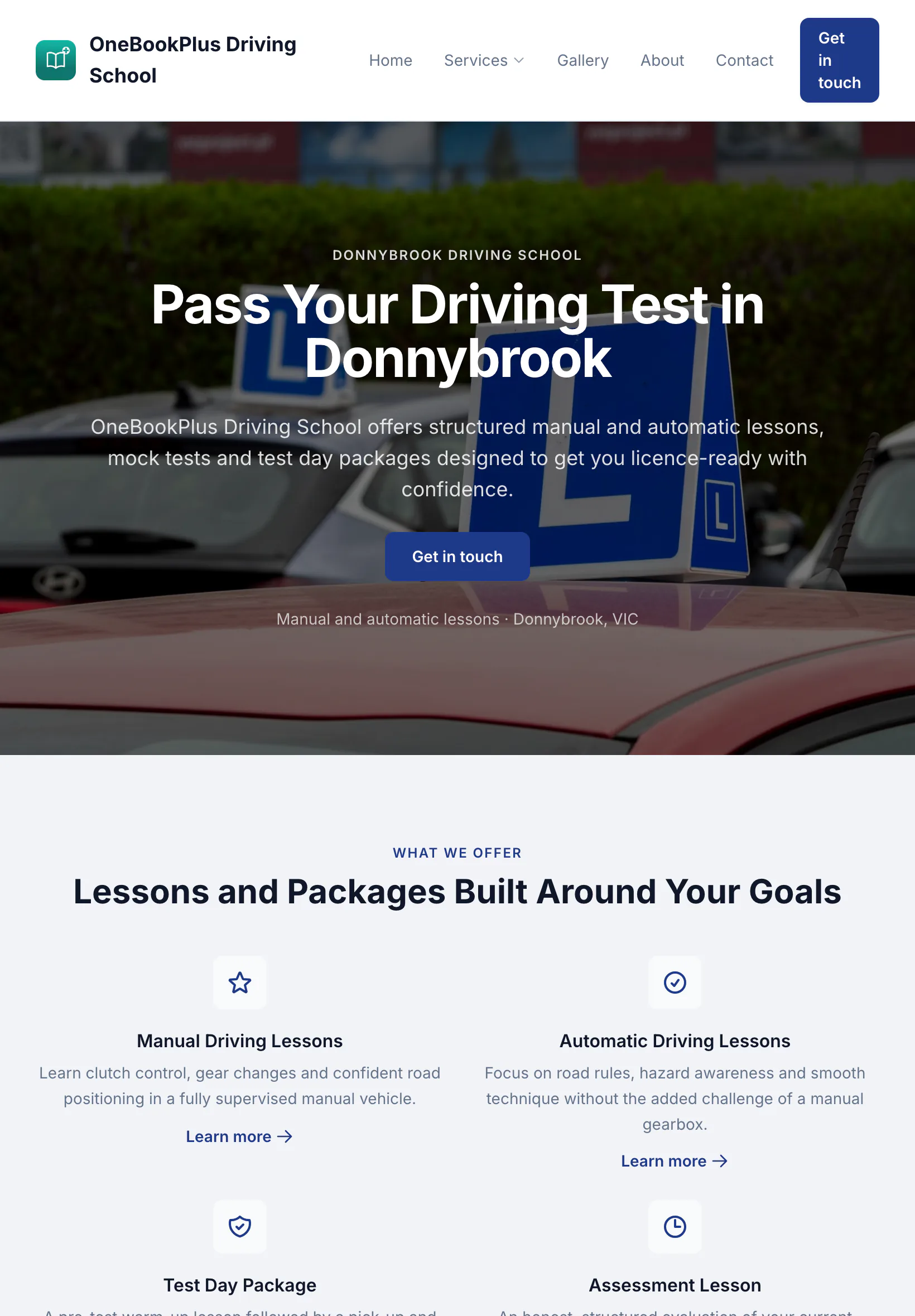
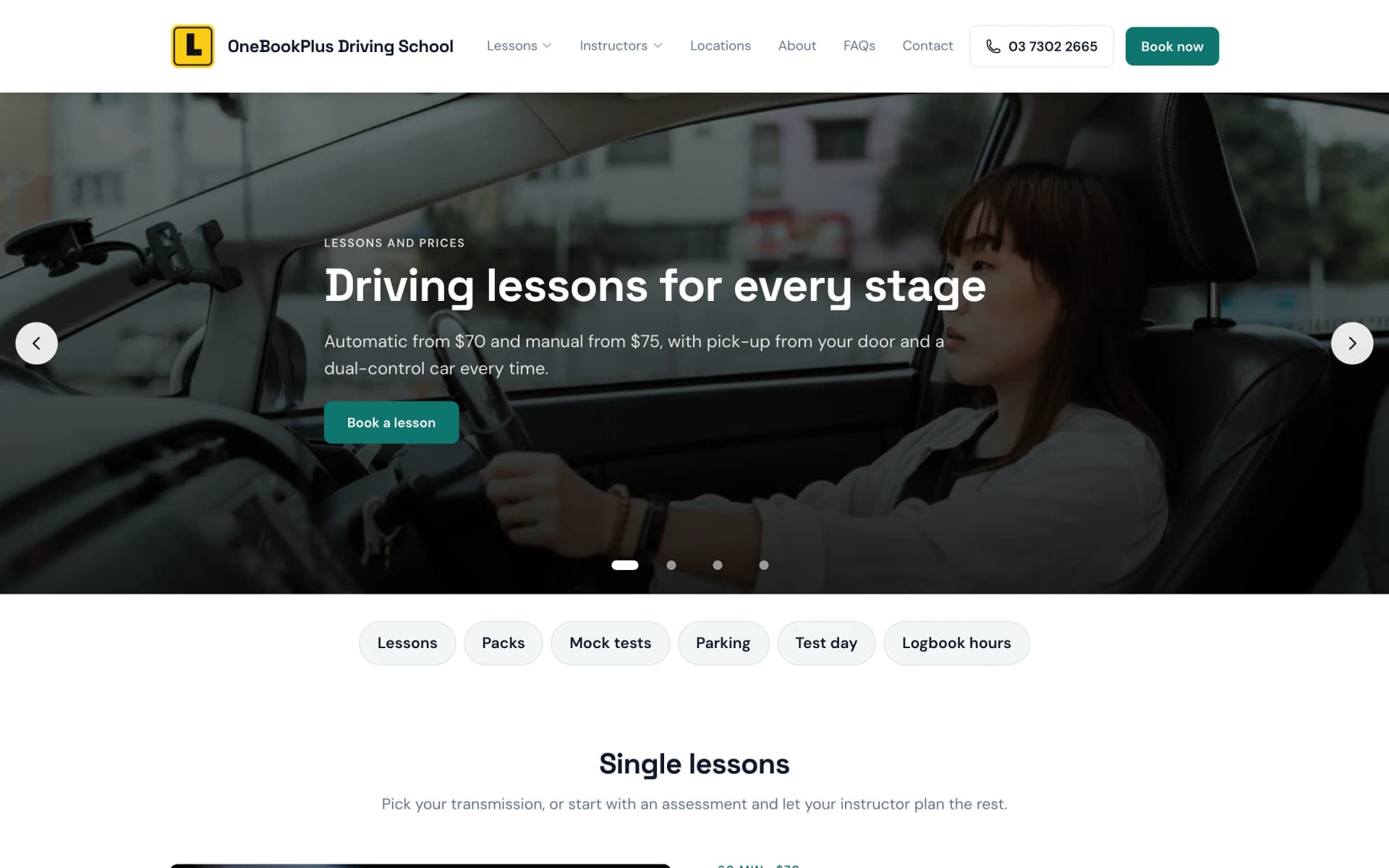
A driving school in Melbourne's west
The home page: an L plate logo, a video banner of a hand on the wheel and a yellow band of numbers.
Open the OneBookPlus Driving School site(opens in a new tab)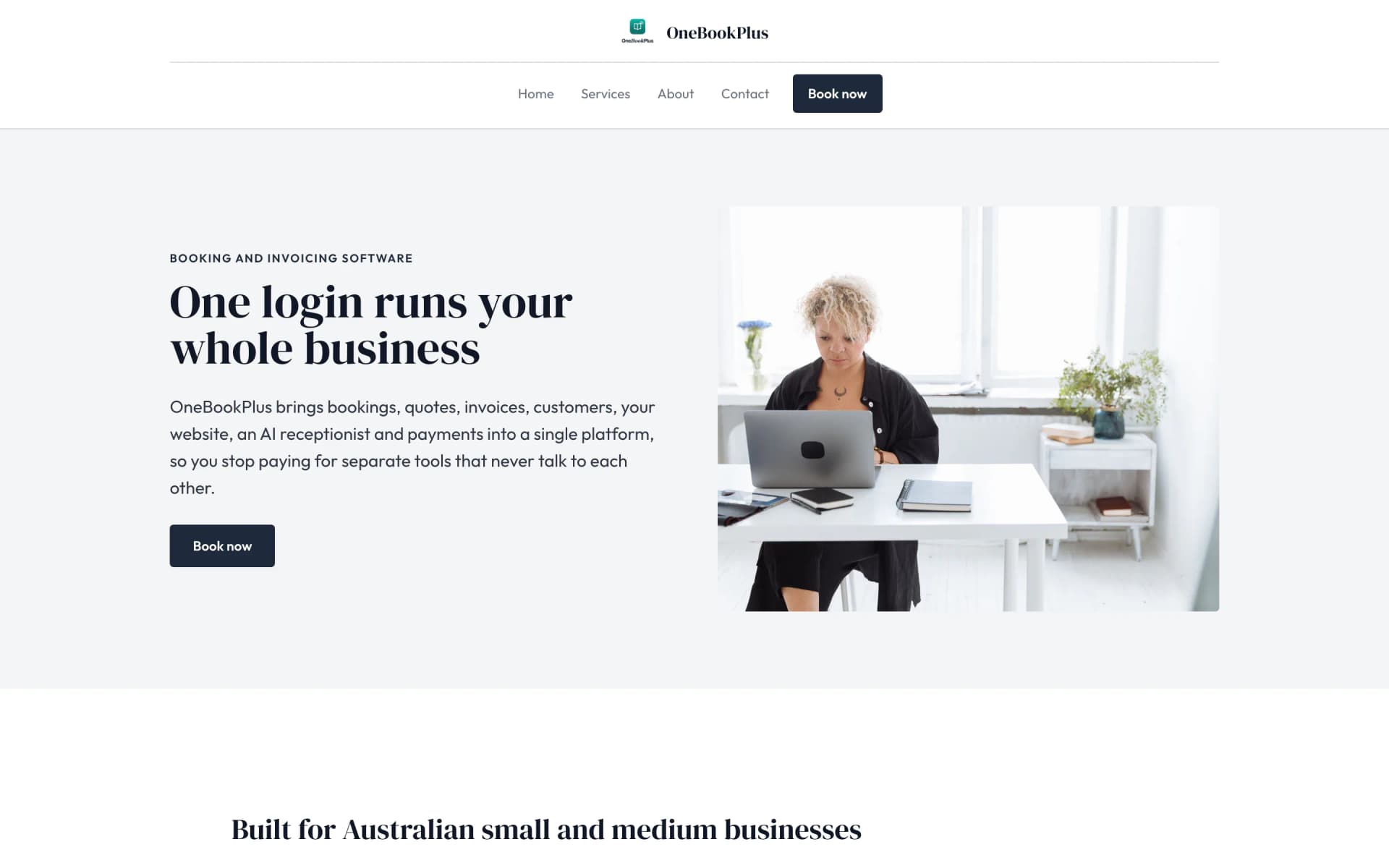
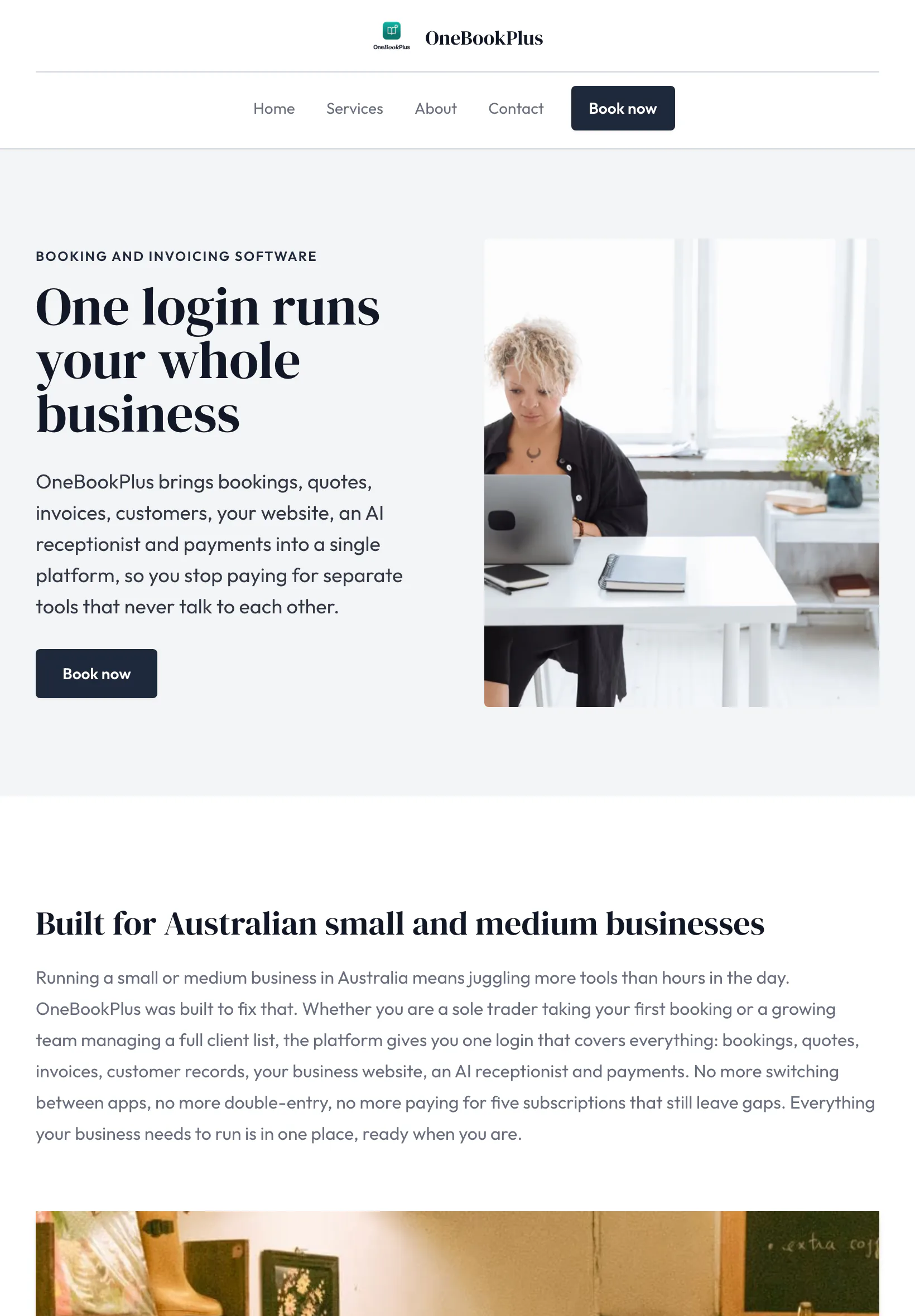
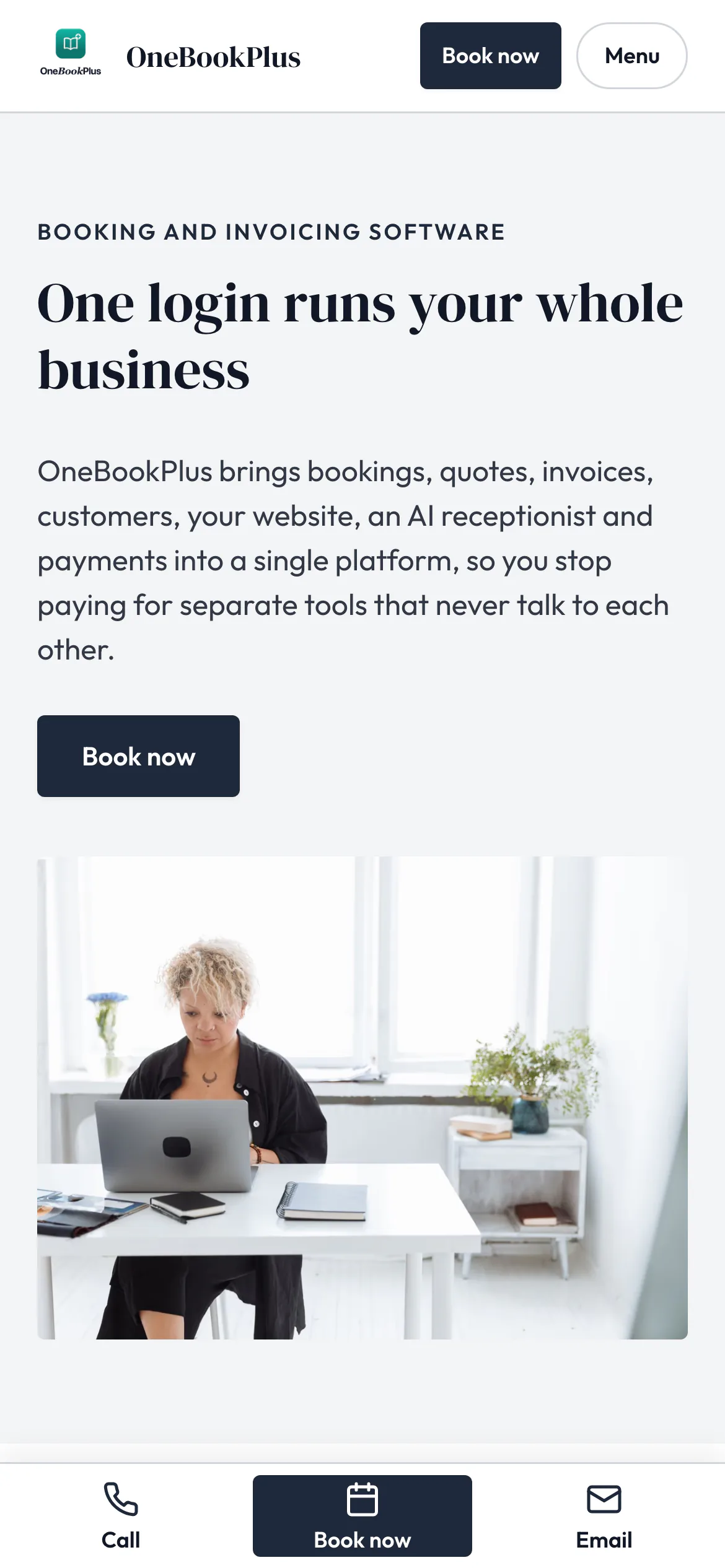
Our own site, built the same way
The home page: a serif heading beside a framed photo on pale grey, and no full width hero at all.
Open the OneBookPlus site(opens in a new tab)See it in action
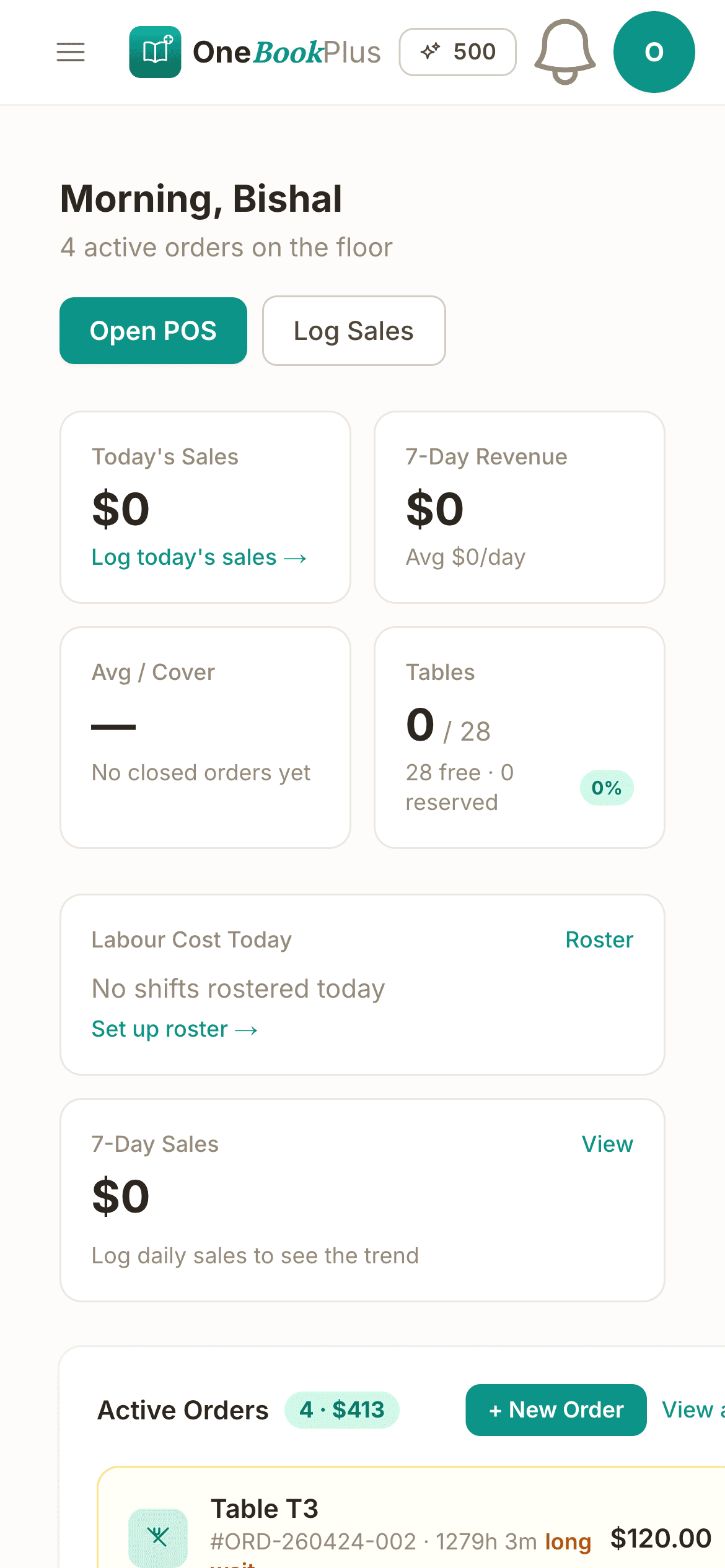
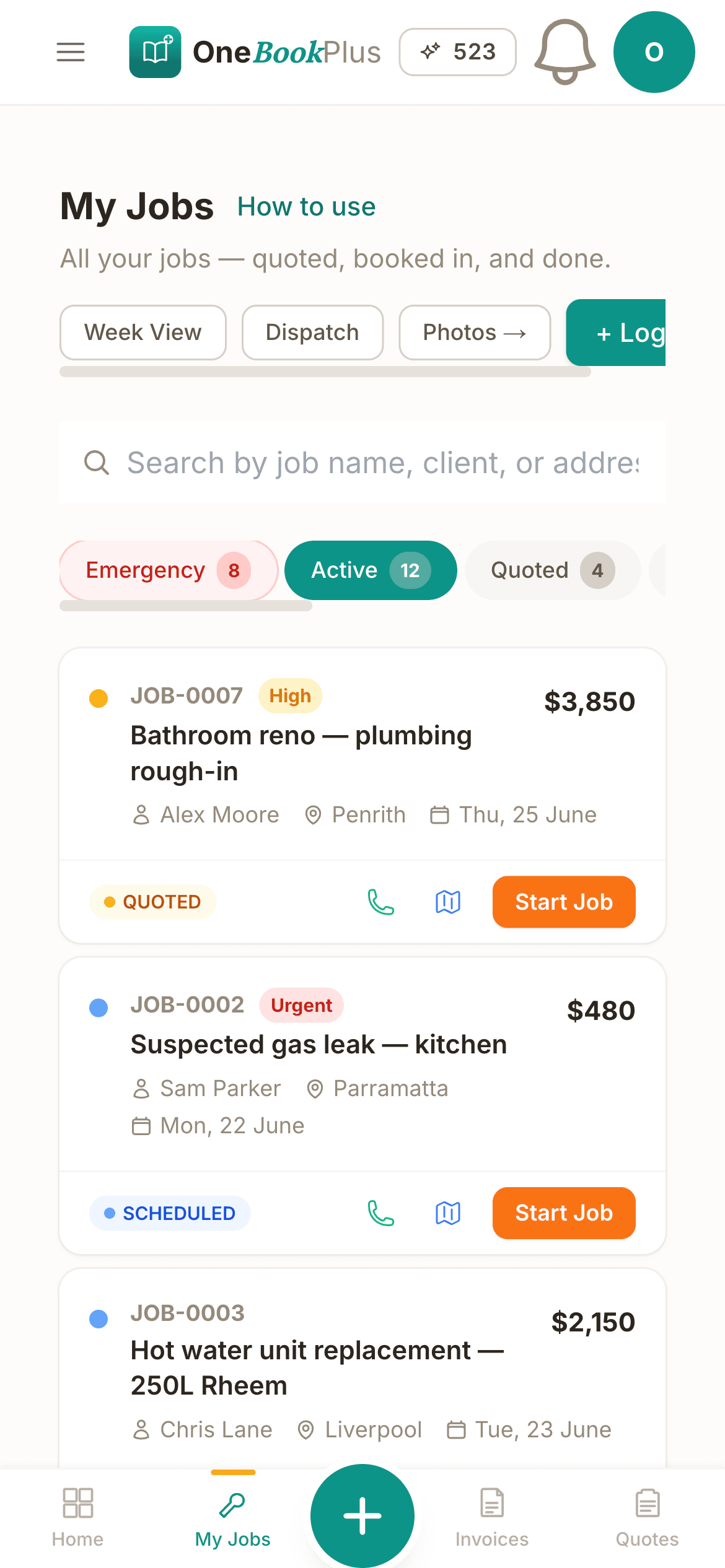
Not mockups, the real product screens for a working Friday-night service.
Two minutes after lockup: covers, average spend per head, labour % against your 30% target, and tonight vs last Friday. The four numbers Square's reporting buries three menus deep.
Tap to seat, tap to mark a no-show. By Saturday you know your no-show rate is 1-in-8, the evidence you need to start taking a $25-a-head deposit on weekend bookings without an OpenTable subscription.
Catering deposit Tuesday, function balance Friday, both as proper tax invoices with your ABN and 10% GST already on them, ready for the BAS export your bookkeeper actually wants.
Simple Daily Routine
Replace the spreadsheets and paper with a simple system that takes minutes a day.
Menu categories, items with dietary tags, a drag-and-drop floor plan, and every staff member: all in one setup. Ready for service in an afternoon.
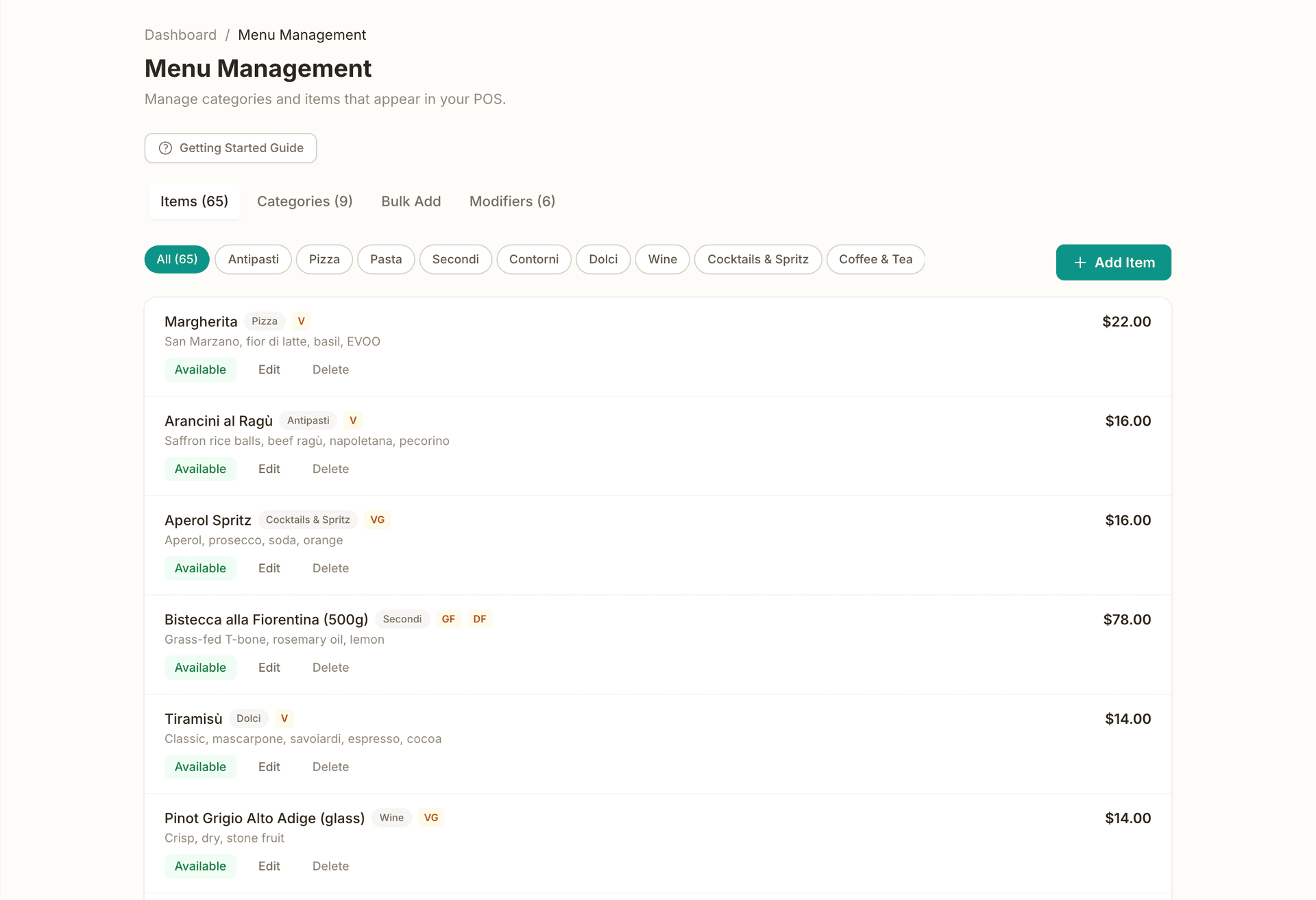
Servers tap through the menu on any device. Orders flow to the kitchen instantly and settle against the right table, with split bills and tips handled. Each sale posts to your books as it settles: revenue, GST and tips kept apart, cash to the till and card to the bank.
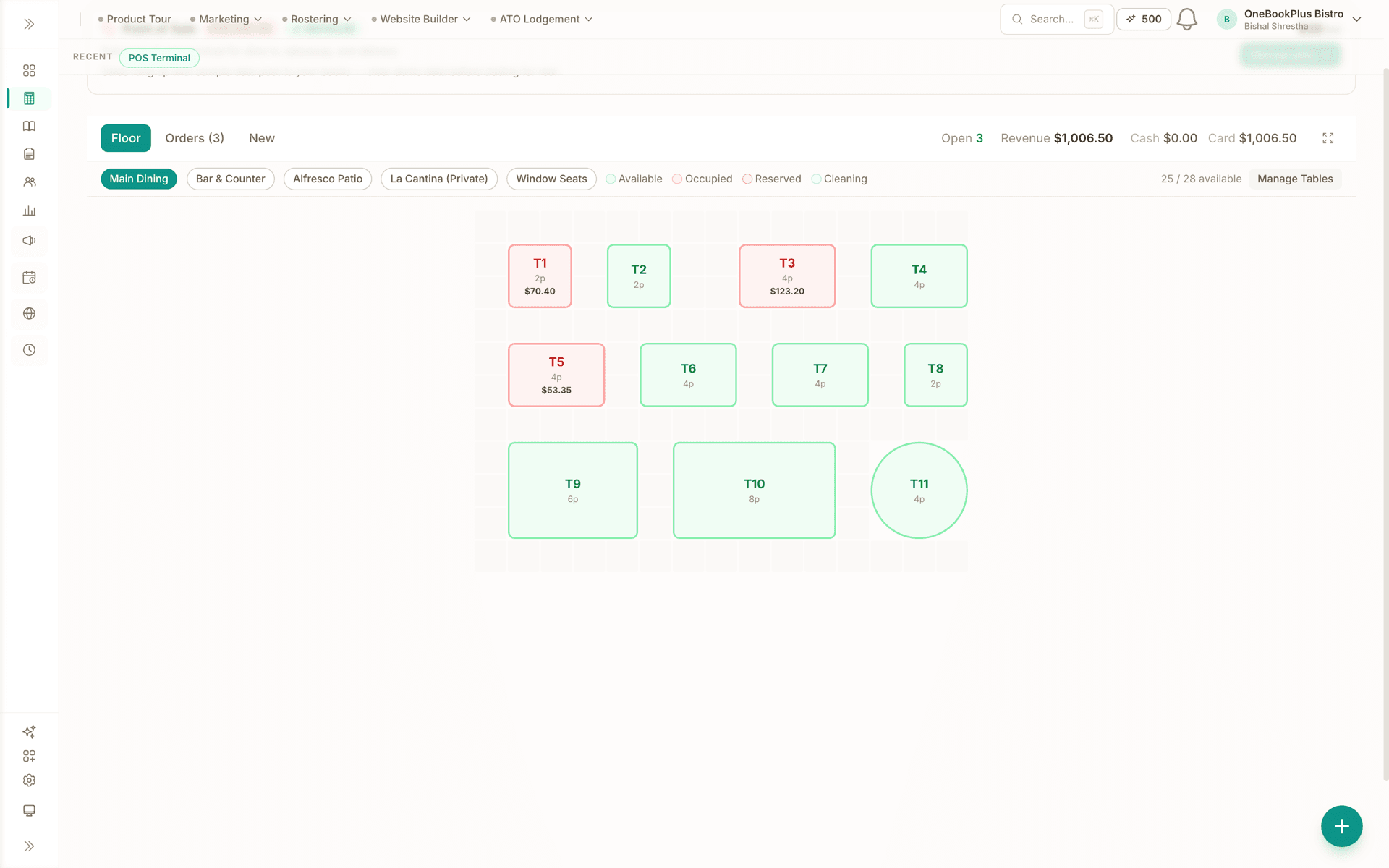
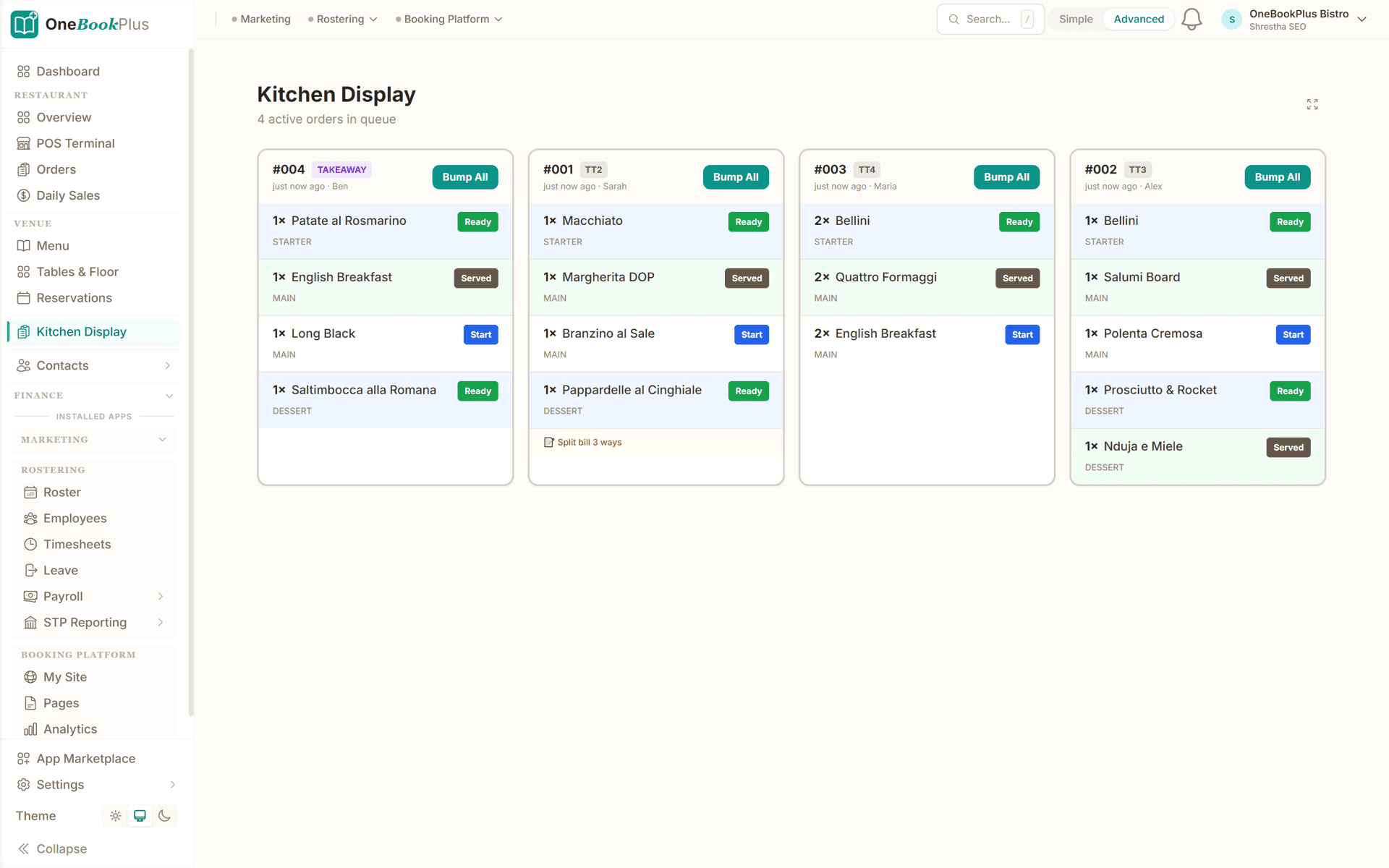
Send orders straight to the kitchen printer so nothing gets lost between the floor and the pass, or run the Kitchen Display add-on: dockets land on the pass the moment they're rung in and move from queued to preparing to ready to served.
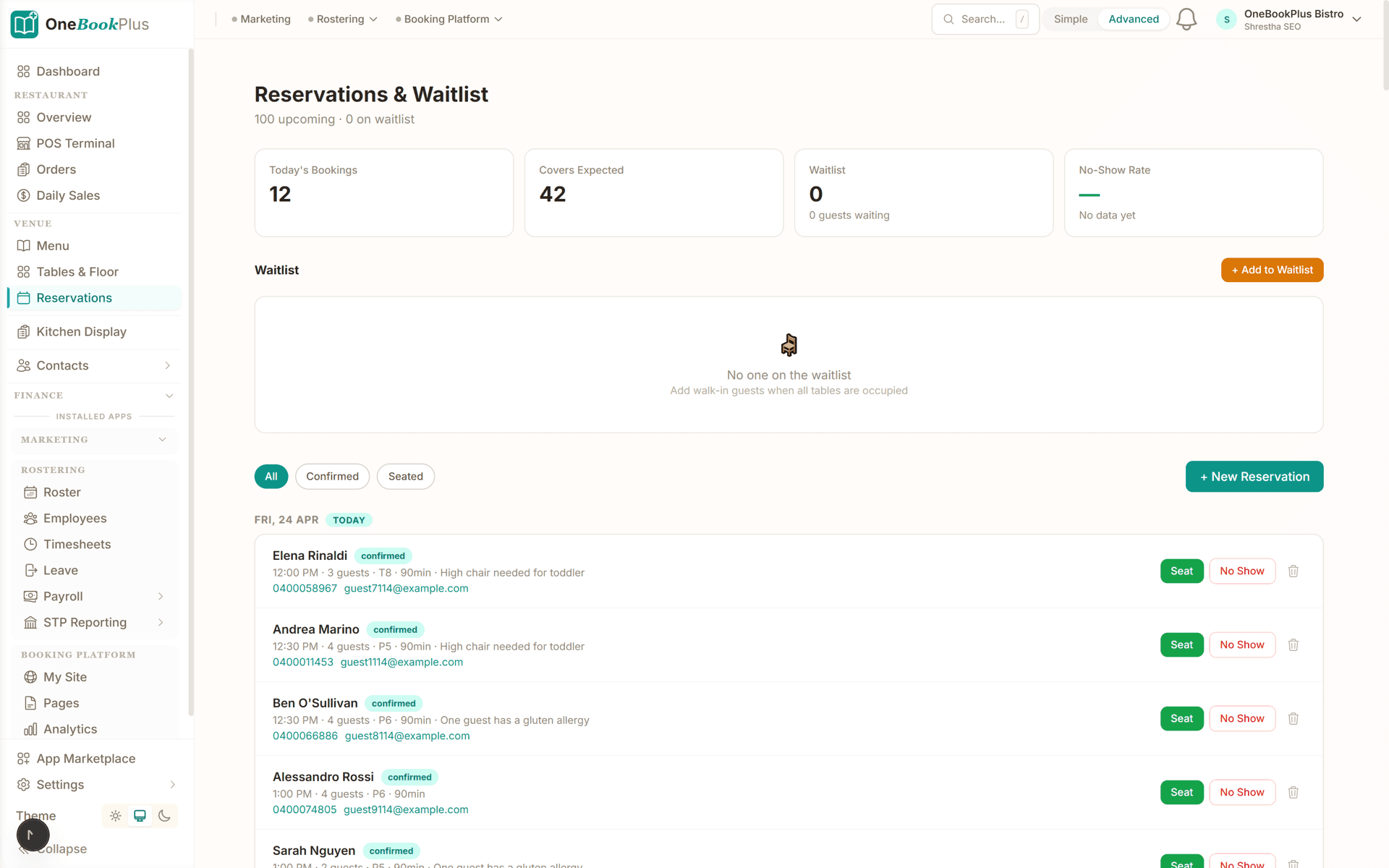
Reservations plug into the floor plan. Every booking with party size, time, notes and table assignment: no more paper diary, no more double-booked tables.
Most venues log their first night's sales within an afternoon of signup
Who it's for
From a 10-seat cafe to a 100-cover restaurant. OneBookPlus adapts to your venue.
Running a dine-in restaurant with 20-50 covers. Needs POS, table management, daily sales, and BAS-ready reports.
Fast-paced counter service, daily cash reconciliation, and supplier expenses. Needs quick order entry and daily sales logging.
Takeaway-focused kitchen handling phone and online orders. Needs order management without the table complexity.
Event-based catering with quotes, deposits, and variable menus. Needs quoting, invoicing, and CRM for repeat clients.
Named tools, at each vendor’s own cheapest published plan, and ours underneath. Vendor pricing changes, so check each one before you decide.
Or use OneBookPlus
$97/mo
Everything in the list above, on one bill.
Start freeNo credit card · Free forever · Cancel anytime
Example walkthrough
An illustrative walkthrough of a typical service day
You open the dashboard late morning to check tonight's reservations and the walk-in requests carried over from last night's waitlist. You confirm them with a tap, then look at the no-show rate from last service and decide whether a deposit policy is worth turning on.
Before service you update tonight's specials in the menu manager. The POS picks them up straight away, so front-of-house see the new items the moment they open the terminal.
During service, orders flow through the POS. Covers are entered as guests are seated, so average spend per cover stays accurate instead of being distorted by split bills. Reservations are marked seated with one tap. Any voided orders from the kitchen are flagged for you to follow up rather than disappearing.
At close you cash out the till and log the day's sales by channel, cash, card and delivery apps, in a couple of minutes. The dashboard shows labour as a percentage of sales against the target you set.
Next morning the day is already summarised: takings, covers and average spend per head, with the GST recorded as you went. Your accountant gets a clean quarterly summary without anyone opening a spreadsheet.
How we compare
See how we compare to the tools restaurants typically use.
| Feature | OneBookPlus | Square POS | Lightspeed | Kounta |
|---|---|---|---|---|
| POS terminal | Yes | Yes | Yes | Yes |
| Table management | Yes | No | Yes | Yes |
| Menu management | Yes | Yes | Yes | Yes |
| Daily sales tracking | Yes | Yes | Yes | Yes |
| Online reservations | Yes | No | No | No |
| Expense tracking | Yes | No | No | No |
| BAS-ready tax reports | Yes | No | No | No |
| CRM & contacts | Yes | No | No | No |
| Email marketing | Yes | Yes | No | No |
| Free plan available | Yes | Yes | No | No |
| Price | From $0/mo | Free | Subscription | Subscription |
100%
GST & ATO compliant for hospitality
$0
Free plan to get started, no POS lock-in
Per sale
Takings post to the books as each table settles
Real-time
Profit margin tracking across all costs
Restaurant savings calculator
Adjust the numbers below to match your real monthly spend. The total updates live, and so does what you'd save by replacing the lot with OneBookPlus.
POS subscription (Square, Lightspeed, Kounta)
Monthly per-terminal fee
Accounting (Xero, MYOB)
Monthly subscription
Reservations (OpenTable, Now Book It)
Monthly platform fee
Email marketing (Mailchimp)
Monthly campaigns + list size
Avg covers per day
Used to size the time-saved bonus
Your current tool stack
$147/mo
= $1,764/year
With OneBookPlus Starter
$29/mo
Replaces everything in the list. One bill.
~8 hrs/month of end-of-day admin valued at $35/h. Daily sales post straight to the ledger, so the day is closed off without retyping it.
Free plan available · No card required · Cancel anytime
An illustrated day, not real customer data. Scroll through it from morning to 5pm: the AI receptionist answers and books a missed call, the work runs from the app, the GST invoice is sent on the spot, payment lands and the books balance themselves, a review invite is queued for the next daily run, and the day closes with the ledger already written.
10:00am
While you're prepping for lunch
A regular wants the back room on Saturday for her dad's 70th, 18 guests. She calls while you're elbow-deep in mise en place.
AI Receptionist
The AI answers in two rings, holds the back room for Saturday 7pm and texts her the set-menu options.
Mid lunch service
Between dockets you glance at the function card: 18 covers, two dietaries, set menu B. The kitchen prep list is drafted.
From the pass
One tap sends the function deposit invoice with a pay link. No laptop in the office after midnight.
Between lunch and dinner
The $880 deposit lands by card, the books update themselves and $80.00 GST is set aside for BAS.
Reputation on autopilot
Last night's table of six gets a review request at the right hour. No chasing, no awkward ask.
Dinner service loads itself
Doors open in an hour. The function's booked and the books balance. The book did the rest.
$0
collected
0
call answered by the AI
0
evenings lost
An illustrated day, not real customer data. AI Receptionist is a $79/mo add-on that needs AI Companion ($25/mo, included on Growth), and AI Companion is what sends the review invite as well. The rest of the day is the app itself.
A customer, in their words
Running a restaurant means juggling a million things at once. OneBookPlus handles our bookings, invoices, and daily sales tracking in one place.
We finally stopped paying for four different apps.
What they use: Bookings, Invoicing, Daily sales tracking
the full South of the Wall storyHospitality pricing
Start free, upgrade when the covers justify it. No contracts, no setup fees, no per-terminal tax, no 1.6% to 2.2% tap-and-go markup on your own data. Cancel any time.
Free
$0/forever
Log your first night's takings today, no credit card, no POS lock-in.
Starter
$29/mo
Replaces OpenTable + Xero + your booking and reminder tools.
No card · Drops to Free if you don't upgrade
Plus
$49/mo
Outgrowing the basics, advanced reporting.
Our pick: unlimited contacts and booking pages for $49
Growth
$69/mo
For groups chasing reviews and repeat bookings.
Prices in AUD inc. GST. Online card payments carry Stripe processing fees (1.65% + 30¢ AU cards) plus a 2.5% OneBookPlus platform fee. No per-cover or per-terminal fee. See the full plan comparison
Already on another tool?
Most venues move across between a Sunday close and Monday prep. Export your menu items, supplier contacts and diner list as CSV from your current tool, import them into OneBookPlus with the bulk importer, and you're live before the first booking lands tomorrow.
Switch from
Built-in AI
You're slammed on the floor, the phone keeps ringing with bookings and enquiries you never get to.
OneBookPlus
AI Receptionist · incoming call
“Table for six this Friday night?”
If you don't answer, the AI books it, Dinner · Fri 7:30pm · 6 guests, and texts a confirmation.
Extend Your Toolkit
Add POS, table management, menu tools, and more to supercharge your hospitality business.
Built in Melbourne, AU
ATO-ready from day one
TLS in transit, AES-256 at rest, tenant isolation at the database layer, read the security page
No credit card needed
Common questions about restaurant and cafe management software.
The right fit depends on your venue, but for an independent Australian restaurant the strongest setups pair daily sales tracking, reservations, GST-aware invoicing and BAS-ready reporting in one place rather than stitching a POS to a separate accounting tool. OneBookPlus does exactly that from $0/month, daily takings, covers, average spend, labour-%, table bookings with no-show tracking, and a clean GST summary for your accountant at BAS time, with no per-terminal or per-cover software fee.
Square is excellent at the card terminal and tap-and-go (1.6% to 2.2% per transaction on AU cards), but its reporting buries the four numbers that decide whether a service made money, covers, average spend, labour-% and tonight vs last week, and it does not do your accounting, so most Square venues still pay for Xero or MYOB on top. OneBookPlus surfaces those numbers on the end-of-service dashboard, and every sale it rings up posts straight into the books, so revenue, GST and tips are already split when you get to BAS. Many venues keep Square for the card reader and run OneBookPlus alongside it, entering the daily settlement totals rather than replacing the terminal.
Yes. Every plan includes a basic POS and sales register (barcode scanning from Starter); the $39/mo Point of Sale app is the full hospitality upgrade: dine-in, takeaway and delivery on one screen, split bills, discounts and tips, and live order tracking. Menu Management and Table Management are free apps on every plan. The card itself is taken on the terminal you already have, with the till recording the tender against the sale, and if you would rather keep your existing register you can enter the daily takings by hand instead.
If you run the built-in POS there is nothing to log: every table that settles posts itself, splitting revenue, GST and tips, and sending cash to the till account and card to the bank. Daily totals, GST collected, covers and average spend build up as you trade, and you can still enter takings by hand if you are running a separate terminal.
Yes. Record supplier invoices, categorise expenses (food, beverage, packaging, rent, utilities), and see your cost-of-goods percentages in real-time. This helps you maintain healthy margins.
Absolutely. All invoices include automatic 10% GST calculations, your ABN, and meet ATO requirements. Export GST summaries at BAS time for your accountant.
Yes. Set up your floor plan with table numbers and capacity, accept reservations through your online booking page, and manage walk-ins, all from one dashboard.
OneBookPlus works for any hospitality business, restaurants, cafes, bars, food trucks, catering companies, and bakeries. The daily sales, expense, and menu management features adapt to any food and beverage operation.
About the author

Founder & CEO, OneBookPlus
Bishal spent a decade running digital projects for Australian small businesses before founding OneBookPlus. He writes and maintains these pages, and publishes what OneBookPlus does not do alongside what it does.
Read the founder bioHow this page was researched
The compliance and licensing statements above are taken from the bodies this page links to, including Food Standards Australia New Zealand, the Restaurant and Catering Association and the NSW Food Authority, so you can read the rule rather than take our word for it. Plan prices come from the OneBookPlus price registry, so the page and the checkout cannot disagree. Everything said about OneBookPlus describes what the product does today, and the page says so where it does not do something.
Most restaurant owners are running three or four disconnected systems: a POS terminal like Square or Lightspeed for orders, a separate rostering tool like Deputy for staff schedules, Xero or MYOB for accounting, and maybe OpenTable or a paper diary for reservations. The result is a mess of logins, duplicate data entry, and no clear picture of whether tonight's service actually made money after labour and food costs. OneBookPlus brings daily sales tracking, table management, expense monitoring, rostering, and GST-compliant invoicing into one platform designed for Australian hospitality venues: restaurants, cafes, bars, and food trucks.
The platform works alongside your existing POS or as a standalone system. At the end of each service, log your daily sales by payment type: cash, card, and online delivery platforms like UberEats or DoorDash. OneBookPlus calculates your daily totals, breaks down GST collected, and compares against previous periods and targets automatically. Reservations flow in through your online booking page and appear on your table management dashboard, where you can seat walk-ins, mark no-shows, and track covers. Front-of-house staff see the floor plan at a glance, showing which tables are occupied, reserved, or available.
Picture a Friday night service. You open the dashboard at 3pm to find eight reservations booked, two from last night's waitlist confirmed with a tap. Before service, you update tonight's specials in the menu manager. During service, dine-in orders flow through and covers are tracked as guests are seated, giving you an accurate average spend per head rather than a figure distorted by split bills. Your rostered staff shifts are calculated against tonight's revenue in real time, so you know before service ends whether labour cost is within your 30% target. At close, you log daily sales (cash, card, and UberEats) in under two minutes. The dashboard shows $5,200 in revenue, 52 covers, $72 average per head, and two voided orders to follow up on Monday.
Supplier invoices for produce, beverages, and packaging are logged and categorised so you can see your cost-of-goods percentage in real time. Photograph the docket or drag in the PDF and the supplier, date, GST and total are read off it, so the produce run does not wait for a quiet evening to be typed up. Rent, utilities, insurance, and other overheads are tracked separately. GST is calculated on every invoice and expense. At BAS time, export a clean GST summary covering GST collected on sales, GST paid on purchases, and the net amount owing, without touching a spreadsheet. Your accountant gets a clear, reconciled set of figures instead of a folder of till receipts.
Sign up for free. No credit card, no POS lock-in. Add your venue details, menu items, table layout, and staff. Configure your daily sales categories (dine-in, takeaway, delivery, catering). Most restaurant owners complete setup in under fifteen minutes and start logging daily sales the same evening. The free plan runs unlimited jobs and one-off bookings and covers core features for a single venue. Upgrade when you need multi-location support, advanced rostering, or detailed food-cost reporting, still far less than the combined cost of Square, Deputy, and Xero.
The live demo is a working OneBookPlus account with invoices, quotes and jobs already in it, click around before you decide anything.
Stop guessing and start tracking. Daily sales, expenses, and profit margins, all in one place. Free to get started.
Get started freeReviewed by Bishal Shrestha
Authoritative sources
Australian hospitality venues operate under the FSANZ Food Standards Code, state Food Acts and liquor licensing schemes, the Hospitality Industry (General) Award, and ATO GST rules for food. We cite the primary bodies for the claims on this page so you can verify directly.
From the blog
Practical guides and explainers from the OneBookPlus blog, grouped by topic.
Pay $1.5 million in wages and you owe $31,731 in payroll tax in Western Australia and nothing in South Australia, the NT or the ACT. Every threshold, rate and trap across all eight Australian jurisdictions for 2026-27.
From 1 October 2026 you cannot surcharge eftpos, Mastercard or Visa. What the RBA reform costs and saves you, modelled by business type.
From 1 July 2026 employers must pay super every payday and have it in the fund within 7 business days. A plain-English guide to the rules, SGC and cash flow.
Restaurant POS systems in Australia compared for 2026: pricing, GST handling, and how to choose by venue type rather than by feature list.
Industries
Features
Tools & Apps
Local directory