
A plumber in Sydney
OneBookPlus Plumbing
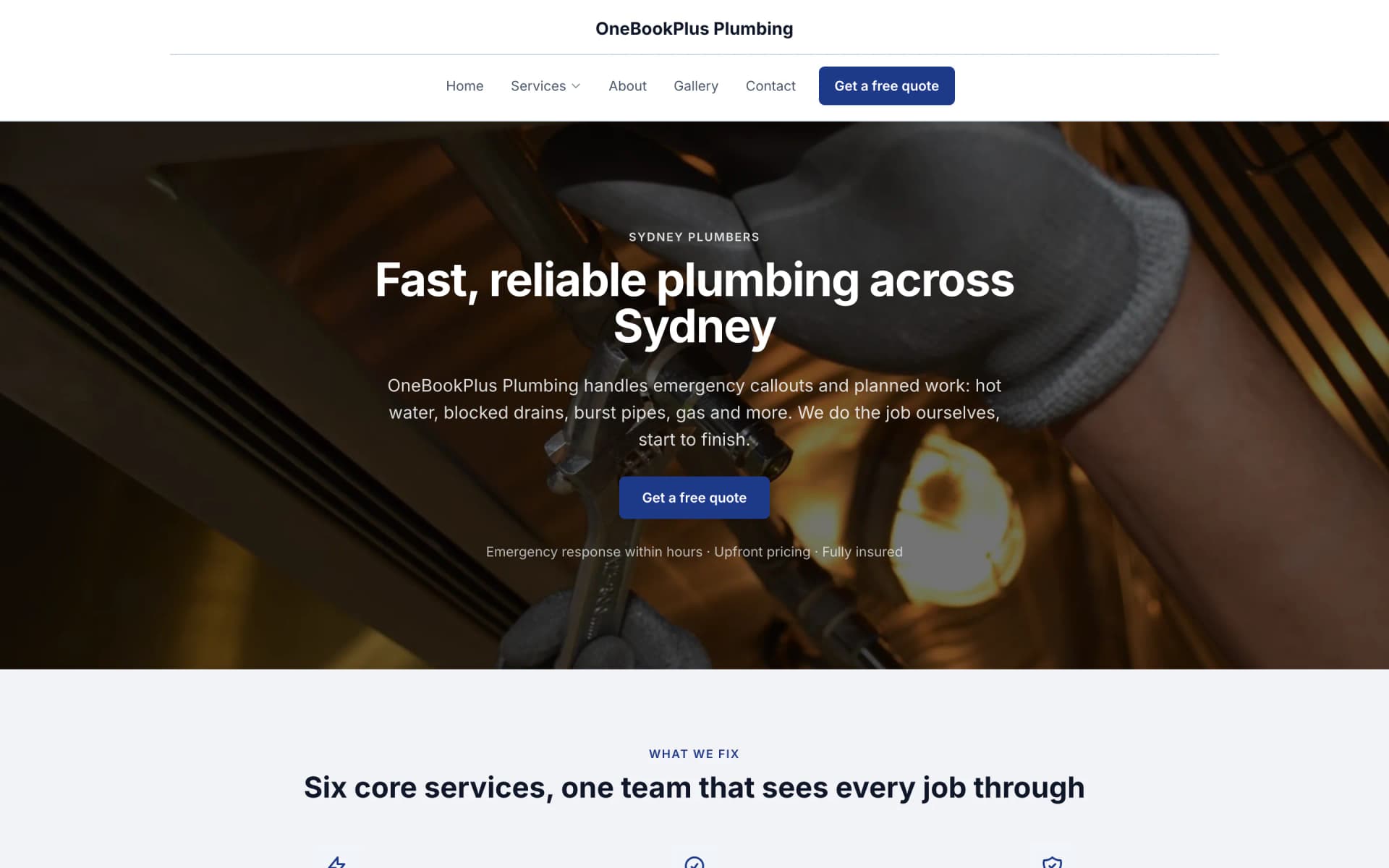
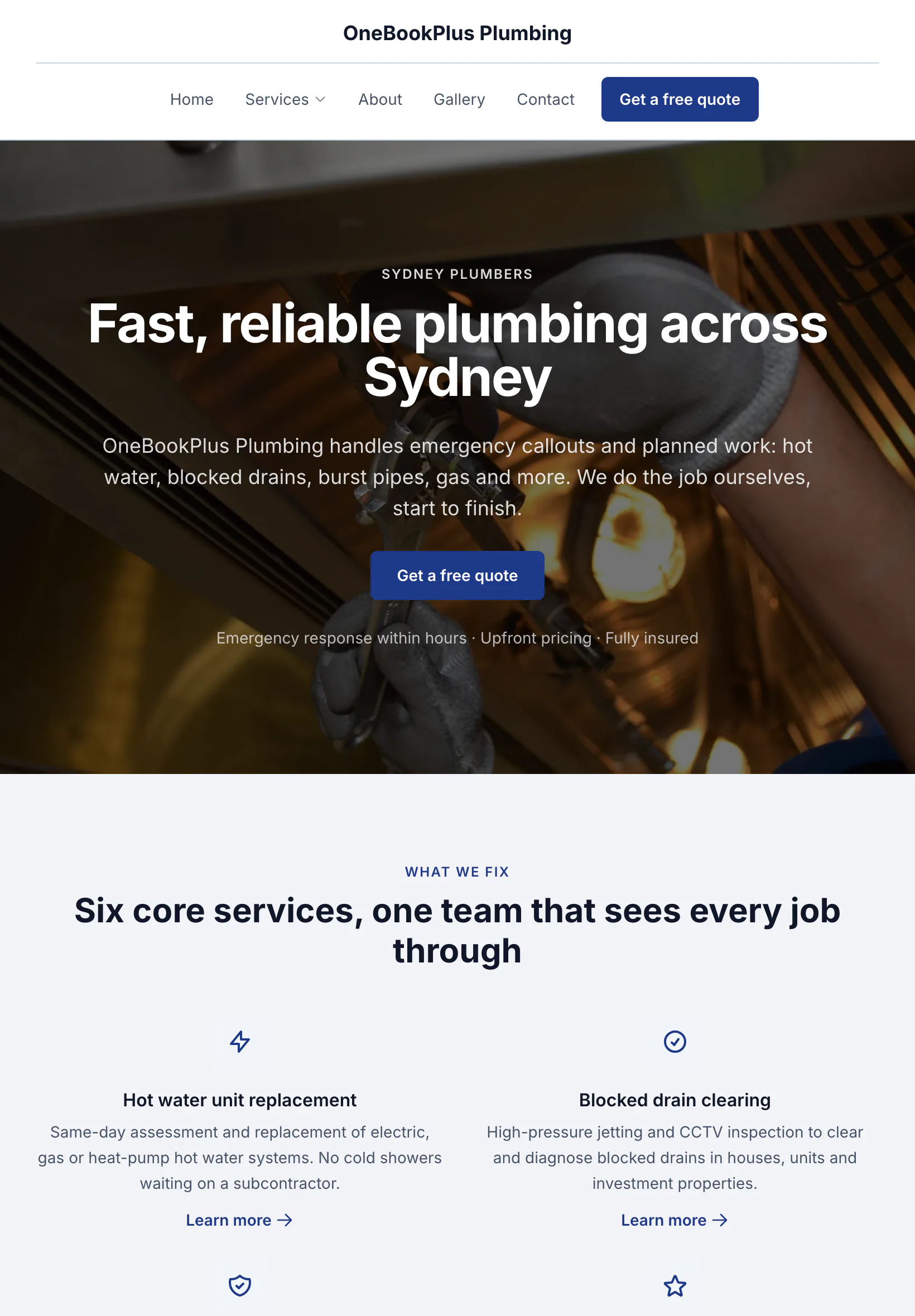
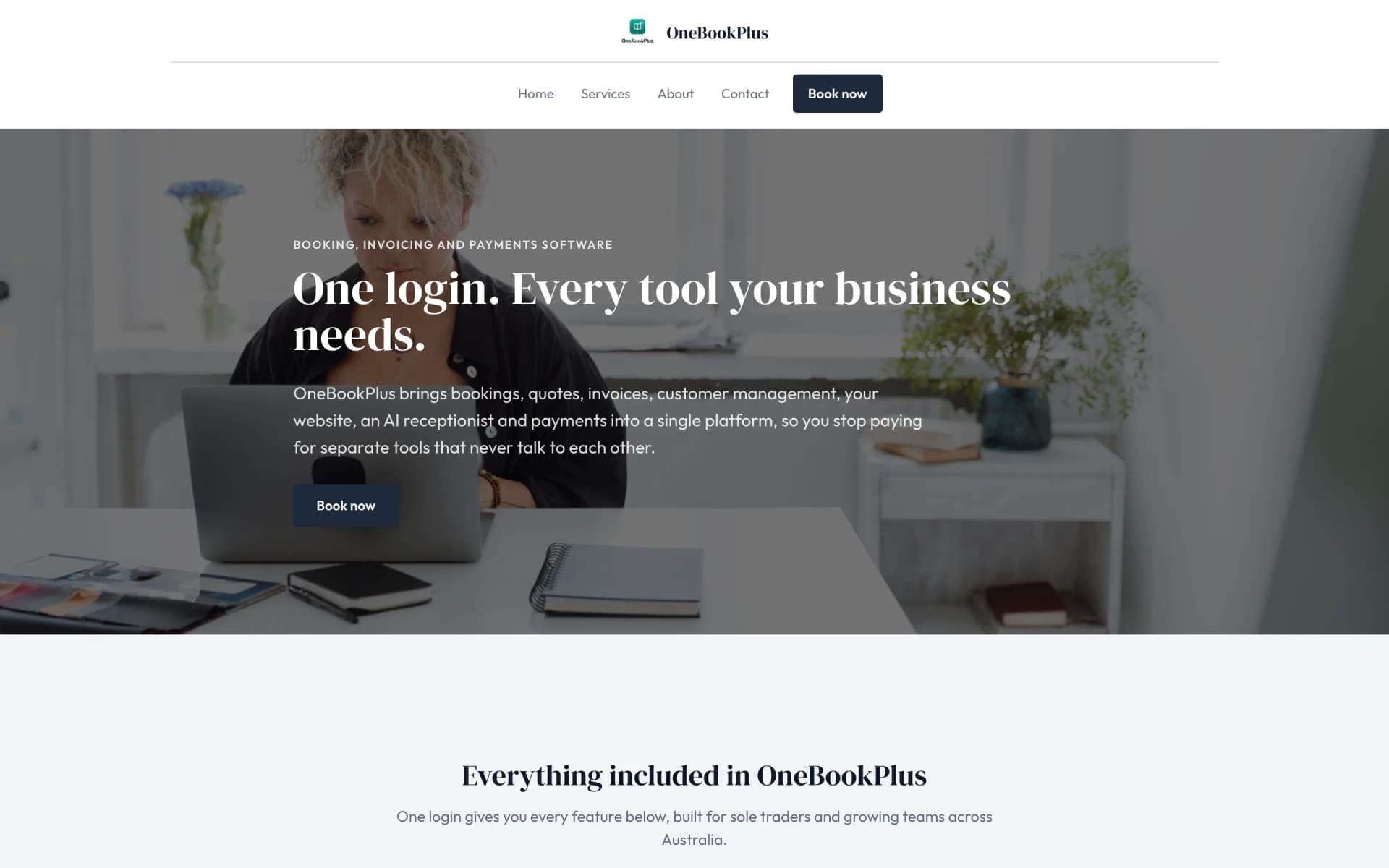
The home page: the name centred over the menu, a dark hero photo, a navy quote button and a grid of services.
Open the OneBookPlus Plumbing site(opens in a new tab)Built for Australian Panel Beaters & Smash Repairers
See which claims are stuck with the assessor before the car comes off the jig.
IAG, Suncorp, AAMI, Allianz, RACV: track every claim from quote to assessor approval to repair and return, with photo evidence packs, a chase list for claims waiting on the assessor, and per-insurer profitability so you know which insurers are worth chasing. All-in-one for $0 to $69/mo, replaces iBodyshop + Bodyshop Booster + Xero + your reviews tool.
Free plan. No card required. · GST & ABN built-in · IAG/Suncorp/AAMI workflow templates · Sign up in 60 seconds
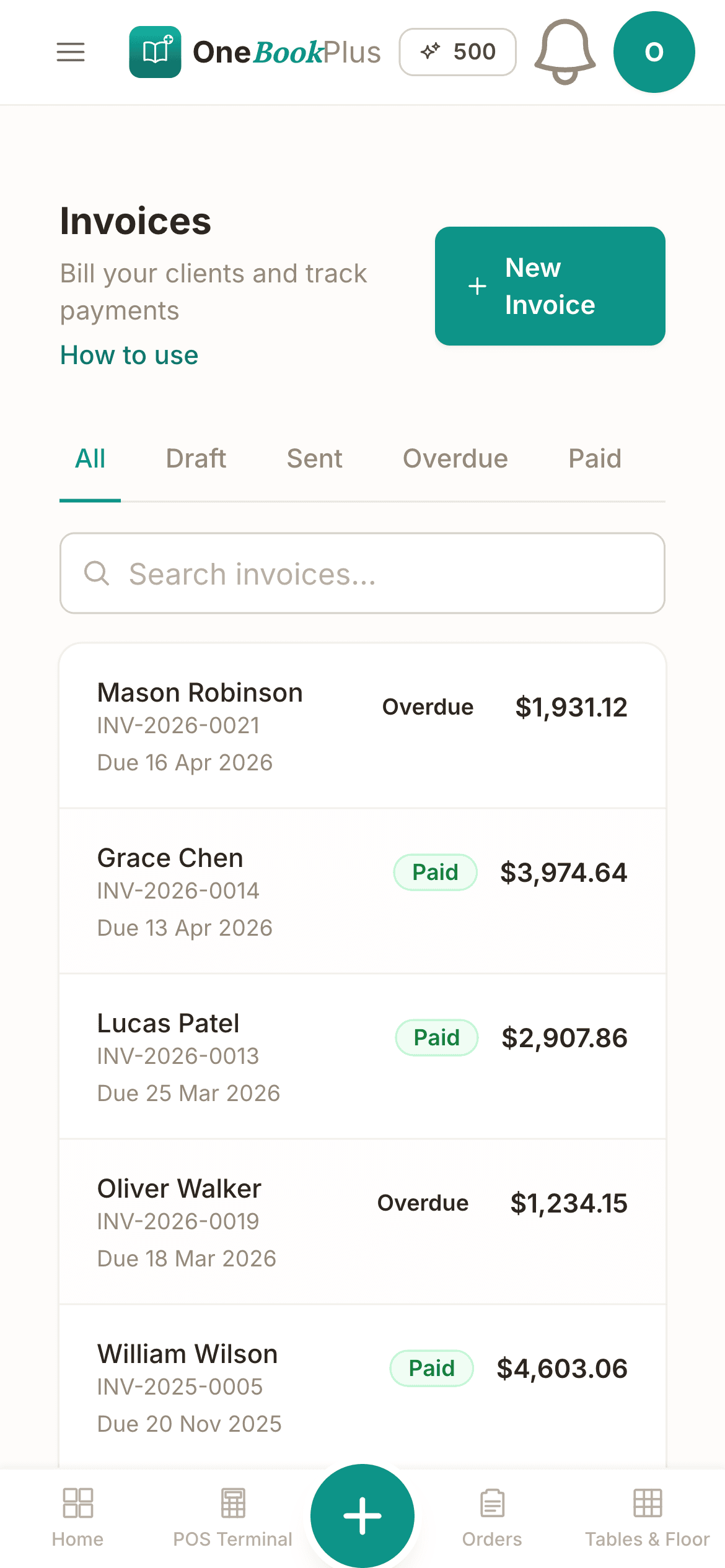
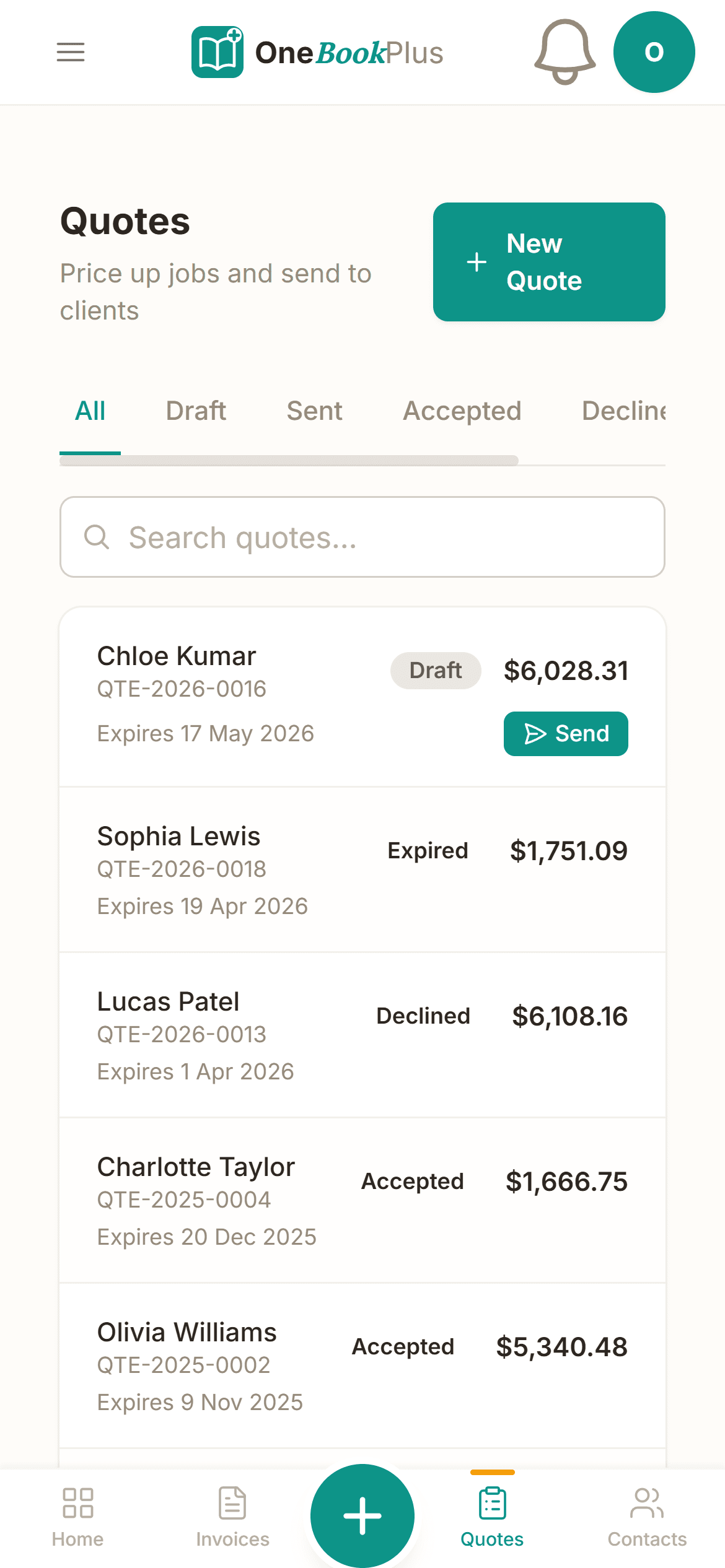
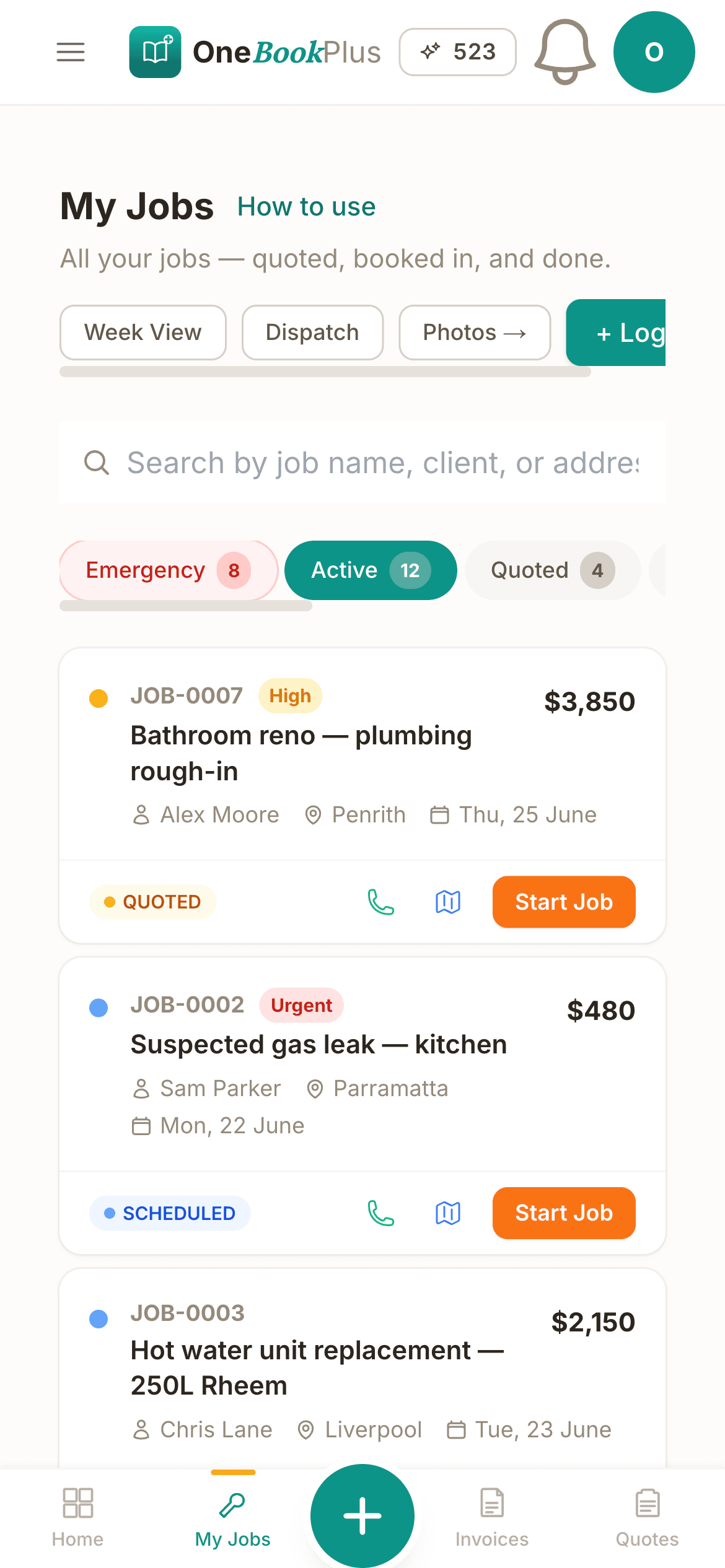
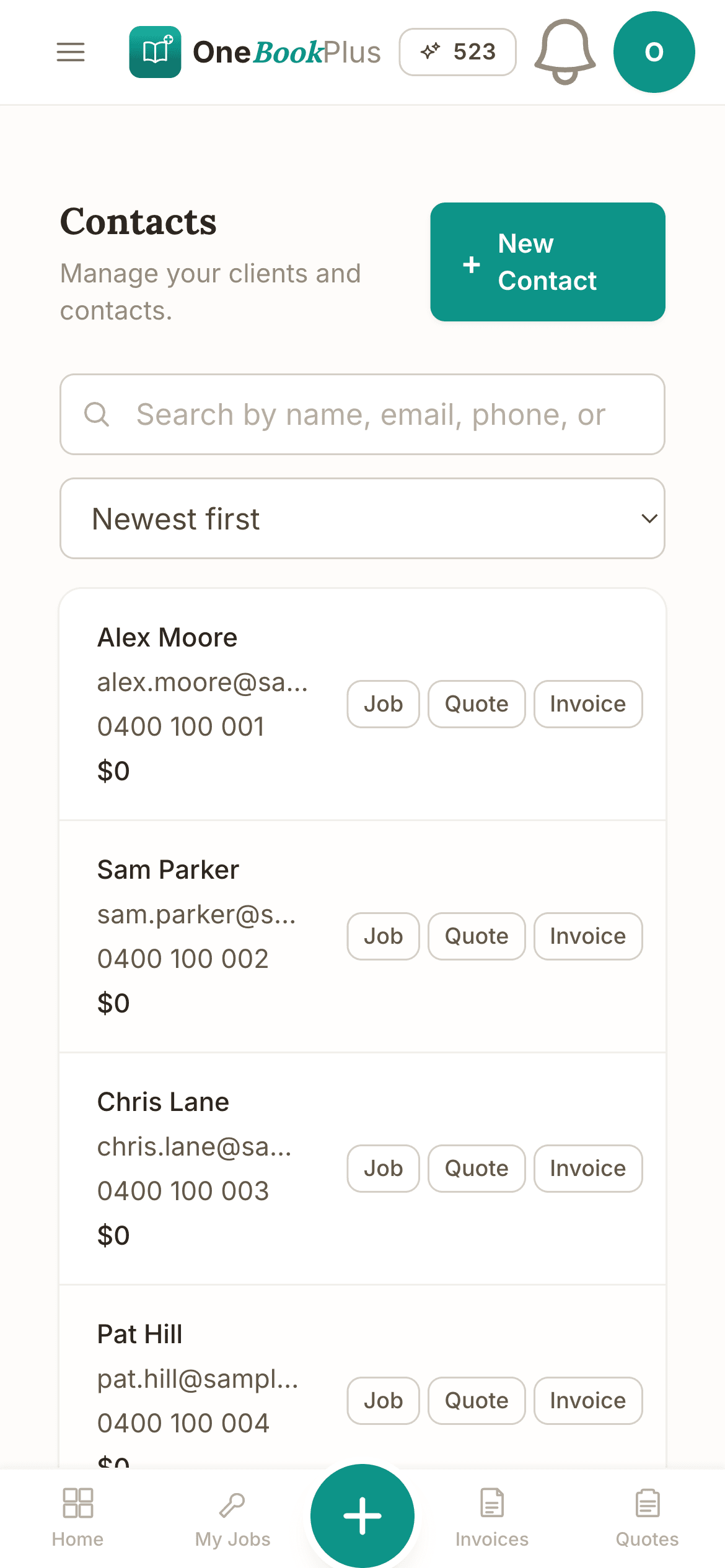
Cut $252+/mo from your software stack by replacing iBodyshop + Bodyshop Booster + Xero + a reviews tool with OneBookPlus.
See your savingsFree Tools & Resources
The six moments in an insurer repair where the clock starts or the money is decided, what the repair Code requires, and the numbers to measure per insurer.
Founder Guide8-step founder guide, ABN, GST, MTA registration, workshop fit-out, insurance, pricing, finding fleet clients.
InteractiveInteractive estimator combining hourly rate, parts markup, sublet, EPA disposal fees, and GST.
ReferenceVIC LMCT, NSW MD/MR, QLD MD licence, SA, WA, state-by-state thresholds and regulators.
Operator GuidePlain-English MA000089, Stream A/B/C classifications, tool allowance, fares, RDOs.
ReferencePL, workers comp, tools, vehicle, professional indemnity, customer-vehicle cover, premium ranges.
Free ToolValidate any 17-character VIN and decode make, model, engine and safety equipment, no signup.
Free ToolWhen the next service falls due by manufacturer schedule, from current KMs and last service.
Free ToolAnnual registration cost including CTP for every Australian state and territory.
Free ToolVIC RWC, NSW eSafety pink slip, QLD Safety Certificate and other state inspection costs.
Free ToolTrue annual cost of a car from kilometres, fuel, rego, insurance and servicing.
Key takeaways
5Everything You Need
Photo evidence packs, an assessor chase list and per-insurer profitability, on the same platform as your invoicing and accounting.
Pre-built flows for IAG, Suncorp, AAMI, Allianz and RACV. Track every job through quote, assessor approval, parts ordered, repair and return with per-insurer SLA timers.
Photograph the damage on the job's Photos card and link the claim to the job: every shot prints on the claim's evidence pack, each one dated. One PDF, no fishing through the camera roll.
A claim waiting on the assessor for more than five days lands on a chase list, and one tap emails a chase note with the claim details to your own inbox to forward. Record the approval and the approved amount on the claim when it comes back.
Track the insurance-loan fleet with fuel + KM + damage at handover and return. Bill excess KMs back to the insurer or customer on the linked invoice.
See the gap between assessor-units and hours your team actually spent on the job. Argue supplementaries with data, and know which insurer is actually profitable.
Per-insurer payable accounts, GST on every invoice and supplementary, BAS-ready quarterly summary. Map insurance excess and salvage to AU-standard codes.
Free plan available · No credit card · Cancel anytime
Website included
Every paid plan includes a full website, hosted by us, with nothing extra to buy and no separate builder: your site, its booking page and the tools behind them sit on one plan. The Free plan keeps the booking page and does not have the website.
The AI drafts every page from your own answers about your smash-repair work, not from your business name, and it does not invent claims. Every page is laid out for a phone as well as a desk. In the Website Studio you edit any section in place, add text, lists and buttons inside it, choose how many cards sit across, and change the look, which keeps your words, your photos and the spacing you set. The booking page is built in and the site's Book buttons go to it. Your first AI build is included with the plan. A later rebuild runs on AI Companion credits, and one that starts fresh replaces your pages, saving a restore point in History first.
A customer logs a not-at-fault prang at 9pm, uploads the rego, insurer and damage photos through your booking page. The job lands in your dashboard ready to lodge the claim and book the assessment first thing.
Bumper respray from $850. Quarter-panel replacement $2,400. A customer sees the price before they book.
The AI writes your services and the area you cover from your answers, so when someone searches 'smash repairs in [suburb]' there is a page that says what you do and where.
No card needed to start.
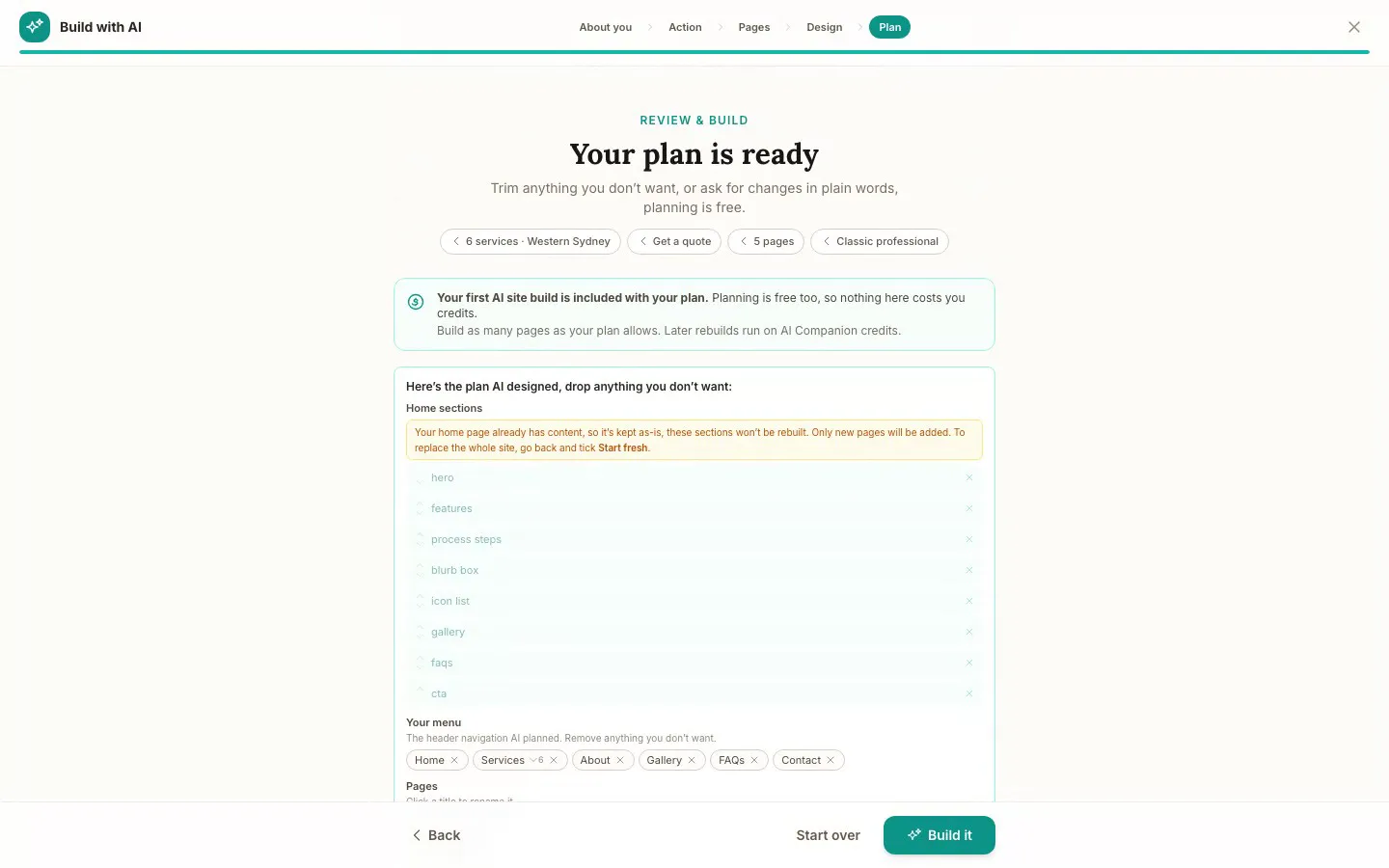
The Website Studio's Build with AI at its Plan step, on our plumbing demo: the pages, sections and menu the AI proposed from the answers already on the account, before anything is built. Click it to see it full size, or watch the recording of the build on the homepage.
Free
$0
A branded booking page on your OneBookPlus address. No website on this plan.
Starter
$29/mo
A website on your OneBookPlus address, hosted with SSL: 10 pages and a blog. The first AI draft is included.
Plus
$49/mo
Your own domain with SSL, 50 pages and a members area.
Growth
$69/mo
Unlimited pages, and a landing page per suburb from one template.
Your own domain connects on an active paid Plus or Growth subscription, not during the 14 day trial; a trial site lives on your OneBookPlus address. Every published site carries a small “Made with OneBookPlus” credit.
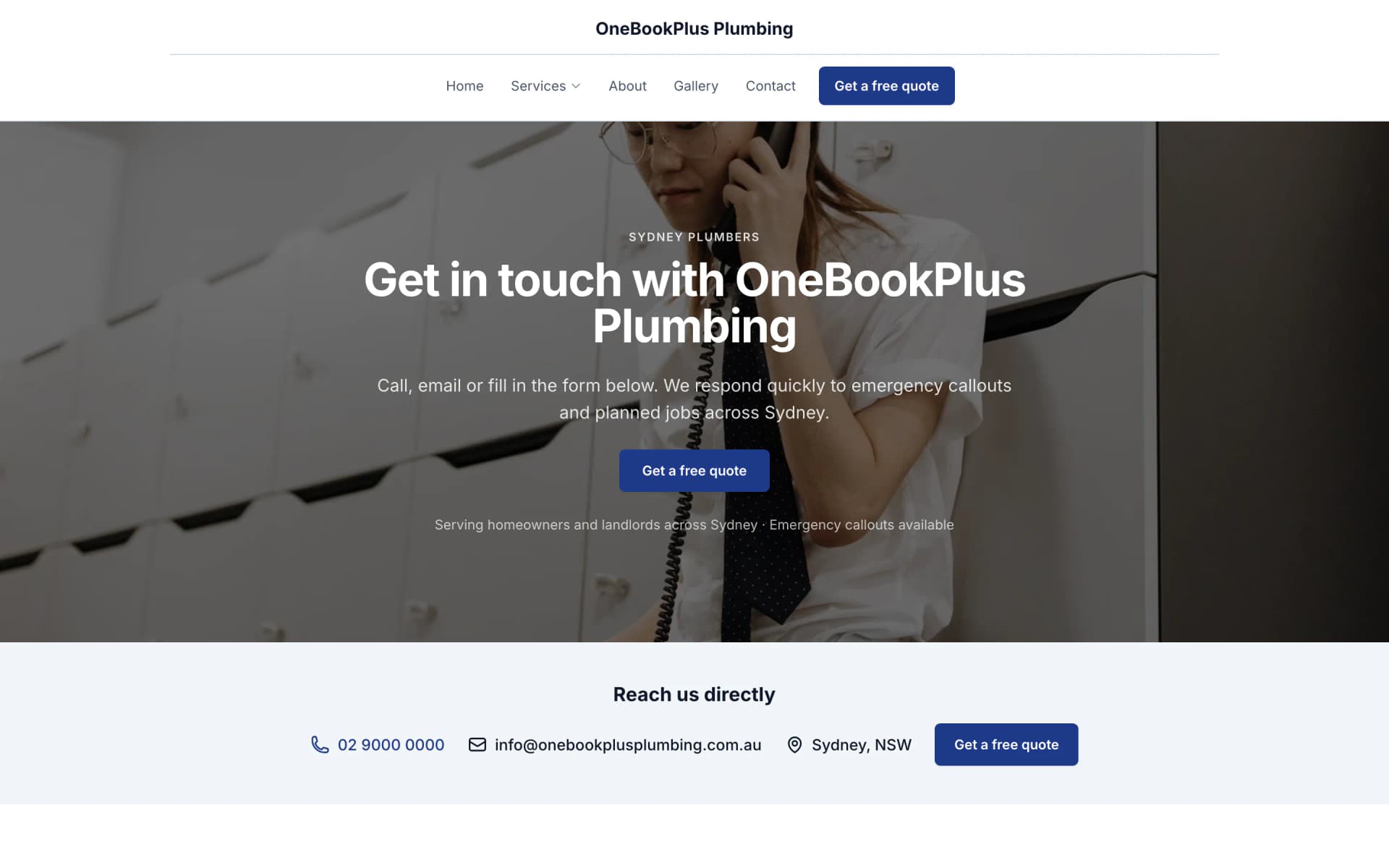
All three sites were drafted by the AI from the owner's answers, our own site included. It picks one of eight heading and body type pairings and how the cards sit (a fine line, a bold outline, a soft lift or no card), so a plumber's site, a driving school's and ours do not come out alike. Switch the view to see each one on a desktop, a tablet and a phone, click any screenshot to see it full size, or open the live site in a new tab. The plumber and the driving school are our demo businesses, not customers.
A plumber in Sydney
The home page: the name centred over the menu, a dark hero photo, a navy quote button and a grid of services.
Open the OneBookPlus Plumbing site(opens in a new tab)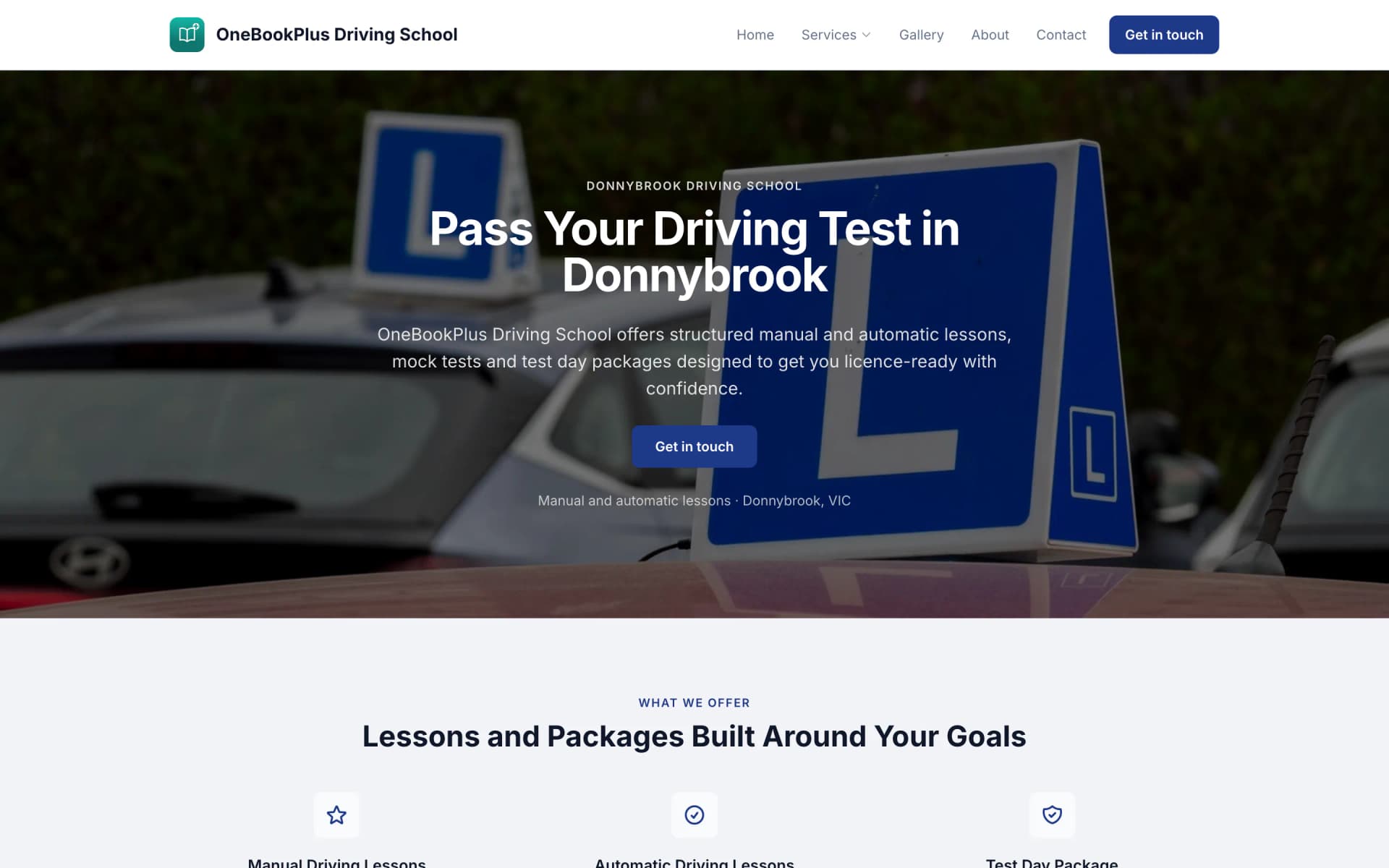
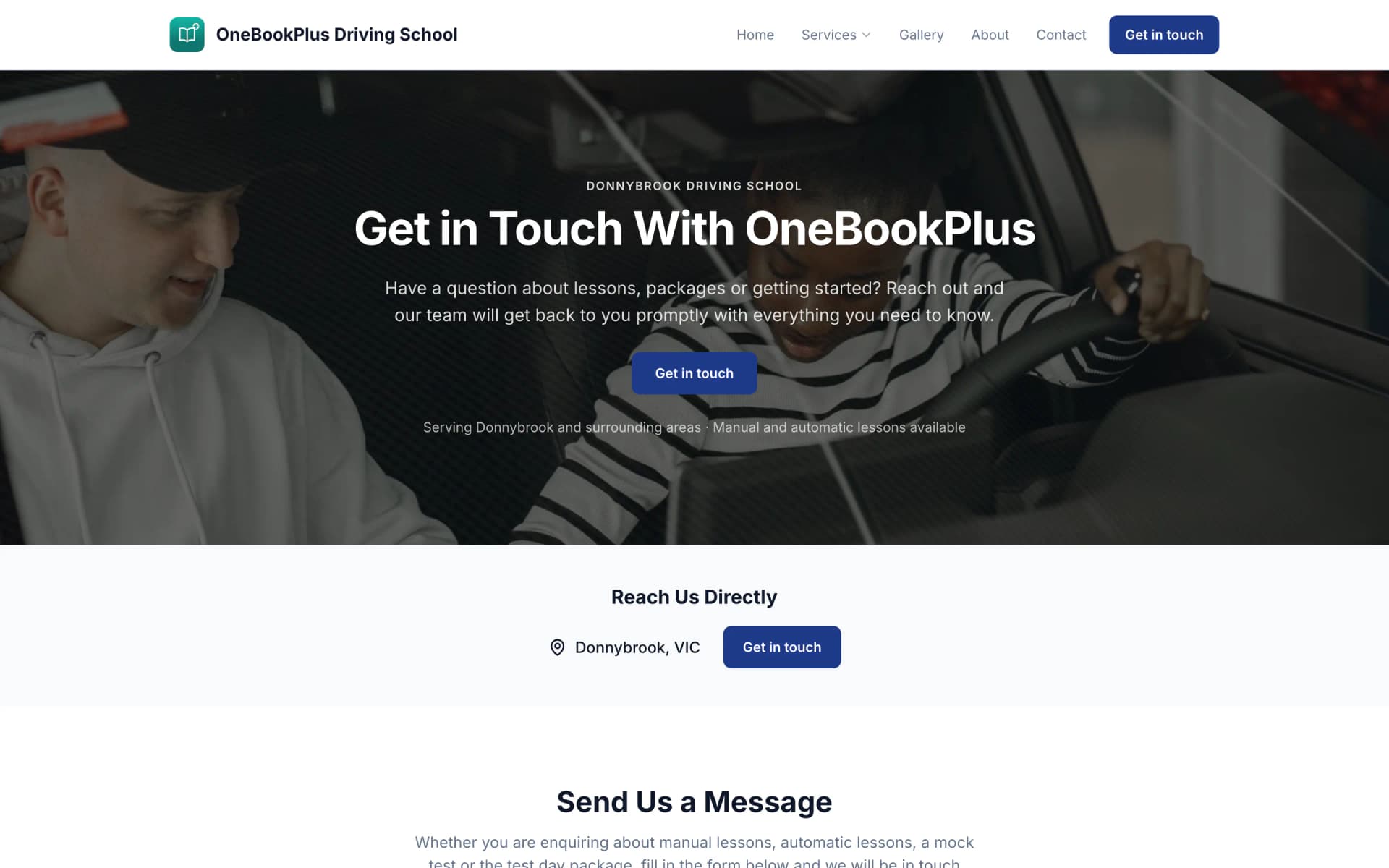
A driving school in Donnybrook
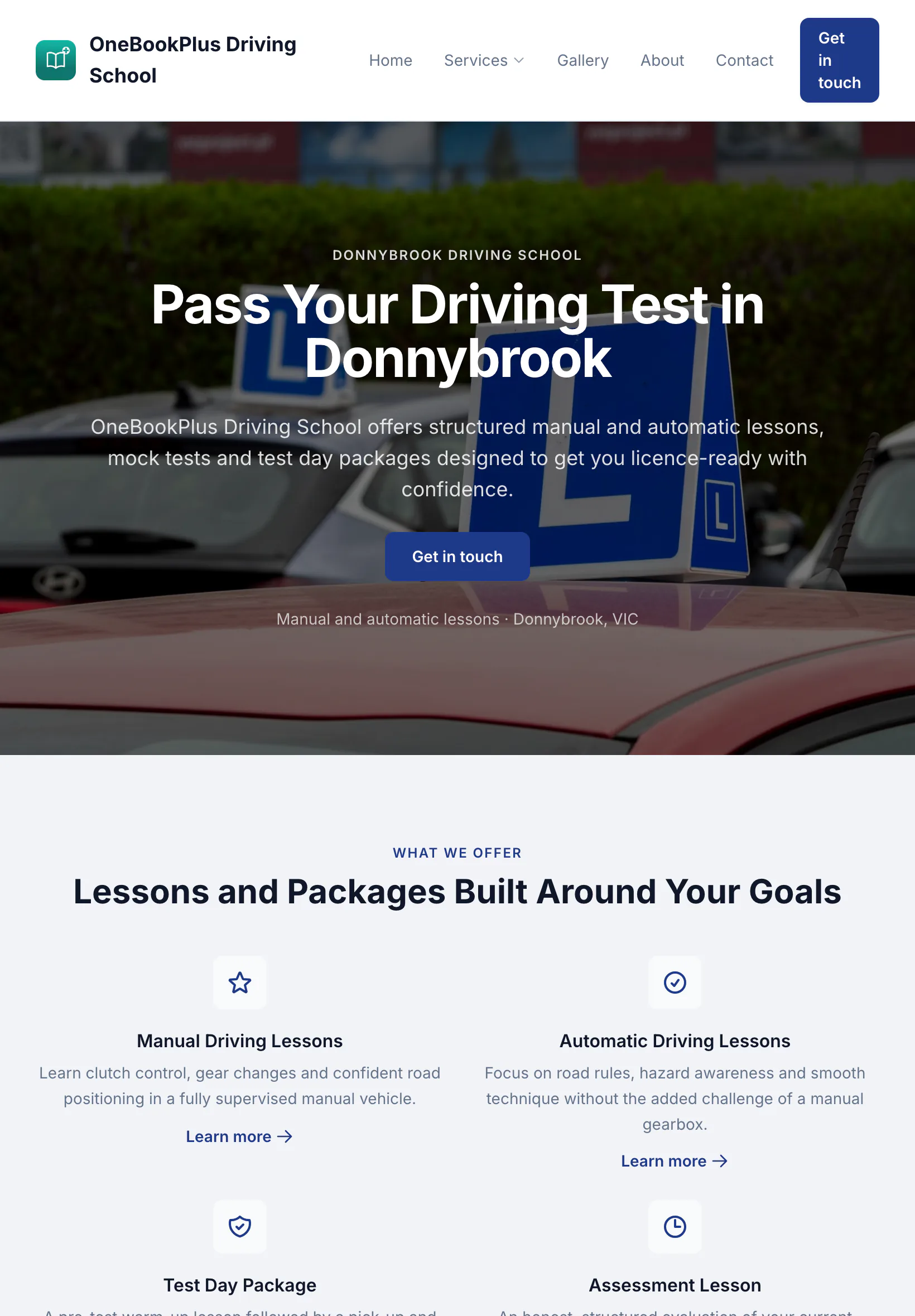
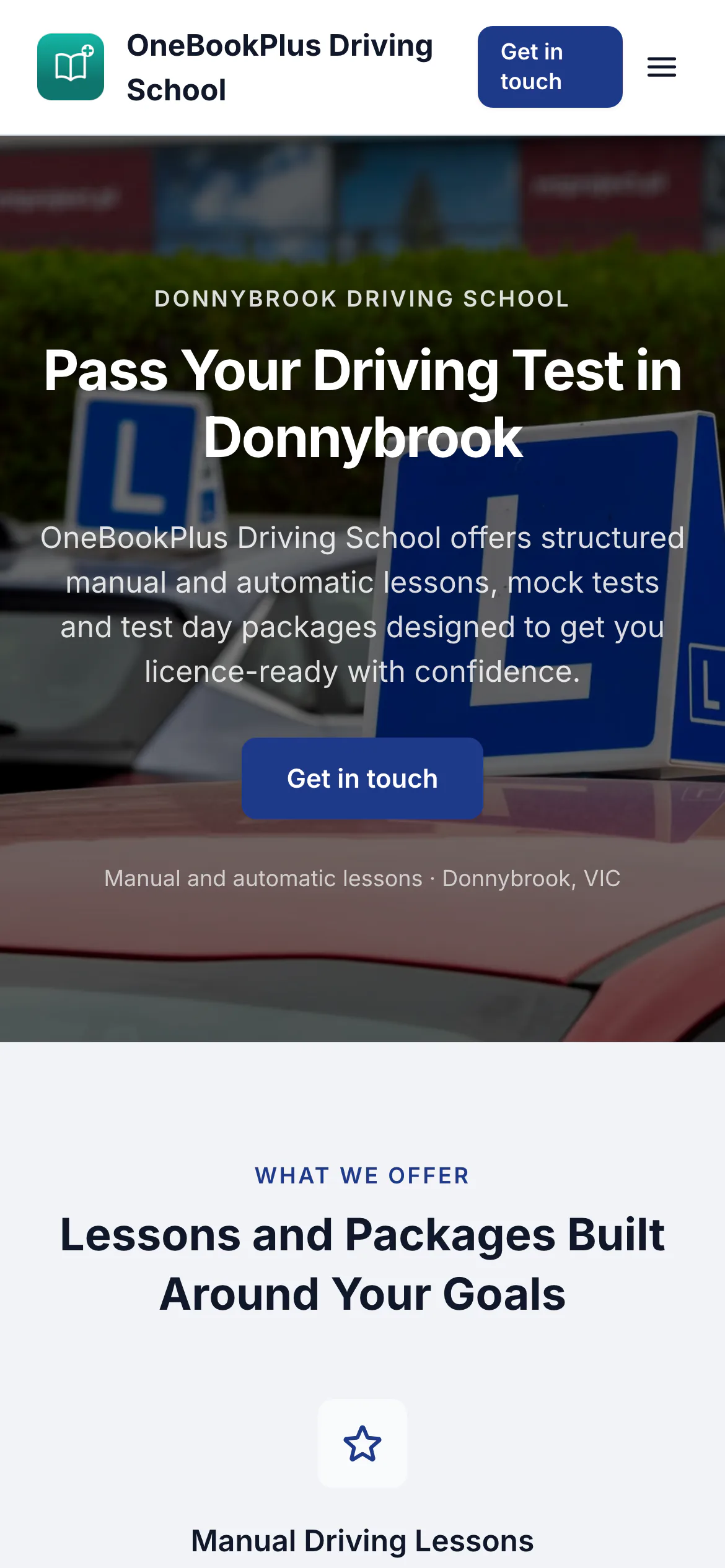
The home page: a teal logo and name on the left, an L plates hero and lessons and packages as cards.
Open the OneBookPlus Driving School site(opens in a new tab)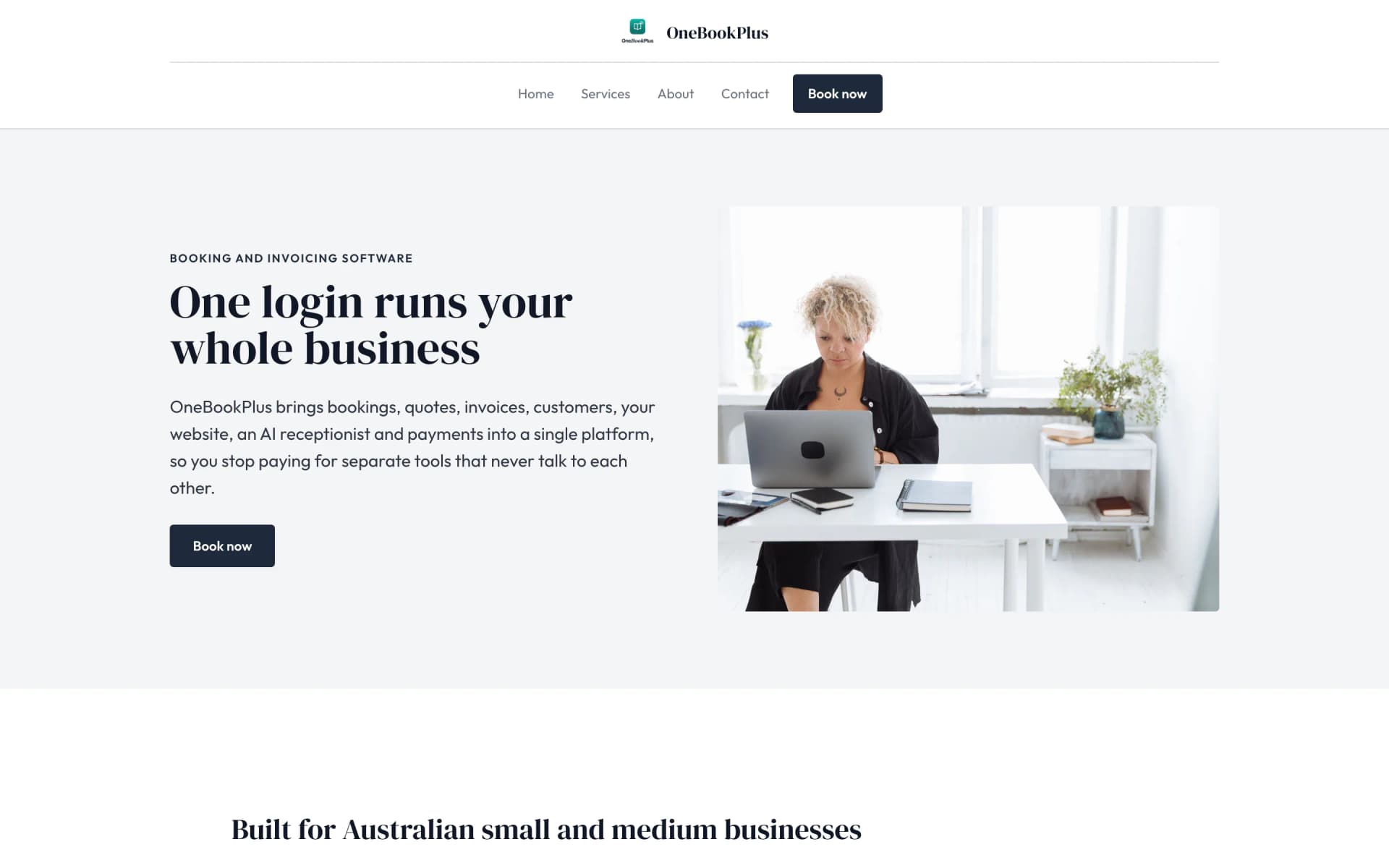
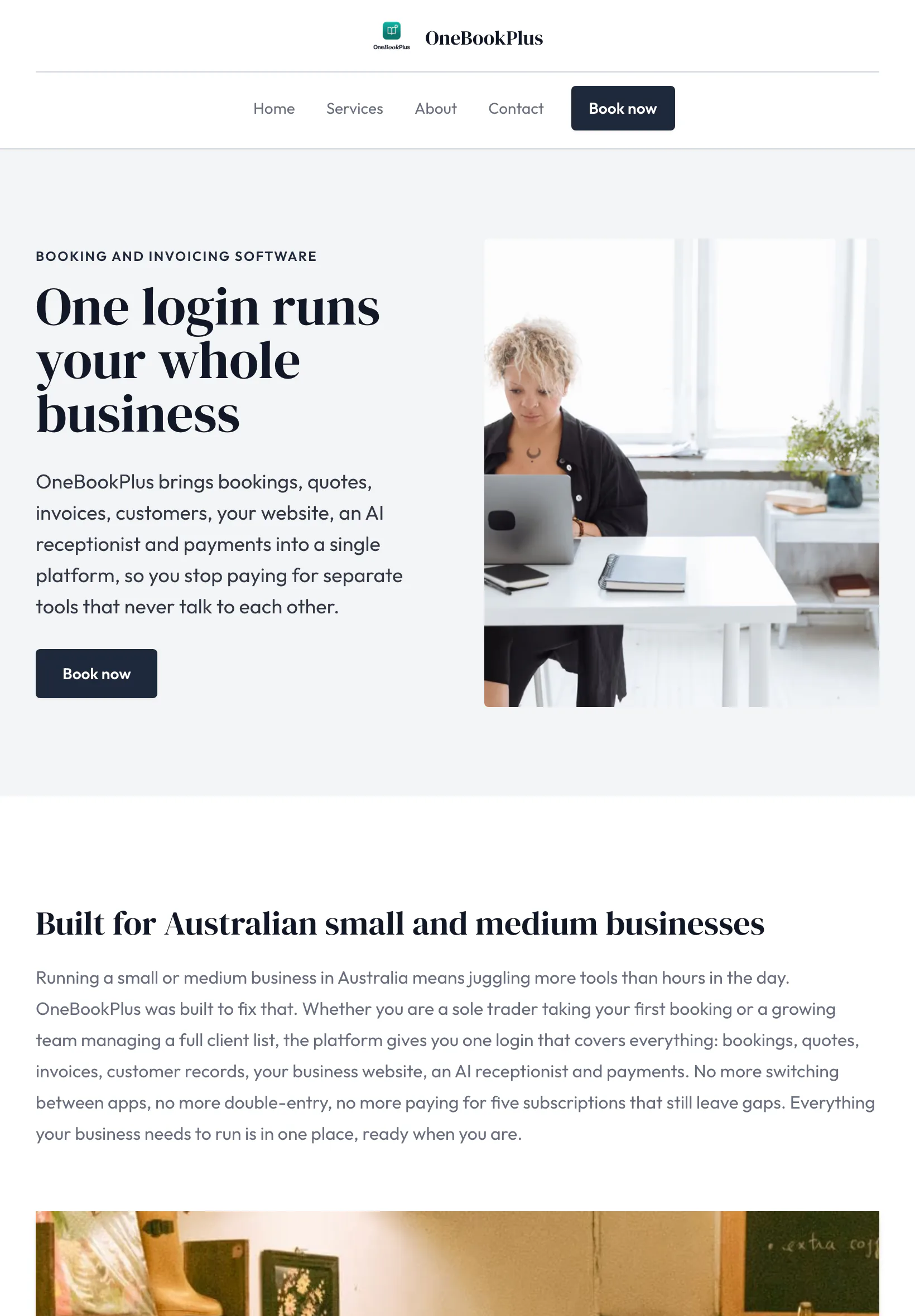
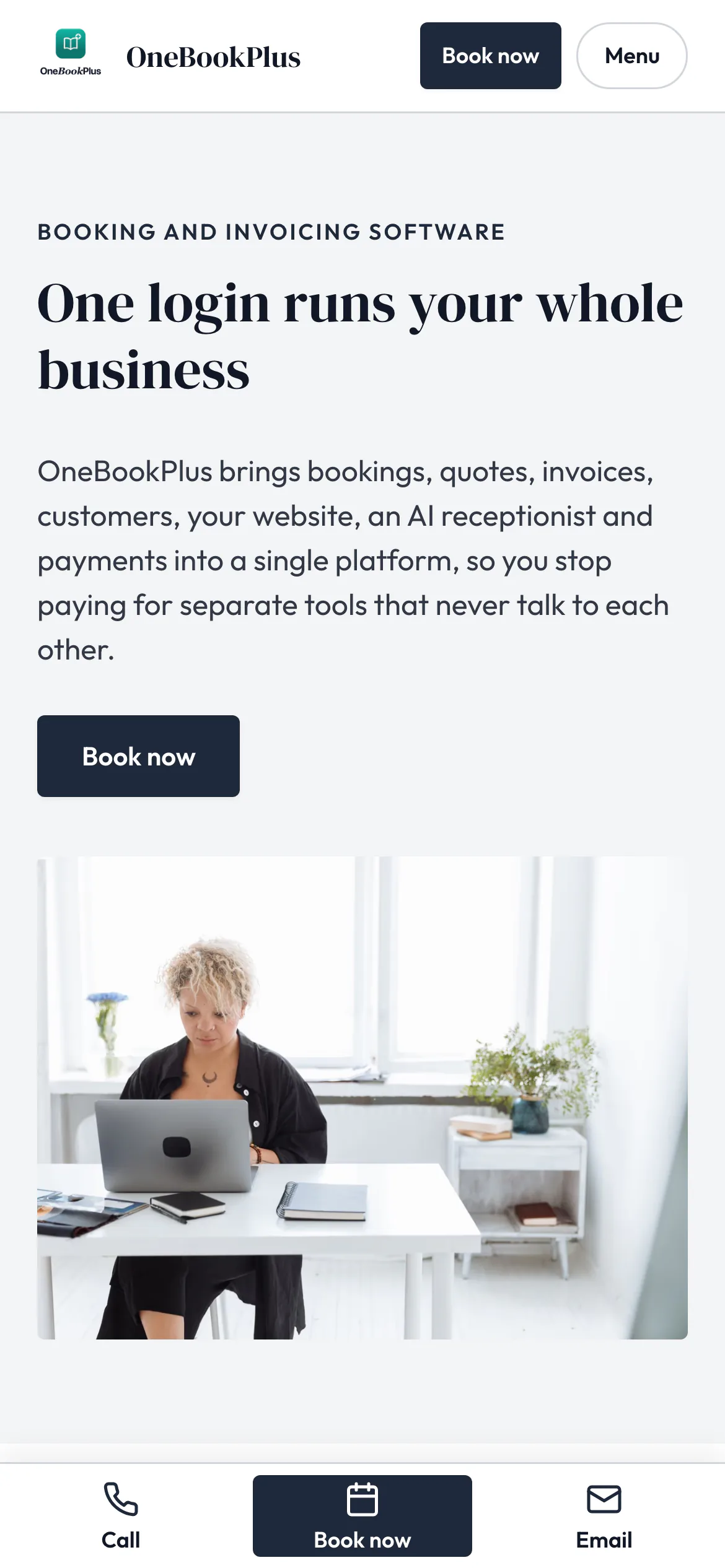
Our own site, built the same way
The home page: a serif heading beside a framed photo on pale grey, and no full width hero at all.
Open the OneBookPlus site(opens in a new tab)See it in action
Not mockups, the real product screens for a working day on the smash-repair floor.
Every IAG, Suncorp, AAMI, Allianz and RACV job in one column view, quote, assessor approval, parts, repair, return. The SLA countdown turns amber then red so a Suncorp 5-day quote turnaround never blows out.
Photos of the damage on the job's Photos card print on the claim's evidence pack once you link the claim to the job, so you are not fishing through the camera roll. The pack prints as one PDF: the claim timeline and every photo with the date it was taken.
Strip-down finds a bent rail? Record the assessor's approval and the approved amount on the claim, with the back and forth in its notes. Private work goes to the customer by text to approve and sign, and it all bills on a GST invoice with your ABN.
Simple Workflow
Customer drops the car off; you photograph every panel on the job's Photos card. Link the claim to the job and those photos print on the claim's evidence pack.
Send the quote and the photo pack to the assessor. The SLA timer starts, and the claim records the excess and the assessed labour units beside the hours you spend.
Hidden damage? Send the assessor the extra photos and lines the way that insurer takes them, then record the approval and the approved amount on the claim. A claim waiting more than five days lands on the chase list.
Mark complete, attach return photos, invoice fires with GST and insurer reference. Loaner-car excess KMs roll into the same invoice automatically.
Get your first IAG job on the board the day you sign up
Who it's for
From a single-bay panel shop to a multi-site smash-repair group. OneBookPlus adapts.
5-15 cars on the floor, one or two insurers. Needs every claim tracked from quote to return, photo packs, and per-insurer profitability.
20-50 cars, working five+ insurers in parallel. Needs SLA timers, loaner fleet, and shop-level profitability benchmarks.
Two to five sites under one owner. Needs site-to-site benchmarking, group-level reporting, and consistent insurer workflow.
Lower volume, higher per-job revenue. Needs photo evidence and detailed paint/material tracking: and the right hourly-rate vs labour-unit math.
Named tools, at each vendor’s own cheapest published plan, and ours underneath. Vendor pricing changes, so check each one before you decide.
Or use OneBookPlus
$69/mo
Everything in the list above, on one bill.
Start freeNo credit card · Free forever · Cancel anytime
Example walkthrough
An illustrative walkthrough of a typical smash-repair day
You open the claim board first thing. Every claim shows its insurer and the step it is at, and the chase list has one claim that has waited on the assessor for more than five days, so that is your first phone call. You click the claim and the photos from yesterday's drop-off are already on its evidence pack, because the claim is linked to its job.
Mid-morning a not-at-fault customer drops off a car with a caved-in door. You photograph the damage on the job's Photos card, crease line included, link the claim to the job, and the evidence pack is ready to print. You send the quote through with the parts, the blend and the labour at the assigned units, GST included, and moving the claim to Awaiting assessor stamps the date.
Part-way through a strip-down your apprentice finds hidden damage behind the bar. You send the assessor the extra photos, labour units and parts lines the way that insurer takes them, and note it on the claim. When the approval comes back you record it and the approved amount on the claim, so the file shows what the insurer agreed to pay.
Through the day the courtesy-car manager tracks the loan fleet. When a customer returns a car over the policy allowance, the excess kilometres bill back automatically on the linked invoice.
By knock-off the finished cars are invoiced across the insurer jobs and the private work, and the insurer remittances reconcile against the per-insurer payable accounts. The labour-unit-versus-actual report shows where assigned units fell short of the hours you booked, which is the evidence you take to the next agreement review. At BAS time the GST summary exports in one click.
How we compare
How we compare to the tools Australian panel beaters typically run.
| Feature | OneBookPlus | iBodyshop | Bodyshop Booster | Xero |
|---|---|---|---|---|
| Insurance claim workflow (IAG/Suncorp/AAMI) | Yes | Yes | No | No |
| Photo evidence pack PDF export | Yes | Yes | Yes | No |
| Supplementaries sent to the insurer from the app | No | Yes | No | No |
| Per-insurer SLA timers | Yes | Yes | No | No |
| Labour-unit vs actual-hours profitability | Yes | No | No | No |
| Courtesy / loaner car manager | Yes | Yes | No | No |
| GST invoicing + BAS export | Yes | No | No | Yes |
| Per-insurer payable reconciliation | Yes | No | No | Yes |
| Google review automation | Yes | No | Yes | No |
| Free plan available | Yes | No | No | No |
| Price | From $0/mo | $110+/mo | Subscription | $37+/mo |
5 days
Claims waiting on the assessor longer than this land on a chase list
Photos
Dated damage photos on every claim linked to its job
100%
Per-insurer profitability visibility at job and shop level
$0
Free plan to get started, no card required
Smash-repair shop savings calculator
Adjust the numbers below to match your real monthly spend. The total updates live, and so does what you'd save by replacing the lot with OneBookPlus.
Accounting (Xero, MYOB, QuickBooks)
Xero's cheapest published plan
Jobs & quotes (iBodyshop, AutoFlow, Bodyshop Booster)
ServiceM8's cheapest published plan
Website + hosting (Squarespace, Wix)
Squarespace's cheapest published plan, billed monthly
Bookings (Calendly, Acuity)
Calendly publishes US$10/mo. Type what you pay in Australian dollars.
CRM (HubSpot, Pipedrive)
HubSpot publishes US$20/mo. Type what you pay in Australian dollars.
Email marketing (Mailchimp, Klaviyo)
Mailchimp publishes no ongoing price. Type what you pay.
Rows open at the cheapest plan Xero, ServiceM8 and Squarespace publish, verified 2 August 2026. Calendly and HubSpot publish in US dollars and Mailchimp publishes no ongoing rate, so those three rows open at zero for you to fill in rather than carry a converted figure.
Your current stack
$90/mo
= $1,080/year
With OneBookPlus Starter
$29/mo
Replaces everything in the list. One bill.
Free plan available · No card required · Cancel anytime
An illustrated day, not real customer data. Scroll through it from morning to 5pm: the AI receptionist answers and books a missed call, the work runs from the app, the GST invoice is sent on the spot, payment lands and the books balance themselves, a review invite is queued for the next daily run, and the day closes with the ledger already written.
7:10am
While you're in the spray booth
A driver's been rear-ended on the Monash. She rings the first repairer on Google, you.
AI Receptionist
The AI answers in two rings, books a 9:00 am drop-off and texts her to bring the claim number, while you keep spraying.
On the floor
Job card on the tablet: bumper respray, blend, refit. Photos and parts already logged against the job.
At pickup
One tap turns the repair into a GST invoice with a pay link, parts and labour itemised. No office catch-up tonight.
While you're on the next car
Card payment lands, the books update themselves, and $165.45 GST is set aside for BAS.
Reputation on autopilot
Once the booking is marked complete, a review request goes out by email at the delay you set. Nobody has to catch the customer at the counter.
The day closes itself
You delivered one car and booked another in. The book did the rest.
$0
collected
0
admin tasks done by AI
0
evenings lost
An illustrated day, not real customer data. AI Receptionist is a $79/mo add-on that needs AI Companion ($25/mo, included on Growth), and AI Companion is what sends the review invite as well. The rest of the day is the app itself.
Smash-repair pricing
Start free, upgrade when the claim volume justifies it. No contracts, no setup fees, no per-bay tax. Cancel any time.
Free
$0/forever
Get your first claim on the board today, no credit card.
Starter
$29/mo
Replaces iBodyshop + Bodyshop Booster + Xero for a working shop.
No card · Drops to Free if you don't upgrade
Plus
$49/mo
Outgrowing the basics, advanced reporting.
Our pick: unlimited contacts and booking pages for $49
Growth
$69/mo
For multi-insurer shops and groups chasing reviews and benchmarks.
Prices in AUD inc. GST. Online card payments carry Stripe processing fees (1.7% + 30¢ AU cards) plus a 2.5% OneBookPlus platform fee. See the full plan comparison
Already on another tool?
Switching is designed to fit in a single evening. Export your customers, vehicles and open claims as CSV from your current tool, import them into OneBookPlus with the bulk importer, and you're live before the first car rolls onto the floor tomorrow.
Switch from
Built-in AI
You're under a bonnet or mid-repair, you can't drop the tools for every call, and a missed call is a booking that drives off.
OneBookPlus
AI Receptionist · incoming call
“Car's grinding when I brake, can you look today?”
If you don't answer, the AI books it, Brake inspection · today 3:30pm, and texts a confirmation.
Extend Your Toolkit
Insurance claim workflow, photo evidence packs, courtesy car tracking, SMS approval and more.
Built in Melbourne, AU
ATO-ready from day one
TLS in transit, AES-256 at rest, tenant isolation at the database layer, read the security page
No credit card needed
Any insurer. Each claim is tagged to its insurer, IAG (NRMA, CGU, SGIO, SGIC), Suncorp (AAMI, GIO, Apia, Bingle, Vero), Allianz, RACV, Youi, Budget Direct or another, and moves through the same steps: quote, assessor approval, parts, repair and return, with a date at each one. There are no insurer-specific templates, and nothing connects to an insurer's own system.
Yes. The Insurance Repair Portal app captures both the assessed labour units (what the insurer is paying for) and the actual hours your team logged on the job. Per-insurer profitability reports show which insurers pay enough labour units for the work they assign and which consistently underbid, useful when negotiating new agreements or deciding which assignments to accept.
Send the assessor the extra photos, labour and parts the way that insurer takes them, and keep the back and forth in the claim's notes. When the approval comes back, record it and the approved amount on the claim. A claim waiting on the assessor for more than five days lands on a chase list, with a chase note you can send to your own inbox and forward. Nothing is sent to the assessor from OneBookPlus.
Yes. The Courtesy Car Manager app maintains your loaner fleet with rego, model and condition photos. Assign to a job in two taps, capture fuel + KMs + damage at handover and return. Excess KMs or late returns bill back to the customer or insurer (depending on the policy) on the linked invoice automatically.
Every photo on the job's Photos card keeps the date it was taken, and once the claim is linked to the job the evidence pack prints as one PDF with the claim timeline and those photos, ready to attach to the claim. Check your insurer's assessor requirements before relying on it; we do not connect to any insurer's assessing system.
Yes. Every invoice and supplementary calculates 10% GST and displays your ABN, insurance claim reference, and assessor name. The chart of accounts maps to AU-standard codes including a per-insurer payable account so reconciliation against insurer remittances is one click.
About the author

Founder & CEO, OneBookPlus
Bishal spent a decade running digital projects for Australian small businesses before founding OneBookPlus. He writes and maintains these pages, and publishes what OneBookPlus does not do alongside what it does.
Read the founder bioHow this page was researched
The compliance and licensing statements above are taken from the bodies this page links to, including the Motor Vehicle Insurance and Repair Industry Code, the MTAA and the VACC, so you can read the rule rather than take our word for it. Plan prices come from the OneBookPlus price registry, so the page and the checkout cannot disagree. Everything said about OneBookPlus describes what the product does today, and the page says so where it does not do something.
Most independent Australian smash-repair shops are still chasing assessors by email and stitching the paperwork together by hand. You photograph a caved-in door on your phone, email the shots to the IAG portal, re-type the quote into iBodyshop, and then hope the Suncorp assessor replies before the SLA timer blows out. When the apprentice strips a Mazda 3 and finds a bent radiator support behind the bar, the supplementary disappears into a 48-hour email loop, and half of them never get recovered. Meanwhile the loaner fleet is tracked on a whiteboard, the per-insurer numbers live in your head, and Xero never quite agrees with the insurer remittances.
OneBookPlus rebuilds the shop around the claim. Record the claim against IAG, Suncorp, AAMI, Allianz or RACV with the assessed labour units and the excess, and link it to the job. Photograph the damage on the job's Photos card, and the evidence pack, each photo with the date it was taken, is ready to print as one PDF. When strip-down uncovers hidden damage, you send the assessor the extras the way that insurer takes them and record the approval and the approved amount on the claim when it comes back. A claim that waits on the assessor for more than five days lands on the chase list.
The day starts on the claim board, every car across every bay, grouped by insurer, with SLA countdowns that turn amber then red so a Suncorp quote turnaround never slips. Jobs move from Quote to Assessed to Parts Ordered to In Repair to Return as the floor runs. The courtesy-car manager tracks the loan fleet with fuel, KMs and condition photos at handover and return; excess KMs or late returns bill back to the customer or insurer on the linked invoice automatically. Every completed repair converts to a GST-compliant invoice carrying your ABN, and the customer gets a review request by email once the booking is marked complete. On Growth you can also switch on follow-ups after a job or a paid invoice.
Insurer remittances are recorded against the per-insurer payable accounts and reconciled there. Parts purchases from Audatex/PartsCheck, paint from PPG or Glasurit, and consumables go in as a photographed receipt or a PDF bill, with the supplier, date, GST and total read off the document, then coded as job expenses. Fuel, tooling and rent are coded the same way. The labour-unit-vs-actual-hours report shows exactly which insurer assignments pay enough for the work assigned, so when Budget Direct underpays by four hours, you have the data for the next agreement review. Come BAS time, the GST summary is already prepared and exports in one click (direct ATO lodgement via the Tax Lodgement app is coming soon).
Sign up free, no credit card, no lock-in. Choose “Panel beater” as your business type and OneBookPlus pre-configures the insurer claim templates (IAG, Suncorp, AAMI, Allianz, RACV), an AU chart of accounts with per-insurer payable accounts, and invoice templates with your ABN. Import your customers, vehicles and open claims via CSV from iBodyshop, AutoFlow, Bodyshop Booster or a spreadsheet. Most shops have their first IAG job on the board within fifteen minutes.
Join Australian panel beaters running on OneBookPlus. Free to start, upgrade when you're ready.
Get started freeReviewed by Bishal Shrestha
Authoritative sources
Australian smash-repair shops work under the Motor Vehicle Insurance and Repair Industry Code of Conduct, state licensing schemes, the national vehicle-repair award, and Australian Consumer Law. We cite the primary bodies for the claims on this page so you can verify directly.
From the blog
Practical guides and explainers from the OneBookPlus blog, grouped by topic.
The claim workflow for Australian panel beaters: quote, assessor approval, supplementary, repair and return, and how to stop losing supplementaries.
The vehicle inspection schemes in every Australian state and territory, from roadworthy to pink slip to safety certificate, and how to issue them.
Using rego and CTP expiry dates as a reactivation channel, so the customers who would otherwise drift to the dealer come back to your workshop.
Features
Comparisons
Tools & Apps