A plumber in Sydney
OneBookPlus Plumbing
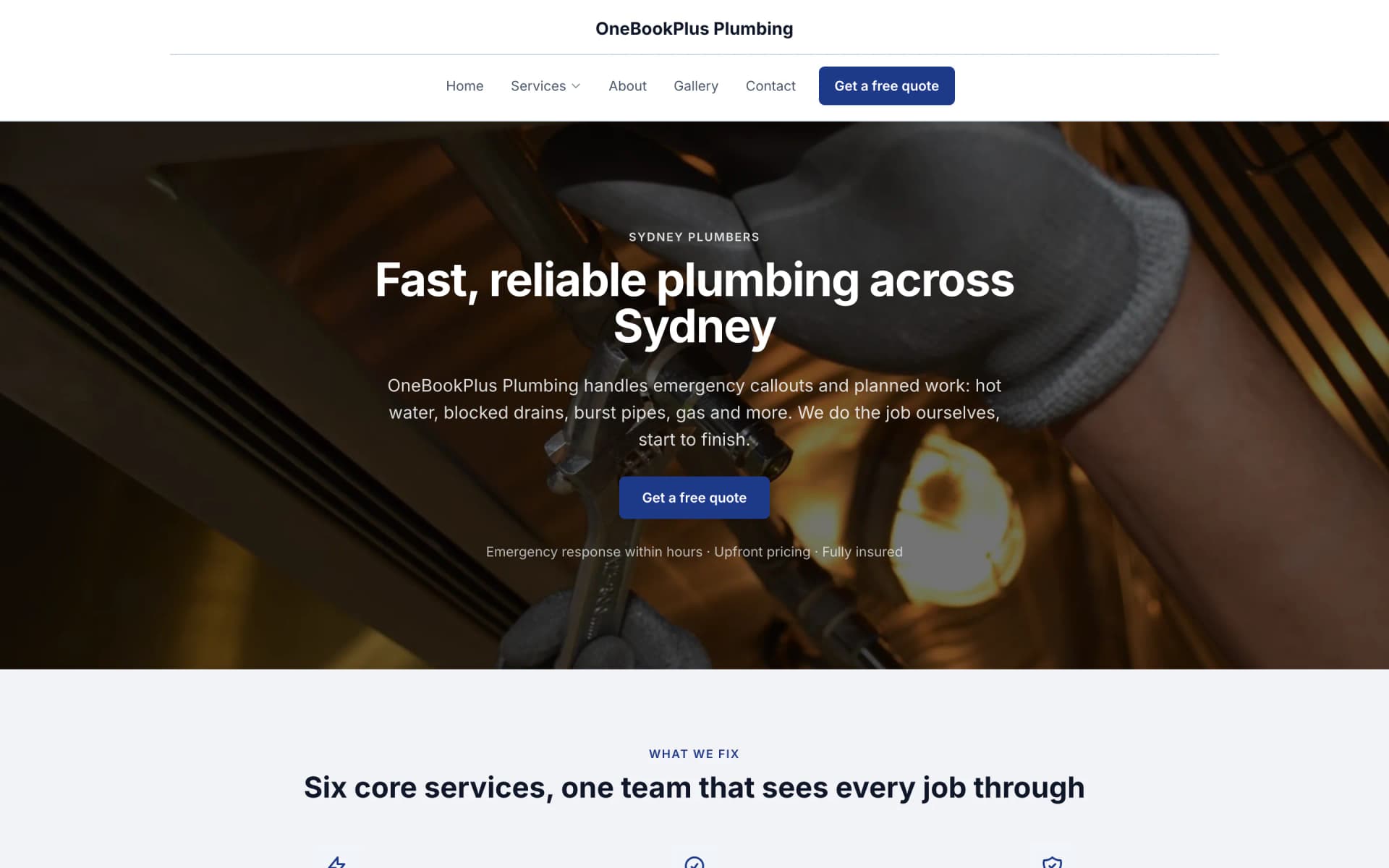
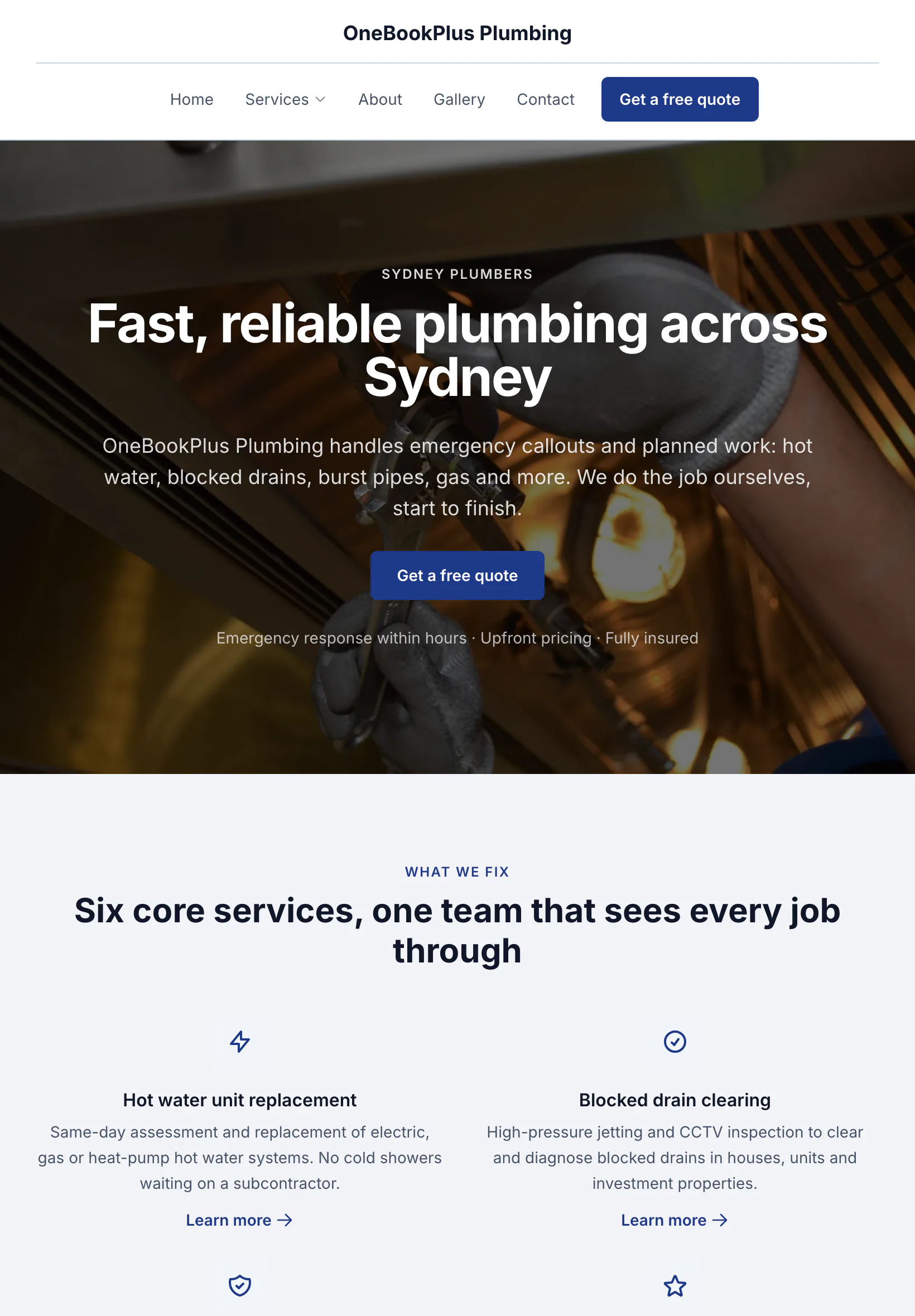
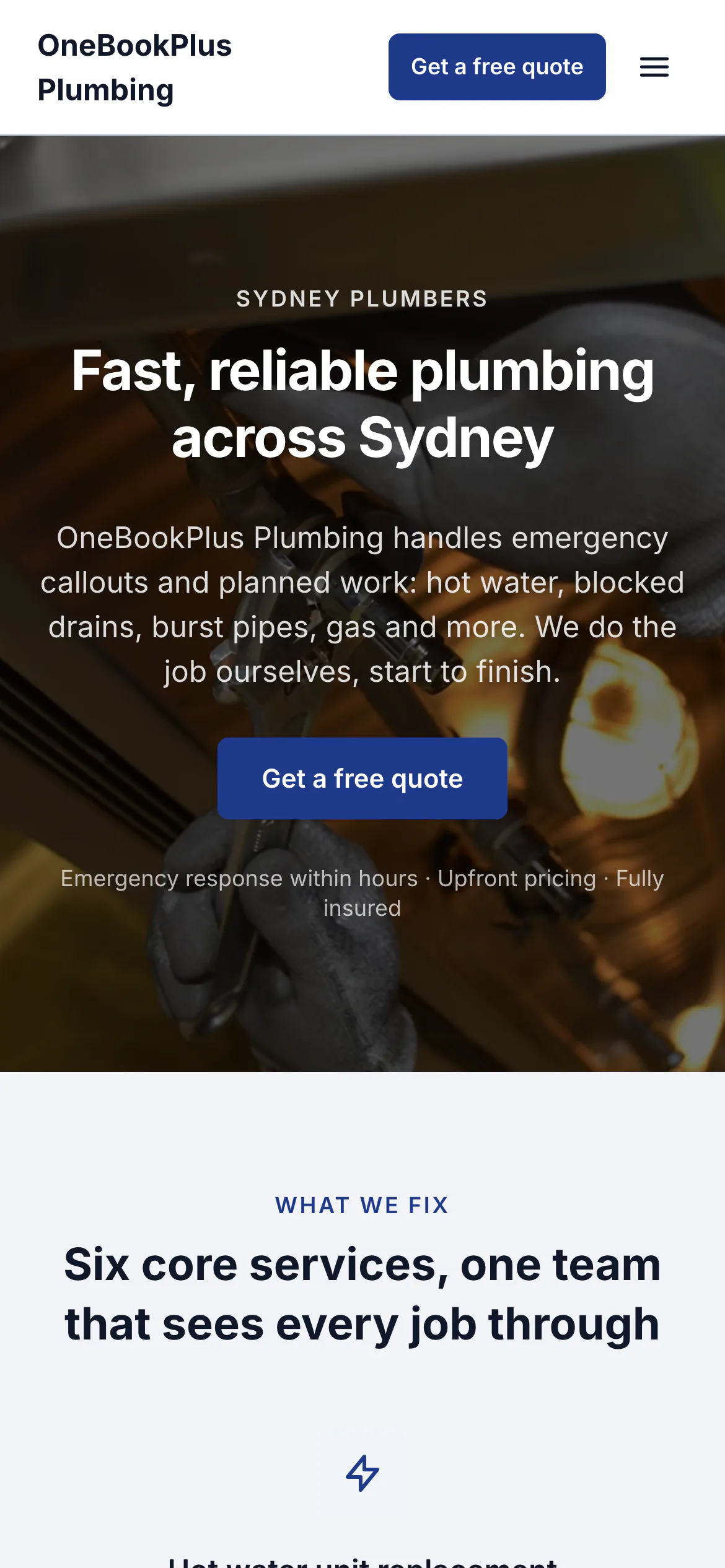
The home page: the name centred over the menu, a dark hero photo, a navy quote button and a grid of services.
Open the OneBookPlus Plumbing site(opens in a new tab)For Music Teachers & Studios
Bill the whole term before Week 1, then just teach.
Weekly lesson bookings, term-pack invoicing, parent reminders, AMEB exam-fee tracking and student repertoire notes, on one school-term-aware dashboard for Australian piano, guitar, voice, drum and string teachers. All-in-one for $0 to $69/mo, replaces My Music Staff + Xero + Calendly.
Free plan. No card required. · Billed in AUD, no USD FX risk · AU school-term aware dashboard · Studio setup in 5 minutes
Cut $33+/mo from your software stack by replacing My Music Staff (USD) + Xero + Calendly + Mailchimp with OneBookPlus, and drop the USD-to-AUD FX surprise on every renewal.
See your savingsFree Tools & Resources
Home studio, student's house, school hall or group class: six teaching arrangements and what decides the screening answer in each.
Founder Guide8-step founder guide, ABN, GST, WWCC, lesson pricing, insurance, software stack, finding first 10 students.
ComplianceWWCC requirements per state, application process, renewal cycle, exemptions for teachers and parents.
ReferenceHourly rates for AU tutors and music teachers across primary, secondary, and tertiary, by subject and city.
Operator GuideCancellation policy, missed-lesson rules, payment terms, parent-tutor expectations, drafted for AU consumer law.
InteractiveInteractive, hourly rate × lessons × terms, sibling/group discounts, prepay incentives, GST treatment.
Key takeaways
5Built for Studio Teachers
From weekly slot booking to term-pack billing, OneBookPlus handles the studio admin so you can focus on teaching.
Set recurring 30, 45 or 60-minute lesson slots per student. The booking calendar respects your studio hours and rolls forward each term without you re-creating bookings. The Free plan runs one repeating student at a time; Starter at $29/mo runs the whole studio. Extending a repeating slot you already have is free on every plan.
Invoice a 10-lesson term up front with GST and your ABN, then mark lessons taught against each student. The Prepaid Packs app adds automatic per-lesson credit deduction and low-balance top-up reminders. Add studio fees and AMEB exam-entry fees as line items.
Automated email reminders to parents the day before each lesson, with the studio address and what to bring. Cuts missed lessons in busy term weeks without you chasing texts.
One record per student, pieces being learned, scales covered, exam history, parent contact, emergency details. Each note is tagged by kind (lesson observation, exam result, goal, milestone, parent comm), pinned to the booking it came from, and flagged 'visible to parent' when you're ready to share. Filter by kind, export the whole history as CSV for parent-meeting prep.
When a student cancels inside your policy window, log a make-up note on their profile and add a manual credit line to their next term invoice. Auto-deducting pack credits comes via the Prepaid Packs app.
Subscribe your lesson diary to Apple, Google or Outlook Calendar with one link, so weekend gigs and family commitments sit alongside a Monday afternoon piano lesson wherever you already look.
Free plan available · No credit card · Cancel anytime
Website included
Every paid plan includes a full website, hosted by us, with nothing extra to buy and no separate builder: your site, its booking page and the tools behind them sit on one plan. The Free plan keeps the booking page and does not have the website.
The AI drafts every page from your own answers about your music tuition work, not from your business name, and it does not invent claims. Every page is laid out for a phone as well as a desk. In the Website Studio you edit any section in place, add text, lists and buttons inside it, choose how many cards sit across, and change the look, which keeps your words, your photos and the spacing you set. The booking page is built in and the site's Book buttons go to it. Your first AI build is included with the plan. A later rebuild runs on AI Companion credits, and one that starts fresh replaces your pages, saving a restore point in History first.
A parent finds you on Google at 9pm and books their child's first piano lesson while you're on stage at a gig. The enrolment lands in your dashboard with the student's age, instrument and preferred slot, ready for Monday's term roster.
30-min piano lesson $45. 10-lesson term pack $450. A customer sees the price before they book.
The AI writes your services and the area you cover from your answers, so when someone searches 'piano teacher in [suburb]' there is a page that says what you do and where.
No card needed to start.
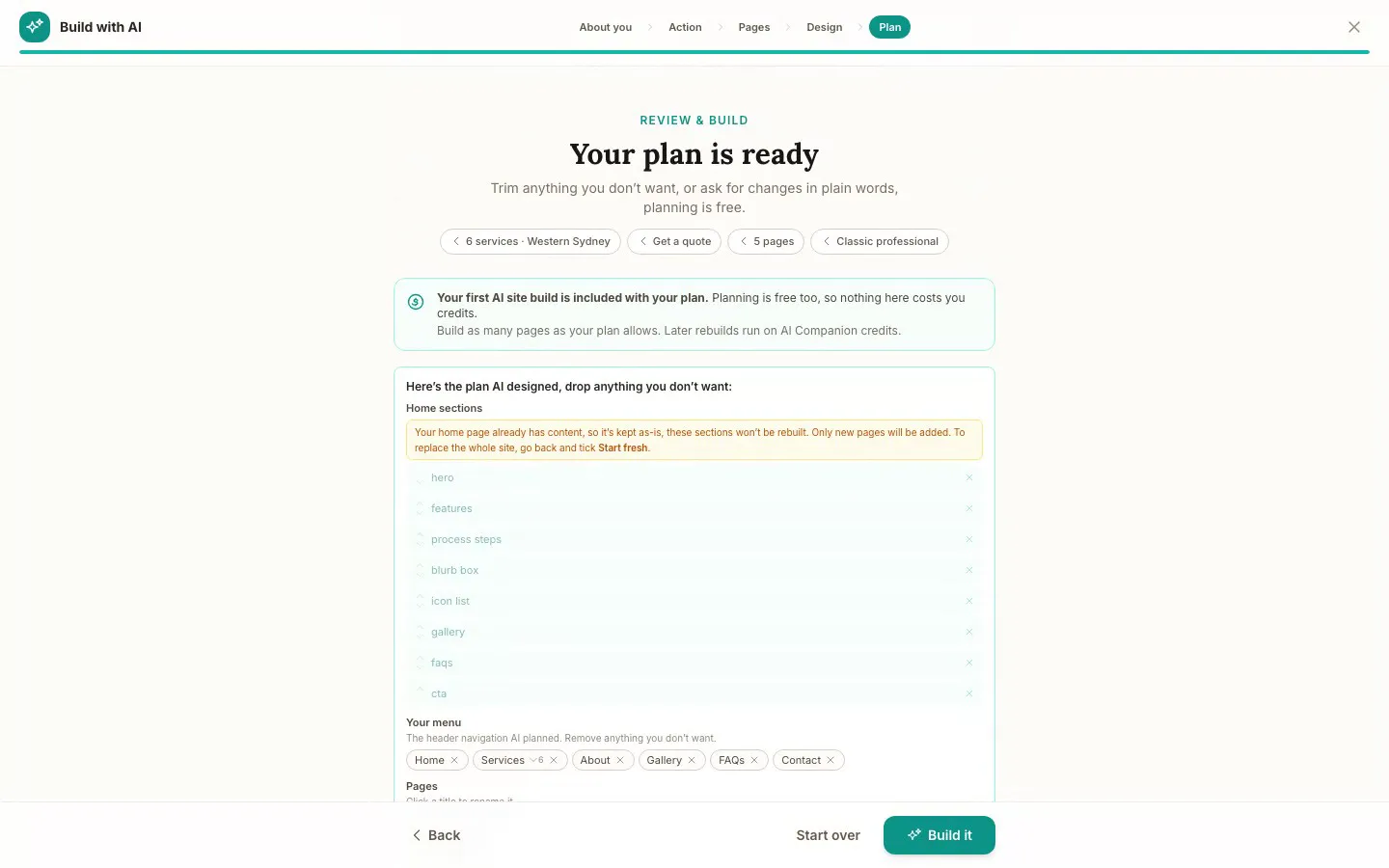
The Website Studio's Build with AI at its Plan step, on our plumbing demo: the pages, sections and menu the AI proposed from the answers already on the account, before anything is built. Click it to see it full size, or watch the recording of the build on the homepage.
Free
$0
A branded booking page on your OneBookPlus address. No website on this plan.
Starter
$29/mo
A website on your OneBookPlus address, hosted with SSL: 10 pages and a blog. The first AI draft is included.
Plus
$49/mo
Your own domain with SSL, 50 pages and a members area.
Growth
$69/mo
Unlimited pages, and a landing page per suburb from one template.
Your own domain connects on an active paid Plus or Growth subscription, not during the 14 day trial; a trial site lives on your OneBookPlus address. Every published site carries a small “Made with OneBookPlus” credit.
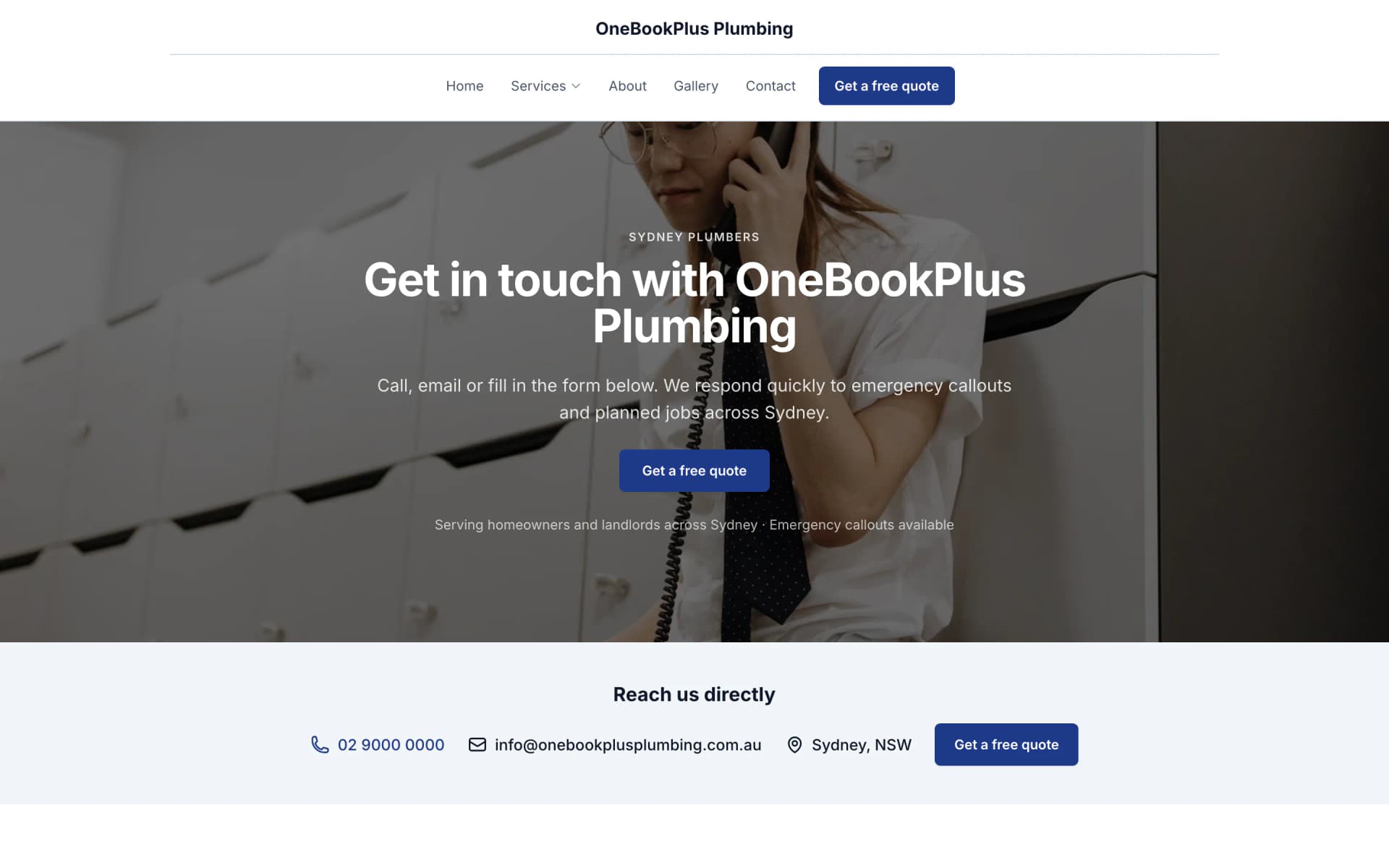
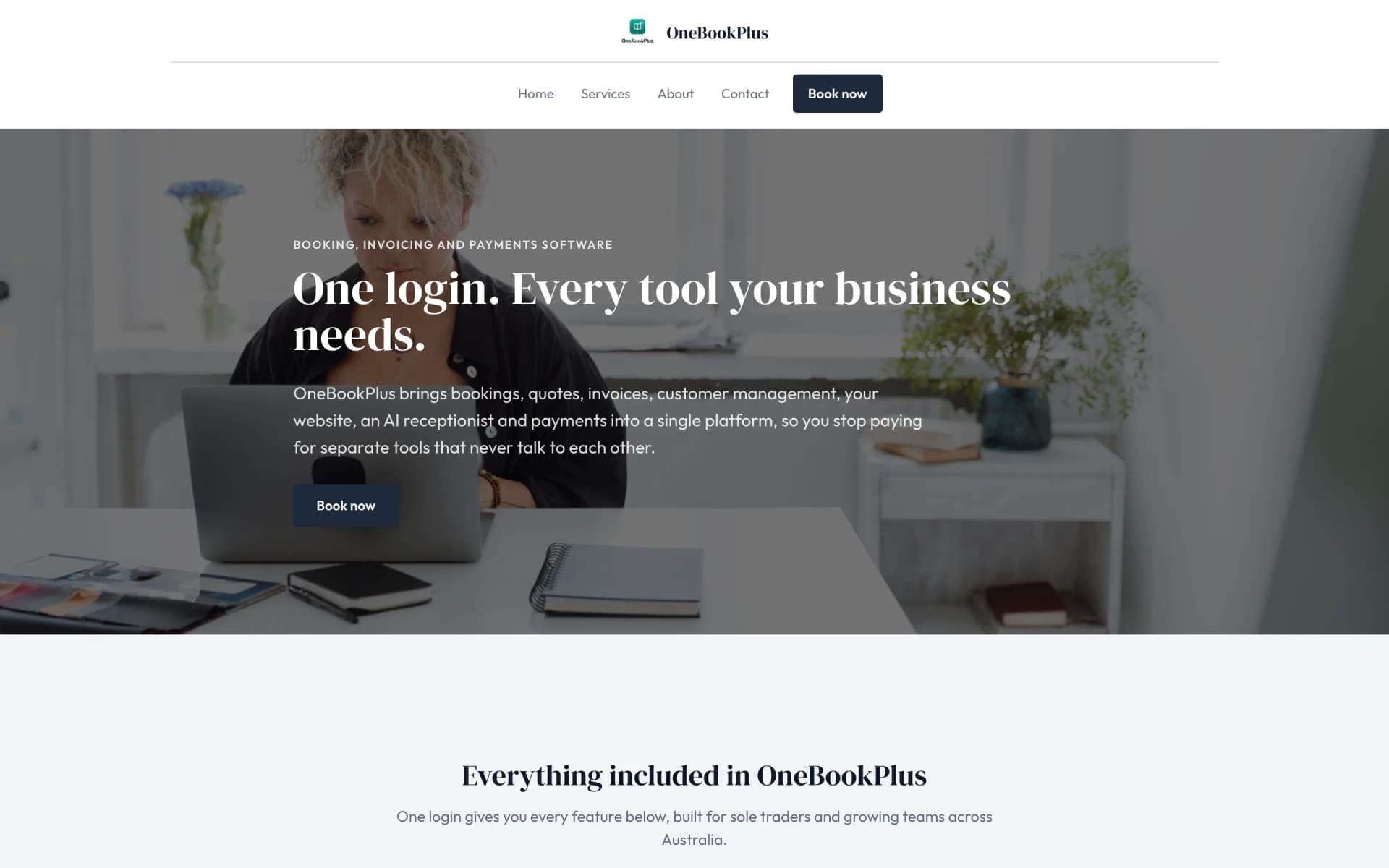
All three sites were drafted by the AI from the owner's answers, our own site included. It picks one of eight heading and body type pairings and how the cards sit (a fine line, a bold outline, a soft lift or no card), so a plumber's site, a driving school's and ours do not come out alike. Switch the view to see each one on a desktop, a tablet and a phone, click any screenshot to see it full size, or open the live site in a new tab. The plumber and the driving school are our demo businesses, not customers.
A plumber in Sydney
The home page: the name centred over the menu, a dark hero photo, a navy quote button and a grid of services.
Open the OneBookPlus Plumbing site(opens in a new tab)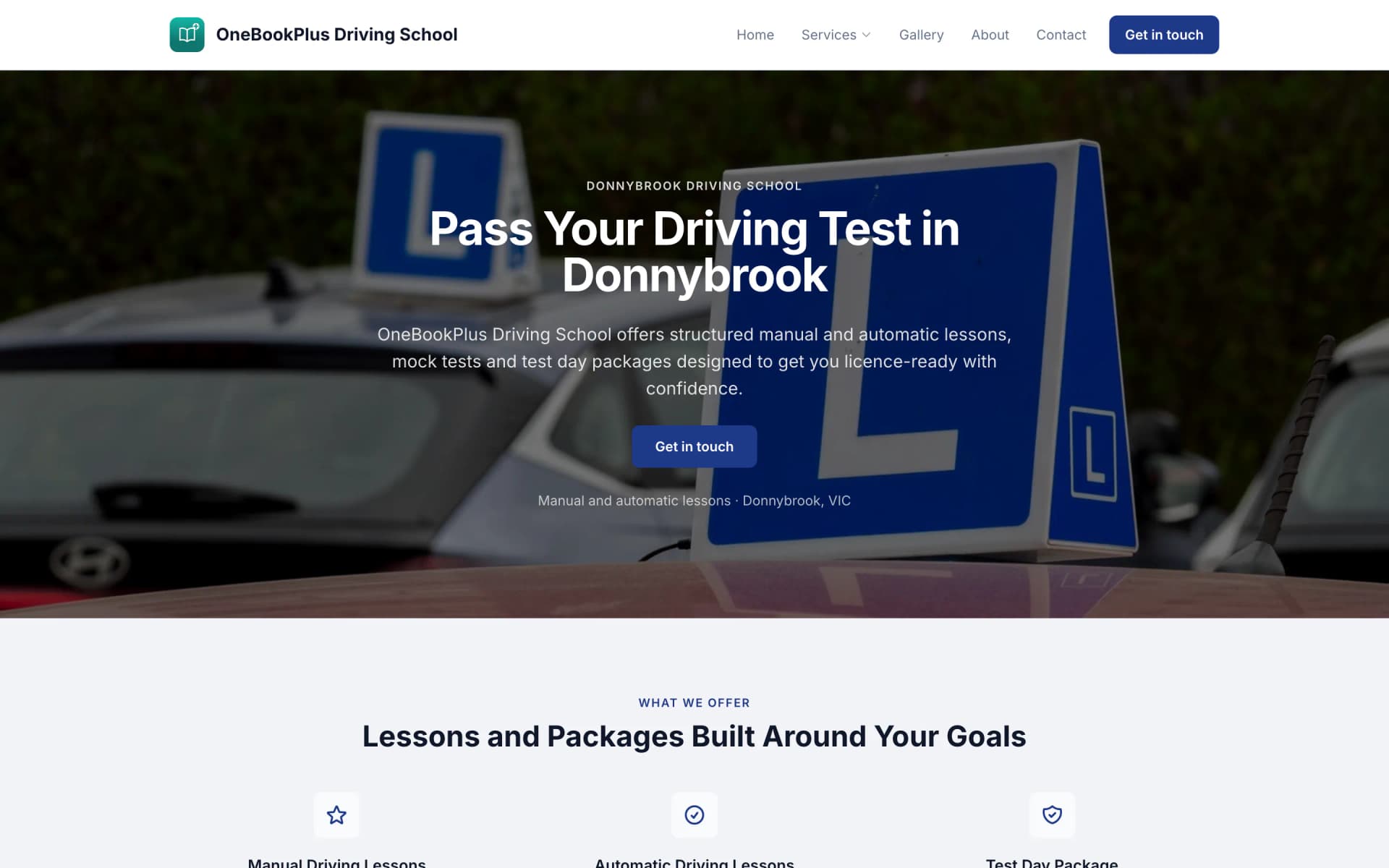
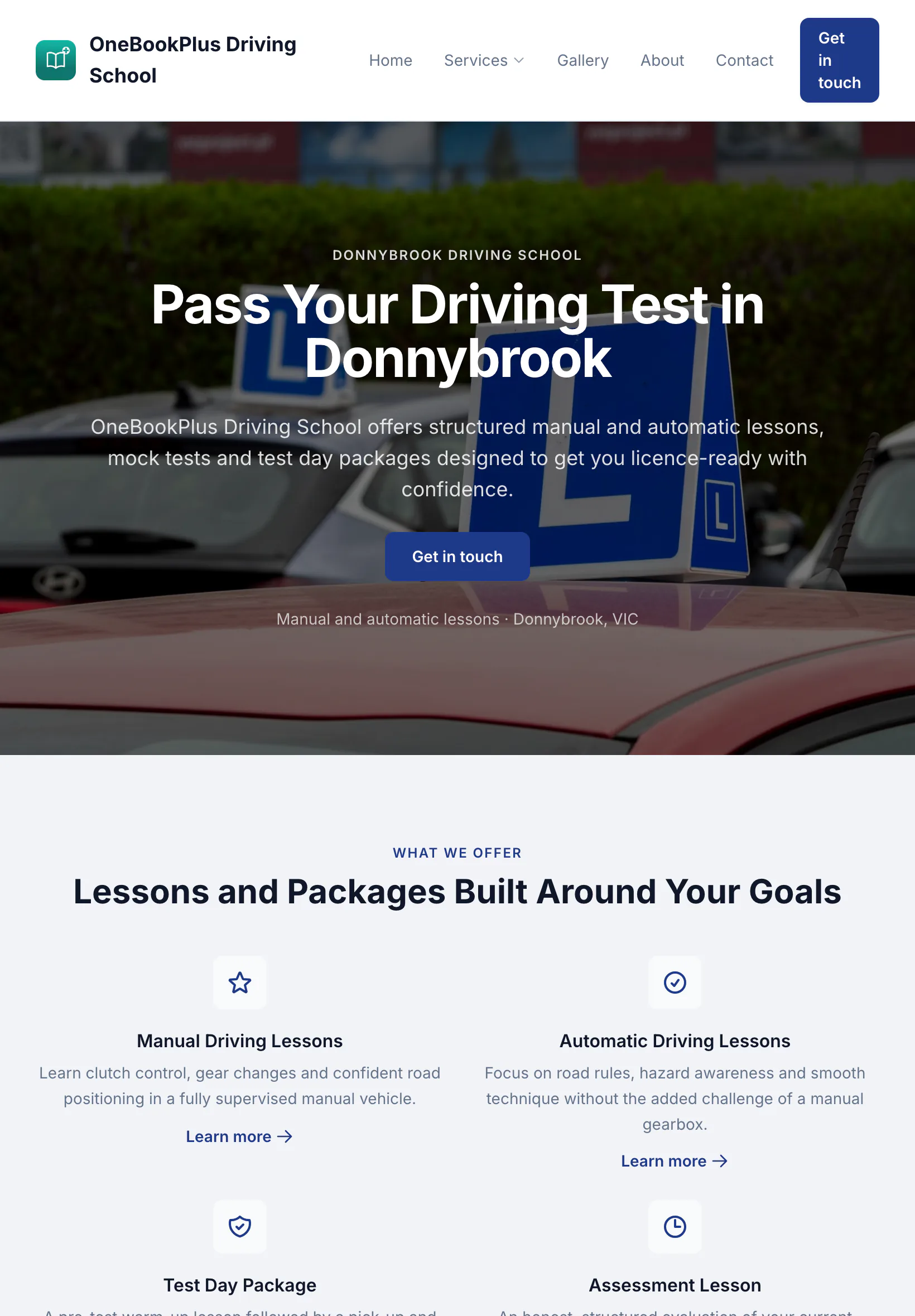
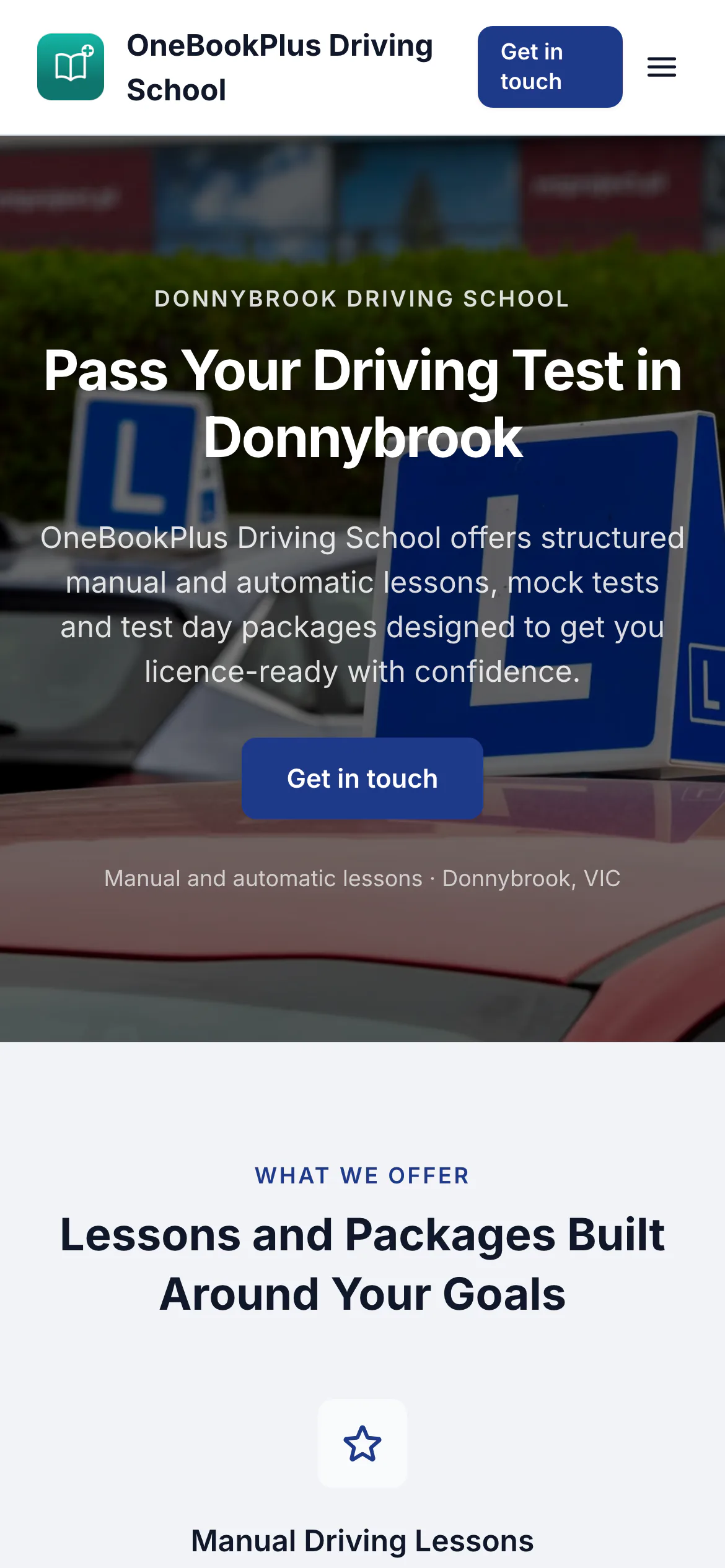
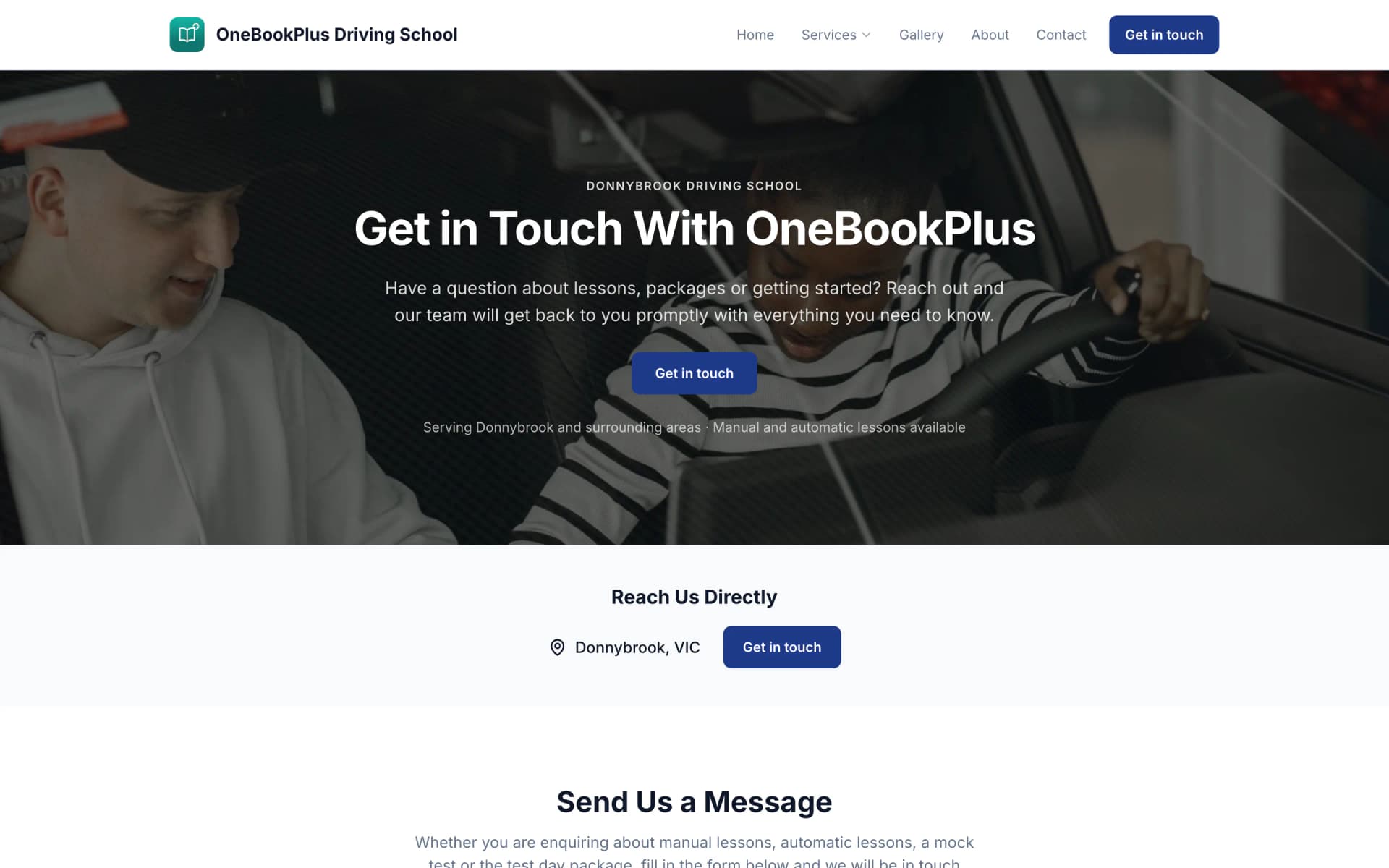
A driving school in Donnybrook
The home page: a teal logo and name on the left, an L plates hero and lessons and packages as cards.
Open the OneBookPlus Driving School site(opens in a new tab)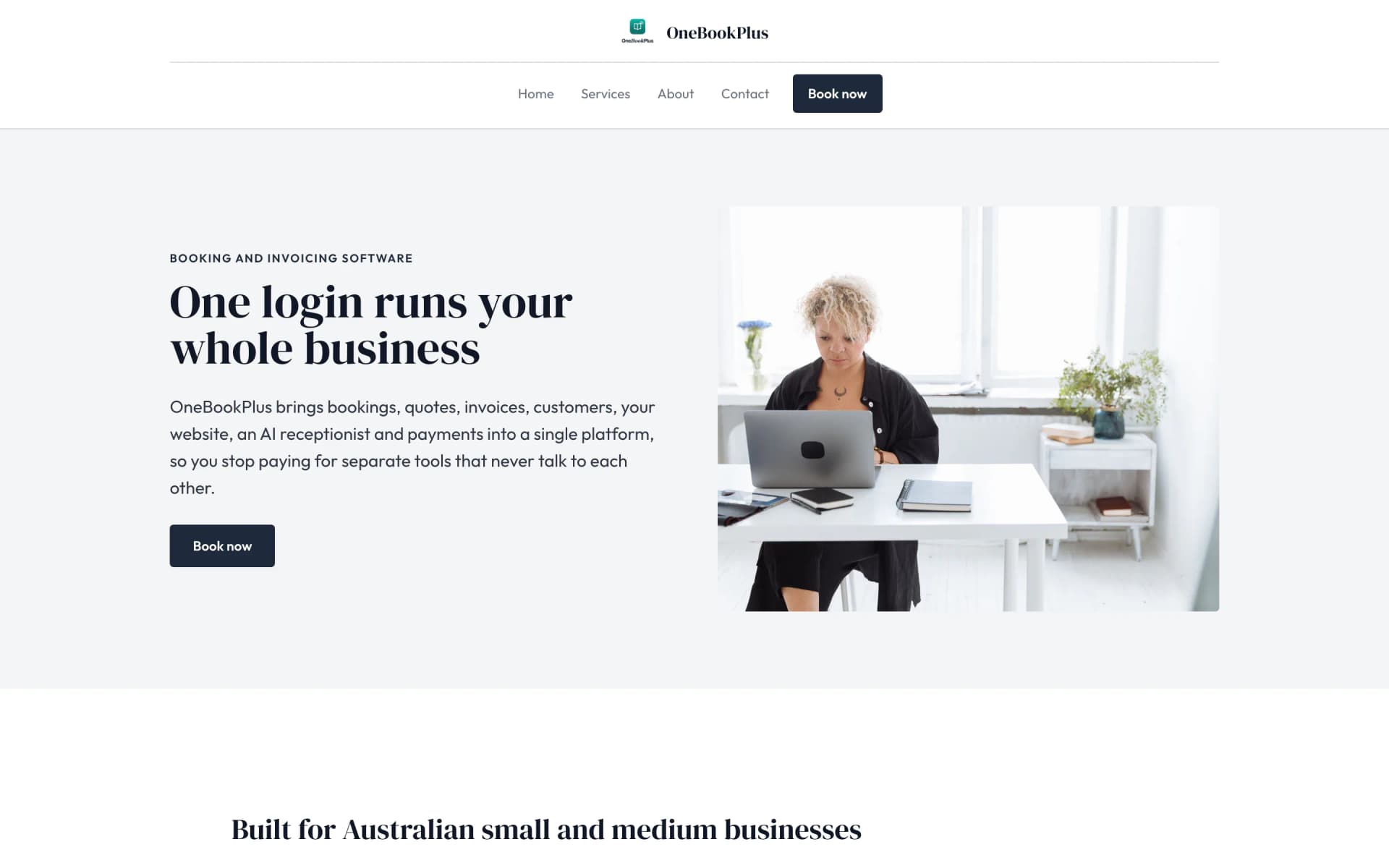
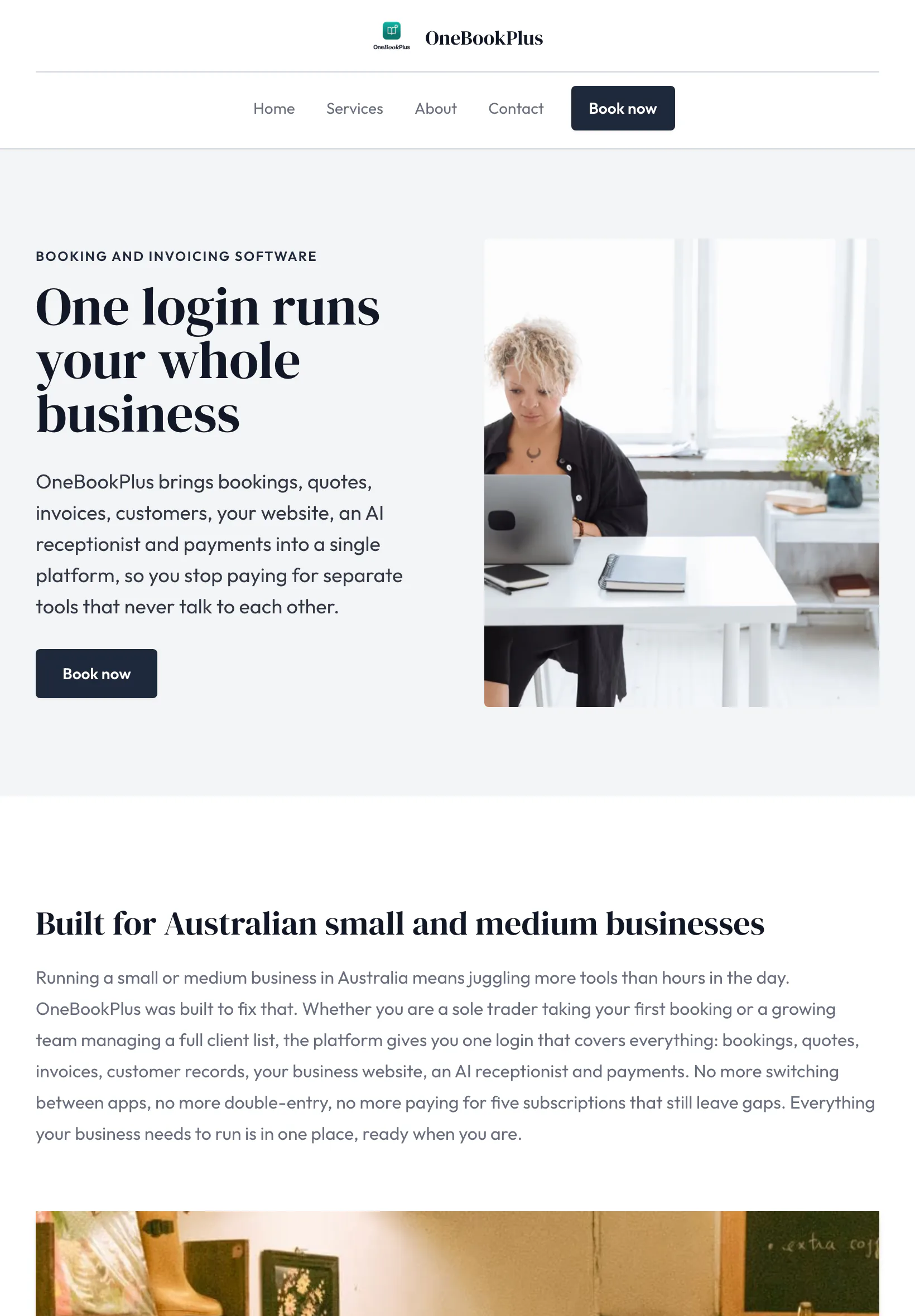
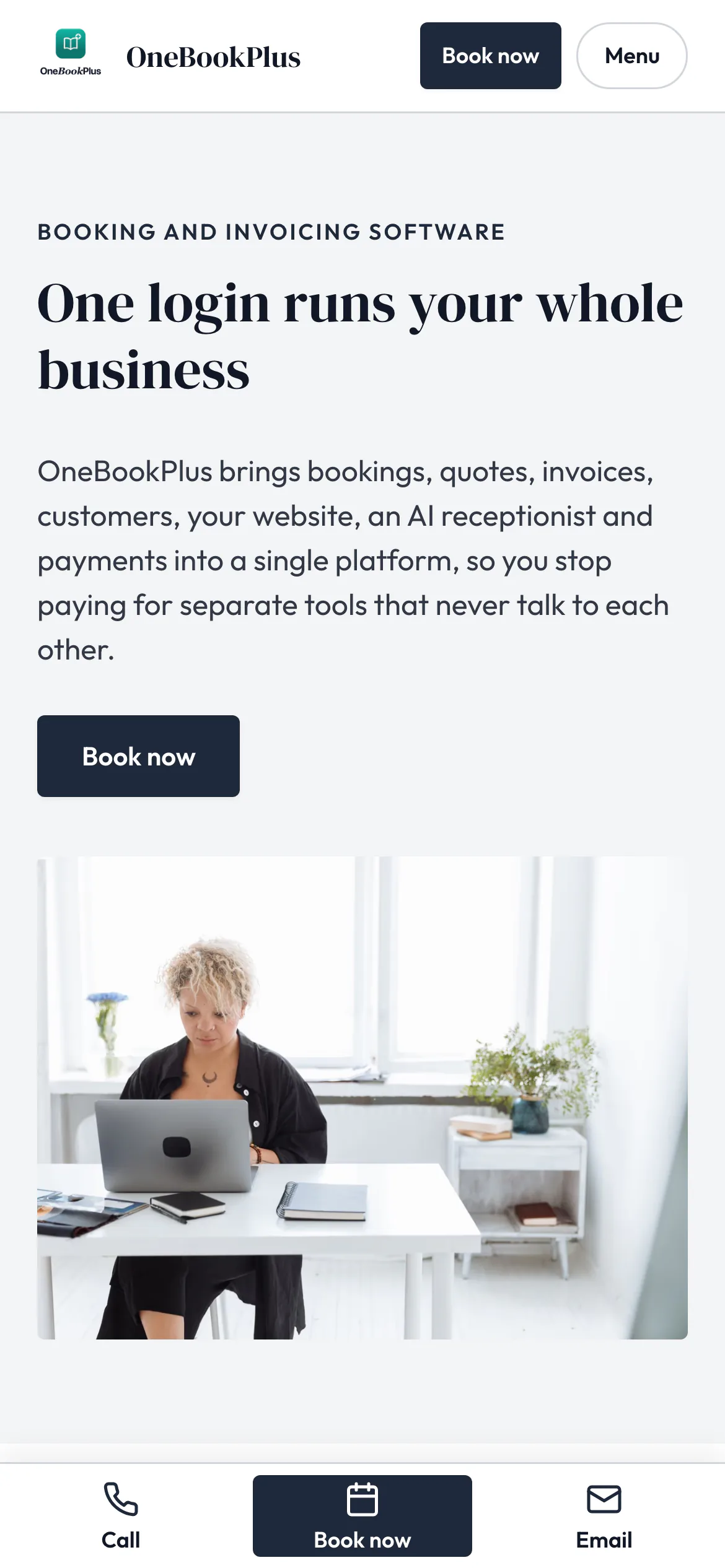
Our own site, built the same way
The home page: a serif heading beside a framed photo on pale grey, and no full width hero at all.
Open the OneBookPlus site(opens in a new tab)See it in action
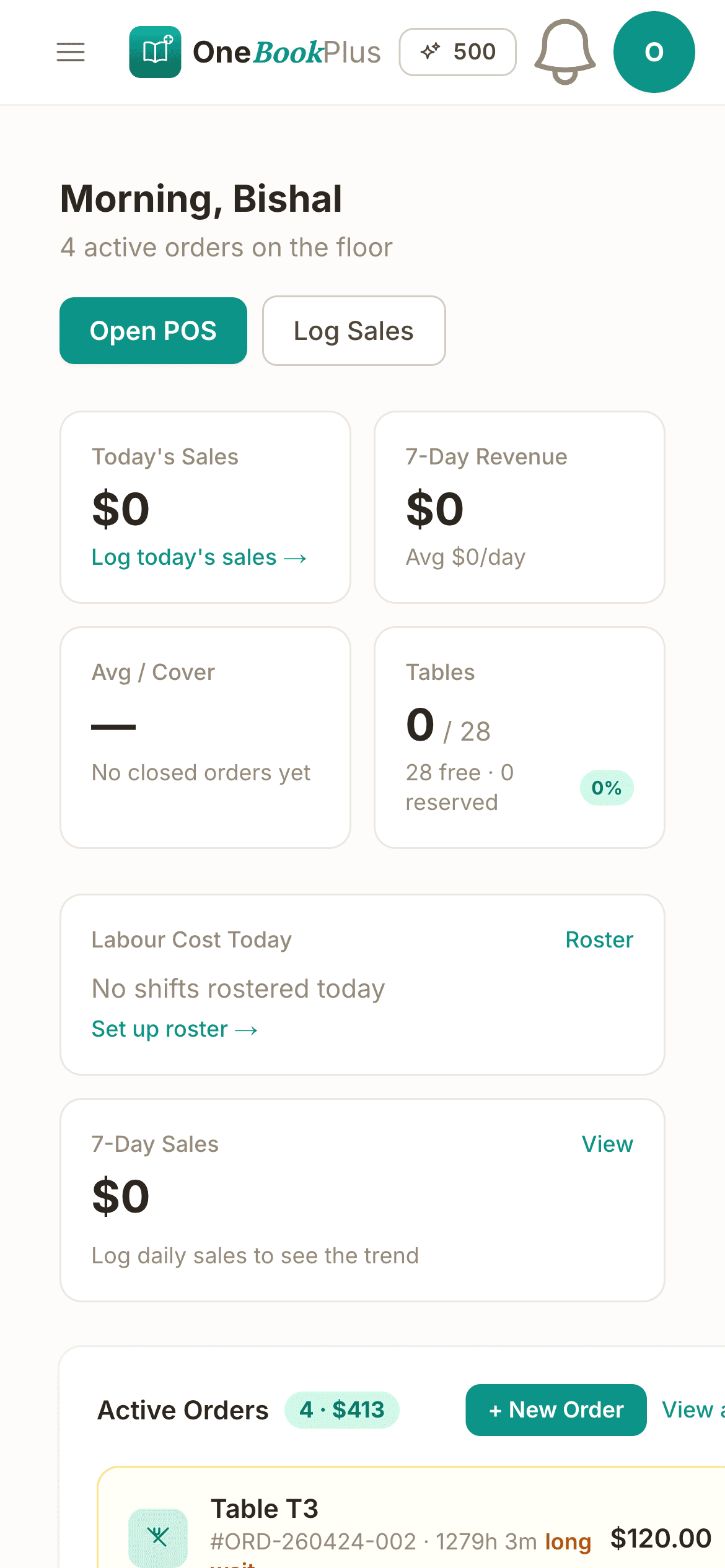
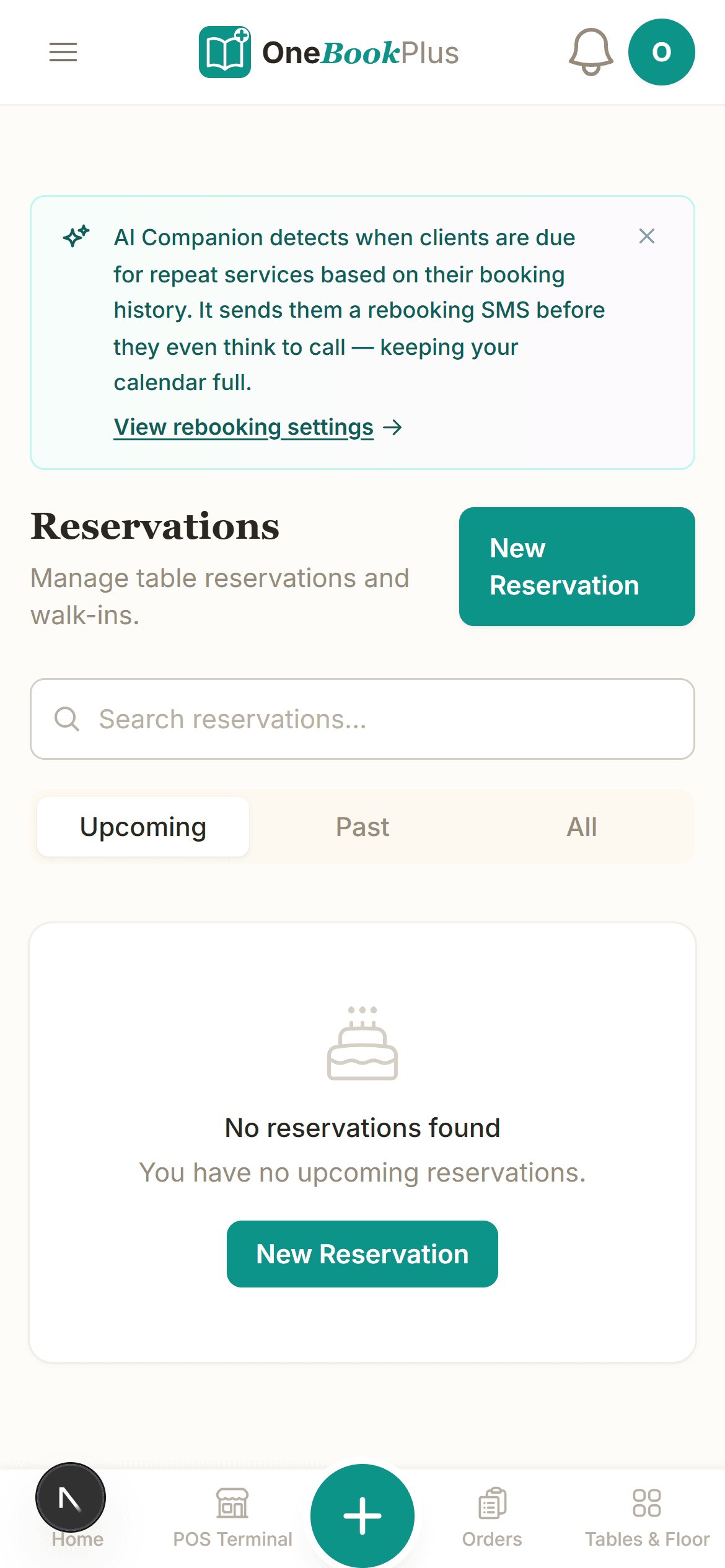
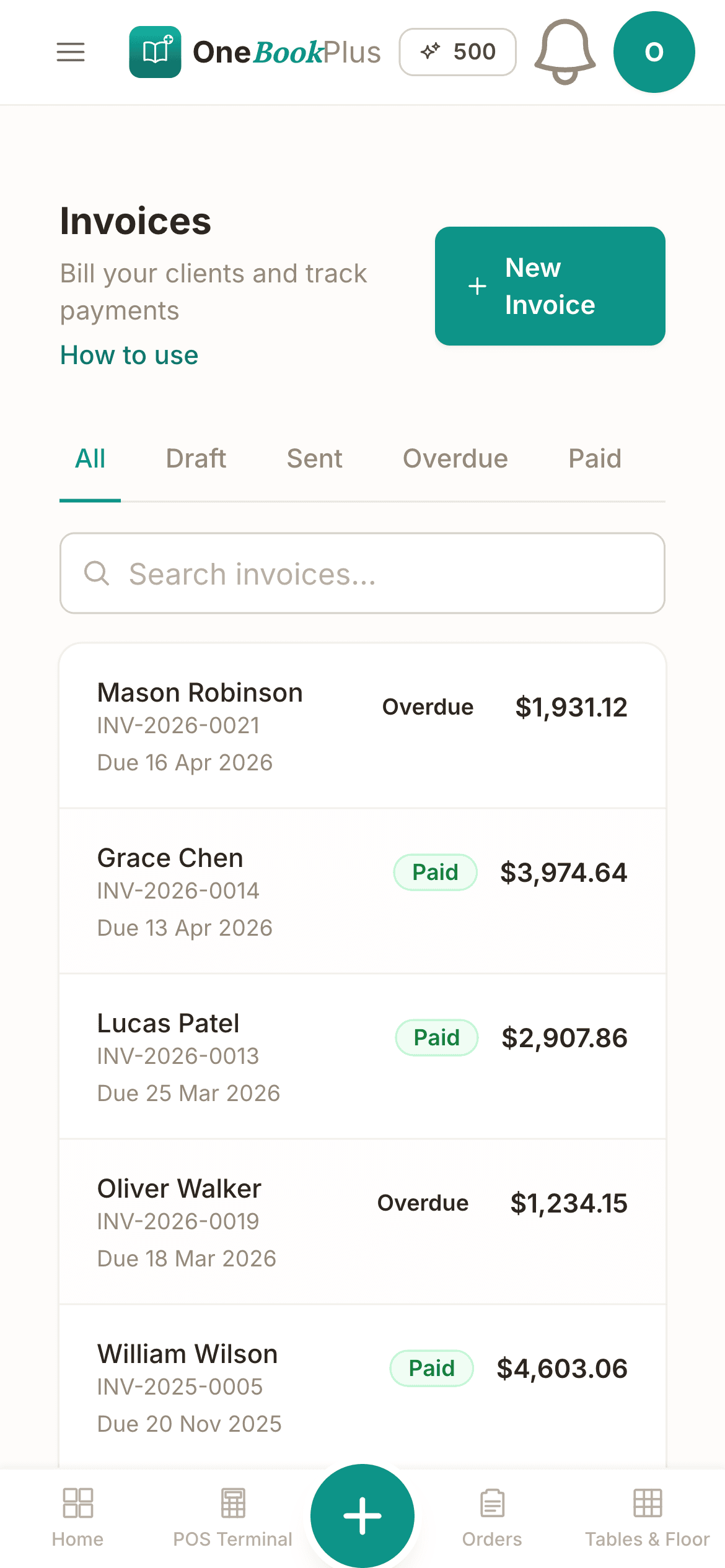
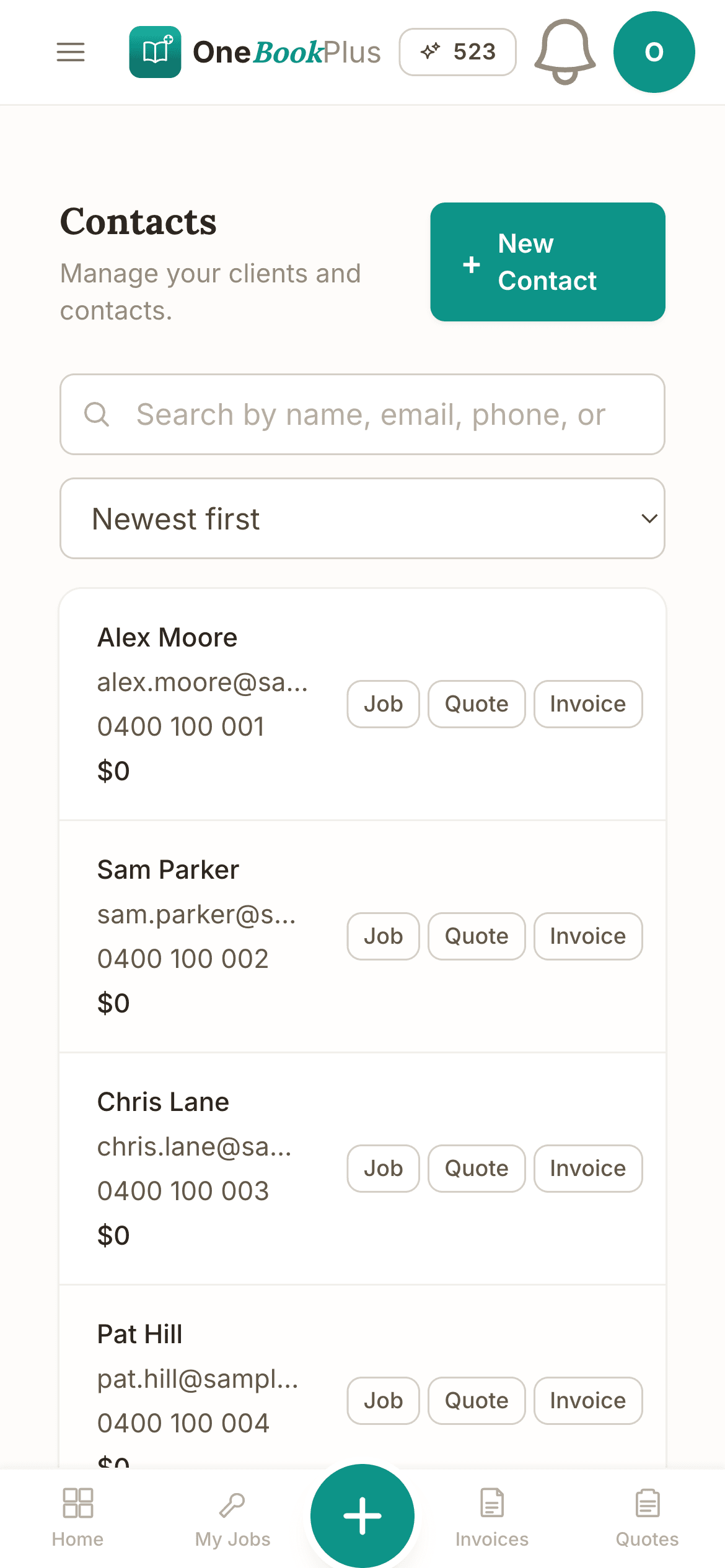
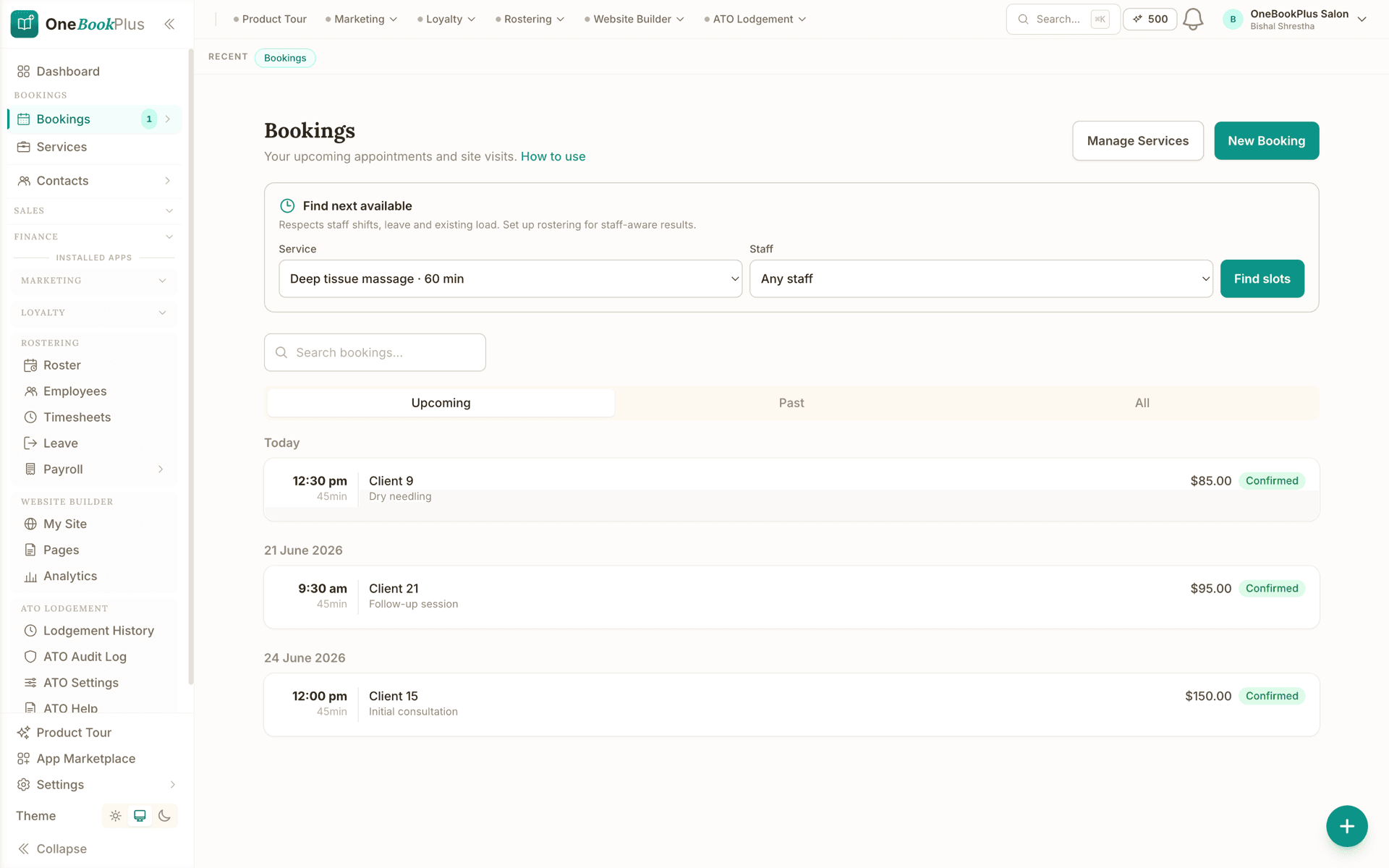
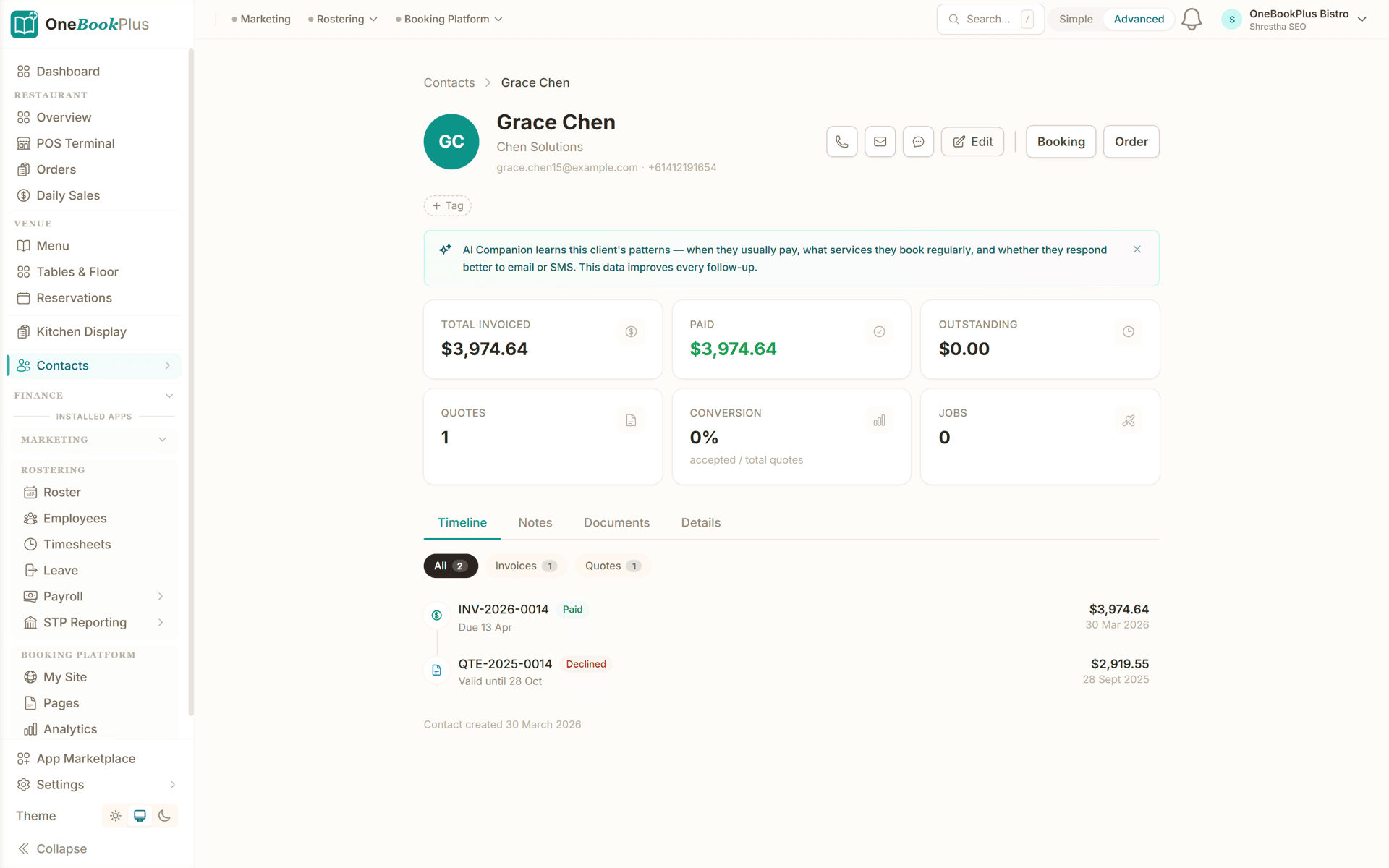
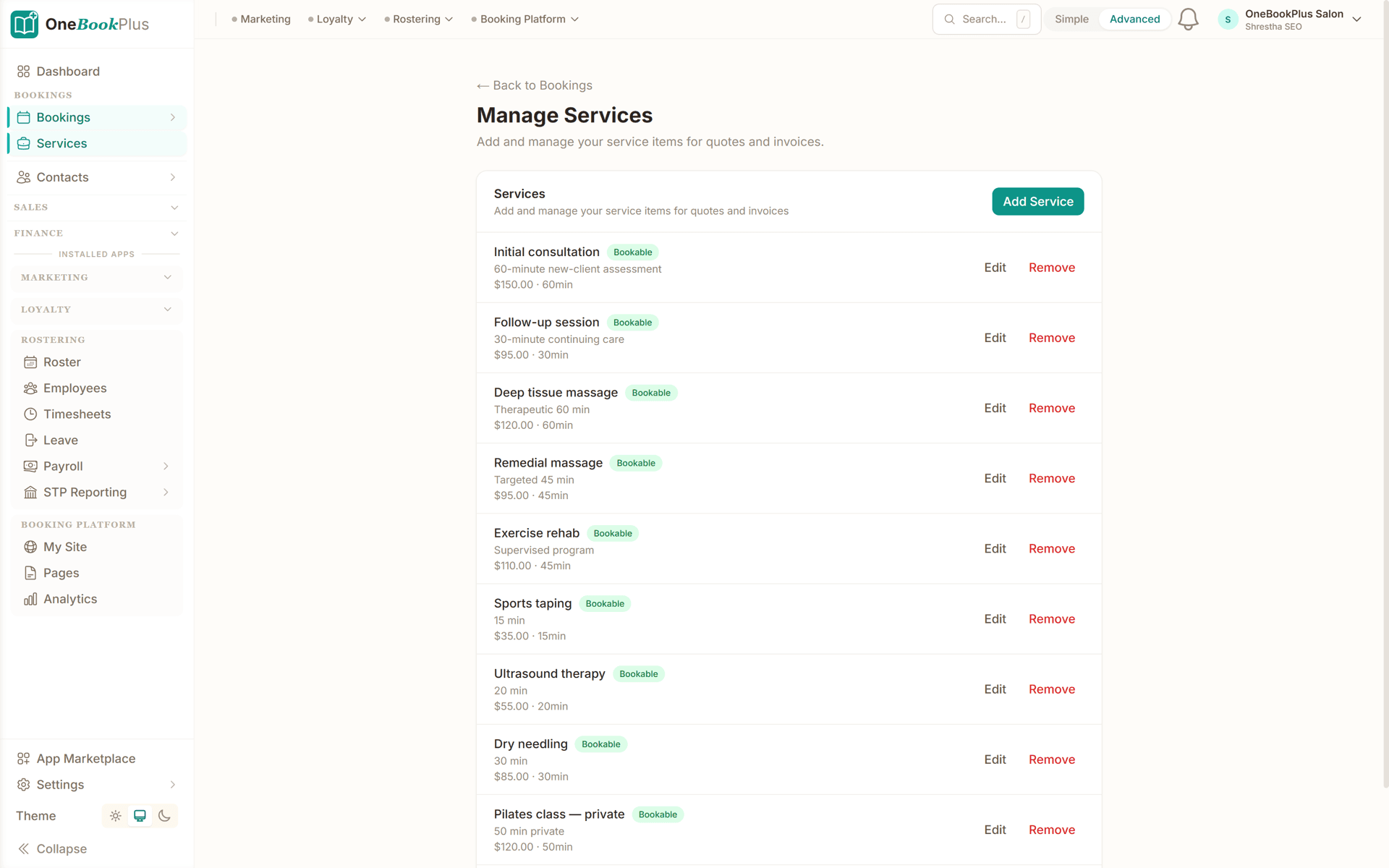
These are real product screens: the weekly lesson calendar, the student profile with lesson history, and term-pack billing. Tap any screen to zoom in.
The Bookings screen: choose the lesson length and the teacher, and Find next available works around your hours and what is already booked. Each upcoming lesson shows the time, the length, the student and the price.
Every lesson, repertoire note, exam result and invoice on one screen per student. Parent details and emergency contacts attached.
Manage Services: every lesson length and extra with its description, its price and its duration, marked bookable and ready to drop onto a quote or an invoice.
The app
Prepaid Packs turns each prepaid term pack into a running balance for every student, so nobody has to count lessons by hand.
Sell work paid for upfront, and let the balance draw down as each class, lesson or job is done
Studios, tutors, driving schools and trades all sell the same thing: work paid for in advance. Prepaid Packs is the accounting layer between that payment and the work. Define your pack templates (a 5-pack, a 10-pack, a 10-lesson term-pack at your studio rate, three cleans at a package rate), sell one to a customer when they pay, and every completed booking or job deducts a credit automatically. Customers with a booking portal see their own balance, so no awkward "how many sessions do I have left?" texts from parents. When someone drops below 2 credits a low-balance reminder fires inviting them to top up, and the renewal invoice is one tap to send. Expiry rules (a 10-pack expires in 6 months, a term-pack at term-end) stop dormant credits piling up. Multiple pack types run in parallel, so a member can hold a Reformer 10-pack and a Mat 20-pack and the right credit deducts for the class they book. For music studios the same primitive runs term-pack billing. For a jobs-led business - a cleaner selling three cleans upfront, a trade selling a service block - the credit comes off when the JOB is marked complete, and goes back if the job is reopened.
Effortless Setup
Get your studio off spreadsheets and onto autopilot before next term starts.
Add 30-min, 45-min and 60-min lessons with your studio rate. List instruments you teach. Done in five minutes.
Import existing students or add as you go. Lock in each student's weekly slot: Monday 4pm piano, Saturday 10am guitar: and OneBookPlus repeats it term after term. Free covers one repeating student, Starter covers a full roster.
Generate a 10-lesson term invoice for every active student. Parents pay by Stripe link. Mark each lesson taught as you go, and fire the next term's invoice when a pack runs low.
After each lesson, write a quick repertoire note. Parent reminders fire automatically the day before next week's lesson. Your BAS summary stays in step.
Add your first student and fire a term invoice the day you sign up
Who it's for
Whether you teach one piano student a week from home or run a studio with five teachers, OneBookPlus adapts to your shape.
Home or studio, AMEB / ANZCA exam students. Needs recurring weekly slots, exam entry fee invoicing, repertoire notes.
Often mobile, often teaching teens. Needs flexible scheduling, parent reminders, term-pack billing.
Mix of exam-track and gig-prep students. Needs lesson history, repertoire tracking, ad-hoc make-up sessions.
Studios teaching multiple instruments across multiple teachers. Needs per-teacher calendars, consolidated billing.
Named tools, at each vendor’s own cheapest published plan, and ours underneath. Vendor pricing changes, so check each one before you decide.
Or use OneBookPlus
$29/mo
Everything in the list above, on one bill.
Start freeNo credit card · Free forever · Cancel anytime
Example walkthrough
An illustrative walkthrough of a typical teaching day mid-term
You open OneBookPlus and the dashboard banner tells you which week of which term you are in and how long until school holidays. Today's lessons are all there, repeating from last term without being re-entered.
Mid-afternoon a parent messages: their child is unwell, can the lesson move to next week? You find the student, mark the lesson cancelled with credit, and offer a slot from your open availability. The parent accepts on their phone and the calendar updates itself.
After the last lesson you spend a few minutes logging notes: pieces practised, sight-reading covered, what is set for next week. Two students are running low on their lesson pack, so you raise next term's invoices straight from their profiles. Both parents pay by card from the invoice link.
At the weekend you look at the week in one view: lessons taught, credits used, no-shows, and revenue. The BAS summary keeps itself current, so there is no spreadsheet to reconcile.
How we compare
See how we compare to the tools music teachers typically use. On OneBookPlus, weekly recurring lesson slots are available on every plan: the Free plan runs one repeating student at a time, Starter makes them unlimited, and single lessons are never capped.
| Feature | OneBookPlus | My Music Staff | Fons | Calendly + Xero |
|---|---|---|---|---|
| Weekly recurring lesson slots | Yes | Yes | Yes | No |
| Term-pack billing | Yes | Yes | Yes | No |
| Parent reminders | Yes | Yes | No | No |
| Student profile + repertoire notes | Yes | Yes | No | No |
| GST-compliant AU invoicing | Yes | No | No | Yes |
| AU BAS-ready summary | Yes | No | No | Yes |
| AU school-term aware dashboard | Yes | No | No | No |
| ABN on every invoice (AU-required) | Yes | No | No | Yes |
| Make-up lesson notes on student profile | Yes | Yes | No | No |
| Free plan available | Yes | No | No | Yes |
| Price | From $0/mo | Priced in US dollars | Priced in US dollars | Subscription |
4 terms
Invoiced up front against the AU school calendar
24/7
Parents can self-serve bookings + view invoices
$0
Free to start, no lock-in contracts
$29/mo
Starter plan, unlimited invoices and quotes
An illustrated day, not real customer data. Scroll through it from morning to 5pm: the AI receptionist answers and books a missed call, the work runs from the app, the GST invoice is sent on the spot, payment lands and the books balance themselves, a review invite is queued for the next daily run, and the day closes with the ledger already written.
8:50am
While you're mid-lesson
Claire has wanted piano lessons for years. She calls the first teacher on Google, you, while you're mid-scales with a student.
AI Receptionist
The AI answers in two rings, books a trial at 11:30 and texts a confirmation, before the lesson's wrapped.
In the studio
The student card is ready: goals, level, preferred slot. You spend the half hour on music, not paperwork.
Between lessons
Claire signs up for the term. One tap sends a GST invoice for the 10-lesson pack with a pay link, no Sunday admin.
While you're teaching
The payment lands mid-afternoon, the books update themselves, and $50.00 GST is set aside for BAS.
Reputation on autopilot
Two hours after payment the AI asks Claire for a review, timed to the delay you set. No chasing, no awkward ask.
The day closes itself
Eight lessons taught and a new student enrolled. The book did the rest.
$0
collected
0
admin tasks done by AI
0
evenings lost
An illustrated day, not real customer data. AI Receptionist is a $79/mo add-on that needs AI Companion ($25/mo, included on Growth), and AI Companion is what sends the review invite as well. The rest of the day is the app itself.
Studio pricing
Start free, upgrade when your student roster justifies it. Billed in AUD, no USD-to-AUD FX surprise like My Music Staff or Fons. No contracts, no per-student tax. Cancel any time.
Free
$0/forever
Get your first piano student on the books today, no credit card.
Starter
$29/mo
Replaces My Music Staff + Xero + Calendly for a full weekly roster.
No card · Drops to Free if you don't upgrade
Plus
$49/mo
Outgrowing the basics, advanced reporting.
Our pick: unlimited contacts and booking pages for $49
Growth
$69/mo
For studios running multiple teachers across piano, guitar, voice and strings.
Prices in AUD inc. GST. Online card payments carry Stripe processing fees (1.7% + 30¢ AU cards) plus a 2.5% OneBookPlus platform fee. See the full plan comparison
Already on another tool?
Switching is designed to fit in a single evening between terms. Export your student list as CSV from your current tool, import it into OneBookPlus with the bulk importer, and you're ready to fire term invoices before Week 1, billed in AUD, no FX guesswork.
Switch from
Built-in AI
You're teaching, the phone rings out and the enrolment enquiry quietly moves on.
OneBookPlus
AI Receptionist · incoming call
“Do you have room for beginner lessons?”
If you don't answer, the AI books it, Trial lesson · Sat 10:00am, and texts a confirmation.
Extend Your Toolkit
Add term-pack billing, online bookings, parent reviews, and ATO lodgement to grow your studio.
Built in Melbourne, AU
ATO-ready from day one
TLS in transit, AES-256 at rest, tenant isolation at the database layer, read the security page
No credit card needed
Common questions about music studio booking and billing software.
Yes. The Free plan covers lesson scheduling, the student CRM, GST-compliant invoicing, 10 invoices a month and up to 250 contacts. One-off lesson bookings are unlimited on every plan, including Free. Repeating weekly slots work differently: Free runs one repeating student at a time, and a second one needs Starter at $29/mo, which makes them unlimited. Extending a repeating slot you already have is free forever, as is cancelling, rescheduling or skipping a week on it. So a teacher with one standing student and a handful of casual lessons can stay on Free indefinitely; a full weekly roster is a Starter studio.
Yes. Create a 10-lesson term pack at your studio rate and send it as a single GST-compliant invoice at the start of term, that works today. The optional Prepaid Packs app will then auto-deduct a credit on each booked lesson and prompt you to fire the next term's invoice when the pack drops to 1 or 2 lessons remaining. Today, you can mark lessons taught manually and fire the next term invoice when you're ready.
AMEB exam entry fees and method-book costs can be added as line items on a student's invoice. The system isn't a music retail POS, it's billing for your teaching service plus the incidentals you on-charge.
Yes. Each student (or parent) gets a portal where they can request rescheduling within your cancellation window. You stay in control of which slots are bookable. The portal also shows their term-pack balance and past invoices.
Music tuition by an individual teacher is GST-taxable once your turnover exceeds $75,000/year. Below that, GST registration is optional. Either way, OneBookPlus tags every invoice with the correct GST treatment and gives you a quarterly BAS summary.
Yes, you can add additional teacher accounts on a paid plan. Each teacher has their own calendar, students, and earnings view, while you (the studio owner) see consolidated revenue and outstanding invoices across the whole studio.
Yes. After each lesson, write a structured note tagged by kind, Lesson observations, Exam entries (AMEB grade results), Goals, Milestones, or direct Parent Communications, pinned to the booking it came from. Mark a note 'Visible to parent' to share it via the family portal; leave it private for your own teaching plans. The student profile shows the full history newest-first with kind filters, and you can export the lot as a CSV for end-of-term parent reports. The studio dashboard surfaces an at-risk panel for regulars who've gone quiet, handy for catching ghosting before it becomes permanent.
Student records (names, parent contact, lesson notes) are stored in your own business's isolated database. Each business's data is separated at the database layer, so another studio cannot read yours even though you share the same infrastructure. OneBookPlus itself doesn't store your WWCC; verification lives between you and the relevant state authority (e.g. NSW Office of the Children's Guardian, VIC Service Victoria). Australian Privacy Principles (APP) compliance: each tenant's data is yours to export or delete; CSV export of student notes is one click and a soft-delete restores notes within 30 days. AI features can be disabled per-tenant if you'd rather no third-party LLM ever sees student-identifiable text.
About the author

Founder & CEO, OneBookPlus
Bishal spent a decade running digital projects for Australian small businesses before founding OneBookPlus. He writes and maintains these pages, and publishes what OneBookPlus does not do alongside what it does.
Read the founder bioHow this page was researched
The compliance and licensing statements above are taken from the bodies this page links to, including the AMEB, the Music Teachers' Association and the ATO, so you can read the rule rather than take our word for it. Plan prices come from the OneBookPlus price registry, so the page and the checkout cannot disagree. Everything said about OneBookPlus describes what the product does today, and the page says so where it does not do something.
Most music teachers started teaching because they love their instrument and love helping students improve. They did not start a studio because they enjoy maintaining a Google Sheet of who paid for which term, sending payment-reminder emails the night before BAS, or rearranging Thursday afternoon when a parent texts "Can we move to Friday?". OneBookPlus handles the studio admin so the part you love stays the part you spend your time on.
A new student lands on your branded booking page from a Google search or a referral. They see the lesson types you offer, 30 minutes, 45 minutes, 60 minutes, the rate for each, and a real-time view of slots you have open this term. They book their first lesson and fill in a short enrolment form capturing the student's age, level, exam-track preference (AMEB / ANZCA / Trinity / casual), parent contact details and any allergies or learning notes. That booking lands in your calendar. You then turn it into the student's standing slot from your dashboard, Monday 4pm piano for example, and it rolls forward week after week without being re-entered. Setting up a repeating slot is always a teacher-side action: parents book and reschedule individual lessons, you own the standing slot. School-holiday weeks are skipped in one action, and the slot picks up on the Monday of Term 2. The Free plan carries one repeating student, so the second standing slot is the point where a studio moves to Starter at $29/mo; extending a slot you already have costs nothing on any plan, and one-off lesson bookings are never capped.
Studio billing in Australia is dominated by the term pack, most teachers ask parents to pay for ten lessons up front at the start of each term. OneBookPlus generates that term invoice for every active student in one batch, with your ABN, GST line (if you're registered), studio name and your bank/Stripe payment options. As lessons are taught, you mark them off against each student's pack; when a pack runs low, the next term's invoice can be fired with one click. For casual students who book ad-hoc, adult learners, gig-prep students, exam-block students, a per-lesson invoice goes out as soon as the lesson completes.
Most studio teachers spend a chunk of every week replying to parent messages about lesson times. OneBookPlus reduces that load in two ways. First, an automated email goes to the parent the day before each lesson with the studio address, parking info, and what to bring (sheet music, exam books, headphones). Second, when a parent does message to reschedule, the rescheduling happens in the portal, they pick from your open availability, you approve in one tap, and the make-up credit posts to the student's profile. You never lose track of whose lesson you owe, and you never spend Saturday evening flicking through old texts to remember.
Every student has a profile that captures their full history with you, pieces being worked on, exam syllabus pieces, scales, sight-reading drills, gradings, and your notes from each lesson. Before the 4pm piano lesson, you tap into the profile and see exactly where you left off, including the piece you said you'd hear all the way through this week. After the lesson, you spend a minute logging what was covered, what's set for next week, and any progress notes you want the parent to see. Over a year, the profile becomes a complete teaching record, useful for AMEB recommendation letters, parent-teacher chats, and your own teaching reflection.
At the end of each term, OneBookPlus shows you the numbers: revenue, lessons taught, completion rate, no-shows, and your active student count. If your turnover is approaching the $75k GST threshold, the dashboard flags it. If you're GST-registered, your BAS summary is already complete, every invoice has its GST line tagged correctly, expenses are categorised against the right ATO code, and the only thing left is to lodge. For studios with multiple teachers, the owner sees the consolidated picture across the whole studio; each teacher sees their own calendar and earnings.
Recurring lesson bookings, term-pack invoicing, and parent reminders that run on autopilot, built for Australian music teachers. Free to start, with one repeating student included; the whole studio repeats from Starter at $29/mo.
Get started freeReviewed by Bishal Shrestha
Authoritative sources
Music tuition in Australia is governed by ATO/ABN tax rules, the Music Teachers' Association of each state, and the major examining boards. We cite the primary sources for every claim on this page so you can verify directly.
From the blog
Practical guides and explainers from the OneBookPlus blog, grouped by topic.
Choosing cleaning business software in Australia for 2026: recurring schedules, on-site invoicing, rostering, payments and GST in one place.
Every deduction an Australian sole trader can claim, from home office and vehicle costs to super and depreciation, with worked examples for 2025-26.
Invoicing advice for Australian freelancers: setting payment terms, putting your ABN on the invoice, and chasing what is overdue without the awkwardness.
Sole trader, partnership, company or trust: what each structure means for your tax, your liability and your GST, and when it is worth switching.
Industries
Features
Comparisons
Tools & Apps