A plumber in Sydney
OneBookPlus Plumbing
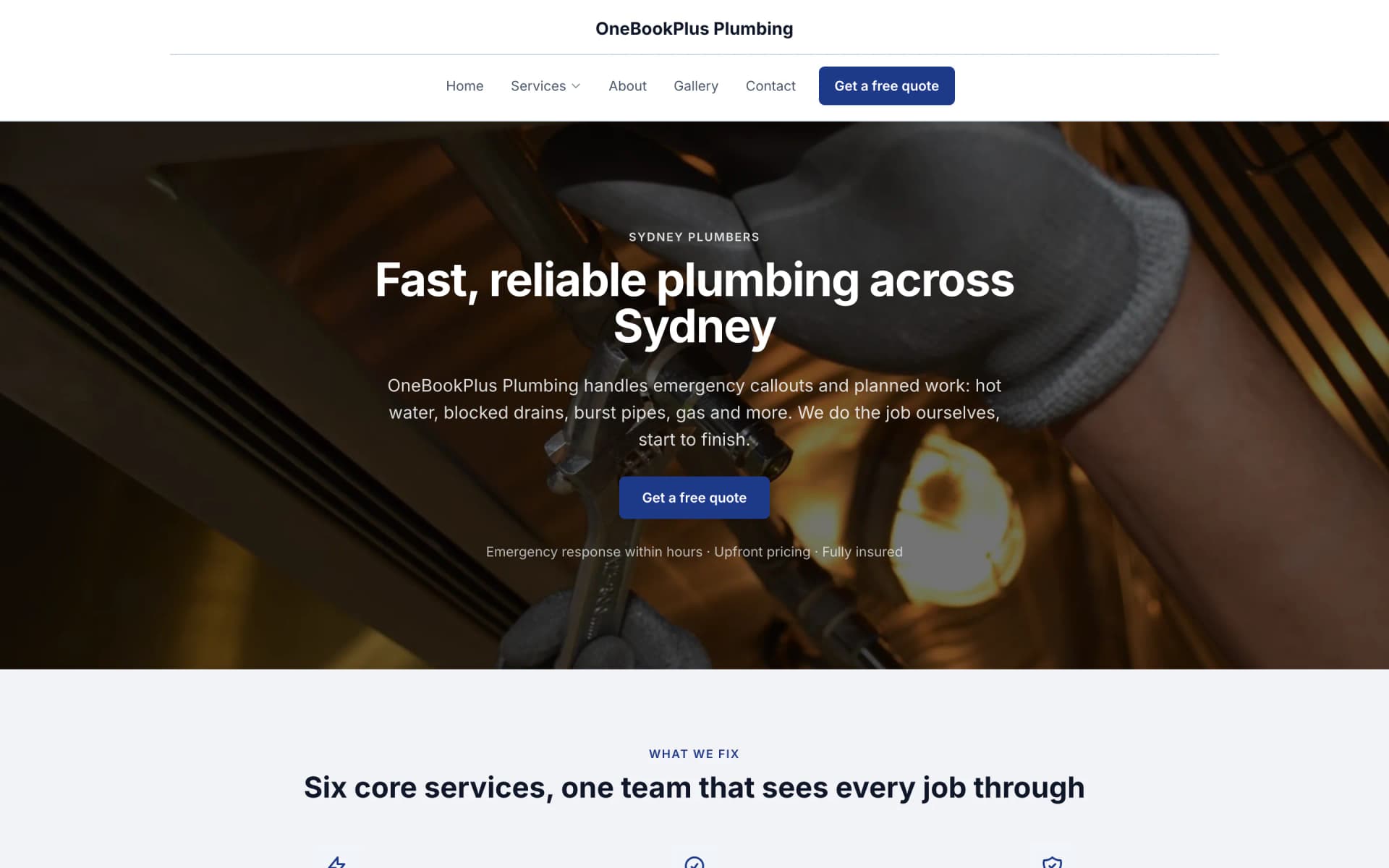
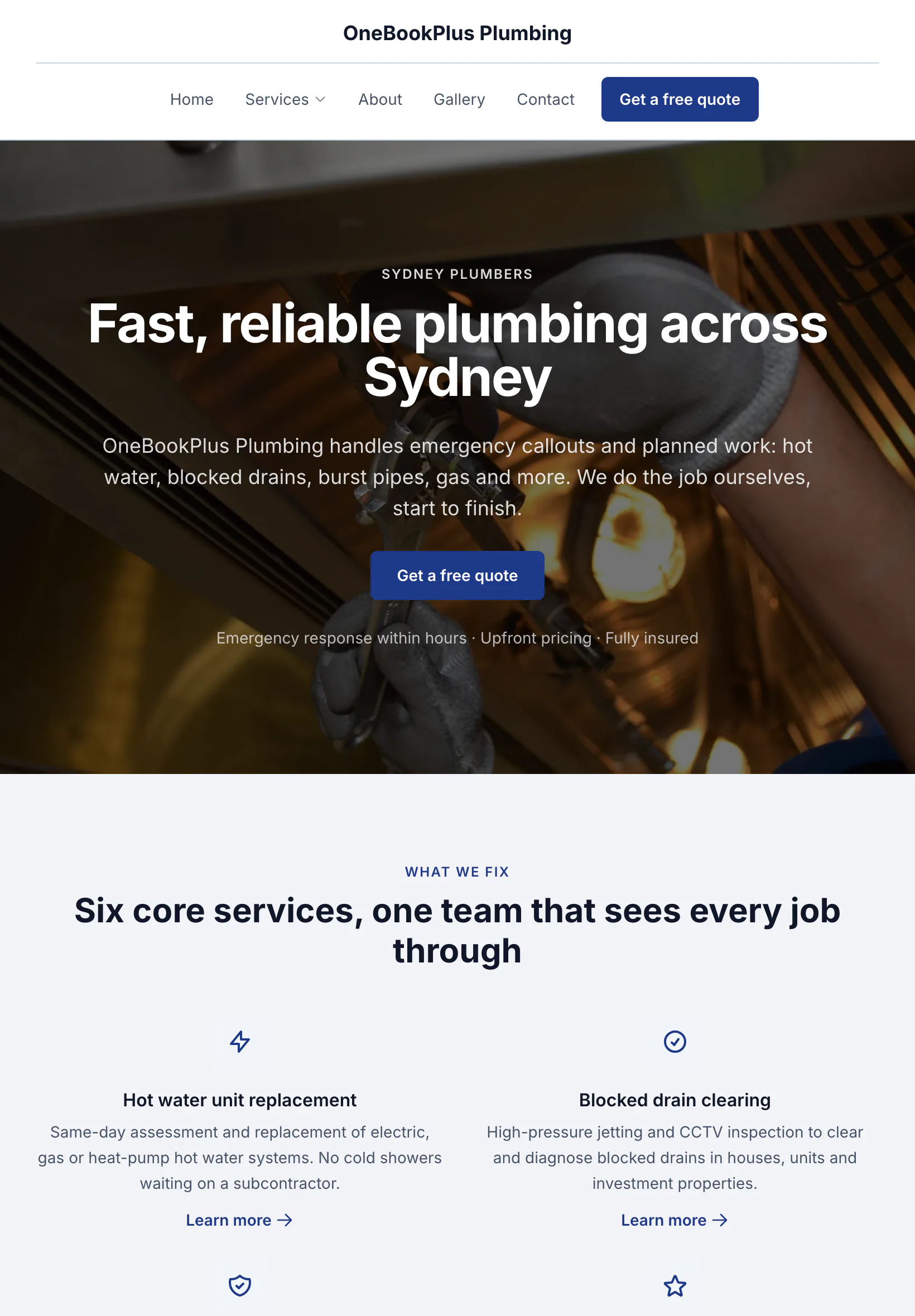
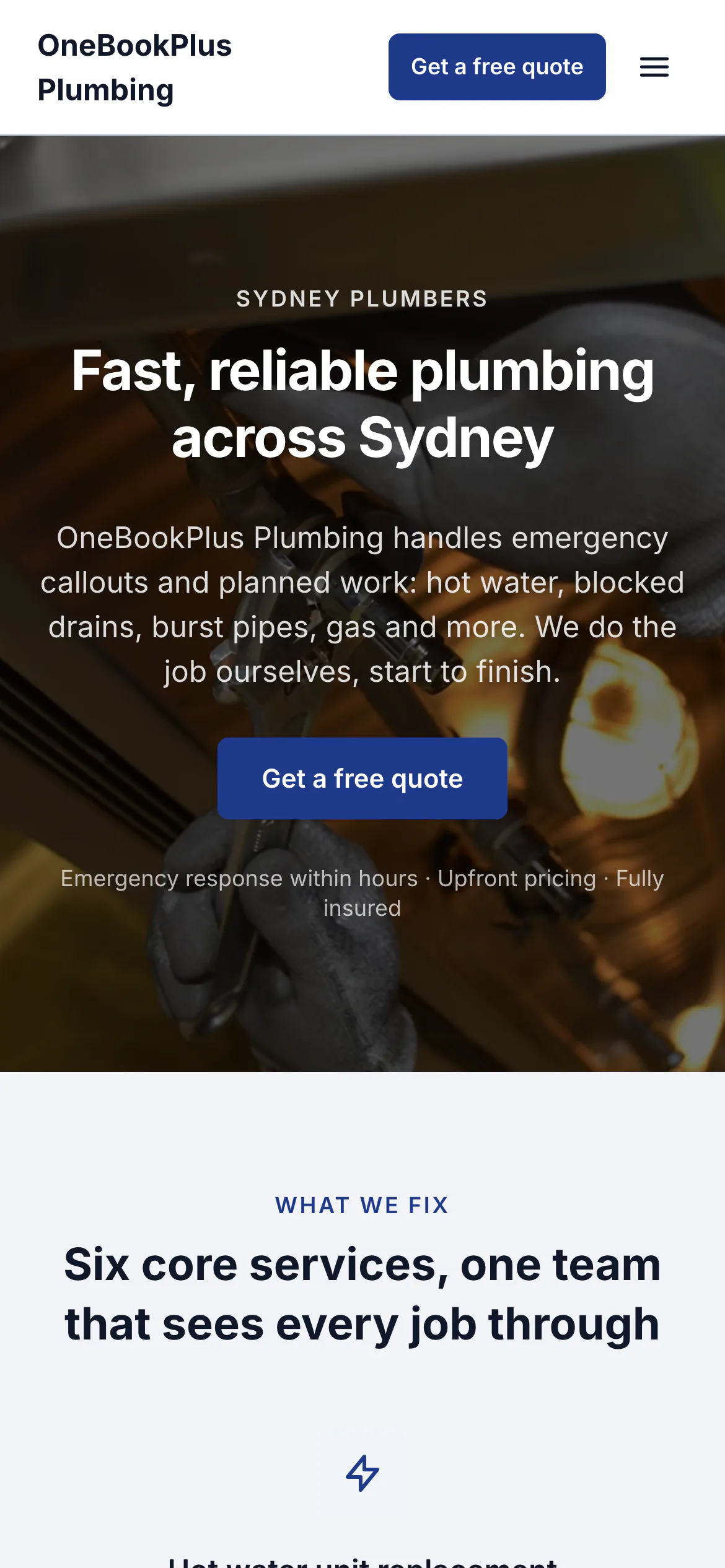
The home page: the name centred over the menu, a dark hero photo, a navy quote button and a grid of services.
Open the OneBookPlus Plumbing site(opens in a new tab)Keep therapy blocks full and NDIS billing clean, without reception chasing the phone.
Online bookings, telehealth, session notes and goal tracking, NDIS plan and funding tracking, NDIS- and Medicare-aware invoicing and BAS-ready accounting, built around the client, not a generic calendar. All-in-one for $0 to $69/mo, replaces coreplus or Power Diary + Xero + Podium.
Free plan, no card needed. NDIS plan tracking, telehealth and session notes built in.
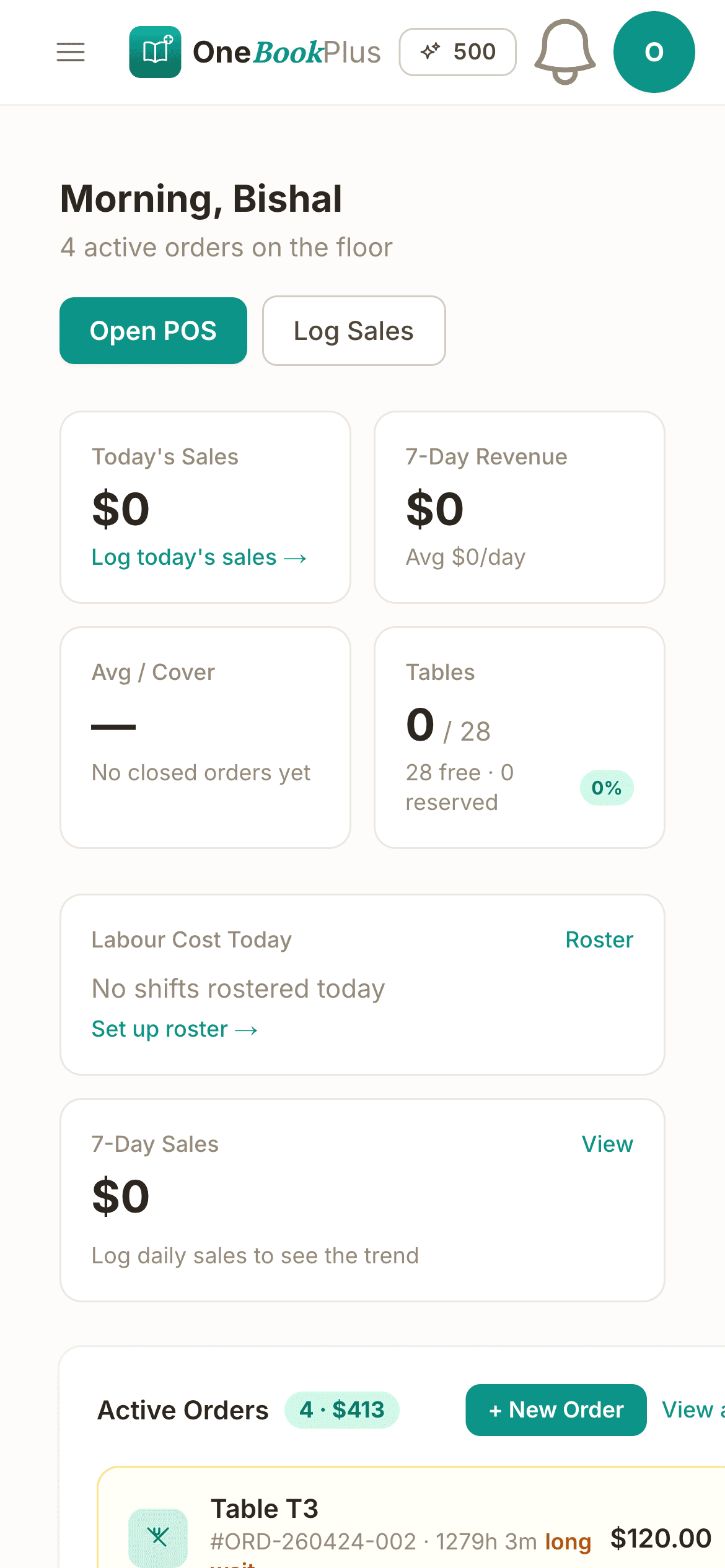
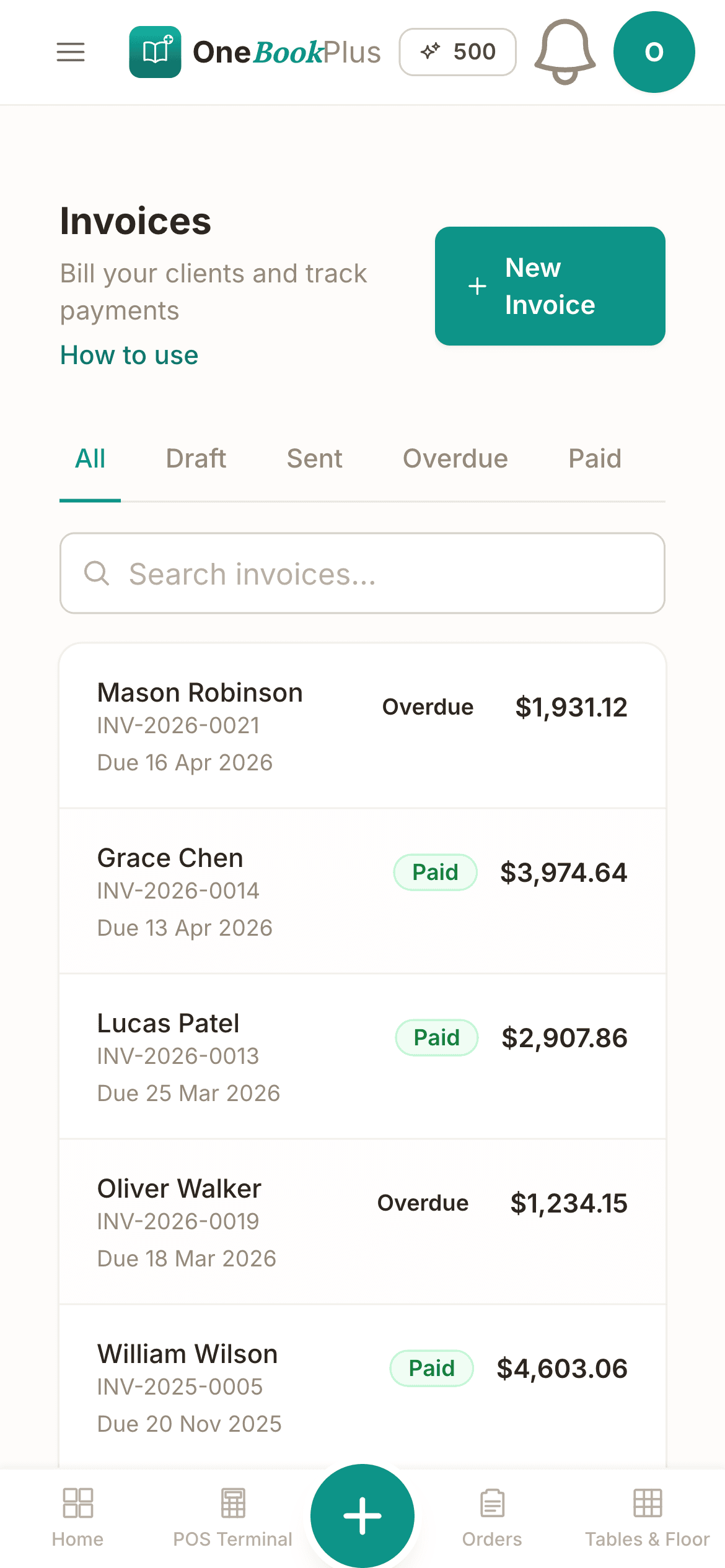
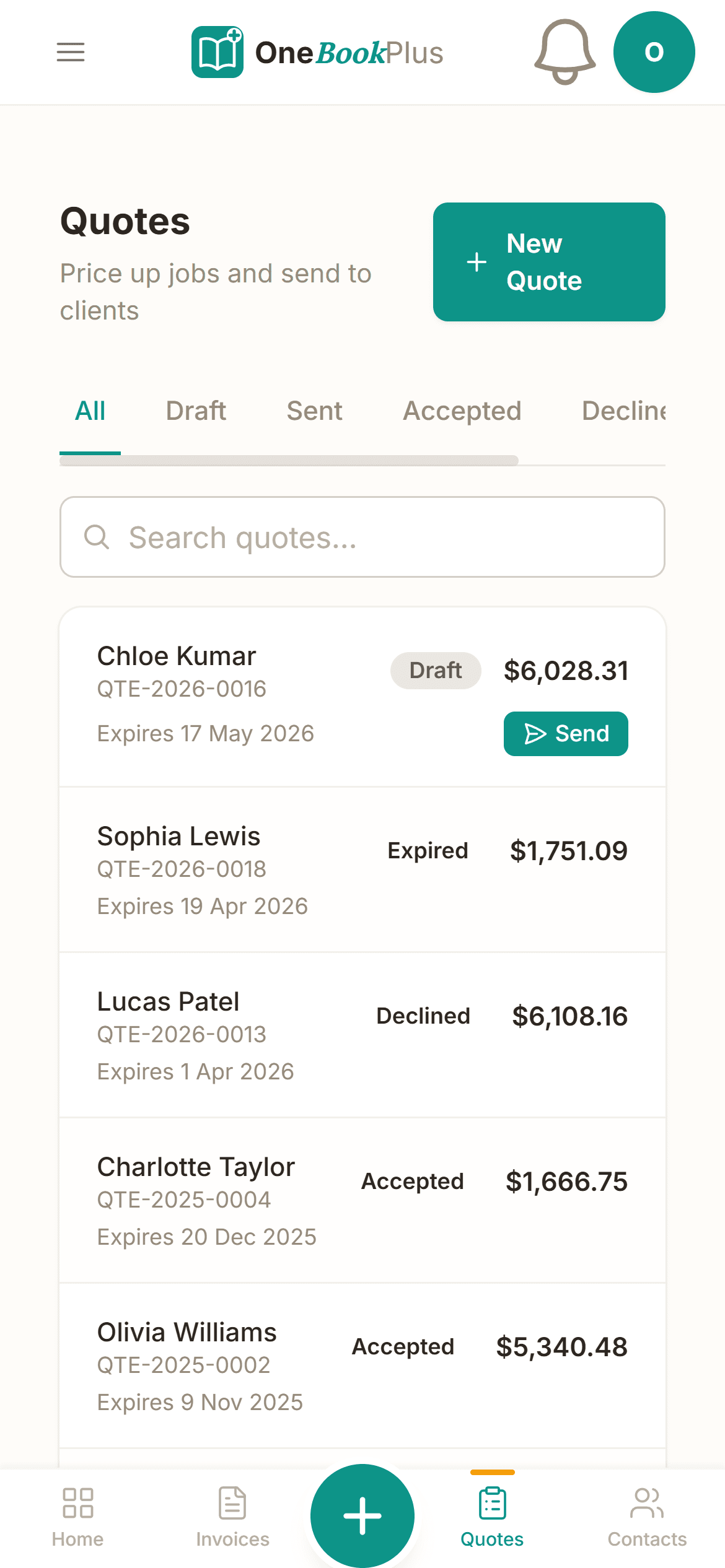
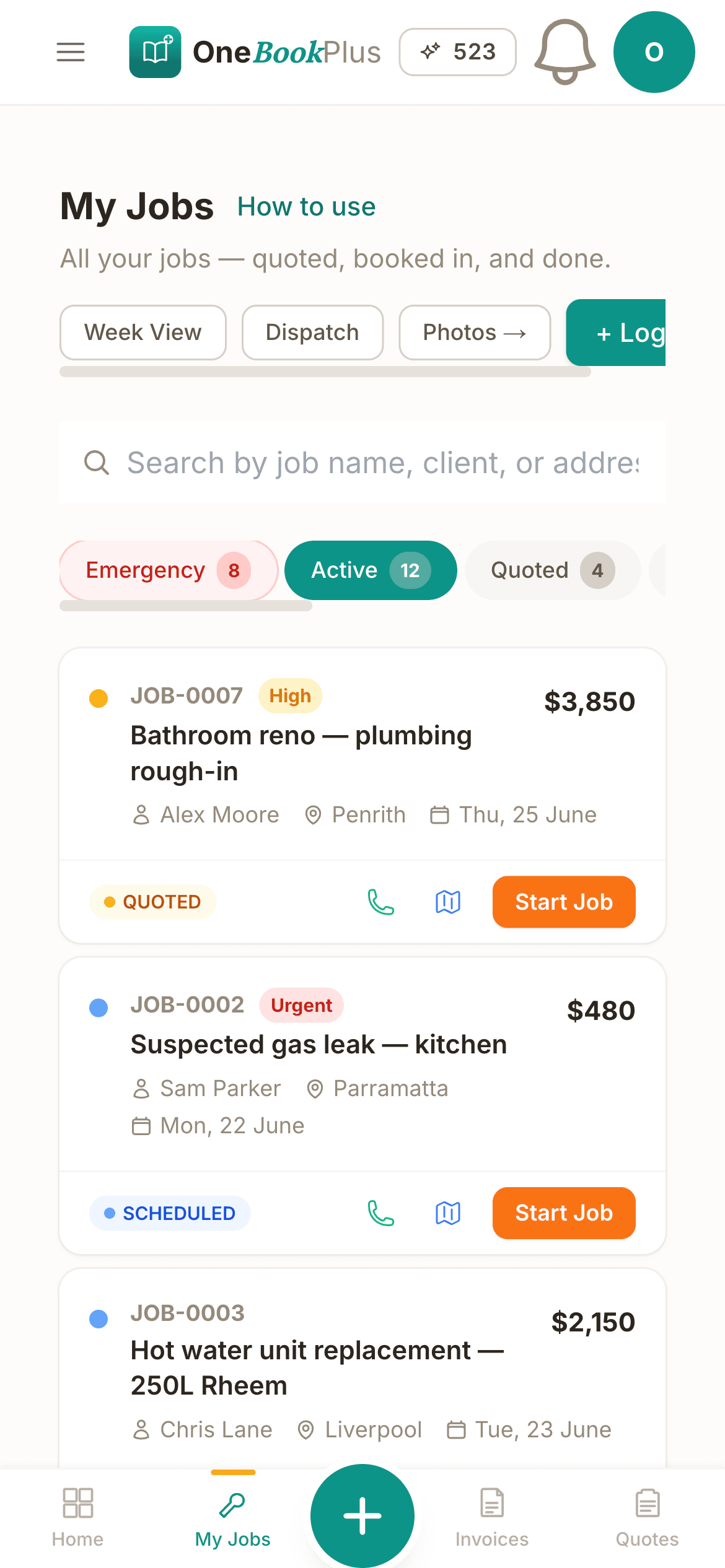
Cut $122+/mo from your software stack by replacing coreplus or Power Diary + Xero + Mailchimp + Podium with OneBookPlus.
See your savingsFree Tools & Resources
8-step founder guide, AHPRA, structure, ABN/GST, PII, premises, billing rails, software stack, first patients.
Operator Guide15 regulated professions, registration types, CPD, PII, recency of practice, renewal calendar.
ReferenceSeven claim rails (Medicare, HICAPS, Easyclaim, DVA, WorkCover, CTP) plus MBS items and Section 19(2).
ReferenceSupport categories, therapeutic item codes, travel claiming, cancellation rules, plan management.
ComplianceAHPRA minimums by profession ($2M–$20M+), MDO vs commercial cover, claims-made traps, retiree run-off.
InteractiveInteractive, set your fee, see Medicare rebate, gap to patient, per-service vs bulk-billed economics.
Key takeaways
6From online booking and telehealth to session notes, NDIS plan tracking and payer-aware invoicing, OneBookPlus handles the admin so you can focus on therapy.
Let parents and clients book initial assessments and therapy sessions online. Real-time availability across your caseload means fewer phone calls, fewer gaps in the diary, and no double-bookings.
Run therapy sessions by secure video for rural, remote or busy families. Telehealth appointments slot into the same diary, send the same reminders, and bill the same way as in-room sessions.
Keep timestamped session notes, assessment results, and therapy goals against each client record, articulation, language, fluency, voice, swallowing, AAC, accessible across sessions and between clinicians.
Record each client's NDIS plan dates, management type (self, plan-managed or NDIA-managed) and key contacts, and track sessions against funding so you know where each plan stands before it runs out or needs review.
Send invoices after each session with your ABN against the right NDIS support item, plan manager or self-managed client, plus Medicare CDM/EPC, private and DVA payers, so plan managers can pay you without back-and-forth.
Income is categorised automatically as it's billed, GST is handled per line (therapy is generally GST-free; resources and products are GST-taxable), and your BAS summary stays current, no quarter-end spreadsheet scramble.
Free plan available, no card needed.
Website included
Every paid plan includes a full website, hosted by us, with nothing extra to buy and no separate builder: your site, its booking page and the tools behind them sit on one plan. The Free plan keeps the booking page and does not have the website.
The AI drafts every page from your own answers about your speech pathology work, not from your business name, and it does not invent claims. Every page is laid out for a phone as well as a desk. In the Website Studio you edit any section in place, add text, lists and buttons inside it, choose how many cards sit across, and change the look, which keeps your words, your photos and the spacing you set. The booking page is built in and the site's Book buttons go to it. Your first AI build is included with the plan. A later rebuild runs on AI Companion credits, and one that starts fresh replaces your pages, saving a restore point in History first.
A worried parent books an initial assessment at 9pm after their child's daycare review, while reception is closed. The booking lands in your dashboard with the referral and concern, intake and consent forms already sent, ready for tomorrow's diary.
Initial assessment $250. Individual therapy session $193.99. Telehealth session $193.99. A customer sees the price before they book.
The AI writes your services and the area you cover from your answers, so when someone searches 'speech pathologist in [suburb]' there is a page that says what you do and where.
No card needed to start.
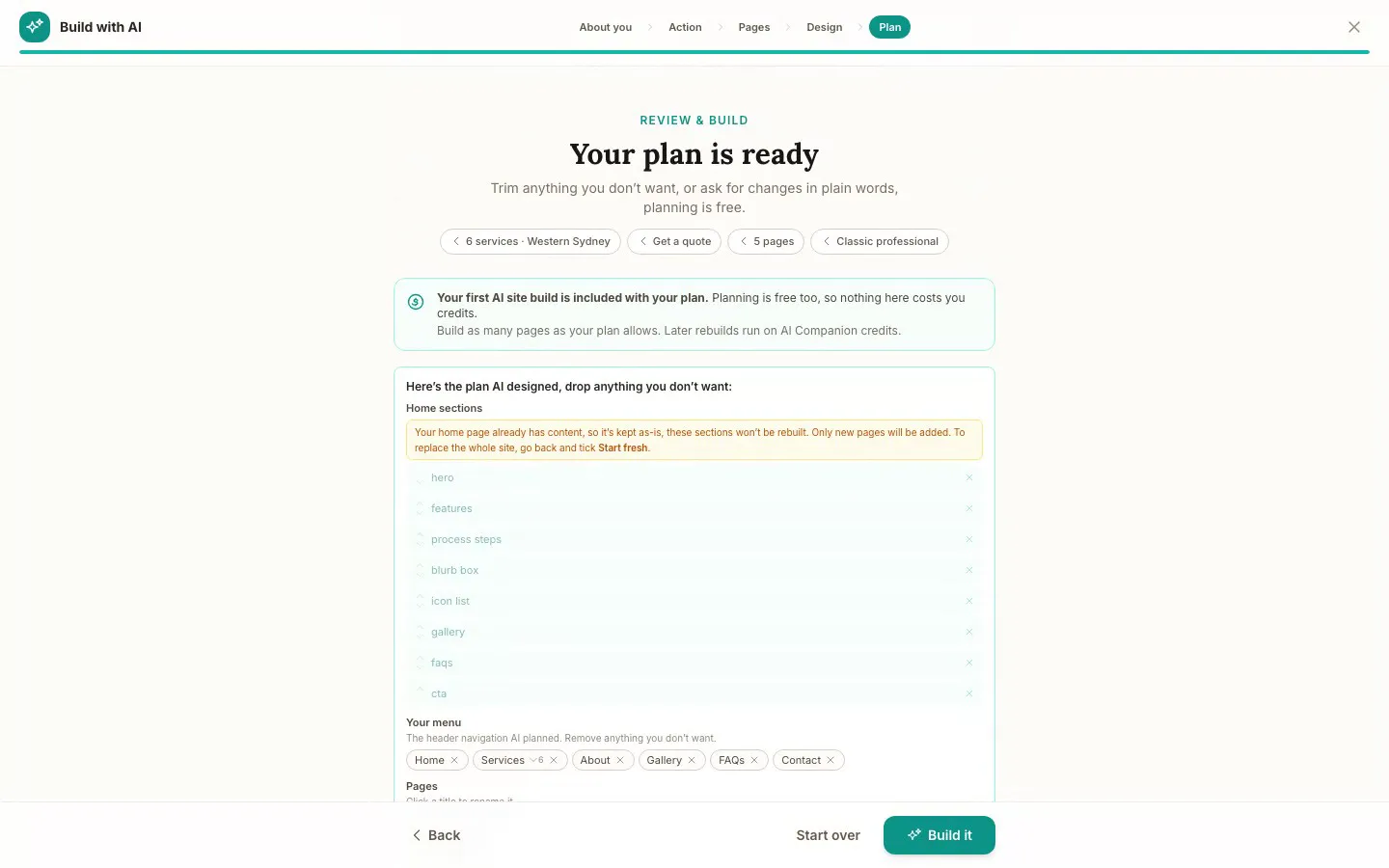
The Website Studio's Build with AI at its Plan step, on our plumbing demo: the pages, sections and menu the AI proposed from the answers already on the account, before anything is built. Click it to see it full size, or watch the recording of the build on the homepage.
Free
$0
A branded booking page on your OneBookPlus address. No website on this plan.
Starter
$29/mo
A website on your OneBookPlus address, hosted with SSL: 10 pages and a blog. The first AI draft is included.
Plus
$49/mo
Your own domain with SSL, 50 pages and a members area.
Growth
$69/mo
Unlimited pages, and a landing page per suburb from one template.
Your own domain connects on an active paid Plus or Growth subscription, not during the 14 day trial; a trial site lives on your OneBookPlus address. Every published site carries a small “Made with OneBookPlus” credit.
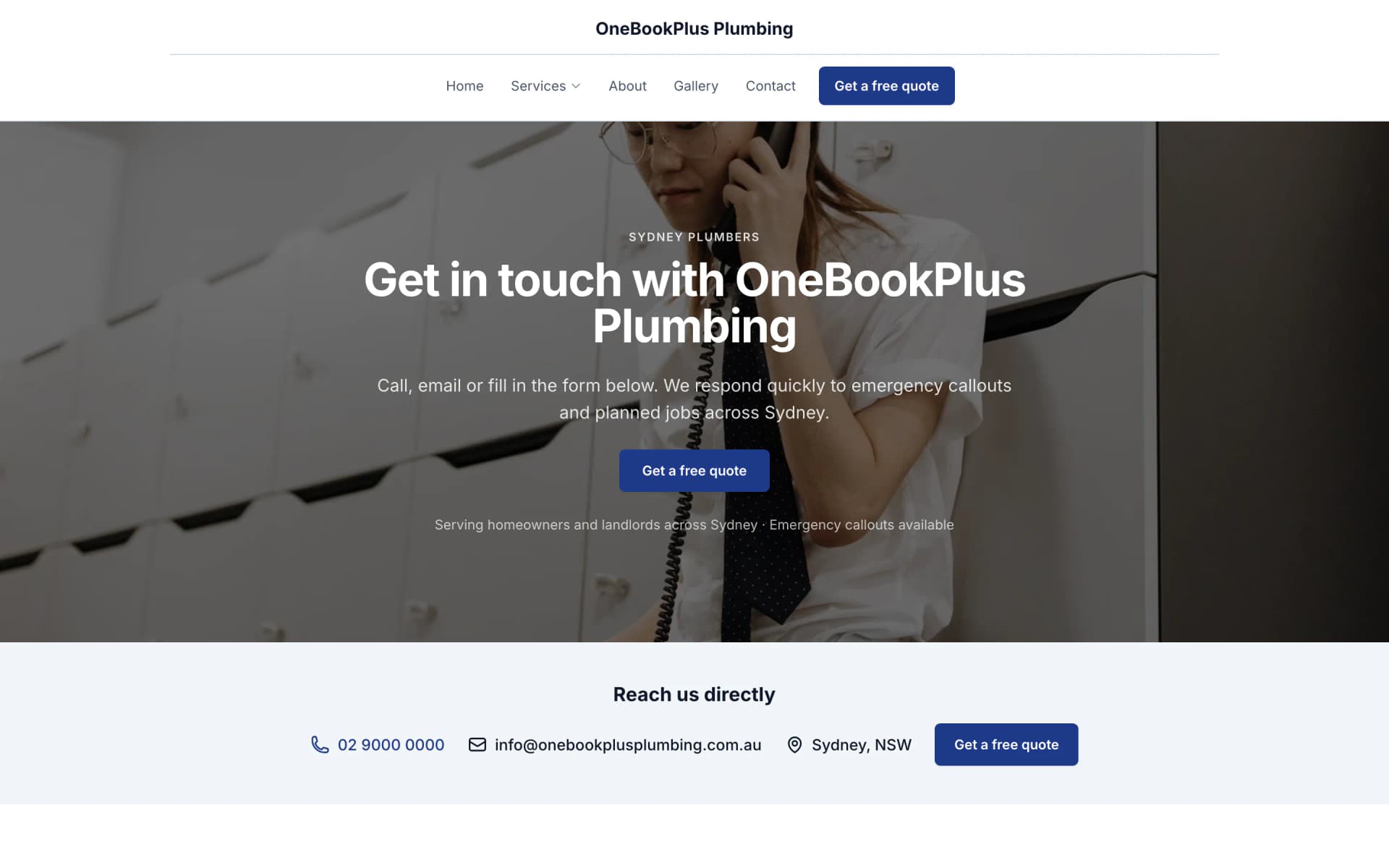
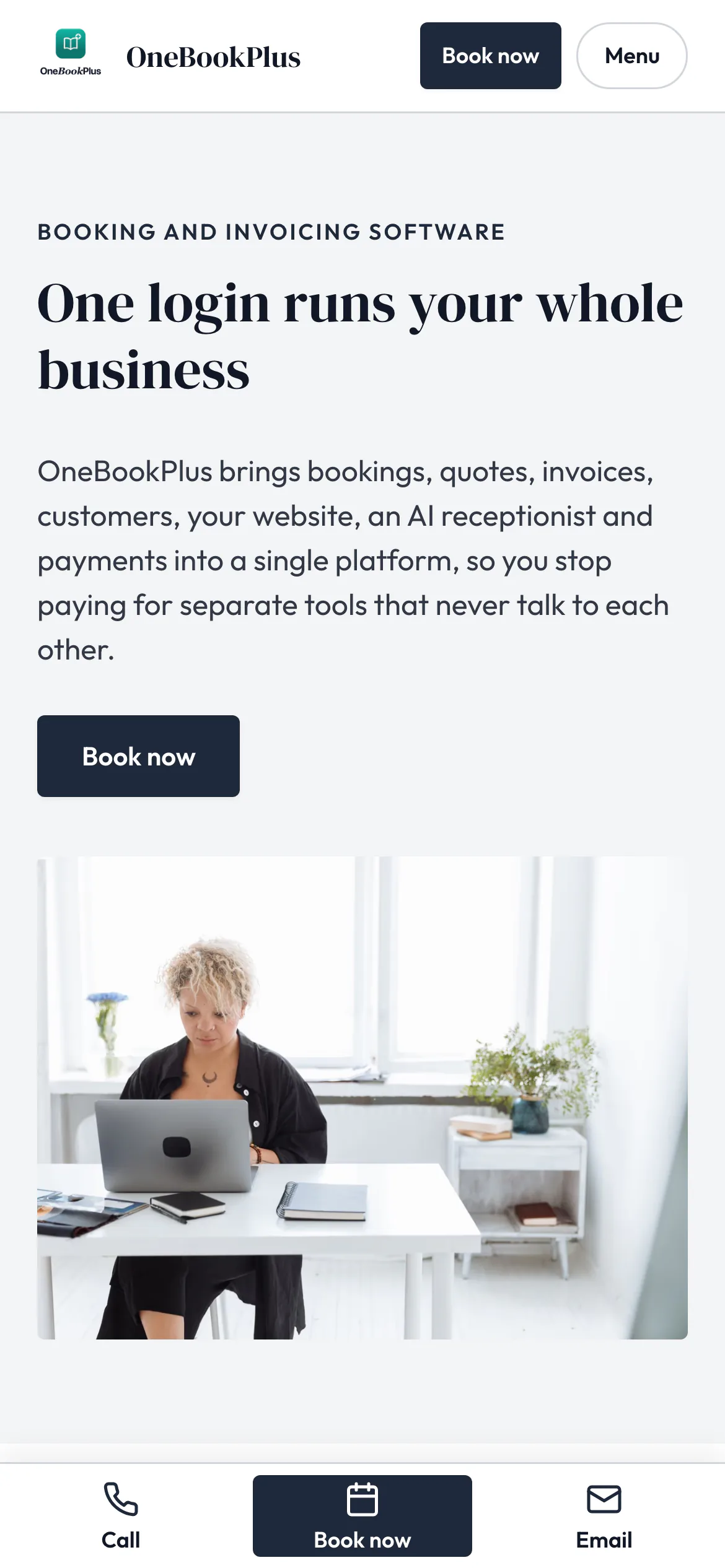
All three sites were drafted by the AI from the owner's answers, our own site included. It picks one of eight heading and body type pairings and how the cards sit (a fine line, a bold outline, a soft lift or no card), so a plumber's site, a driving school's and ours do not come out alike. Switch the view to see each one on a desktop, a tablet and a phone, click any screenshot to see it full size, or open the live site in a new tab. The plumber and the driving school are our demo businesses, not customers.
A plumber in Sydney
The home page: the name centred over the menu, a dark hero photo, a navy quote button and a grid of services.
Open the OneBookPlus Plumbing site(opens in a new tab)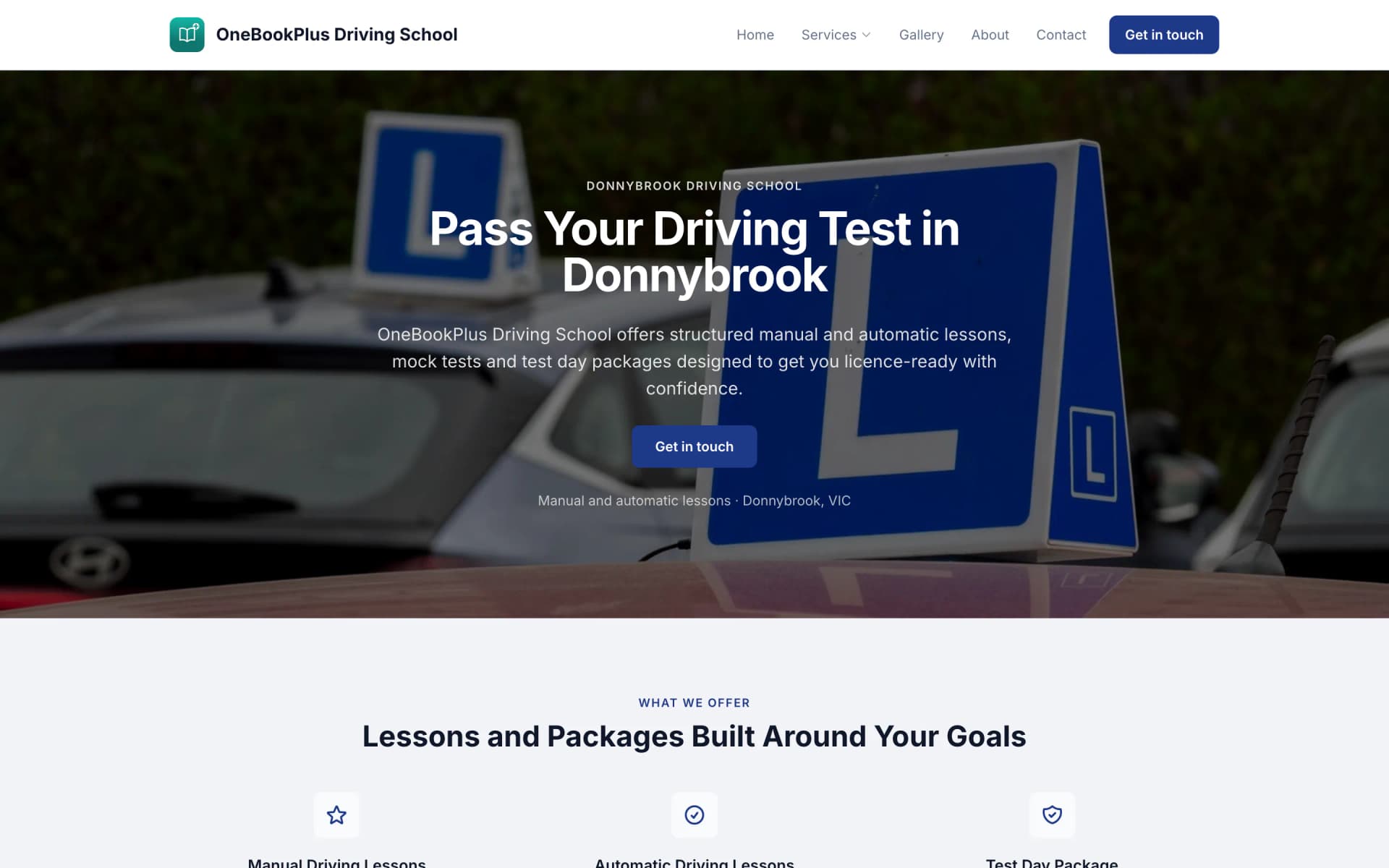
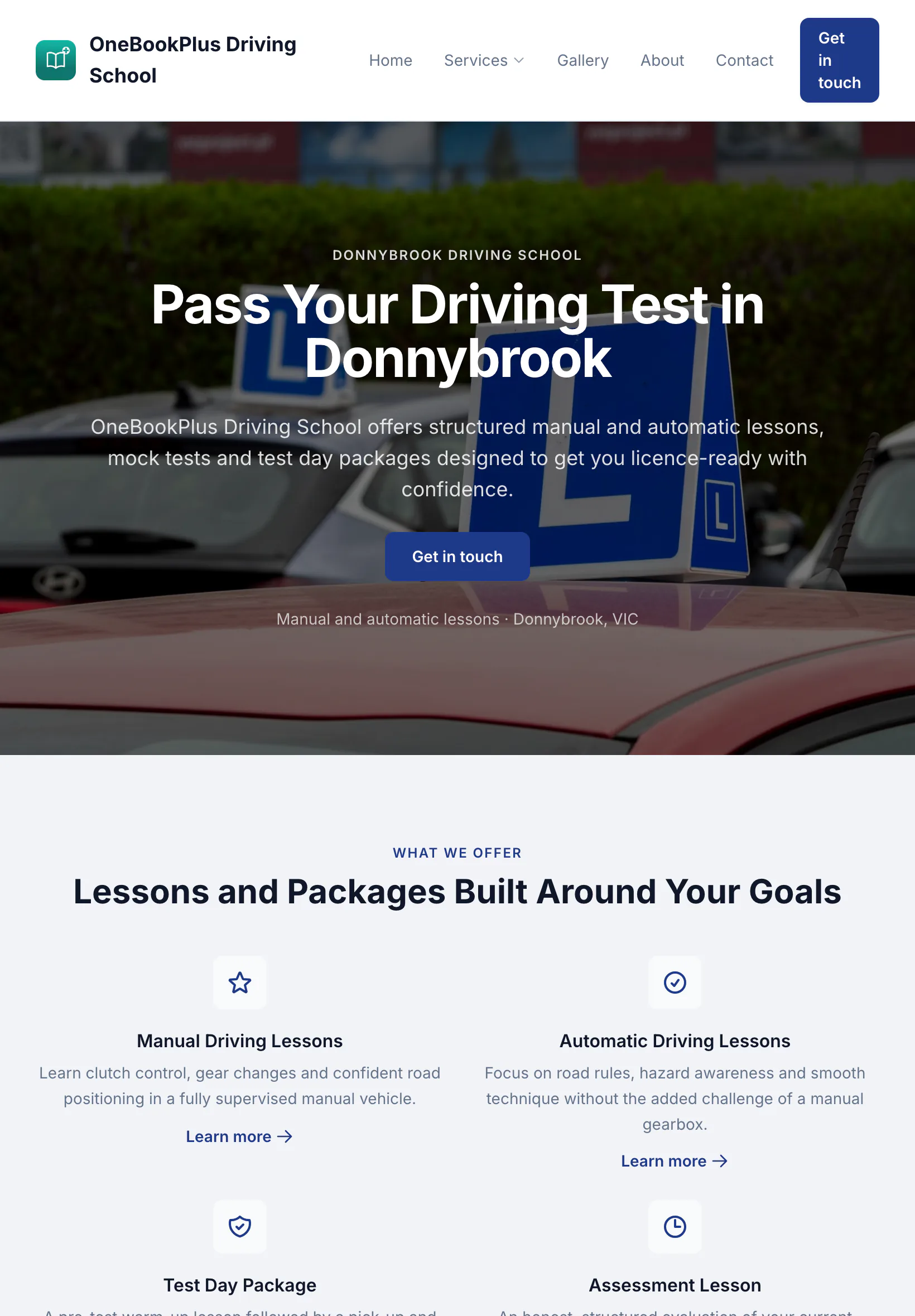
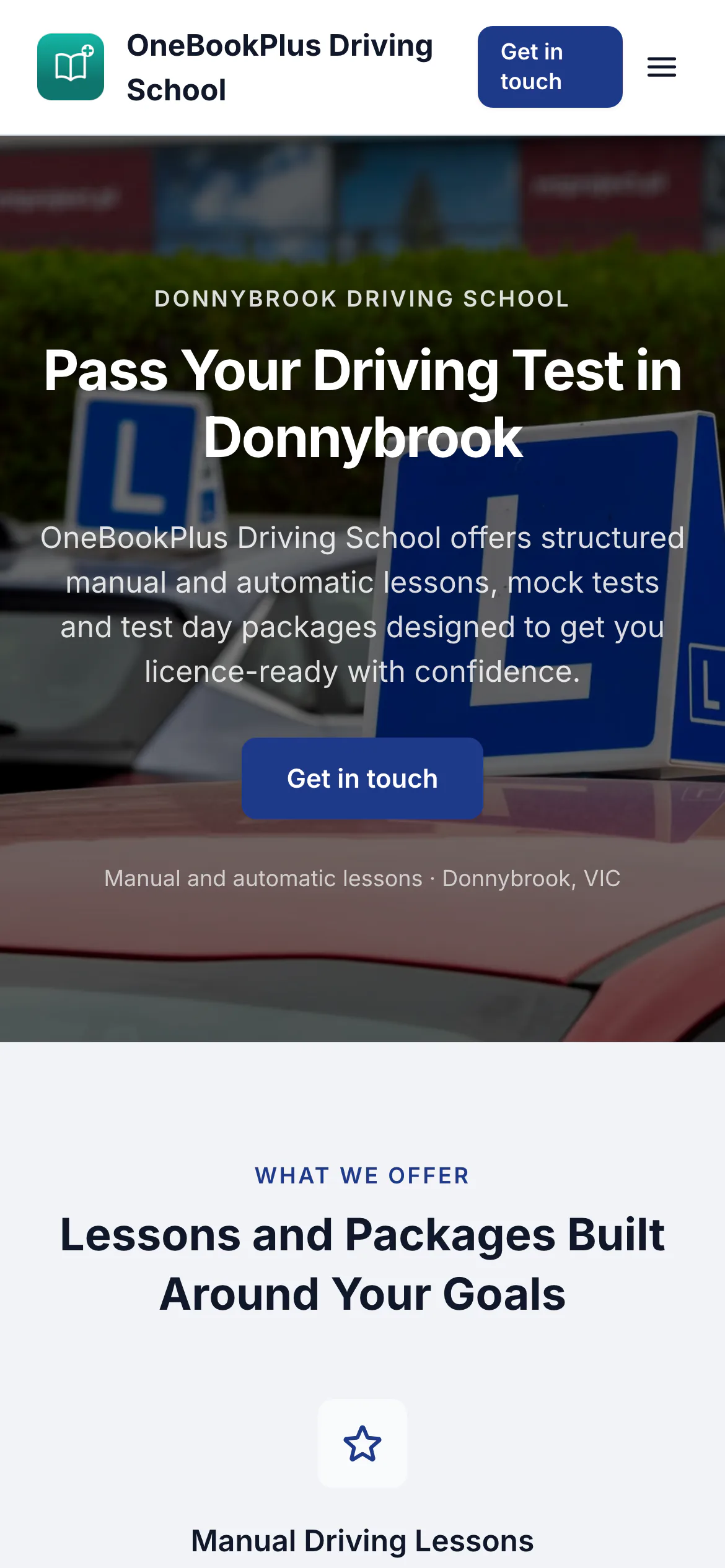
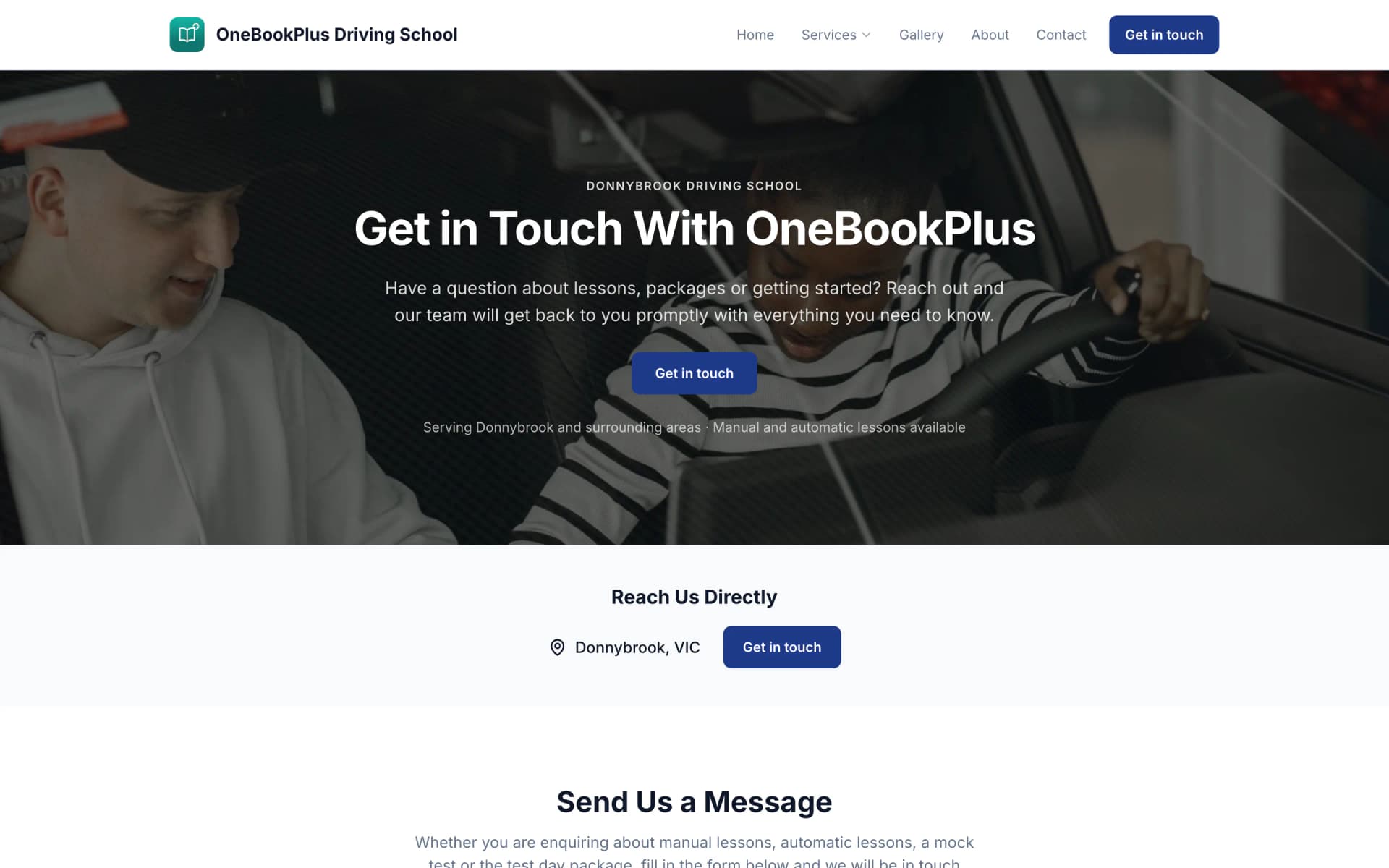
A driving school in Donnybrook
The home page: a teal logo and name on the left, an L plates hero and lessons and packages as cards.
Open the OneBookPlus Driving School site(opens in a new tab)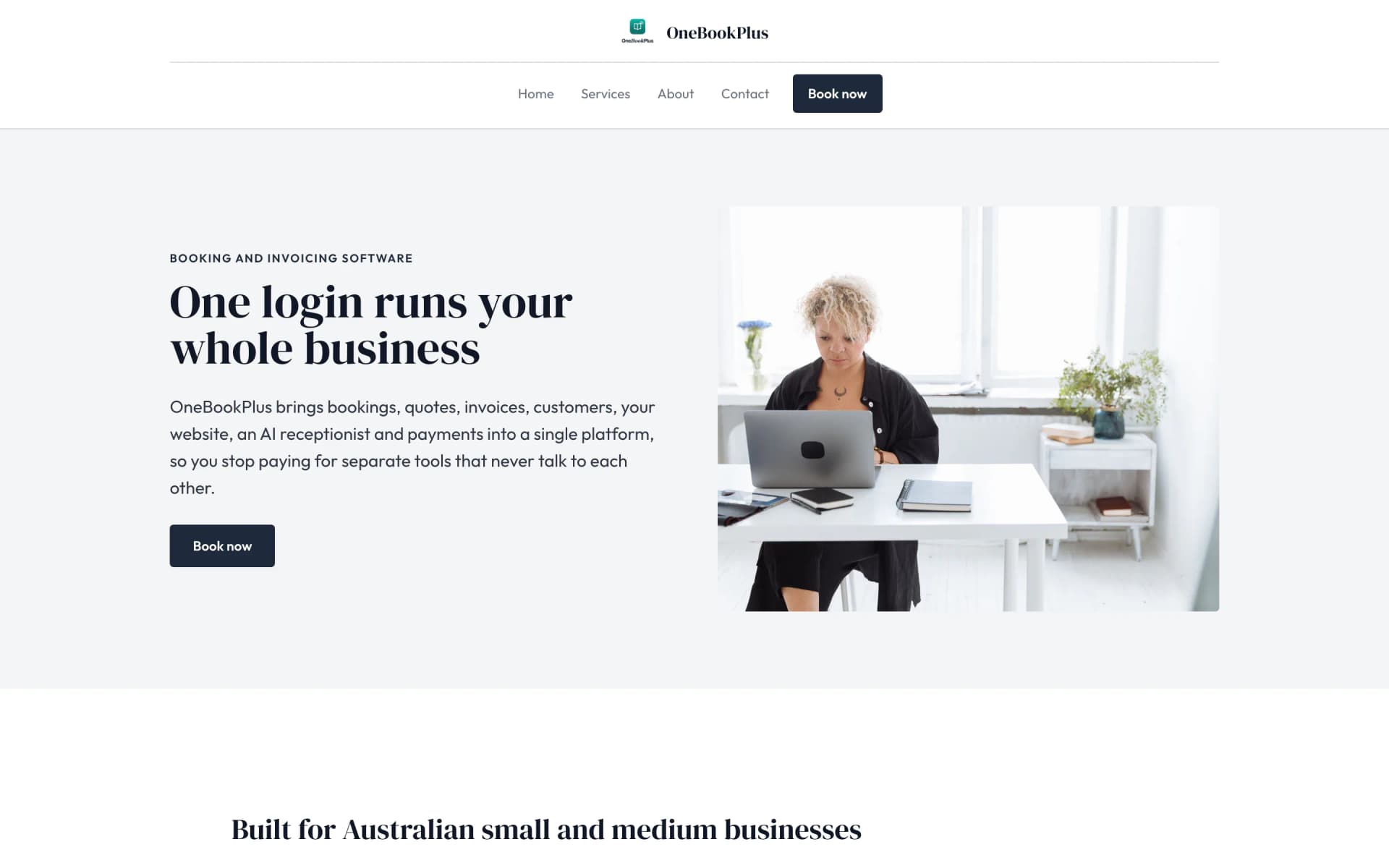
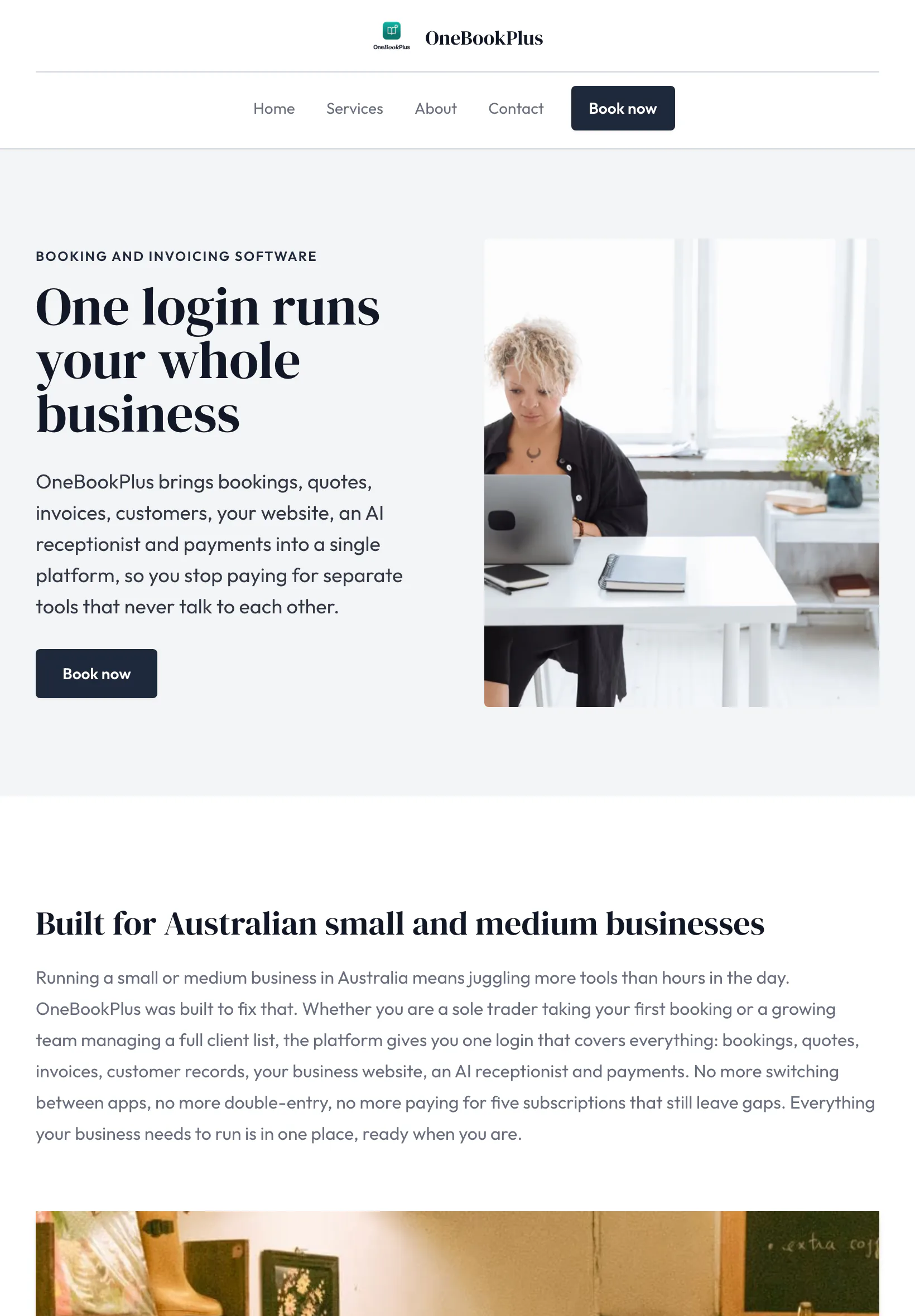
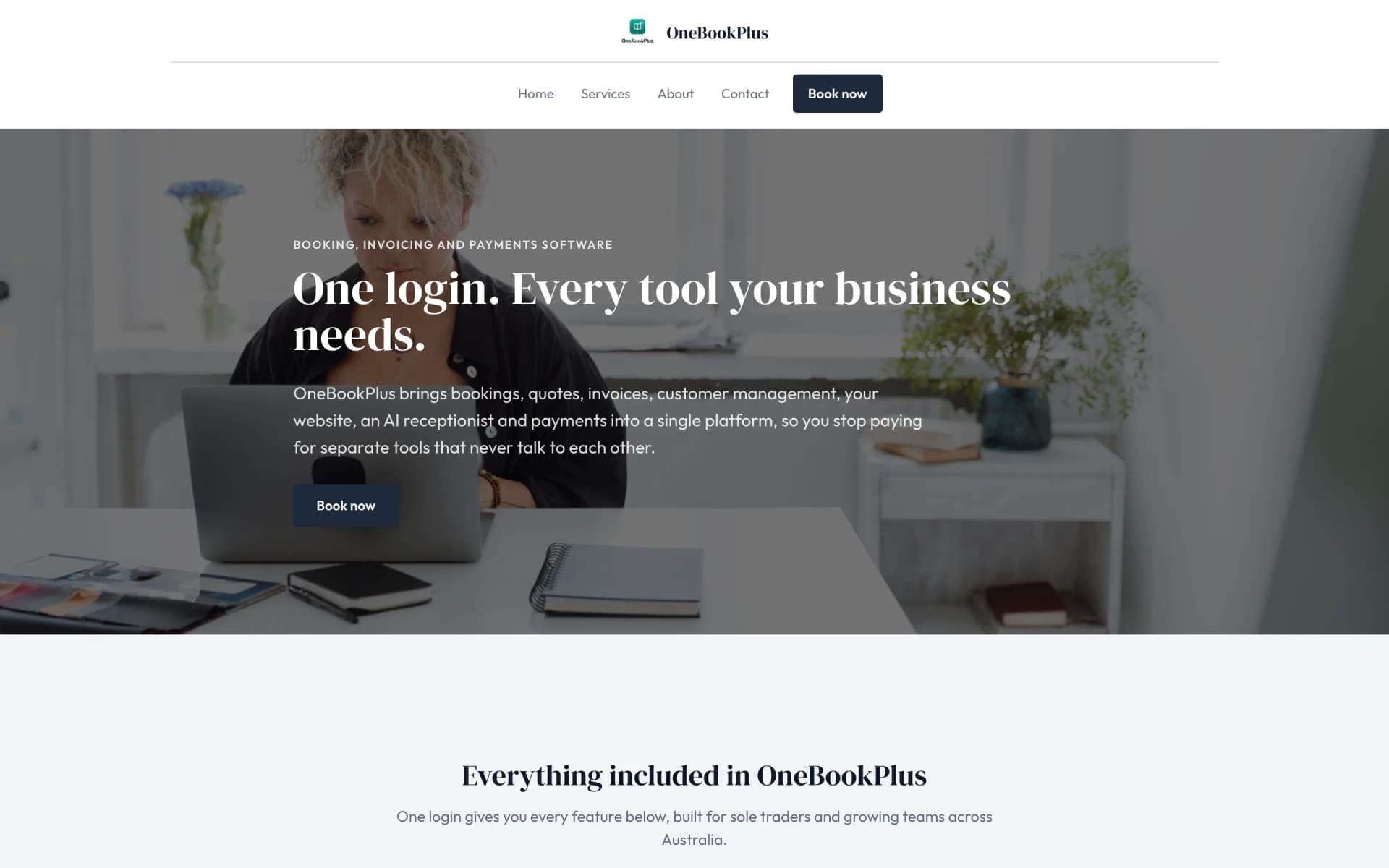
Our own site, built the same way
The home page: a serif heading beside a framed photo on pale grey, and no full width hero at all.
Open the OneBookPlus site(opens in a new tab)See it in action
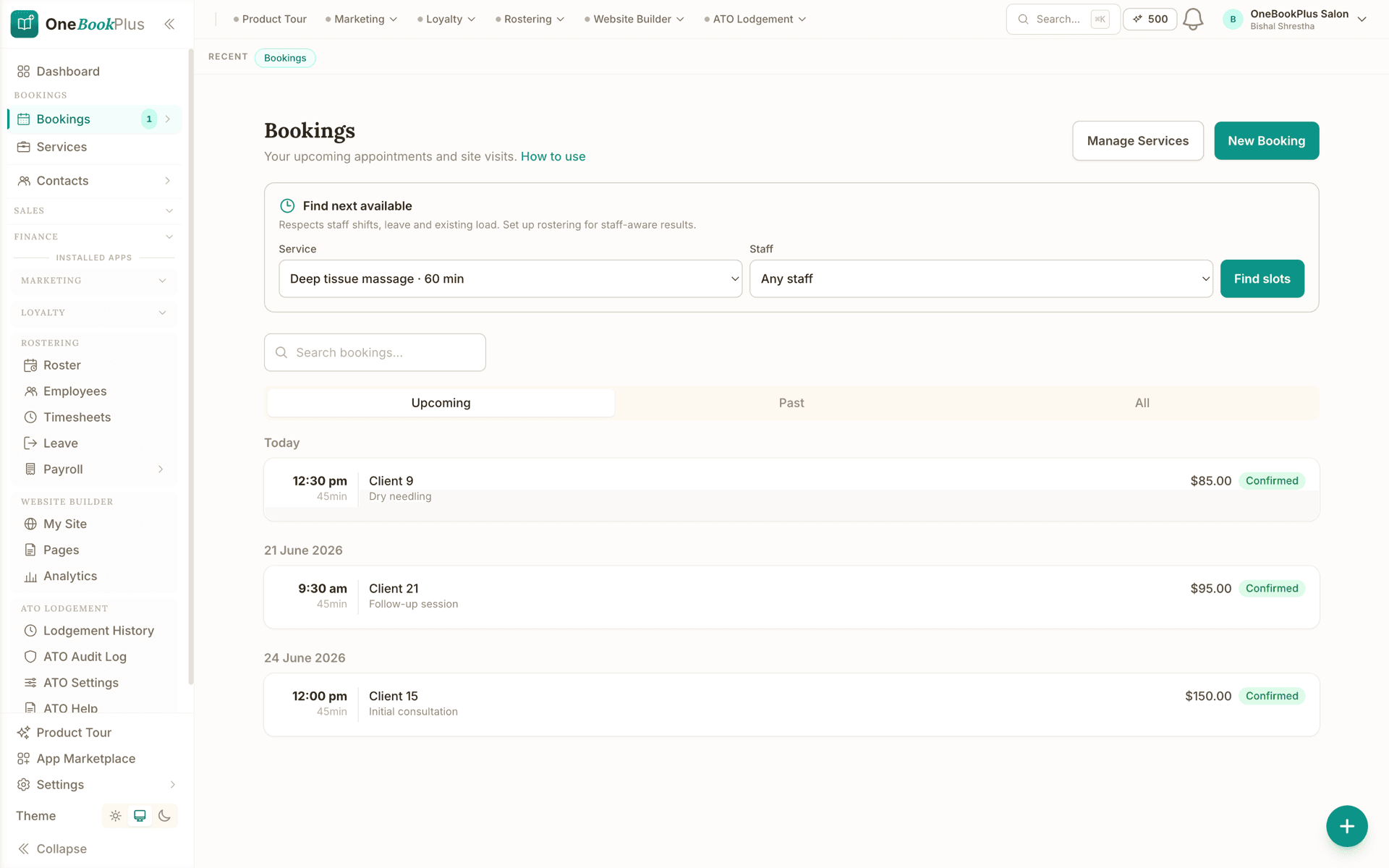
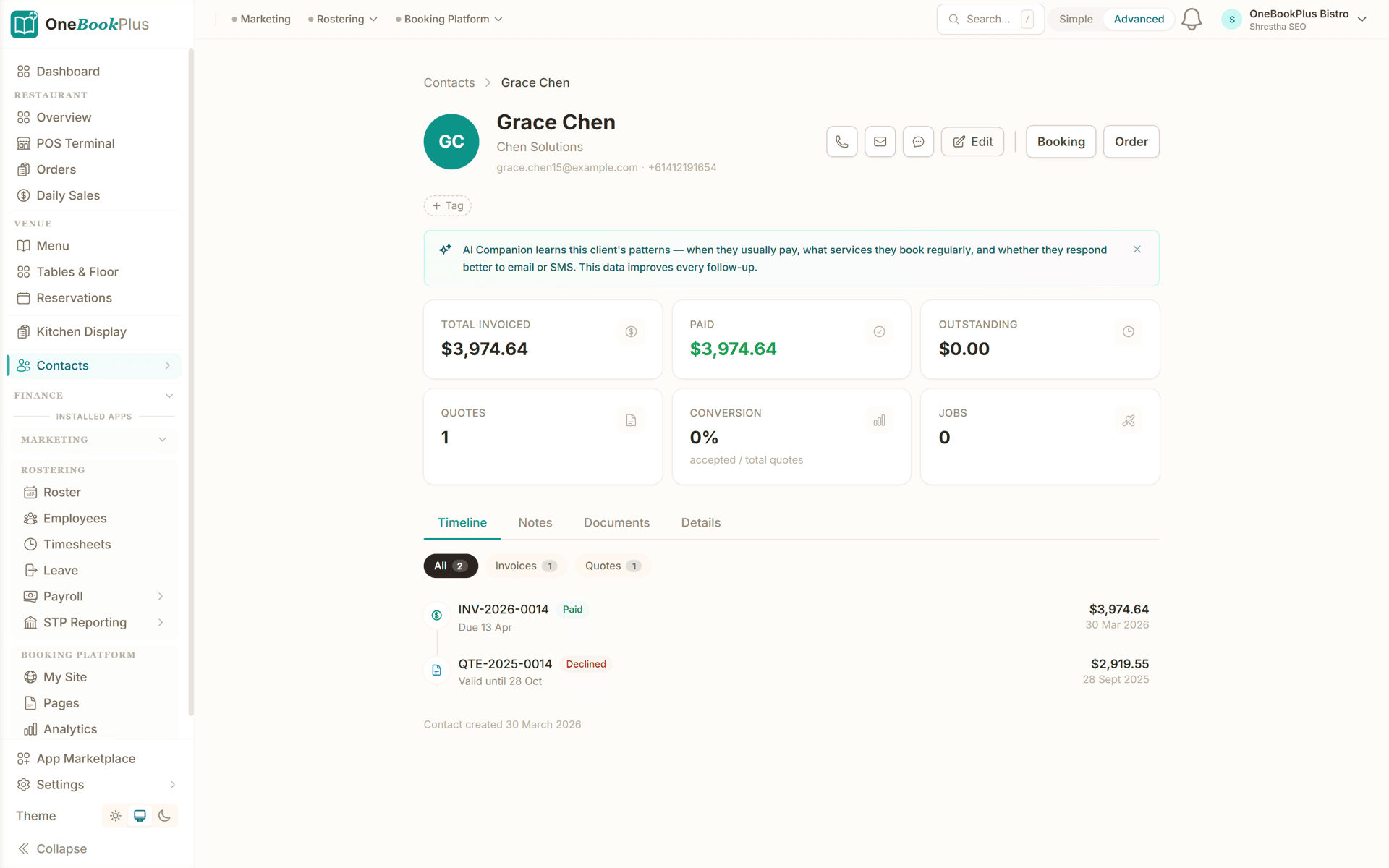
These are real product screens: the diary, the client record and the invoicing you'll run day to day. Tap any screen to zoom in.
The Bookings screen: pick the session type and the clinician and Find next available searches around rostered hours, leave and existing load. Each session shows the time, the length, the client and the fee.
The client record: total invoiced, paid and outstanding, quotes raised and jobs done, and a timeline of every invoice and quote with its status and date, plus notes and documents tabs.
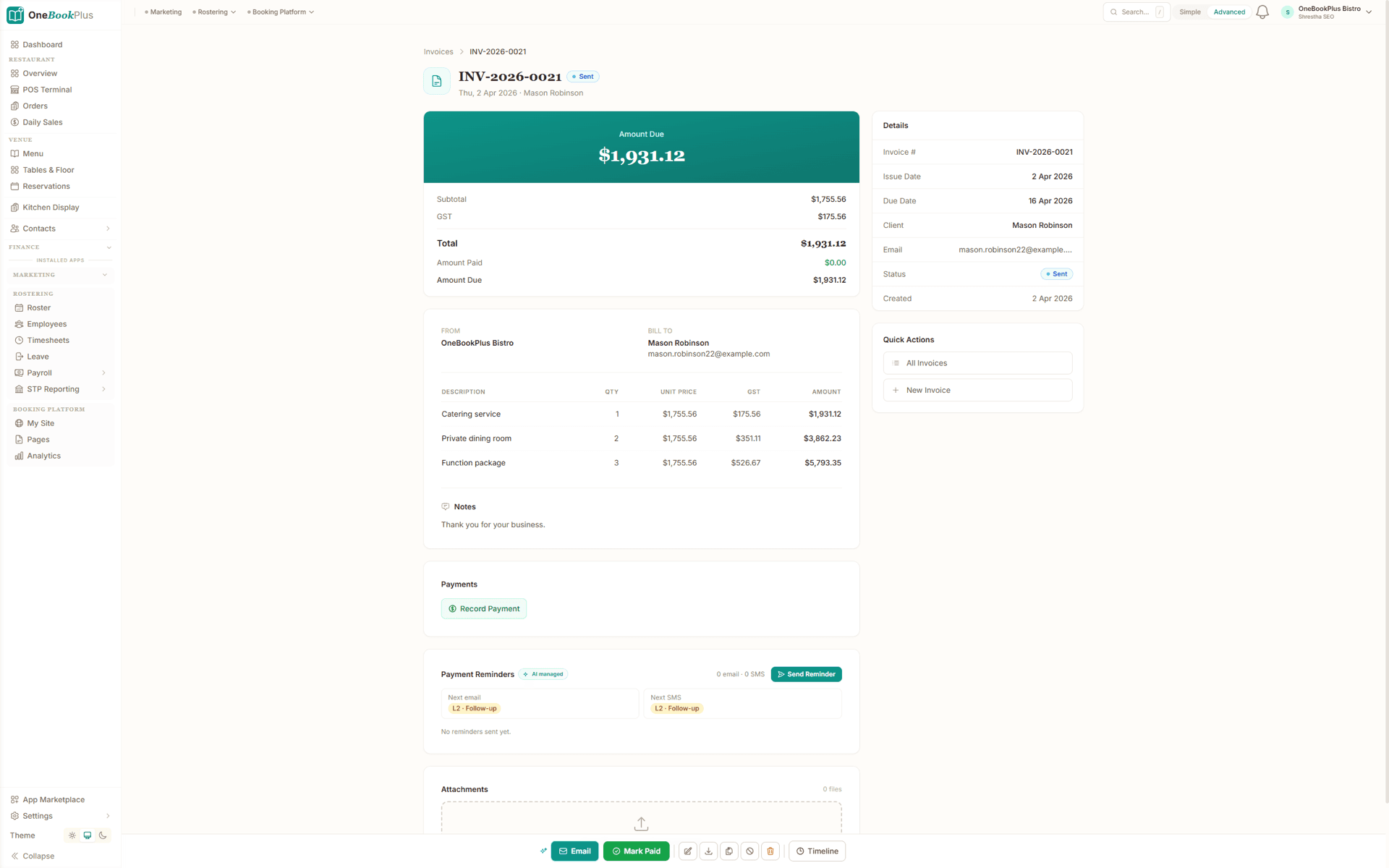
An invoice with each item priced separately and GST shown per line, the amount due on top, payments recorded against it, and reminders that queue the next email and the next SMS.
Set up your appointment types once and take bookings the same day. Here is how.
Add your appointment types: initial assessment, individual therapy, telehealth session, parent consultation, report writing, school or home visit: with durations and fees. Create your practice's branded booking page.
Share your booking link on your website, Google Business profile, and referral letters. Families pick a time that suits them, complete intake and consent forms, and you start each session prepared.
OneBookPlus sends appointment reminders and rebooking prompts automatically, keeping therapy blocks consistent for clients on a weekly or fortnightly cycle and reducing no-shows.
Record session notes and goal progress, then send an invoice against the right NDIS support item or Medicare CDM/EPC payer. Request a Google review to build your reputation.
Take online bookings the day you sign up
Who it's for
A sole practitioner, a multi-clinician clinic and a mobile clinician doing school visits run very different weeks. Here is what each one uses.
Running several speech pathologists across rooms and telehealth. Needs scheduling across clinicians, shared client records, NDIS plan tracking, and daily reconciliation.
Running your own caseload. Needs simple booking, telehealth, session notes, NDIS plan tracking, and streamlined invoicing with your ABN against the right support items.
Seeing children on weekly or fortnightly therapy blocks, mostly NDIS-funded. Needs reliable reminders, goal tracking, plan-date visibility, and clean plan-manager invoicing.
Seeing clients at schools, homes or early-learning centres. Needs on-the-go booking, notes and invoicing from a phone or tablet, plus telehealth for travel-free sessions.
Named tools, at each vendor’s own cheapest published plan, and ours underneath. Vendor pricing changes, so check each one before you decide.
Or use OneBookPlus
$69/mo
Everything in the list above, on one bill.
Start freeNo credit card · Free forever · Cancel anytime
Example walkthrough
An illustrative walkthrough of a typical practice day, admin only
The dashboard at 7:45am shows the day: a full diary across in-room and telehealth appointments. Two families booked overnight through the practice website and received automatic confirmations with the intake and consent forms attached, so their details are on the record before they arrive. Today's clients have already had their reminder, and a rebooking prompt went out to the clients whose weekly blocks lapsed.
A parent rings asking about an initial assessment. You find the family in the CRM, see there is no plan recorded yet, and book the appointment in two taps. The intake form emails itself.
Between sessions you record notes and goal progress against each client record rather than carrying a pile home. At the end of each appointment the invoice goes out with your ABN against the correct payer, an NDIS support item, a Medicare care-plan session or a private fee, with the consult treated as GST-free and any take-home resources billed as GST-taxable lines.
At the end of the week you look at which referrers are sending clients and which NDIS plans are approaching their review date or running low on funded hours, so nothing lapses mid-block. The BAS summary is already up to date.
How we compare
See how we compare to the tools speech pathology practices typically use.
| Feature | OneBookPlus | coreplus | Power Diary | Cliniko |
|---|---|---|---|---|
| Online client booking | Yes | Yes | Yes | Yes |
| Telehealth sessions | Yes | Yes | Yes | Yes |
| Client CRM & history | Yes | Yes | Yes | Yes |
| Automated reminders | Yes | Yes | Yes | Yes |
| Session notes & goal tracking | Yes | Yes | Yes | Yes |
| NDIS plan & funding tracking | Yes | Yes | Yes | No |
| GST / GST-free invoicing | Yes | Yes | Yes | Yes |
| Accounting & P&L | Yes | No | No | No |
| BAS-ready tax reports | Yes | No | No | No |
| Google review automation | Yes | No | No | No |
| Medicare and NDIS claim submission inside the software | No | Yes | Yes | Yes |
| Free plan available | Yes | No | No | No |
| Price | From $0/mo | Subscription | Priced in US dollars | US$45+/mo |
An illustrated day, not real customer data. Scroll through it from morning to 5pm: the AI receptionist answers and books a missed call, the work runs from the app, the GST invoice is sent on the spot, payment lands and the books balance themselves, a review invite is queued for the next daily run, and the day closes with the ledger already written.
7:50am
While you're mid-session
A parent whose toddler isn't talking yet rings the first speech pathologist on Google, you, while you're running an early therapy block.
AI Receptionist
The AI answers in two rings, books a 2:00 pm initial assessment and emails the intake and consent forms, your session never gets interrupted.
In the therapy room
Client card on your screen: intake done, NDIS plan dates and managed-by on file, referral history ready. Session notes go straight into the record.
After the session
One tap raises the invoice against the right NDIS support item, ready for the plan manager. No end-of-day billing pile.
Between clients
The plan-manager payment lands, the books update themselves, and the GST-free split on the consult is handled automatically.
The review invite
After the session, the AI requests a review, timed to the delay you set. No chasing, no awkward ask.
The day closes itself
You ran a full caseload and gained a new client. The book did the rest.
$0
billed
0
admin tasks done by AI
0
evenings lost
An illustrated day, not real customer data. AI Receptionist is a $79/mo add-on that needs AI Companion ($25/mo, included on Growth), and AI Companion is what sends the review invite as well. The rest of the day is the app itself.
Start free, upgrade when your caseload justifies it. No contracts, no setup fees, no per-practitioner SaaS tax that coreplus and Power Diary charge on every extra clinician. Cancel any time.
Free
$0/forever
Take your first online booking today, no credit card.
Starter
$29/mo
Replaces coreplus or Power Diary + Xero + your reminder and booking tools.
No card, drops to Free if you don't upgrade
Plus
$49/mo
Outgrowing the basics, advanced reporting.
Our pick: unlimited contacts and booking pages for $49
Growth
$69/mo
For busy practices chasing rebookings, reviews and new referrers.
Prices in AUD. Speech pathology consults are generally GST-free; resources and products are GST-taxable. Online card payments carry Stripe processing fees (1.7% + 30¢ AU cards) plus a 2.5% OneBookPlus platform fee. Read the full plan comparison
Switching is designed to fit in a single evening. Export your clients, appointments and referrers as CSV from your current system, import them into OneBookPlus with the bulk importer, and you're taking bookings before the first session tomorrow.
Switch from
Built-in AI
Your front desk is with a patient, calls slip to voicemail, and a patient who can't book just calls the next clinic.
OneBookPlus
AI Receptionist · incoming call
“Can I get in for a sore back this week?”
If you don't answer, the AI books it, Initial consult · Thu 9:15am, and texts a confirmation.
Extend Your Toolkit
Add online bookings, telehealth, session notes, and more to streamline your practice.
Built in Melbourne, AU
ATO-ready from day one
TLS in transit, AES-256 at rest, tenant isolation at the database layer, read the security page
No credit card needed
Common questions about speech pathology booking and practice management software.
The short list is online bookings, telehealth, session notes and goal tracking, NDIS plan and funding tracking, payer-aware invoicing that separates NDIS, Medicare, private and DVA work, and books that stay BAS-ready. Most practices assemble that from a clinical system plus a separate accounting subscription. OneBookPlus covers all of it in one app, free for a small caseload and the same platform whether you are a sole practitioner or a multi-clinician practice. It is not a clinical claiming system: NDIA-managed claims still go through the myplace provider portal and Medicare claims run through your Medicare facility.
Yes. Your branded booking page is available around the clock. Clients and parents see real-time availability, pick an appointment type, initial assessment, individual therapy, telehealth session, parent consultation, choose a time, complete intake and consent forms, and confirm, reducing the load on reception.
Yes. Speech pathology is heavily NDIS-funded, especially in paediatric and disability caseloads. You record each client's plan dates and management type (self-managed, plan-managed or NDIA-managed), bill each invoice against the relevant NDIS support item with your ABN, and your reporting tracks sessions and spend against each plan.Medicare claims run through your Medicare facility. OneBookPlus keeps the booking, notes, invoicing and accounting record aligned so plan managers can pay you cleanly. It is business and billing software, it does not replace the NDIS myplace provider portal for NDIA-managed claim submission, which you continue to use for those clients.
Yes. Telehealth sessions sit in the same diary as in-room appointments, send the same reminders, and bill the same way, useful for rural and remote families, school-aged clients after hours, and anyone who can't travel. You record session notes and goal progress against the client record exactly as you would for a face-to-face session.
Speech pathology services delivered by a recognised speech pathologist are generally GST-free as recognised health services, while goods and resources you sell, therapy materials, AAC devices, take-home kits, are typically GST-taxable. OneBookPlus tracks the split per invoice line so your BAS is correct without manual sorting. This is general information, not tax advice, confirm your specific treatment of GST with your accountant or the ATO.
No. Speech pathology is not one of the professions registered under AHPRA. The profession is self-regulated in Australia: speech pathologists are members of Speech Pathology Australia (the national professional body) and many hold the Certified Practising Speech Pathologist (CPSP) credential, which most funders, including the NDIS and private health funds, look for. OneBookPlus does not assume AHPRA registration; it tracks your ABN, provider details and the credentials you choose to record, and supports the privacy and record-keeping obligations that apply to all Australian health-information handlers.
coreplus, Power Diary, Cliniko and Halaxy are the well-known allied-health practice systems, with deep clinical features and integrated claiming. They're a strong fit if claiming sits inside your practice software. OneBookPlus is the simpler, more affordable alternative for the booking and business side: online bookings, telehealth, session notes, NDIS plan tracking, client CRM, payer-aware invoicing and BAS-ready accounting, from $0/month. If you handle NDIS or Medicare claiming in a separate tool or portal, OneBookPlus is a genuine coreplus and Power Diary alternative; if you need claiming built in, keep a dedicated clinical system for that part.
Each client record carries their plan dates and the sessions billed against the plan, so a plan approaching its end date or running short on funded hours shows up before the block does. That gives you and the family time to arrange a plan review or agree how the remaining sessions will be funded, rather than discovering it at invoicing. OneBookPlus does not check balances with the NDIA or reserve funding, it reports what you have booked and billed, so the participant's own plan and their plan manager remain the source of truth.
Health records carry retention obligations under the Privacy Act and state health-records legislation, and the periods differ between adult and child records, with records for children commonly kept until well after they reach adulthood. Because the rules vary by state and by circumstance, treat this as general information rather than legal advice and check the requirements that apply to your practice. Practically, records in OneBookPlus stay attached to the client record rather than living in a filing cabinet or a personal drive, and you can export them if you close or transfer the practice.
Yes, and that mix is normal in speech pathology. Each invoice records the payer it belongs to, so an NDIS support item, a Medicare care-plan session, a private fee, a private health-fund extras claim and a DVA client can all sit in the same diary without the revenue reporting turning into guesswork. The payer breakdown is what tells you how exposed the practice is to any single funding source, which matters when plan rules or care-plan eligibility change.
About the author

Founder & CEO, OneBookPlus
Bishal spent a decade running digital projects for Australian small businesses before founding OneBookPlus. He writes and maintains these pages, and publishes what OneBookPlus does not do alongside what it does.
Read the founder bioHow this page was researched
The compliance and licensing statements above are taken from the bodies this page links to, including the NDIA price guide, the OAIC and Services Australia, so you can read the rule rather than take our word for it. Plan prices come from the OneBookPlus price registry, so the page and the checkout cannot disagree. Everything said about OneBookPlus describes what the product does today, and the page says so where it does not do something.
A speech pathology practice runs on a rhythm: clients and parents book, you assess, you run therapy blocks toward goals, you write reports and reviews, and you invoice, often against an NDIS plan or a Medicare care plan. OneBookPlus supports every stage of that rhythm, from the first online booking through to the rebooking reminder that keeps a weekly therapy block consistent, and the clean invoice a plan manager can pay without chasing you for detail.
Families find your practice through Google, your website, or a GP, paediatrician or early-childhood referral and book directly through your branded online booking page. They select from your defined appointment types, initial assessment, individual therapy, telehealth session, parent consultation, report writing, or a school or home visit, and choose an available time in real time. New clients complete digital intake and consent forms capturing contact details, the presenting concern, developmental and medical history, referring practitioner, and funding details including NDIS plan dates and management type. This appears in the client record before the first session, so you can prepare rather than spending the opening minutes on paperwork. Returning clients rebook their next session in under thirty seconds.
Telehealth is mainstream in Australian speech pathology, it removes the travel barrier for rural and remote families, suits school-aged clients in after-school slots, and keeps therapy going when a child is unwell enough to stay home but well enough to engage. In OneBookPlus, telehealth sessions live in the same diary as in-room appointments, send the same confirmations and reminders, and bill the same way. You record session notes and goal progress against the client record exactly as you would face-to-face, so a client's history reads as one continuous record regardless of how each session was delivered.
During each session you record notes against the client's record, presenting concern, assessment results, the therapy targets worked on (articulation, expressive and receptive language, fluency, voice, swallowing or AAC), language samples, parent-coaching notes, and the plan for next time, in whatever structure suits your documentation style. Structured note templates are on the roadmap; until then the notes are free-form. Keep the block's therapy goals in the client's record so progress is visible across a block. If another clinician in your practice covers a session, they have full context from previous notes, no verbal handovers. Notes are timestamped and stored securely against each client record, supporting the privacy and record-keeping obligations that apply to Australian health-information handlers and providing evidence of the therapy pathway for NDIS progress reports and funder reviews.
At the end of each session, OneBookPlus generates an invoice with your ABN. Speech pathology services delivered by a recognised speech pathologist are generally GST-free as recognised health services, while resources and products you sell, therapy materials, AAC devices, take-home kits, are GST-taxable, and OneBookPlus handles these mixed invoices correctly, line by line, so your BAS is right without manual sorting. You record each invoice against the correct payer, an NDIS support item (for self-managed, plan-managed or NDIA-managed clients), a Medicare CDM/EPC care-plan session, a private fee, private health-fund extras, or DVA, so your revenue reporting breaks down by payer type, and plan managers receive an invoice with the detail they need to pay you promptly. Keep each client's NDIS plan dates and session count in their record so a plan approaching its end date or running low on funded hours never surprises you. OneBookPlus is business and billing software: for NDIA-managed clients you continue to submit claims through the NDIS myplace provider portal, and Medicare claims run through your Medicare facility. OneBookPlus keeps the booking, notes, invoicing and accounting record aligned with those claims so nothing falls through the cracks.
Very few speech pathology practices run on one funding source, and the mix is what makes the admin awkward. Under the NDIS the management type decides who you invoice and how quickly you are paid: a self-managed participant pays you directly, a plan-managed participant's invoices go to their plan manager, and for an NDIA-managed participant the claim goes through the myplace provider portal. Medicare care plans sit alongside that as a top-up rather than a therapy program, since a CDM/EPC plan gives an eligible patient up to five allied-health sessions in a calendar year across all providers, not five with you. Then there are private fees, private health-fund extras and DVA clients. Recording the payer on the invoice at the point of billing, rather than working it out at month end, is what keeps the revenue picture honest and shows how exposed the practice is to any one funding source. If disability work is the bulk of your caseload, the NDIS provider software page goes deeper on plan and support-item handling, and the occupational therapy practice page covers the same ground for OTs working alongside you.
Speech pathology is not registered under AHPRA, but that changes nothing about your privacy obligations. The Australian Privacy Principles under the Privacy Act apply to health-service providers whether or not the profession is registered, which means client records are collected with consent, kept secure, used for the purpose they were collected for, and made available to the client when they ask. In practice this is why intake and consent are captured at booking rather than scribbled on a clipboard, why notes are timestamped against the client record instead of living in a personal drive, and why a clinician leaving the practice should not take a caseload's history with them. Retention periods for health records are set in state legislation and differ for adults and children, so check the rules for your state rather than assuming a single number. If you are weighing a dedicated clinical system against a business-side platform, the OneBookPlus and Cliniko comparison sets out where each one fits, and the online booking feature overview explains how intake forms and consent are attached to an appointment.
Growing a speech pathology practice comes down to keeping the clients you have engaged on their therapy blocks and attracting new ones, often via GP, paediatrician, early-childhood and school referrals and online search. OneBookPlus supports both. After a session, automatically request a Google review from satisfied families, building the online reputation that wins the next parent searching "speech pathologist near me." Referral source tracking shows which GPs, paediatricians and centres send clients your way, so you know which professional relationships to nurture. Your booking page doubles as a lightweight website showcasing your services, telehealth options and reviews, and the dashboard ties it all together, bookings, rebookings, referrals, payer mix and BAS-ready financials in one place, so you always know exactly where the practice stands.
Let clients book online, run telehealth alongside in-room sessions, keep session notes and NDIS plans organised, and bill each payer correctly as you go. Free to start.
Reviewed by Bishal Shrestha
Authoritative sources
Speech pathology in Australia sits across a self-regulating professional body, NDIS and Medicare funding rules, and privacy law. We cite the primary sources for every claim on this page so you can verify directly.
From the blog
Practical guides and explainers from the OneBookPlus blog, grouped by topic.
Automate your payment reminders: email first, SMS if that is ignored. How to set the sequence up and get paid without the awkward follow-up call.
An AI receptionist answers your calls, qualifies the caller and books the job. How it compares to voicemail and answering services, and what it costs.
Choosing cleaning business software in Australia for 2026: recurring schedules, on-site invoicing, rostering, payments and GST in one place.
Choosing and setting up an online booking system: why it matters, the features to look for, and how to connect bookings to invoicing and your CRM.
Industries
Features
Comparisons
Tools & Apps