
A plumber in Sydney
OneBookPlus Plumbing
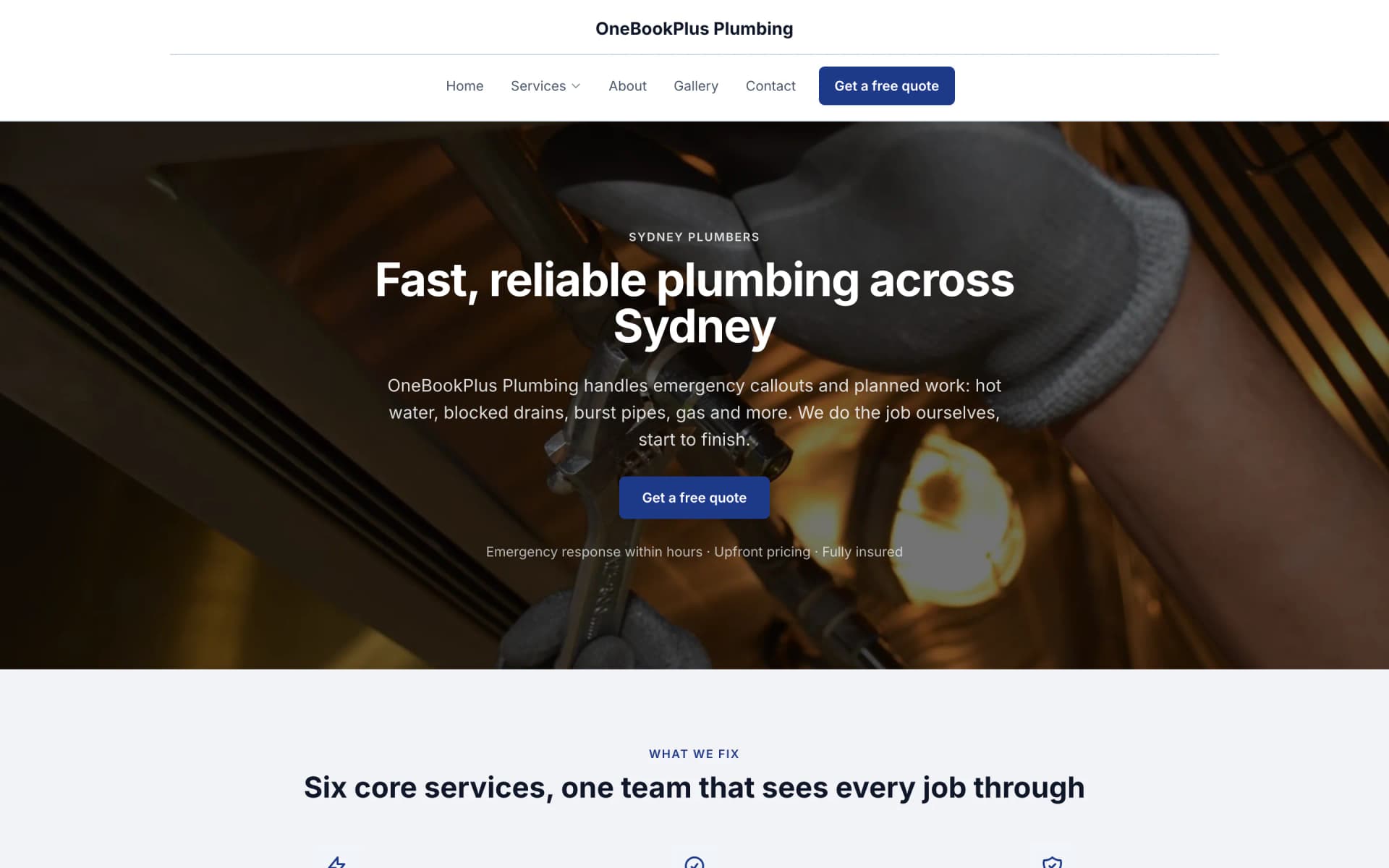
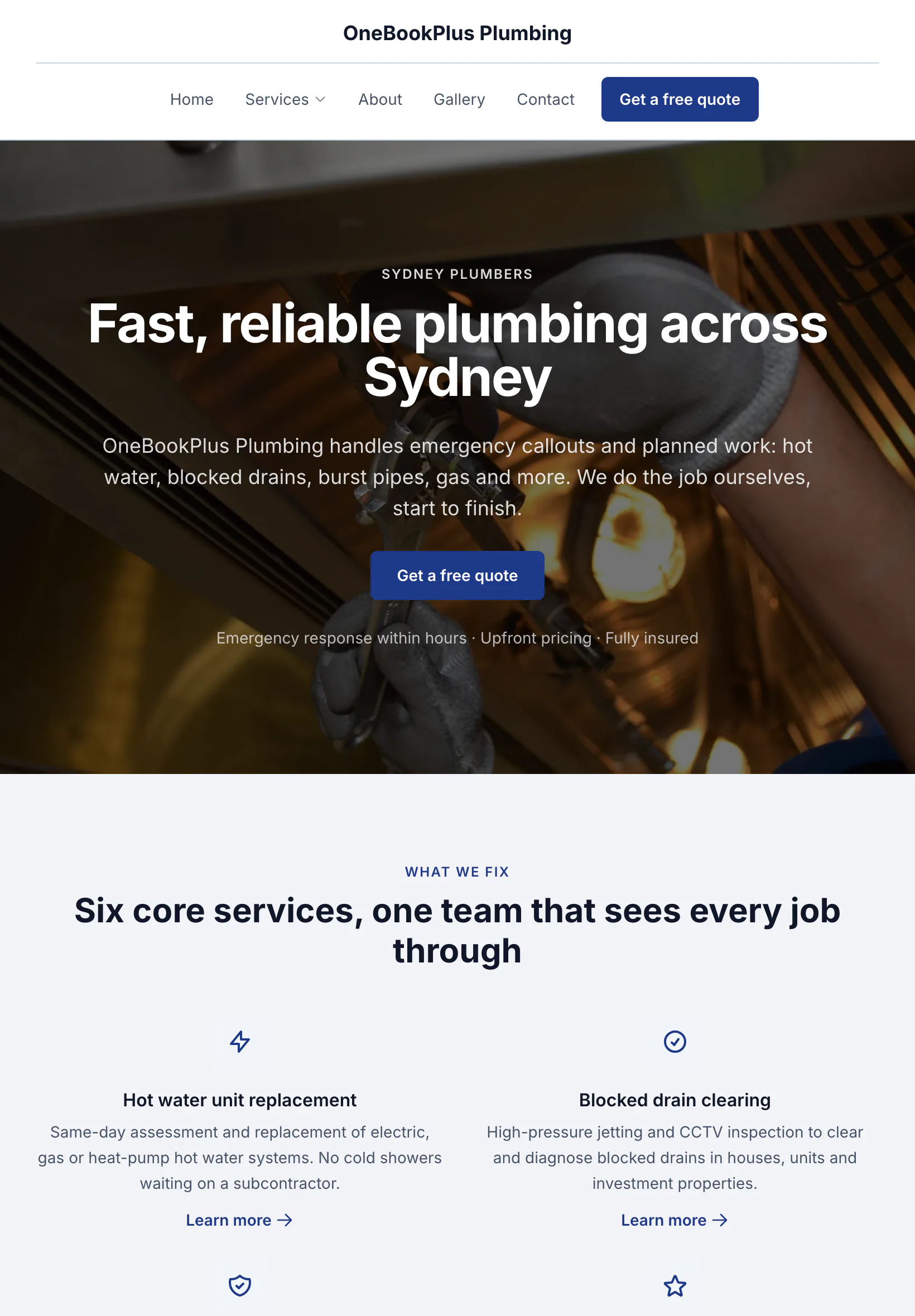
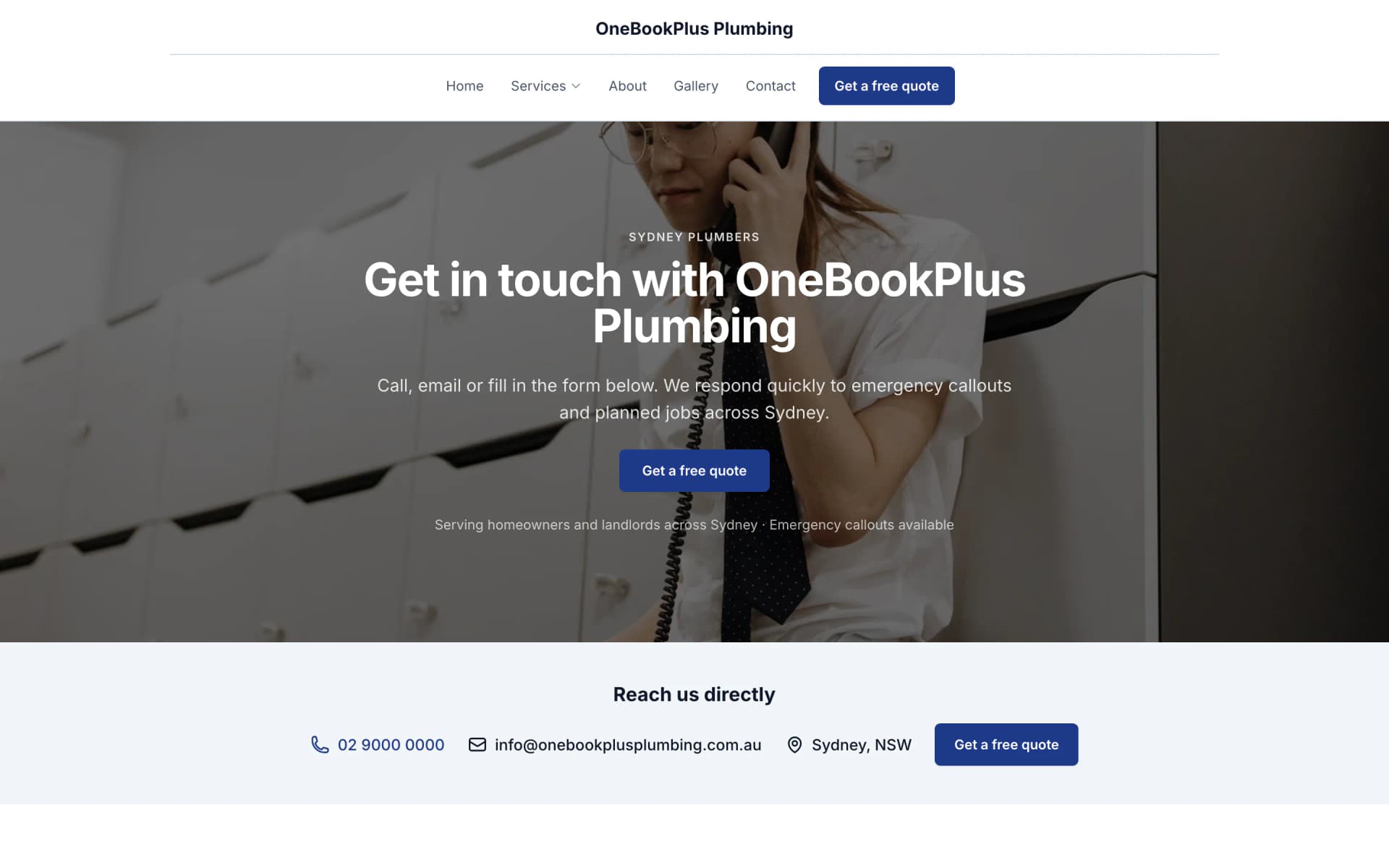
The home page: the name centred over the menu, a dark hero photo, a navy quote button and a grid of services.
Open the OneBookPlus Plumbing site(opens in a new tab)Estimate the fitout, claim each stage with retention, and get paid without chasing the head contractor.
Price a shop, office or hospitality fitout from your own cost catalogue, take off quantities from the plans, lock variations before you build them, and raise progress claims with retention on staged commercial jobs. Core from $0 to $69/mo, plus the optional Builder Suite estimating add-on at $99/mo, replaces Buildxact + Xero + your spreadsheet.
Free plan, no card needed. GST and ABN on every claim, with retention held on the job.
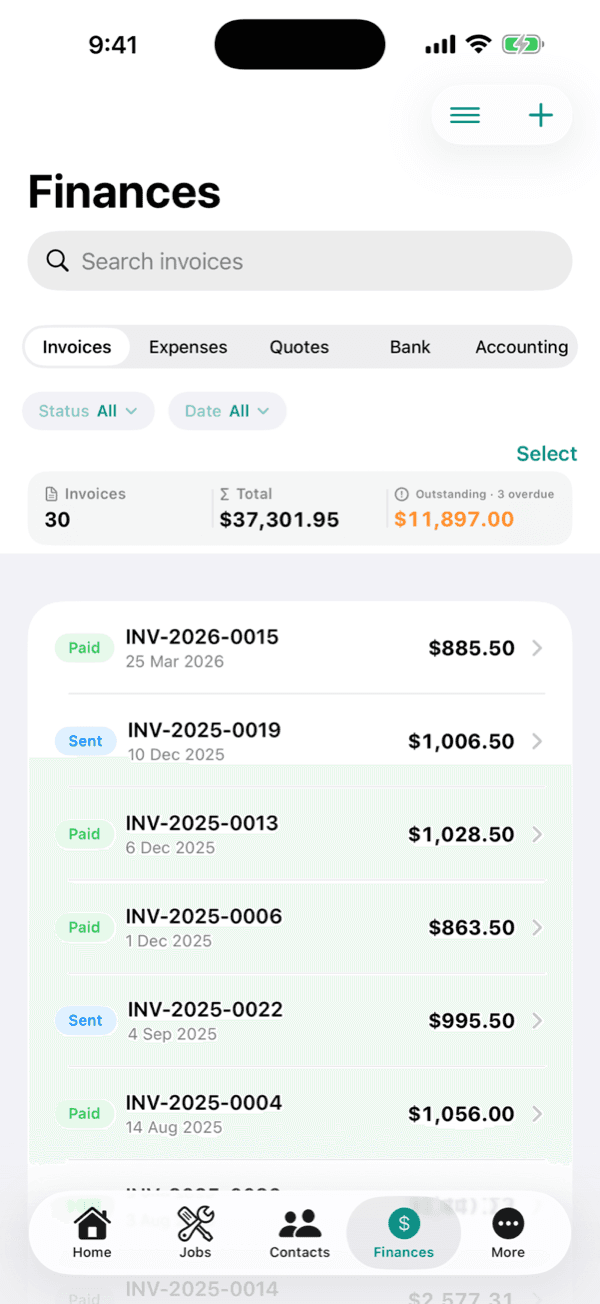
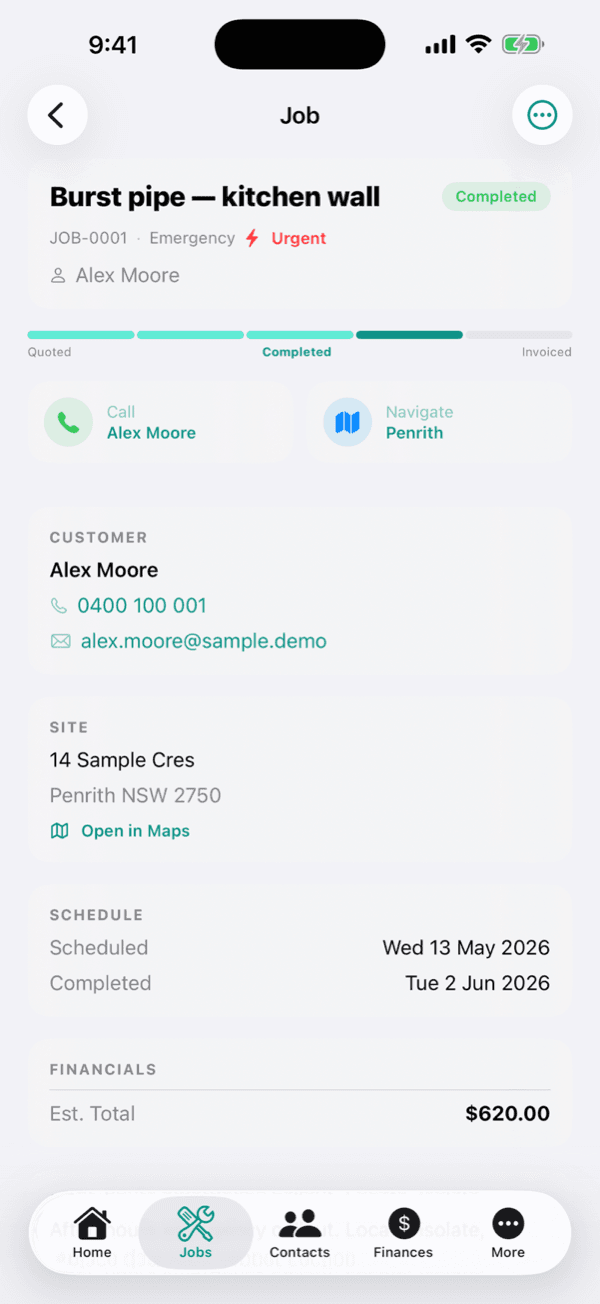
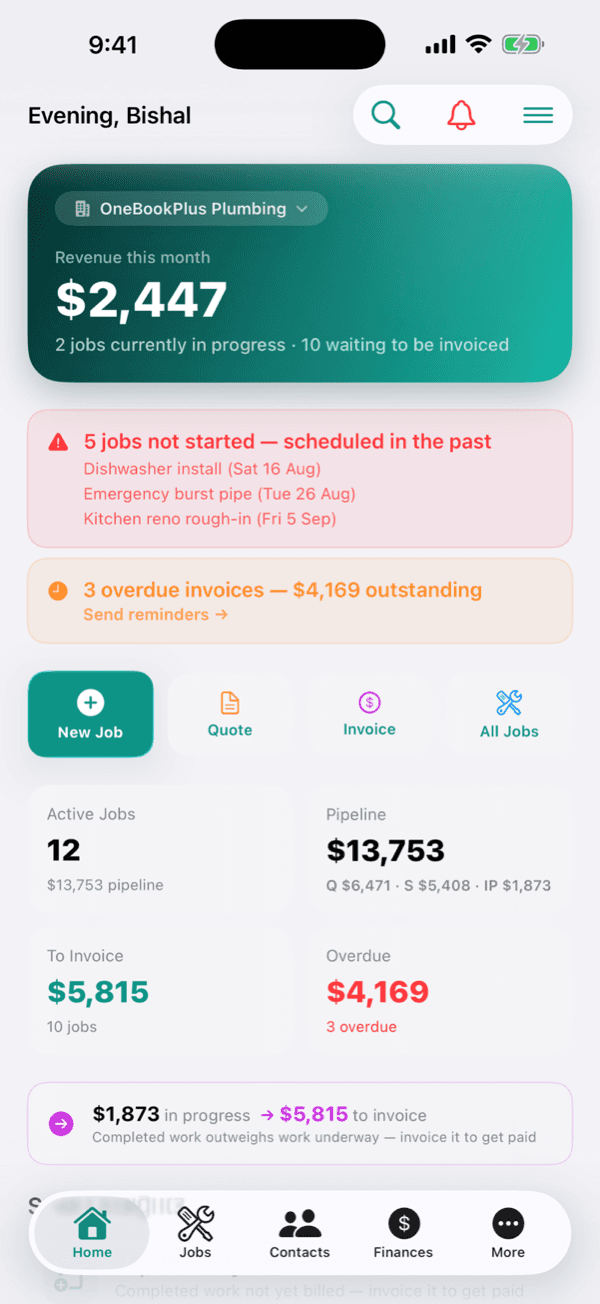
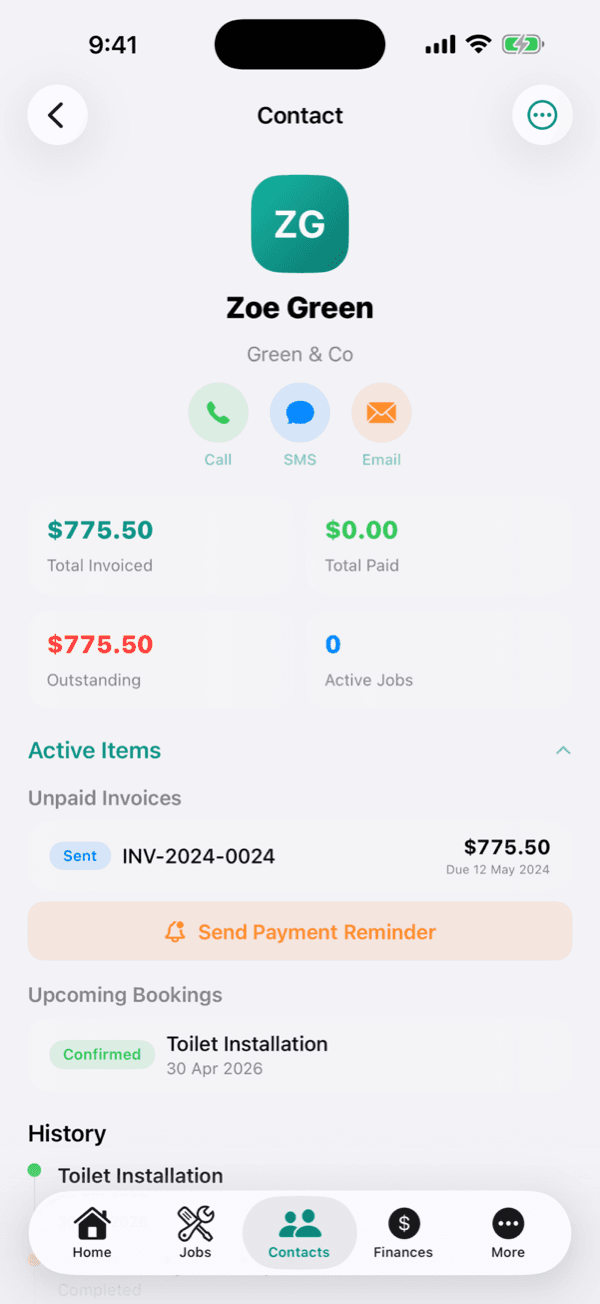
Cut $132+/mo from your software stack by replacing Buildxact + Xero + a website builder + a booking tool with OneBookPlus, Starter plus Builder Suite. Vendor prices verified 2 August 2026.
See your savingsFree Tools & Resources
8-step founder guide, ABN, GST, licence, White Card, insurance, tools, pricing, first clients.
InteractiveInteractive estimator combining hourly rate, materials markup, travel, callout, and GST.
ReferenceState-by-state thresholds, regulators, and invoice requirements for AU trade licensing.
Operator GuidePlain-English MA000020, CW/1 to CW/10, industry/tool/fares allowances, RDO system.
ReferencePL, workers comp, tools, vehicle, PI, home warranty, contract works, coverage and premium ranges.
Key takeaways
5OneBookPlus is the commercial fitout app for crews who spend their days on site, with the estimate, the variations and the claims on the same job record.
Keep your fitout rates in one catalogue, stud framing, plasterboard, suspended ceilings, shopfront glazing, joinery, floor finishes, electrical and mechanical, then build reusable recipes (assemblies) that price a partition per lineal metre or a ceiling per m² in one click. Every estimate reflects your own supplier rates and markup, with wastage built in.
Learn more about Cost catalogue and recipesDescribe a shop, office or café fitout, or speak it, and watch a full, sectioned estimate build in front of you, priced from your own cost catalogue and calibrated to what you actually pay your suppliers and subbies. A built-in reviewer flags missing items, pricing outliers and AU compliance gaps, and lets you add any it finds with one tap. You review every line; the AI just does the first draft. Included with the Builder Suite, not a separate paid add-on.
Learn more about AI estimatingUpload the architect's plans (PDF or photo) and AI measures them, partition runs, ceiling and floor areas, shopfront lengths and fixture counts, dropping each measurement onto the drawing with a confidence score. Zoom, pan and drag any shape to correct it, then tap one symbol (a downlight, a power point) and it finds and tallies every other one. Accept the numbers you trust and build a priced estimate straight from them.
Learn more about Digital plan takeoffCommercial fitouts rarely pay in one hit. Raise progress claims against agreed stages, deposit, demolition, framing, services rough-in, linings, joinery, fit-off, practical completion, each as its own GST claim that draws down the contract value and withholds the retention percentage. The balance owing and the retention held are always clear, so cash keeps flowing through a long job.
Scope changes are the norm on fitout, the client moves a wall, upgrades the joinery, adds a data run. Capture each variation with a clear description, price and one-tap client approval before you build it, then it adds to the contract value and flows into the next claim. No more arguing over an email trail at the end of the job.
Fit out a tenancy and you're coordinating joiners, electricians, mechanical, glaziers and flooring. Send a request for quote to your subbies and suppliers straight from the job, compare what comes back, and pull the priced items into your estimate. Your subcontractor costs land against the right job so the real margin is never a guess.
Photograph what's done on site and AI reads the photos against your schedule of values, suggesting a percent complete for each trade, framing at 100%, ceilings at 60%. It drafts the claim for you to review; you check every stage and nothing bills until you send it. The claim goes out as a GST-compliant progress claim, retention withheld, that the head contractor can pay online.
Learn more about Photos into a progress claimA fitout runs to a tight tenancy handover date with trades stacked back to back. The week view shows every job and every crew member at a glance. Lock the program, assign your carpenters and subbies to each stage, and drag to reschedule when a trade runs late, reminders update for the team and the head contractor automatically.
Existing conditions, services rough-in before the linings go up, the finished shopfront, attach photos to the job so there's a documented trail of every stage. Capture defects and snags against the job at practical completion, and hand the head contractor or landlord a clean record for the tenancy handover.
Send progress claims and final invoices with your ABN and 10% GST calculated automatically. The head contractor or landlord pays online by card through Stripe, or you take the deposit and staged claims by BECS direct debit. Automated reminders chase any claim that goes overdue, so you stay on the tools, not on the phone about money.
Every claim and invoice calculates 10% GST and shows your ABN, meeting ATO tax-invoice requirements. Head-contractor payments made through the invoice link clear the claim on their own, and subbie and supplier costs are categorised as you enter or import them. There is no live bank feed at the moment, so statement lines are imported rather than arriving on their own. At BAS time, export a GST summary in one click, GST collected, GST credits, net owing.
Whether you fit out for head contractors, landlords or retail chains rolling out stores, see every past job per contact, what you fitted, when, the contract value, variations and what was claimed. The next tender or the next store in the roll-out starts with the full history already on screen.
Free plan available, no card needed.
Website included
Every paid plan includes a full website, hosted by us, with nothing extra to buy and no separate builder: your site, its booking page and the tools behind them sit on one plan. The Free plan keeps the booking page and does not have the website.
The AI drafts every page from your own answers about your fitout work, not from your business name, and it does not invent claims. Every page is laid out for a phone as well as a desk. In the Website Studio you edit any section in place, add text, lists and buttons inside it, choose how many cards sit across, and change the look, which keeps your words, your photos and the spacing you set. The booking page is built in and the site's Book buttons go to it. Your first AI build is included with the plan. A later rebuild runs on AI Companion credits, and one that starts fresh replaces your pages, saving a restore point in History first.
A retailer or head contractor requests a fitout quote at 9pm through your booking page. The enquiry, with the tenancy address and the scope, lands in your dashboard, ready to price and book a site measure for the morning.
Café fitout from $1,800/m². Office fit-out from $850/m². A customer sees the price before they book.
The AI writes your services and the area you cover from your answers, so when someone searches 'shopfitter in [suburb]' there is a page that says what you do and where.
No card needed to start.
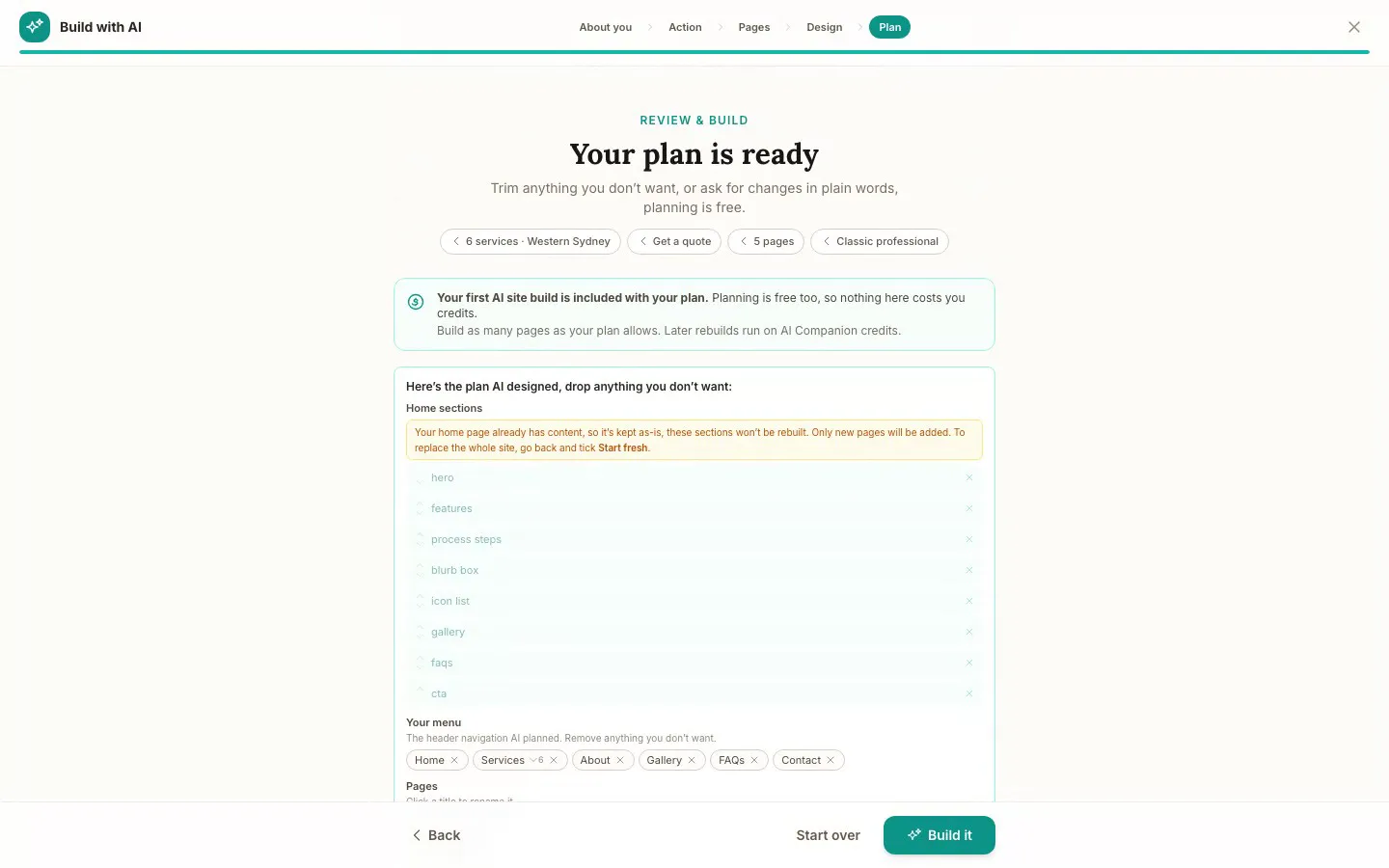
The Website Studio's Build with AI at its Plan step, on our plumbing demo: the pages, sections and menu the AI proposed from the answers already on the account, before anything is built. Click it to see it full size, or watch the recording of the build on the homepage.
Free
$0
A branded booking page on your OneBookPlus address. No website on this plan.
Starter
$29/mo
A website on your OneBookPlus address, hosted with SSL: 10 pages and a blog. The first AI draft is included.
Plus
$49/mo
Your own domain with SSL, 50 pages and a members area.
Growth
$69/mo
Unlimited pages, and a landing page per suburb from one template.
Your own domain connects on an active paid Plus or Growth subscription, not during the 14 day trial; a trial site lives on your OneBookPlus address. Every published site carries a small “Made with OneBookPlus” credit.
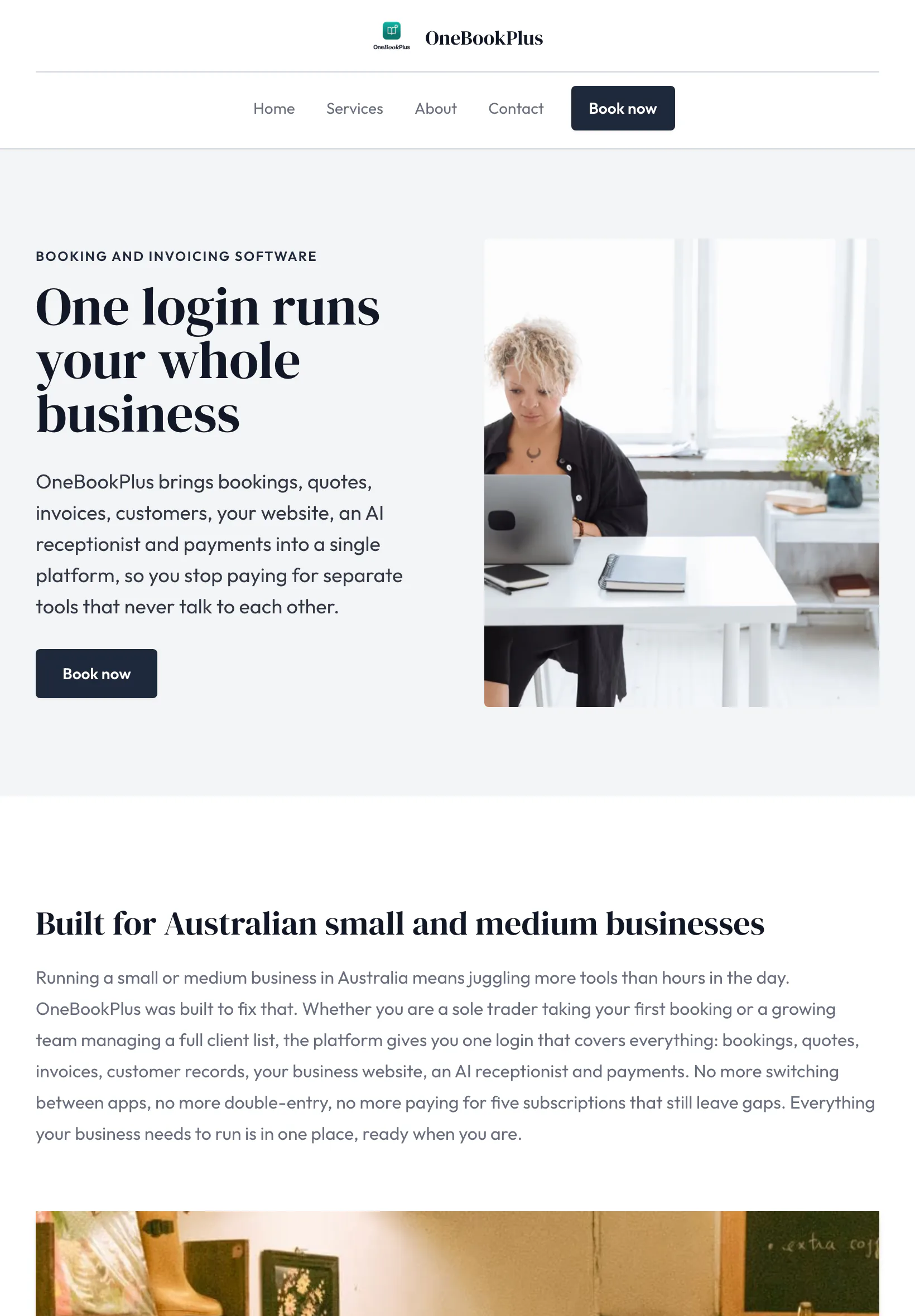
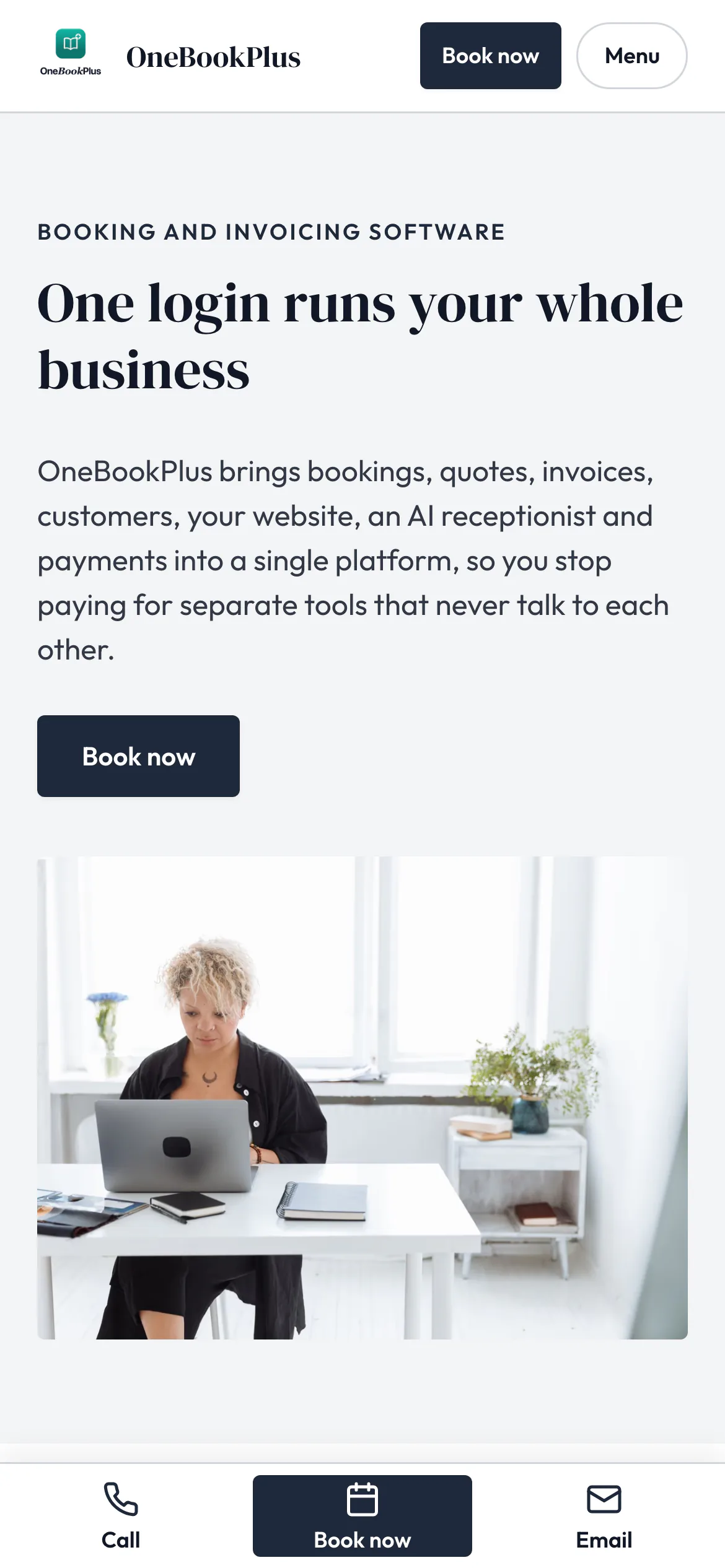
All three sites were drafted by the AI from the owner's answers, our own site included. It picks one of eight heading and body type pairings and how the cards sit (a fine line, a bold outline, a soft lift or no card), so a plumber's site, a driving school's and ours do not come out alike. Switch the view to see each one on a desktop, a tablet and a phone, click any screenshot to see it full size, or open the live site in a new tab. The plumber and the driving school are our demo businesses, not customers.
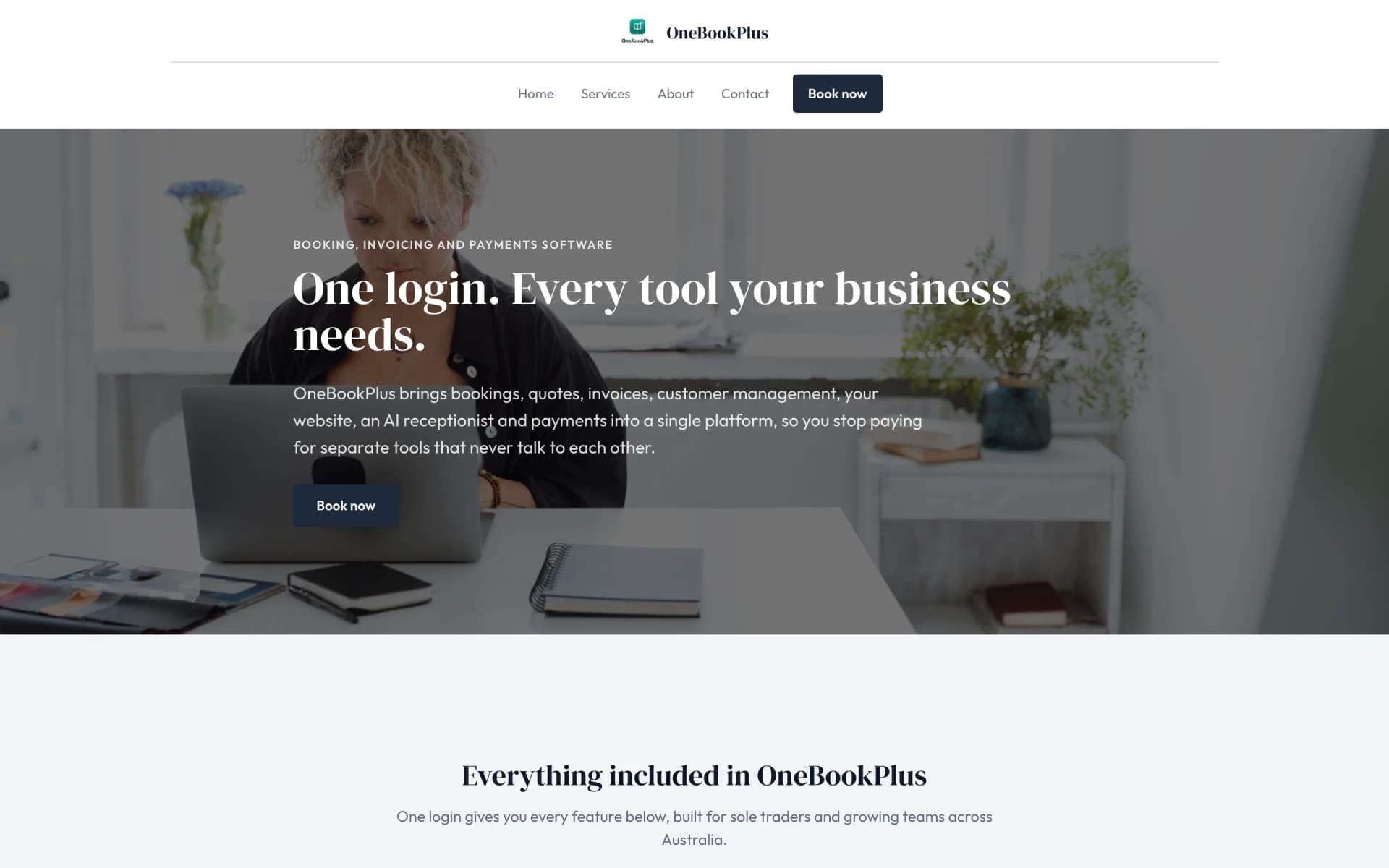
A plumber in Sydney
The home page: the name centred over the menu, a dark hero photo, a navy quote button and a grid of services.
Open the OneBookPlus Plumbing site(opens in a new tab)



A driving school in Donnybrook
The home page: a teal logo and name on the left, an L plates hero and lessons and packages as cards.
Open the OneBookPlus Driving School site(opens in a new tab)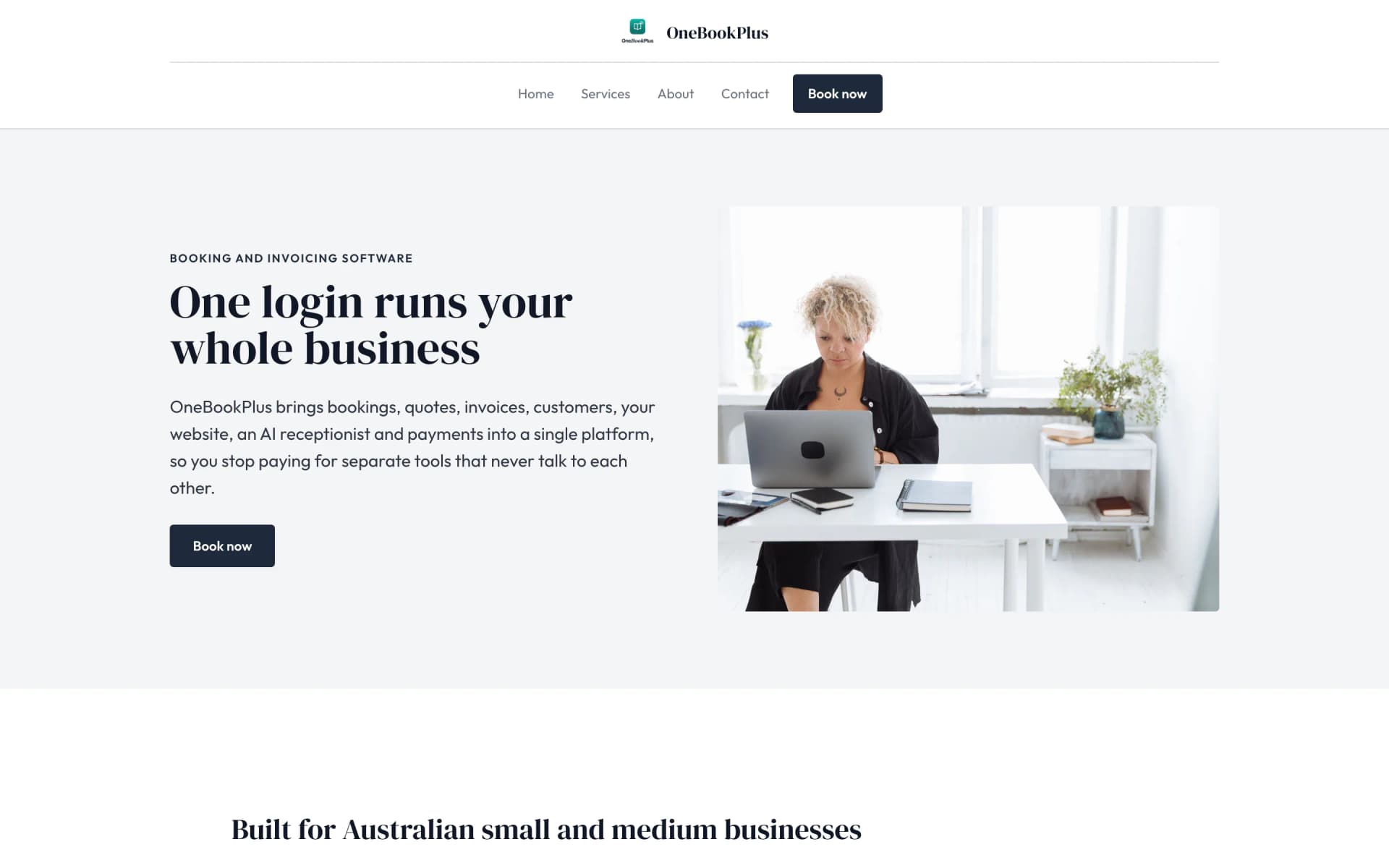
Our own site, built the same way
The home page: a serif heading beside a framed photo on pale grey, and no full width hero at all.
Open the OneBookPlus site(opens in a new tab)See it in action
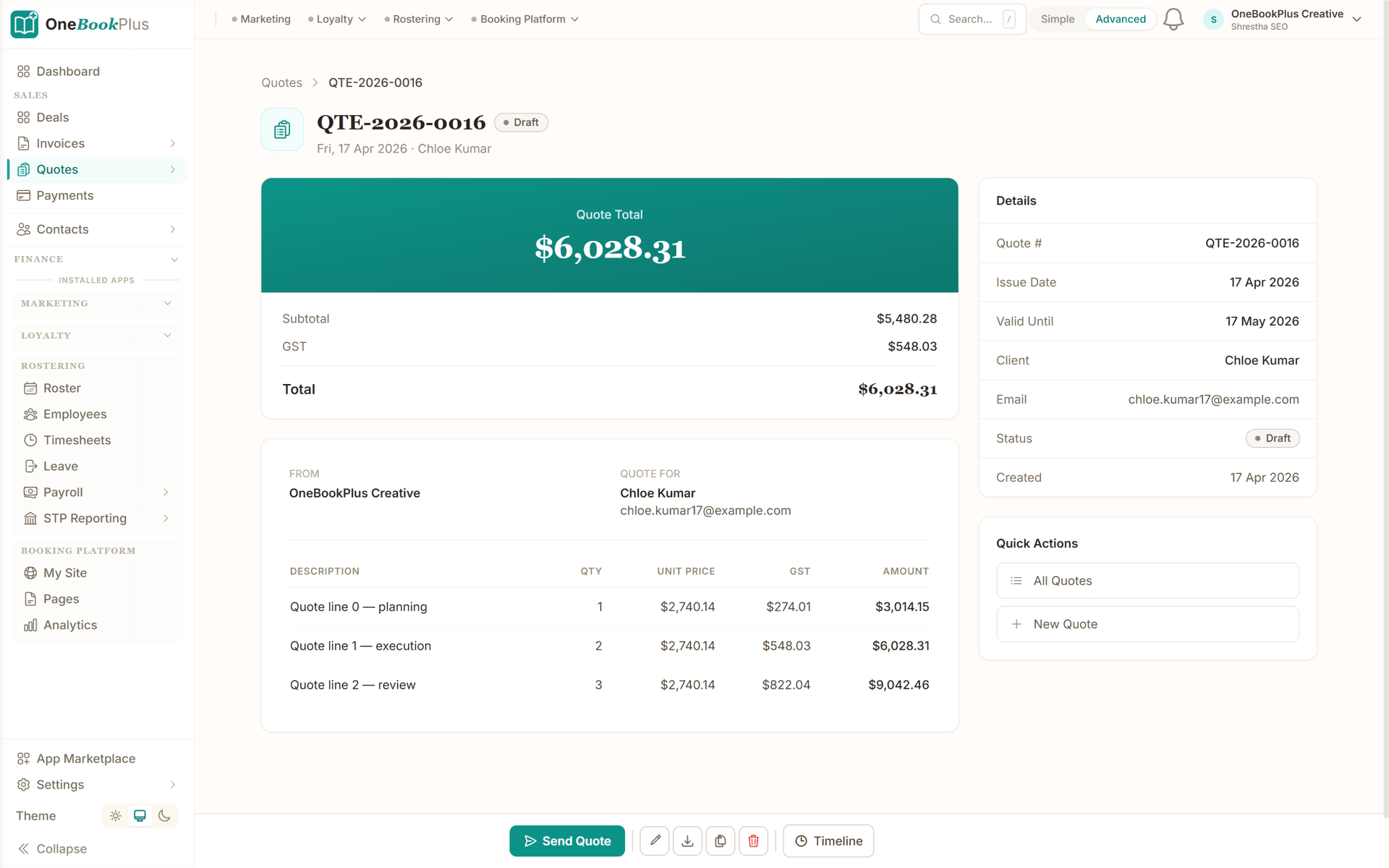
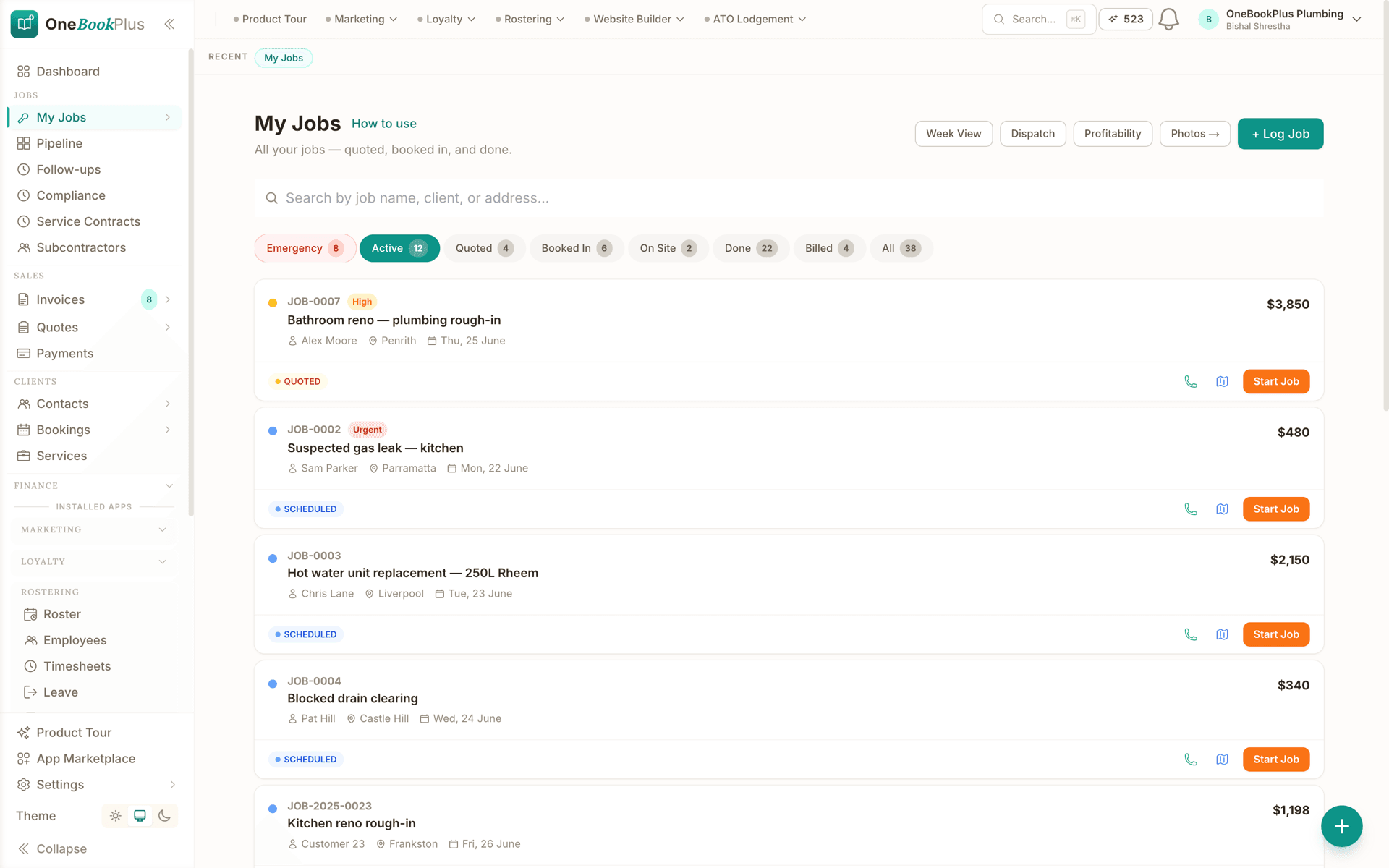
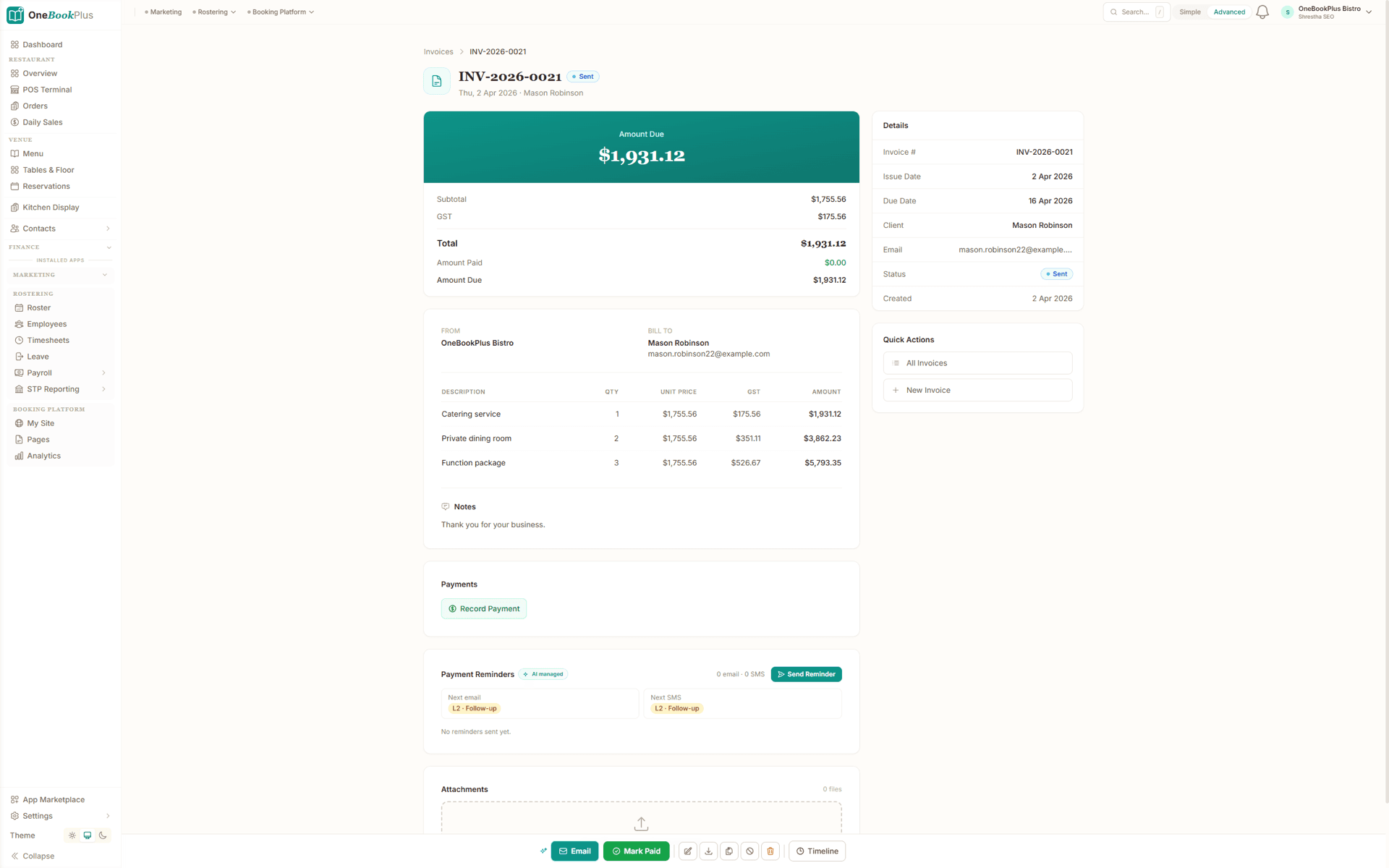
These are product screenshots: the job pipeline, the staged progress claim and the signed quote you'll run a fitout on. Tap any screen to zoom in.
A quote with the total on top, subtotal and GST underneath, and quantity, unit price and GST on every line, plus a valid-until date and one button that sends it to the client.
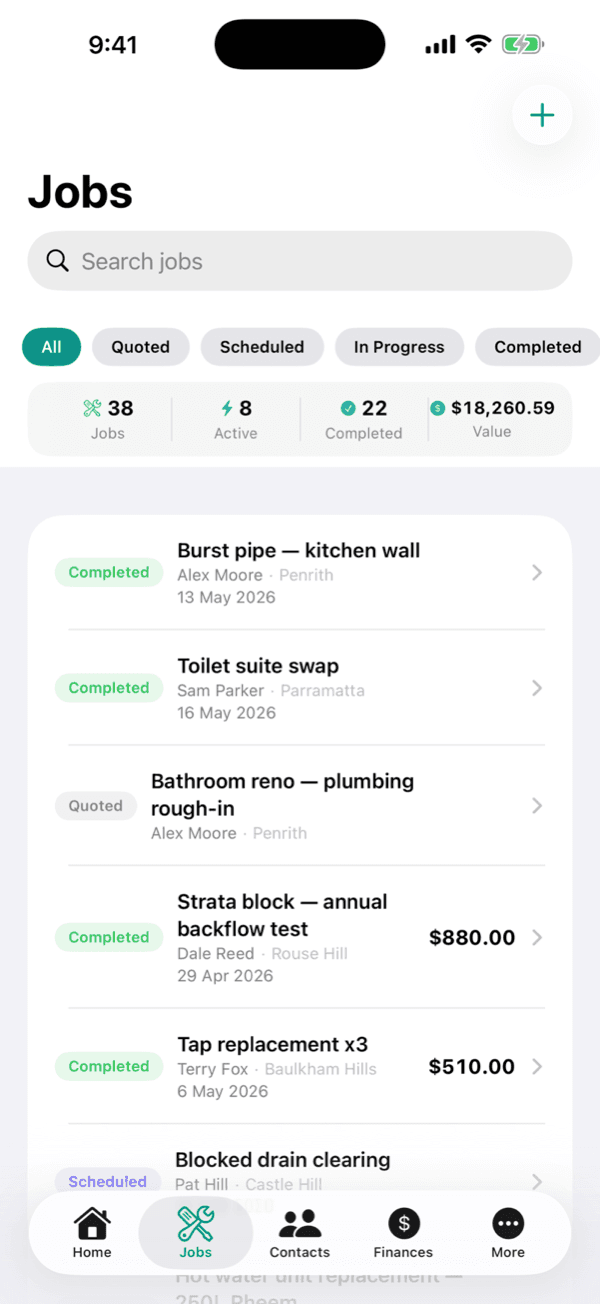
The jobs screen filtered by emergency, active, quoted, booked in, on site, done and billed, each job carrying the client, the site suburb, the booked date and the value.
A GST invoice with the amount due on top, subtotal, GST, total, amount paid and amount due underneath, quantity, unit price and GST on every line, and reminders that queue the next email and the next SMS.
The app
The Builder Suite add-on powers the estimating, plan takeoff, progress claims and retention on this page. It sits on top of your core OneBookPlus plan.
Estimating to progress claims, on one platform
Builder Suite turns OneBookPlus into a complete build-management platform for custom-home builders, renovators and small commercial builders. Estimate from a reusable cost catalog of labour, materials, subbies and allowances, and assemble whole scopes in seconds with recipes, save a bathroom, a slab or a framing package once and drop it into every quote. Upload the plans and let AI plan takeoff measure areas, counts and lengths for you, or use scan-to-plan in the OneBookPlus iOS app on a LiDAR device, an iPhone Pro or iPad Pro, to capture a room on site. Turn a winning estimate into a fixed-price quote, then run the whole job: raise progress claims against a schedule of works with retention withheld automatically at your contract percentage and shown on its own line on the tax invoice, price and track variations so nothing goes un-billed, and issue RFQs to your subbies and suppliers to lock in real prices. The running total of retention held sits on the claims screen, and you claim it back at the release milestone the same way you raise any other claim. Cost control runs live against your budget, committed costs, actuals and forecast in one view, with overrun alerts the moment a cost code trends over. Keep a dated site diary with photos, weather and who was on site, and log and close out defects at handover. Every quote, claim, variation and invoice flows into the same OneBookPlus contacts, invoicing and accounting you already use, no double-entry, no separate logins. Builder Suite is a $99/mo add-on on top of any core plan (Free, Starter, Plus or Growth), includes AI with fair-use, is one price for the whole business with no per-seat fee for the app itself, and starts with a 14-day free trial. Logins are set by your core plan, 1 on Free, 3 on Starter, 5 on Plus and 10 on Growth, with extra logins on Growth at $9 each a month, and staff you only put on the roster, who never sign in, are free on every plan.
Built around a staged commercial fitout, from the first takeoff to the retention release.
Take off quantities from the plans, then price the fitout from your own cost catalogue and recipes: partitions and ceilings per m², joinery and shopfront by the item, plus PC and provisional sums as their own lines. GST calculated automatically. Send a professional estimate with your ABN.
Once the contract's signed, the job lands on your calendar. Lock the program to the tenancy handover date, assign your crew and subbies to each stage, and send RFQs to suppliers so your costs are locked in before you start.
Capture variations with client approval as scope changes, snap site photos of each stage, and raise progress claims against the schedule of values: GST calculated, retention withheld, contract value drawn down.
Head contractors and landlords pay claims online by Stripe or BECS. Automated reminders chase overdue claims, the books update themselves, and your GST summary exports in one click at BAS time.
Send a real estimate the day you sign up
Who it's for
A sole-trader shopfitter, a café and retail crew and a contractor running staged tenancy work have very different weeks. Here is what each one uses.
Fitting out small retail and office tenancies solo, estimating from the plans and invoicing between sites. Needs fast estimating, plan takeoff, automatic GST and one-tap invoicing.
Running a small crew across shop, café and office fitouts. Needs program scheduling, crew and subbie assignment, variations and site-photo evidence.
Larger staged fitouts for head contractors and landlords. Needs progress claims with retention, RFQs to subbies, a schedule of values and a clear running balance owing.
Fitting out tenancies as a sub on multiple projects. Needs builder history, per-job subbie costs, progress claims with retention, and clean GST claims that match the head contract.
Named tools, at each vendor’s own cheapest published plan, and ours underneath. Vendor pricing changes, so check each one before you decide.
Or use OneBookPlus
$128/mo
Everything in the list above, on one bill.
Start freeNo credit card · Free forever · Cancel anytime
Example walkthrough
An illustrative walkthrough of a typical commercial fitout day
You open the dashboard before the crew starts. A café-fitout enquiry came in overnight through your booking page, and two jobs are live today: an office tenancy at linings stage, and a retail store where the joinery goes in.
On the way in you open the café enquiry, upload the architect's plan, and let the takeoff measure the partition runs and the ceiling area. You build the estimate from your cost catalogue, framing and plasterboard per m², shopfront by the item, a joinery PC sum on its own line, and send it before you reach site.
On the office job the client asks to add a data cabinet and move a wall. You write it up as a variation on your phone, price it, and the client approves it with one tap, so it is on the contract value before the sparky lifts a tool.
By mid-afternoon the linings are nearly done. You photograph each stage, and OneBookPlus drafts the progress claim against the schedule of values: GST calculated, retention withheld at the rate on the contract, contract value drawn down. You check every line before it goes to the head contractor.
End of day: one estimate out, one variation approved, one progress claim sent, subbie costs logged against the right jobs. At BAS time the GST summary exports in one click.
How we compare
See how we compare to the tools commercial fitters typically use.
| Feature | OneBookPlus | Xero | Buildxact | Tradify |
|---|---|---|---|---|
| GST invoicing | Yes | Yes | Yes | Yes |
| Detailed estimating (catalogue + recipes) | Yes | No | Yes | No |
| Digital plan takeoff | Yes | No | Yes | No |
| Progress claims with retention | Yes | No | Yes | No |
| Variations with client approval | Yes | No | Yes | Yes |
| RFQs to subbies & suppliers | Yes | No | Yes | No |
| Online payment of claims (Stripe/BECS) | Yes | Yes | No | Yes |
| Program & crew scheduling | Yes | No | Yes | Yes |
| BAS-ready tax reports | Yes | Yes | No | No |
| Large third-party add-on marketplace | No | Yes | No | Yes |
| Free plan available | Yes | No | No | No |
| Price | From $0/mo core, plus $99/mo for Builder Suite | $37+/mo | $199+/mo | $48+/mo |
Shopfitter savings calculator
Adjust the numbers below to match your real monthly spend. The total updates live, and so does what you'd save by replacing the lot with OneBookPlus.
Accounting (Xero, MYOB, QuickBooks)
Xero's cheapest published plan
Jobs & quotes (Buildxact, Tradify, AroFlo)
ServiceM8's cheapest published plan
Website + hosting (Squarespace, Wix)
Squarespace's cheapest published plan, billed monthly
Bookings (Calendly, Acuity)
Calendly publishes US$10/mo. Type what you pay in Australian dollars.
CRM (HubSpot, Pipedrive)
HubSpot publishes US$20/mo. Type what you pay in Australian dollars.
Email marketing (Mailchimp, Klaviyo)
Mailchimp publishes no ongoing price. Type what you pay.
Rows open at the cheapest plan Xero, ServiceM8 and Squarespace publish, verified 2 August 2026. Calendly and HubSpot publish in US dollars and Mailchimp publishes no ongoing rate, so those three rows open at zero for you to fill in rather than carry a converted figure.
Your current stack
$90/mo
= $1,080/year
With OneBookPlus Starter
$29/mo
Replaces everything in the list. One bill.
Free plan available · No card required · Cancel anytime
An illustrated day, not real customer data. Scroll through it from morning to 5pm: the AI receptionist answers and books a missed call, the work runs from the app, the GST invoice is sent on the spot, payment lands and the books balance themselves, a review invite is queued for the next daily run, and the day closes with the ledger already written.
7:00am
While you're in the shower
Mrs Chen's hot-water system died overnight. She calls the first plumber on Google, you.
AI Receptionist
The AI answers in two rings, books 9:30 am, and texts her a confirmation, before you've found your keys.
On the job
Job card on your phone: address, fault notes, history. The quote's pre-filled from your price book.
From the ute
One tap converts the job to a GST invoice with a pay link. No laptop, no evening paperwork.
While you're on the next job
Card payment lands, the books update themselves, and $76.36 GST is set aside for BAS.
Reputation on autopilot
Paying puts Mrs Chen in the queue. The 2pm run takes it from there, once per client per 90 days, so nobody gets asked twice.
The day closes itself
You did one job and quoted another. The book did the rest.
$0
collected
0
admin tasks done by AI
0
evenings lost
An illustrated day, not real customer data. AI Receptionist is a $79/mo add-on that needs AI Companion ($25/mo, included on Growth), and AI Companion is what sends the review invite as well. The rest of the day is the app itself.
Start free, upgrade when the work justifies it, and add the Builder Suite when you need full estimating and retention. No contracts, no setup fees, no per-seat tax. Cancel any time.
Free
$0/forever
Quote your first fitout today, no credit card.
Starter
$29/mo
Replaces Xero + a job app + your website builder.
No card · Drops to Free if you don't upgrade
Plus
$49/mo
Outgrowing the basics, advanced reporting.
Our pick: unlimited contacts and booking pages for $49
Growth
$69/mo
For outfits running multiple crews with marketing on the side.
Builder Suite
$99/mo
Add full fitout estimating and cost control on top of any core plan: a cost catalogue and recipes, AI plan takeoff, and scan-to-plan in the OneBookPlus iOS app on a LiDAR iPhone Pro or iPad Pro, progress claims with retention, variations, RFQs, a site diary and defects. No per-seat fee for the app, and AI included with fair-use. Logins are banded by your core plan: 1 on Free, 3 on Starter, 5 on Plus and 10 on Growth, with extra logins on Growth at $9 each a month. Staff you only put on the roster, who never sign in, are free and unlimited.
Added on top of your core plan
Prices in AUD inc. GST. Online card payments carry Stripe processing fees (1.7% + 30¢ AU cards) plus a 2.5% OneBookPlus platform fee. Read the full plan comparison
Switching is designed to fit in a single evening. Export your clients and jobs as CSV from your current tool, import them into OneBookPlus with the bulk importer, and you're estimating the next morning.
Switch from
Built-in AI
You're under a sink or up a ladder, you can't stop the job to grab the phone, and every missed call is work that goes to the next tradie on Google.
OneBookPlus
AI Receptionist · incoming call
“Burst pipe in the laundry, can someone come today?”
If you don't answer, the AI books it, Emergency call-out · today 2:00pm, and texts a confirmation.
Extend Your Toolkit
Add advertising, tax lodgement, booking pages, and more to grow your fitout business.
Built in Melbourne, AU
ATO-ready from day one
TLS in transit, AES-256 at rest, tenant isolation at the database layer, read the security page
No credit card needed
Common questions about estimating and job management software for shopfitters in Australia.
Buildxact is a strong, focused estimating tool and the more mature 2D plan tracer, and Tradify is a well-established job app with a bigger integration marketplace than ours. Neither is trying to be your accounting system: Buildxact leaves payment collection and GST accounting to Xero, and both leave the website and booking page to a third tool. OneBookPlus takes the all-in-one route, with fitout estimating and AI plan takeoff in the Builder Suite add-on, and progress claims with retention, variations, RFQs, GST/BAS-ready accounting and a free booking page in the core platform from $0/month. When you compare, weigh the all-in monthly cost across the whole stack rather than the estimating-tool price on its own, and pick what fits the size of the jobs you tender.
Yes, with the Builder Suite add-on. Keep your fitout rates in one cost catalogue (framing, plasterboard, ceilings, shopfront glazing, joinery, floor finishes, electrical, mechanical), then build reusable recipes (assemblies) that price a partition per lineal metre or a ceiling per m² in one click. Recipes pull from your own supplier rates with wastage built in, so every estimate reflects what you actually pay, not a generic rate book.
Yes. For staged fitouts, raise progress claims against agreed milestones, deposit, demolition, framing, services rough-in, linings, joinery, fit-off, practical completion. Each claim is its own GST invoice that draws down the contract value and withholds your agreed retention percentage, with the balance owing and the retention held always clear on the job. Under the state and territory Security of Payment laws, progress payments and retention are a formal part of commercial contracting, and OneBookPlus keeps the paper trail clean. This is general information, not legal advice.
Yes. Itemise prime cost (PC) and provisional sum allowances as their own lines on the estimate, a joinery PC sum, a shopfront provisional sum, so the client sees exactly what's an allowance versus a fixed price. When the actual cost is confirmed, adjust it with a variation that flows into the contract value and the next claim, keeping the maths transparent for both sides.
Scope changes are constant on fitout, a moved wall, an upgraded benchtop, an extra data run. Capture each variation with a clear description, price and one-tap client approval before you build it. Approved variations add to the contract value and flow into the next progress claim automatically, so the margin and the paper trail are protected instead of argued over an email chain at the end of the job.
Yes to both. Upload the architect's plans (PDF or photo) and AI measures them, partition runs, ceiling and floor areas, shopfront lengths and fixture counts, into a review queue you check line by line. Tap one downlight or power point and it finds and counts every other one. From the same job you can send requests for quote to your joiners, electricians, mechanical and flooring subbies, compare what comes back, and pull the priced items straight into your estimate.
Yes. Attach site photos to the job at every stage, existing conditions, services rough-in before linings, the finished fitout, and record defects and snags against the job at practical completion. When it's time for the tenancy handover you can hand the head contractor or landlord a documented trail of what was fitted and how, which also protects you against a defects dispute down the track.
Buildxact is a capable estimating and job-management tool, but it has no built-in payment collection, a tax-exclusive-only engine, and its AI estimating is a paid add-on. OneBookPlus builds the estimating, AI plan takeoff, progress claims with retention, variations and GST-ready accounting into one platform, with the AI included in the Builder Suite price and clients able to pay claims online by Stripe or BECS. A few things Buildxact can't do: tap one symbol on a plan and have AI find and count every other one (their counting is click-by-click), turn site photos into a drafted progress claim, and calibrate estimate pricing to your own recent supplier costs. You can export your data any time, so there's no lock-in.
Often, yes. Centre management and landlords commonly restrict noisy or disruptive trades to out-of-hours access, and the induction, dock booking and hoarding rules come with the tenancy rather than with your contract. That is a cost, not a detail: penalty rates on labour, a shorter working shift once you allow for setting up and packing down, and waste that has to go out through a booked dock. Price the out-of-hours component as its own line on the estimate so the head contractor can see what the access conditions are costing, and schedule those stages on the program as the constraint they are. In OneBookPlus the program view carries the stage and the crew assigned to it, and the site diary keeps a record of what was done in each shift if access hours later become a claim.
A prime cost item is an allowance for something specified but not yet chosen, and a provisional sum is an allowance for work whose scope is not yet settled. Either way the allowance is a placeholder, so at the end of the job the actual cost has to be reconciled against it and the difference adjusted up or down. The cleanest way to do it is one variation per allowance as the real cost is confirmed, rather than a single reconciliation line at practical completion that nobody can check. OneBookPlus keeps each PC and PS line on the estimate, and approved variations add to or subtract from the contract value and flow into the next claim, so the running total is always current. How allowances must be described is governed by your contract, so read yours; this is general information, not legal advice.
Yes. Record defects and snags against the job as they are found, with photos attached, so the list at practical completion is something you built through the job rather than reconstructed from memory on the last day. Each item stays on the job record once it is made good, which matters when retention is released against defects being rectified. Whether the defects liability period, the retention percentage and the release milestones sit where you expect is a contract question, not a software one, so check the head contract before you rely on a date. This is general information, not legal advice.
About the author

Founder & CEO, OneBookPlus
Bishal spent a decade running digital projects for Australian small businesses before founding OneBookPlus. He writes and maintains these pages, and publishes what OneBookPlus does not do alongside what it does.
Read the founder bioHow this page was researched
The compliance and licensing statements above are taken from the bodies this page links to, including the National Construction Code, NSW Fair Trading and NSW legislation, so you can read the rule rather than take our word for it. Plan prices come from the OneBookPlus price registry, so the page and the checkout cannot disagree. Everything said about OneBookPlus describes what the product does today, and the page says so where it does not do something.
Commercial fitout businesses in Australia run on a paperwork problem that is easy to underestimate. You are estimating tenancies off PDF plans, chasing subbie quotes over text, writing up variations on a notepad, and then spending your evenings trying to match Xero invoices against staged claims across three live projects. Many shopfitters pay from $199/mo for an estimating tool like Buildxact and from $37/mo for Xero, and still end up tracking retention and variations in a spreadsheet that only they understand. The result: you do not know the real margin on a fitout until it is finished, and you cannot always prove what was agreed when the head contractor queries a claim.
OneBookPlus gives you one app for your whole fitout business. Take off quantities from the plans, build a sectioned estimate from your own cost catalogue and recipes, partitions and ceilings per m², shopfront and joinery by the item, PC and provisional sums as their own lines, with GST calculated automatically. When the contract is signed, the job drops onto your program. Capture variations with client approval as scope changes, photograph each stage, and raise progress claims against the schedule of values with retention withheld, each one a GST-compliant claim the head contractor can pay online. Log every subbie and supplier cost against the job so the real margin is never a guess. No more spreadsheet retention ledgers, no more variation disputes, no more Sunday night reconciling claims.
The thing generic job apps get wrong for shopfitters is the estimate. A fitout is dozens of assemblies priced different ways: framing and plasterboard per m², suspended ceilings per m², shopfront glazing and joinery by the item, floor finishes per m², plus electrical and mechanical you sub out. OneBookPlus (with the Builder Suite add-on at $99/mo) keeps all those rates in one cost catalogue and lets you build reusable recipes that price a partition or a ceiling in one click, grounded in your real supplier and subcontractor rates with wastage built in. AI can draft the whole sectioned estimate from a description or the plans, and a built-in reviewer flags anything missing before it goes out. You review every line; the AI does the first draft. If you are weighing tools rather than shopping for one, our guide to estimating software for Australian trades covers what a takeoff and pricing engine has to get right.
Most fitout work arrives as a tender package rather than a phone call, and the package sets the terms of the argument you will be having six months later. The drawings and the specification tell you what is in scope, the preliminaries tell you what the site will cost you in access, hoarding, waste and inductions, and the exclusions you write are the only protection you have when something outside the package turns up on site. Price the preliminaries as visible lines rather than folding them into a rate, because a head contractor comparing three tenders on a single number will always pick the one that hid the most. Where the design is not settled, carry the item as a provisional sum and say so, instead of guessing and wearing it. In OneBookPlus the estimate keeps every section, allowance and exclusion as its own line, the accepted version becomes the contract value on the job, and every later variation moves that value rather than living in an email chain. When the same head contractor comes back with the next tenancy, their whole history sits on one contact: what you fitted, what it cost you and what was claimed.
Staged commercial fitouts rarely pay in one invoice at the end. They run on progress claims against a schedule of values, deposit, demolition, framing, services rough-in, linings, joinery, fit-off, practical completion, with a retention percentage held back until defects are made good. Waiting until the job is done to bill it is what strangles a fitter's cash flow. OneBookPlus lets you raise each stage as its own GST claim that draws down the contract value and withholds retention, with the balance owing and the retention held always clear on the job. The progress claims feature overview walks through setting up a schedule of values. Under the state and territory Security of Payment laws, progress payments and retention are a formal part of commercial contracting, and OneBookPlus keeps the paper trail clean. This is general information about how the software works, not legal or tax advice.
A fitout is not really a construction program, it is a countdown to a trading date somebody has already advertised. The landlord has a handover, the retailer has a launch, and every trade is stacked back to back because there is no float to give away. That changes what scheduling has to do: the question is never just who is on site today, it is which stage is holding up the three behind it. Lock the program to the handover date, put each stage and the subbie who owns it on the week view, and when the mechanical contractor slips a day, drag the stage and let the reminders tell the crew and the head contractor rather than finding out at the next site meeting. Keep the site photos and the diary going as you build, because when the program is questioned at the end, dated evidence of when each stage was actually available to you is worth more than anyone's recollection. For the wider picture of running several projects at once, see our construction project management software guide.
Fitout scope moves constantly: the client relocates a wall, upgrades the joinery, adds a data run after the walls are up. Capture each variation with a description, price and one-tap client approval before you build it, and it adds to the contract value and flows into the next claim, so the margin and the paper trail are protected. From the same job you can send requests for quote to your joiners, electricians, mechanical and flooring subbies, compare what comes back, and pull the priced items straight into your estimate, with those subcontractor costs landing against the right job. Before you commit to a rate across a roll-out of stores, the free markup and margin calculator is worth a minute.
Every claim and invoice carries your ABN and calculates 10% GST, meeting ATO tax-invoice requirements without you doing the maths. Where your work type and contract value require a building or trade contractor licence in your state or territory, show that number on the quote and invoice too. Head-contractor payments made through the invoice link clear the claim on their own, and subbie and supplier costs land in the right accounts as you enter or import them. There is no live bank feed at the moment, so anything paid outside the link is imported from a statement. Come BAS time, your GST summary is already prepared: GST collected on claims, GST credits on purchases, and the net owing. Export it in one click, and use the free GST calculator when you want to split a figure by hand. This is general information about how the software works, not tax advice, so confirm your specifics with your accountant or the ATO.
Sign up free, no credit card, no lock-in contract. Choose “Shopfitting & commercial fitout” as your business type and OneBookPlus pre-configures fitout service categories, typical job types (retail fitout, office fit-out, café and hospitality, shopfront, tenancy make-good) and claim templates. Import your client and head-contractor list via CSV from Buildxact, a job app, or a spreadsheet, set up your cost catalogue, recipes and progress-claim stages, and set your invoice branding and numbering. You can send your first estimate the day you sign up. Switching from an estimating tool plus Xero is designed to fit in a single evening.
Estimate from your cost catalogue, lock variations before you build them, raise progress claims with retention, and keep the GST and BAS numbers ready as you go. Free to start, upgrade when you are ready.
Reviewed by Bishal Shrestha
Authoritative sources
Commercial fitout in Australia sits across state/territory building regulators, the National Construction Code, the Security of Payment laws that govern progress claims and retention, and ATO GST rules. We cite the primary sources for the claims on this page so you can verify the current requirements directly.
From the blog
Practical guides and explainers from the OneBookPlus blog, grouped by topic.
The ATO will pay you 91 cents a business kilometre in 2026-27, capped at 5,000 km. That is $4,550. One car in a typical Australian household costs $11,651 a year to run, and $13,666 in Sydney. A research report on the gap, with per-city data for 15 locations.
A qualified plumber on the award costs $31.63 an hour. Once leave, super, workers comp and the hours you cannot invoice are counted, one billable hour costs about $67 before a dollar of overhead. The full build-up, with 2026-27 figures.
Pay $1.5 million in wages and you owe $31,731 in payroll tax in Western Australia and nothing in South Australia, the NT or the ACT. Every threshold, rate and trap across all eight Australian jurisdictions for 2026-27.
From 1 July 2026 employers must pay super every payday and have it in the fund within 7 business days. A plain-English guide to the rules, SGC and cash flow.
Comparisons
Tools & Apps