
A plumber in Sydney
OneBookPlus Plumbing
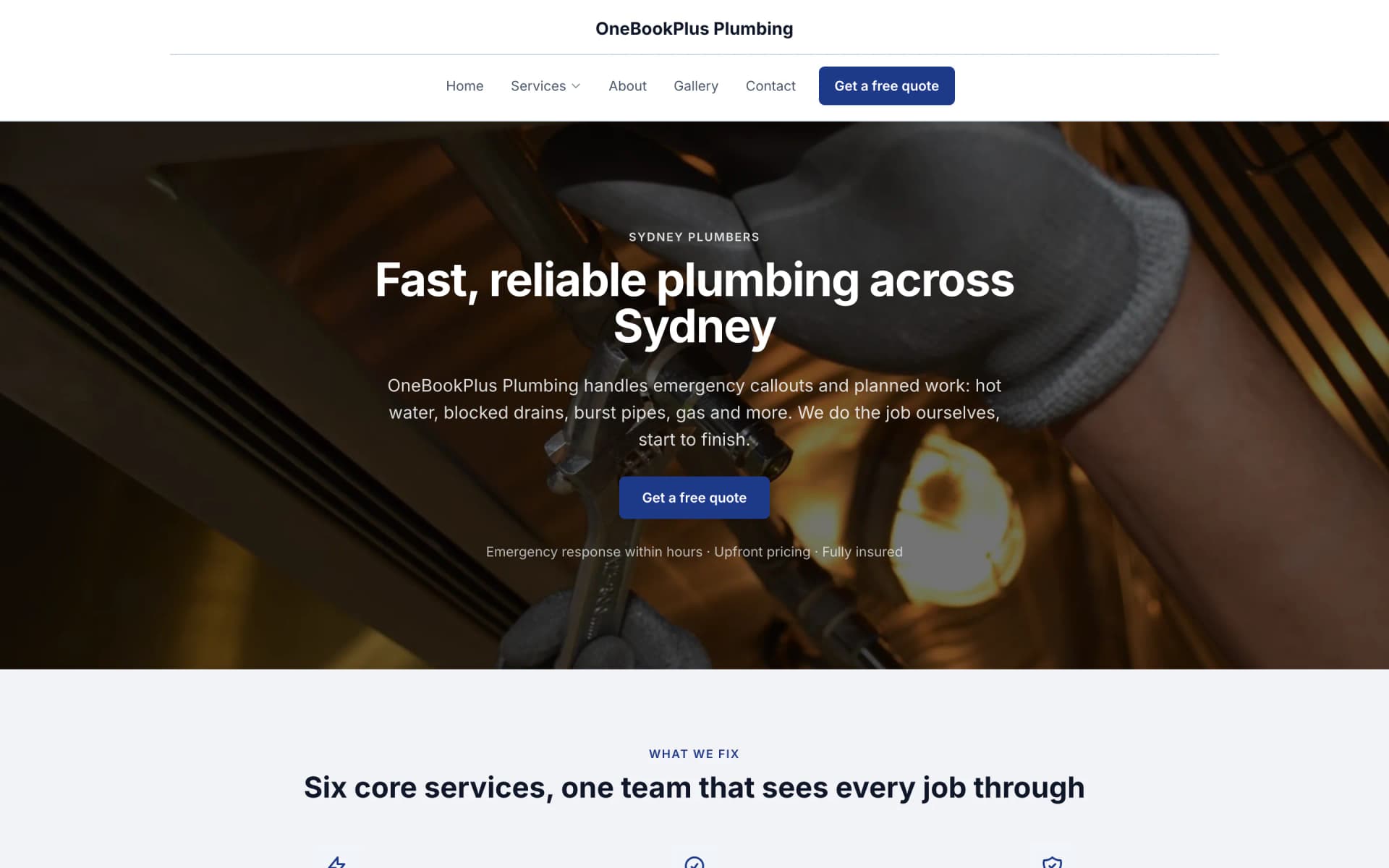
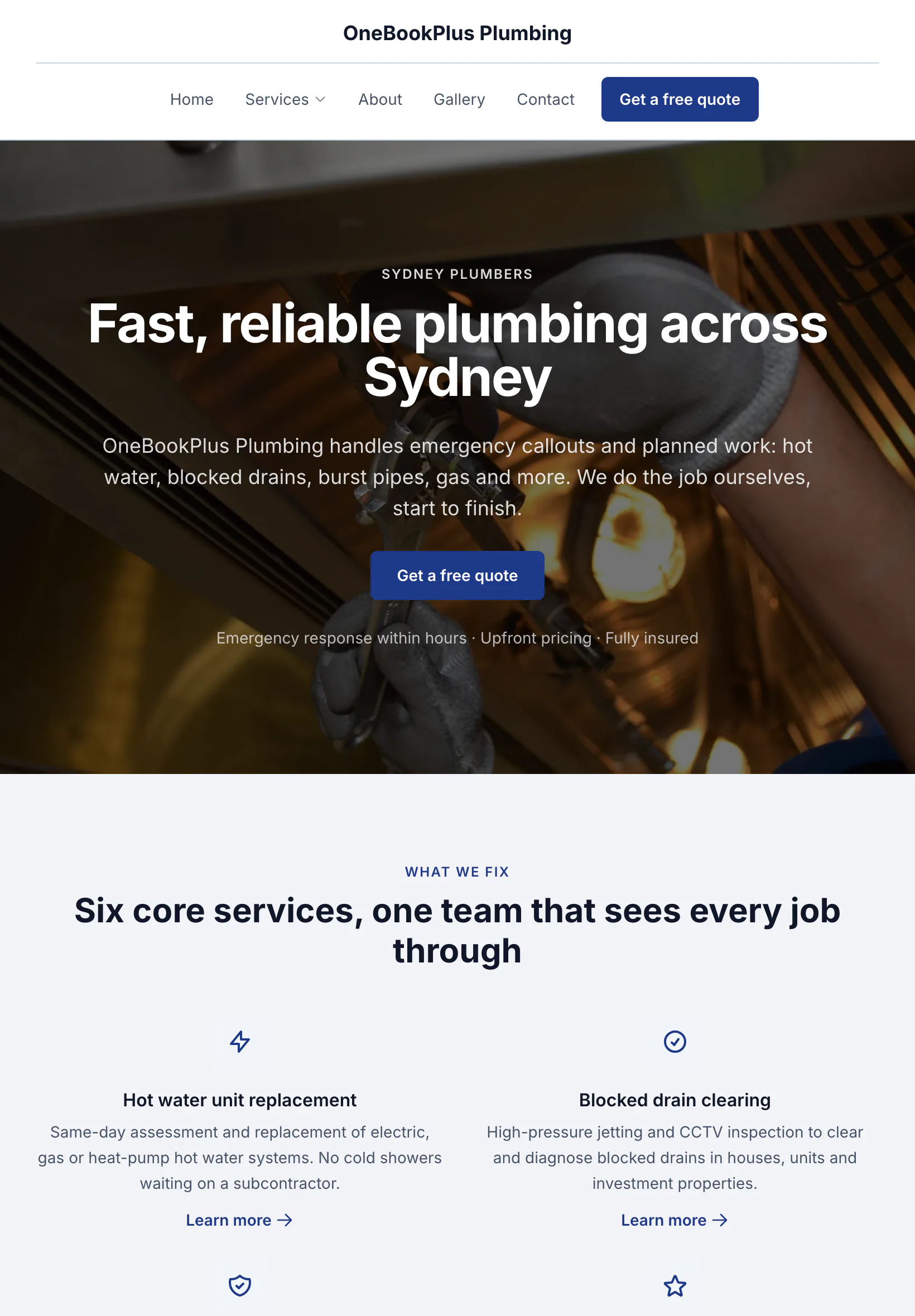
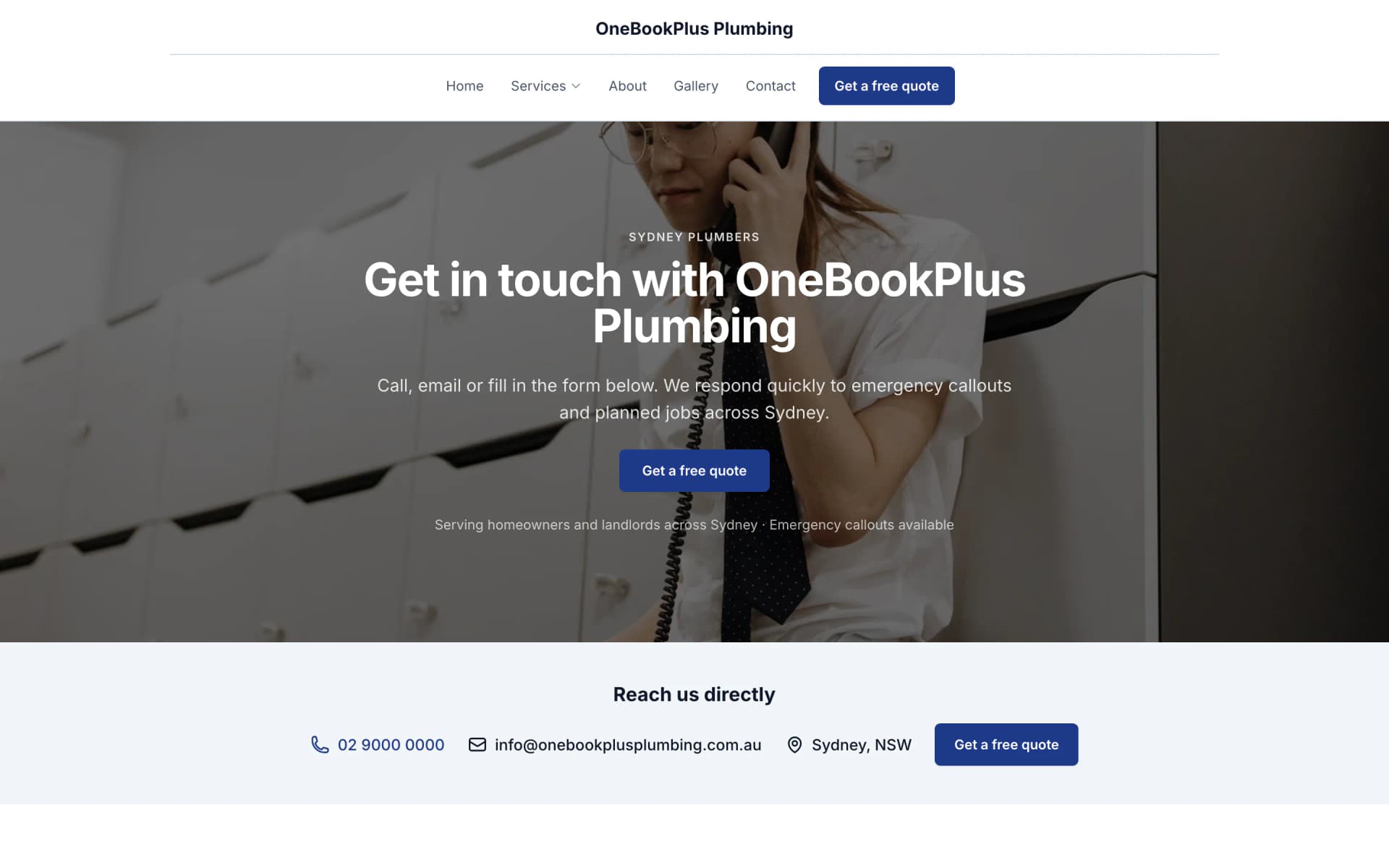
The home page: the name centred over the menu, a dark hero photo, a navy quote button and a grid of services.
Open the OneBookPlus Plumbing site(opens in a new tab)Quote the slab on-site. Schedule the pour. Get paid before the concrete cures.
Price driveways per m², concrete supply per m³, schedule pours around the agitator and pump, raise progress claims on staged jobs, and invoice from the wheelbarrow. All-in-one for $0 to $69/mo, replaces Tradify or Jobber + Xero + your booking tool.
Free plan, no card needed. GST and ABN on every invoice, per-m²/m³ quoting and progress claims included.
Cut $80+/mo from your software stack by replacing Tradify or Jobber + Xero + a website builder + a booking tool with OneBookPlus.
See your savingsFree Tools & Resources
8-step founder guide, ABN, GST, licence, White Card, insurance, tools, pricing, first clients.
InteractiveInteractive estimator combining hourly rate, materials markup, travel, callout, and GST.
ReferenceState-by-state thresholds, regulators, and invoice requirements for AU trade licensing.
Operator GuidePlain-English MA000020, CW/1 to CW/10, industry/tool/fares allowances, RDO system.
ReferencePL, workers comp, tools, vehicle, PI, home warranty, contract works, coverage and premium ranges.
Key takeaways
5OneBookPlus is the concreting business app for crews who spend their days on the slab, not in an office.
Build itemised quotes for slabs, driveways, paths, and exposed-aggregate jobs straight from site. Price by the square metre for finish and labour, by the cubic metre for concrete supply, formwork, mesh, reo, pump hire and finishing all itemised. Customers accept on their phone, and the quote converts to a job.
Concrete waits for no-one. Lock in the pour date, coordinate the agitator delivery window and pump, and assign your crew on the week view. Reschedule a rained-out pour with a drag, and reminders go out to the customer and the team automatically.
Big civil and commercial slabs rarely pay in one hit. The stage list is built for you from the sections of the estimate your client accepted, weighted by what each section is worth, so set-out, pour and finish each become a claimable stage. Raise each as its own GST invoice that draws down the contract value, with the balance owing always clear. There is no separate deposit stage. Keeps cash flowing through a long job.
Every invoice and progress claim calculates 10% GST and shows your ABN. Export a GST summary at BAS time so labour, concrete supply, and pump hire are all accounted for, your accountant gets a clean set of numbers, not a glovebox of dockets.
Log concrete batches, reo and mesh, formwork, pump hire, and the Bunnings run against each job. Snap docket and receipt photos so you know the real margin on every slab, not a guess three months after the pour.
Form-up, reo before the pour, the finished surface, attach photos to the job record so there's a documented trail of what you laid and how. Useful for the customer sign-off, the builder you're subbing to, and any dispute down the track.
Whether you sub to builders or work direct for homeowners, see every past job per contact, what you poured, when, what it cost, and what was quoted. The next call about another slab starts with the full history already on screen.
When the customer accepts your quote it becomes a live job; when the pour's finished and cured, convert it to a GST invoice with one tap. No re-keying line items, no double entry, no chasing yourself for what was agreed.
Describe a slab, driveway or exposed-aggregate job, or speak it, and watch a full, sectioned estimate build in front of you, priced from your own cost catalogue and calibrated to what you actually pay your suppliers: concrete by the m³, finishing by the m², plus formwork, reo, mesh and pump. A built-in reviewer flags missing items, pricing outliers and AU compliance gaps, and lets you add any it finds to the estimate with one tap. You review every line; the AI just does the first draft. Part of the optional Builder Suite estimating add-on ($99/mo), not the core plans.
Learn more about AI estimatingKeep your concrete, reo, mesh, pump-hire and labour rates in one catalogue, then build reusable recipes that price a slab or driveway per m² in one click, concrete, mesh, formwork and place-and-finish labour rolled in, grounded in your real costs and your markup.
Learn more about Cost catalogue and recipesUpload a plan (PDF or photo) and AI measures it, slab and driveway areas, edge runs and counts, dropping each measurement straight onto the drawing with a confidence score. Zoom, pan and drag any shape to correct it, then tap one symbol (a pier, a pad footing) and it finds and tallies every other one. Accept the numbers you trust and build a priced estimate from them. Part of the optional Builder Suite add-on ($99/mo), not the core plans, and there is a monthly takeoff allowance.
Learn more about Digital plan takeoffPhotograph what's done on site and AI reads the photos against your schedule of values, suggesting a percent complete for each stage, set-out at 100%, pour at 80%. It drafts the claim for you to review; you check every stage and nothing bills until you send it. The claim goes out as a GST-compliant invoice the client can pay online. Part of the optional Builder Suite add-on ($99/mo), with a monthly photo allowance.
Learn more about Site photos into a progress claimFree plan available, no card needed.
Website included
Every paid plan includes a full website, hosted by us, with nothing extra to buy and no separate builder: your site, its booking page and the tools behind them sit on one plan. The Free plan keeps the booking page and does not have the website.
The AI drafts every page from your own answers about your concreting work, not from your business name, and it does not invent claims. Every page is laid out for a phone as well as a desk. In the Website Studio you edit any section in place, add text, lists and buttons inside it, choose how many cards sit across, and change the look, which keeps your words, your photos and the spacing you set. The booking page is built in and the site's Book buttons go to it. Your first AI build is included with the plan. A later rebuild runs on AI Companion credits, and one that starts fresh replaces your pages, saving a restore point in History first.
A homeowner requests a driveway quote at 9pm through your booking page. The enquiry, with the slab size and the suburb, lands in your dashboard, ready to price and book a site measure for the morning.
Standard driveway from $65/m². Exposed-aggregate slab from $100/m². A customer sees the price before they book.
The AI writes your services and the area you cover from your answers, so when someone searches 'concreter in [suburb]' there is a page that says what you do and where.
No card needed to start.
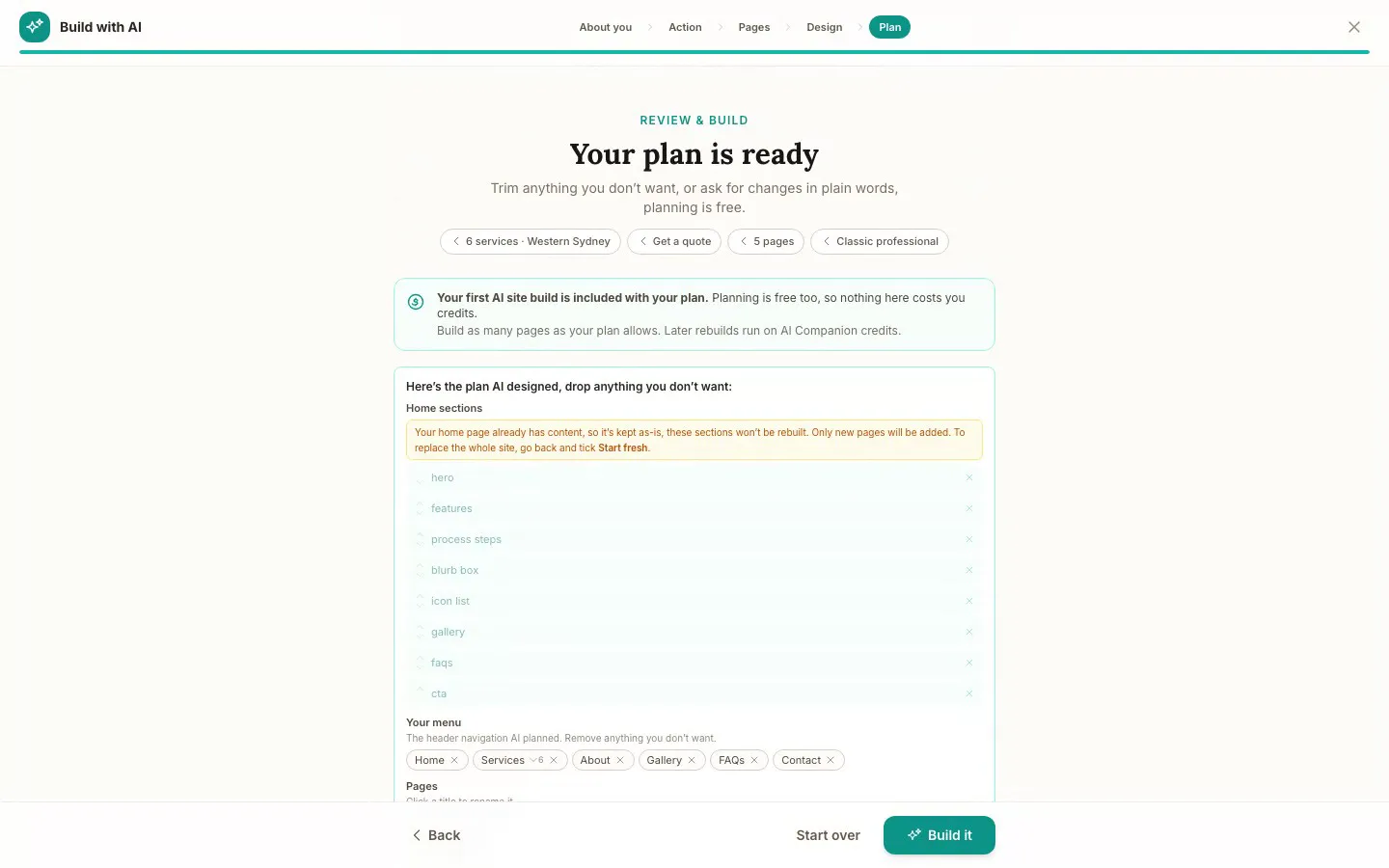
The Website Studio's Build with AI at its Plan step, on our plumbing demo: the pages, sections and menu the AI proposed from the answers already on the account, before anything is built. Click it to see it full size, or watch the recording of the build on the homepage.
Free
$0
A branded booking page on your OneBookPlus address. No website on this plan.
Starter
$29/mo
A website on your OneBookPlus address, hosted with SSL: 10 pages and a blog. The first AI draft is included.
Plus
$49/mo
Your own domain with SSL, 50 pages and a members area.
Growth
$69/mo
Unlimited pages, and a landing page per suburb from one template.
Your own domain connects on an active paid Plus or Growth subscription, not during the 14 day trial; a trial site lives on your OneBookPlus address. Every published site carries a small “Made with OneBookPlus” credit.
All three sites were drafted by the AI from the owner's answers, our own site included. It picks one of eight heading and body type pairings and how the cards sit (a fine line, a bold outline, a soft lift or no card), so a plumber's site, a driving school's and ours do not come out alike. Switch the view to see each one on a desktop, a tablet and a phone, click any screenshot to see it full size, or open the live site in a new tab. The plumber and the driving school are our demo businesses, not customers.
A plumber in Sydney
The home page: the name centred over the menu, a dark hero photo, a navy quote button and a grid of services.
Open the OneBookPlus Plumbing site(opens in a new tab)



A driving school in Melbourne's west
The home page: an L plate logo, a video banner of a hand on the wheel and a yellow band of numbers.
Open the OneBookPlus Driving School site(opens in a new tab)



Our own site, built the same way
The home page: a serif heading beside a framed photo on pale grey, and no full width hero at all.
Open the OneBookPlus site(opens in a new tab)See it in action
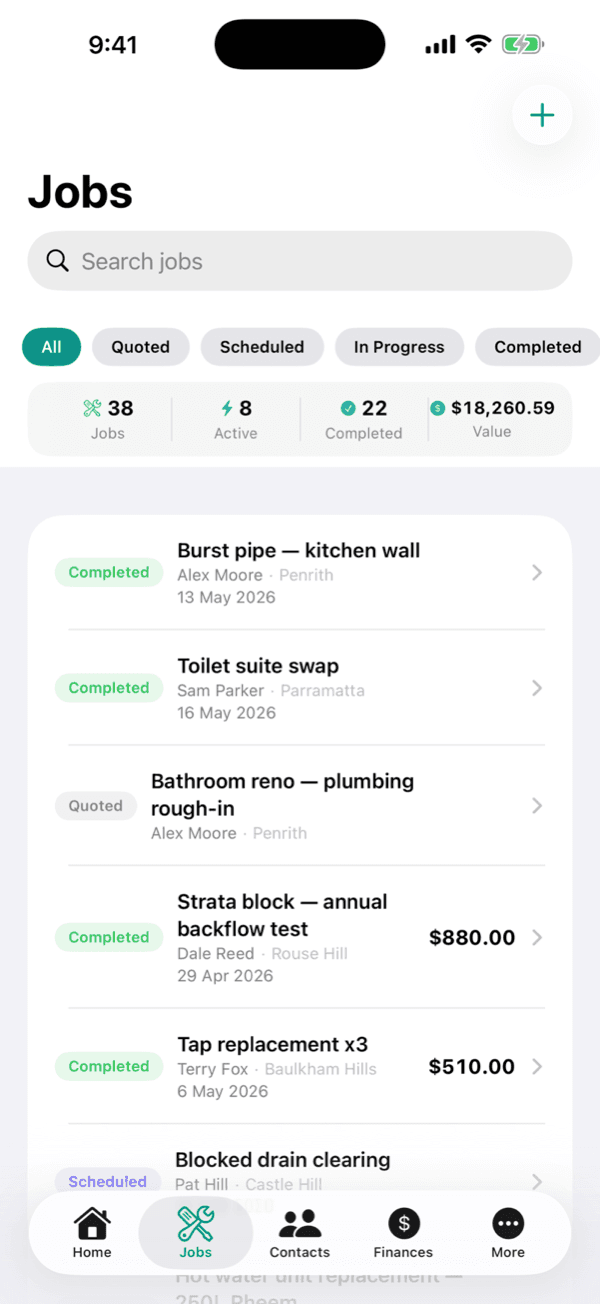
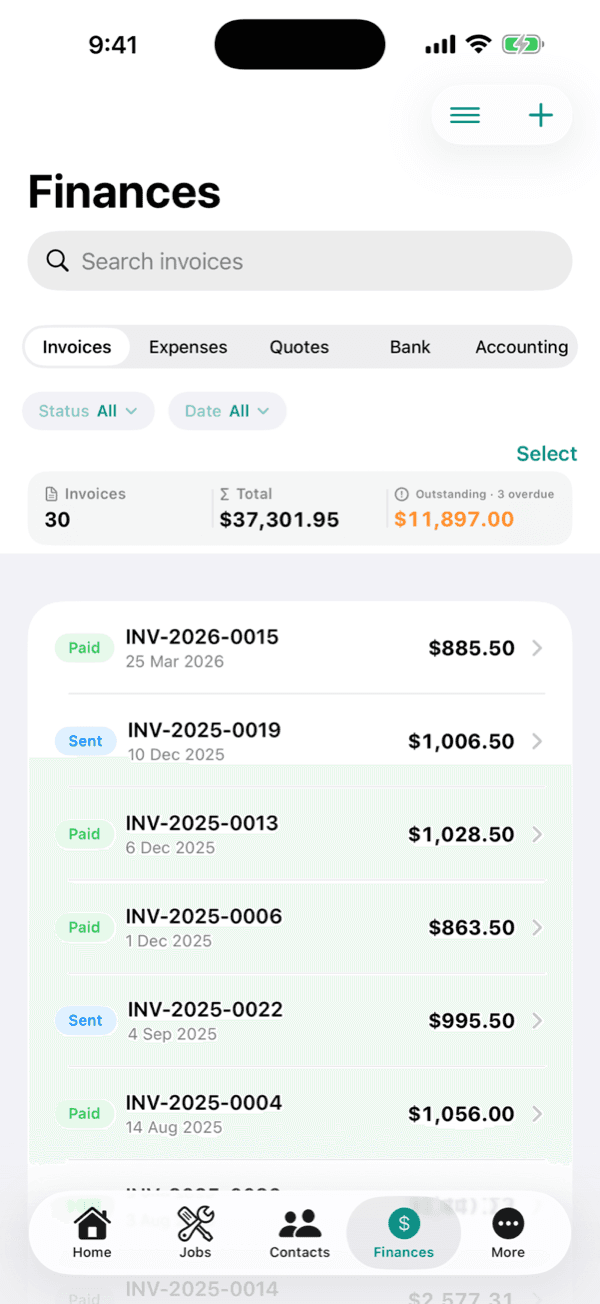
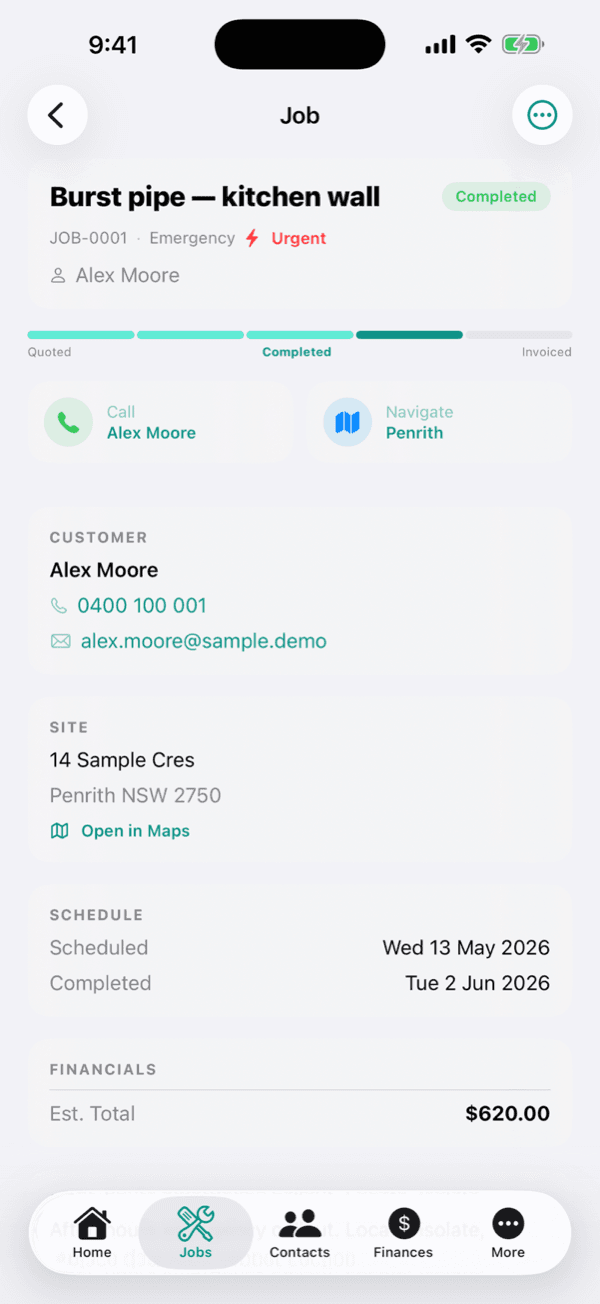
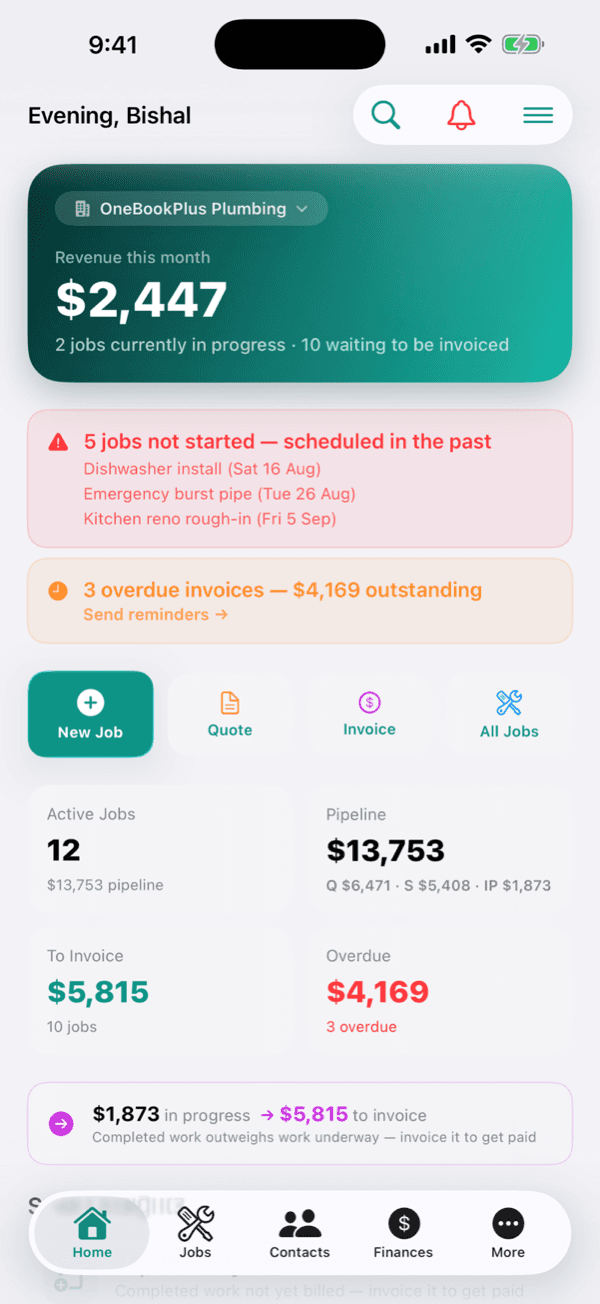
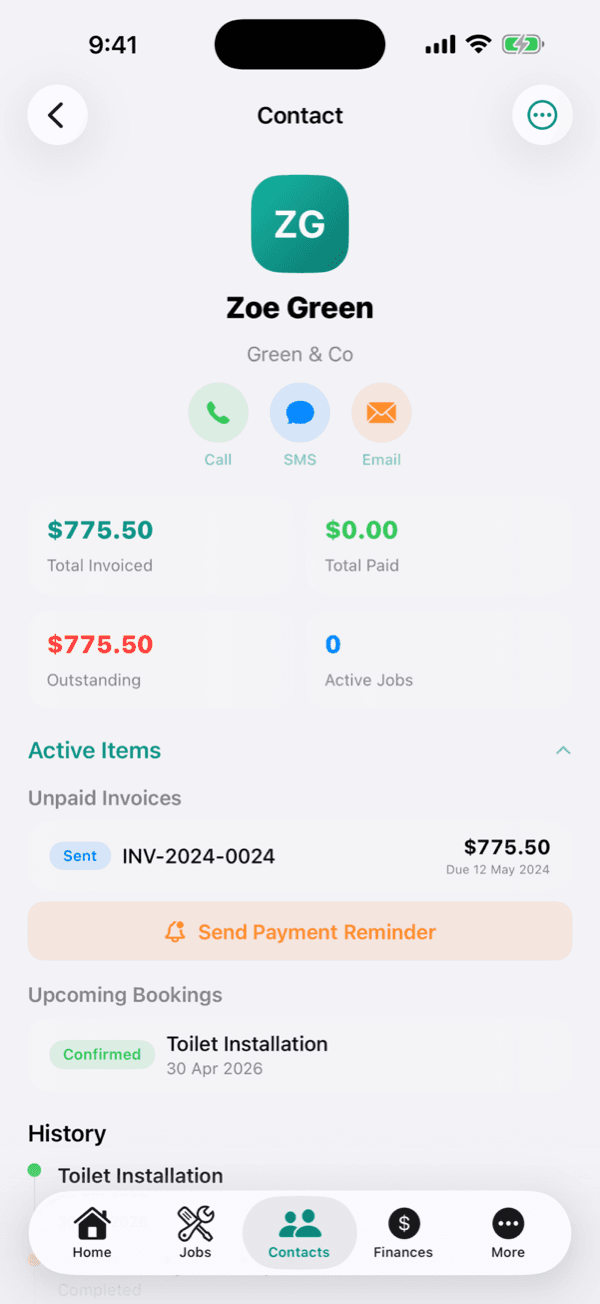
These are real product screens: the job pipeline, staged progress claims and signed quotes you'll run day to day. Tap any screen to zoom in.
Every pour on the board with the site, the mix and the crew, so a batching plant slot and a pump booking sit on the same day view as the formwork that has to be ready for them.
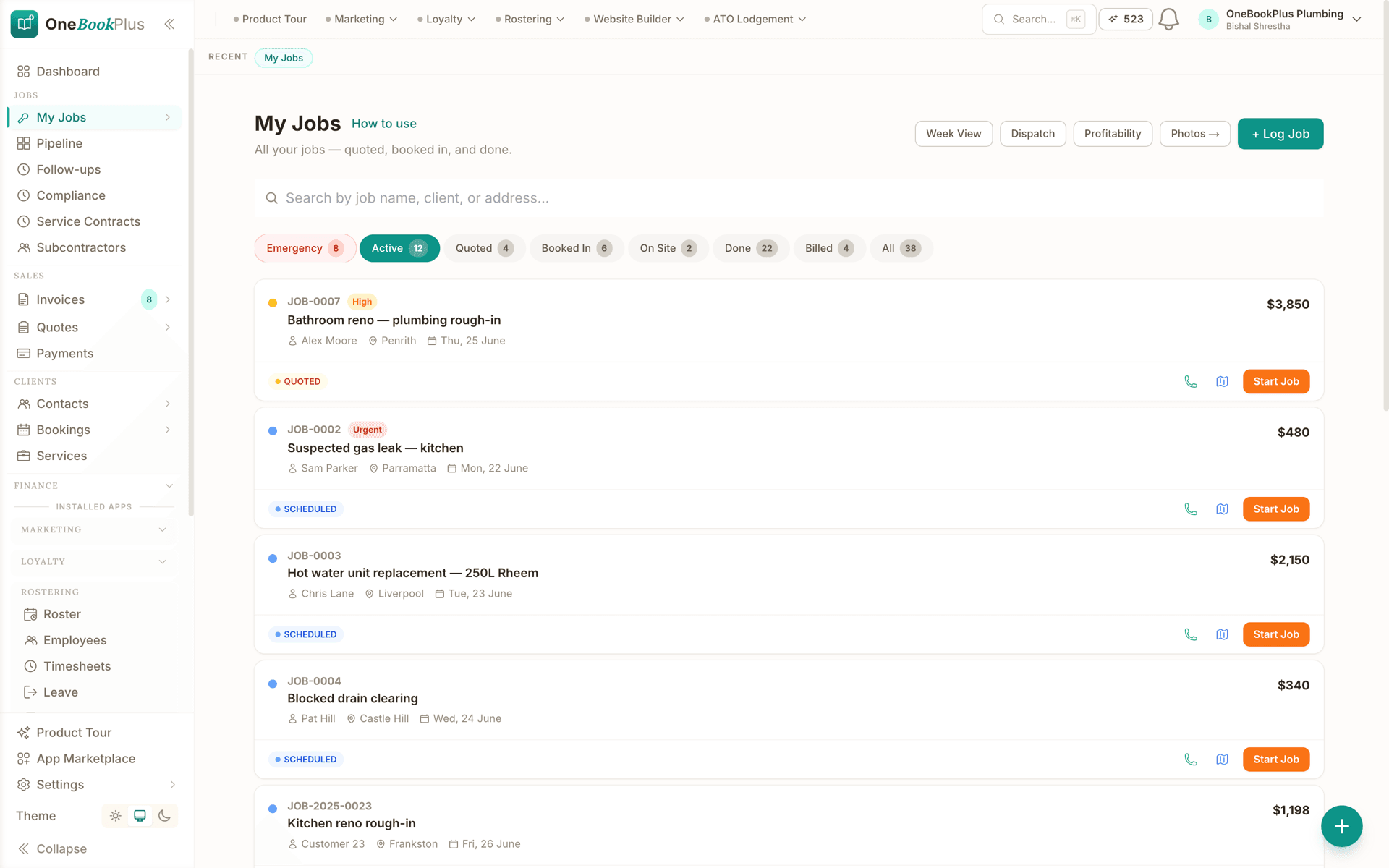
A GST invoice with the amount due on top, subtotal, GST, total, amount paid and amount due underneath, quantity, unit price and GST on every line, and a reminder schedule that queues the next email and the next SMS.
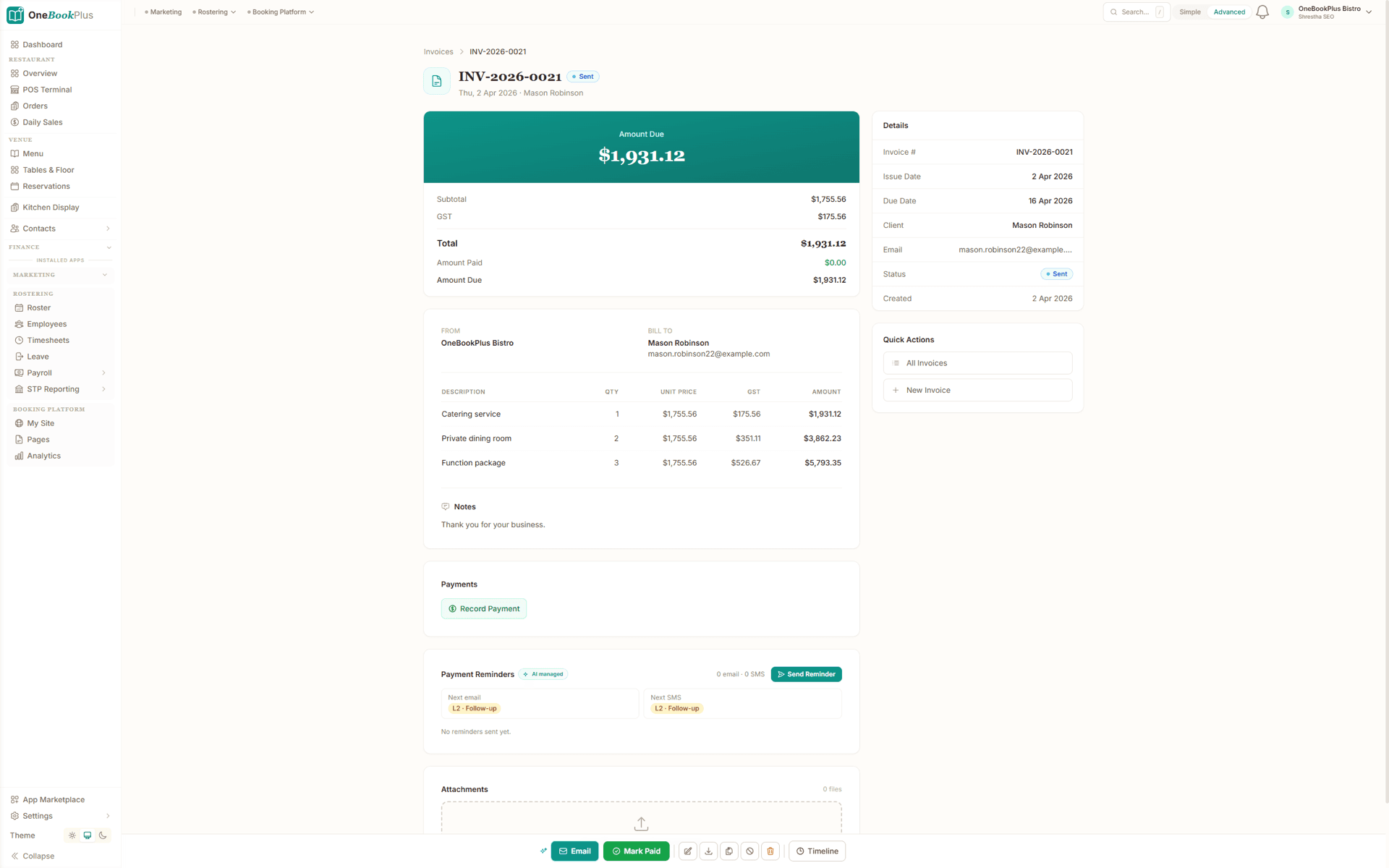
A quote with the total on top, subtotal and GST underneath, quantity, unit price and GST on every line, a valid-until date, and one button that sends it to the client.
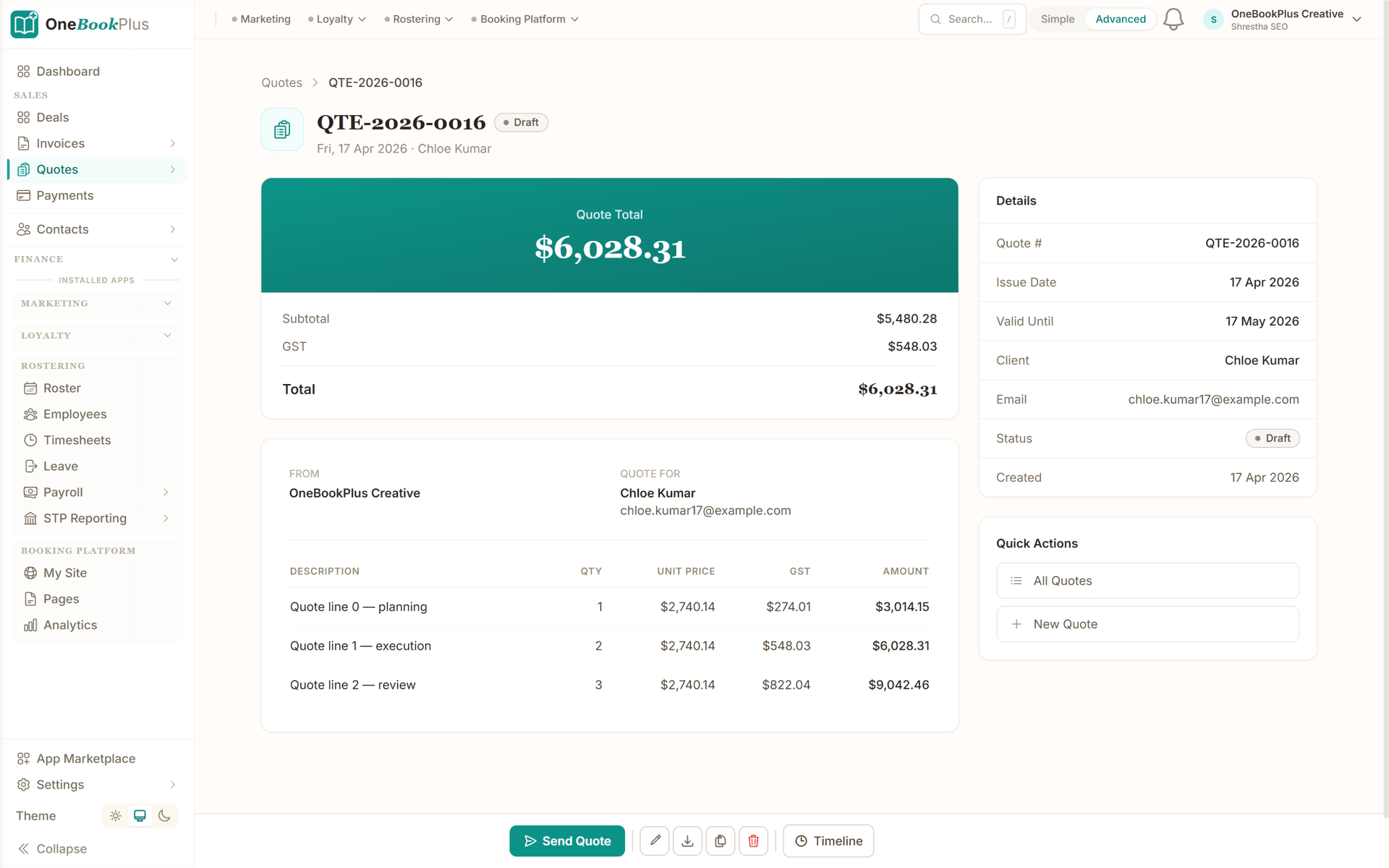
From quote to payment in four steps, built around a typical pour day.
Measure up and build an itemised quote on your phone: concrete supply by the m³, finishing labour by the m², plus formwork, reo, mesh and pump hire. GST calculated automatically. Send a professional PDF with your ABN.
Once accepted, the job lands on your calendar. Lock the pour date around the agitator and pump windows, assign your crew, and weather-proof the plan: drag to reschedule if it rains, and reminders update automatically.
Log the concrete batches and materials used, snap form-up and finished-surface photos, then raise a GST invoice: or a progress claim against the next stage on a bigger job.
Customers and builders pay online via the invoice link. Automated reminders chase overdue progress claims and final invoices, so you stay focused on the next pour, not debt collection.
Send a real quote the day you sign up
Who it's for
A sole trader laying driveways, a residential slab crew and a civil subcontractor run very different weeks. Here is what each one uses.
Laying driveways, paths and shed slabs solo, quoting from site and invoicing between pours. Needs fast mobile per-m² quoting, automatic GST, and one-tap invoicing.
Running a small crew across driveways, patios and house slabs. Needs pour-day scheduling, crew assignment, materials tracking and photo evidence.
Larger staged pours for builders and developers. Needs progress claims against contract stages, supplier-cost tracking, and a clear running balance owing.
Pouring slabs as a sub to multiple builders. Needs builder history, per-job materials, progress claims, and clean GST invoices that match the head contract.
Named tools, at each vendor’s own cheapest published plan, and ours underneath. Vendor pricing changes, so check each one before you decide.
Or use OneBookPlus
$29/mo
Everything in the list above, on one bill.
Start freeNo credit card · Free forever · Cancel anytime
Example walkthrough
An illustrative walkthrough of a typical pour day
The dashboard at 6:15am shows the day. Two driveway enquiries came in overnight through your booking page, and today's pour, an exposed-aggregate slab for a builder, is locked in with the agitator and the pump booked an hour apart.
Driving to site you open the job: form-up was signed off yesterday with photos attached, the reo is down, and the set-out claim has already been paid. Today's pour is the next claim.
The crew pours and finishes by lunch. You photograph the broomed and sealed surface, log the concrete batches and pump hire against the job, and raise the pour-stage progress claim. GST is calculated, the claim draws down the contract value, and the finishing stage stays open for later. It is with the builder before the barrow is washed out.
On the way home you stop to measure a standard driveway. You build the quote on your phone, finishing labour by the square metre, concrete supply by the cubic metre, plus formwork and a saw-cut line, and send it from the kerb. The customer accepts that evening and it becomes a job.
End of day: one slab poured, one progress claim sent, one new quote out, and every docket photographed against the job it belongs to. At BAS time the GST summary exports in one click.
How we compare
See how we compare to the tools concreters typically use.
| Feature | OneBookPlus | Xero | Tradify | Jobber |
|---|---|---|---|---|
| GST invoicing | Yes | Yes | Yes | Yes |
| Quote per m² / per m³ | Yes | No | Yes | Yes |
| Progress claims (staged) | Yes | Yes | Yes | No |
| Pour-day scheduling & week view | Yes | No | Yes | Yes |
| Materials & supplier-cost tracking | Yes | Yes | Yes | Yes |
| Photo evidence per job | Yes | No | Yes | Yes |
| CRM & builder/customer history | Yes | No | Yes | Yes |
| Online booking page | Yes | No | No | No |
| BAS-ready tax reports | Yes | Yes | No | No |
| Large third-party add-on marketplace | No | Yes | Yes | Yes |
| Free plan available | Yes | No | No | No |
| Price | From $0/mo | $37+/mo | $48+/mo | US$49+/mo |
Concreter savings calculator
Adjust the numbers below to match your real monthly spend. The total updates live, and so does what you'd save by replacing the lot with OneBookPlus.
Accounting (Xero, MYOB, QuickBooks)
Xero's cheapest published plan
Jobs & quotes (Tradify, simPRO, a batching order sheet)
ServiceM8's cheapest published plan
Website + hosting (Squarespace, Wix)
Squarespace's cheapest published plan, billed monthly
Bookings (Calendly, Acuity)
Calendly publishes US$10/mo. Type what you pay in Australian dollars.
CRM (HubSpot, Pipedrive)
HubSpot publishes US$20/mo. Type what you pay in Australian dollars.
Email marketing (Mailchimp, Klaviyo)
Mailchimp publishes no ongoing price. Type what you pay.
Rows open at the cheapest plan Xero, ServiceM8 and Squarespace publish, verified 2 August 2026. Calendly and HubSpot publish in US dollars and Mailchimp publishes no ongoing rate, so those three rows open at zero for you to fill in rather than carry a converted figure.
Your current stack
$90/mo
= $1,080/year
With OneBookPlus Starter
$29/mo
Replaces everything in the list. One bill.
Free plan available · No card required · Cancel anytime
An illustrated day, not real customer data. Scroll through it from morning to 5pm: the AI receptionist answers and books a missed call, the work runs from the app, the GST invoice is sent on the spot, payment lands and the books balance themselves, a review invite is queued for the next daily run, and the day closes with the ledger already written.
7:00am
While you're in the shower
Mrs Chen's hot-water system died overnight. She calls the first plumber on Google, you.
AI Receptionist
The AI answers in two rings, books 9:30 am, and texts her a confirmation, before you've found your keys.
On the job
Job card on your phone: address, fault notes, history. The quote's pre-filled from your price book.
From the ute
One tap converts the job to a GST invoice with a pay link. No laptop, no evening paperwork.
While you're on the next job
Card payment lands, the books update themselves, and $76.36 GST is set aside for BAS.
Reputation on autopilot
Paying puts Mrs Chen in the queue. The 2pm run takes it from there, once per client per 90 days, so nobody gets asked twice.
The day closes itself
You did one job and quoted another. The book did the rest.
$0
collected
0
call answered by the AI
0
evenings lost
An illustrated day, not real customer data. AI Receptionist is a $79/mo add-on that needs AI Companion ($25/mo, included on Growth), and AI Companion is what sends the review invite as well. The rest of the day is the app itself.
Start free, upgrade when revenue justifies it. No contracts, no setup fees, no per-user tax. Cancel any time.
Free
$0/forever
Quote your first driveway today, no credit card.
Starter
$29/mo
Replaces Xero + Tradify or Jobber + your website builder.
No card, drops to Free if you don't upgrade
Plus
$49/mo
Outgrowing the basics, advanced reporting.
Our pick: unlimited contacts and booking pages for $49
Growth
$69/mo
For outfits running multiple crews with marketing on the side.
Prices in AUD inc. GST. Online card payments carry Stripe processing fees (1.65% + 30¢ AU cards) plus a 2.5% OneBookPlus platform fee. Read the full plan comparison
Switching is designed to fit in a single evening. Export your customers and jobs as CSV from your current tool, import them into OneBookPlus with the bulk importer, and you're quoting the next morning.
Switch from
Built-in AI
You can't sit by the phone all day, and every missed call is work that goes to whoever answers first.
OneBookPlus
AI Receptionist · incoming call
“Can I book in sometime this week?”
If you don't answer, the AI books it, Booking · Tue 10:30am, and texts a confirmation.
Extend Your Toolkit
Add advertising, tax lodgement, booking pages, and more to grow your concreting business.
Built in Melbourne, AU
ATO-ready from day one
TLS in transit, AES-256 at rest, tenant isolation at the database layer, read the security page
No credit card needed
Common questions about quoting and job management software for concreters in Australia.
Tradify and Jobber are capable job-management apps with longer track records and bigger integration marketplaces, and they concentrate on the scheduling and job-card side. They leave accounting to Xero or MYOB and a booking page to another tool. OneBookPlus takes the all-in-one route: per-m²/per-m³ quoting, pour-day scheduling, staged progress claims, GST/BAS-ready invoicing, a CRM with builder history and a free booking page in one platform from $0/month. When you compare, weigh the all-in monthly cost of a job app plus an accounting subscription plus a website builder against one subscription, and pick the tool that fits your crew size and the kind of work you take on.
Yes. OneBookPlus is a genuine Tradify and Jobber alternative for Australian concreters. Both are well-established field-service apps, but they typically still need Xero for accounting and a separate tool for your website. OneBookPlus bundles job management, per-m²/per-m³ quoting, progress claims, GST invoicing, accounting, CRM and a booking page together, with a free plan to start on. We're upfront that Tradify and Jobber have longer track records and bigger integration marketplaces; our advantage is one all-in-one subscription with no per-user job-app tax bolted onto a separate accounting bill.
Yes. Price the finished surface, slab, driveway, path, exposed aggregate, by the square metre for finishing labour, and the concrete supply by the cubic metre. Itemise formwork, reo and mesh, pump hire, cutting and sealing as separate lines so the customer sees exactly what they're paying for, with 10% GST calculated automatically.
Yes. For staged civil and commercial work, raise progress claims against the stages built from the sections of your accepted estimate, set-out, pour, finish. Each claim is its own GST invoice that draws down the contract value and keeps the balance owing clear, so cash keeps flowing through a long job instead of waiting for one final invoice at the end. There is no separate deposit stage.
Every invoice and progress claim automatically calculates 10% GST, displays your ABN, and meets ATO tax-invoice requirements. At BAS time, export a GST summary in one click so concrete supply, pump hire, labour and materials are all accounted for. This is general information, not tax advice, confirm your specifics with your accountant or the ATO.
Yes, our free plan includes unlimited jobs and one-off bookings, 10 invoices and 5 quotes a month and up to 250 contacts, which suits a sole-trader concreter getting started. You can upgrade to unlimited invoicing, the drag-and-drop job pipeline and progress claims as your business grows, with no lock-in contract.
Licensing for concreting work is set at state and territory level, and the requirement depends on the work type and value, many jurisdictions require a building or trade contractor licence (or registration) above a certain contract threshold, while some lower-value or sub-contracted work may not. OneBookPlus lets you show your licence or registration number on quotes and invoices where it applies. Always check the current requirements with your state or territory building regulator, for example QBCC (QLD), NSW Fair Trading, the VBA (VIC), Building & Energy (WA), CBS (SA), CBOS (TAS), Access Canberra (ACT) or NT's building regulator.
Yes. Describe the job, a 180m² slab, a driveway, a shed floor, and AI drafts a sectioned estimate priced from your own cost catalogue, with concrete by the m³ and finishing by the m². Or upload a plan and AI reads the areas off it into a review queue you check line by line. A separate AI reviewer flags anything missing before the quote goes out. The AI does the first draft; you review and adjust every line.
Yes. Build a recipe (assembly) once, a slab per m²: concrete supply, mesh, vapour barrier, edge formwork and place-and-finish labour, and reuse it to price any slab or driveway in one click. Recipes pull from your own cost catalogue, so every quote reflects your real supplier rates and markup, with wastage built in.
Yes. Photograph the work as it progresses and AI reads the photos against your job's schedule of values, suggesting a percent complete for each stage, set-out, pour, finish, with a short reason for each. It drafts the claim; you review and adjust every stage, and nothing is billed until you send it. The claim materialises as a GST-compliant progress-claim invoice (with retention withheld if you use it) that your client can pay online.
Buildxact is a capable estimating and job-management tool, but it has no built-in payment collection, a tax-exclusive-only engine, and its AI estimating is a paid add-on. OneBookPlus builds the estimating, AI plan takeoff, progress claims with retention, variations and GST-ready accounting into one platform, with the AI included in the flat $99/mo Builder Suite price rather than metered on top, and clients able to pay progress claims online. A couple of things Buildxact can't do: tap one symbol on a plan and have AI find and count every other one (their counting is click-by-click), and turn site photos into a drafted progress claim. You can export your data any time, so there's no lock-in.
Yes. Concrete supply, pump hire and reo are usually paid for before you see a cent from the customer, so most concreters bill a deposit on quote acceptance. Raise the deposit as its own invoice against the job with an online payment link. A deposit invoice sits on the job alongside the progress claims rather than drawing down the schedule of values, so allow for it when you raise the final claim. How much you ask for is your commercial decision, but note that several states cap deposits on regulated residential building work and require a written contract above a set value, so check the rules your state or territory regulator applies to your contracts before you set a standard percentage.
On subcontract work for a builder, a percentage of each progress claim is often withheld as retention and released after practical completion and again at the end of the defects period. OneBookPlus can withhold retention on a progress claim so the claim total, the retained amount and the balance owing are all visible on the job rather than tracked in a side spreadsheet. Variations, an extra pier, a thicker slab, an added saw-cut, are raised against the same job so the approved contract value moves with them and the head contractor sees what changed and when. Payment timing on construction contracts is governed by state security-of-payment legislation, which sets its own notice and claim rules, so check how those apply to your contracts.
Businesses in the building and construction industry that pay contractors for building and construction services generally have to lodge a Taxable Payments Annual Report (TPAR) with the ATO. If you sub out formwork, pumping, saw-cutting or labour hire, those payments are the ones the report covers. Logging every supplier and subcontractor payment against the job as you go, with the ABN on the record, means the underlying data is already sorted when the report is due instead of being reconstructed from a shoebox of dockets. There is a plain-English TPAR entry in the OneBookPlus glossary if you want the definition first. Treat this as general information rather than tax advice and confirm your obligations with your accountant or the ATO.
About the author

Founder & CEO, OneBookPlus
Bishal spent a decade running digital projects for Australian small businesses before founding OneBookPlus. He writes and maintains these pages, and publishes what OneBookPlus does not do alongside what it does.
Read the founder bioHow this page was researched
The compliance and licensing statements above are taken from the bodies this page links to, including Standards Australia, NSW Fair Trading and the QBCC, so you can read the rule rather than take our word for it. Plan prices come from the OneBookPlus price registry, so the page and the checkout cannot disagree. Everything said about OneBookPlus describes what the product does today, and the page says so where it does not do something.
Concreting businesses in Australia run on a paperwork problem that's easy to underestimate. You're measuring driveways and writing quotes on a notepad, texting form-up photos to builders, and then spending your evenings trying to match Xero invoices against deposits from three different jobs. Many concreters pay from $37/mo for Xero and from $48/mo per user for a job app like Tradify or Jobber, and still end up with a glovebox of concrete dockets and Bunnings receipts that never get logged against the right slab. The result: you don't really know how profitable a pour was until your accountant tells you months later, if they can even untangle which docket went with which job.
OneBookPlus gives you one app for your whole concreting business. Build itemised quotes on your phone, finishing labour priced by the square metre, concrete supply by the cubic metre, plus formwork, reo, mesh, pump hire and saw-cutting all itemised with GST calculated automatically. When the customer or builder accepts via the quote link, the job drops straight onto your calendar. Pour the slab, log the batches and materials, snap form-up and finished-surface photos, and convert the quote to a GST invoice with one tap, or raise a progress claim against the next stage on a longer job. Log every supplier cost against the job so you can see the true margin on each slab. No more guessing, no more double-entry, no more Sunday night sorting dockets.
The thing generic job apps get wrong for concreters is how you price. A slab is two costs in one quote: the finished surface (priced per square metre for the finish: standard, broomed, exposed aggregate, coloured) and the concrete itself (priced per cubic metre based on the slab thickness and the supplier's rate). OneBookPlus lets you build both into the same quote, alongside formwork by the linear metre, reo and mesh by the sheet, pump hire as a day rate, and saw-cutting and sealing as their own lines. The customer sees a clear, professional breakdown rather than a single lump sum, and accepts on their phone. The accepted quote becomes a live job with all those line items carried straight through to the invoice, so nothing gets re-keyed or forgotten. If you are still working out what your hourly and per-metre rates need to be, the tradie quote calculator and the markup and margin calculator will do the arithmetic before you commit to a price list.
A pour is a logistics exercise. The agitator delivery window, the pump, your crew, and the weather all have to line up on the same morning. The week view shows every pour and every crew member at a glance. Lock the pour date, assign the crew, and note the concrete order and pump booking against the job. If rain rolls in, drag the pour to a new day and the customer and crew reminders update automatically. For concreters subbing to builders, you can see at a glance which slabs are formed-up and ready versus which are still waiting on set-out, so you never send a truck to a site that isn't ready.
Concreting is the one trade where the calendar is not really yours. The forecast decides when you pour, and once the truck is ordered the decision has a cost attached, so the reschedule call usually gets made the night before or at first light. The problem is rarely the decision, it is everything downstream of it: ringing the batching plant, moving the pump, telling three crew members, and telling the customer or the site supervisor who has a bricklayer booked behind you. On the week view you drag the pour to the new date once, and the crew assignment and the customer reminder move with it, so nobody turns up to a site that is under water. The job keeps its history too, the original date, the moved date and the reason sit on the record, which matters when a builder later asks why the slab went in a week after the program said it would. Where a wet-weather delay has contract consequences on commercial work, raise the variation against the same job so the approved contract value and the claim schedule stay in step with reality.
Bigger civil and commercial slabs rarely pay in one invoice at the end. They run on progress claims against the stages built from the sections of the estimate your client accepted, set-out, pour, finish, and waiting until the whole job's done to bill it is what strangles a concreter's cash flow. OneBookPlus lets you raise each stage as its own GST invoice that draws down the contract value, with the balance owing always clear on the job. The set-out claim covers the form-up, the pour claim lands the day you pour, and the final claim closes it out. A deposit is billed as an ordinary invoice on the job rather than a claim stage. Automated reminders chase any claim that goes overdue, so the money keeps moving while the job's still on the ground. There is more detail on how claims, retention and variations are structured on the progress claims feature page, and you can model what a staged job does to your bank balance with the cash flow forecast calculator.
The docket the driver hands you is the most honest document on the job, and it is the one most likely to end up folded in a visor. It records what was batched, what mix and what strength, what time it left the plant and what time it was discharged. Read against your quote, it answers the only question that matters after a pour: did the slab take the volume you priced. Over-order and the extra goes down the drain with your margin; short-order and you are paying for a second small load, a return trip and the waiting time that goes with it. Photograph the docket onto the job the moment you sign it, along with the pump invoice and any waiting-time charge, and the job carries its real cost rather than the cost you assumed at quoting time. Do that for a season of slabs and your per-m² and per-m³ rates stop being a guess: you can see which finishes, which access conditions and which builders actually leave you money, and price the next quote from evidence. It also makes your tax invoice and GST-credit position easy to reconstruct if the ATO or your accountant asks.
Every invoice and progress claim carries your ABN and calculates 10% GST on labour, concrete supply, pump hire and materials, meeting ATO tax-invoice requirements without you doing the maths. Where your work type and contract value require a building or trade contractor licence in your state or territory, show that number on the quote and invoice too. Customer and builder payments made through the invoice link clear the invoice on their own, and supplier costs, concrete, reo, pump hire and fuel, land in the right accounts as you enter or import them. There is no live bank feed at the moment, so anything paid outside the link is imported from a statement. Come BAS time, your GST summary is already prepared: GST collected on invoices, GST credits on purchases, and the net owing. Export it in one click, or check a single figure first with the GST calculator and the BAS calculator. This is general information about how the software works, not tax advice, confirm your specifics with your accountant or the ATO.
Sign up free, no credit card, no lock-in contract. Choose “Concreter” as your business type and OneBookPlus pre-configures concreting service categories, typical job types (driveway, house slab, shed slab, path, exposed aggregate, commercial slab) and invoice templates. Import your customer and builder list via CSV from Tradify, Jobber, or a spreadsheet, set your per-m²/m³ rates, and set your invoice branding and numbering. Your claim stages come from the way you section an estimate before your client accepts it. You can send your first quote the day you sign up. If you also run the whole build rather than just the slab, the builders page covers estimating and contract administration in more depth, and the OneBookPlus versus Tradify comparison sets the two tools side by side line for line.
Quote per m² and m³, schedule the pour, raise progress claims, and invoice from site, with the GST and BAS numbers kept ready as you go. Free to start, upgrade when you're ready.
Reviewed by Bishal Shrestha
Authoritative sources
Concreting in Australia sits across state/territory building regulators, the national concrete standard, and ATO GST rules. We cite the primary sources for the claims on this page so you can verify the current requirements directly.
From the blog
Practical guides and explainers from the OneBookPlus blog, grouped by topic.
One landscaping job followed from quote to money in the bank, with the customer, quote, job, invoice, payment and BAS all staying linked.
In the March quarter 2026, Australian small businesses waited an average of 24.1 days to be paid and were paid 6.9 days late (Xero Small Business Insights). This fully-sourced report aggregates the latest getting-paid, cash-flow, insolvency and payments-reform figures from Xero, the Payment Times Reporting Regulator, the RBA, ASBFEO, the ABS, CommBank-UNSW and CreditorWatch into one extractable resource.
Choosing plumbing software in Australia for 2026: which features matter on the tools, how the main options compare, and quoting to paid in one app.
The nine invoicing apps Australian small businesses actually shortlist in 2026, with cited pricing, GST and BAS notes, and which are genuinely free.
Industries
Comparisons